

Inspiration
Most room-redesign apps show you someone else's beautiful room. We wanted the opposite: your actual room, with its odd window and awkward corner, reimagined. Mood boards don't help when you can't picture them in your own space, and hiring a designer for a single room is out of reach for most people.
What it does
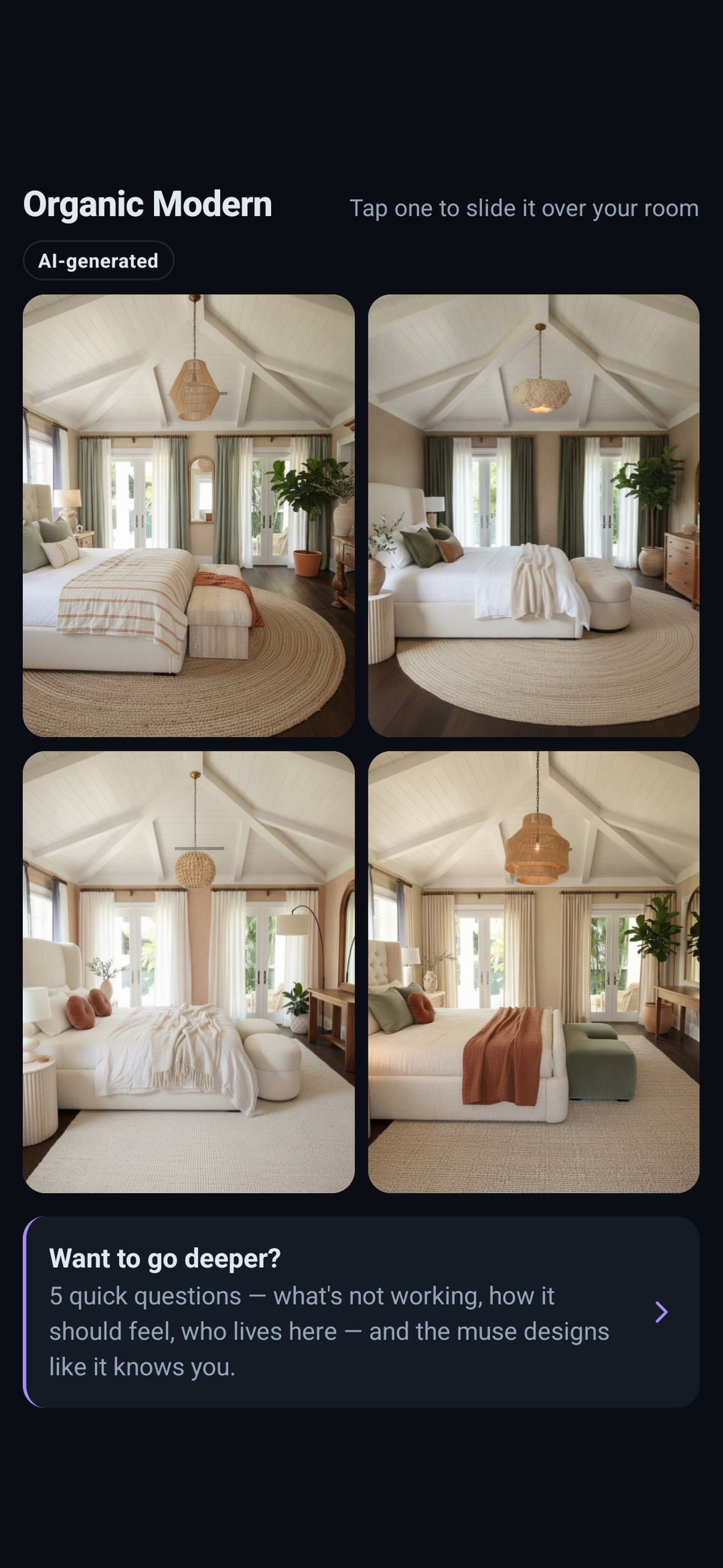
- Your room, redesigned. Take or pick a photo, choose a style (for example Organic Modern), and DecorMuse creates four redesigns of that room. The walls, windows and layout stay put; the furniture, materials and mood change.
- Compare in place. Tap a design to slide it over your original photo with a before/after slider.
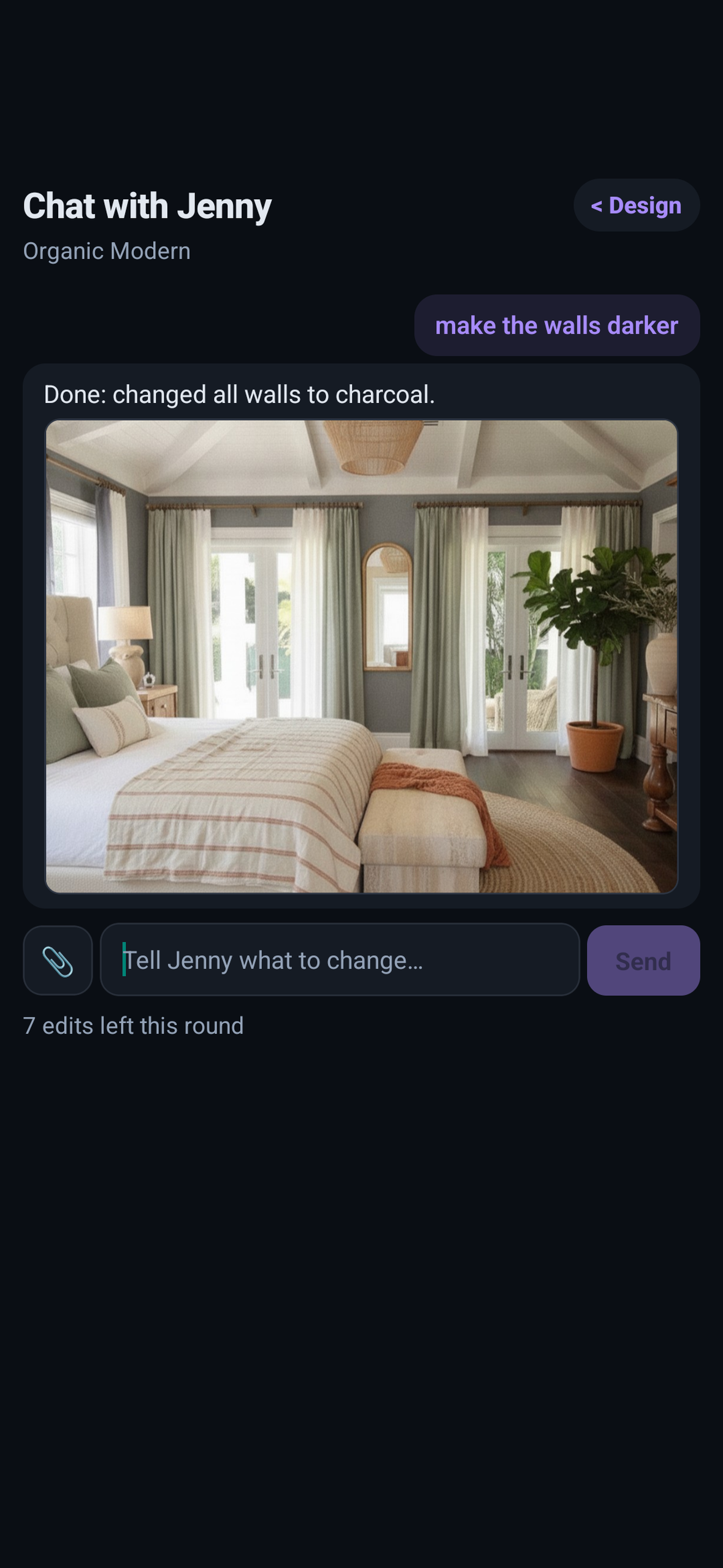
- Refine it with Jenny. Chat with Jenny, your AI design muse: "make the walls darker", "swap the rug for jute", "warmer lighting". Jenny edits the design you picked instead of starting over. Each round includes up to 8 edits.
- Go deeper. After your first round, five quick questions (what isn't working, how the room should feel, who lives there) tailor the next designs to you.
- Boards. Every session is saved, so you can come back to a room and keep going.
- Responsible by default. Every image is labeled AI-generated, every design has a Report button, room photos are deleted after 30 days, and you can delete your data from the app.
How we built it
- App: React Native + Expo (TypeScript, Expo Router), released on Google Play.
- Payments: the RevenueCat SDK (
react-native-purchases) with a custom paywall, an offering with a monthly subscription and two round packs, and Restore Purchases. A signed RevenueCat webhook credits rounds on our server, idempotent on both event ID and store transaction ID, and the Rounds page shows the wallet and purchase history. - AI: Gemini 2.5 Flash Image redesigns the room from the photo; Gemini 2.5 Flash reads the room and interprets Jenny chat requests into precise edits.
- Backend: a Python API that runs its AI tools through a private instance of Snippbot, our self-hosted AI agent platform, on the same machine. It's deployed on Fly.io with Litestream continuously backing up the SQLite ledger.
- Team: the app was built by Sai working with a swarm of AI agents (developer, designer, PM and QA roles) coordinated in Snippbot.
Challenges we ran into
- Keeping it your room. Image models love to "improve" a room by moving windows or changing the ceiling. Every edit is sent with your original photo as a geometry reference, and each render is aligned back to the source photo, so the architecture stays put and the before/after slider lines up.
- Fair billing for AI that can fail. A round's credit is held before generation, kept only if designs actually arrive, and returned automatically on any failure.
- Cost safety. Image generation costs real money per call, so the server enforces per-device, per-IP and daily spend limits that a single abusive client can't get around.
What we learned
People don't want more inspiration; they want to see their own space changed. And honest pricing (rounds, not per-image charges, plus automatic refunds) makes people comfortable trying a paid AI feature.
Judges: how to test
- Install DecorMuse from Google Play. There's no sign-in.
- Every new install gets 2 free design rounds. Take a photo of any room (or use a photo from your gallery), pick a style, and wait a minute or two for four redesigns.
- Tap a design to compare it with the slider, then open Chat with Jenny and ask for a change ("make the walls darker").
- Open Rounds to see the wallet, the packs and the subscription, all sold through RevenueCat.

Log in or sign up for Devpost to join the conversation.