Inspiration
I’ve always wanted to try cake decorating. I find it really appealing, but since I don’t eat sugar, it never made much sense for me to try it in real life. The pottery side was inspired by the time I spent doing pottery and how much I miss it. I thought these two interests could come together in Decorate. I also think mixed reality can be a more sustainable way to make art because you can practice and experiment without using up ingredients, clay, or paint.
What it does
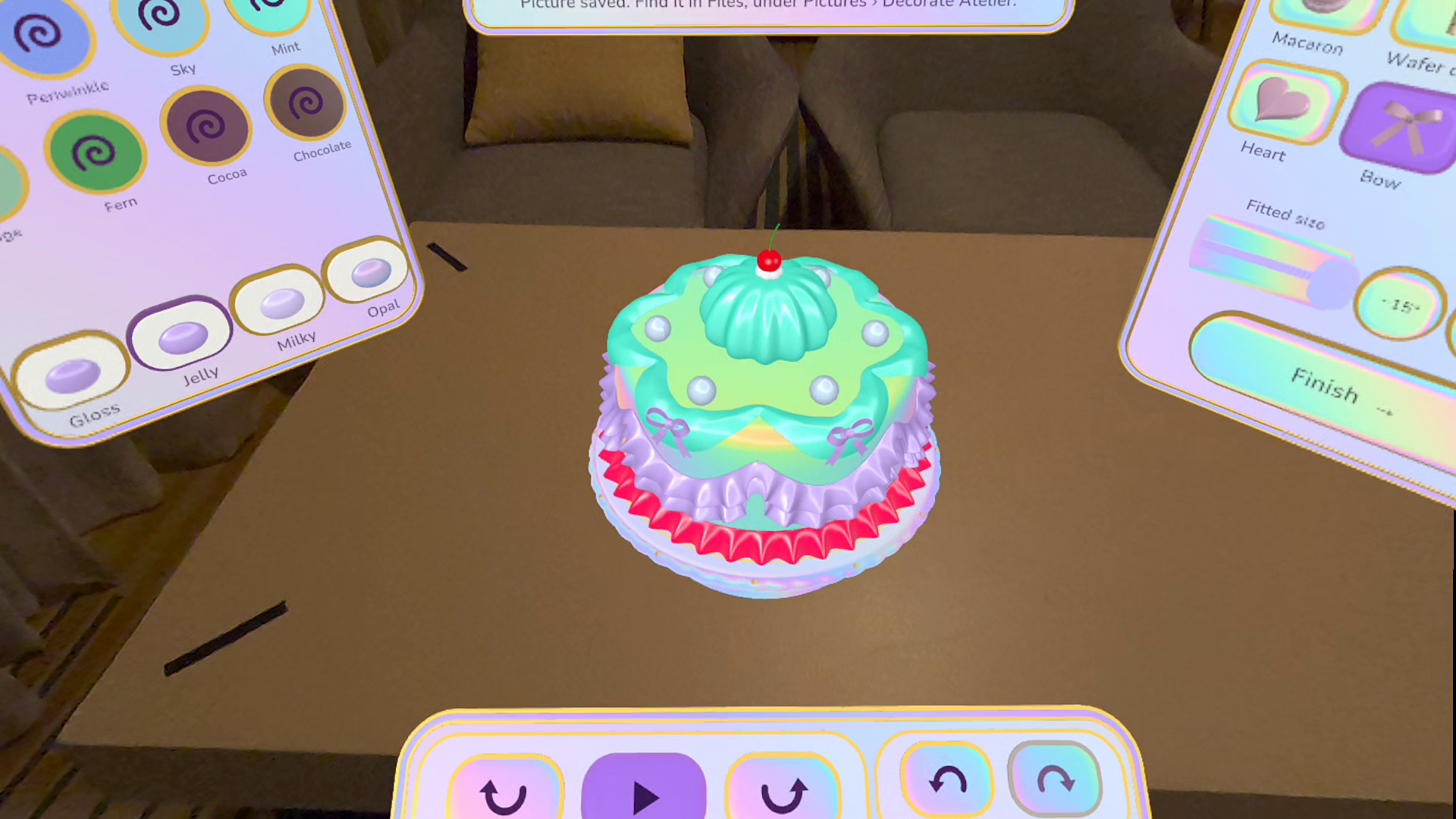
Decorate is a casual cake decorating and pottery simulation for Meta Quest. You can pipe frosting onto a virtual cake or throw a virtual pot for a satisfying, no-mess experience. In multiplayer, you can decorate together with a friend or share the experience with your kids. Decorate also supports voice and gaze controls, and you can switch between two visual themes.
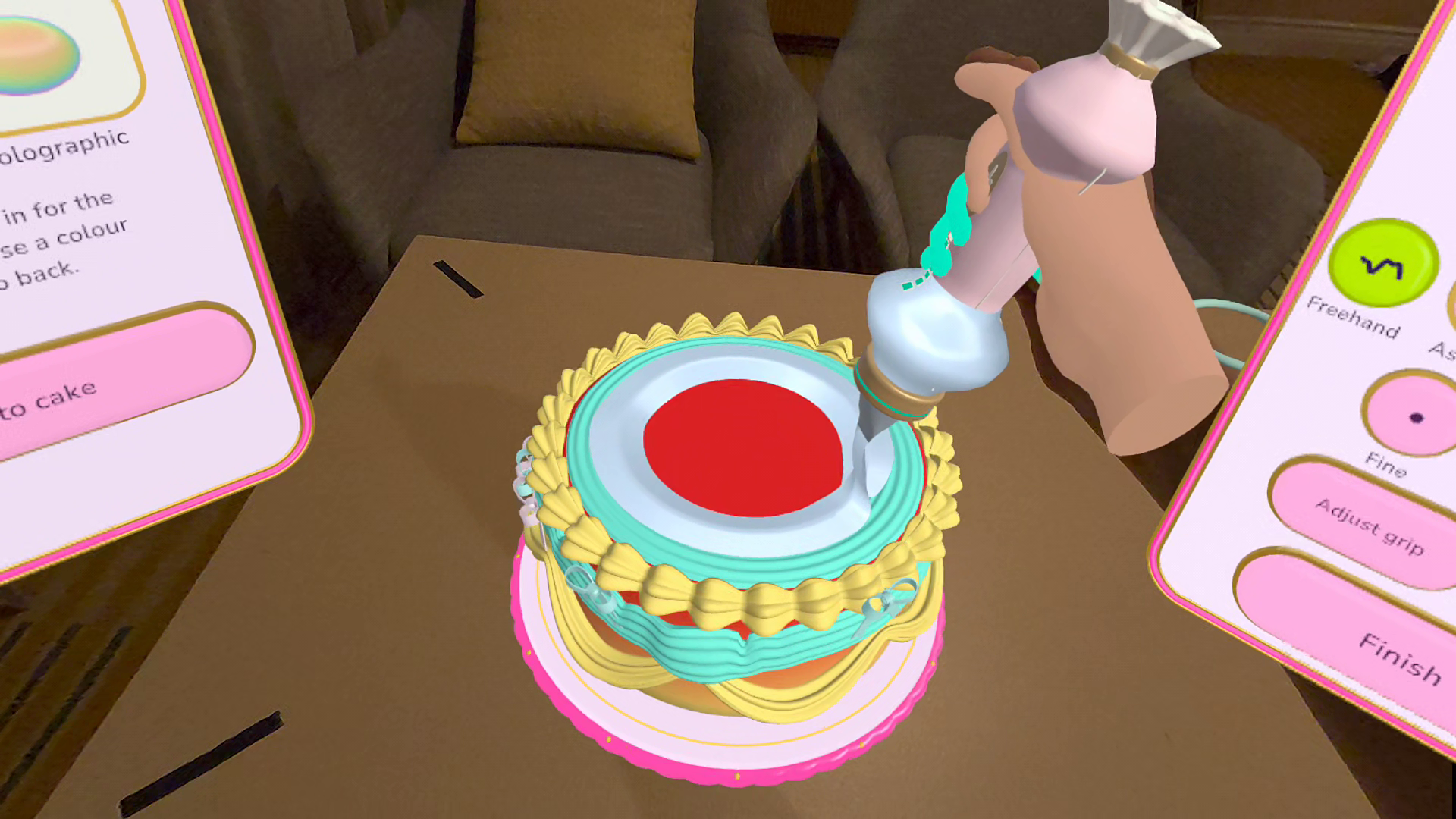
For cake decorating, you use a virtual piping bag to create borders, swirls, and patterns. Tracked finger joints drive the piping bag, and the app builds a ribbon of frosting along the nozzle’s path. Each tip gives the ribbon a different cross-section, so the ridges in a shell are part of the frosting itself.
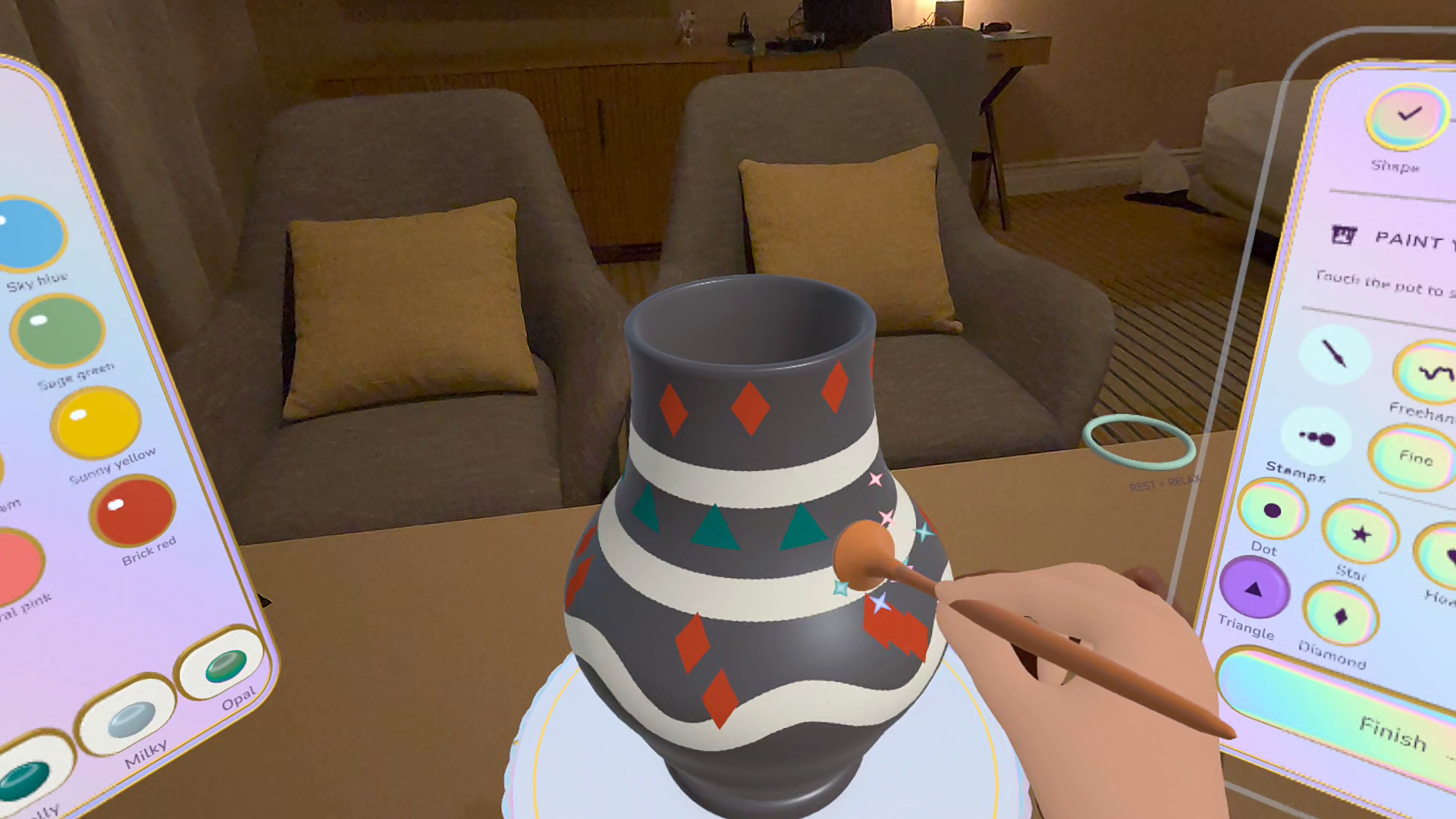
At the pottery wheel, you shape clay into a vessel, then pick up a brush and paint directly on its surface.
Decorate is hands-first: you can make a whole cake or pot without picking up a controller. Hand tracking comes through Meta’s OpenXR hand pipeline and the Meta Interaction SDK. Each hand’s ray and index pinch come from the SDK’s Hand and IndexPinchSelector components, and they feed a single router that decides what each hand is doing at any moment.
Menus you can point at, poke and grab
From a distance, point and pinch to press a button. Up close, poke it with a fingertip. A poke has to start outside the button and leave before it can press again, so one tap never counts twice. Menu cards use Meta’s own panel frame, PanelWithManipulators, with HandGrabInteractor on each hand. As your hand nears a card’s edge, a rail fades in around it; pinch or grab the edge to move the card. Cards keep facing your seat, and a second hand on another edge turns the card on purpose.
A piping bag that sits in your hand
The bag rests in your palm and follows your palm and wrist, not the pinch point, so it stays steady. Turning your wrist aims the nozzle. Relax your hand to hold the bag, and curl your middle, ring and little fingers to squeeze. Squeeze harder for more cream, move slowly for a fuller line or quickly for a finer one. Relaxing stops the flow without dropping the bag. A brief tracking dropout pauses the cream and resumes it if your hand returns nearby, so a flicker doesn’t break your line.
Shaping clay and painting
At the pottery wheel, two open hands shape the clay, and pale guide hands show where to put them: one supports while the other shapes. The brush is held in a natural pen-style pinch, and its bristles bend against the pot as you paint.
Toppings and the turntable
Pinch to place a topping, with a preview of where it will land. Hold the pinch to shower sprinkles. Pinch-drag the turntable’s rim to turn the cake, even with your free hand while the other pipes.
Designed for real hands
Steady hands: filtering separates deliberate movement from tremor, slow drift and tiring fingers, so lines stay clean without extra effort. Assisted reach: aim at a hard-to-reach part of the cake and pinch to pipe there from your seat. Clear starts and stops: after start-up, a menu, or a loss of tracking, your hand has to open before the next action can begin, so nothing fires by accident. Turning your palm toward your face for Meta’s system menu cancels the app’s pointer, so nothing gets drawn behind it. Honest hands: the visible hands follow the tracked joints, and incomplete tracking is hidden rather than filled with invented fingers. Your dominant hand: the Quest’s own setting decides which hand you favour.
Hands plus
Optional thumb microgestures change colours, sizes and pages, and a thumb tap starts or stops the turntable, without letting go of a tool. Voice commands and gaze give you other ways to act when both hands are busy.
How I built it
I built Decorate in Unity and C# for Meta Quest with agentic assistance. I used Meta CLI, Unity CLI, Meta XR Operator, Meta XR Simulator, and Meta’s agentic skills.
Challenges I ran into
It was hard to resist adding more features before the core experience was polished. I got the proof of concept working very quickly, but making the piping look good and feel satisfying took most of the remaining time.
Accomplishments that I’m proud of
Multiplayer, voice controls, gaze
I’m proud of the overall look and feel of the experience and that I got multiplayer and voice controls working.
What I learned
I learned how to use Meta’s tools as part of an agentic development workflow.
What’s next
I want to do more playtesting, add a game mode with orders, introduce guide overlays, and offer more customization options.