-
-
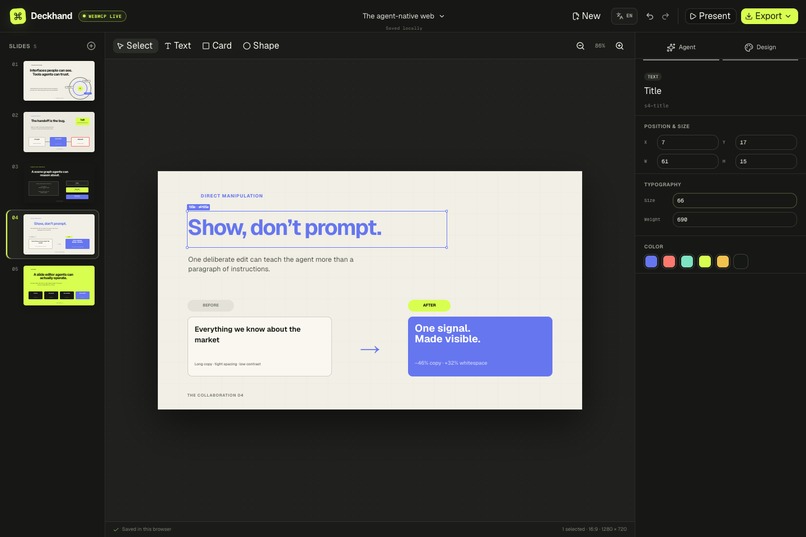
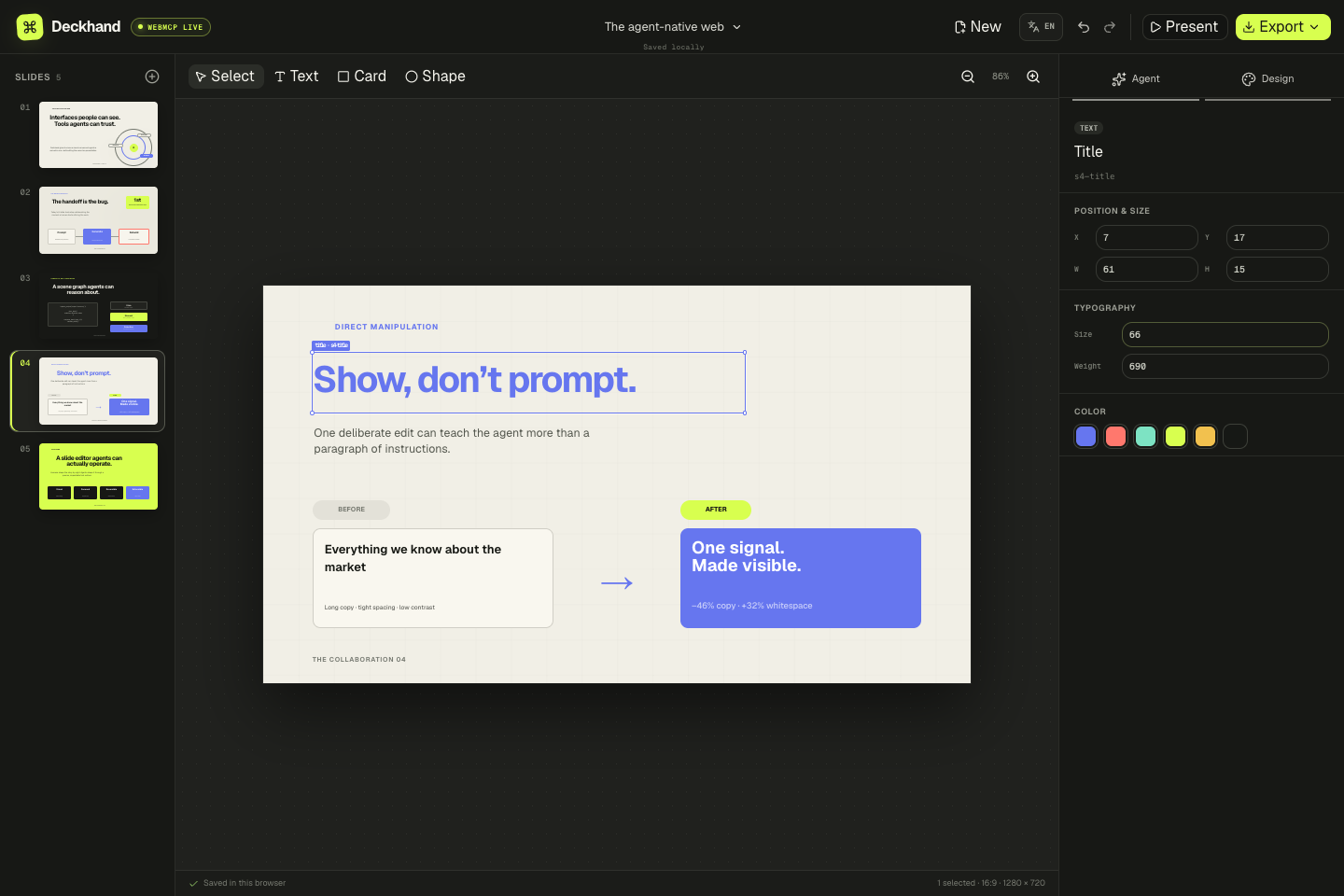
Direct human edits become structured context an agent can propagate.
-
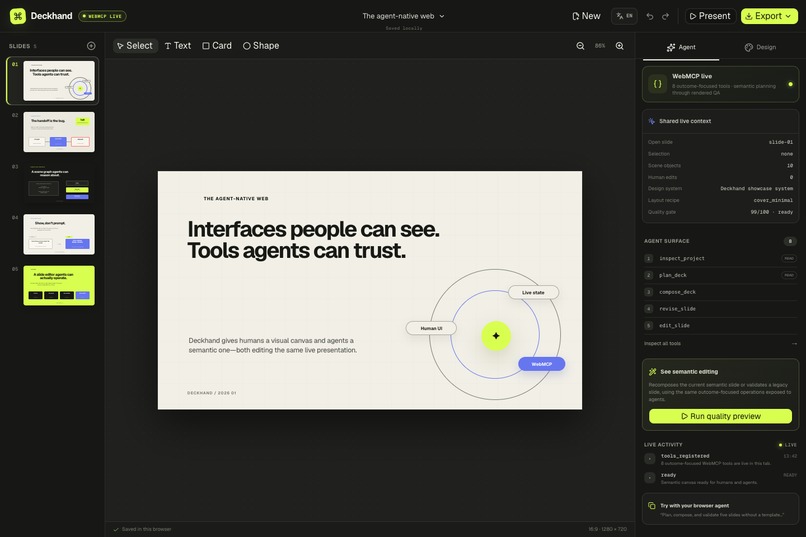
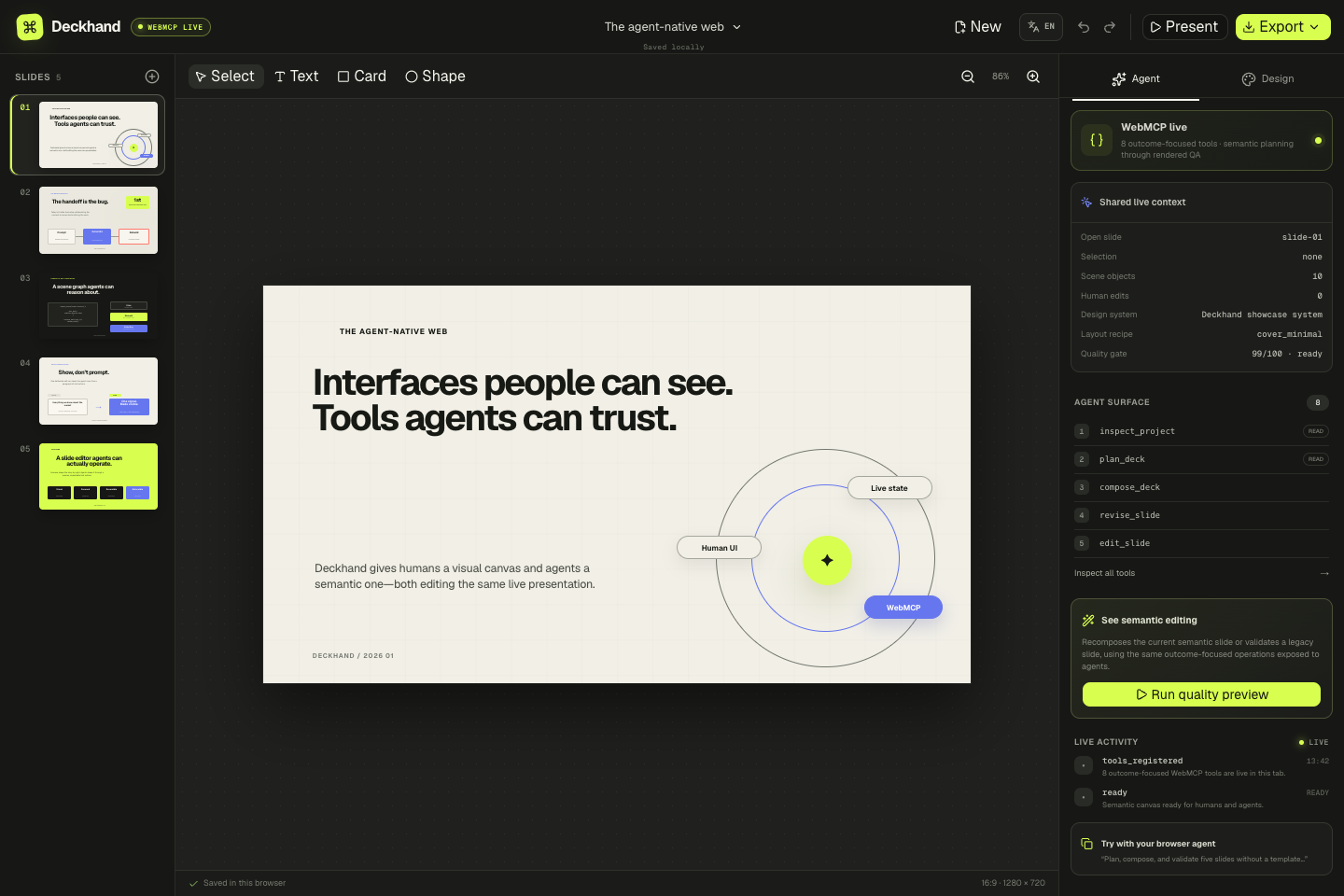
Live 16:9 canvas shared by people and browser agents.
-
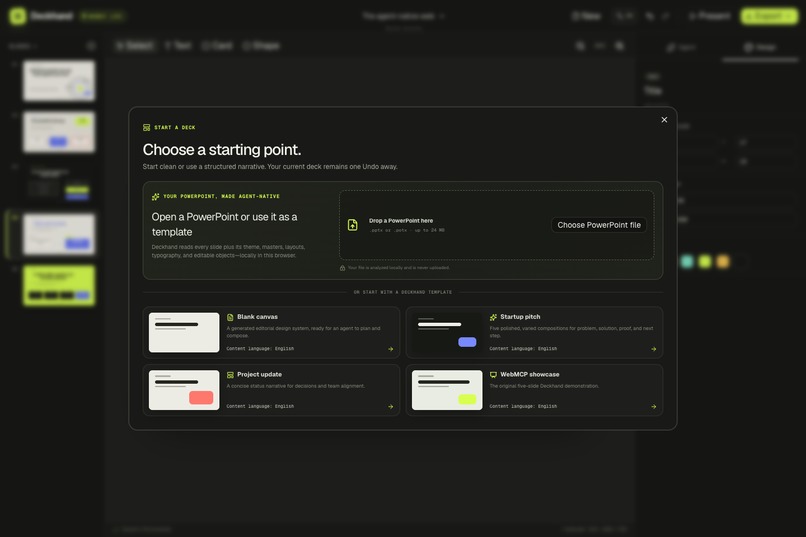
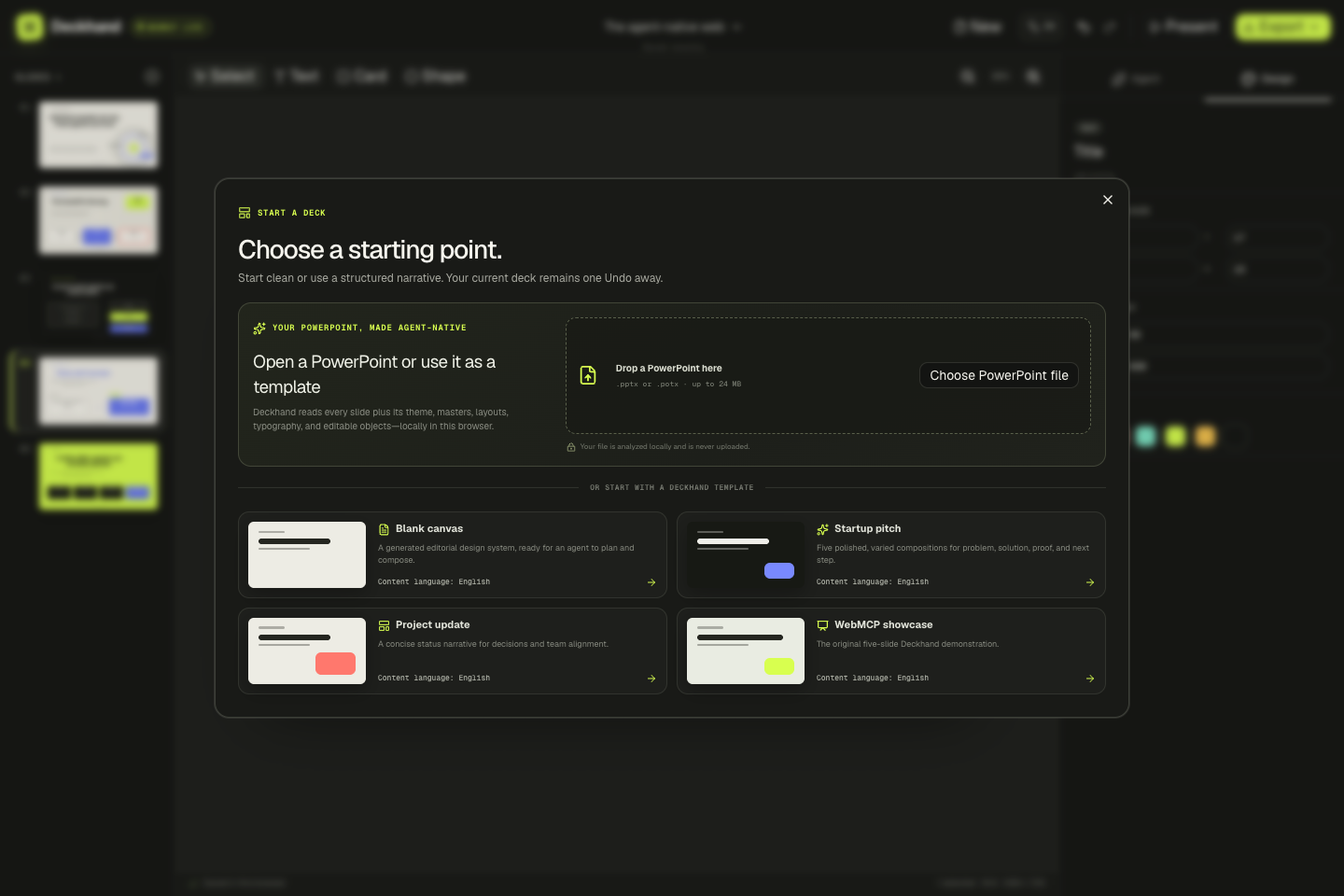
Import a PowerPoint template locally and preserve its visual system.
-
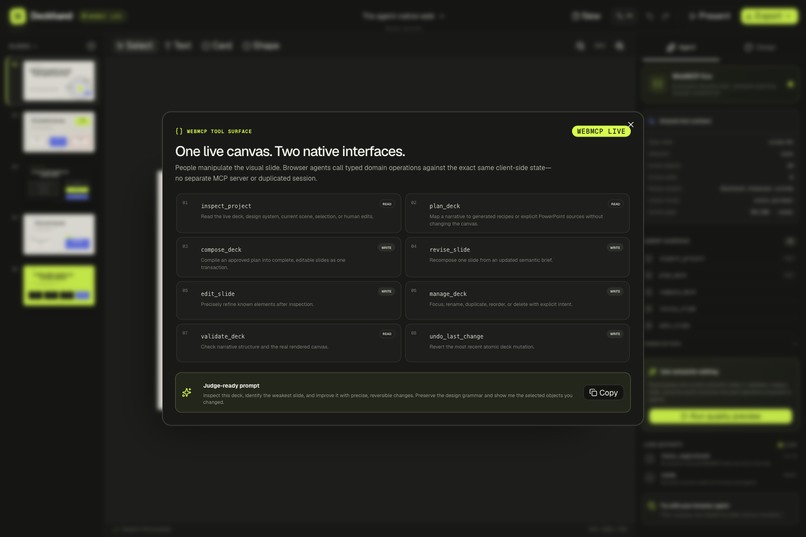
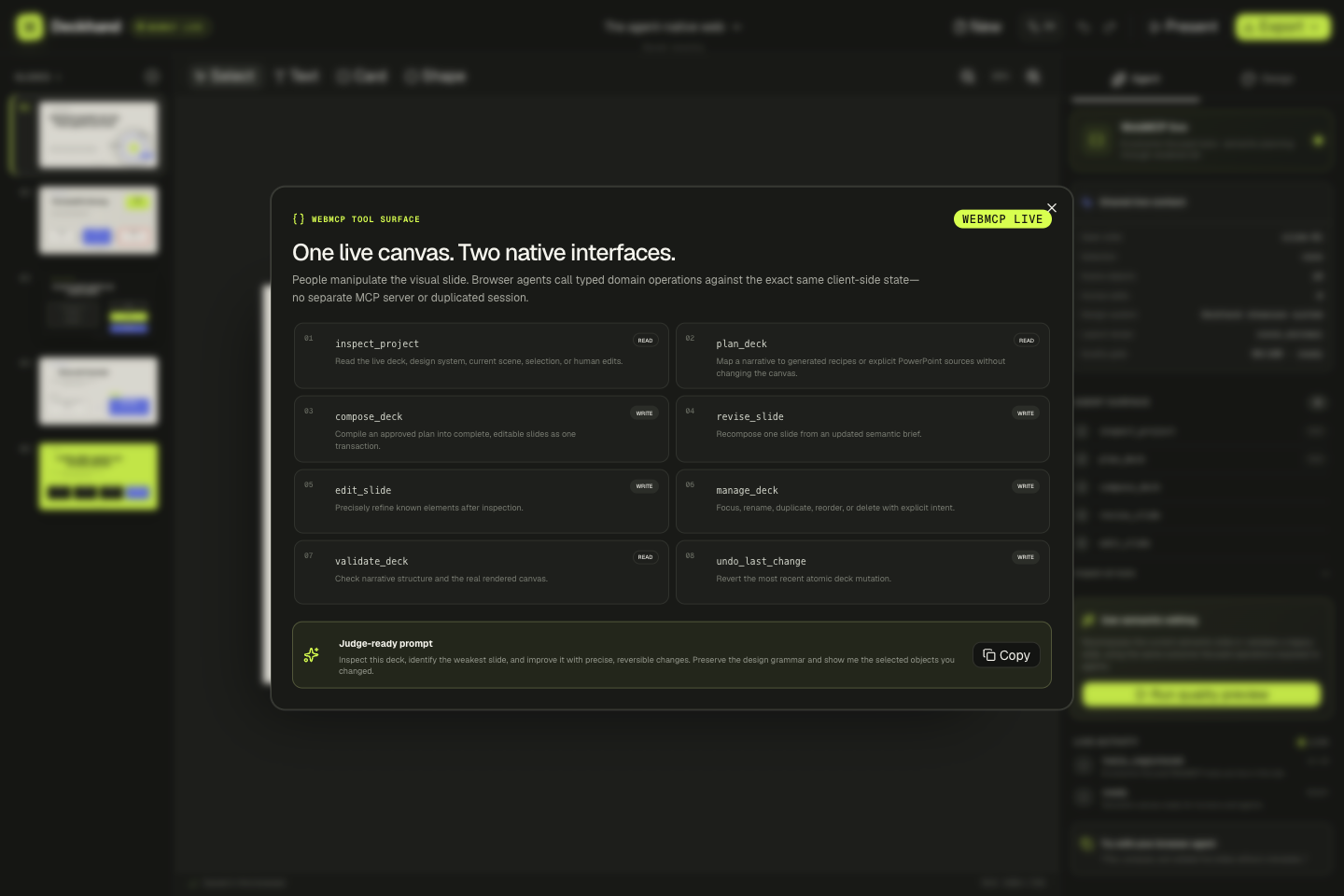
Typed WebMCP tools expose semantic slide operations, not brittle clicks.
Inspiration
AI slide generators are useful for first drafts, but the collaboration often ends as soon as a person starts refining the result. Move a title, shorten a paragraph, or decide that one chart should dominate the page, and the AI no longer understands the live artifact. The familiar workflow becomes: generate with AI, then rebuild by hand.
Deckhand starts from a different premise: the canvas itself should be the collaboration interface.
What it does
Deckhand is a local-first presentation editor with two native interfaces over one live artifact:
- People work on a visual 16:9 canvas: select, multi-select, drag, resize, edit text, style, reorder, present, undo, and export.
- Browser agents work through typed WebMCP operations against the exact same slides, selection, design grammar, edit history, and browser session.
The workflow works with or without a user-owned template. Deckhand can start from eleven purpose-built layout recipes and four art directions, or open a .pptx / .potx and extract its theme, palette, fonts, masters, layouts, and supported editable objects locally in the browser.
The key interaction is “show, don’t prompt.” A person can directly change a title’s position, size, or color. Deckhand records that action as semantic edit deltas—not just pixels—and exposes those recent human edits to the browser agent. The agent can then apply the same intent to matching roles elsewhere without making the person describe every visual decision in prose.
Why WebMCP is essential
A presentation editor has a large, fast-changing state space: slides, objects, roles, geometry, style, relationships, selection, imported design rules, and reversible history.
Screenshot-and-click automation repeatedly guesses both the target and the intent. A conventional backend MCP server would duplicate browser-local state and lose the immediate connection to the canvas the person is judging. WebMCP lets Deckhand expose domain meaning exactly where the state already lives: in the open page.
Deckhand registers eight baseline tools:
- inspect_project reads the smallest useful slice of the deck, current slide, selection, design system, or recent human edits.
- plan_deck validates a narrative and layout mapping without mutating the canvas.
- compose_deck materializes an approved plan as one visible, undoable transaction.
- revise_slide recomposes one slide from its communication goal.
- edit_slide performs precise changes against inspected element IDs.
- manage_deck handles focus, rename, duplicate, reorder, and delete operations.
- validate_deck checks narrative structure and measures the real rendered canvas.
- undo_last_change provides an explicit recovery path.
After a direct human edit, a contextual propagate_human_edits tool appears only when it is relevant. Read-only tools declare readOnlyHint; deck content is marked with untrustedContentHint; schemas are constrained; mutations are atomic; and errors explain how the agent can recover.
A better human + agent experience
Deckhand separates reasoning from mutation. An agent first inspects the project, creates a read-only plan, composes it in one transaction, and validates the rendered result. The person sees every change on the canvas, can continue editing with the mouse and keyboard, and can undo an entire agent batch in one step.
This makes the agent useful beyond generation. It can keep collaborating through the messy middle: repair the weakest slide, preserve an imported brand system, align selected objects, propagate a deliberate human edit, validate the result, and recover when a revision is worse.
How I built it
Deckhand is written in TypeScript and React on Vinext and deployed as a Cloudflare Worker. Its serializable scene graph stores semantic roles, geometry, styles, provenance, design tokens, selection, and history.
The PowerPoint pipeline safely reads OOXML packages in the browser, follows theme → master → layout → slide inheritance, extracts supported raster assets, and reports fidelity limitations without uploading the source file. The design engine maps semantic slide briefs to varied layout recipes. The quality gate combines deterministic narrative checks with measurements from the actual rendered DOM.
WebMCP tools are registered against document.modelContext and call the same domain operations used by the visual editor. There is no second copy of the presentation state and no separate MCP service to configure.
Challenges
The hardest problem was not exposing many low-level commands. It was choosing an agent surface that stays compact while still producing complete presentations. The plan/compose split keeps reasoning inspectable and prevents half-finished decks. Semantic revision handles broad design intent; precise editing remains an escape hatch only after inspection.
PowerPoint fidelity was another challenge. A template is not just colors and fonts—it is inheritance, transforms, grouped geometry, placeholder rules, and sometimes unsupported objects. Deckhand preserves what it can edit safely, keeps provenance for future agent decisions, and surfaces honest warnings when exact fidelity is not possible.
Accomplishments and learning
I am most proud that WebMCP is not a chat box attached to an editor. It changes the product architecture: visual manipulation and semantic tool calls are two interfaces to one live, reversible artifact.
Building Deckhand also changed how I think about agent accessibility. A good agent interface needs more than valid schemas. It needs progressive disclosure, explicit read/write boundaries, contextual tools, recovery paths, and feedback that remains legible to the person watching.
What’s next
Next steps include richer chart and SmartArt conversion, collaborative cloud persistence, more render-aware layout repair, and direct Google Slides interoperability. The broader pattern extends beyond slides to design, video, CAD, and any visual editor where people judge by sight while agents need meaning.
Built With
- cloudflare
- typescript
- webmcp

Log in or sign up for Devpost to join the conversation.