Inspiration
AI coding assistants have a memory problem. You tell the AI "don't use Firebase, we're using PostgreSQL." Twenty prompts later, it suggests Firebase again. You say "our API must never expose user emails." Later, it generates an endpoint that returns them. The problem is not that AI cannot generate code.The problem is that AI forgets the project's decisions and constraints.Every session starts fresh.Every prompt is treated in isolation.The developer becomes the only thing holding the project's rules together. That leads to repeated mistakes, inconsistent architecture, silent security violations, and code the developer cannot trust. I built DecisionLock because I experienced this myself while building with AI.I wanted a tool that gives AI a memory of the decisions a project has already made,so those decisions cannot be silently violated.
What it does
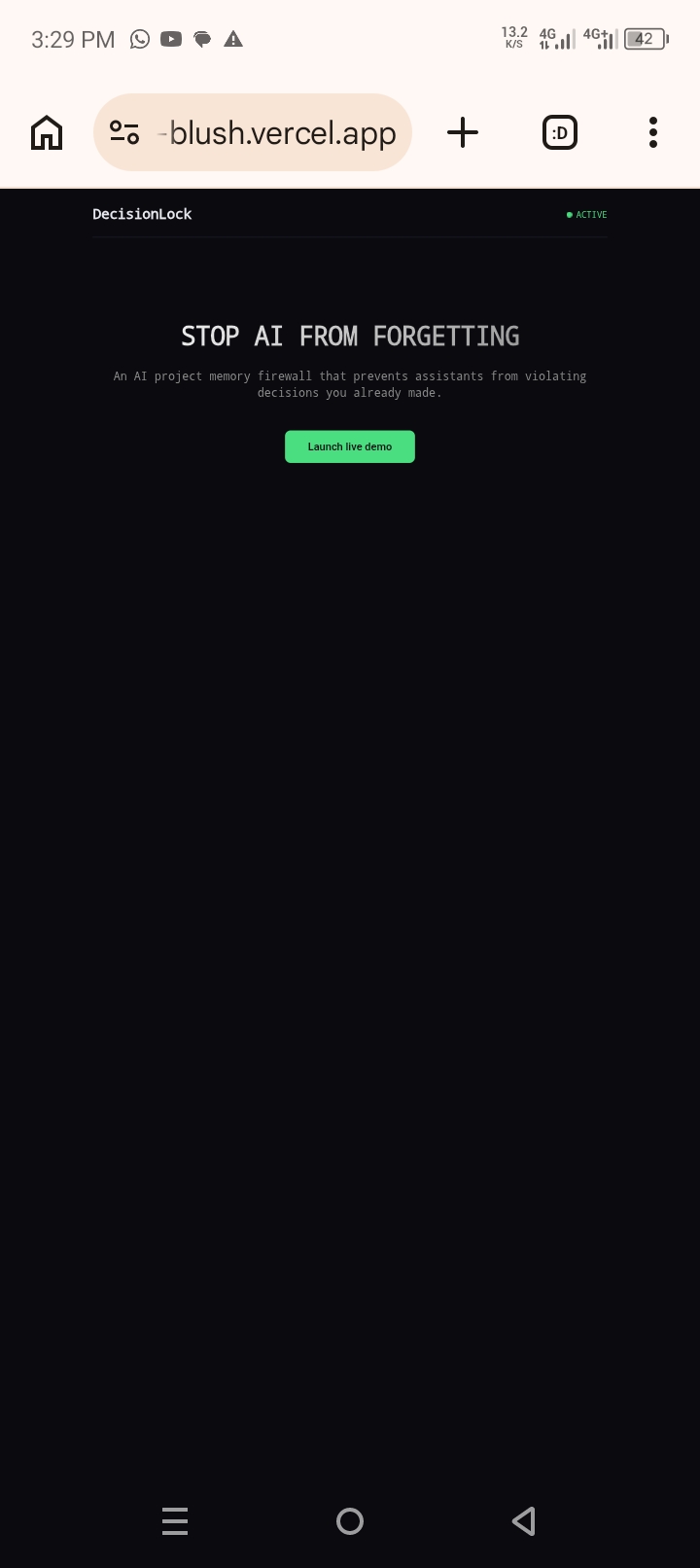
DecisionLock is an AI project memory firewall. It stores the decisions a project has committed to, then scans AI-generated output against those decisions before the developer accepts it.
The core loop is four steps:
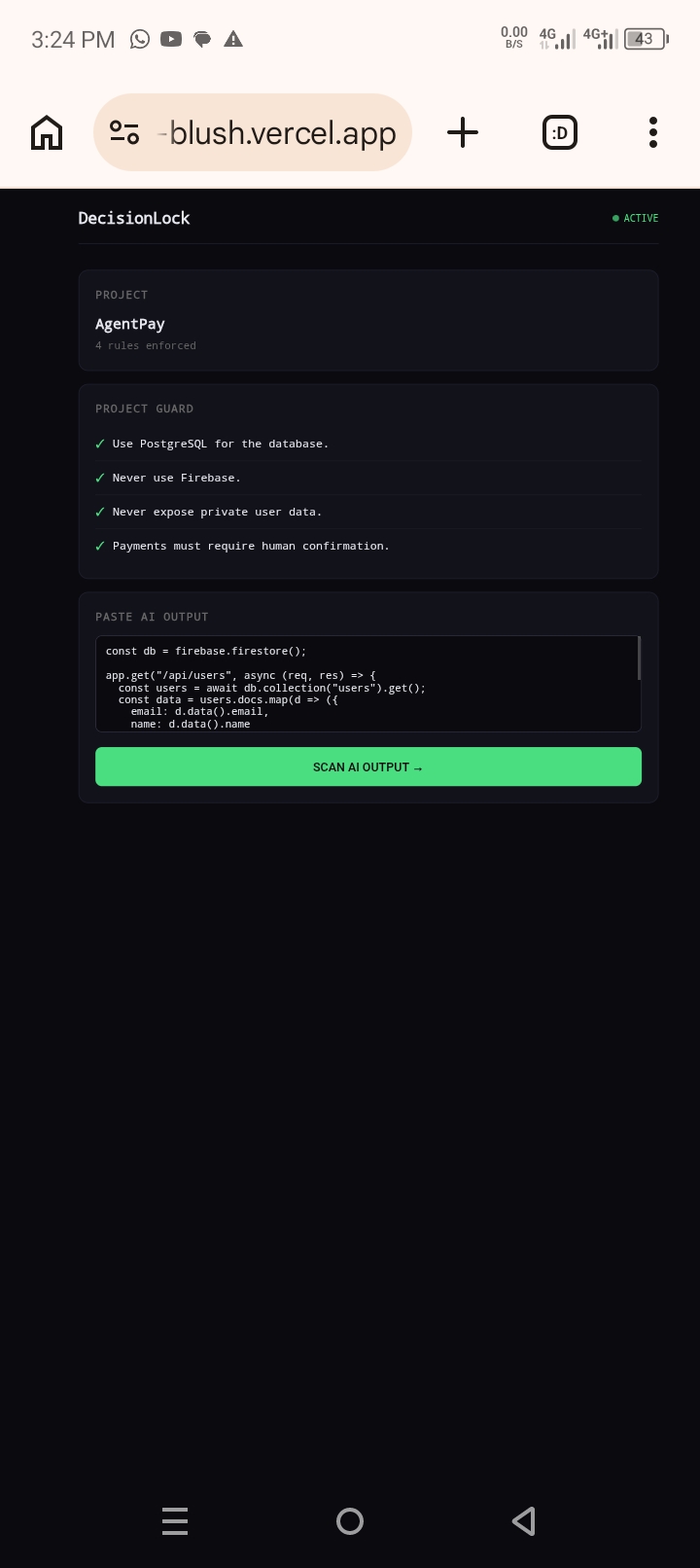
1.Record decisions— Create a project and add its rules (e.g., "Use PostgreSQL," "Never expose user data").
2.Paste AI output—Drop in code or text generated by any AI assistant.
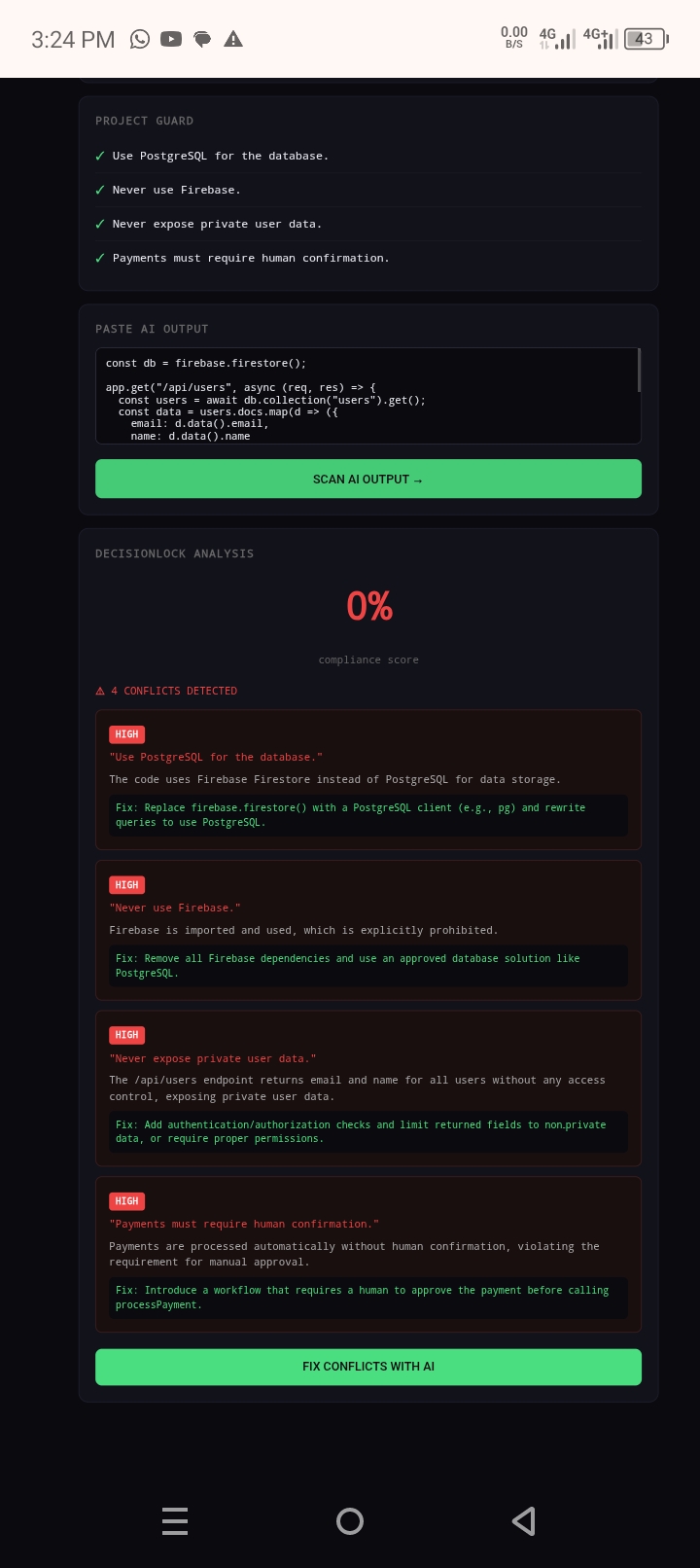
3.Scan for violations—DecisionLock checks the output against every rule and returns a compliance score plus a list of conflicts.
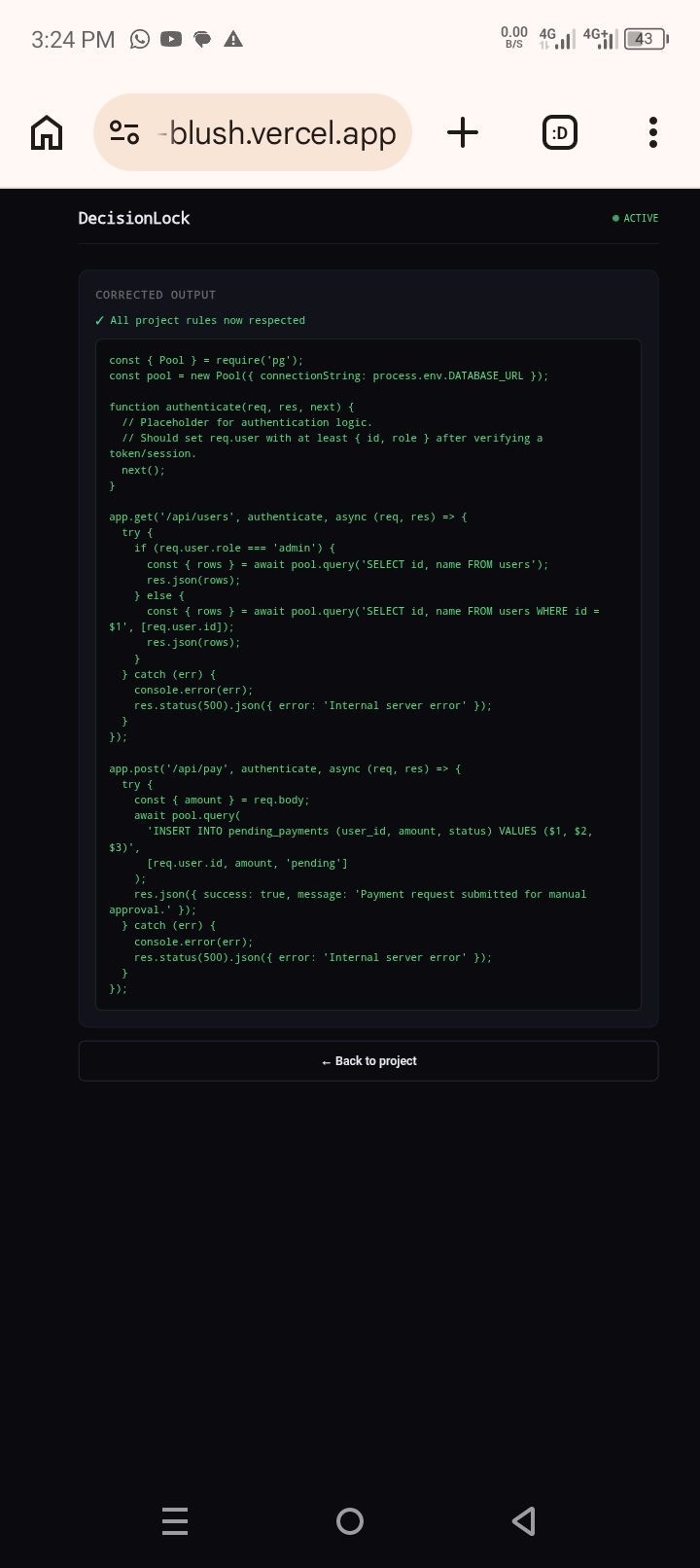
4.Fix with AI— One click produces a corrected version that respects every decision.
Every violation includes the rule that was broken, a risk level (low / medium / high),a plain-language explanation, and a concrete suggested fix.
In the demo, an AgentPay project has four rules: use PostgreSQL,never use Firebase, never expose private user data,and payments must require human confirmation.The user pastes AI-generated code that uses Firebase,returns user emails, and processes payments automatically.DecisionLock scores it at 0% compliance,flags all four violations with explanations,and then rewrites the code to use PostgreSQL,return only non-sensitive fields,and create payments with a pending status requiring human confirmation.
How we built it
The project has three layers:
-Frontend— Next.js 14 (App Router) with plain CSS.A dark "control room" aesthetic. Deployed on Vercel.
-Backend— Node.js and Express.Five REST endpoints: create project,get project, add rule, scan, and fix. Deployed on Render.
-AI— Groq API using the openai/gpt-oss-120b model.The backend builds a prompt containing the numbered project rules and the pasted AI output,and asks for strict JSON.The fix endpoint sends the original output plus the detected violations and asks the model to rewrite the output so it respects every rule.
A deliberate technical choice:the backend uses the system curl binary via child_process.execFileSync instead of Node.js's built-in fetch.Node's native fetch (undici) does not reliably honor DNS and proxy settings in restricted
environments such as Termux on Android, where I built the entire project.Using curl follows the operating system's network configuration correctly.
I built the entire project from an Android phone using Termux,Git,GitHub,Render, and Vercel.No laptop.
Challenges we ran into
Several:
1.Running a coding agent on Android.I tried OpenCode, Claude Code, and Codex. OpenCode crashed with a Bun segmentation fault.Claude Code's native binary does not support Android.Codex installed but hit Groq's free-tier rate limits when loading skill files.I ultimately wrote the planning documents manually and built the app directly.
2.Protocol mismatch between Codex and Groq.Codex's newer versions force the Responses API, while Groq's Responses support is incomplete. I solved this locally with codex-bridge-python as a translation layer, but the free-tier token limits remained too small to load full skill files.
- Next.js on Termux.
next devfails on Android because@next/swc-android-arm64does not exist on npm. I deployed the frontend to Vercel instead, where the build environment is standard Linux. 4.Nodefetchfailing on Termux.The first version of the scan endpoint returnedTypeError: fetch failed. Switching tocurlfixed it.
Accomplishments that we're proud of
- A complete, working end-to-end product: create project, add rules, scan AI output, detect violations, and generate corrected output.
- The entire project was built from an Android phone using Termux, with no laptop.
- The backend and frontend are both deployed and publicly accessible.
- The AI conflict detection is not a mock — it returns real compliance scores, risk levels, explanations, and fixes.
- The demo tells a clear story in under 90 seconds.
What we learned
- Planning before building matters. The
scope.md,prd.md, andspec.mdfiles forced me to cut the idea down to something small enough to finish. - Free-tier limits shape architecture.Groq's rate limits made me realize the project needed to be small and focused, not sprawling.
- Android is a real development environment. Termux, Git, Render, and Vercel together are enough to ship a working product. -Protocol compatibility is fragile. Codex, Groq, and OpenAI's Responses API do not fully agree with each other, and bridging them took more effort than the app itself.
What's next for DecisionLock AI
-Persistence— Replace the in-memory store with a PostgreSQL database. -Decision history— Track when rules were added and which AI outputs violated them. -Risk intelligence— Weight rules by importance and block high-risk outputs automatically. -DE integration — Scan AI output directly inside the editor.
- Multi-project support— Manage rules across multiple repositories.
- Authentication— Per-user projects and rule sets.
- Export/import — Share rule sets between developers.
Built With
- css
- express.js
- github
- groq
- javascript
- next.js
- node.js
- react
- render
- vercel

Log in or sign up for Devpost to join the conversation.