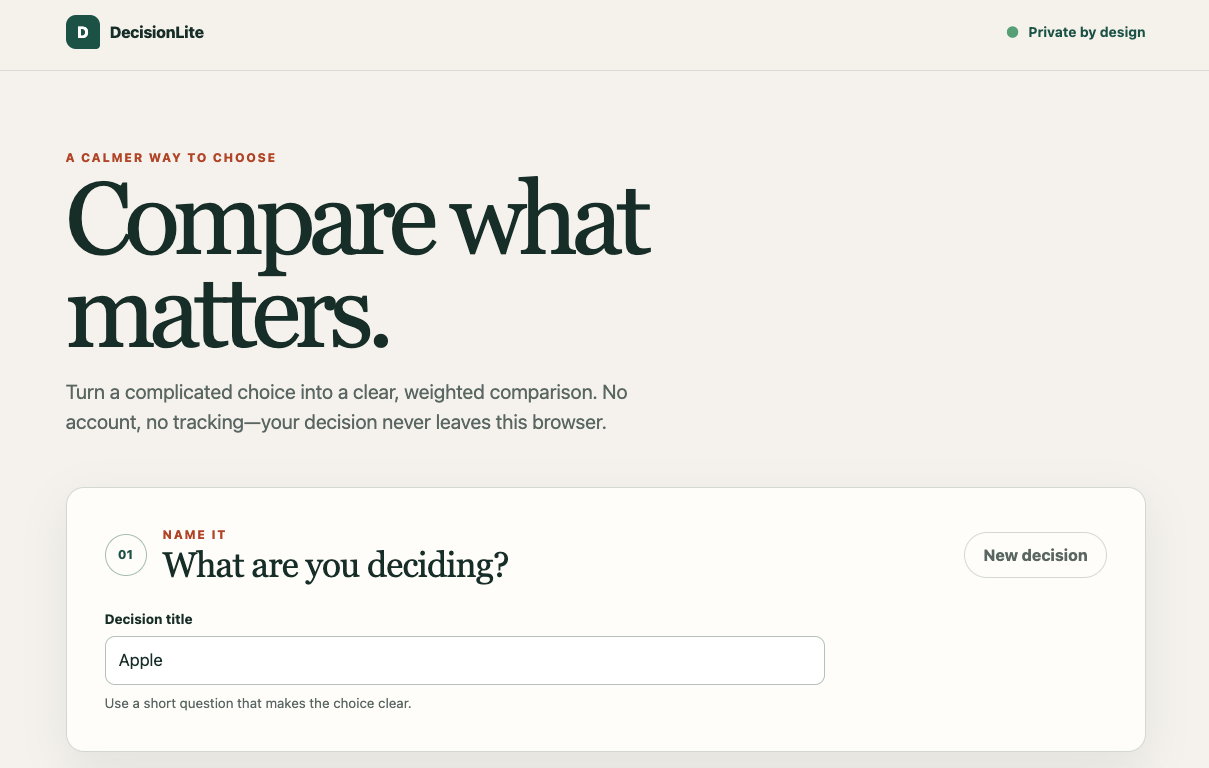
Inspiration
Everyday decisions can become unnecessarily complicated. Whether choosing a laptop, comparing apartments, deciding between travel options, or selecting a tool for a project, it is easy to rely on intuition while forgetting which factors actually matter most.
I wanted to build something small and genuinely useful that helps people make these decisions in a more structured way.
At the same time, I wanted the application itself to remain intentionally simple: no accounts, no unnecessary backend, no tracking, and no external services.
What it does
DecisionLite lets users compare multiple options using criteria that matter to them.
A user can:
- create a decision
- add multiple options
- define comparison criteria
- assign an importance weight to each criterion
- rate each option
- calculate a weighted score
- see which option performs best
- save decisions locally in the browser
For example, someone choosing between three laptops could compare them based on price, battery life, performance, portability, and display quality.
DecisionLite then calculates the weighted result and ranks the options.
How I built it
I built DecisionLite as a lightweight client-side web application.
The application uses semantic HTML, CSS, and JavaScript, with the decision calculations performed directly in the browser.
The weighted score is calculated using:
[ Score(option) = \frac{\sum (rating_i \times weight_i)}{\sum weight_i} ]
Because everything happens locally, the application does not require a database, user account, or external API.
I intentionally kept the architecture small so that the application remains fast, understandable, and easy to maintain.
Privacy by design
One of the main design decisions was to minimize the application's attack surface.
DecisionLite does not require:
- user registration
- passwords
- a backend database
- third-party analytics
- API keys
- advertising trackers
User decisions remain inside the browser rather than being uploaded to a server.
This also encouraged me to think about application security from the opposite direction: instead of adding complicated infrastructure and trying to secure all of it afterward, I tried to avoid unnecessary infrastructure in the first place.
Challenges
One challenge was deciding how much functionality to include.
It would have been easy to add accounts, cloud synchronization, AI recommendations, databases, and many other features. However, each additional feature would also add complexity.
For this project, I focused on making a smaller set of features reliable and polished instead.
Another challenge was handling dynamic user input while keeping the interface simple and accessible. Inputs need validation, controls need to work correctly with keyboards, and the application needs to remain usable across different screen sizes.
What I learned
This project reminded me that a good web application does not necessarily need a large technology stack.
I learned more about:
- designing with minimal attack surface
- client-side state management
- weighted decision algorithms
- semantic and accessible HTML
- input validation
- responsive interface design
- performance-oriented frontend development
- thinking about security during design rather than only after development
What's next
There are several features I would like to explore in the future, including:
- shareable decisions encoded directly into URLs
- comparison visualizations
- reusable decision templates
- importing and exporting decisions
- improved offline support
However, I would like to preserve the main philosophy of DecisionLite: keep the application simple, private, fast, and useful.
Built With
- api
- codex
- css
- html
- javascript
