DecisionAI: Evidence-Based Business Intelligence
Inspiration
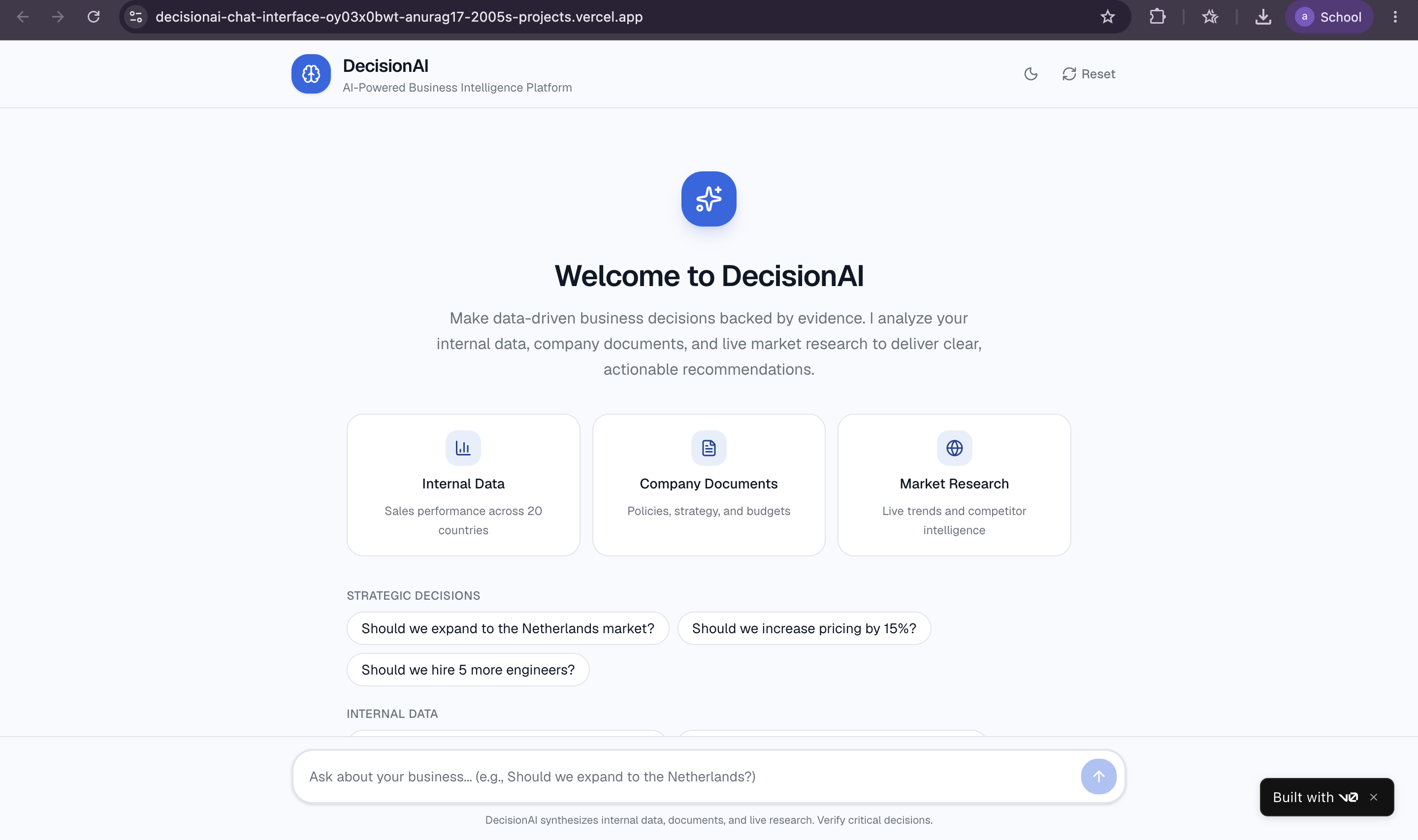
Business leaders make critical decisions every day—market expansion, hiring, pricing, product roadmap—often relying on gut feeling or incomplete information. What if we could give them an AI advisor that actually knows their business?
Traditional AI chatbots like ChatGPT provide generic advice. They don't know your sales data, haven't read your strategy documents, and can't tell you if expanding to Netherlands makes sense for your specific company.
DecisionAI solves this by combining three intelligence layers:
- Your structured data (sales, users, features from DynamoDB)
- Your internal documents (strategy plans, policies via vector search)
- Real-time market research (competitor analysis, trends via web search)
What I Learned
Technical Challenges Conquered
1. Multi-Source Data Synthesis The hardest part wasn't connecting individual APIs—it was teaching the AI when to use which data source and how to synthesize insights across them. I implemented a sophisticated tool selection system where the Groq AI agent intelligently decides:
- Query internal database for company metrics
- Search vector database for policy guidelines
- Call external APIs for market validation
- Combine all three for strategic recommendations
2. Vector Database Integration Implementing semantic search over business documents (PDFs, DOCX, XLSX) required:
- Document processing with text extraction
- Chunking strategy to preserve context
- ChromaDB for embeddings and similarity search
- Graceful handling of missing documents in deployment
3. Cold Start Optimization Render's free tier sleeps after inactivity. I tackled this by:
- Optimizing dependency installation (avoiding Rust compilation)
- Pre-building vector database during deployment
- Implementing user-friendly timeout handling in frontend
4. Context Window Management With 33+ tools available, keeping responses concise was crucial. I built intelligent data summarization that aggregates large datasets while preserving key insights.
How I Built It
Tech Stack Deep Dive
Backend (Python):
- FastAPI for RESTful API with async support
- Groq API with
qwen-3-32bmodel for function calling - ChromaDB for vector database and embeddings
- Boto3 for AWS DynamoDB integration
- Tavily for intelligent web search
AI Agent System:
- 33+ function tools including:
- 15 read operations (query users, sales, features, etc.)
- 18 CRUD operations (create, update, delete records)
- 1 document search (semantic search over policies)
- 4 external search APIs (web, HackerNews, StackOverflow, News)
Frontend (Next.js 14):
- shadcn/ui for beautiful, accessible components
- react-markdown for rendering AI responses
- Tailwind CSS for responsive design
- TypeScript for type safety
Infrastructure:
- Render for backend hosting with auto-deployment
- Vercel for frontend with edge network
- AWS DynamoDB for business data persistence
- GitHub for version control and CI/CD
Challenges Faced
Challenge 1: Rust Compilation Errors on Render
Problem: pydantic-core required Rust compiler, causing build failures.
Solution: Switched to compatible package versions and added .python-version file to force Python 3.11.
Challenge 2: Vector DB in Serverless Environment
Problem: ChromaDB data not persisting between deployments.
Solution: Generate vector database during build phase via setup_vector_db.py in build command.
Challenge 3: Response Time Optimization
Problem: Strategic queries requiring 3-5 tool calls took too long. Solution:
- Implemented parallel tool execution where possible
- Added intelligent data summarization
- Cached frequently accessed data
- Truncated verbose API responses
Challenge 4: AI Hallucination Prevention
Problem: AI sometimes invented data or made assumptions. Solution:
- Strict tool definitions with explicit schemas
- Validation of all data sources before synthesis
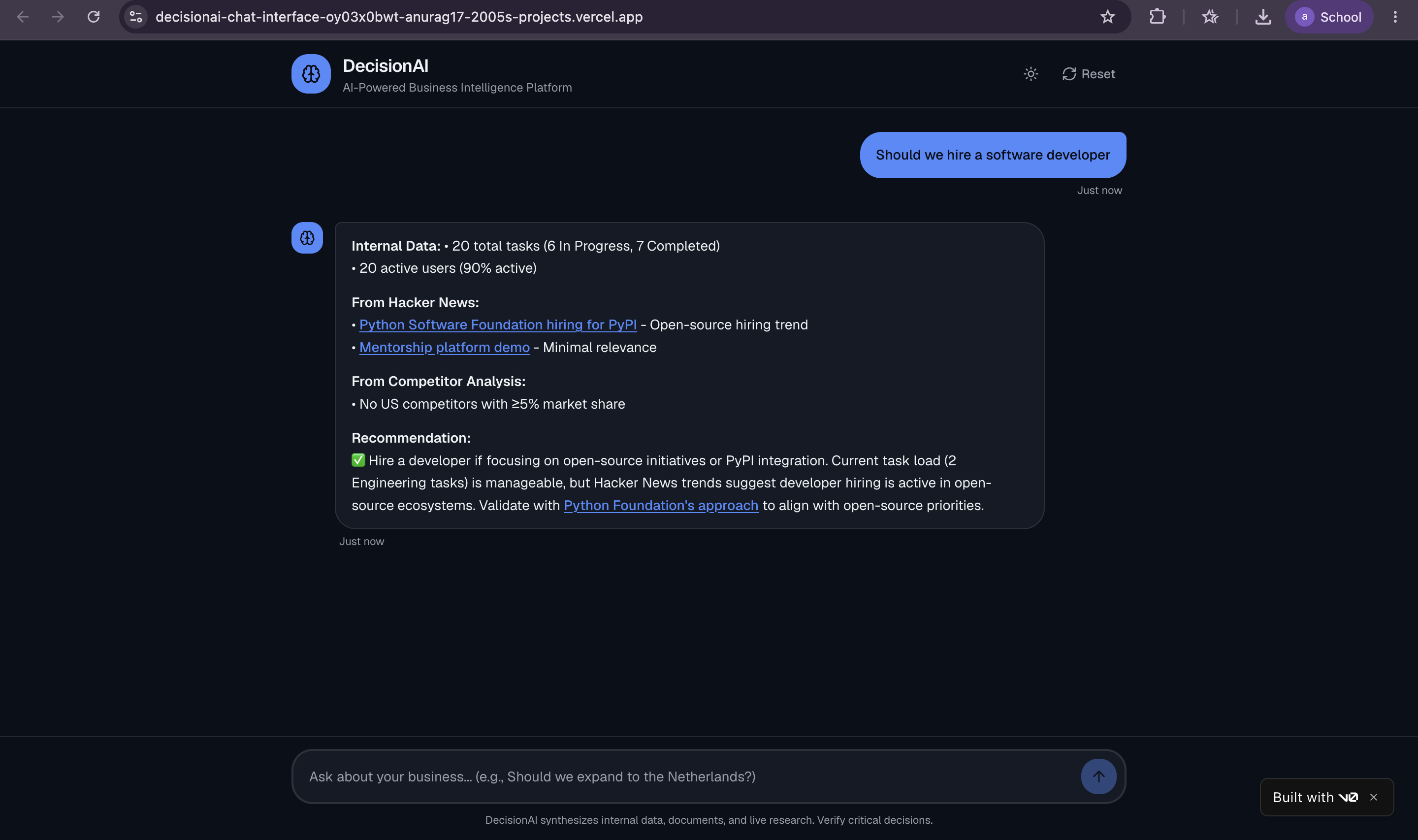
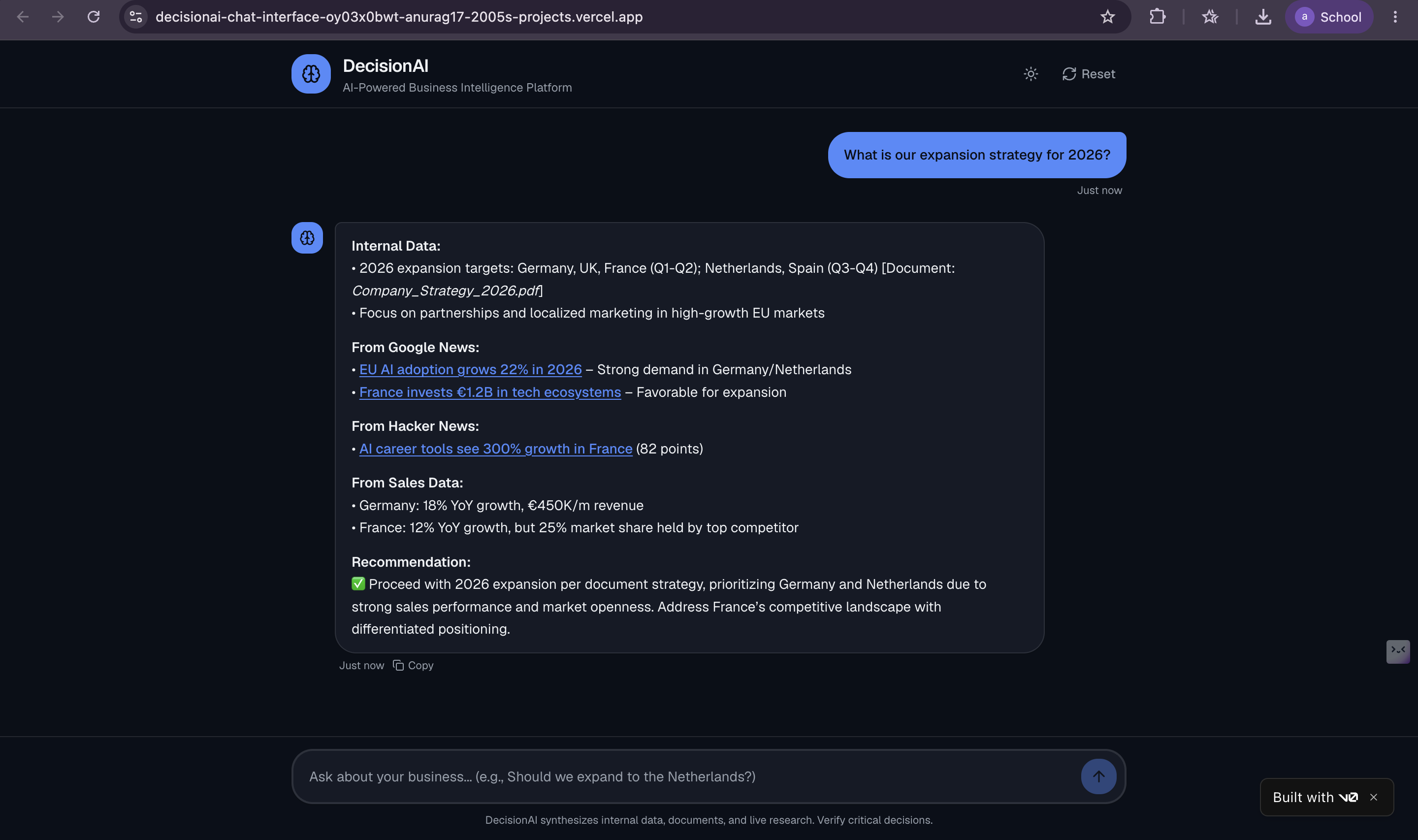
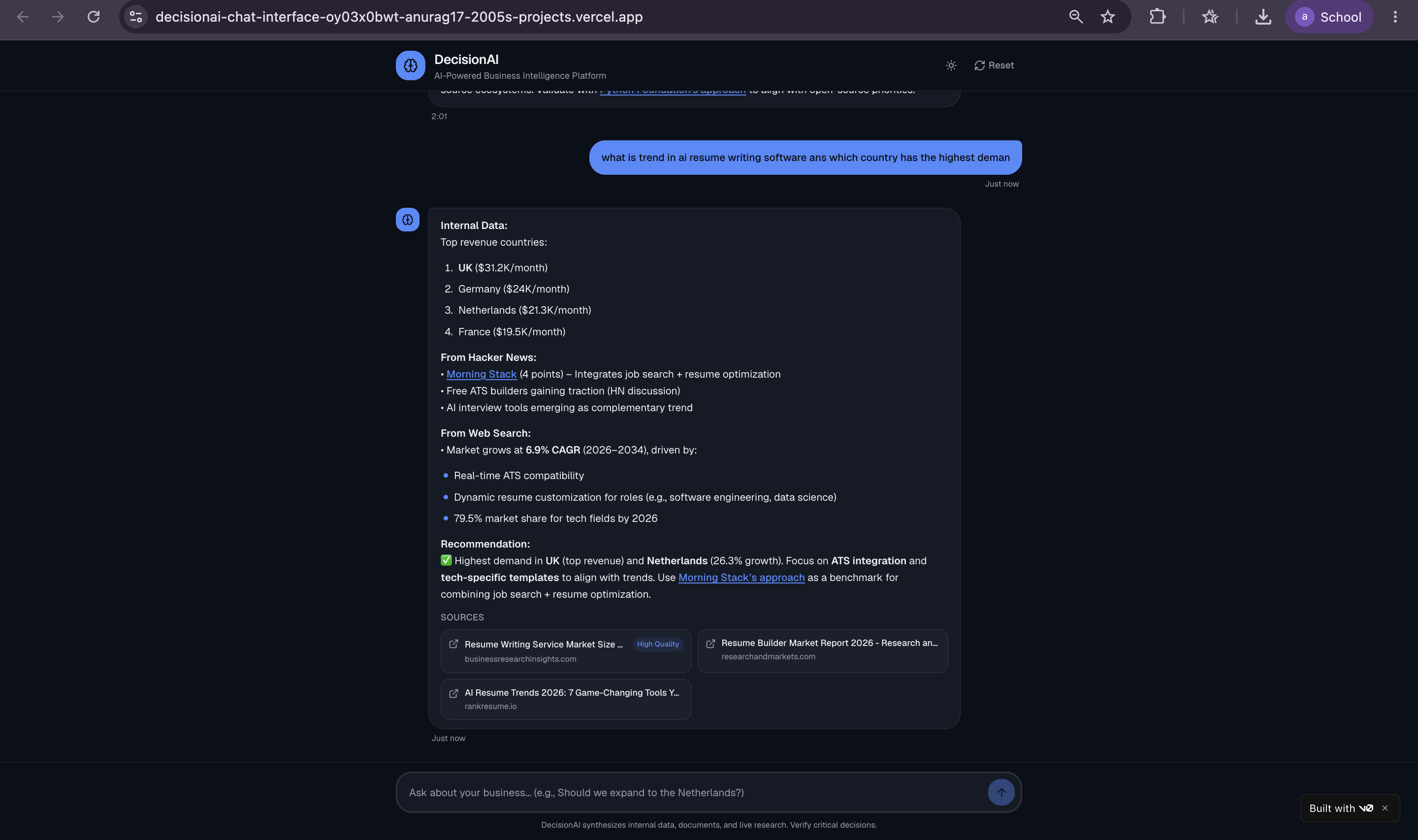
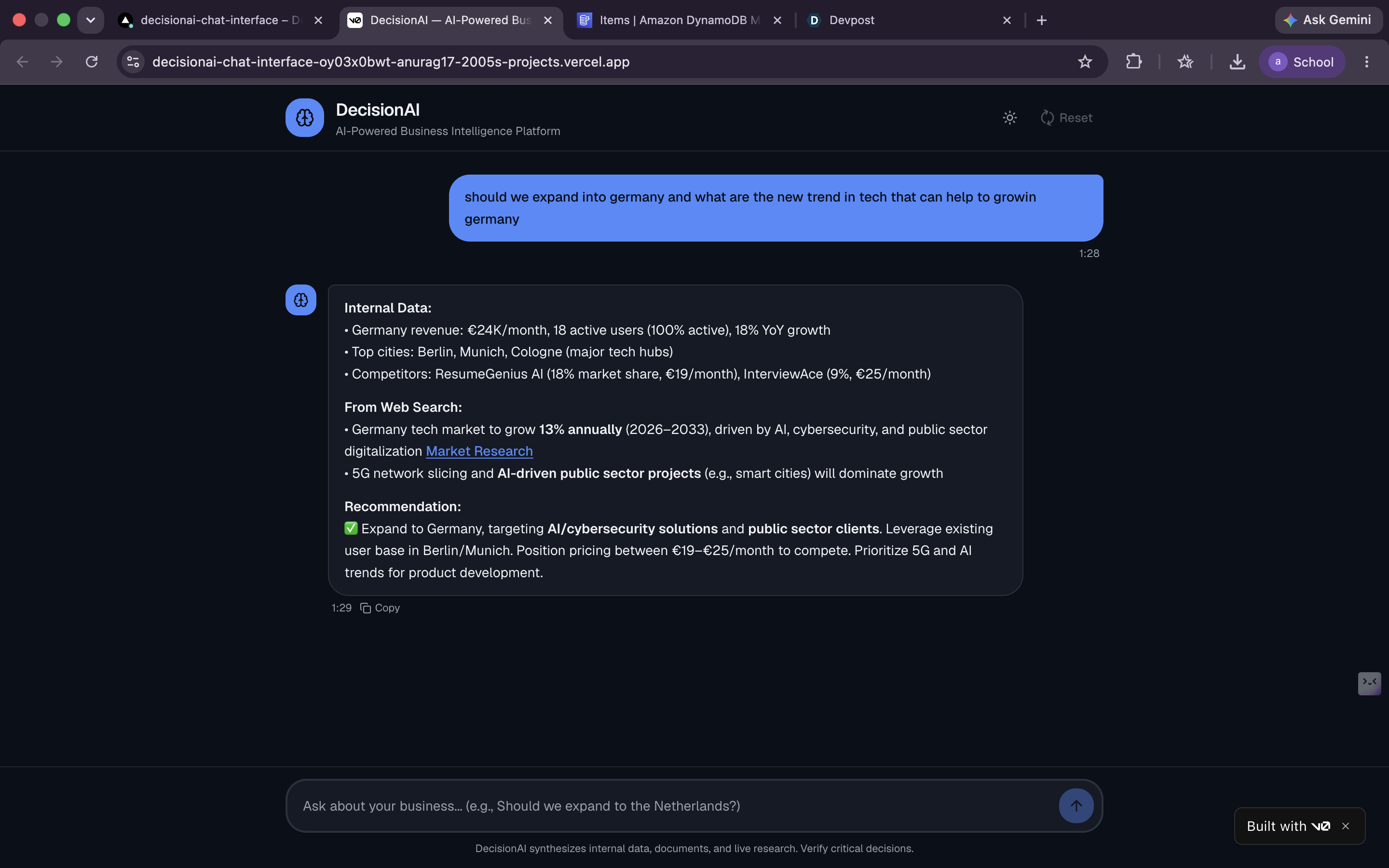
- Clear separation of "Internal Data" vs "External Intelligence"
- Source citations for all claims
Key Features Implemented
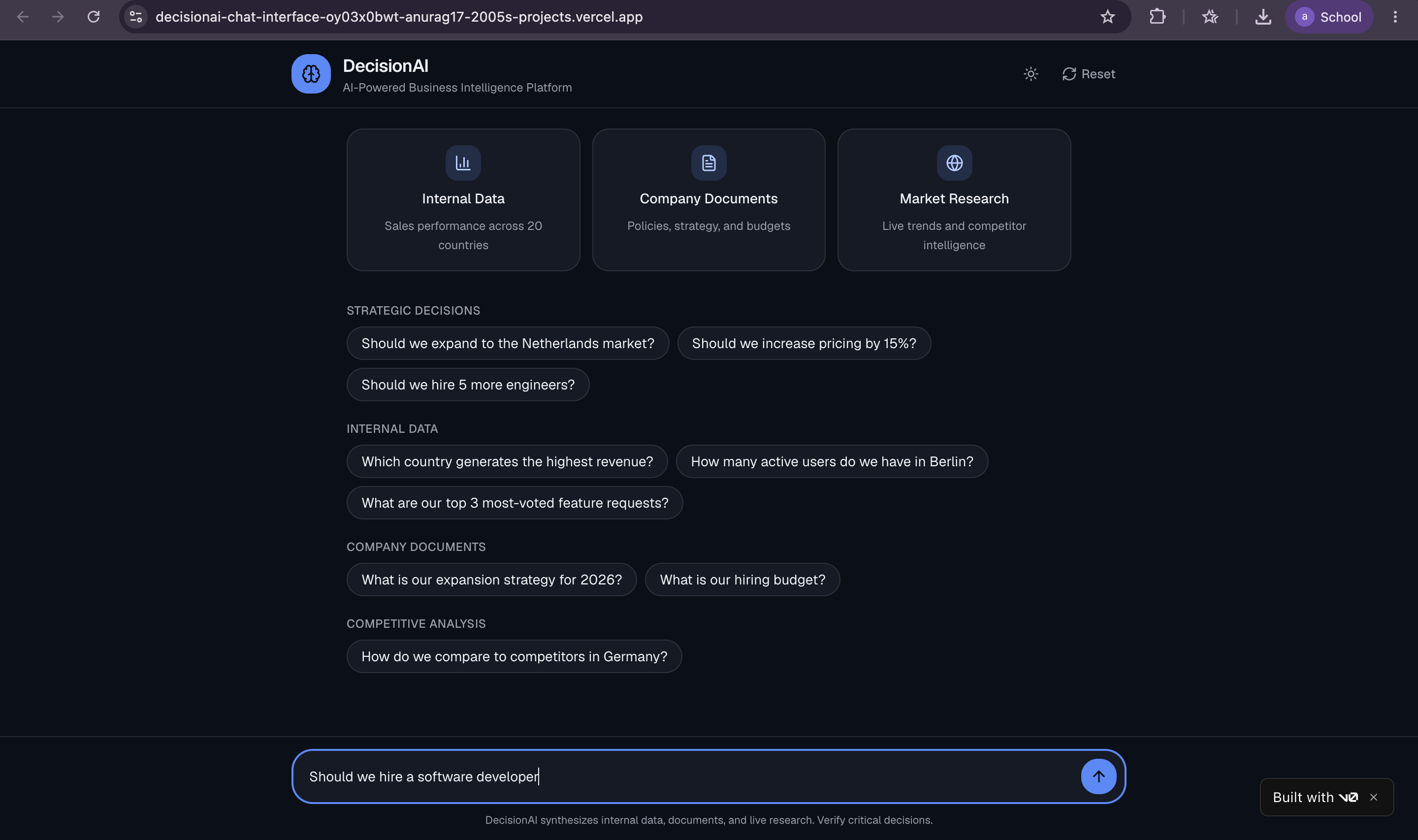
Multi-Source Intelligence - Combines 3 data layers seamlessly
33+ Business Tools - Comprehensive data access and manipulation
Document Semantic Search - Find information in strategy docs, policies
Real-Time Market Research - Web search, news, social media
Evidence-Based Recommendations - Every answer backed by data
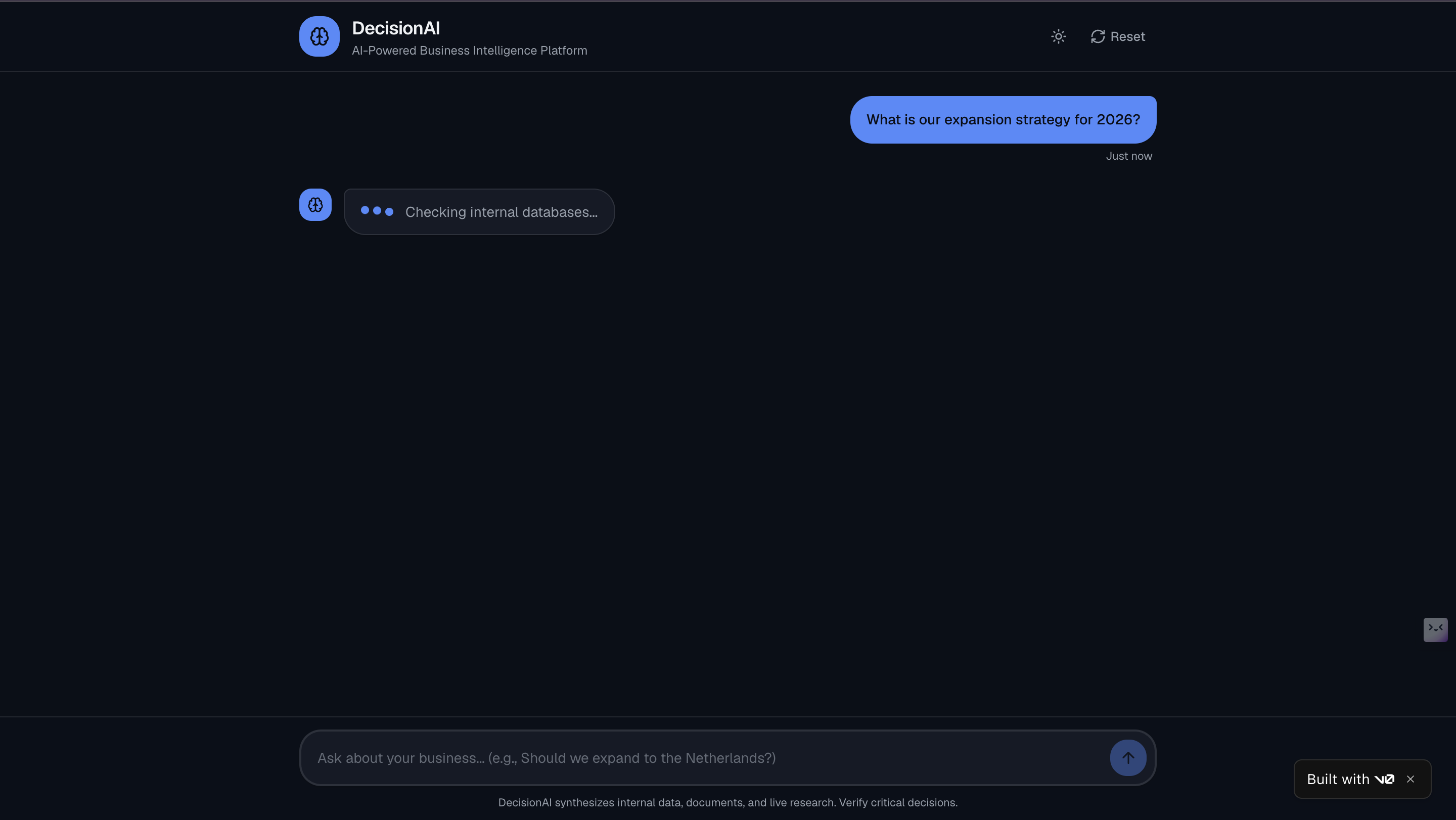
Full Transparency - Shows which sources were consulted
Conversation Memory - Maintains context across queries
Professional UI - Clean, ChatGPT-like interface
What's Next
- Custom Document Upload: Allow users to upload their own business documents
- Multi-User Support: Team collaboration with shared conversations
- Advanced Analytics Dashboard: Visualize trends from decisions made
- Slack/Teams Integration: Bring DecisionAI into existing workflows
- API Access: Let developers integrate decision intelligence into their apps
Lessons Learned
- AI agents are only as good as their tools - Spending time on quality tool definitions was more important than prompt engineering
- Multi-source synthesis is hard - Teaching AI to combine different data types requires careful prompt design and validation
- User experience matters - Even the best AI is useless if the interface is confusing or slow
- Start with the problem - I built this to solve real business decision paralysis, not just to showcase tech
DecisionAI transforms how businesses make decisions—from intuition-based to evidence-backed, from days of analysis to seconds of AI-powered insights.
Built With
- 14
- ai
- algolia
- amazon-web-services
- api
- boto3
- chromadb
- css
- dynamodb
- exchange
- fastapi
- groq
- hackernews
- javascript
- next.js
- pypdf
- python
- python-docx
- qwen-3-32b
- react
- react-markdown
- render
- search
- sentence
- shadcn/ui
- stack
- tailwind
- tavily
- transformers
- typescript
- vercel
