-
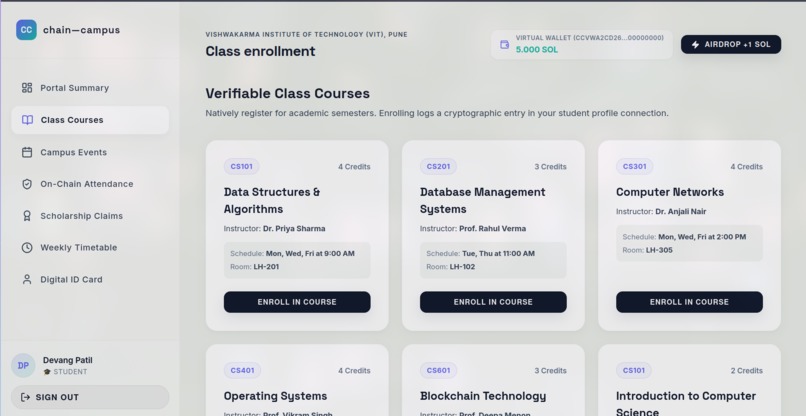
Student Page
-
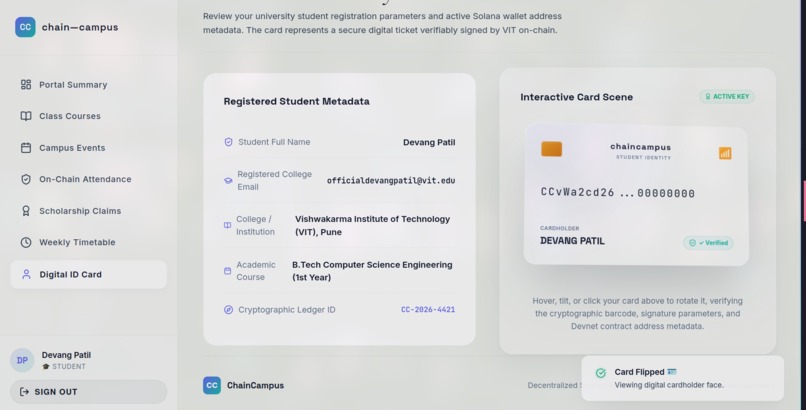
Student Profile
-
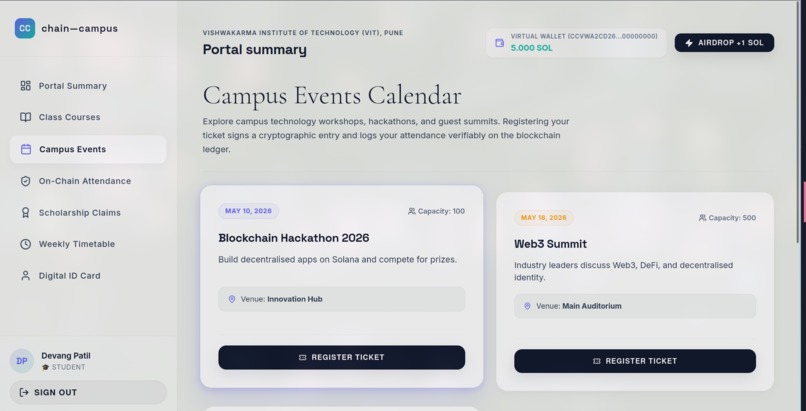
Student Page
-
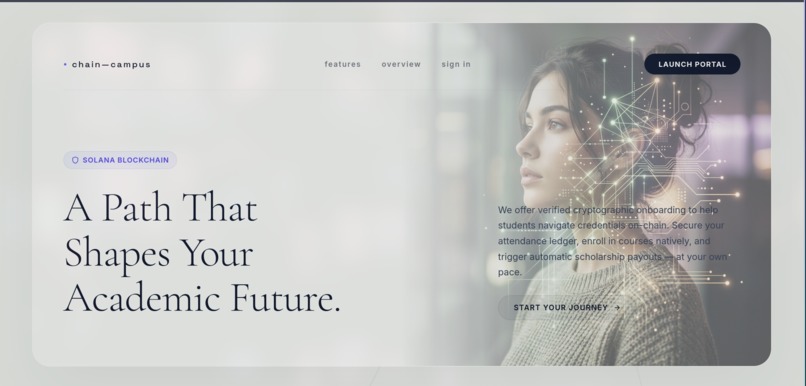
Landing Page
-
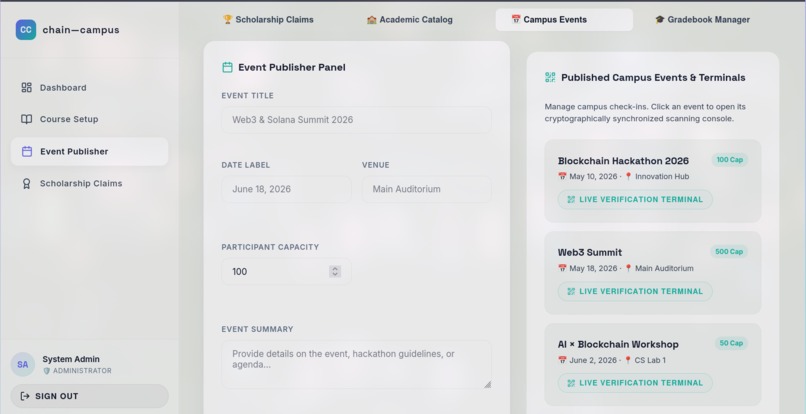
Admin Page
ChainCampus — Decentralised Student ID Card System (Solana MVP)
ChainCampus is a premium, Web3-ready student platform built for our college MVP presentation. It demonstrates cryptographic student identity, wallet connection simulations, course enrollments, attendance log verification, on-chain scholarship applications, admin workflows, local smart contract structures, and SQLite sandbox persistence.
MVP Status: What's Currently Working?
The project is demo-ready, supporting both an offline static development mode and a fully persistent SQLite-backed presentation server. Visual and transition interactions are polished with state-of-the-art physics.
1. Functional User Interfaces (React + Vite)
- Student Onboarding / Profile Verification: Authenticated student registration and credential loading.
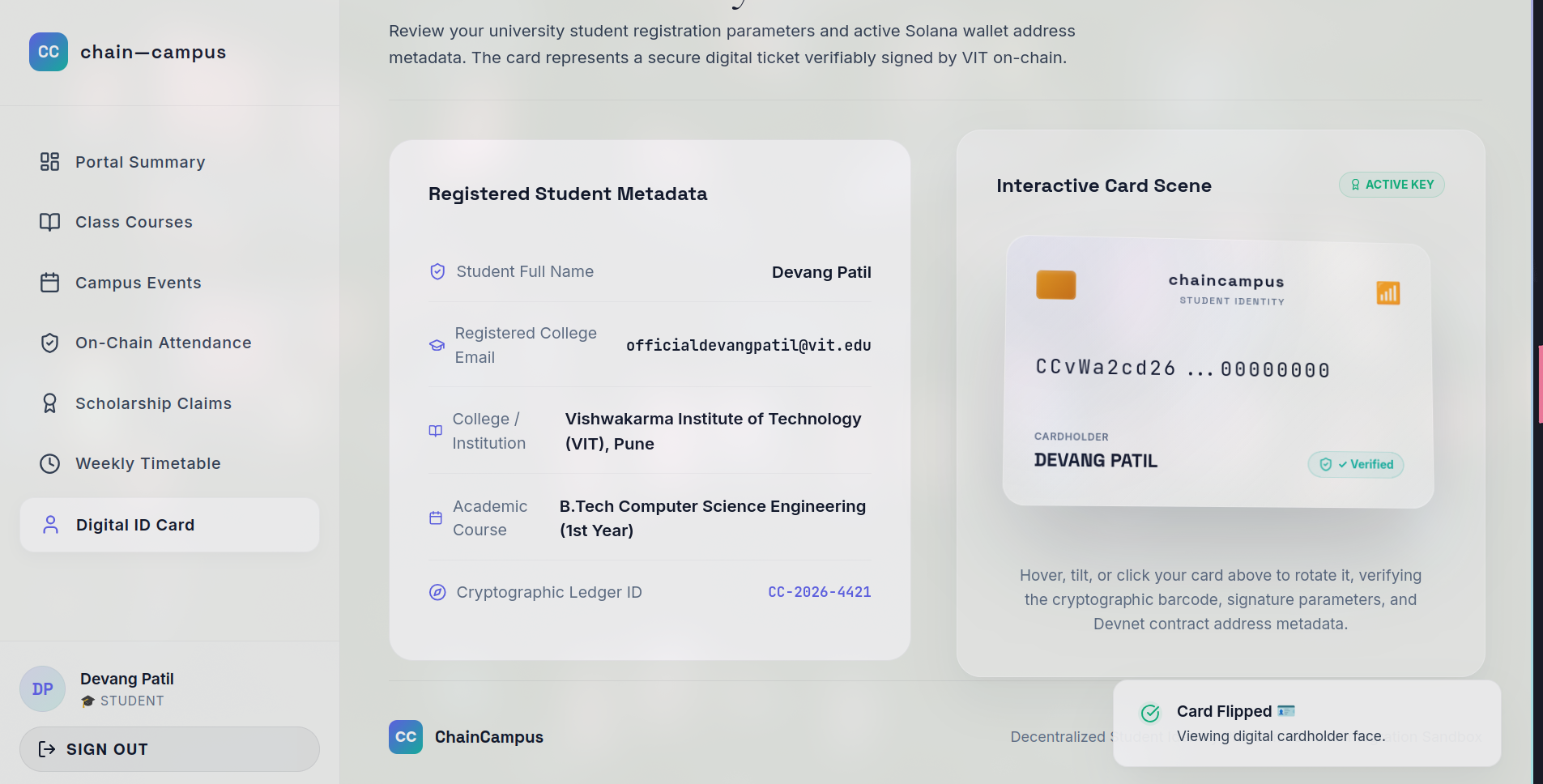
- Interactive 3D Student ID Card: An elegant, translucent virtual card displaying credentials. Incorporates smooth 3D interactive hover tilt transforms and a glowing holographic linear sweep shine overlay that acts physical to the touch. Tapping the card flips it with a spring-back transition to reveal on-chain parameters.
- Student Dashboard (
Dashboard.jsx): Displays statistics, transactions, official announcements, and application states with slide-up fade animations. - Verifiable Courses (
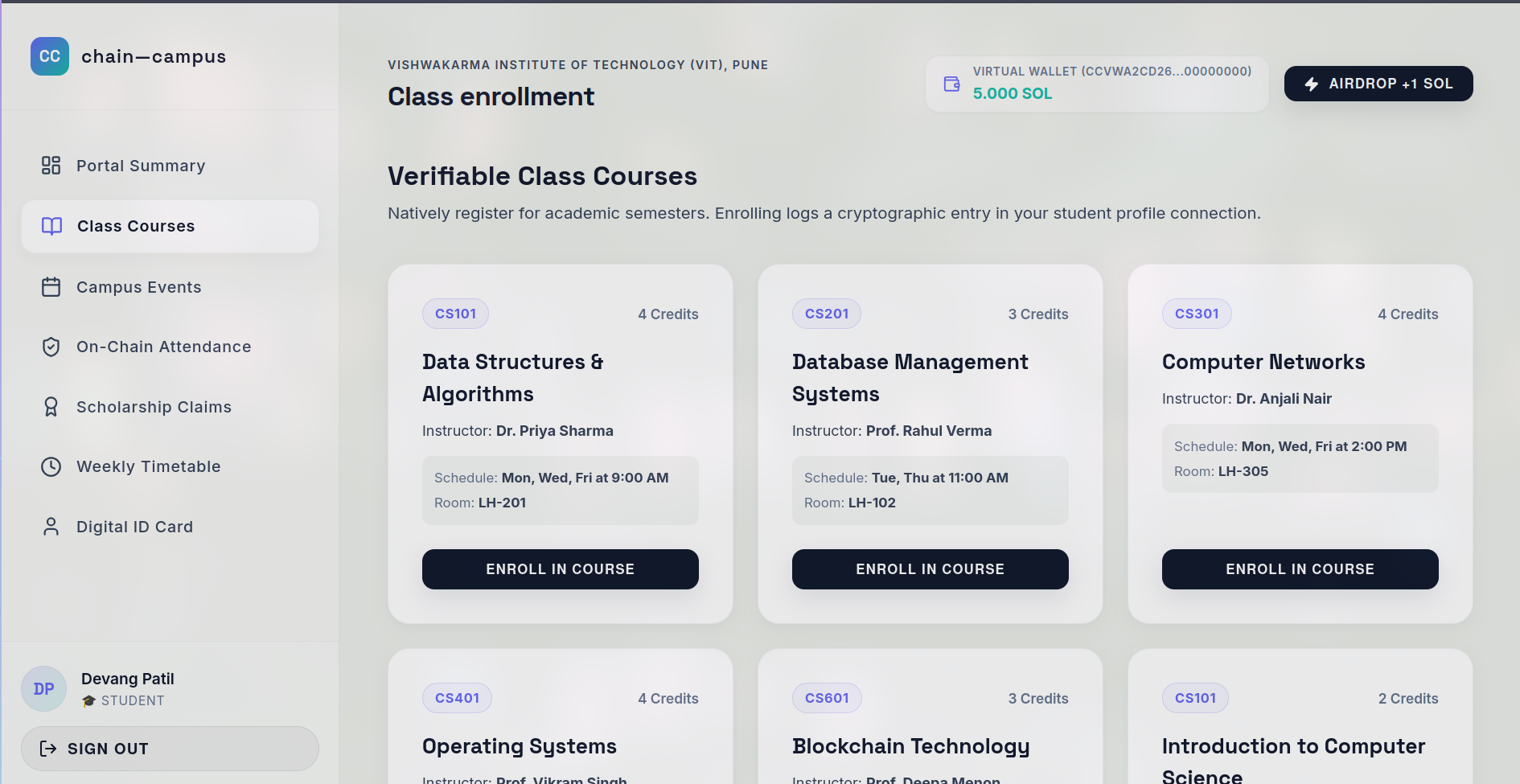
Courses.jsx): Students enroll in courses. Enrolling deducts a tiny simulated gas fee from their balance and logs a unique base58 transaction signature in the ledger. - On-Chain Events (
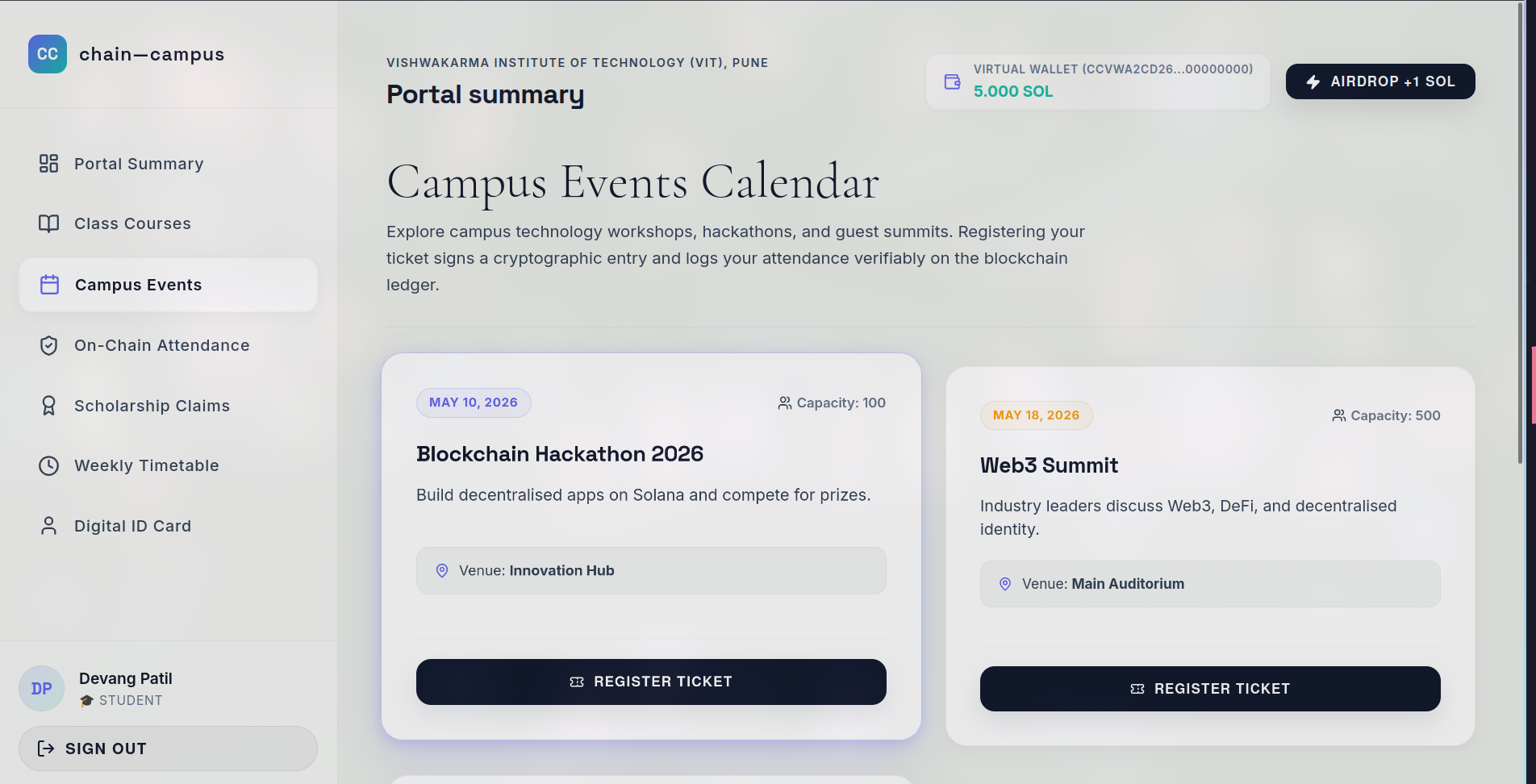
Events.jsx): Register for workshops and hackathons, syncing ledger parameters. - Attendance Ledger (
Attendance.jsx): Verifiably sign and mark attendance logs in the database. - Scholarship Applications (
Scholarships.jsx): Submit claims directly; funds are deposited upon review. - Admin Command Console (
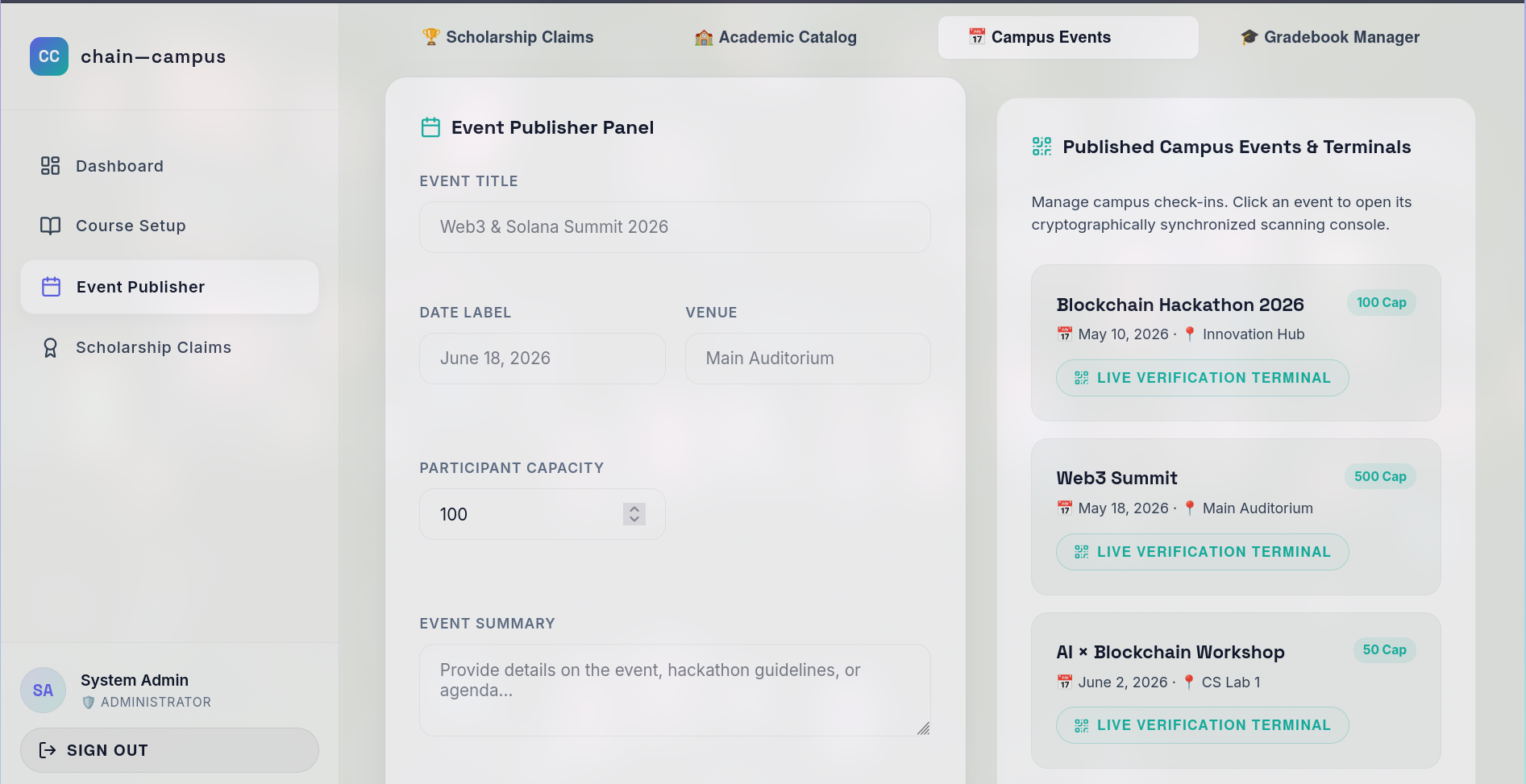
AdminDashboard.jsx): Administrators manage courses, create events, view incoming scholarship claims, and grant approvals/rejections in real time.
[!NOTE] Default Admin Credentials:
- Email:
[email protected]- Password:
Admin()09
2. Sandbox Blockchain Simulation (useBlockchain.js)
- Simulates real Solana ledger events by generating authentic 88-character base58 transaction signatures.
- Automatically deducts a tiny simulated transaction fee (
0.005 SOL) from the student's virtual wallet. - Logs transactions inside the persistent SQLite sandbox database, keeping a verified audit trail on the student profile ledger.
3. Smart Contract Blueprints
Anchor/Rust smart contract code is located in the local directory:
chain_campus/programs/chain_campus/src/
The blueprint contract contains instruction routines for:
- Student Profile Registration
- Course Creation & Academic Enrollment
- Event Schedule & Student Registration
- Tamper-proof Attendance Marking & Signature Verification
- On-chain Scholarship Creation, Claim Application, and Multi-signature Approval
Technical Stack & Folder Structure
DecentralisedIdCardSystem/
├── server.py                 # SQLite Multi-threaded Python API & Web Server
├── data/                     # Database Directory
│   └── chaincampus.db        # SQLite Sandbox Database
├── chain_campus/             # Anchor Solana Smart Contract Program (Rust)
│   ├── programs/             # Program logic
│   └── Anchor.toml           # Anchor Configuration
└── frontend/                 # React + Vite Client Application
    ├── public/               # Static public assets (images, logos, favicon)
    ├── src/
    │   ├── context/          # State & Session Contexts (AuthContext, AppContext)
    │   ├── hooks/            # Custom Hooks (useApi, useBlockchain)
    │   ├── components/       # Reusable components (IdCard, Sidebar, Toast, Header)
    │   ├── pages/            # View Pages (Landing, Dashboard, Login, Courses, etc.)
    │   ├── index.css         # Premium Light-Sage & Cream Theme Stylesheet
    │   └── main.jsx          # Vite React Bootstrap Entrypoint
    └── vite.config.js        # Vite Build Configuration
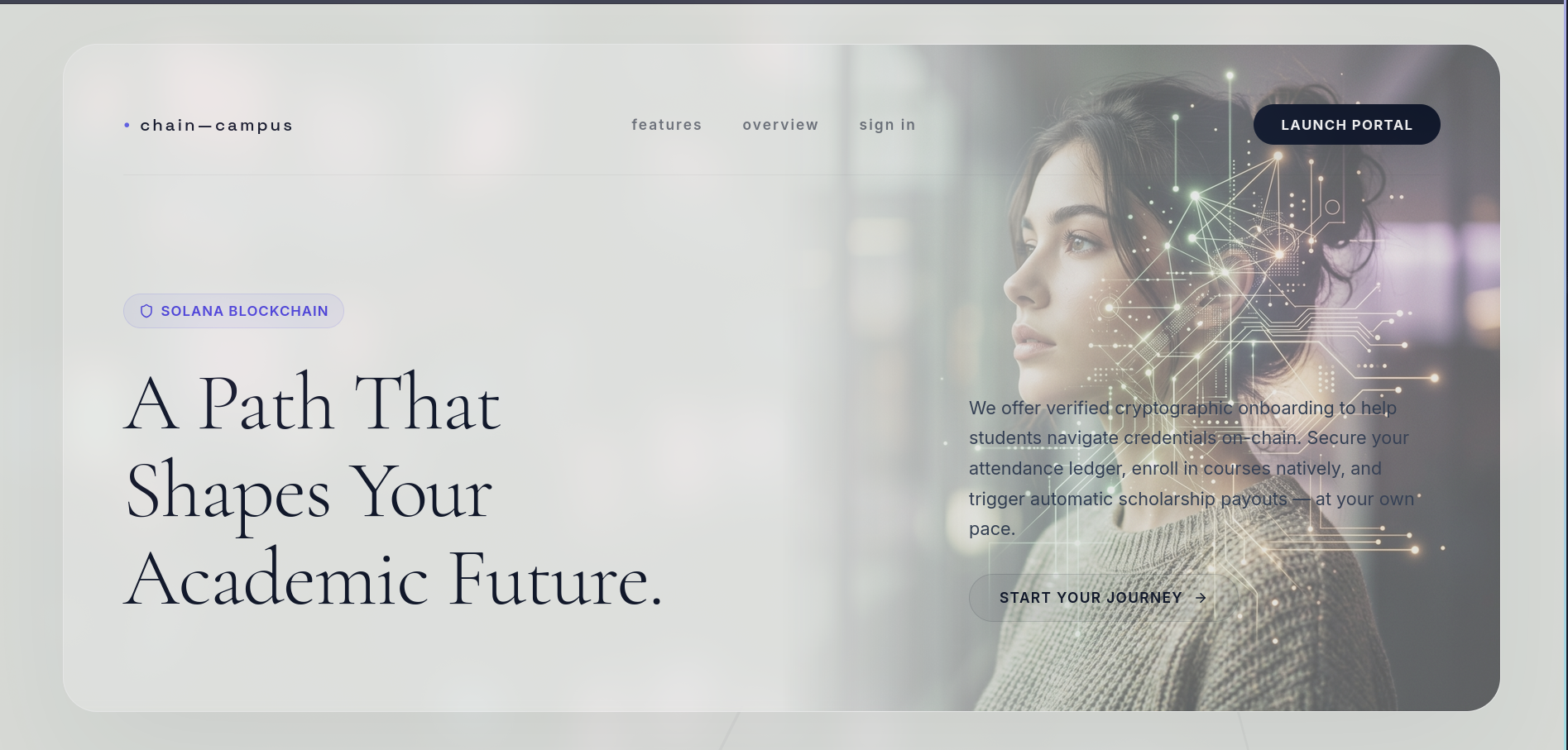
- Academic Portal Launch: Start at the clean, editorial
Landing.jsxpage. Highlight the custom ambient background meshes, 3D student credential systems, and Solana network indicators. - Onboard a Student: Click Start Your Journey and Sign Up a new student profile. Explain that this dynamically generates a unique virtual Solana wallet address (
CCvW...) in the background. - Verify the Credentials: Log in. Hover over the translucent Student ID card to show the 3D holographic linear sweep shine. Click the card to flip it with spring physics, revealing the virtual SOL balance, Network state, and active Student ID.
- Log Academic Events: Enrol in a Course or register for the AI x Blockchain Workshop under Events. Show the floating toast notification and verify that a new 88-character base58 transaction signature is generated and a
0.005 SOLfee is subtracted. - Apply for a Scholarship: Navigate to Scholarships and apply for Academic Excellence. Point out the transaction log appearing on your student dashboard.
- Admin Command Operations: Log out. Sign in as Admin. Open the Manage Scholarships console. Observe the live student applications, then click Approve.
- Complete Payout Loop: Log back in as the student. Check the dashboard. Notice that the scholarship status has transitioned to Approved and the virtual SOL balance has been credited with the scholarship funds!
Built With
- css
- html
- javascript
- powershell
- procfile
- python
- rust
- typescript


Log in or sign up for Devpost to join the conversation.