-
-
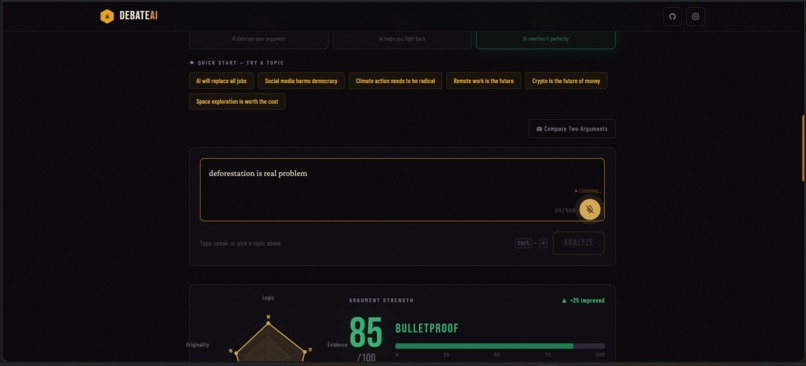
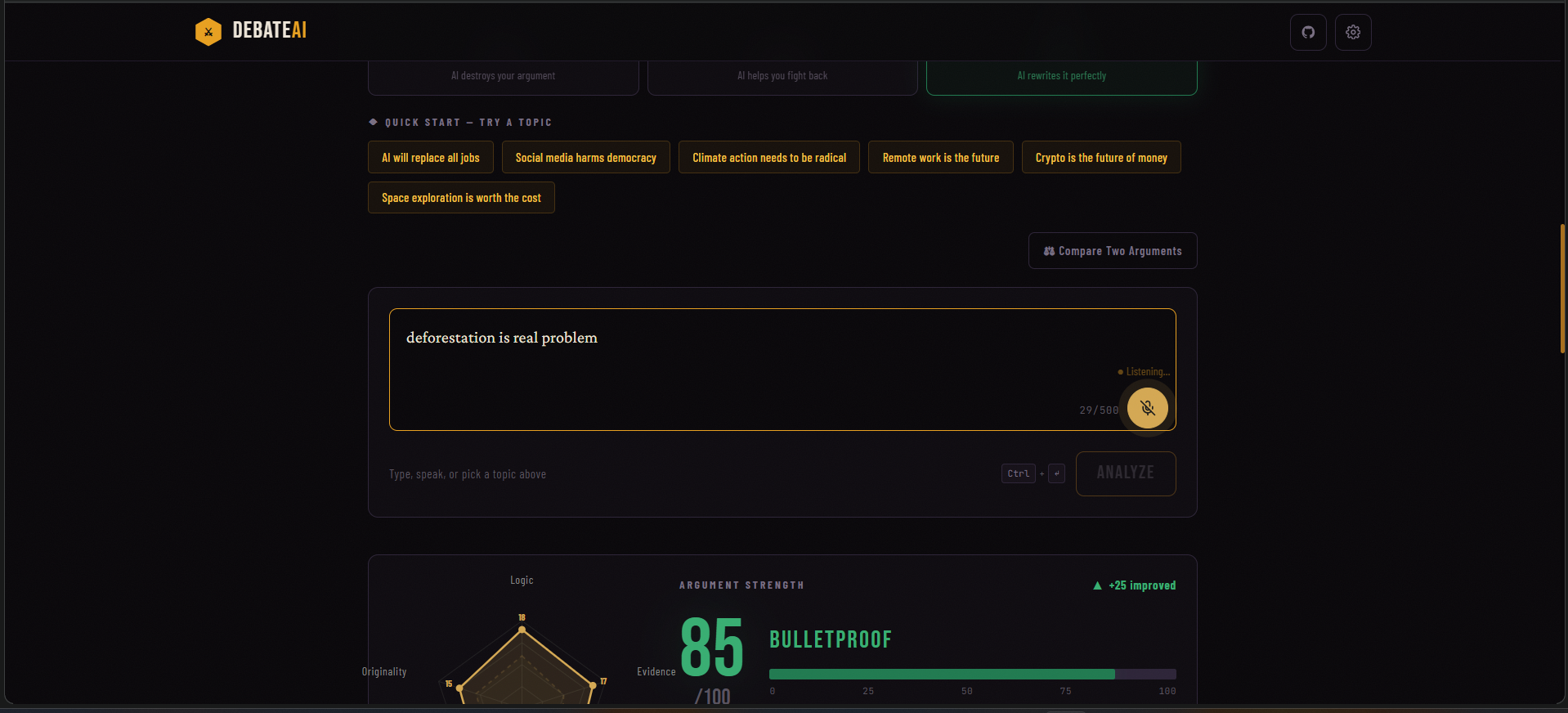
Voice input with real-time transcription via Web Speech API speak your argument instead of typing
-
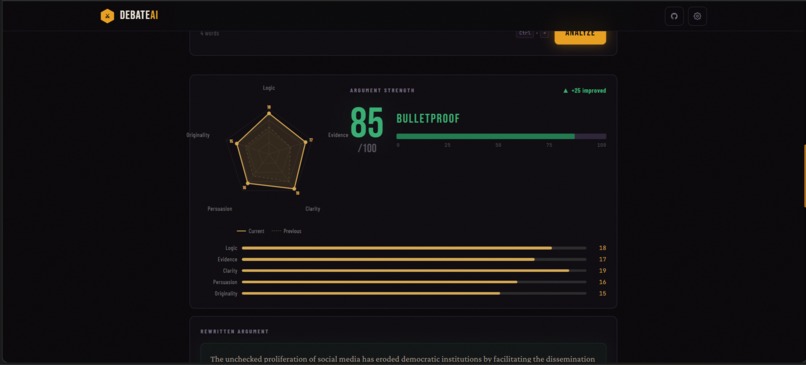
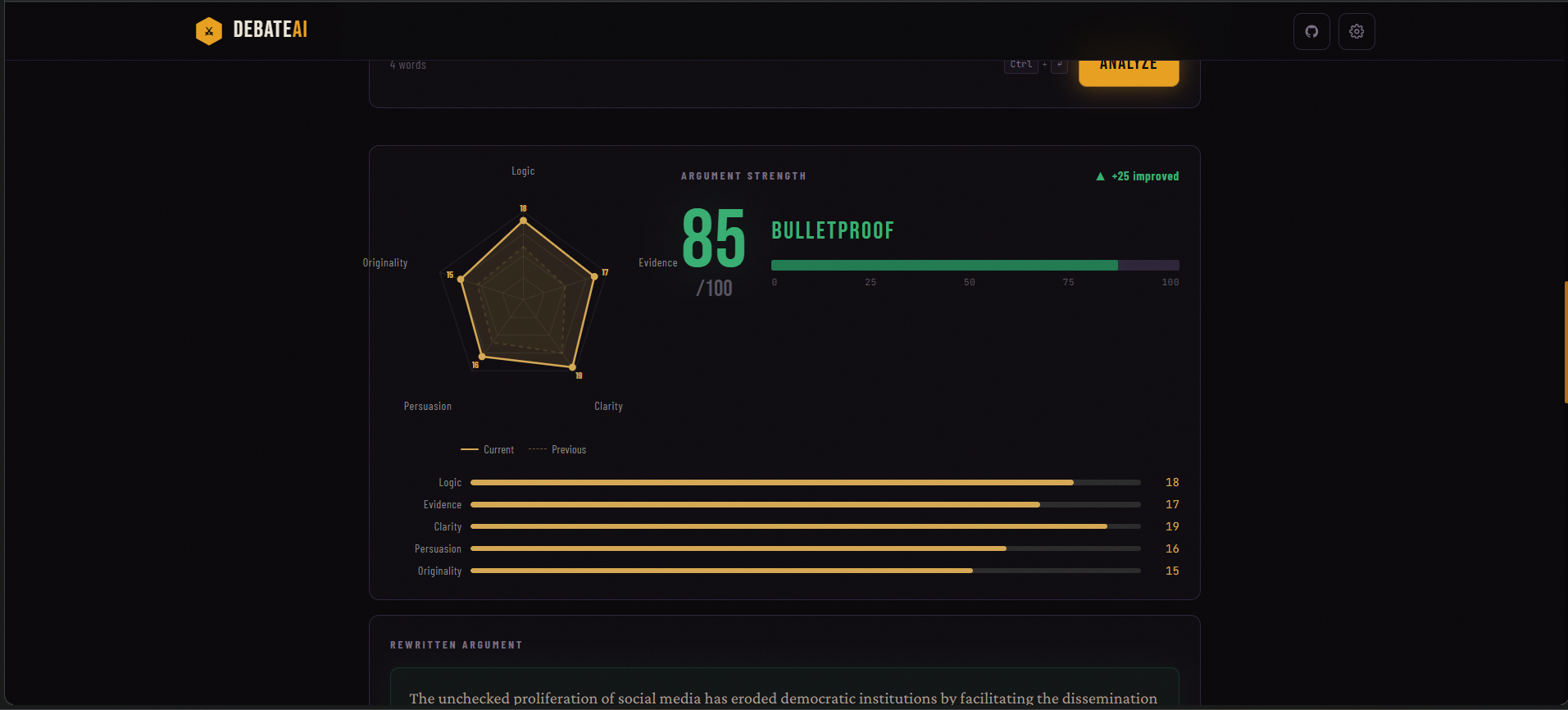
Before/after radar overlay dashed polygon shows original score, solid shows improvement after coaching
-
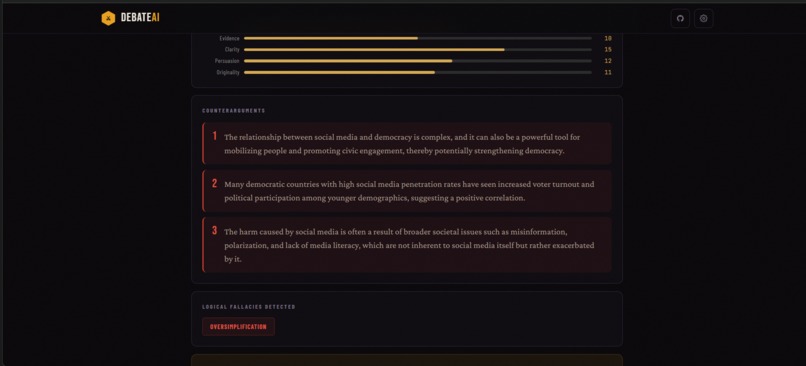
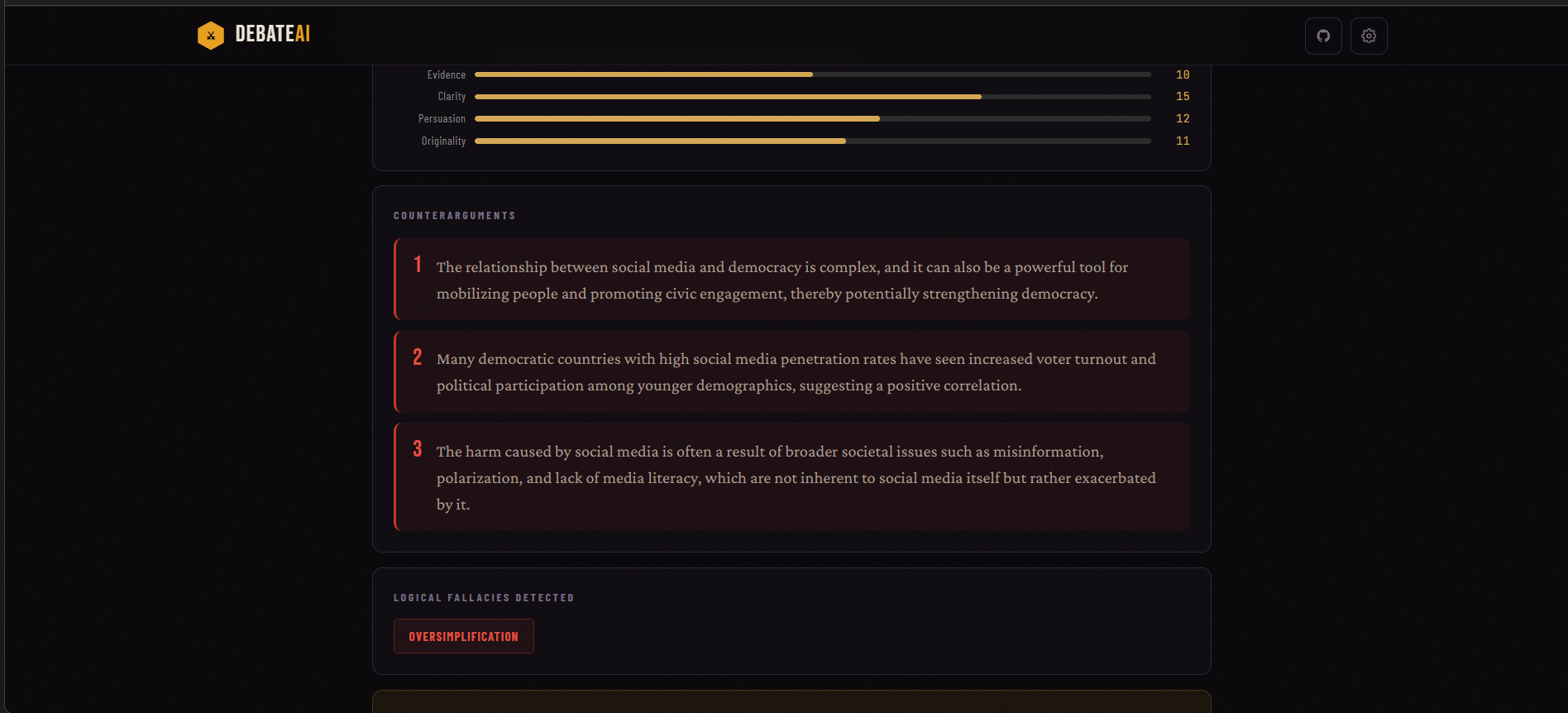
Attack mode: 3 AI-generated counterarguments with 5-axis radar chart scoring and strength meter
-
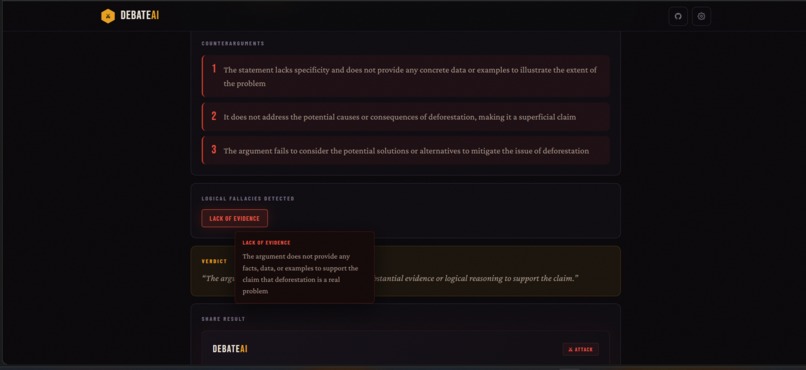
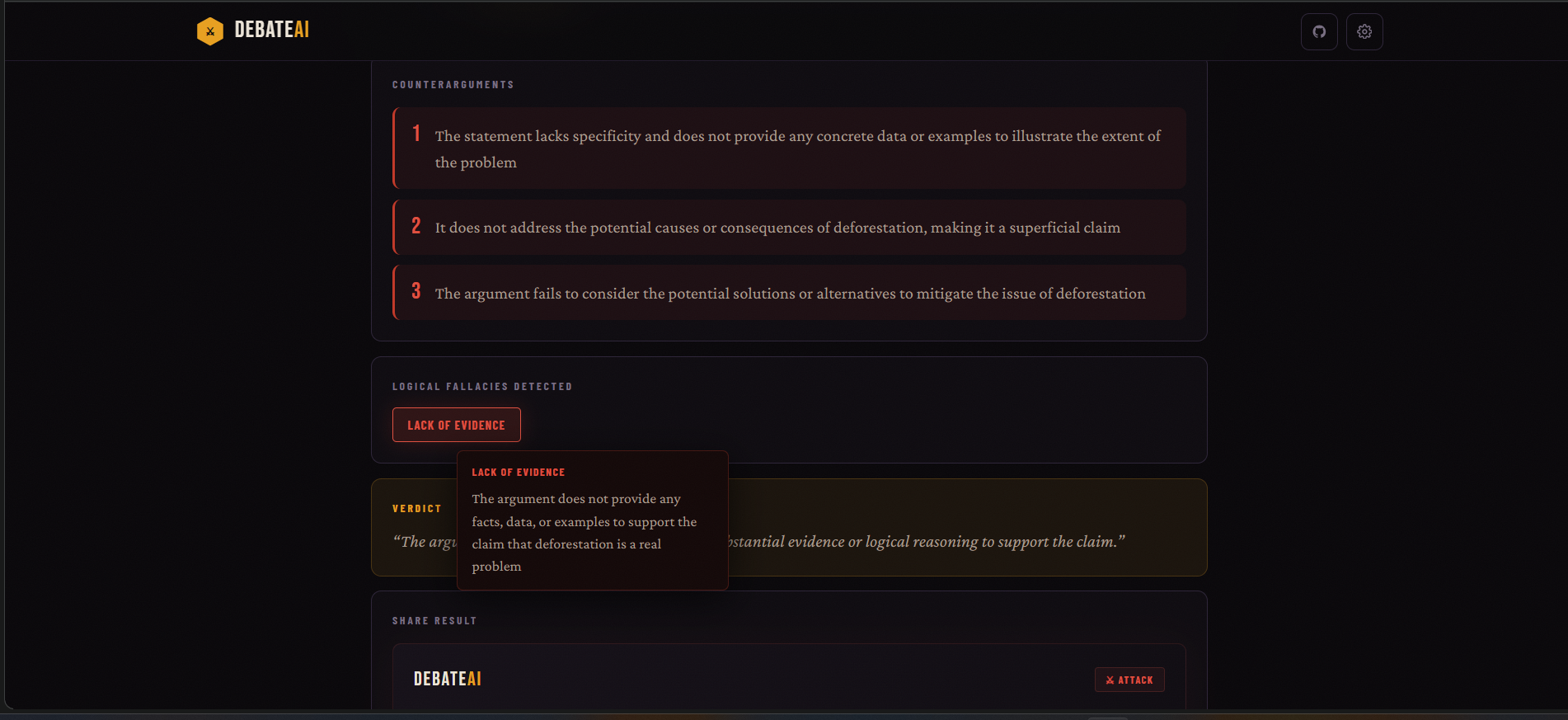
Logical fallacy detection with hover explanations identifies straw man, ad hominem, false dichotomy
-
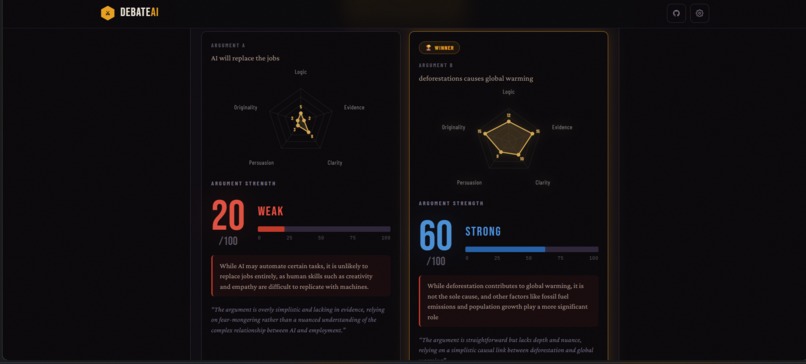
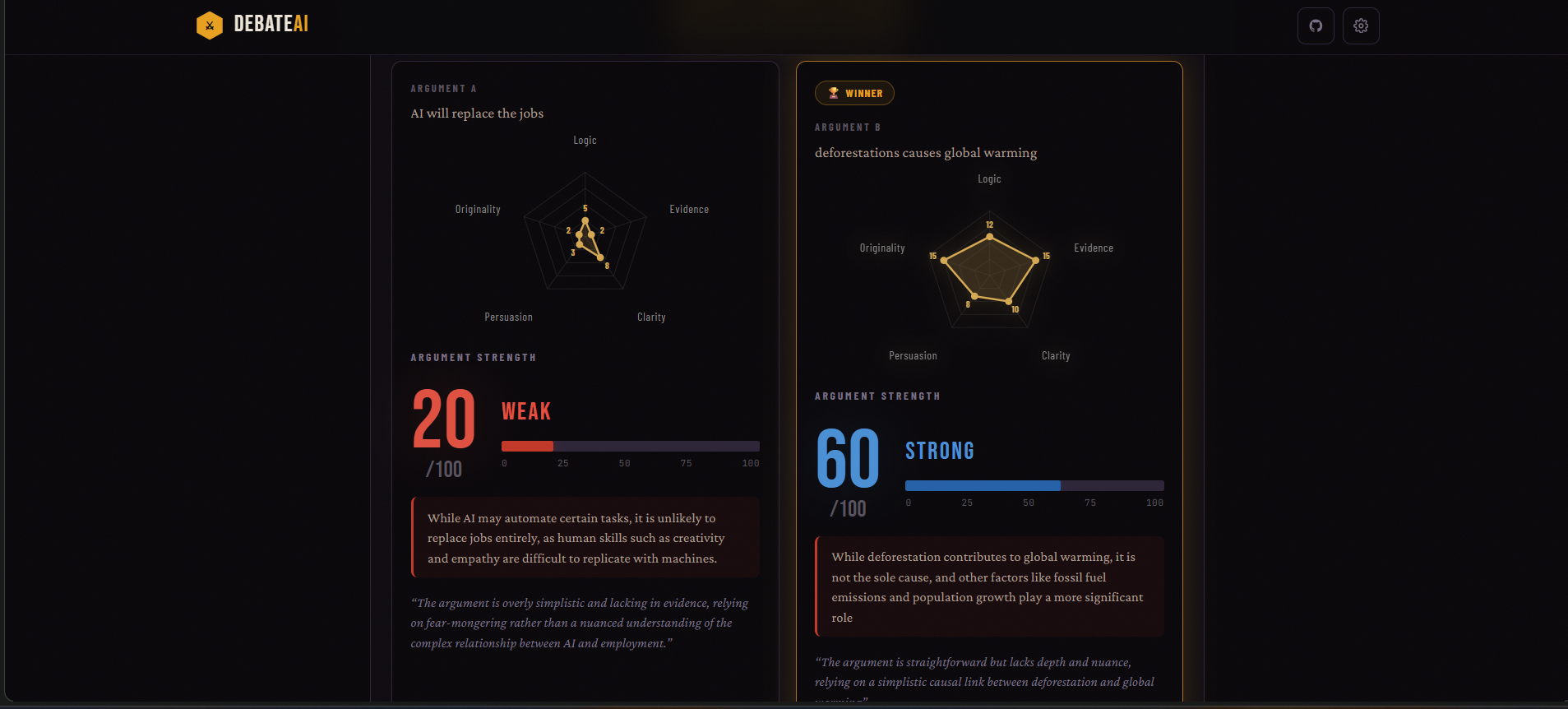
Comparison mode: two arguments scored head to head with side-by-side radar charts
-
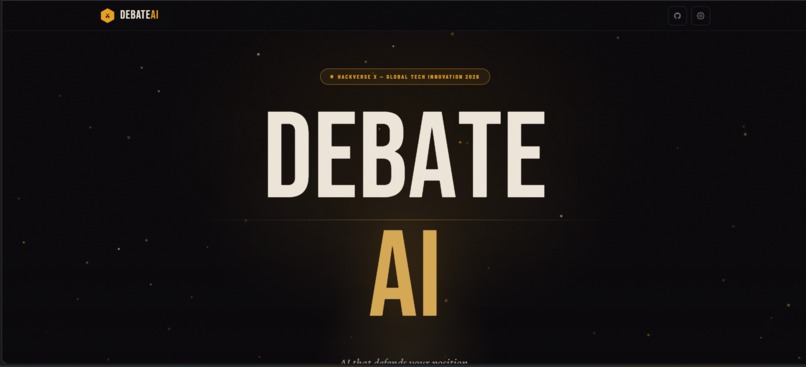
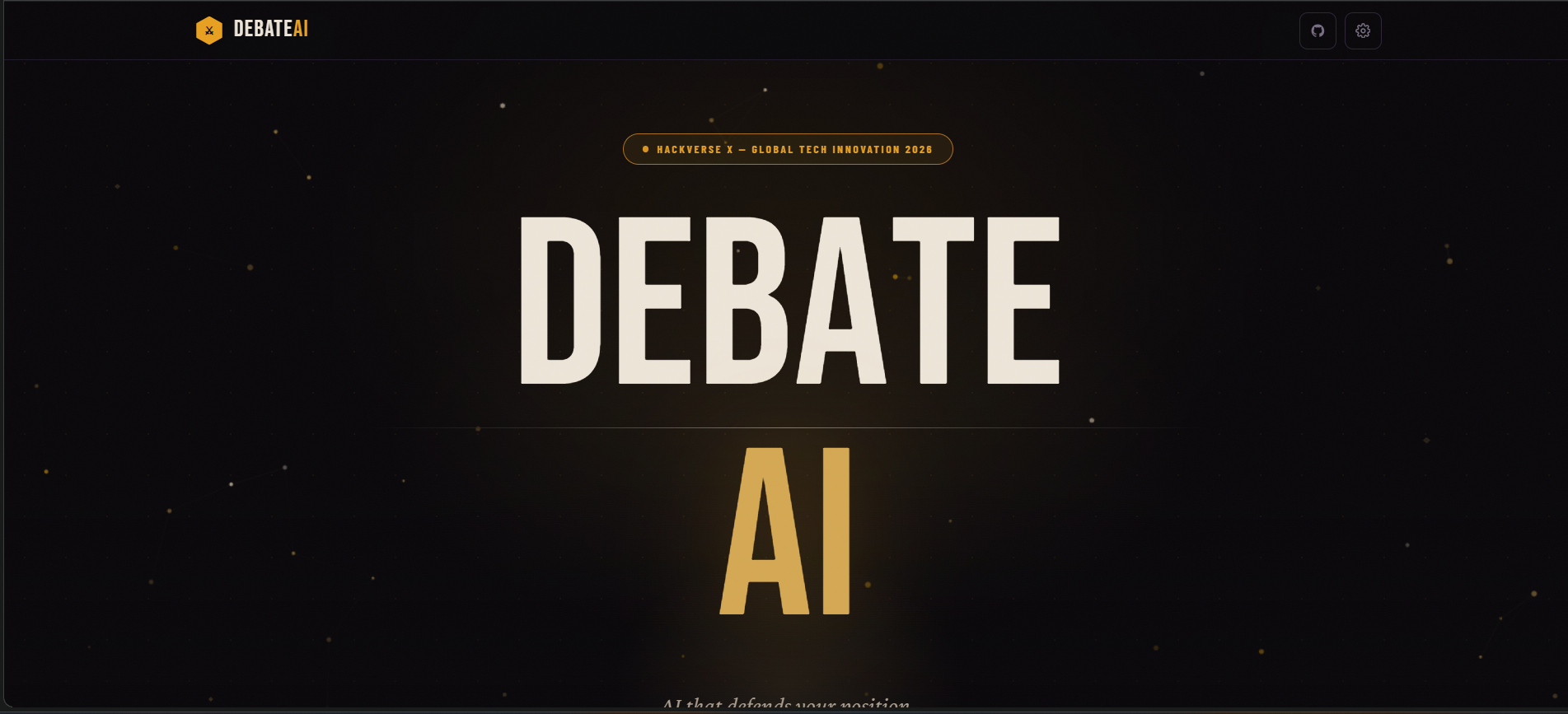
Animated hero with particle field, letter stagger animation, and Hackverse X branding
Inspiration
We noticed something in every debate class, Model UN session, and group discussion — people lose arguments not because they're wrong, but because they never stress-tested their reasoning. There's no tool that systematically finds the holes in your argument, teaches you to defend against them, and then rewrites your claim to be bulletproof. ChatGPT gives you a wall of text. We wanted something that fights back.
What it does
DebateAI is a real-time argument training tool with three modes:
Attack — You enter any argument. The AI generates 3 targeted counterarguments, scores your claim across 5 dimensions (logic, evidence, clarity, persuasion, originality) on a radar chart, and detects logical fallacies like straw man, ad hominem, and false dichotomy — each with a hover explanation.
Defend — The AI takes the counterarguments it just threw at you and helps you build a rebuttal for each one. Your score improves as your defense strengthens. The radar chart shows a before/after overlay so you can literally see your argument expanding.
Coach — The AI rewrites your entire argument from scratch using rhetorical techniques, shows you which techniques it used, and explains why the new version scores higher.
You can also speak your argument using voice input — the app transcribes in real time using the Web Speech API. There's a comparison mode to put two arguments head to head with side-by-side radar charts. The AI picks the winner.
How we built it
Frontend: React 18 with Vite for fast builds. All animations — the particle background, letter stagger, radar chart, click sparks — are custom built with Framer Motion and raw Canvas API. Zero external UI libraries.
AI Engine: Groq API running llama-3.3-70b-versatile. We chose Groq for speed — responses come back in under 3 seconds. Each mode has a carefully crafted prompt that returns structured JSON with scores, counterarguments, fallacies, and dimensional breakdowns.
Voice Input: Browser-native Web Speech API with a custom React hook. Handles continuous recognition, interim results, Chrome's 60-second auto-stop bug, and gracefully hides on unsupported browsers.
Radar Chart: Pure SVG — no charting library. We calculate pentagon coordinates, animate the score polygon from center using requestAnimationFrame with easeOutCubic, and overlay the previous scores as a dashed polygon for visual comparison.
Deployment: GitHub Pages with GitHub Actions CI. The API key is never baked into the build — users enter their own Groq key via a settings modal, stored in localStorage.
Challenges we ran into
Prompt engineering was harder than the code. Getting the AI to return consistent, parseable JSON with exactly 5 dimensional scores that sum to the overall score took dozens of iterations. Early versions would sometimes return markdown instead of JSON, or hallucinate extra fields.
The API key security problem. Our CI workflow was originally set up to inject the Groq key as a build-time environment variable — which would have embedded it in the public JavaScript bundle on GitHub Pages. Anyone opening DevTools could have extracted it. We caught this during a security audit and switched to a runtime-only approach via localStorage.
Voice input cross-browser issues. Chrome's SpeechRecognition silently stops after ~60 seconds. We had to detect the auto-stop and transparently restart recognition without the user noticing. Firefox doesn't support the API at all, so we gracefully hide the mic button instead of showing a broken UI.
Accomplishments that we're proud of
The radar chart before/after overlay is the feature we're most proud of. When you run Attack mode and then Coach mode, you see your original score as a dashed polygon and your improved score as a solid polygon — both on the same chart. You can literally watch your argument get stronger across all 5 dimensions. No one else is doing this.
Voice input during the demo is a crowd moment. You speak your argument out loud, the words appear in real time, and then the AI tears it apart. It's visceral in a way that typing never is.
The entire UI — particles, letter stagger, shimmer, click sparks, scroll reveals — is custom built with zero external UI component libraries. Every animation was hand-coded.
What we learned
- Structured JSON output from LLMs is fragile. You need retry logic, fence-stripping (
`json), and fallback values for every field. - Security audits aren't optional, even for hackathon projects. We almost shipped a public API key.
- Groq's inference speed changes the UX entirely. Sub-3-second responses mean the app feels interactive, not like you're waiting for a chatbot.
- Designing prompts is designing the product. The quality of the counterarguments, the accuracy of the fallacy detection, the usefulness of the coaching — it all comes from the prompt, not the code.
What's next for Debate AI
- Multi-round live debate mode — a back-and-forth where you argue with the AI across multiple rounds, with your score changing each round
- Multi-language support — debate in Hindi, Spanish, French, or any language Groq supports
- Export PDF reports — one-click export of the full analysis with radar chart for debate prep
- Classroom mode — a teacher dashboard where students submit arguments and get scored, with class-wide analytics
Built With
- actions
- canvas-api
- framer-motion
- github
- groq
- javascript
- llama-3.3
- react
- vite
- web-speech-api


Log in or sign up for Devpost to join the conversation.