
Inspiration
In South Asia, a wedding look is never one person's choice. The whole family decides. Today that happens over chat. Relatives argue over catalogue photos of models who look nothing like the bride or groom. Outfit, jewellery, makeup and hair each need approval. The pieces are expensive and often cannot be returned. I wanted families to judge the real thing: the complete look, on the person's own photo.
What it does
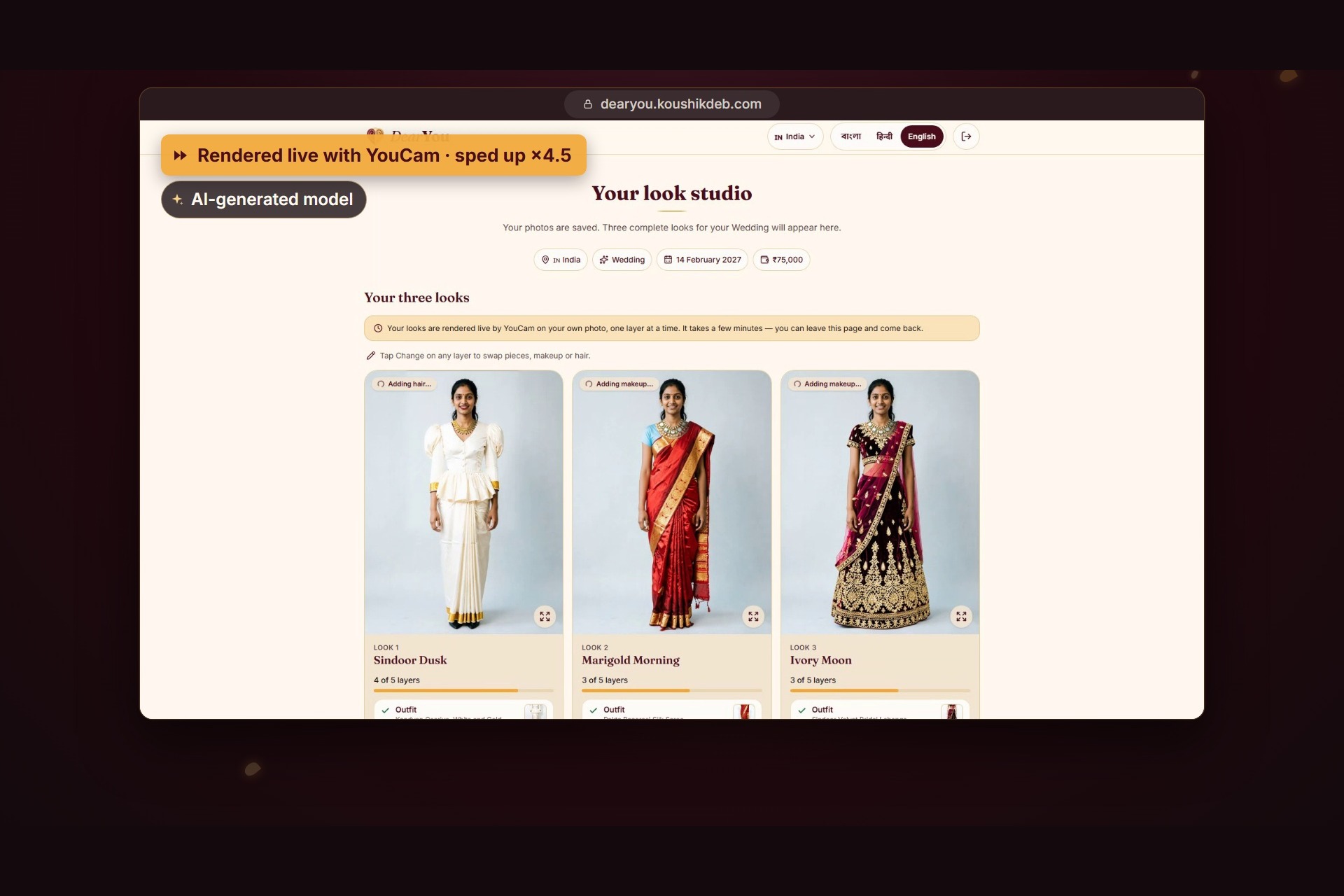
DearYou turns one photo into three complete wedding looks.
- Set up in under a minute. Pick your role, event, date, budget and style. It works in 11 countries, with local events, currencies and budget presets. The interface is in English, বাংলা and हिन्दी.
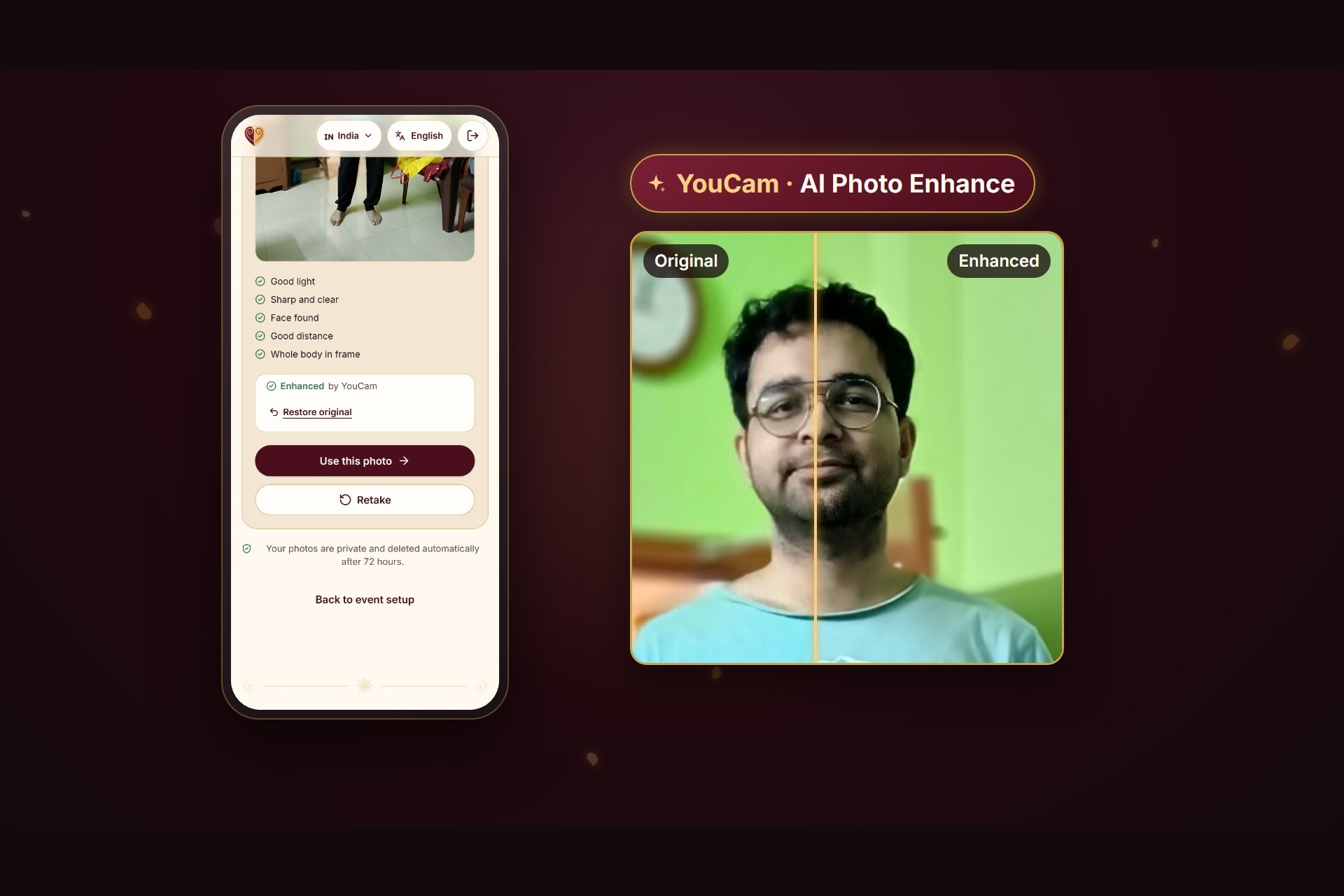
- One photo. Take or upload a full-length photo. DearYou checks light, sharpness, face and framing. YouCam AI Photo Enhance can sharpen a soft phone picture.
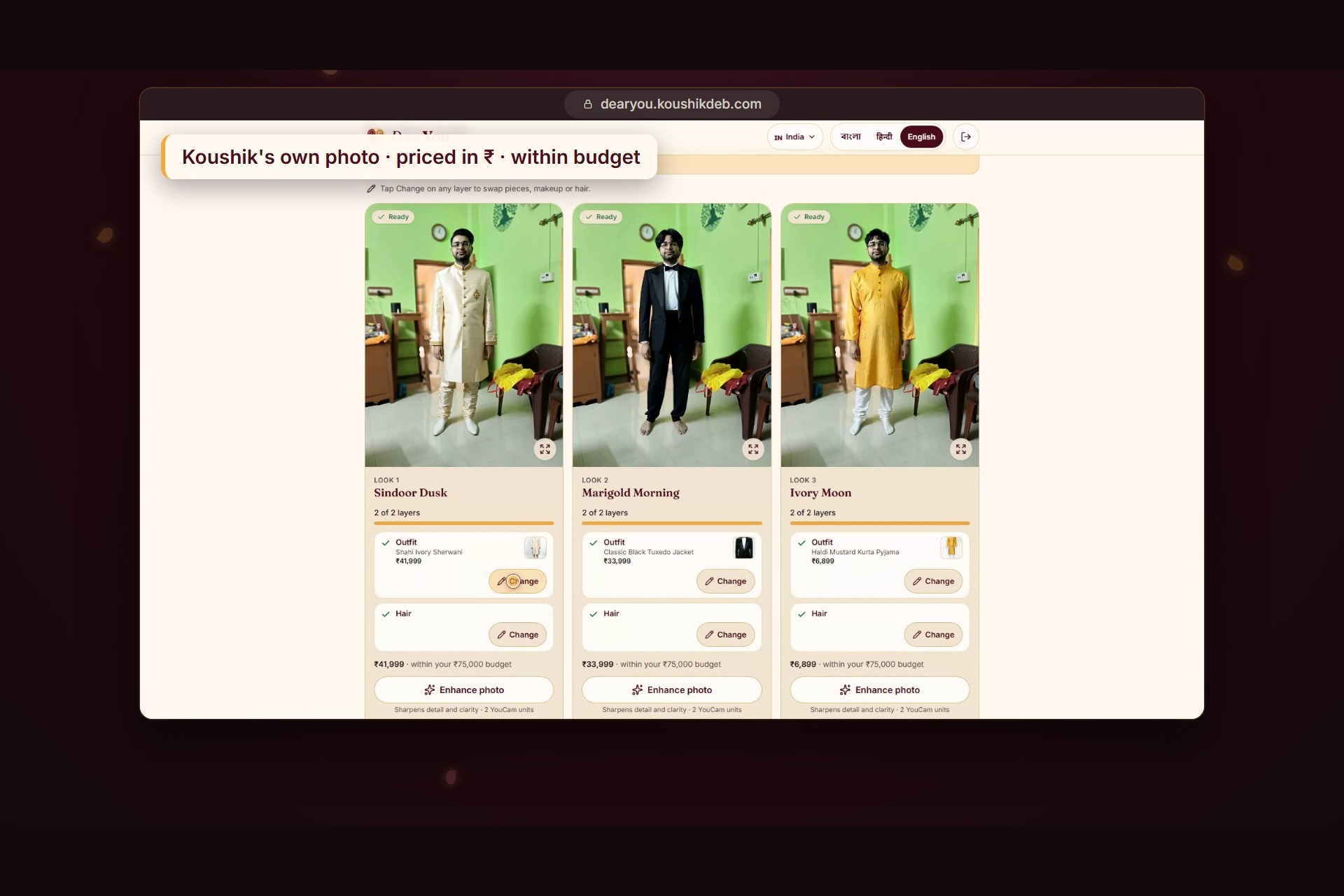
- Three complete looks. DearYou picks pieces from a real catalogue, ranked for your event and budget. It renders them on your photo, layer by layer: outfit, necklace, earrings, makeup and hair.
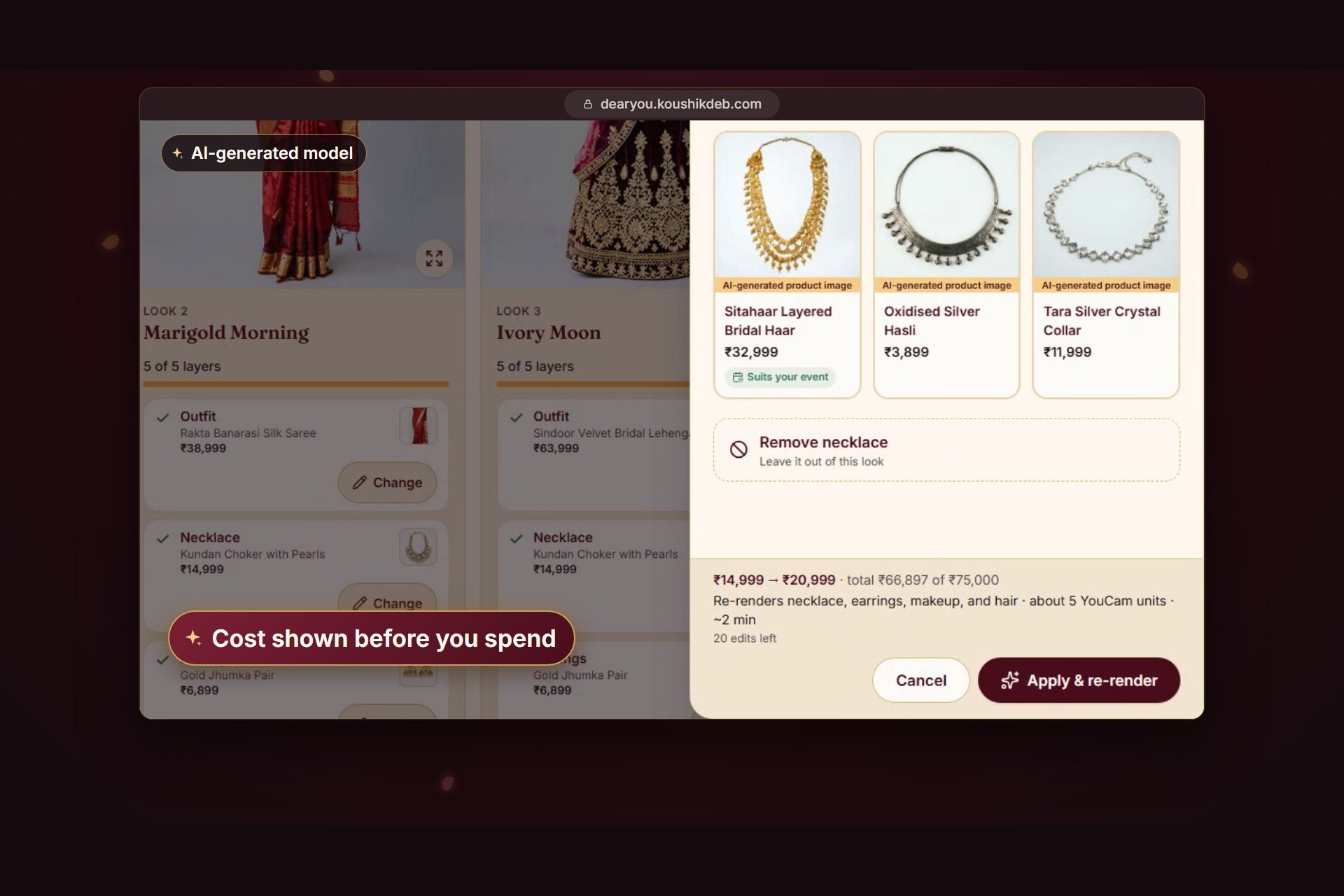
- Make it yours. Tap Change on any layer. Swap a necklace, try a deeper lipstick or pick a neater hairstyle. You see the price against your budget, and the YouCam cost, before anything is rendered. Only the changed layer and the ones after it re-render.
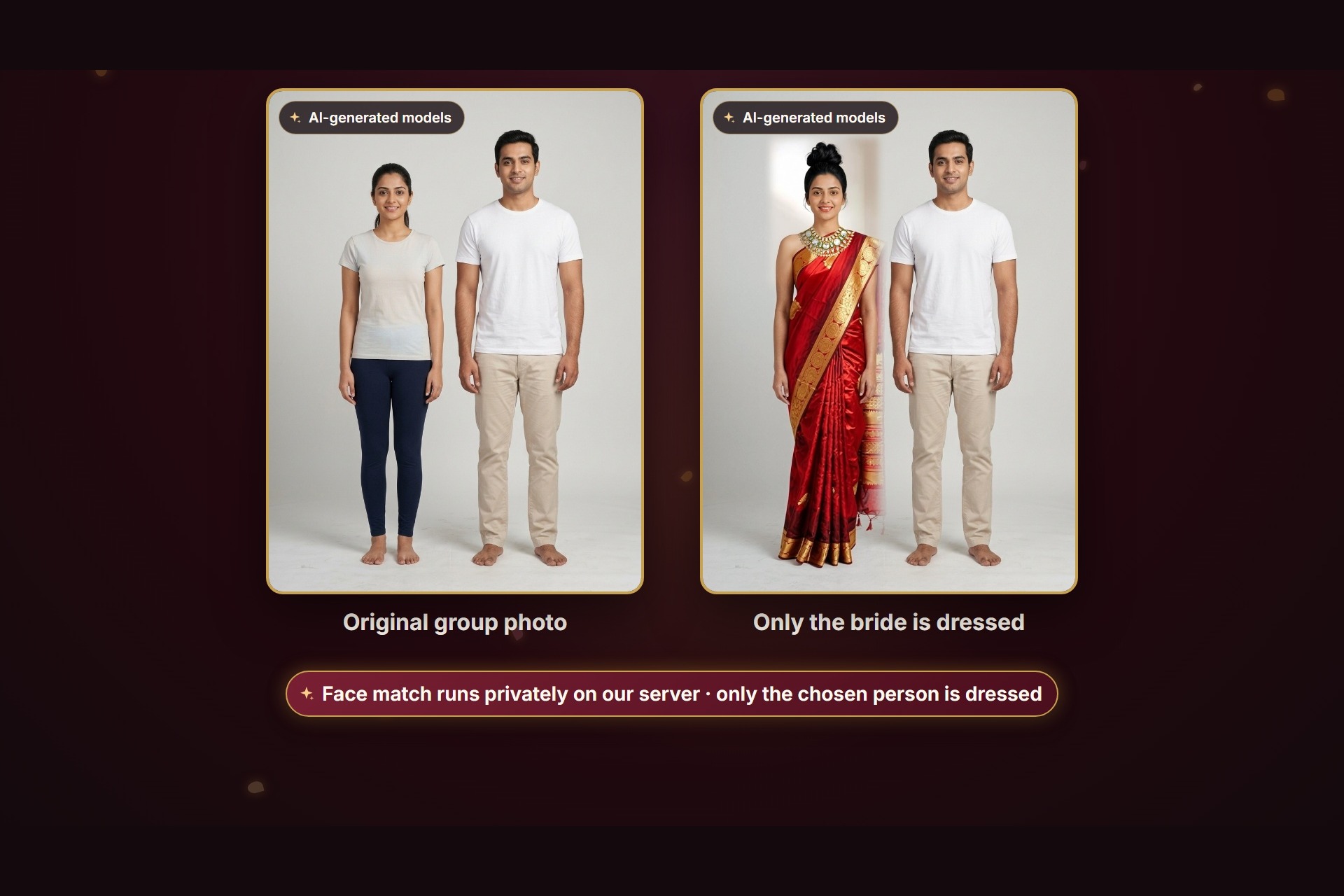
- Group photos. Families take photos together. DearYou matches your face close-up to the right person and dresses only that person. Everyone else stays unchanged.
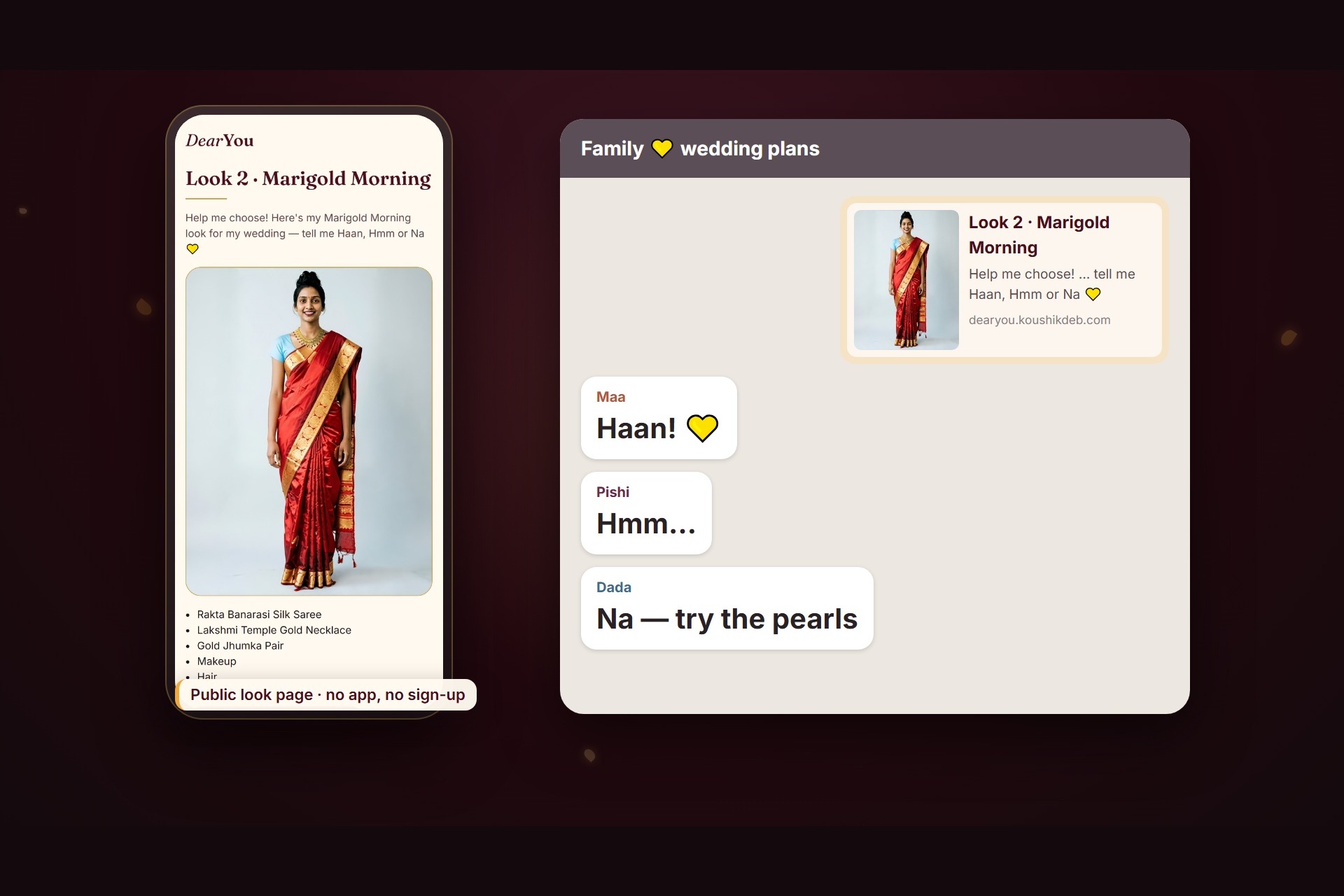
- Ask the family. One tap shares a link with a preview. Relatives open it on any phone, with no app or sign-up, and say Haan, Hmm or Na.
How I built it
Seven YouCam APIs
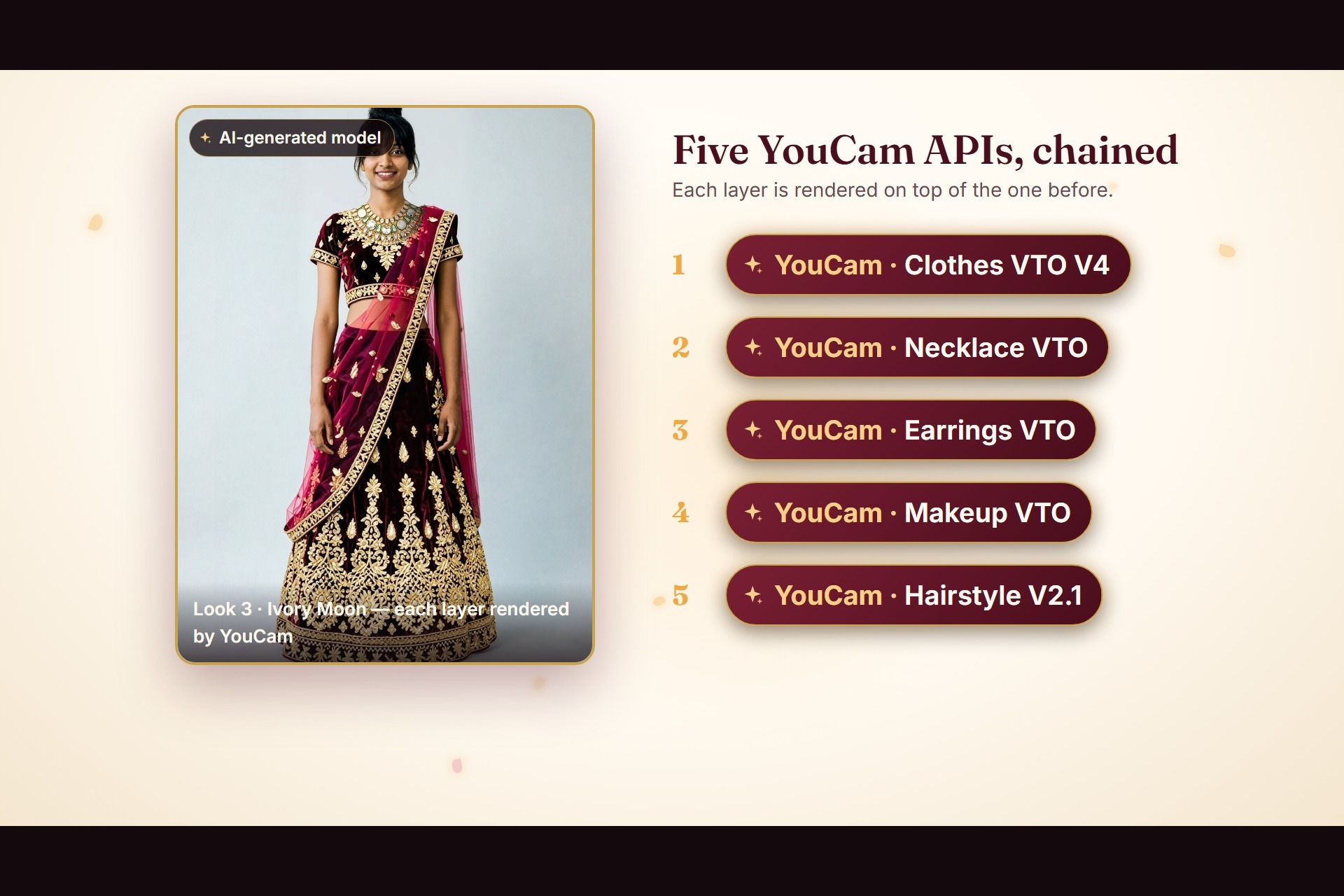
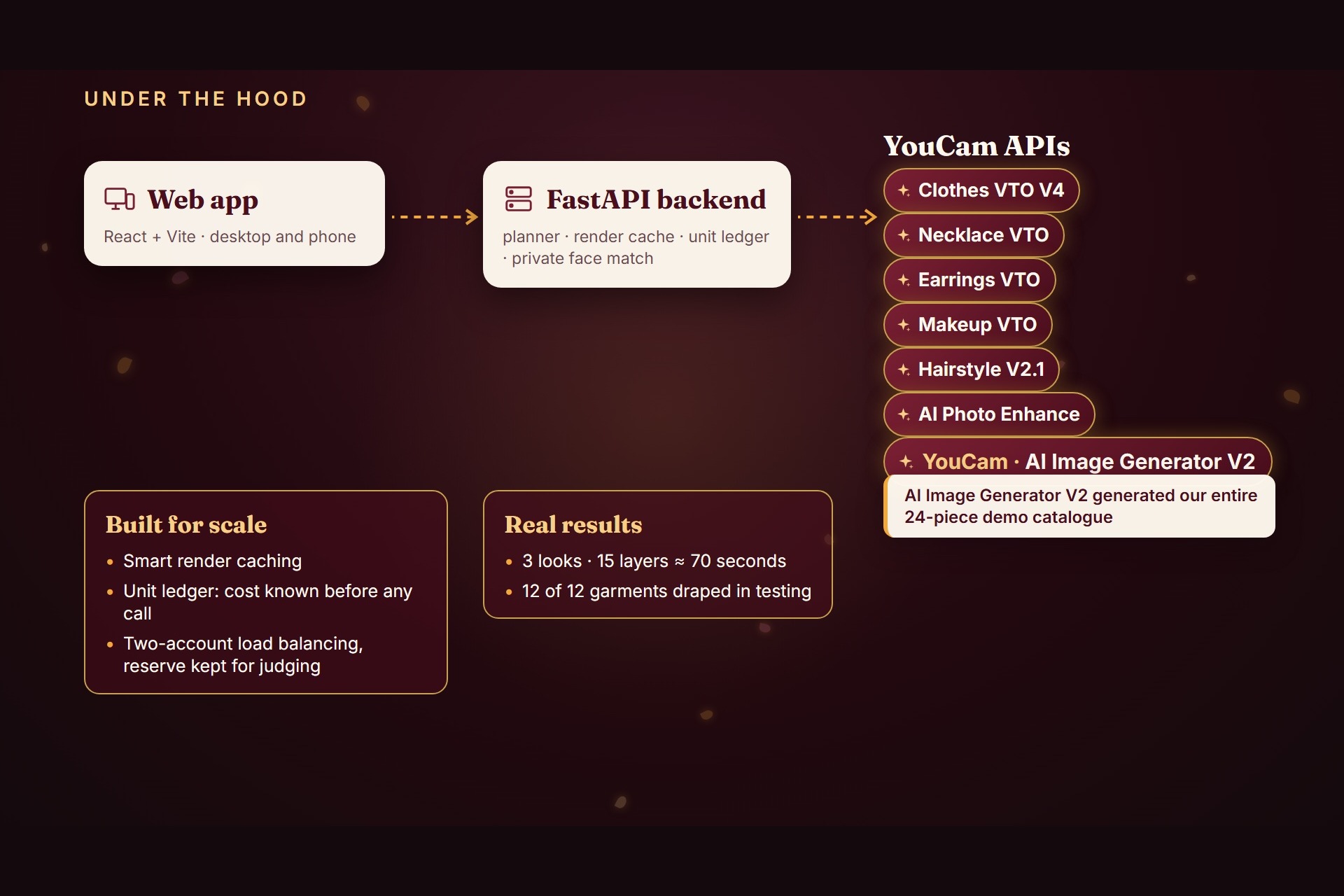
- Clothes VTO V4, Necklace VTO, Earrings VTO, Makeup VTO and Hairstyle V2.1, chained. Each layer is rendered on top of the one before.
- AI Photo Enhance, for the user's photo and for a finished look.
- AI Image Generator V2, which generated the whole 24-piece demo catalogue (12 outfits, 6 necklaces, 6 earring pairs).
Stack
- Frontend: React + Vite web app, built mobile-first.
- Backend: Python FastAPI, PostgreSQL (SQLAlchemy and Alembic), running behind Caddy on an Ubuntu server.
- YouCam tasks run asynchronously. The backend polls them and streams progress, so each card fills in layer by layer.
- A deterministic planner picks the three looks. It scores event match, style, the visual weight of the pieces and budget fit. No LLM guesses are involved.
- A render cache keys every call on feature, input image and parameters, so the same render is never paid for twice.
- A unit ledger prices every call before it runs. It enforces a budget and keeps a reserve for judging. Calls are load-balanced across two YouCam accounts.
- Photo checks use OpenCV and MediaPipe. Face matching uses OpenCV YuNet and SFace, run locally on the server.
Challenges I ran into
- The largest-person problem. Clothes VTO dresses the largest person in the photo. In a couple's photo, the bride's saree landed on the groom. I now detect every face and match the face close-up to one person. I crop that person, render on the crop and blend the result back with a feathered mask. If the match is unsure, the user taps their face.
- Chaining five APIs without seams. Each layer must build on the last. Crops and blends had to line up exactly at every step.
- Cost control. Every edit costs credits. The cost had to be known and shown before spending, and only the necessary layers re-render.
- Waiting time. A full set of 15 layers takes about 70 seconds. Showing live, per-layer progress makes the wait feel short.
Accomplishments that I'm proud of
- In live testing, 12 of 12 garments draped correctly: saree, lehenga, sharara, anarkali, gharara, lace gown, Kandyan osariya, sequin saree, sherwani, bandhgala, kurta and tuxedo jacket.
- 3 looks × 5 layers render in about 70 seconds on production.
- In group photos, the other person's pixels stay unchanged.
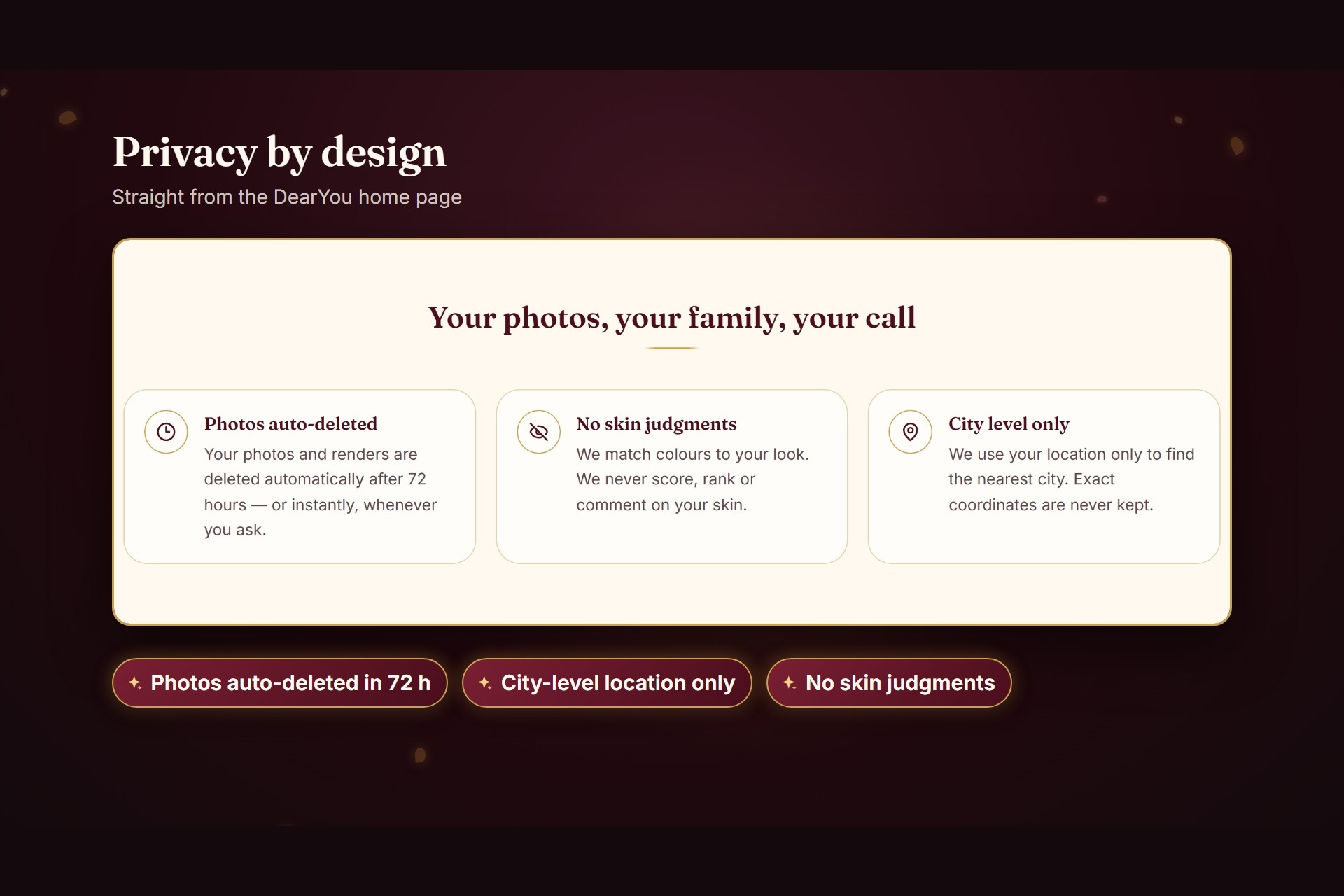
- Privacy by design. Photos are deleted after 72 hours, location is kept at city level and DearYou never judges skin.
- It is a complete product, not a demo screen. It has setup, photo checks, editing, a budget, sharing and three languages.
What I learned
- Virtual try-on is a group decision in South Asia, not a solo one.
- Chaining try-on APIs needs careful ordering, cropping and blending.
- Showing the cost before spending builds trust, for users and for the business.
- Simple, explainable scoring beats an LLM for choosing looks.
What's next for DearYou
- Connect real retailer catalogues, with buy links.
- Show the family's Haan / Hmm / Na replies as a tally inside the app.
- Add more languages and markets.
- Extend group photos so the whole family can be dressed for the same event.
Built With
- ai-image-generator
- ai-photo-enhance
- alembic
- caddy
- clothes-vto
- earrings-vto
- fastapi
- hairstyle-api
- httpx
- javascript
- makeup-vto
- mediapipe
- necklace-vto
- opencv
- pillow
- postgresql
- python
- react
- sqlalchemy
- tailwindcss
- uvicorn
- vite
- youcam-api

Log in or sign up for Devpost to join the conversation.