Otto
Otto is a hands-free AI voice agent that executes multi-step tasks across your favorite apps without requiring you to reach for your phone or laptop
Inspiration
You remember you need to do something while walking to class. Reply to an email. Book an appointment. Check a pull request. The thought takes two seconds; acting on it means finding your phone or computer, opening the right app, maybe prompting a model, and hopefully having enough time to finish.
We wanted to close that gap between having an intention and seeing it through. Otto starts with a button you can press wherever the thought happens. From there, it figures out what the user request needs and gets to work.
The interesting part is how personal that can become. With how many connectors we support, along with custom MCPs and web search, a developer's Otto might work through GitHub issues and run a coding agent. A video editor's might eventually handle the slow, repetitive parts of an editing workflow. Someone else might use it to find a restaurant and arrange a reservation. The hardware captures the intent, but the versatility of tools behind it can change with the person using it.
What it does
Hold Otto's button, speak, and release. Its voice agent confirms what you meant and hands the job to a task agent that can find the right tools, use them, and report back aloud.
- It works across your tools. Composio gives Otto a catalog of more than 1,500 integrations to search. Our agent selects tools to complete the intent relevant to the request instead of requiring a separate voice command for every app.
- It can look beyond connected apps. Web search gives Otto a way to find current information when a request calls for it, such as local places or availability, or even connect to custom MCPs (e.g. Codex, Claude Code, etc.) to complete a task when Composio's library isn't sufficient.
- It speaks your language. The voice pipeline supports any language, so you can talk to Otto's agents the way you naturally speak.
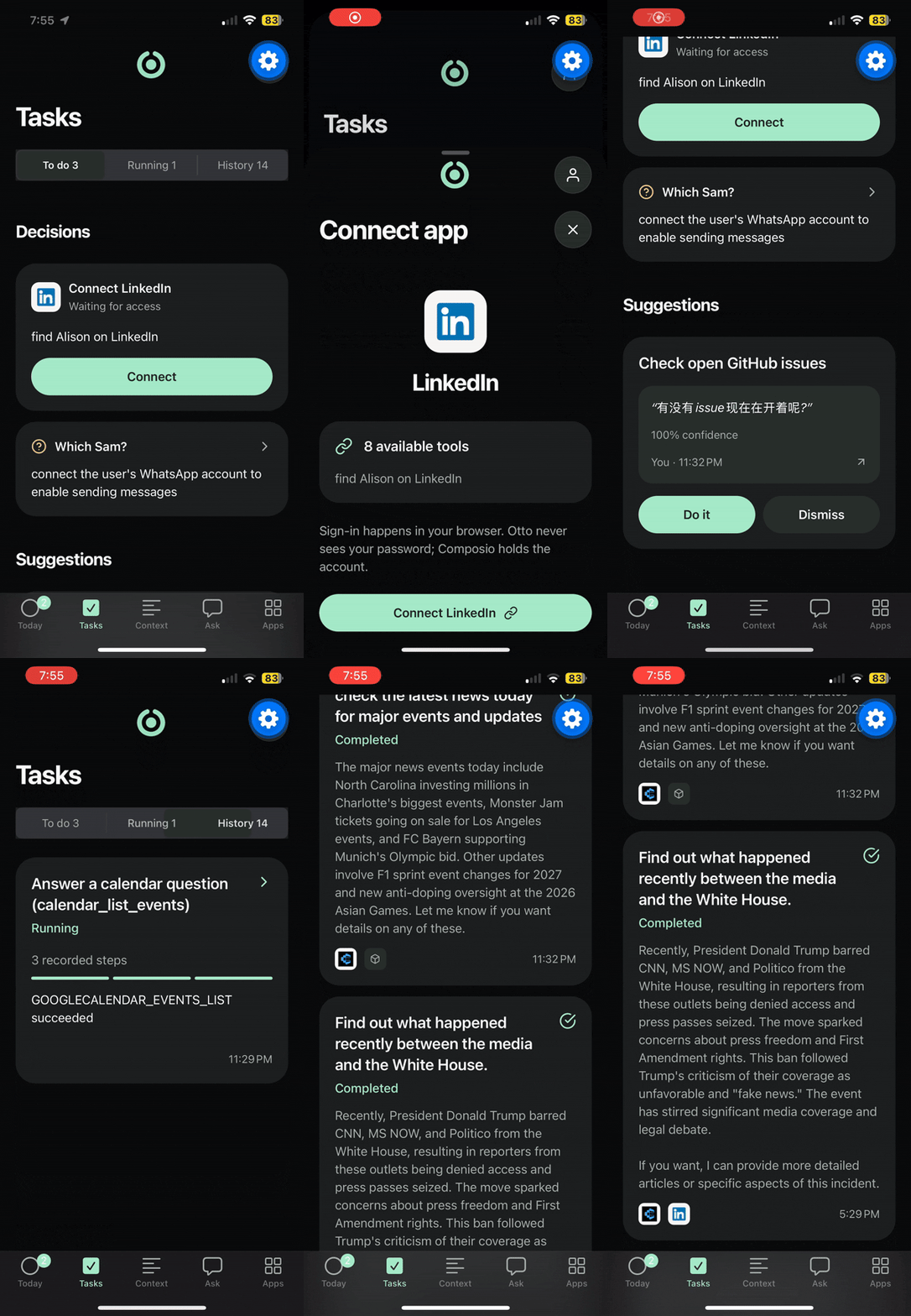
- It asks when the details matter. If you say "email Sam" and there are two Sams, Otto asks which one you mean. If a service needs a new account connection, Otto can bring up the sign-in link and resume the task afterward.
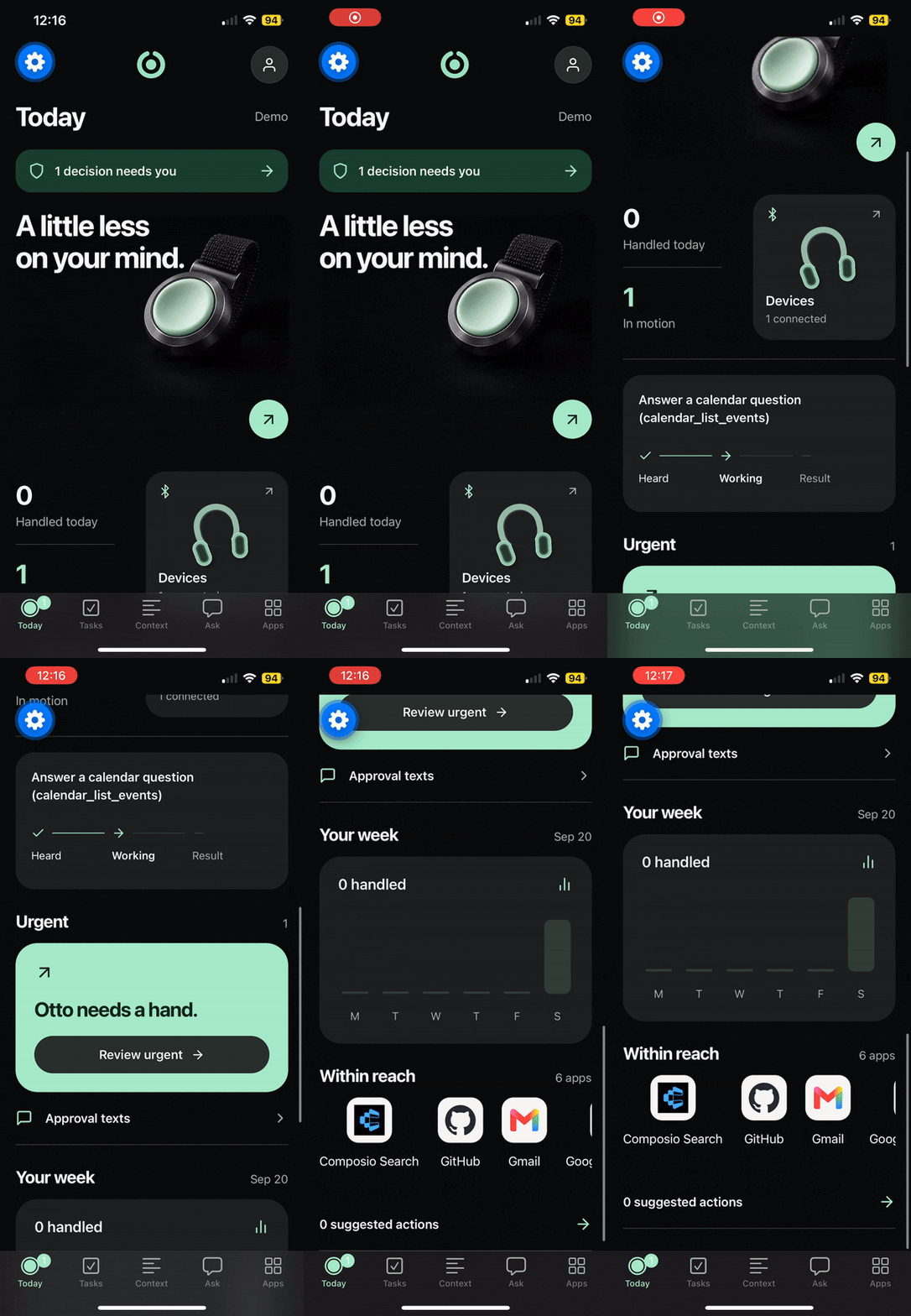
- It gives you control over consequential actions. Before sending something on your behalf or taking another high-risk action, Otto shows the specific action for approval in its companion app.
- Bluetooth audio. Otto works while the ESP32 stays in a pocket or backpack and the user speaks through AirPods/other Bluetooth devices. We also support wired headphone jacks or direct to mic.
How we built it
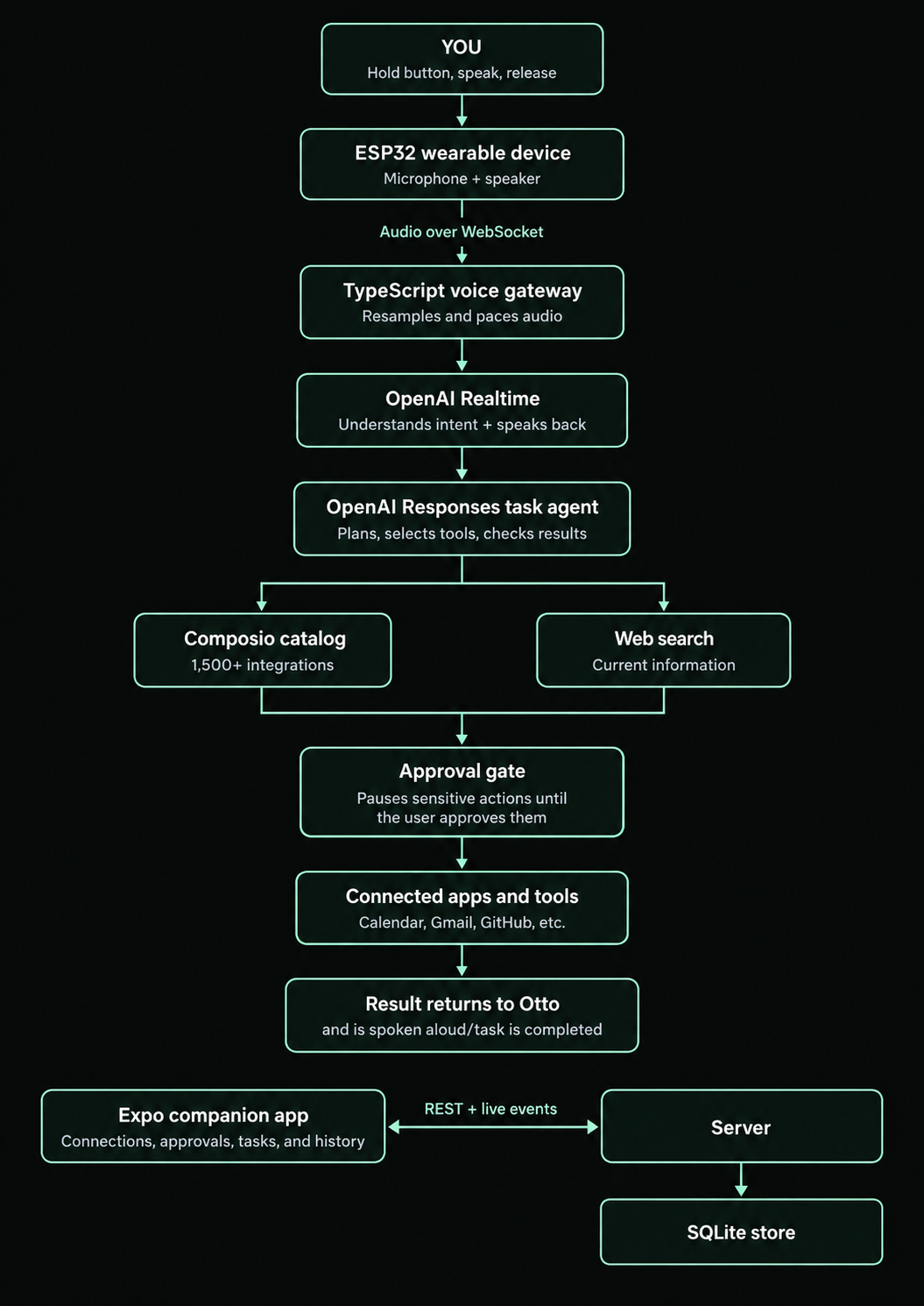
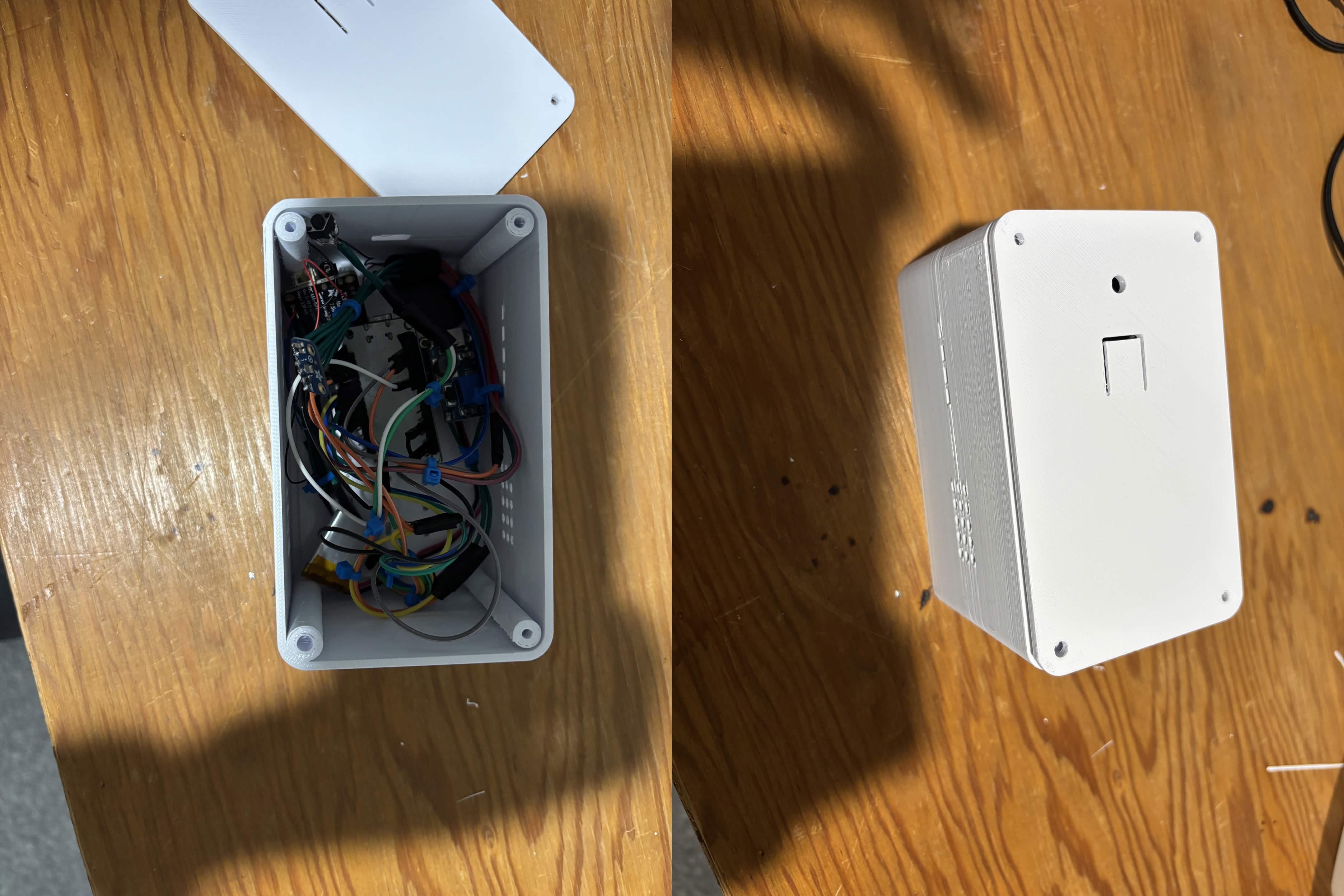
Otto has an ESP32 push-to-talk hardware device, a real-time OpenAI voice model (, delegating intended tasks to agents that find the needed tools and complete it, a server running, and an interactable dashboard to make Otto your own.
                 YOU
        Hold button, speak, release
                   |
                   v
        ESP32 wearable device
        Microphone + speaker
                   |
            Audio over WebSocket
                   |
                   v
        TypeScript voice gateway
        Resamples and paces audio
                   |
                   v
         OpenAI Realtime
    Understands intent + speaks back
                   |
                   v
     OpenAI Responses task agent
     Plans, selects tools, checks results
                   |
        +----------+----------+
        |                     |
        v                     v
 Composio catalog         Web search
 1,500+ integrations      Current information
        |                     |
        +----------+----------+
                   |
                   v
             Approval gate
     Pauses sensitive actions until
        the user approves them
                   |
                   v
        Connected apps and tools
     Calendar, Gmail, GitHub, etc.
                   |
                   v
        Result returns to Otto
           and is spoken aloud/task is completed

 Expo companion app <---- REST + live events ----> Server
 Connections, approvals, tasks, and history       |
                                                  v
                                             SQLite store
- The hardware streams microphone audio over WebSocket while the button is held and plays Otto's response through a speaker.
- The voice pipeline uses OpenAI Realtime for the spoken exchange. The ESP32 sends 16 kHz audio, so our gateway resamples it to Realtime's 24 kHz format and converts the response back. A server-side pacer stops generated audio from arriving faster than the device can play it.
- The task pipeline uses an OpenAI Responses tool loop. It identifies relevant Composio toolkits, loads the tools it needs, executes calls, and reads the results before deciding its next step. Web search is available for requests that need information outside an app.
- The approval gate sits directly in the tool execution path. For a high-risk action, it pauses the original call and checks that the arguments executed after approval are the same ones the user saw.
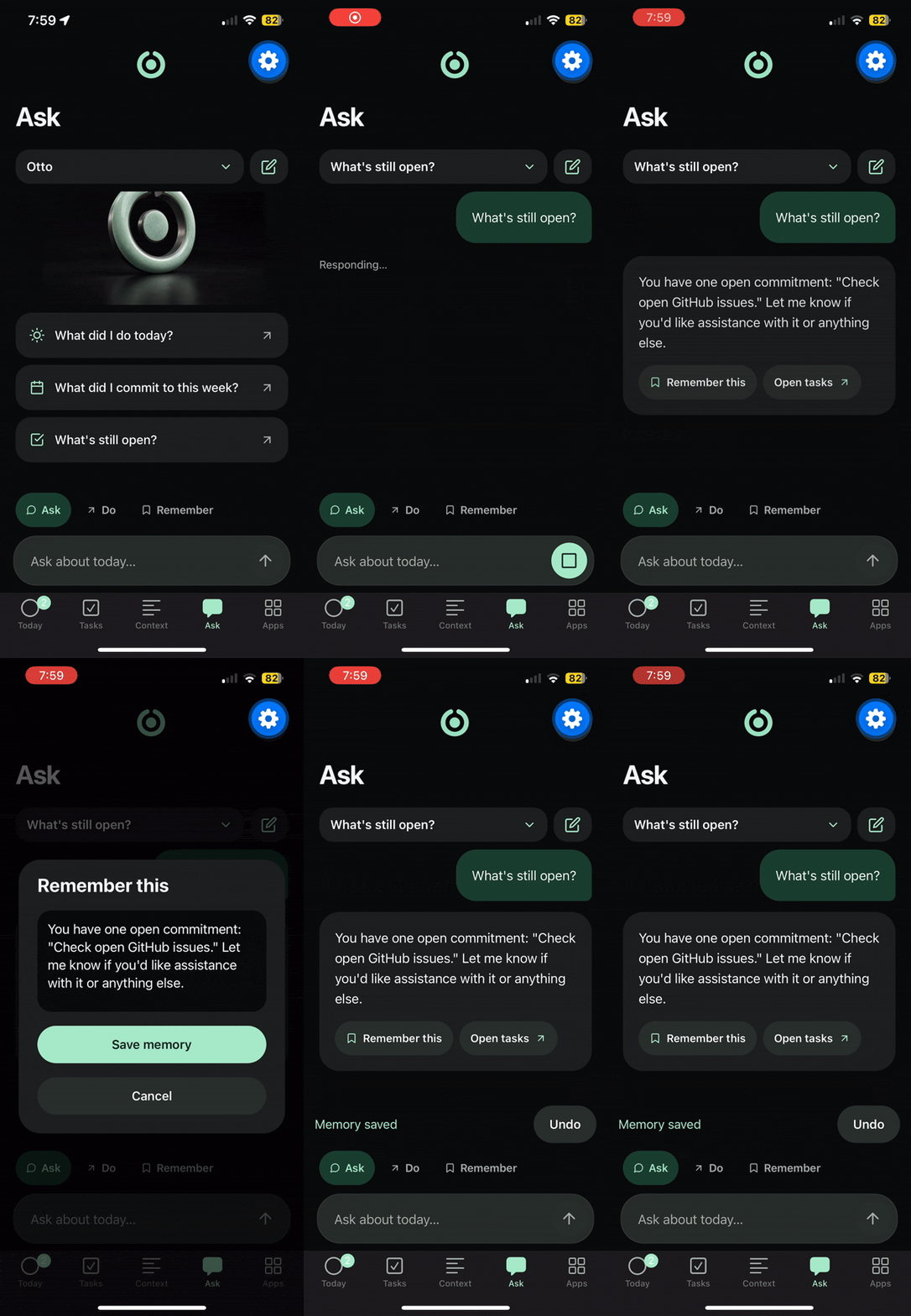
- The app and store use Expo, server-sent events, and SQLite to show live tasks, account connections, approvals, conversation history, and suggested action items.
We kept the slow work out of the spoken exchange. Otto can acknowledge a request while its task agent works, then tell you what happened when it finishes.
OpenAI Stack - Every model call in Otto is OpenAI.
- Realtime API runs the full spoken exchange, audio to audio, with input transcription on so everything Otto hears lands in the app's history. We chose push-to-talk over server-side turn detection: a button is reliable in a loud room, only listens when you want it to, and lets a new press interrupt Otto mid-sentence.
- Responses API runs the task agent's tool loop: plan, select Composio tools, execute through our approval gate, read results, repeat. Web search lives in the same loop. The Agent API is so easy to use!
- GPT-4o mini powers the in-app chatbot and the action-item extractor that reads transcripts for commitments.
- Codex with GPT-6 Astra was our planning partner throughout, from system architecture to audio pacing and interruption logic to the tool-selection protocol.
Expo App
- Expo Router across four tabs: Home (approvals and action items), Context (full history and notes), Connections, and Chat.
- Expo Go for fast iteration, then native compilation to iOS and Android simulators.
- Expo widgets for the liquid glass surfaces on the approval cards.
- Server-sent events keep tasks and approvals live without a refresh.
Composio
- Semantic tool search. The task agent queries Composio's search endpoint with the user's intent, gets candidates from a catalog of 1,500+, and our ranking protocol picks the tools that fit before loading them into the loop.
- One-click connections. Managed auth means a new app is a single link. If a task hits a service that isn't connected, Otto surfaces the Connect Link and resumes when the user signs in.
- Execution behind our gate. Every selected tool call passes our risk classifier first. Reads run immediately. Anything that sends, spends, or publishes waits for approval on the exact arguments.
Challenges we ran into
- The microphone had a physical sweet spot. Background noise hurt transcription, but speaking too close to the mic caused spikes that kept the ESP32 from capturing clean audio. We found that roughly mouth-to-waist distance worked best. That discovery shaped how we designed Otto to sit on the body, closer to a Walkman on a belt than a microphone held against your face.
- Audio timing was unforgiving. A user could finish speaking before the Realtime connection finished opening. On the return path, generated speech could outrun the device's playback buffer. We had to queue the incoming turn, pace the outgoing audio, and discard late chunks when someone interrupted Otto.
- Finding the right tool took more than asking for a search result. Composio's tool search and result ordering behaved differently from what we expected. We built a protocol for ranking candidate toolkits and selecting useful tools for the user's intent. We also had to map arguments to each tool's actual schema after a calendar call returned a plausible answer to the wrong question. That was the unnerving kind of bug: everything looked successful until we checked the result.
Accomplishments that we're proud of
- We built the path from a physical button and spoken intent to an agent taking action over a thousand external tools.
- The device, voice gateway, task agent, and companion app work as parts of one system. Each solves a different problem, but to the person speaking to Otto, it feels like one conversation.
What we learned
Voice quality starts before the model. Mic distance, background noise, sample rates, buffering, and interruption handling all change whether the user feels understood.
An agent needs to know the limits of its tools. A successful API response can still answer the wrong question. We learned to check tool schemas and results as carefully as we checked model output.
The best interface for a task depends on the decision. Speaking is an easy way to capture intent. When Otto needs permission to send a message or make a consequential change, the app can show the exact details before the user decides.
What's next for Otto
- Broader, validated workflows. We want to expand beyond the integrations we used in the build, especially for creative work, development, and everyday bookings.
- More resilient long-running tasks. Paused work should survive a server restart and resume when the user answers or connects an account.
- Tested multilingual use. The voice pipeline already accepts any language. We want to test the complete experience, from tool use to approvals, across languages so the first interaction can be as simple as speaking naturally.
Built With
- composio
- esp32
- hardware
- openai
- voiceagents
- websockets





Log in or sign up for Devpost to join the conversation.