-
-
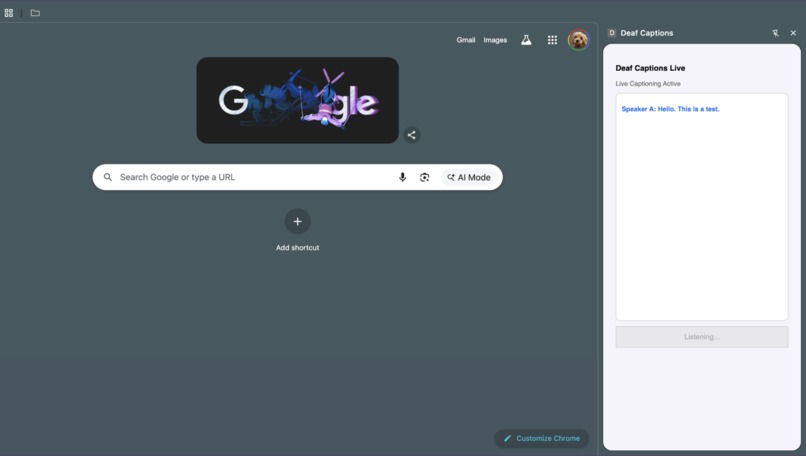
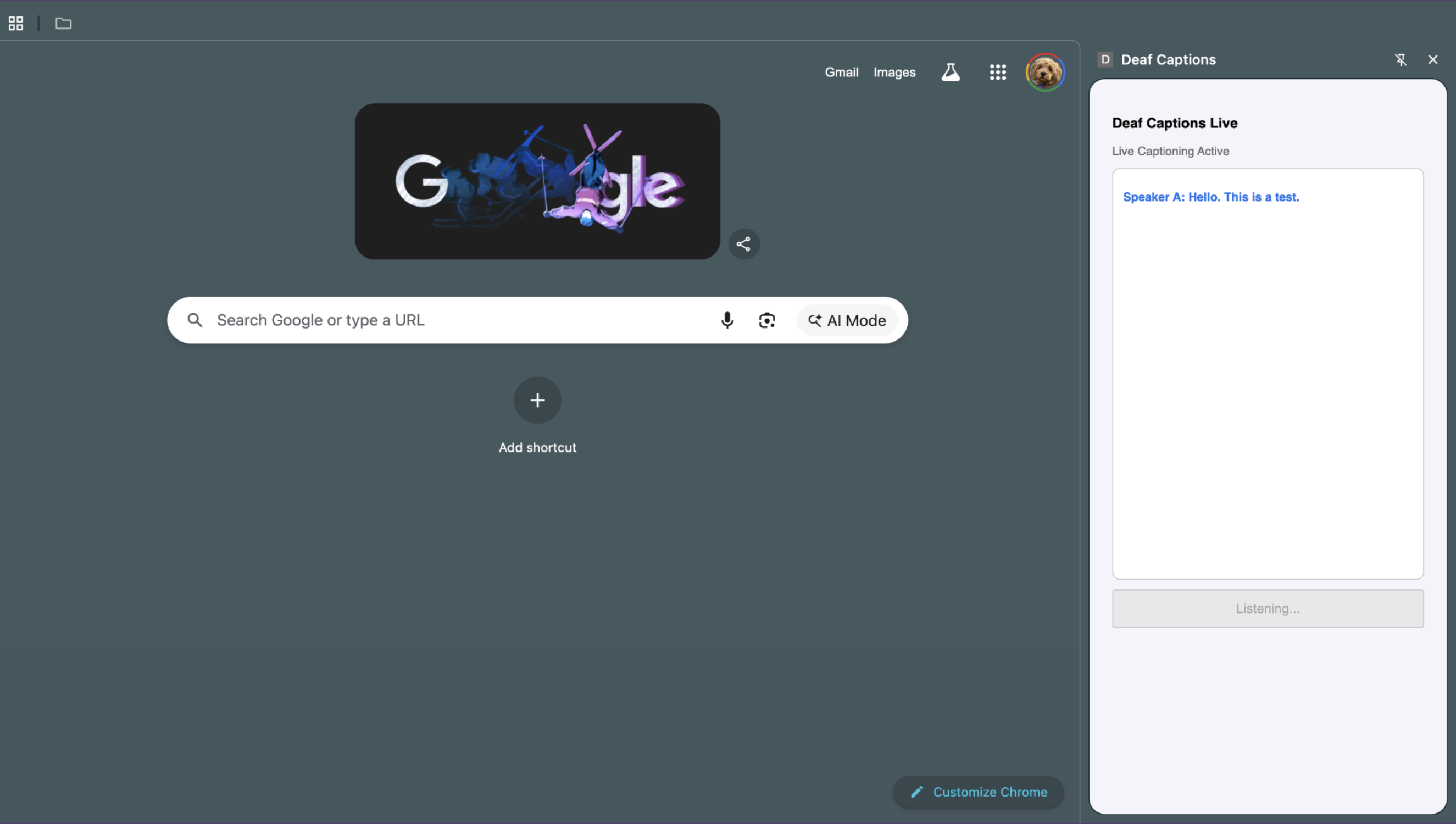
Deaf Captions extension open on Google Homepage
Inspiration
In my school, deaf and hard-of-hearing students are constantly excluded from group projects. Getting over the difficulty of listening to your peers while taking notes or doing assignments together can set these students back. Many great solutions already exist—like hearing aids and deaf interpreters—but these solutions are often expensive and not accessible to all students all the time. I wanted to build something that was easy to use and integrated smoothly into the user's interface, not disrupting the rest of their workflow.
What it does
Deaf Captions provides a free, easy way to transcribe any live conversations with just one click. When you open the app, a sidebar pops up that automatically minimizes the rest of your chrome window to the proper format. It takes up 1/5 of your screen on the right but you can make this bigger if you wish. When you click the Start Listening button, the app starts using your computer's microphone, listening in to any speech around you. When someone starts talking, their lines of speech appear less than a second later in the popup menu one at a time. If two people are talking together, their voices will show up as different colors thanks to the voice differentiation feature of the AI model I used. The entire conversation is transcribed, and the user can scroll up to read it from the beginning again. This allows hearing impaired students to listen and contribute to conversations without having to constantly look up from their computers. With this app open on idly, students can work independently and see what the people around them are saying, in case someone is trying to get their attention.
How we built it
In this project, I used Chrome's developer tools and APIs to help implement my app as a working extension. The UI is built is JavaScript using Chrome's Manifest V3 Side Panel API. The audio uses Chrome's MediaRecorder API, which gets inputted into Deepgram's nova2 model. This is a speech-to-text diarization API which offers real-time transcription and voice differentiation. These text captions are sent into WebSockets which handles them, and sends them out into the Chrome extension's UI. This process is handled in Python.
Challenges we ran into
I had to overcome a big learning curve while making this project. I did lots of research to find the best speech-to-text model and it took me a long time to properly work out all the kinks. Deepgram's SDK didn't work in my Python file so eventually I switched to WebSocket to make a connection between the file and the Deepgram transcriptions.
Accomplishments that we're proud of
One big accomplishment I'm proud of was being able to run my project through Chrome's developer extension features. After learning to use their APIs, I finally got a real, working extension on my browser for the first time. Another accomplishment I'm proud of was being able to implement Deepgram's voice differentiation feature into my app. The program being able to color-code two different voices is something I'm really proud of—I think it makes my project much more useful in a real-world scenario.
What we learned
I learned a lot about how to create extensions on Chrome by utilizing their APIs. Also, I had to learn how to implement Deepgram and WebSocket into my python project for the first time. Most importantly of all—as my first hackathon—I learned how simple, and fun it is to take an idea and build a working prototype in such a short period of time!
What's next for Deaf Captions
I want to add a Passive mode that allows users to easily put this on in the background. This mode could hopefully detect the difference between a distant conversation and a more direct question, using a more advanced model. I want the user to be able to tell the computer to look out for certain keywords, like their name, so the extension pops up by itself when it hears these keywords used in conversation, and starts auto-transcribing. All these features were too advanced for me to implement in such a short amount of time, but hopefully I can get some input from hearing-impaired people in my school and in my community to see what problems they face specifically.
Built With
- chrome
- deepgram
- html
- javascript
- python


Log in or sign up for Devpost to join the conversation.