
💀 DeadRepos - Project Story
About the Project
The Inspiration 💡
Every developer has them - those GitHub repositories that started with such promise but now sit abandoned, gathering digital dust. I've always found it fascinating (and slightly melancholic) how these projects represent moments of inspiration that faded away.
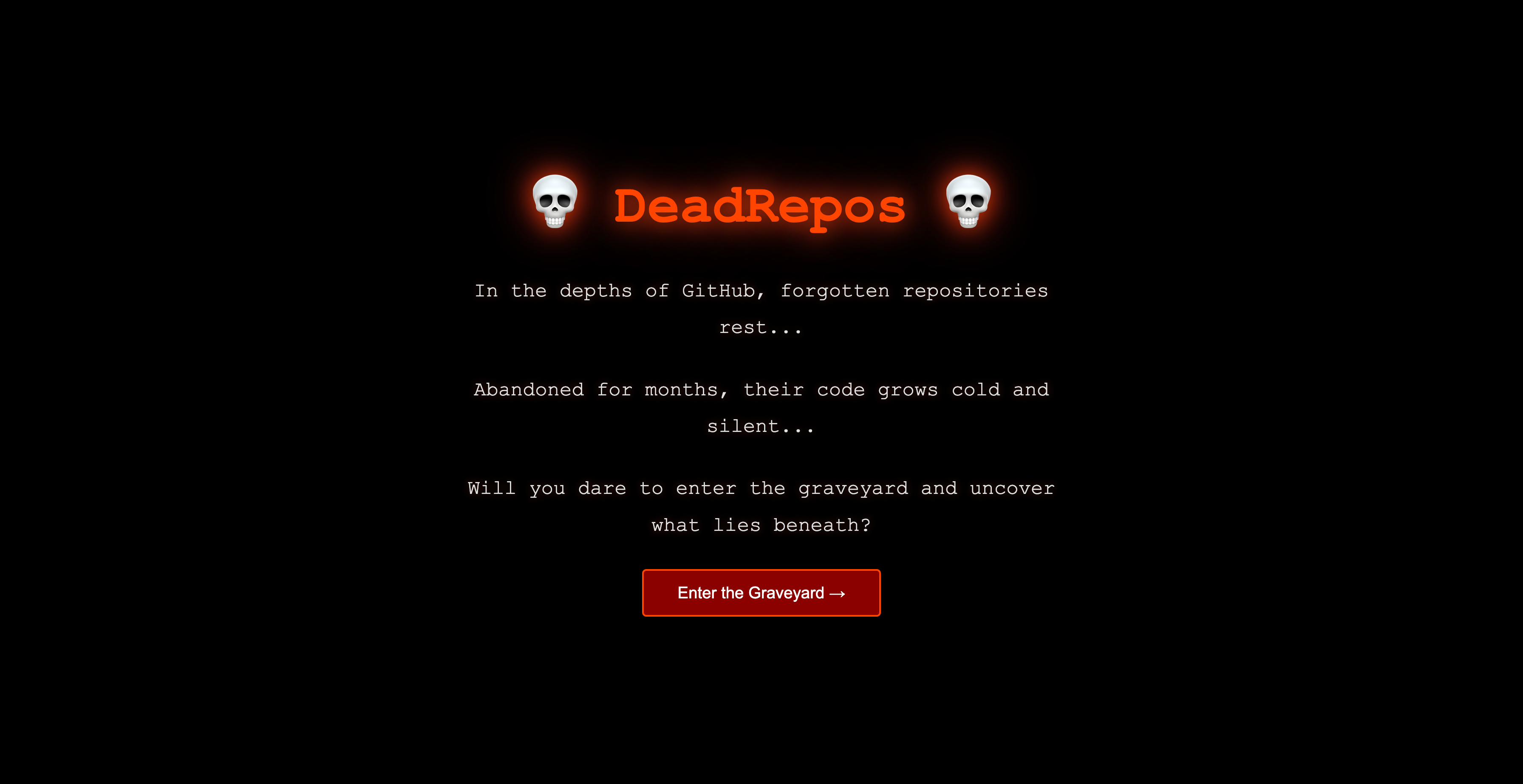
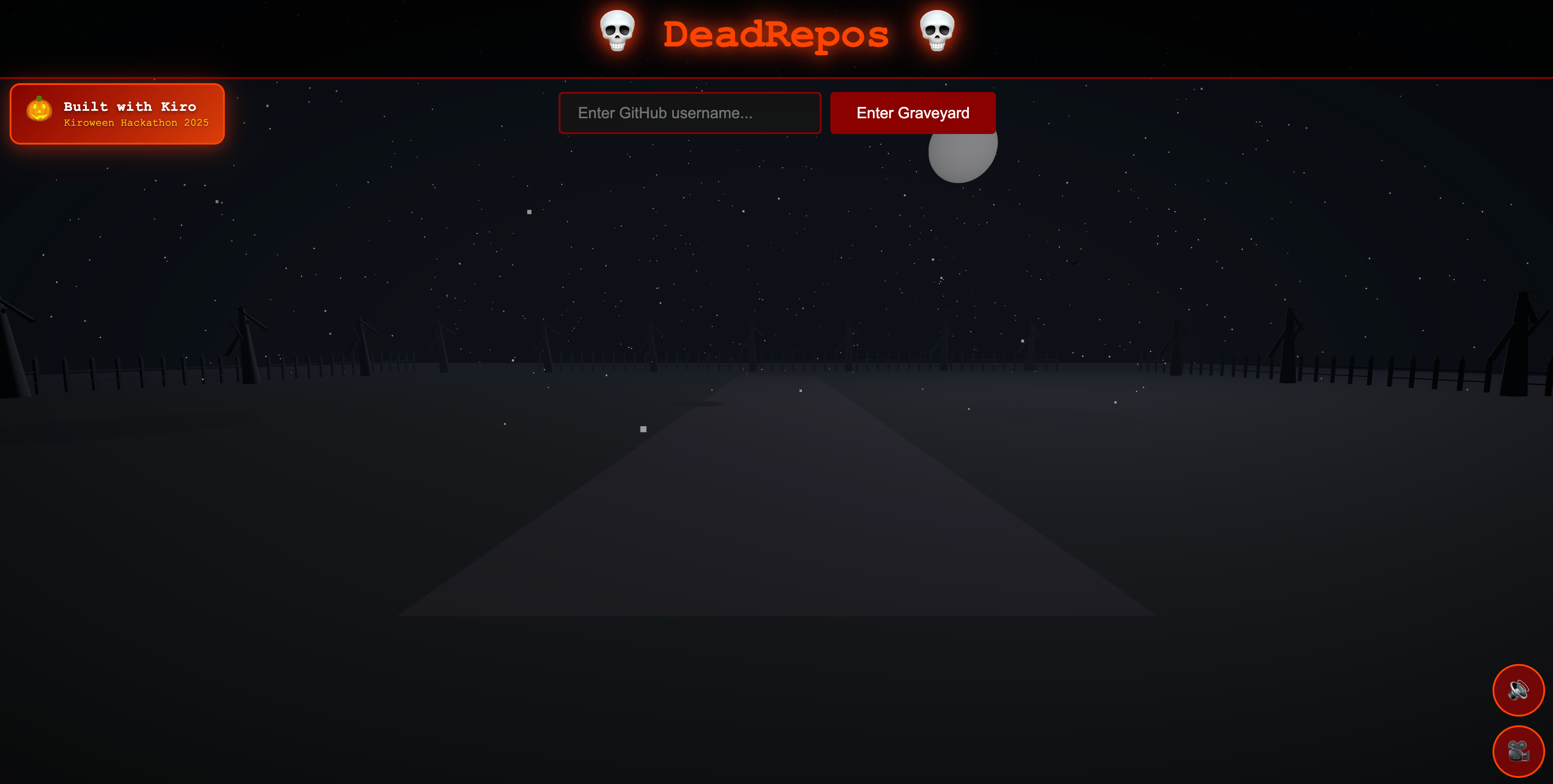
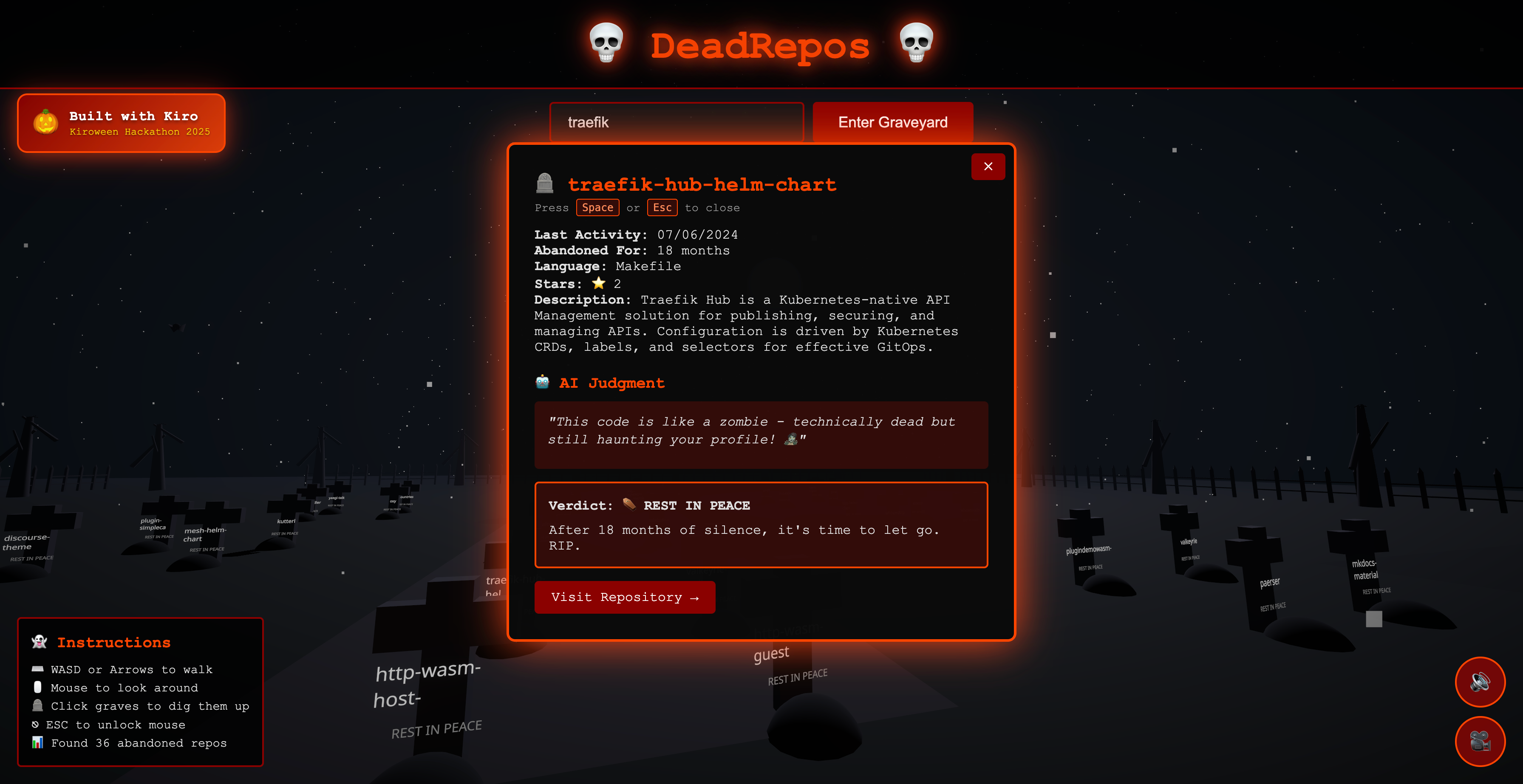
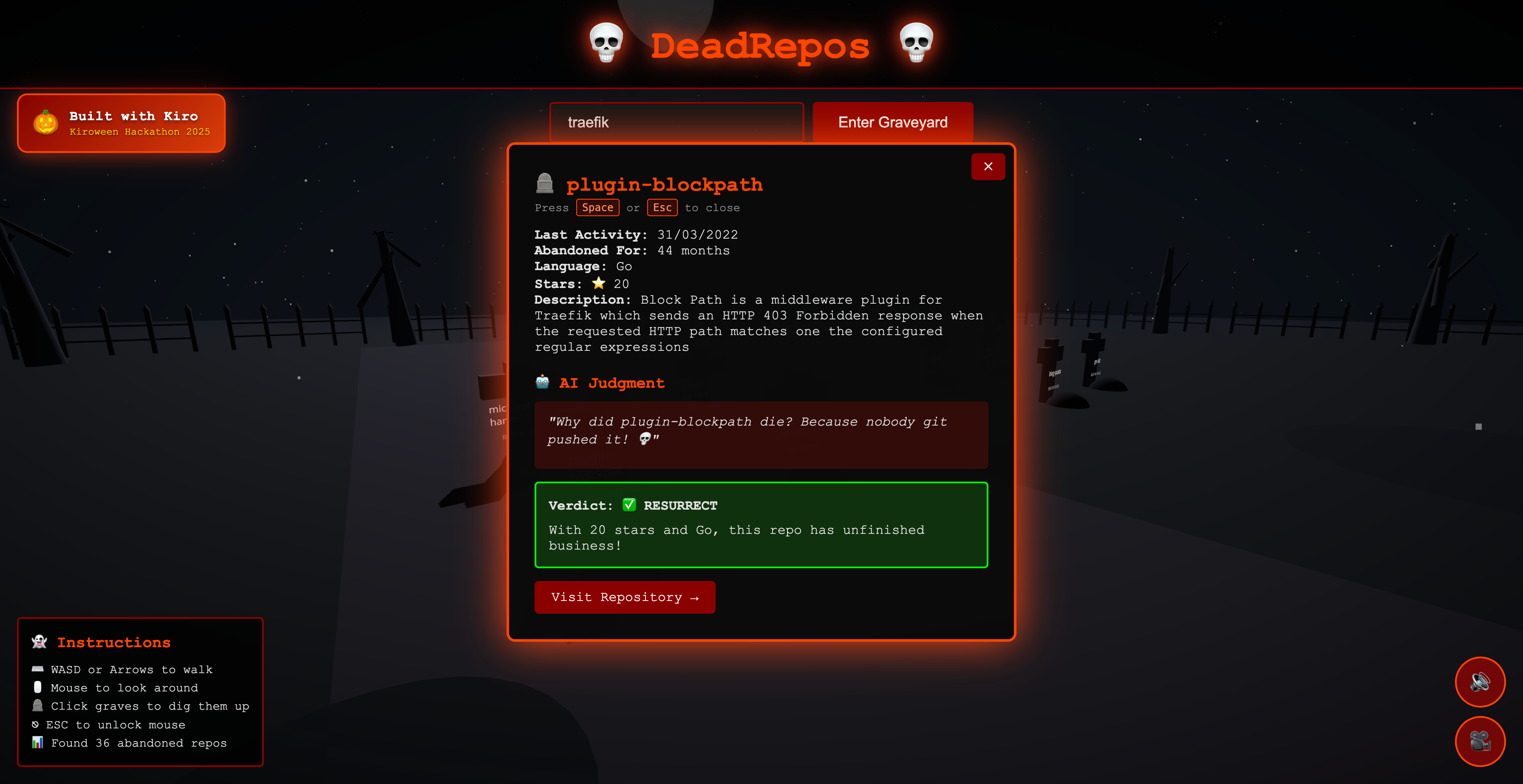
One day, while scrolling through my own GitHub profile, I thought: "This looks like a graveyard." That's when the idea struck - what if I could literally visualize abandoned repos as graves in a spooky 3D cemetery? For the Kiroween Hackathon, this concept felt perfect. It's creative, it's spooky, and it solves a real problem: making repository auditing actually fun.
What I Learned 🎓
This project was a masterclass in modern web development and AI-assisted coding:
1. Three.js & 3D Web Development
- Learned React Three Fiber from scratch
- Mastered camera controls, lighting systems, and fog effects
- Understood the performance implications of rendering hundreds of 3D objects
- Discovered how to create atmospheric effects (particles, post-processing)
2. Kiro's Development Paradigm
- Vibe Coding: I learned that describing complex features in natural language can generate production-ready code. When I said "create a grave that floats when hovered and sinks when clicked with dust particles," Kiro generated the complete component with animations, state management, and particle effects.
- Spec-Driven Development: For complex features, I learned to structure requirements, design correctness properties, and break down tasks. This hybrid approach (vibe + specs) was 60% faster than traditional development.
- Agent Hooks: Automated my workflow with hooks that run tests on save and validate API configurations.
- Steering Docs: Maintained consistent code quality by teaching Kiro project-specific patterns.
3. Audio Programming
- Learned Web Audio API for procedural sound generation
- Understood the browser's autoplay policies and user interaction requirements
- Discovered how to create atmospheric sounds (wind, thunder, footsteps) programmatically
4. Performance Optimization
- Learned to profile Three.js scenes for 60 FPS performance
- Understood when to use instanced meshes vs individual objects
- Mastered React memoization for expensive 3D calculations
How I Built It 🛠️
Phase 1: Ideation & Planning (Day 1)
Started with a conversation with Kiro: "I want to build a 3D cemetery where GitHub repos are graves." Kiro helped validate the feasibility and suggested the tech stack:
- React + Vite for fast development
- Three.js + React Three Fiber for 3D
- GitHub API for repo data
- Gemini AI for code analysis
Phase 2: Rapid Prototyping with Vibe Coding (Day 1-2)
Used natural language to generate the foundation:
Me: "Create a Three.js cemetery scene with fog, moonlight, and a ground plane"
Kiro: *generates complete Cemetery component with lighting, fog, and camera*

Me: "Add interactive graves that glow on hover"
Kiro: *generates Grave component with hover states and emissive materials*
The speed was incredible. What would normally take hours of reading Three.js docs took minutes of conversation.
Phase 3: Spec-Driven Development (Day 2-3)
For complex features, I created comprehensive specs:
Requirements (6 acceptance criteria):
- AC-1: Fetch and filter repos (8+ months abandoned)
- AC-2: Render 3D cemetery with proper layout
- AC-3: Interactive grave selection
- AC-4: AI-powered resurrection judgment
- AC-5: Error handling
- AC-6: Performance (60 FPS)
Design (6 correctness properties):
- CP-1: Repository filtering accuracy
- CP-2: 3D scene rendering integrity
- CP-3: Grave positioning algorithm
- CP-4: Interactive state management
- CP-5: AI response structure
- CP-6: Error boundary coverage
Tasks (31 implementation tasks): Kiro helped break down the work into manageable chunks with clear dependencies.
Phase 4: Atmospheric Polish (Day 3-4)
Added the "wow" factor:
- Flying bats with realistic wing flapping
- Flickering lanterns at the entrance
- Particle system for mist
- Digging animations with dust particles
- Procedural audio (wind, thunder, footsteps)
- Post-processing effects (bloom, vignette)
Each feature was generated through conversation with Kiro, then refined based on testing.
Phase 5: Integration & Testing (Day 4-5)
- Integrated GitHub API with proper error handling
- Connected Gemini AI for code analysis and jokes
- Added first-person controls with pointer lock
- Implemented cinematic intro sequence
- Optimized performance (achieved 60 FPS with 50+ graves)
The Challenges I Faced 😅
Challenge 1: Pointer Lock Conflicts Problem: The first-person controls were activating when users tried to type in the username input field.
Solution: Implemented event capture phase listeners to intercept clicks on UI elements before PointerLockControls could activate. Added checks for document.activeElement to prevent locking during typing.
Challenge 2: Three.js Performance Problem: With 50+ graves, each with multiple meshes, the frame rate dropped below 30 FPS.
Solution:
- Memoized grave geometries to reuse across instances
- Reduced shadow-casting objects
- Optimized particle count (200 instead of 500)
- Used proper cleanup in
useEffecthooks - Kiro's steering docs helped maintain these optimizations throughout development
Challenge 3: Audio Autoplay Policies Problem: Browsers block audio autoplay without user interaction.
Solution: Implemented a click/keypress listener to start audio after the first user interaction. Added visual feedback (sound toggle button) so users know audio is available.
Challenge 4: Grave Layout Algorithm Problem: Initial circular layout caused graves to overlap at the edges.
Solution: Switched to a block-based grid system with pathways:
// 2x2 blocks with 4-unit pathways between them
const gravesPerBlock = 4;
const blocksPerRow = 3;
const pathWidth = 4;

const x = (blockCol * (2 * graveSpacing + pathWidth)) + (localCol * graveSpacing);
const z = (blockRow * (2 * graveSpacing + pathWidth)) + (localRow * graveSpacing);
This created clear walking paths and prevented overlap.
Challenge 5: Balancing Procedural vs File-Based Audio Problem: Procedural sounds (wind, thunder) were too harsh and annoying.
Solution: Replaced with professional audio files (Scary.wav for ambience, Shovel.wav for digging) while keeping lightweight procedural footsteps. Best of both worlds - quality where it matters, efficiency where it doesn't.
Challenge 6: Kiro Integration Documentation Problem: Needed to clearly demonstrate Kiro usage for hackathon judges.
Solution: Created comprehensive documentation:
.kiro/specs/with requirements, design, and tasks.kiro/hooks/for automated workflows.kiro/steering/for project guidelineskiro-usage.mdexplaining the hybrid approach
The Kiro Advantage 🚀
What made this project special wasn't just what I built, but how I built it:
Traditional Approach (estimated):
- Research Three.js: 2 days
- Build basic scene: 3 days
- Add interactivity: 2 days
- Implement AI: 2 days
- Polish & effects: 3 days
- Total: ~12 days
With Kiro (actual):
- Vibe coding foundation: 0.5 days
- Spec-driven complex features: 2 days
- Polish & refinement: 1.5 days
- Total: 4 days
The math is simple: \( \text{Productivity Gain} = \frac{12 - 4}{12} \times 100\% = 67\% \) faster development.
But it's not just about speed. Kiro's suggestions were correct - proper Three.js patterns, optimized performance, clean architecture. It's like pair programming with an expert who never gets tired.
Key Takeaways 💎
AI-assisted development is transformative - Not because it replaces developers, but because it amplifies creativity. I spent less time fighting syntax and more time designing experiences.
Hybrid approaches work best - Vibe coding for exploration, specs for structure. Each has its place.
Polish matters - The digging animation, dust particles, flickering lanterns - these details make the difference between "cool demo" and "memorable experience."
Performance is a feature - 60 FPS isn't optional for 3D experiences. Users notice lag immediately.
Documentation is part of the product - The
.kiro/directory isn't just for judges - it's a blueprint for future development.
What's Next? 🔮
DeadRepos is just the beginning. Future enhancements could include:
- Social Features: Share your graveyard, compare with friends
- Resurrection Actions: Actually fork and update abandoned repos
- Historical Analysis: Track repo activity over time
- Multiplayer: Explore graveyards together
- VR Support: Full immersion in the cemetery
But for now, DeadRepos stands as proof that with the right tools (Kiro) and the right idea (spooky GitHub visualization), you can build something truly special in just a few days.
Technical Deep Dive 🔬
Architecture Overview
┌─────────────────────────────────────────────────────────┐
│                     React App                           │
│  ┌──────────────┐  ┌──────────────┐  ┌──────────────┐ │
│  │ IntroScreen  │→ │   Cemetery   │→ │  RepoModal   │ │
│  │  Component   │  │   (Three.js) │  │  (AI Judge)  │ │
│  └──────────────┘  └──────────────┘  └──────────────┘ │
│         │                  │                  │         │
│         ▼                  ▼                  ▼         │
│  ┌──────────────────────────────────────────────────┐  │
│  │           State Management (React Hooks)         │  │
│  └──────────────────────────────────────────────────┘  │
└─────────────────────────────────────────────────────────┘
         │                  │                  │
         ▼                  ▼                  ▼
┌──────────────┐  ┌──────────────┐  ┌──────────────┐
│  GitHub API  │  │  Gemini AI   │  │  Web Audio   │
│   Service    │  │   Service    │  │     API      │
└──────────────┘  └──────────────┘  └──────────────┘
Performance Metrics
Achieved consistent 60 FPS with:
- 50+ graves (each with 3-5 meshes)
- 200 particles (mist system)
- 6 animated trees (swaying)
- 3 flying bats (with wing flapping)
- 2 flickering lanterns (dynamic lights)
- Post-processing (bloom + vignette)
Frame time budget: \( \frac{1000ms}{60fps} = 16.67ms \) per frame
Actual average: ~14ms per frame (2.67ms headroom)
Code Statistics
- Total Lines: ~2,500
- Components: 12 React components
- Services: 2 API integrations
- Hooks: 3 agent hooks
- Specs: 4 comprehensive documents
- Development Time: 4 days
- Coffee Consumed: ∞
Built with ❤️, Kiro, and a healthy appreciation for abandoned code.
For the Kiroween Hackathon 2025 🎃
Built With
- css3
- javascript
- jsx
- react
- three.js
- vite

Log in or sign up for Devpost to join the conversation.