-
-
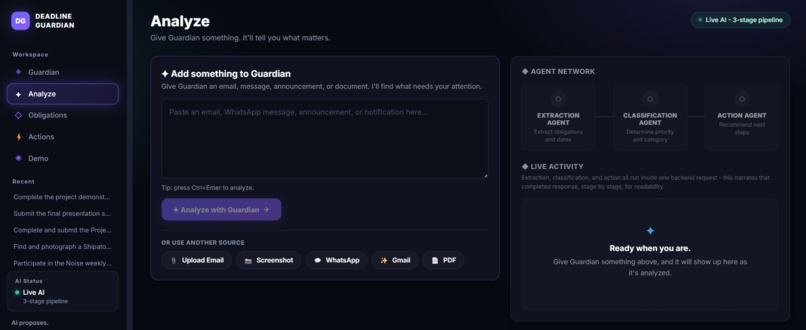
AI-powered analysis extracts deadlines, dates, priorities, and actionable tasks from submitted messages.
-
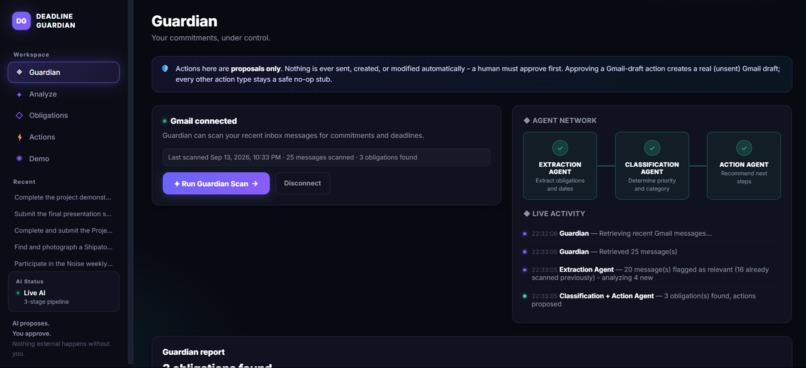
Deadline Guardian turns extracted deadlines into clear, prioritized tasks so users never miss important commitments.
-
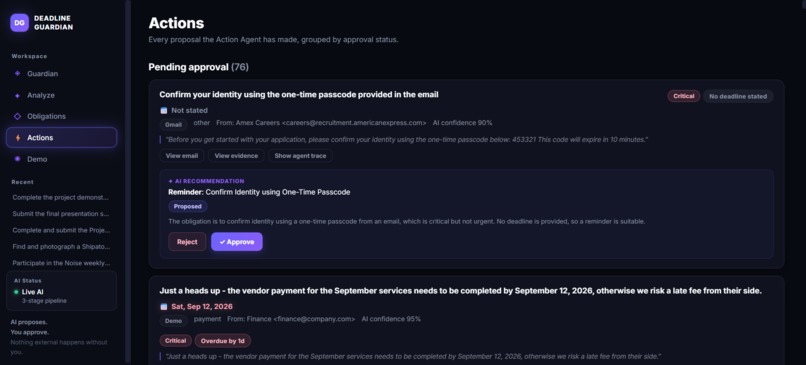
Users can review detected deadlines, take actions, and manage important tasks directly from the Guardian dashboard.
-
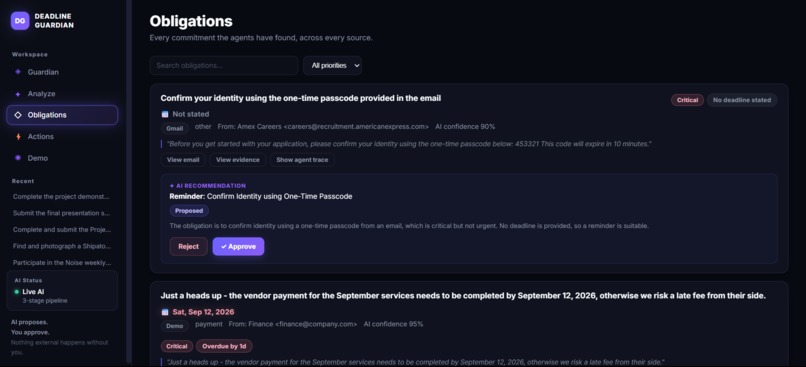
A centralized view of obligations helps users track upcoming deadlines and stay organized across multiple commitments.
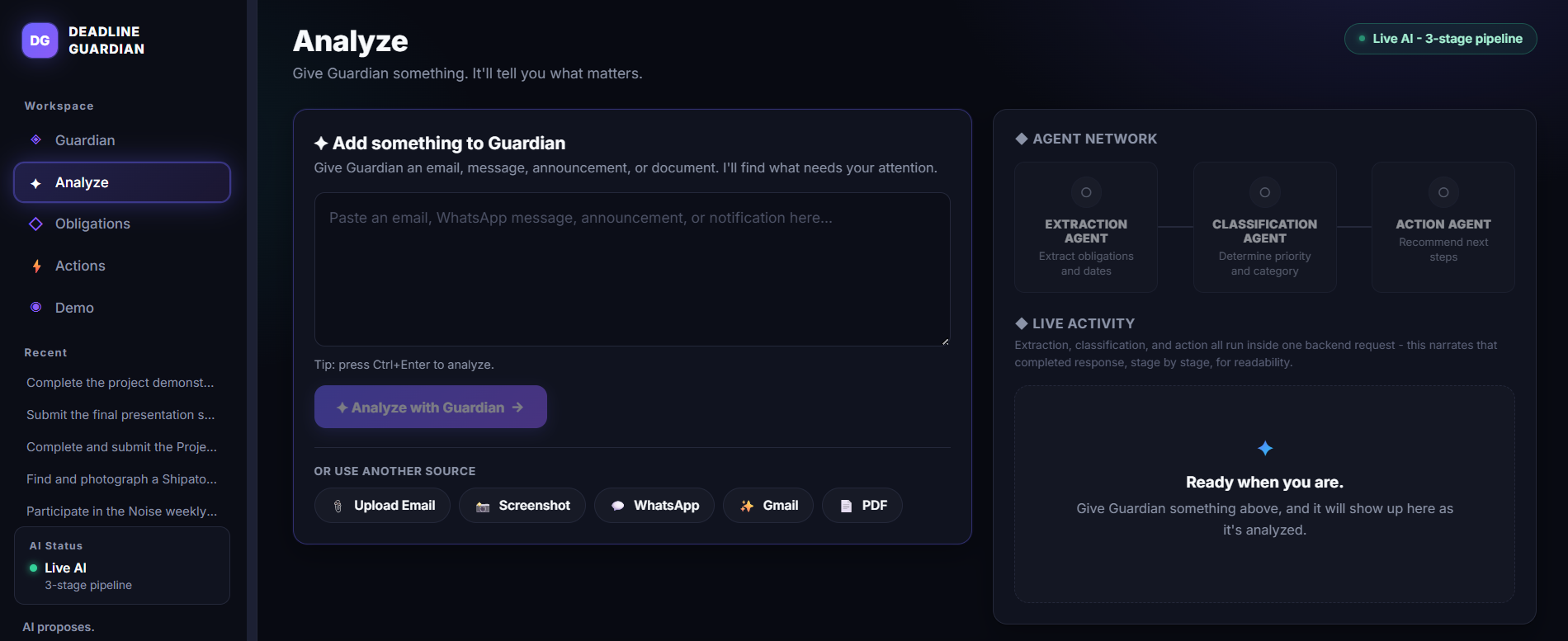
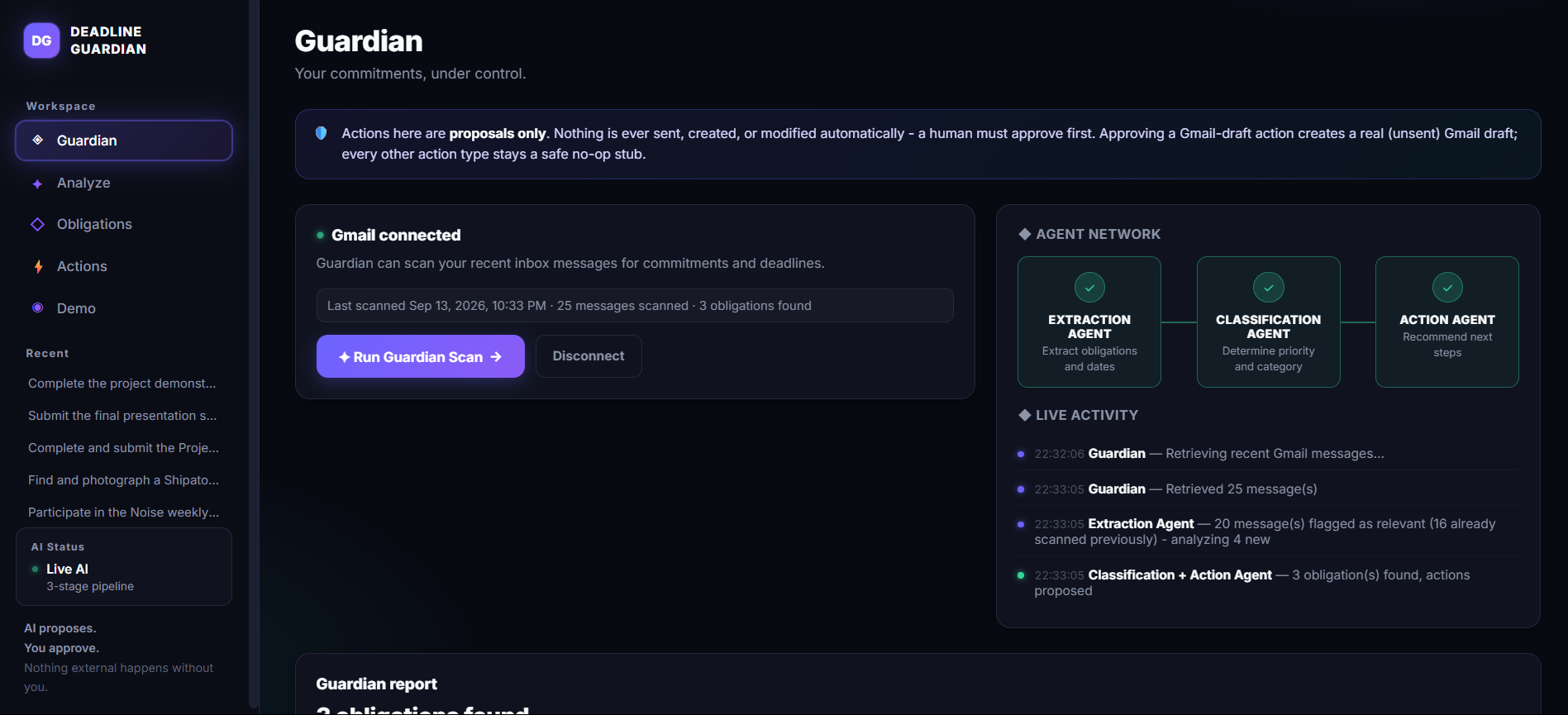
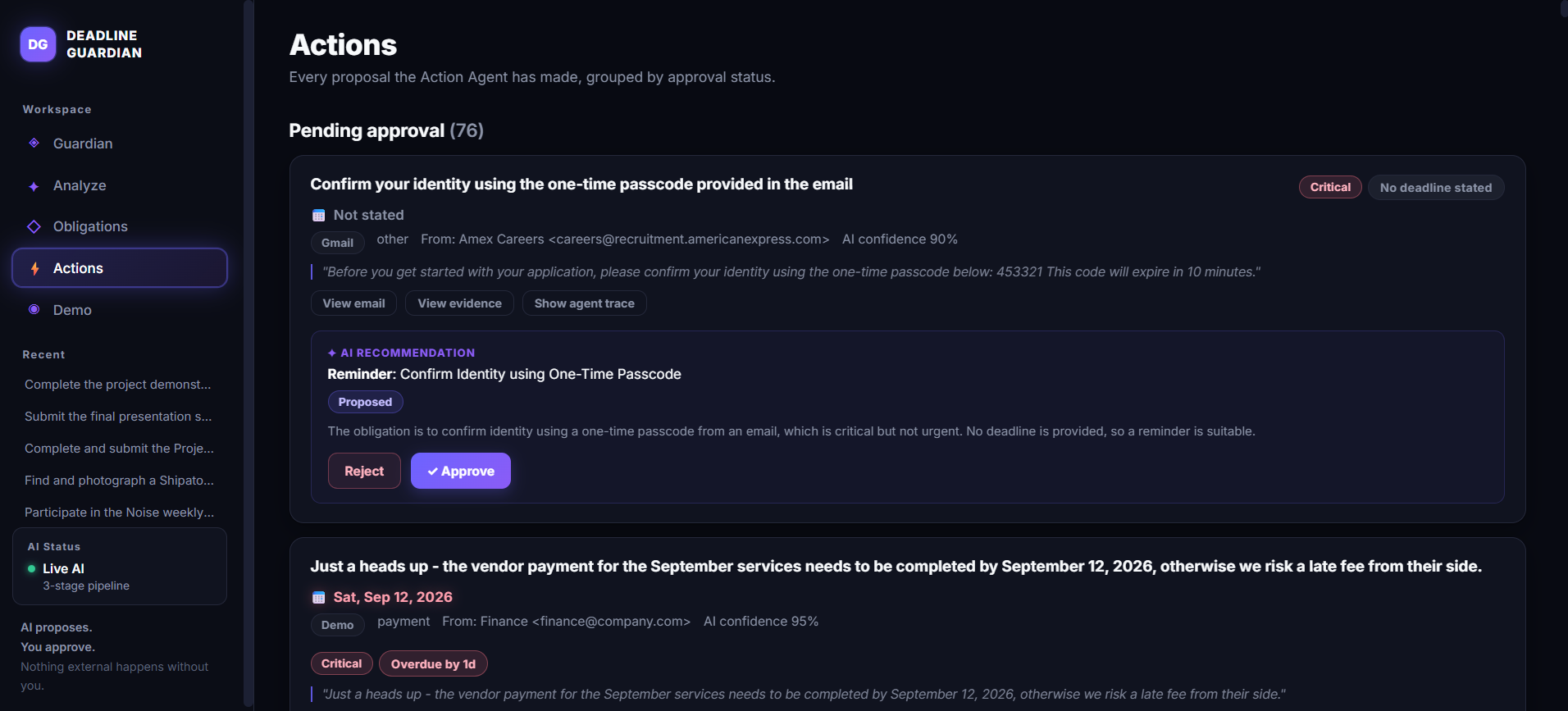
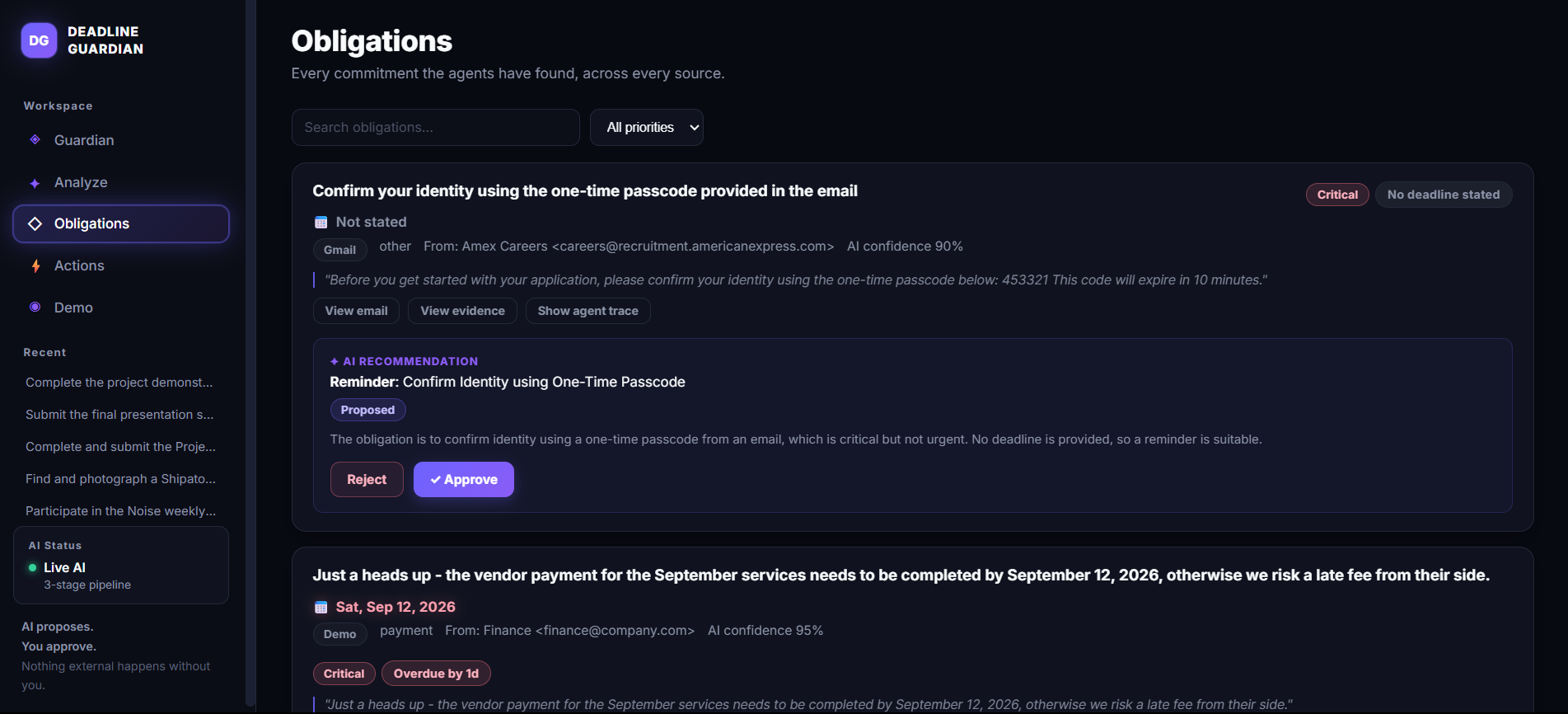
Inspiration
I often receive emails containing important deadlines — project submissions, assignments, applications, meetings, and other tasks. The problem is that these deadlines can easily get buried in an inbox. I might read an email, understand that it is important, and still forget about it later.
That made me think:
What if an AI agent could keep track of these deadlines for me?
Instead of manually going through emails, finding dates, and creating reminders, I wanted to build something that could do this automatically.
That's how Deadline Guardian AI started.
The idea is simple: connect Gmail, let the AI understand emails, identify important deadlines, and turn them into actionable tasks.
What It Does
Deadline Guardian AI connects to Gmail and looks for emails that contain actionable deadlines.
For example, if I receive an email saying:
"Please submit the final project report by September 15 at 11:59 PM."
the system understands that the email contains a task and a specific deadline. It extracts the relevant information and presents it in a way that makes it easier to act on.
The core workflow is:
Email → AI understands it → Deadline detected → Task created → User stays on track
The goal is to reduce the amount of manual work needed to keep track of important deadlines.
How I Built It
I built Deadline Guardian AI as a web application and integrated it with Gmail using Google's OAuth authentication.
Gmail Integration
I added Gmail OAuth so users can securely connect their Gmail accounts.
I wanted the project to work with real emails, rather than requiring users to manually copy and paste every message into the application.
Once Gmail is connected, the application can retrieve email content and process it for potential deadlines.
AI-Powered Deadline Detection
The AI analyzes the content of an email and determines whether it contains an actual task or deadline.
It extracts information such as:
- Task — What needs to be done
- Date — When it is due
- Time — The deadline time, when available
- Priority — How urgent the task appears to be
- Context — Additional information from the email
- Actionability — Whether the email actually requires the user to do something
I chose an AI-based approach because people don't always communicate deadlines in the same format.
For example:
"Submit the report by Friday."
and
"The final submission closes on September 20 at 5 PM."
look completely different, but both communicate a deadline.
What I Learned
Building this project taught me that creating an AI agent involves much more than simply connecting an AI model to an application.
I had to think about the complete workflow — getting information from Gmail, processing it with AI, extracting structured information, handling dates and times, and presenting the result in a useful way.
During development, I learned more about:
- Gmail API integration
- OAuth authentication
- API permissions and scopes
- Natural-language processing
- Prompt design
- Structured AI outputs
- Date and time extraction
- Building AI-powered interfaces
One of the biggest lessons was that real-world text is messy.
People express the same idea in many different ways, so a system cannot always rely on simple keywords such as "deadline" or "due." It needs to understand the context.
Challenges I Faced
Gmail and OAuth
Getting Gmail integration working was one of the biggest challenges.
OAuth authentication, permissions, scopes, and API configuration all need to be set up correctly. I initially got the authentication flow working but ran into API access issues when trying to retrieve emails.
Debugging this helped me understand the difference between successfully authenticating a user and actually having permission to use a particular API.
Understanding Whether an Email Requires Action
Another challenge was distinguishing between an email that mentions a date and an email that contains an actual deadline.
For example:
"Our previous meeting was on September 10."
doesn't create a task.
But:
"Please submit the assignment by September 15."
does.
I wanted to avoid creating unnecessary tasks, so understanding the context of the email became an important part of the AI workflow.
Making It More Than a Demo
I didn't want to build something that simply extracts a date and displays it.
I wanted the project to feel like an actual assistant.
That led me to focus on a simple workflow:
Detect → Understand → Prioritize → Act
The AI shouldn't just tell the user that a deadline exists. It should turn that information into something the user can actually use.
Why This Is an AI Agent
The project isn't designed as just a chatbot.
The agent works with a real source of information — the user's Gmail — and performs a sequence of tasks:
- Observe — Find relevant emails.
- Understand — Analyze the email content.
- Reason — Determine whether an actionable deadline exists.
- Extract — Identify the task, date, time, and priority.
- Act — Turn the result into a trackable deadline.
This is what makes the project useful as an AI agent rather than simply an AI text generator.
What I Would Like to Add Next
There are several features I would like to add as the project grows:
- Google Calendar integration
- Slack and Microsoft Teams support
- Smarter reminder timing
- Automatic follow-up reminders
- Better priority detection
- Recurring deadline detection
- Personalized notifications
- Proactive suggestions when a deadline is approaching
Eventually, I want Deadline Guardian AI to become more than a system that finds deadlines.
I want it to become an agent that understands what I need to get done and proactively helps me stay on top of it.
Why I Built It
The idea behind Deadline Guardian AI is simple:
An important task shouldn't become a missed deadline just because it was buried in an email.
I built this project to solve a small but very real problem using AI.
Instead of constantly checking my inbox and wondering:
"Did I miss something important?"
I want the AI agent to keep watch for me.
That's the idea behind Deadline Guardian AI.
Built With
- amazon-bedrock
- amazon-web-services
- boto3
- fastapi
- gmail-api
- google-oauth-2.0
- groq
- httpx
- javascript
- pydantic
- pypdf
- python
- react
- sqlite
- strands-agents-sdk
- vite

Log in or sign up for Devpost to join the conversation.