EchoDeck
The soundboard that remembers.

A sound gets a laugh. The streamer’s version gives it a callback.
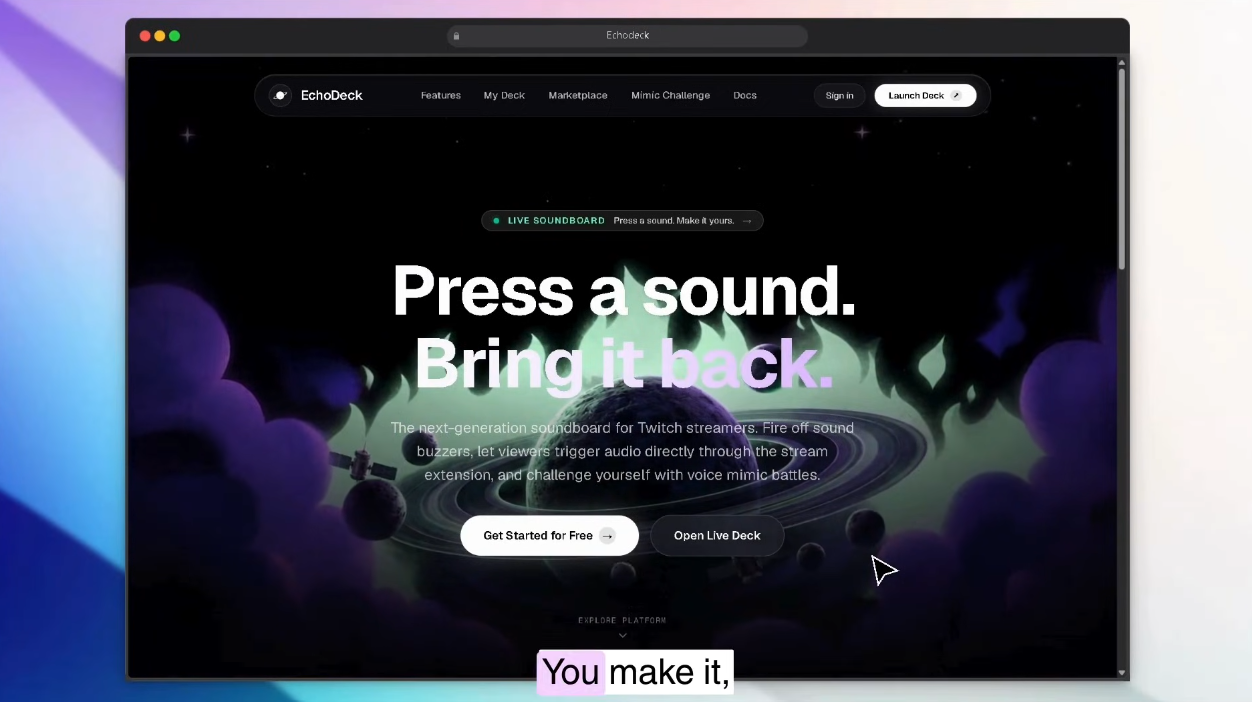
EchoDeck is a Twitch soundboard built around a simple loop: viewers pick a sound for the moment, the streamer tries to mimic it, and the take they choose can go back on the deck for viewers to play again.
Watch the demo · Try EchoDeck · View the source
The joke gets a second turn
A clip can make a moment funny. EchoDeck gives the streamer a chance to answer it.
- A viewer picks a sound the streamer has made available.
- The sound request reaches the stream and plays through OBS.
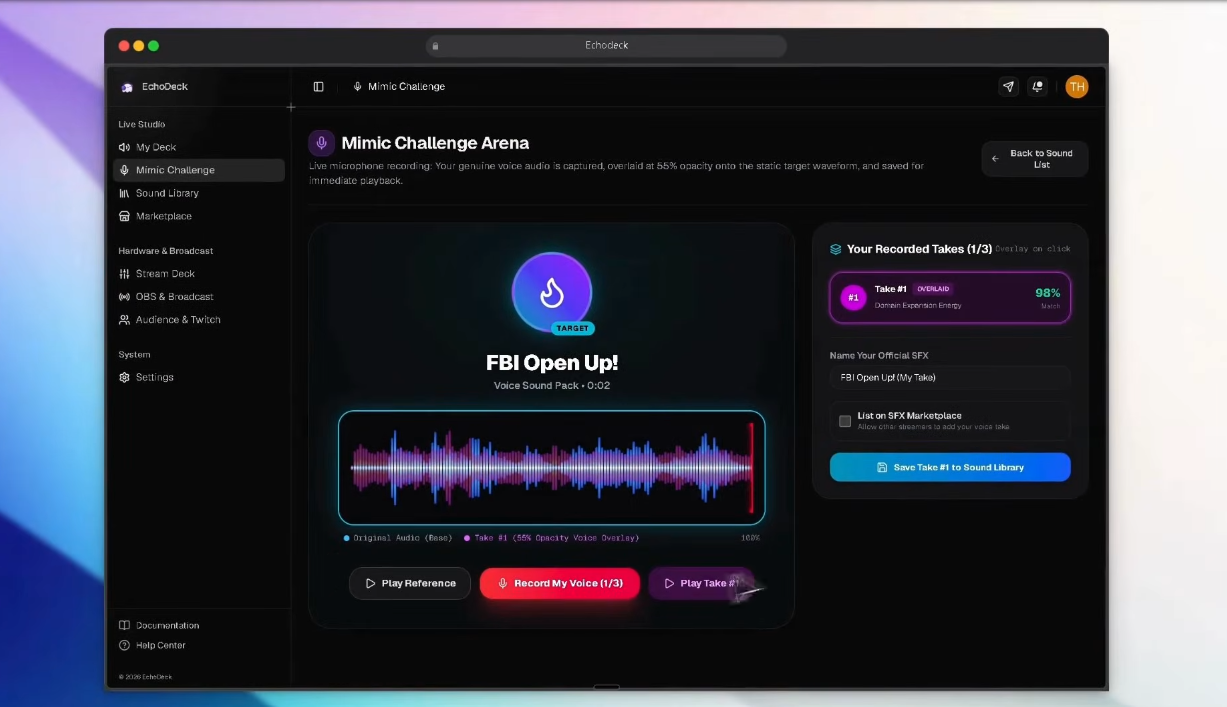
- The streamer opens Mimic Challenge and records up to three takes.
- The streamer picks one take, adds it to the soundboard, and can make it available to viewers.
Later, when that version plays again, the community knows where the joke came from. That is the idea behind EchoDeck: a sound can become part of a channel’s shared history.

Chat when the sound comes back and everyone knows the bit.
What you can try
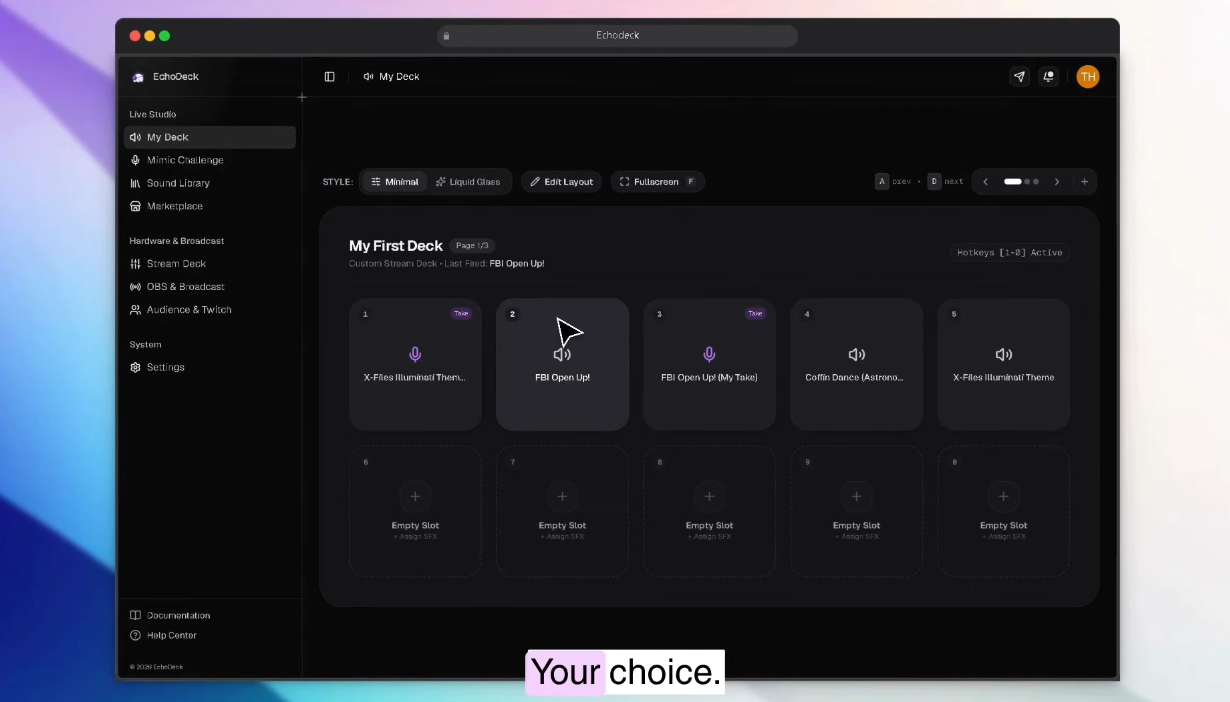
- Build a soundboard with ten sounds on each page and play them with a click or keyboard key.
- Request streamer-approved sounds from the Twitch Panel Extension in Local Test.
- Hear accepted requests play in order through the OBS browser source.
- Record up to three Mimic Challenge takes, replay them, compare waveforms, and choose one to keep.
- Add the selected take to the deck or choose to make it available to viewers.
The part we want to build next
Today, the streamer chooses which take to keep. We want to let the community vote on its favorite, then give that version a place in a creator-approved sound marketplace for streamers and clip makers. Those are next steps, not features in this demo.
The demo runs in Twitch Extension Local Test. Viewer access is currently set to Everyone; follower and subscriber checks are not connected. Sounds are stored in the browser, and the local request queue resets when the development server stops. The Mimic score is for fun and does not measure how close a take is to the original. We have not yet measured whether EchoDeck increases viewer engagement.
How it works
The streamer app manages the deck and Mimic Challenge. The Twitch panel sends a viewer’s sound request to EchoDeck with a Twitch-signed token. The local app verifies the token, checks the sound and request limits, then adds accepted requests to a queue. OBS plays each sound into the broadcast and tells EchoDeck when it has finished, so the next sound can play.
The panel sends requests; it does not play audio into the stream. OBS is the part that puts the sound in the broadcast.
How we built it
OpenAI Codex helped us build the streamer app and connect the request flow. The app uses Next.js, React, and TypeScript. The Mimic Challenge records audio in the browser and displays the original and each take as waveforms. The Twitch Panel Extension uses Twitch Extension Helper. A local Next.js service verifies viewer requests and manages playback, while the OBS browser source plays the queued sounds.
The trickiest part was making viewer requests and streamer playback share one queue. Without that, two sounds could play over each other. We also had to sync sounds from the streamer’s browser to the local service before the Twitch panel could list them.
Built with
OpenAI Codex · Twitch Extensions · Twitch Extension Helper · OBS Studio · Next.js · React · TypeScript · Tailwind CSS · shadcn/ui · Hugeicons · IndexedDB · Web Audio API · MediaRecorder API


