-
-
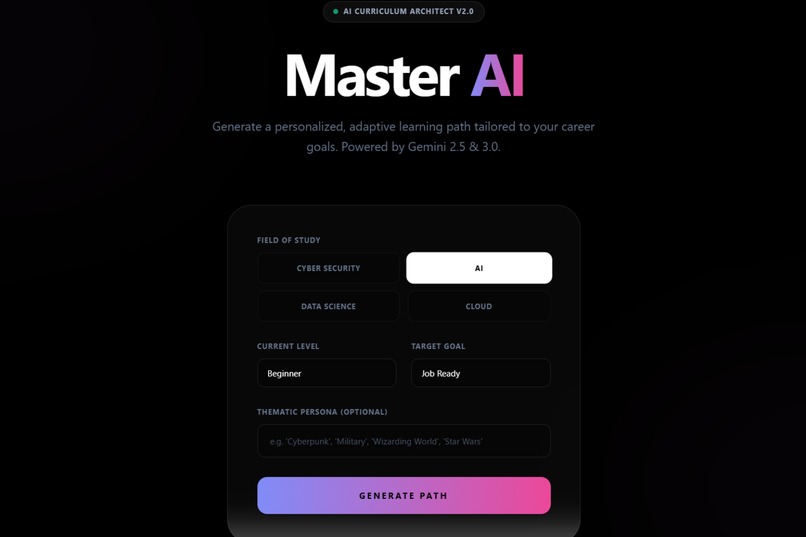
Landing page of our project
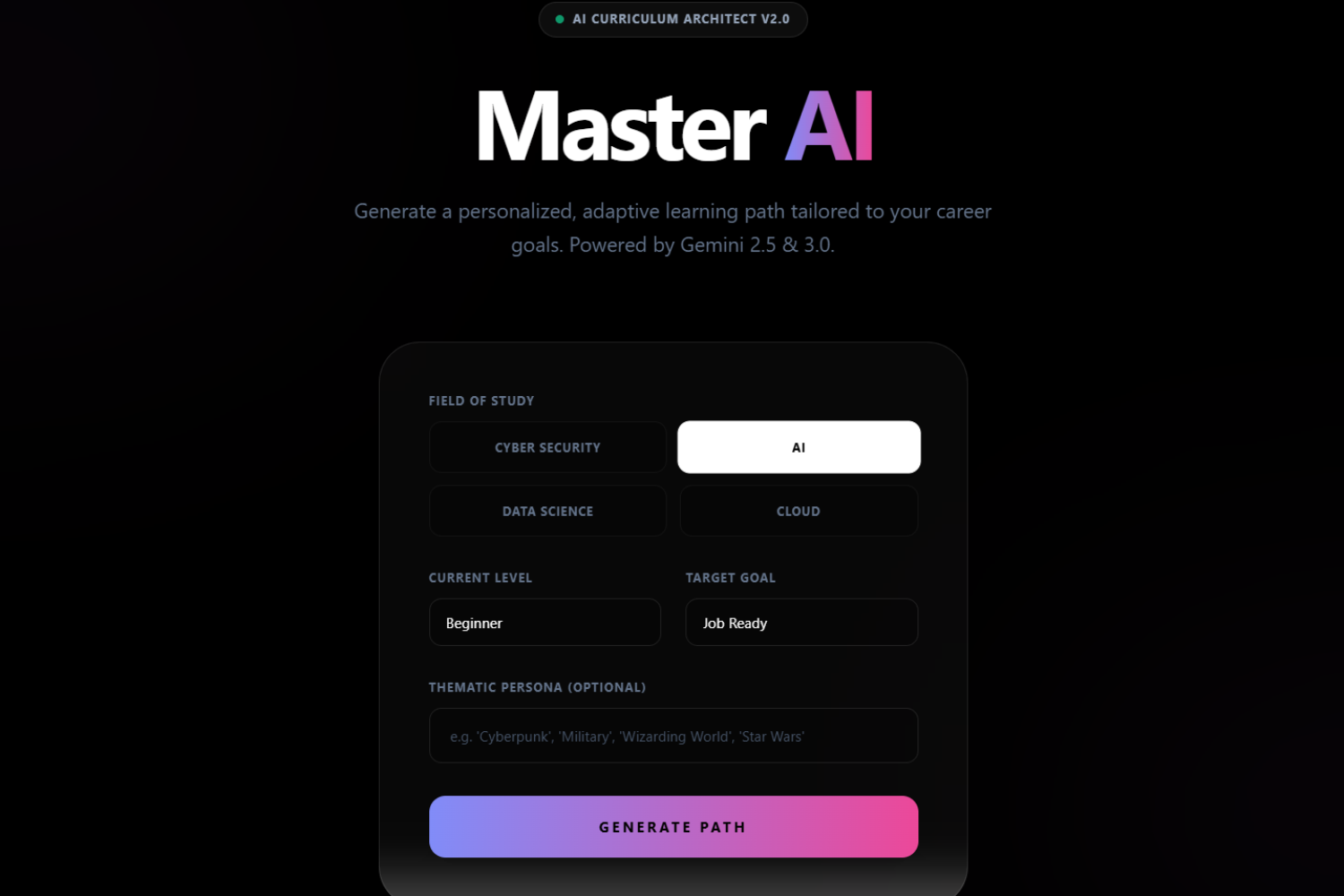
A project made by two first-semester students from Indonesia
Inspiration
When we first started the project, we were so confused about what to do. What projects should we make for the Gemini 3 Hackathon? Then BOOM, suddenly a thought came to both of us. We wanted to make a "Curriculum Architect" app for this special occasion. Why? For the context, both of us are first-semester students during the winter holiday, going to the second semester, we still needed to learn a lot of new languages and tools to make something like this, and we spent most of our time searching for the materials and connecting one material to the other by reading online forums and YouTube tutorials. It was painful.. then why not as well create an app that does that hard part for us? And we think that Gemini 3 API is the best choice, not only is versatile with image generation, it is also UNEXPECTEDLY GOOD modules generator.
What it does
It generates a curriculum consisting of learning modules, which you choose from the four core materials on the starting landing page. Helping you study by generating deep-dive explanations, recommending related YouTube tutorials, and giving you a mini project before testing your skills. Not only that, it also generates the project based on the theme you want. Say you want to include "Avengers" theme into it, then there would be more images and "Avengers" movie terminology in the modules.
How we built it
The core stack is React 19, TypeScript, and Vite, styled with Tailwind CSS for a futuristic "Liquid Glass" aesthetic. And here are the important things:
- Curriculum Generator: We used Google Gemini 3 Flash Preview for the speed of module generators and recommended the latest relevant YouTube videos.
- Structured Generation: We engineered strict JSON schemas to force the LLM to output valid code, quizzes, and project guidelines every single time.
- Visuals: We implemented a custom Markdown renderer (react-markdown + rehype-katex) to support mathematical formulas and code syntax highlighting.
- Safety Net: We built a "Fallback Video Database" in TypeScript to ensure that if the AI API fails or hallucinates a dead link, the user is seamlessly served a verified, working tutorial from a curated list.
Challenges we ran into
Technical Challenges:
- AI Rate Limiting, because we generate so much content (Curriculum + Modules + Images + Quizzes), we constantly hit the 429 Resource Exhausted error. We solved it by waiting for a few minutes for the Request Per Minute (RPM) limit to a day for the Request Per Day (RPD) limit to reset.
- Black Screen, we faced significant issues with environment variables in Vite (process.env vs import.meta.env), which caused the app to crash silently on deployment.
Adaptive Challenges:
- Cluelessness, we didn't know what to do or how to fix the app properly. So, most of our time is spent reading the code, online documentation, watching YouTube videos, and then debugging the code manually with the help of Gemini 3 Flash Preview chatbot. However, more time is spent manually debugging as Gemini 3 keeps changing the already correct code.
Accomplishments that we're proud of
We are very proud of ourselves for creating an idea and plans for making the app and actually committing to finishing the project. We are also very proud that we are now able to read TypeScript code and debug like a proper programmer.
Application-wise, us successfully implemented the feature where clicking a module generates a relevant technical diagram on the fly, and seeing the AI draw a "Buffer Overflow" diagram for a security module was a magic moment. Not only that, we liked how our UI turned out with "Glassmorphism" custom animations (like animate-pop, animate-float). Lastly, we were and are super happy getting the AI to reliably output complex nested JSON objects (Path -> Modules -> Quizzes) without breaking the parser, which was a massive win for stability.
What we learned
- Prompt Engineering is Logic, we learned that treating prompts like codes (giving definitions and constraints) yields far better results than asking nicely.
- Fail Gracefully: We learned that APIs will fail. Building robust fallbacks (like our hardcoded video list) is the difference between a broken demo and a successful product.
- Have Fun, a bit personal, but we worked better when we had time to discuss, laugh, and observe our project together. It felt magical working on a project together with your friend.
What's next for Kurima
- Persistent User Auth: Currently, data is local. We plan to add Firebase/Supabase to save progress across devices.
- Community Paths: Allowing users to share their generated curricula with the community.
- Code Execution Sandbox: We want to integrate a live code editor so users can run the Python/JS starter code directly in the browser.
Dear jury who is reading this, we hope you don't mind this style of writing. We want to thank you for the great opportunity that this challenge has given us. By the time we actually made it to run, we were super happy. We also learned a lot of new things and stuff from it, and most importantly, having fun with our ups and downs during this challenge. We also hope you have a great time testing our project and testing other projects. Have a great day to all of us! ~Marvel & Alvin
Built With
- gemini-api
- genai-sdk
- glassmorphism-ui
- heroicons
- katex
- react
- tailwind-css
- typescript
- vite

Log in or sign up for Devpost to join the conversation.