-
-
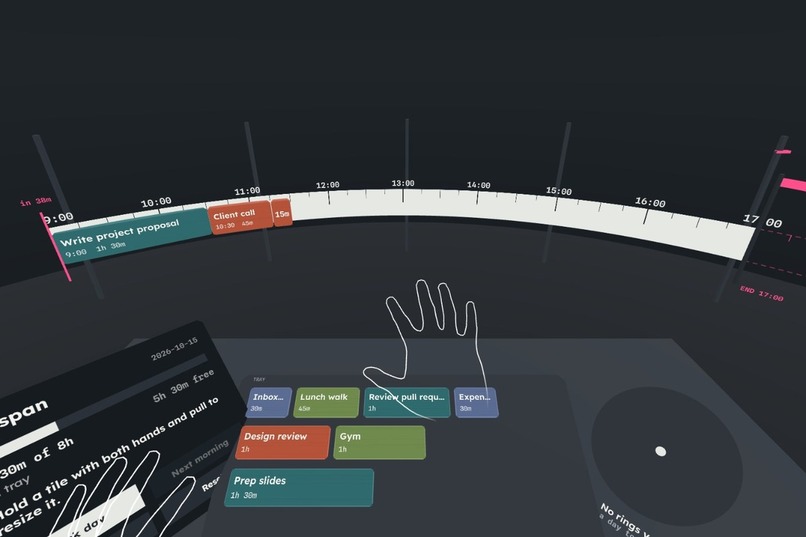
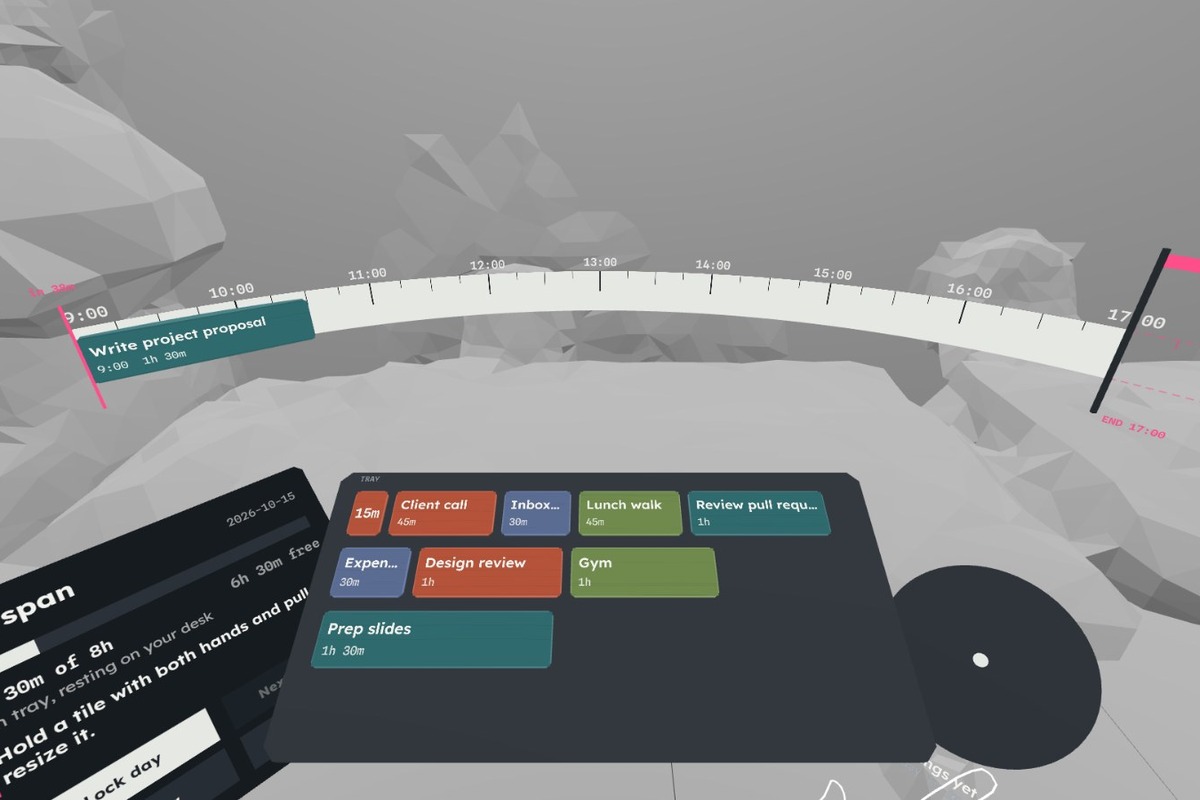
Pinch a tile from the tray and drop it on the span
-
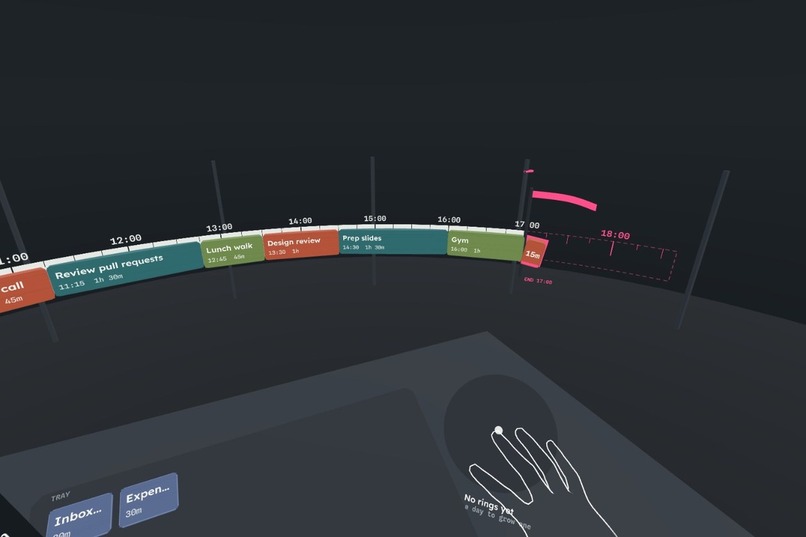
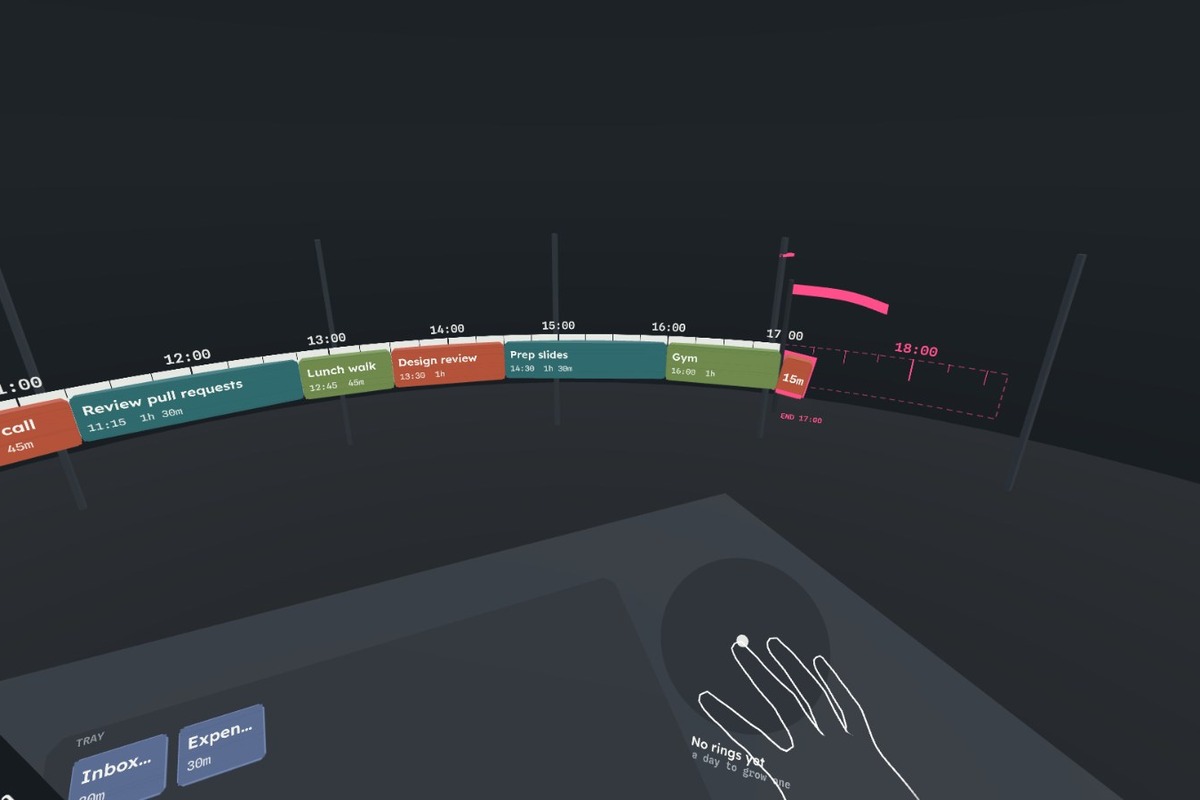
Overtime: the tile past the pink flag tips over
-
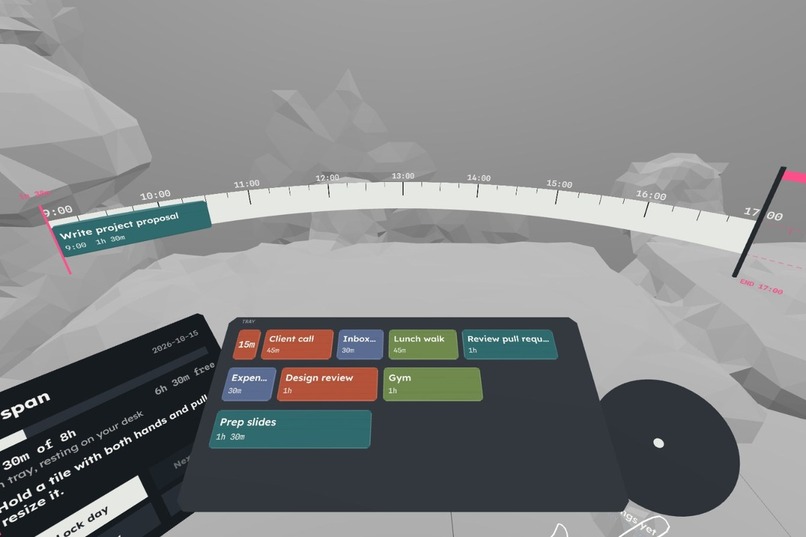
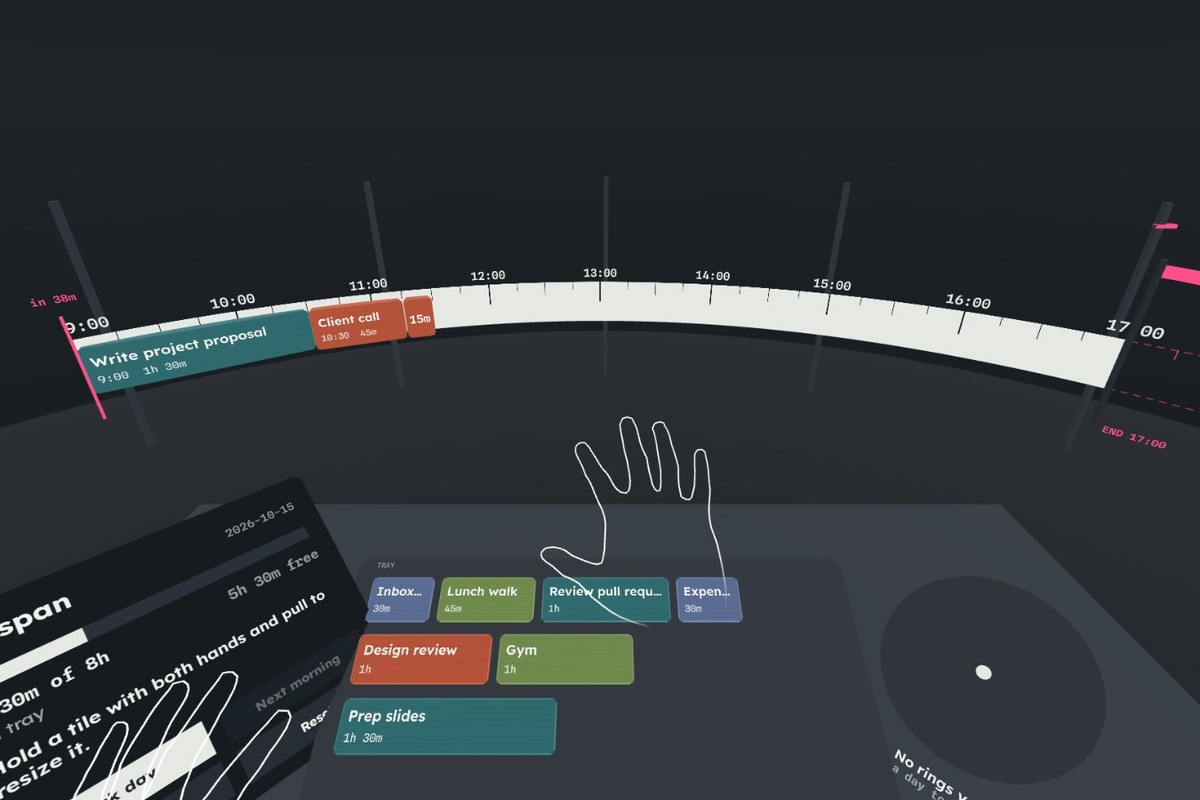
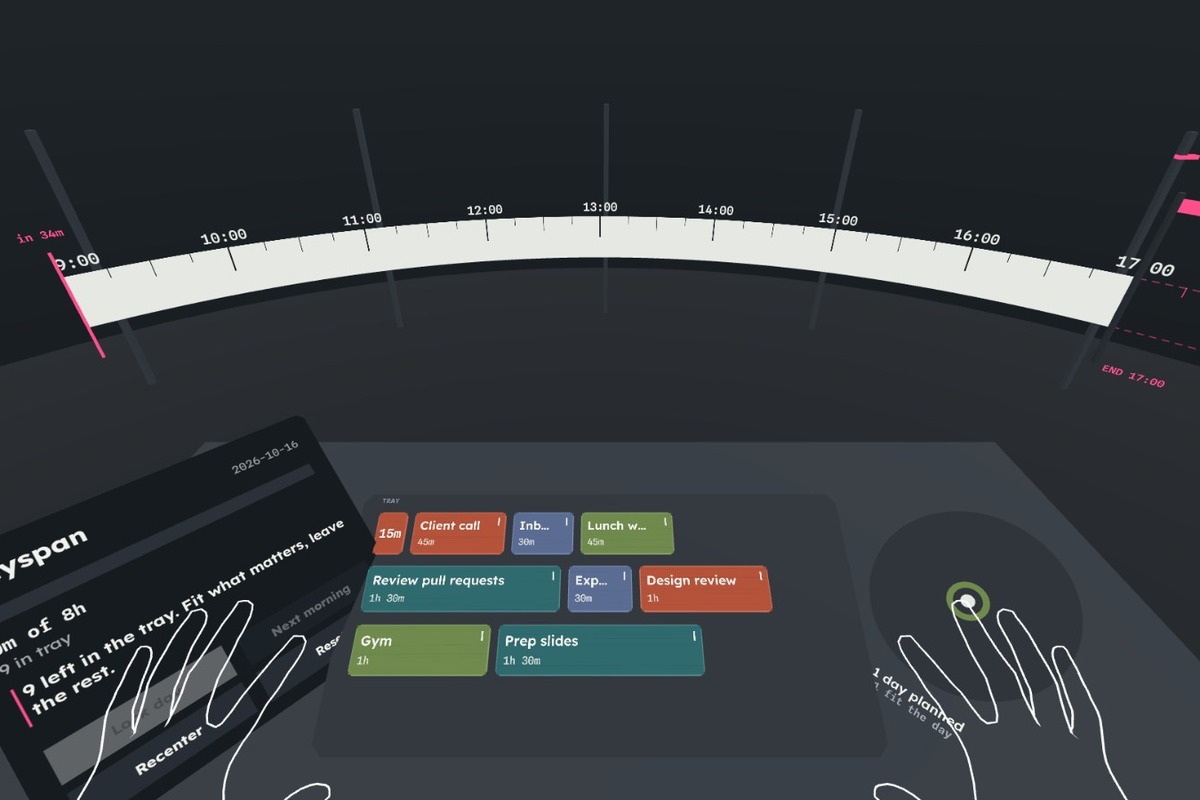
Passthrough: the tray rests on a detected table (IWER synthetic room)
-
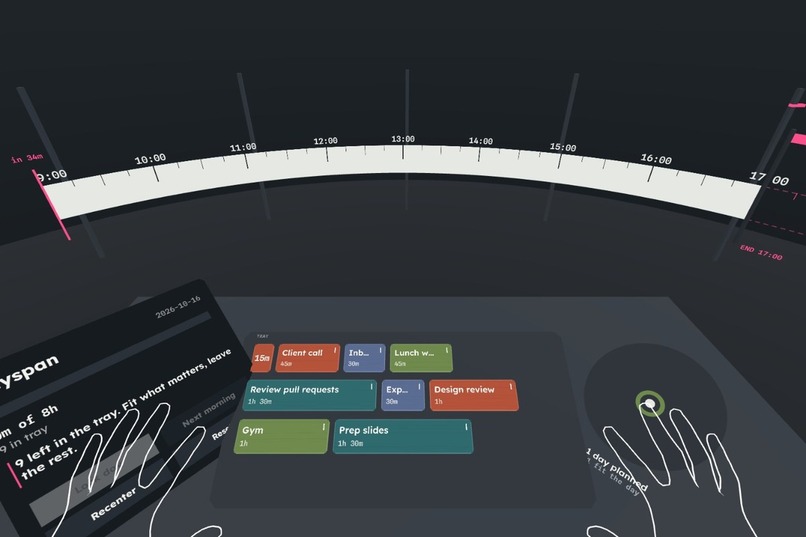
Next morning: unfinished tiles return with a carry notch
-
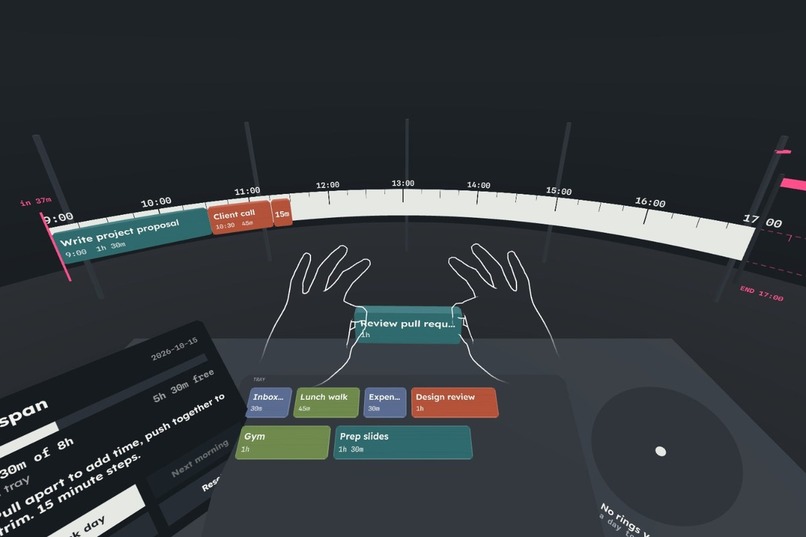
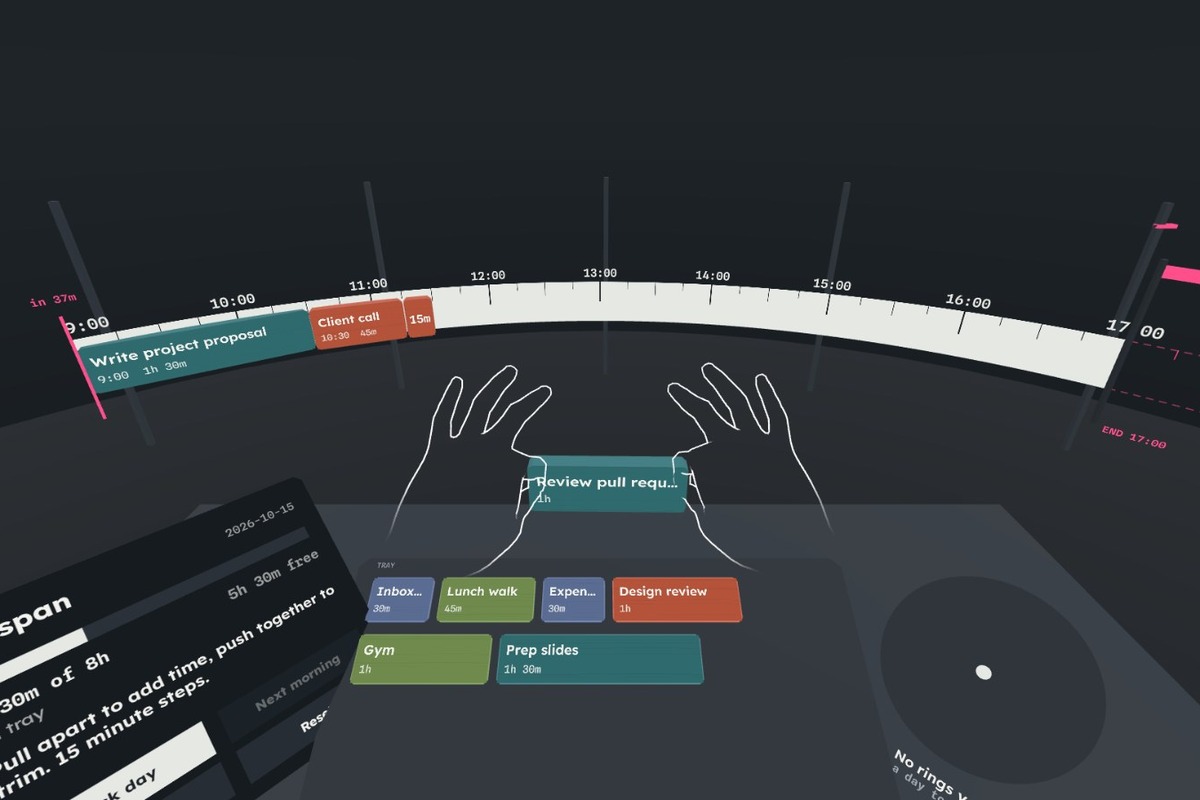
Two-hand resize: pull apart to add time in 15-minute steps
-
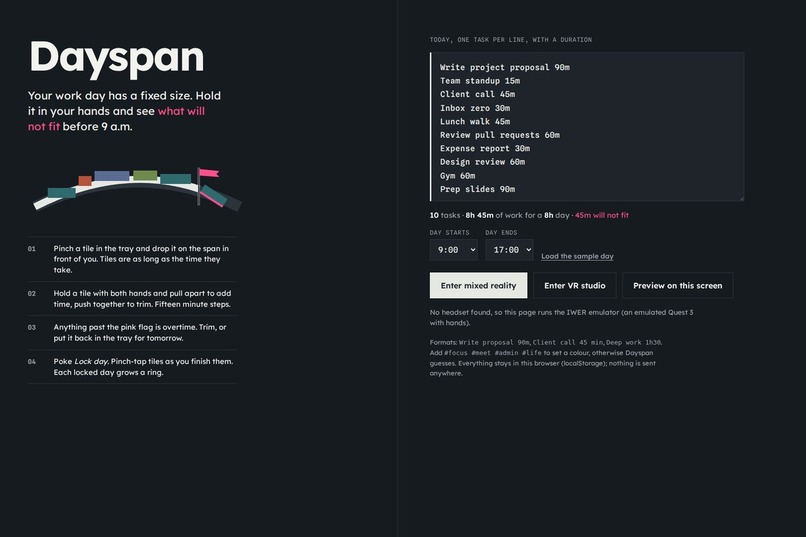
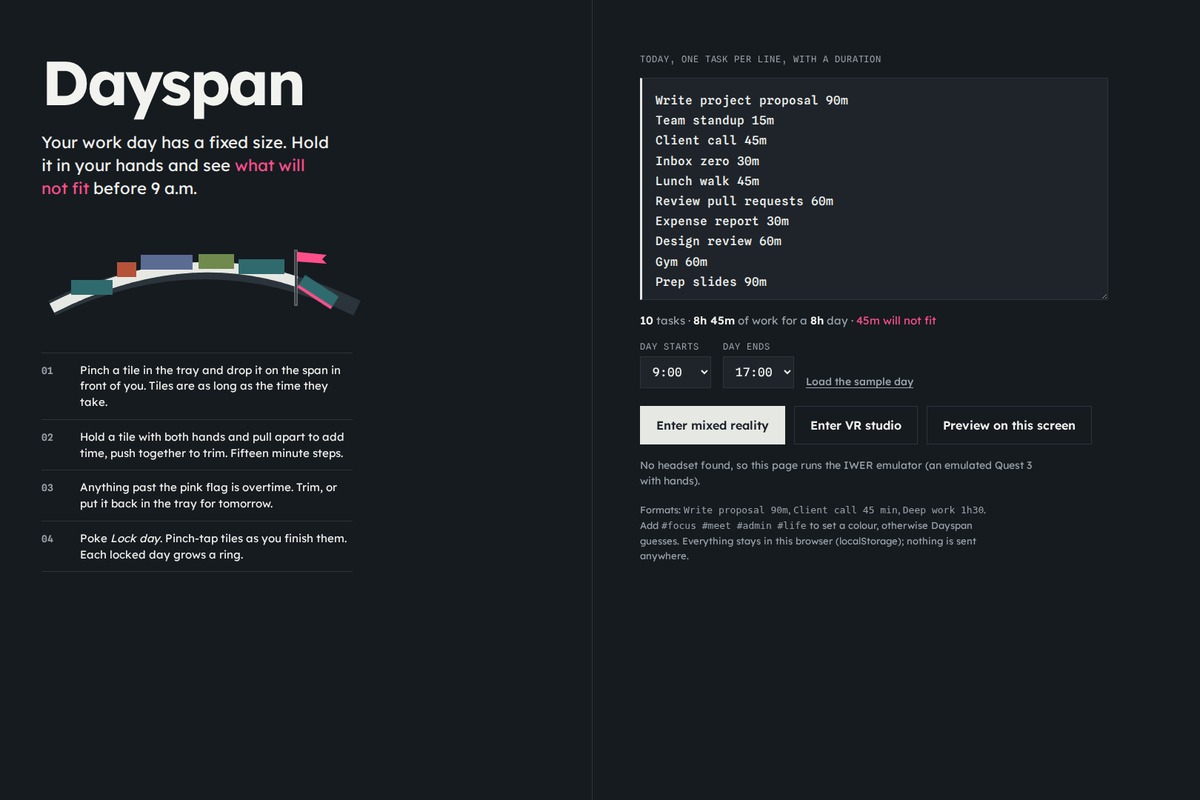
The 2D setup page: one task per line
Inspiration
Every morning I write a to-do list that is longer than my day, and I only find out at 6 p.m. A list hides duration: "write proposal" and "reply to Sam" take the same line. A calendar shows duration but is fiddly to rearrange on a phone. I wanted the day to have a physical size you can hold, so the overflow shows up before 9 a.m., while there is still time to decide what to drop.
What it does
Dayspan is a seated, ten-minute planning ritual in mixed reality.
- Your work hours (9 to 5 by default) become the span: a curved enamel ruler 70 cm in front of you, with hour ticks and a pink flagging-tape flag at the end of the day.
- Each task is a tile whose length is its duration on the same scale as the ruler. Tiles wait in a tray on your desk.
- Pinch a tile and drop it on the span. It snaps into order and the tiles after it ripple aside.
- Hold a tile with both hands and pull to resize it. On a 9-to-5 span, 3.4 cm of hand travel is exactly 15 minutes, because the tile and the ruler share one scale.
- Overtime is visible. Tiles past the flag tip over and get a pink edge; the panel counts the minutes over. You trim, or put a tile back in the tray.
- Poke "Lock day" to commit. Through the day, pinch-tap a tile to mark it done.
- Next morning, unfinished tiles return with one notch for each day they were pushed, and each locked day adds a growth ring (green when the plan fit, pink when it was over capacity, thicker with more hours done). That is the reason to come back: a visible record of planning honestly.
- In passthrough, Dayspan uses WebXR plane detection to find a real table under the tray and sets the tray down on it. There is also a VR studio mode and a mouse preview for desktop browsers.
Everything works with bare hands. Controllers are optional (trigger or grip acts as a pinch).
How we built it
- IWSDK (Immersive Web SDK) 1.0.1 on WebXR: World/ECS, one
DaySystemthat owns the span, tray, panel and rings,immersive-arwith hand tracking and plane detection, plusimmersive-vr. - Hand input from joints: thumb-tip and index-tip poses with pinch hysteresis (start below 1.8 cm, release above 3.5 cm). The same "hand" model also takes controllers and the desktop mouse, so one code path handles grab, drop, two-hand stretch, tap and poke.
- Procedural everything: tiles are extruded chamfered blocks, labels are drawn into canvas textures (Lexend and Spline Sans Mono, self-hosted), sounds are synthesized with WebAudio.
- Seated and FoV-aware layout: everything is anchored to the head pose at session start, the span covers ±44° at 70 cm, the tray and controls stay within reach. "Recenter" re-anchors.
- State lives in localStorage: tasks, the packed span, carry counts and history rings. No server.
- Testing in IWER: the demo video is recorded in the IWER emulator (Quest 3 profile) with scripted emulated hands; the app's own pinch detection does the interaction.
- Hosted on GitHub Pages; the IWER emulator is injected only for browsers without WebXR, so a Quest gets native hands and passthrough.
Challenges we ran into
- Making drop targets forgiving without feeling sticky: the drop index compares the dropped tile's leading edge to the other tiles' midpoints, which matches where your eye says the tile went.
- Two-hand resize had to stay physically honest: the change in hand distance maps straight onto the ruler scale and snaps to 15-minute steps.
- A pinch moves the pinch point a few centimeters; grab offsets ease out so the tile does not jump.
- Finding the desk: horizontal planes labelled table or desk are accepted only if the spot under the tray falls inside the plane polygon at a seated desk height.
Accomplishments that we're proud of
- The core loop works end to end with hands alone and fits in one short sitting.
- The overflow is impossible to miss, and it is spatial: overtime literally sits past the edge of your comfortable field of view.
- No assets and no backend: the whole experience is about 9 MB of static files.
What we learned
Duration is the missing dimension of to-do lists, and a headset is good at giving things size. Seated MR design is mostly about restraint: one ruler, one tray, one panel, everything within reach.
What's next for Dayspan
- Fixed-time blocks (meetings that cannot move) and gaps for breaks.
- Calendar import (ICS) so meetings arrive as locked tiles.
- Spatial anchors so the span returns to the same place on your desk every morning.
- Voice capture of tasks while in the headset.
- Target launch: a public build in the Meta Horizon Store (as a PWA) in Q1 2027.
Try it
- Live (Meta Quest Browser, or any desktop browser with the built-in IWER emulator): https://ctmakc.github.io/dayspan/
- Code (MIT): https://github.com/ctmakc/dayspan
Built With
- github
- iwer
- iwsdk
- three.js
- typescript
- vite
- webaudio
- webxr

Log in or sign up for Devpost to join the conversation.