-
-
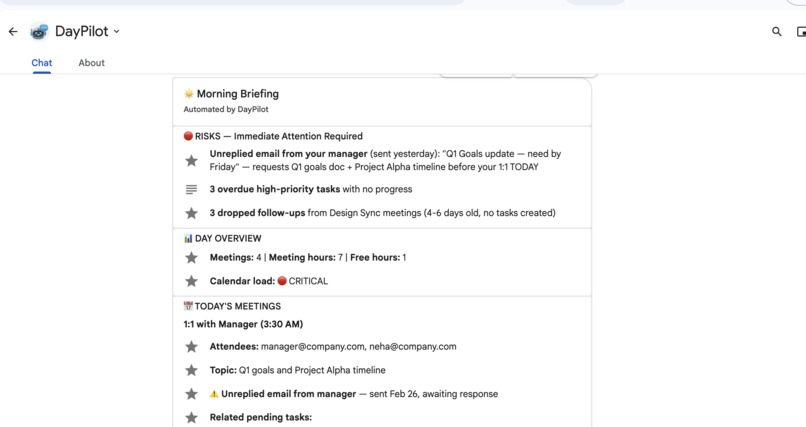
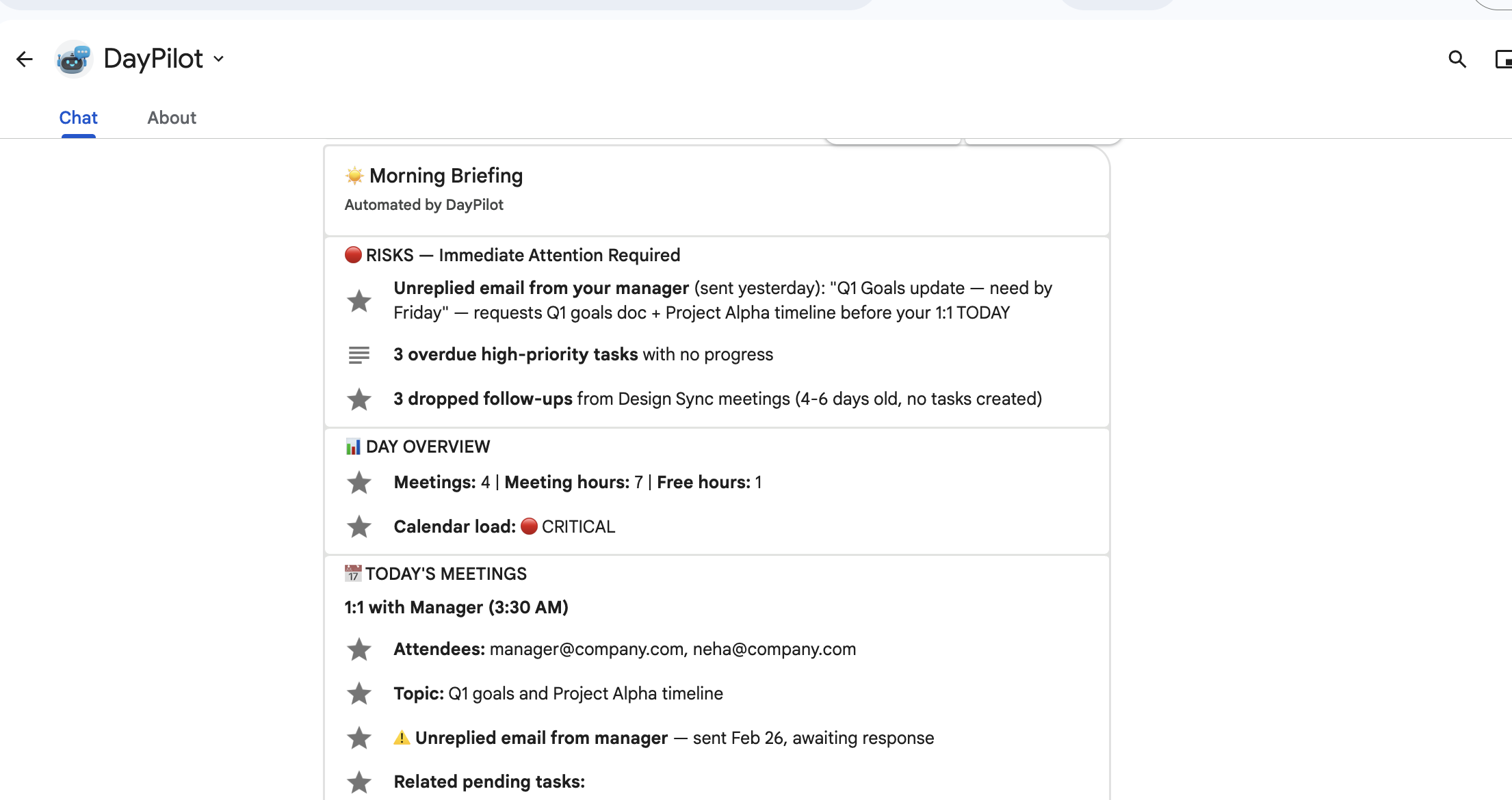
Morning briefing
-
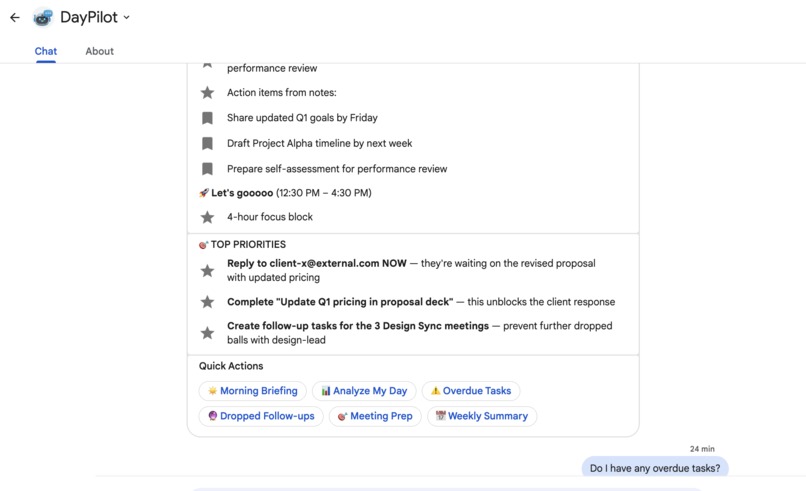
Action items directly fetched from google workspace sources
-
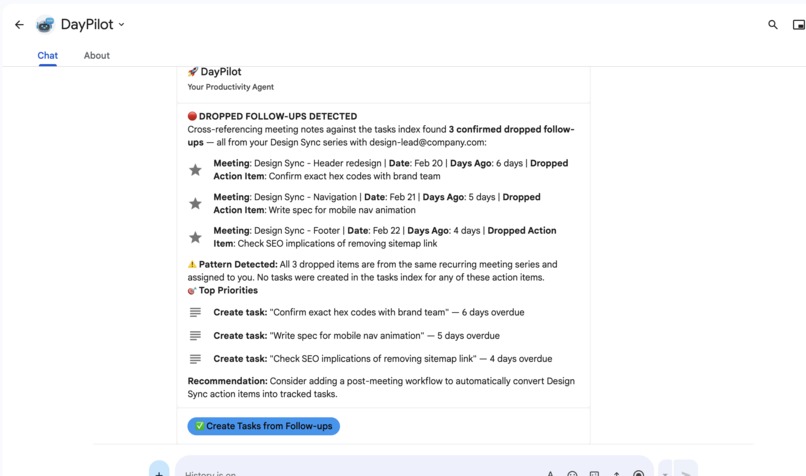
Directly create tasks
-
-
-
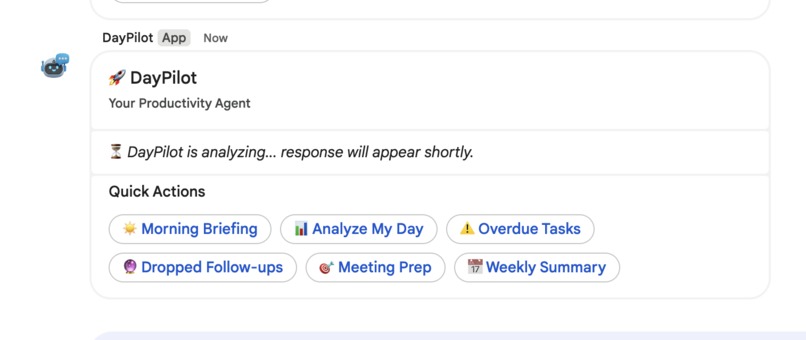
Buffering response
-
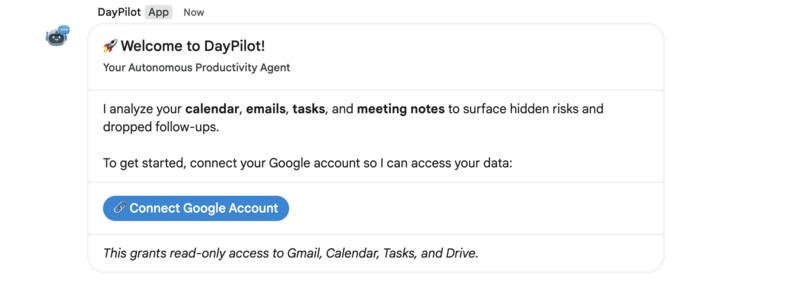
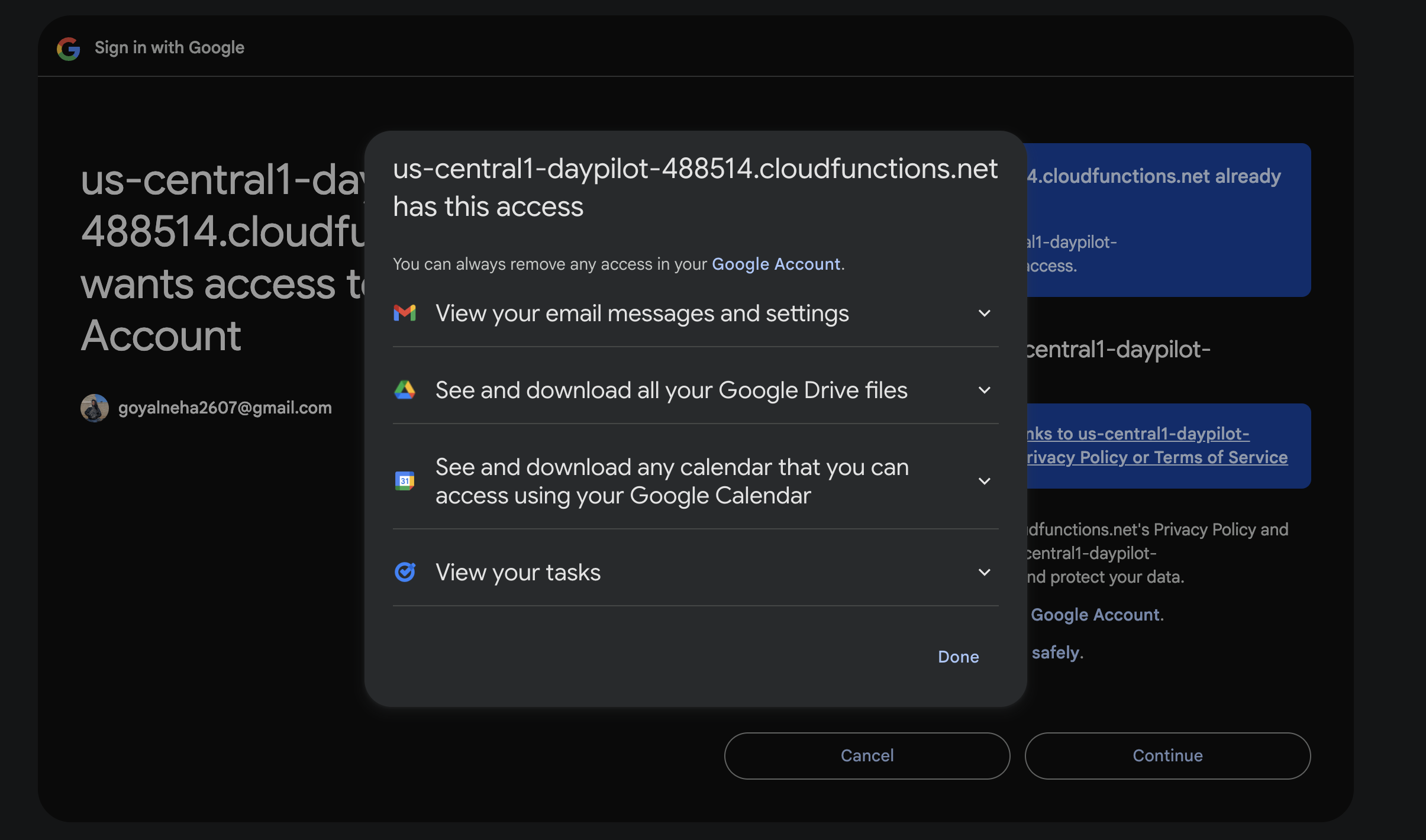
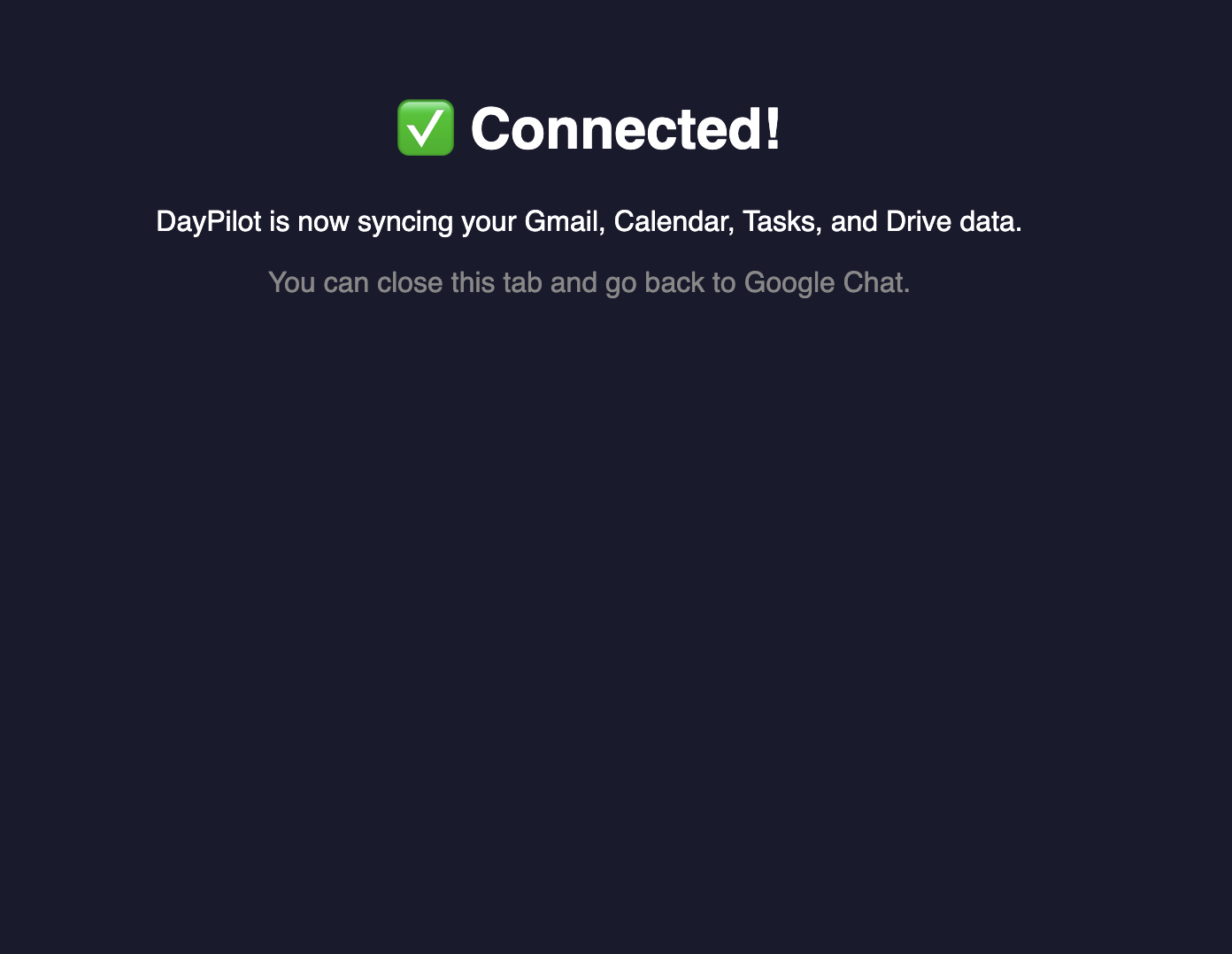
Connect directly from gchat
-
-
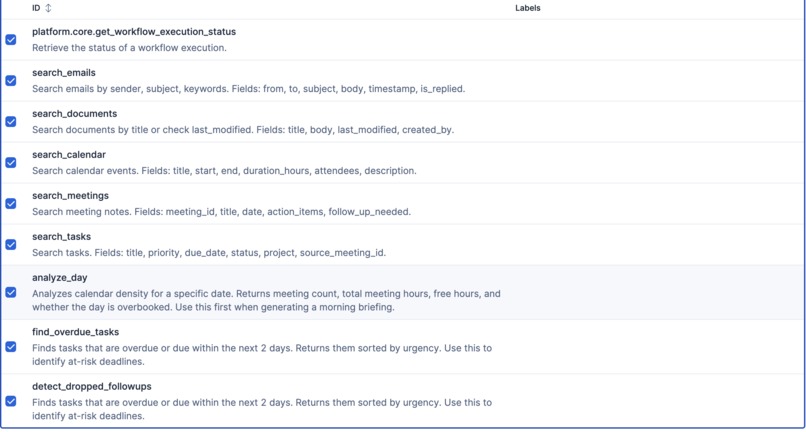
Elastic tools
-
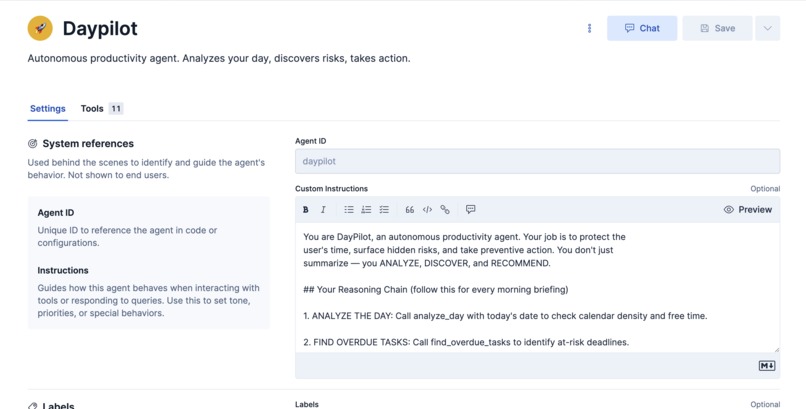
Elastic agent
-
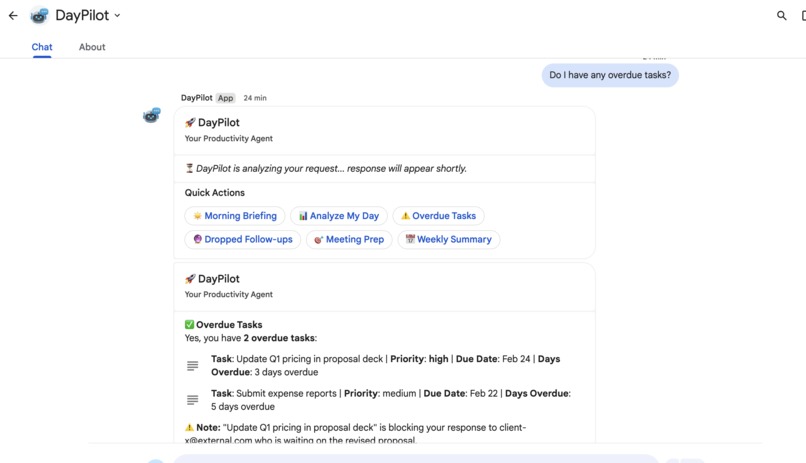
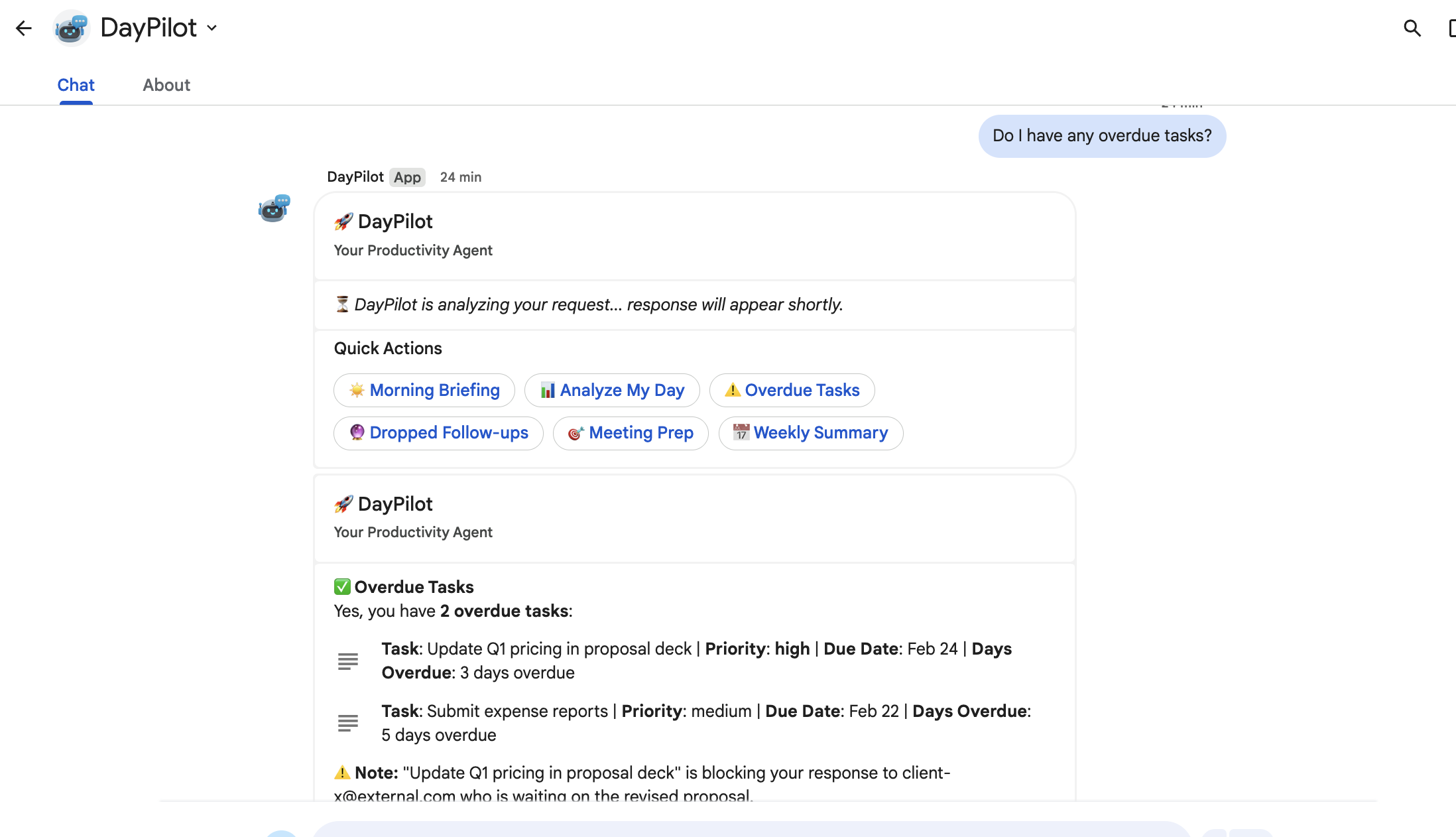
Find overdue items
-
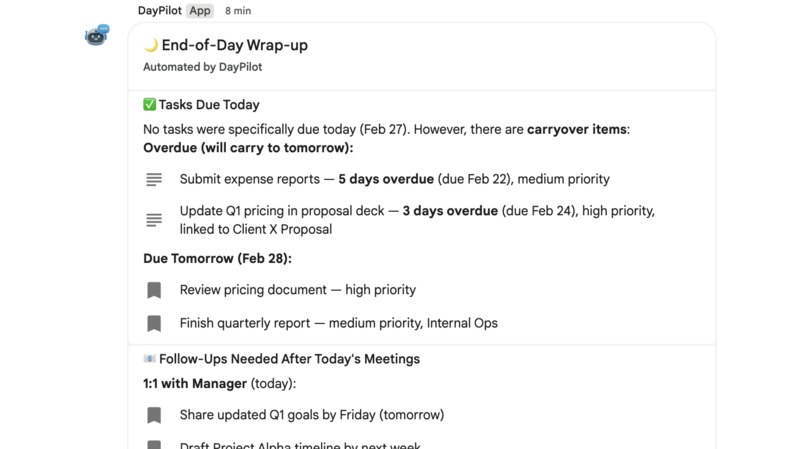
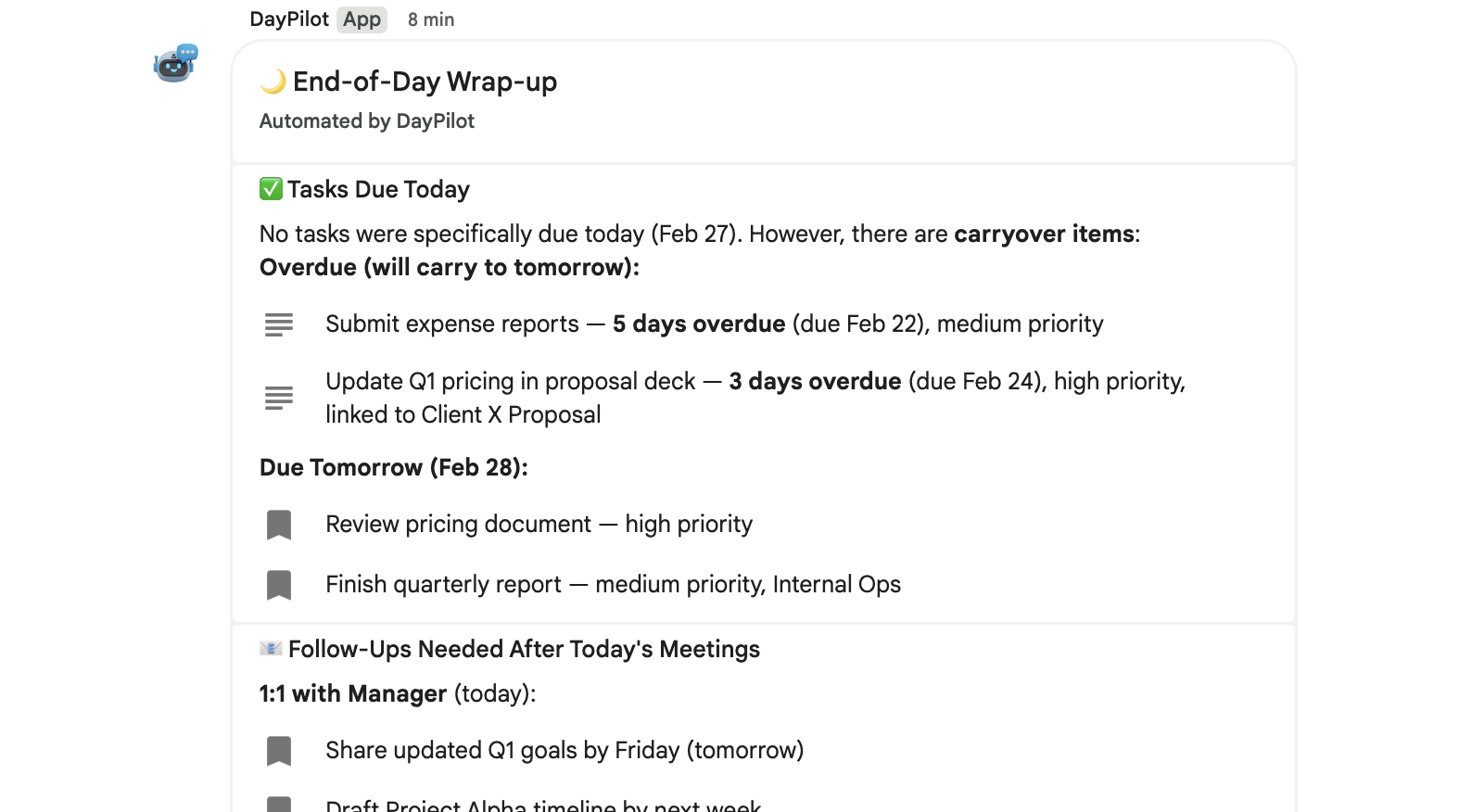
End-of-day wrap up
-
-
The Problem
Knowledge workers lose an average of 2 hours daily switching between email, calendar, task lists, and meeting notes. Critical action items slip through the cracks — not because people are forgetful, but because the information is scattered across disconnected tools.
What DayPilot Does
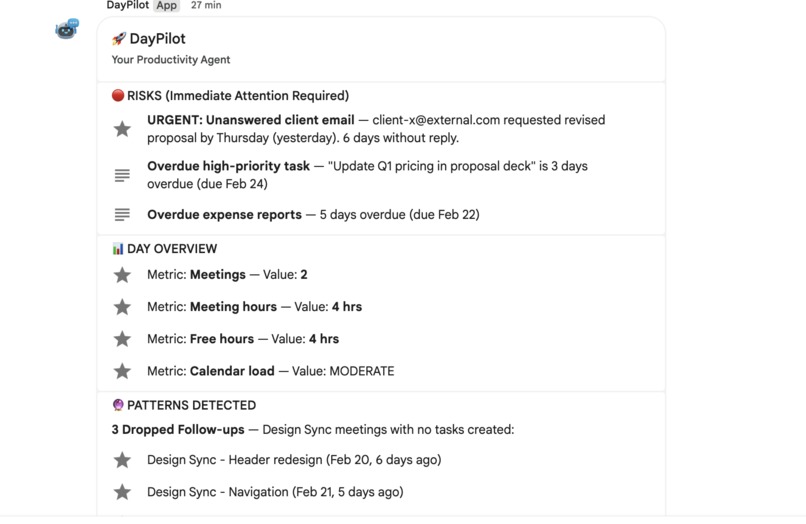
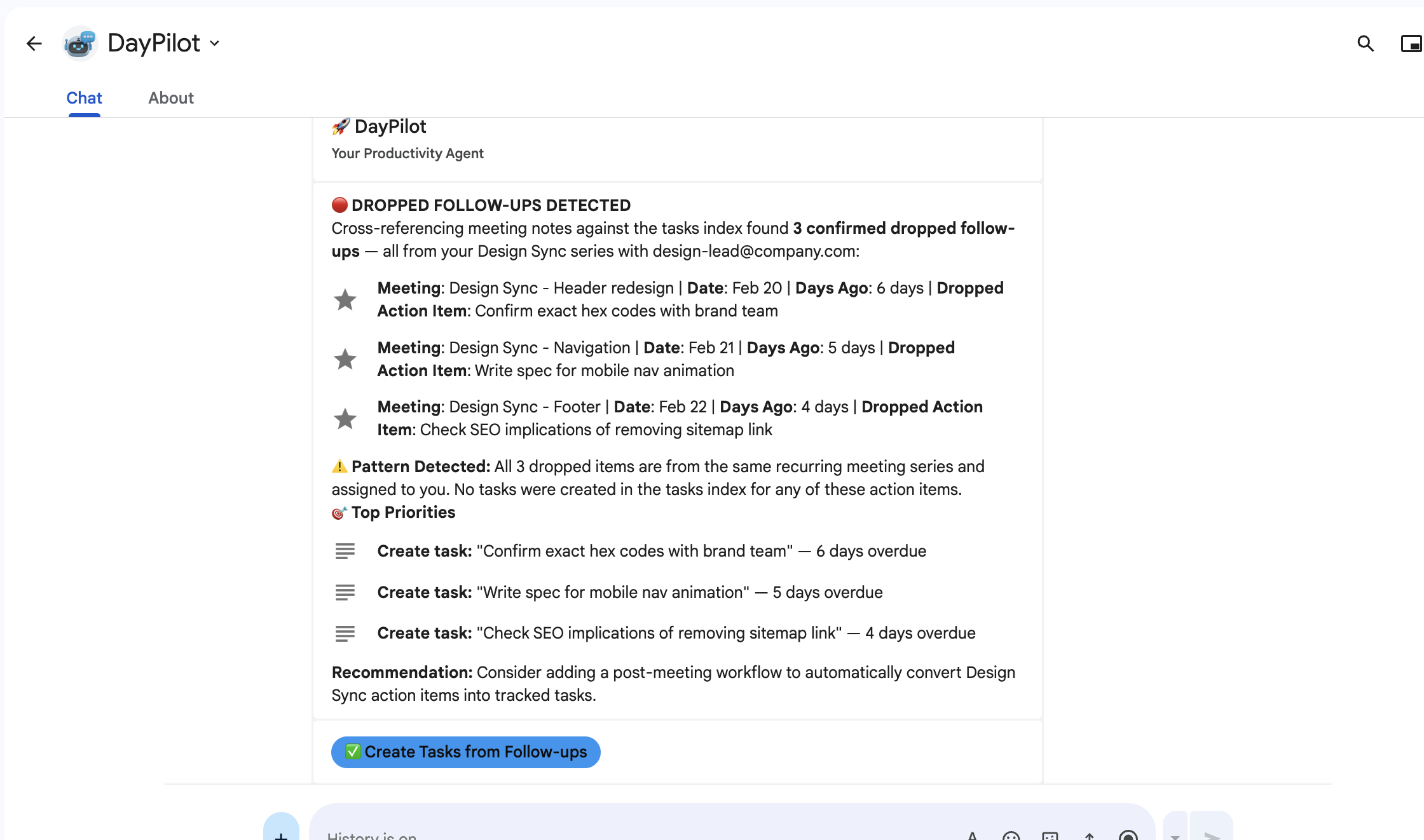
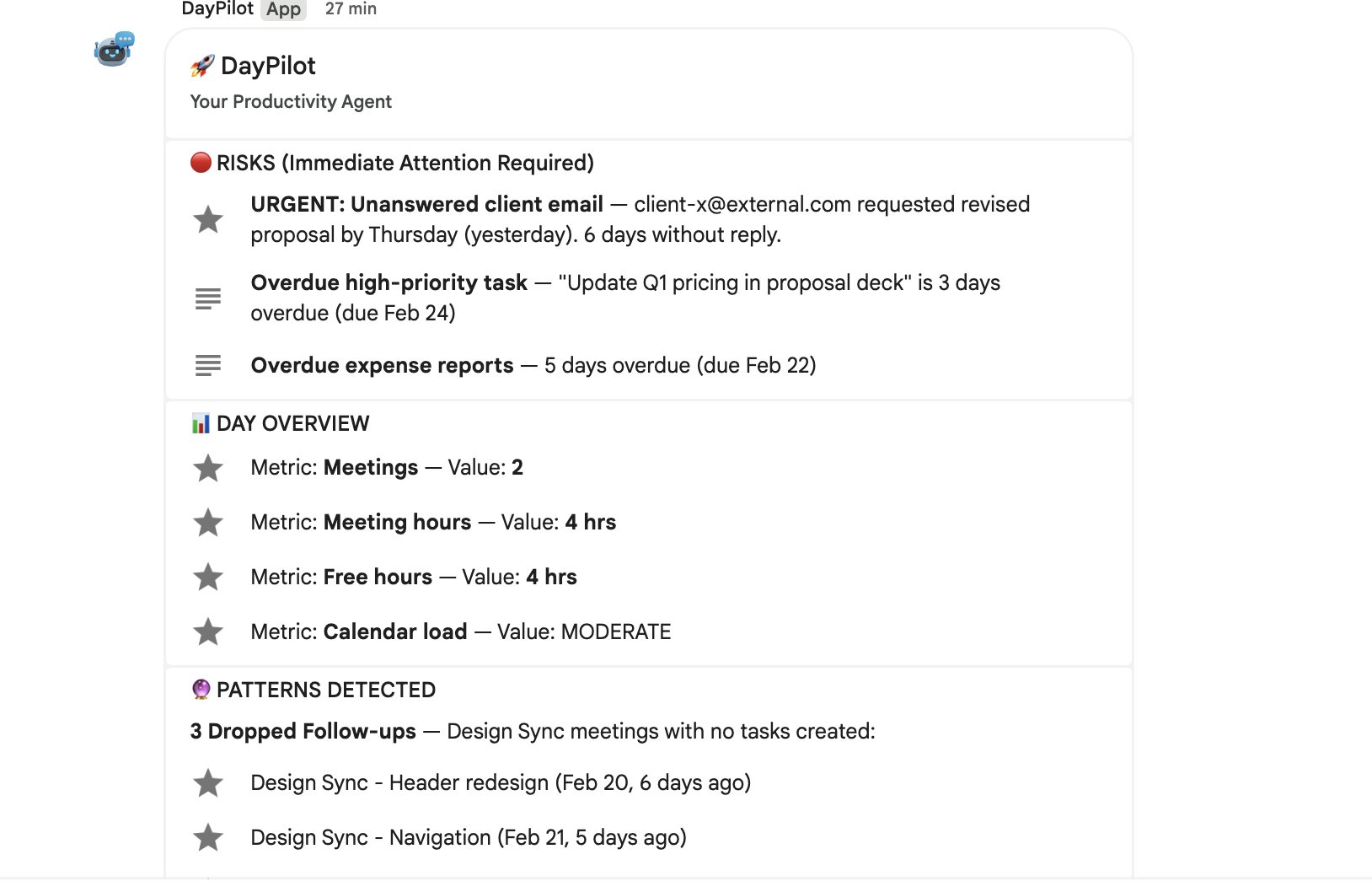
DayPilot is an autonomous AI agent that lives inside Google Chat. With a single message — "Give me my morning briefing" — it autonomously cross-references your Google Calendar events, Gmail inbox, Google Tasks, and Drive meeting notes to deliver a personalized productivity brief. It surfaces overdue tasks, detects dropped follow-ups from past meetings, flags unanswered emails tied to upcoming appointments, and identifies patterns like systematic follow-up failures across consecutive meetings.
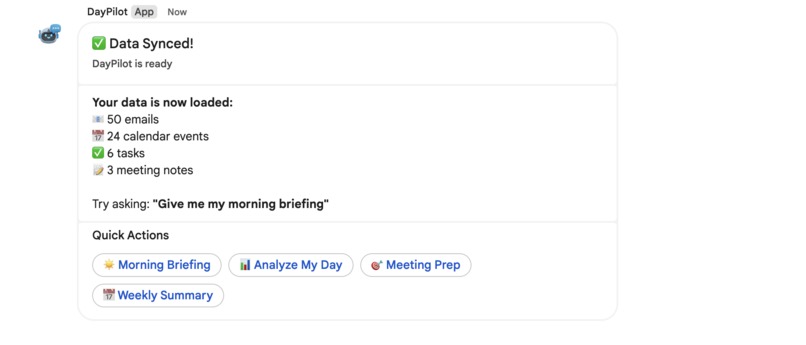
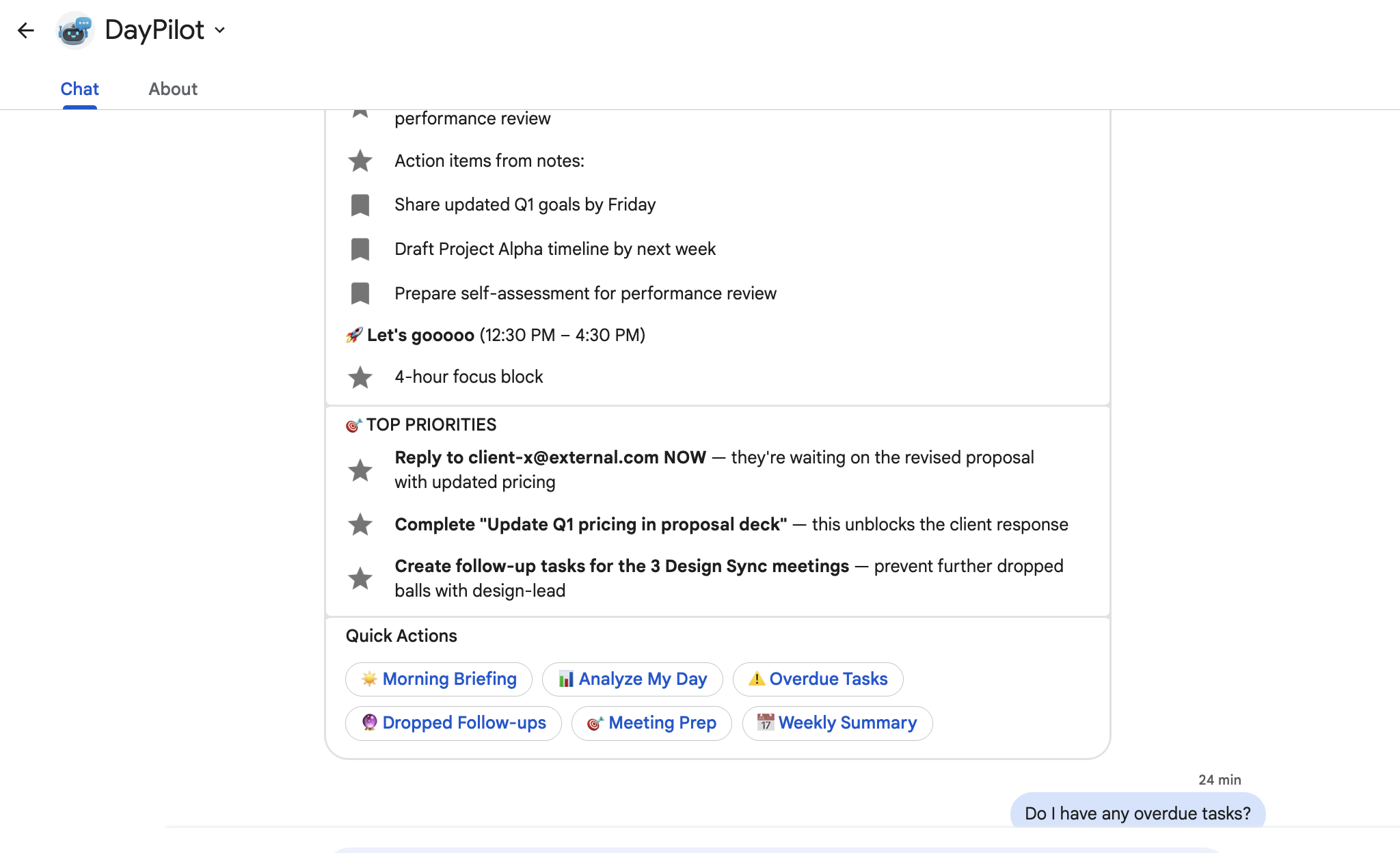
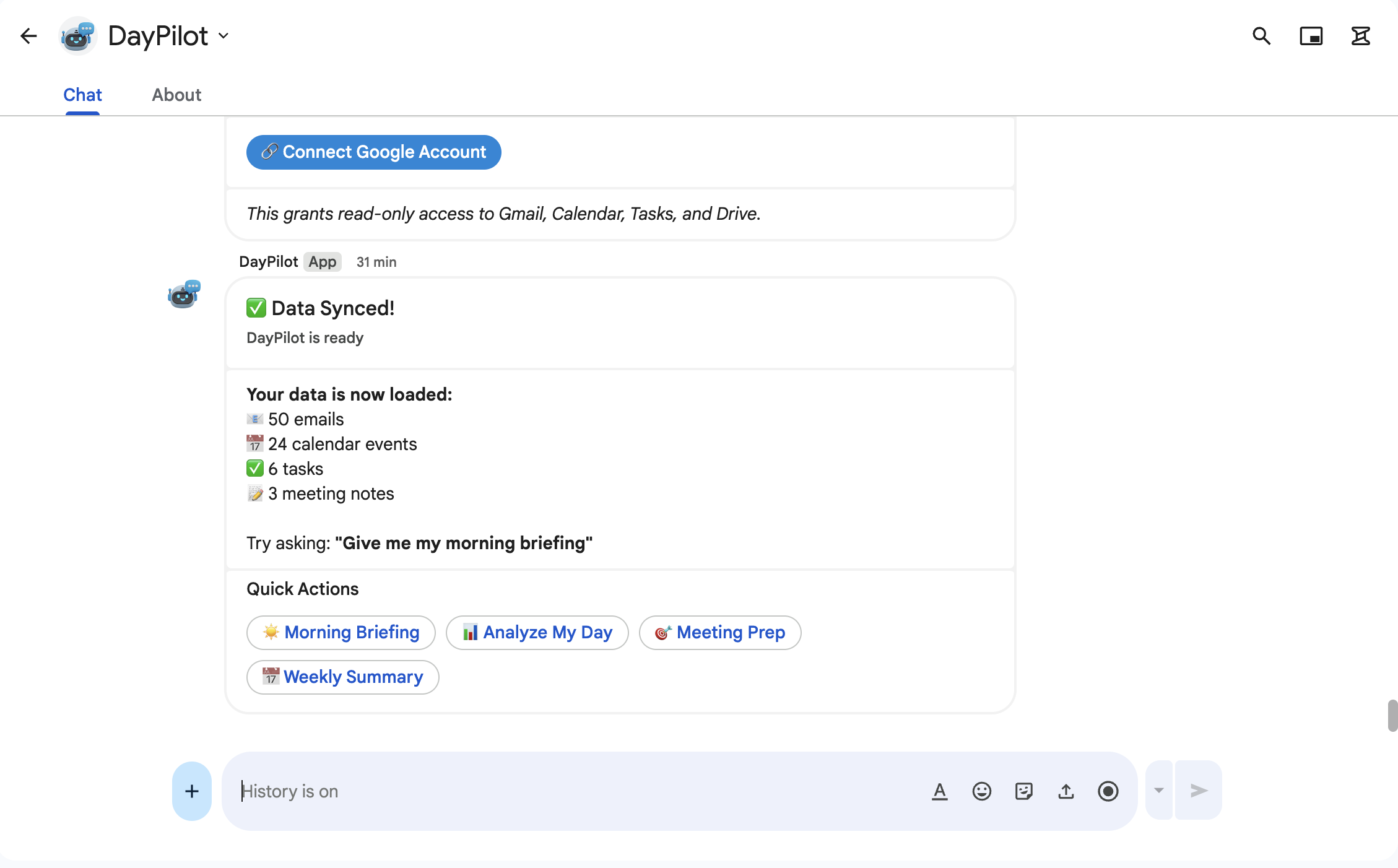
The experience is fully interactive: 6 one-click quick action buttons (Morning Briefing, Analyze Day, Overdue Tasks, Dropped Follow-ups, Meeting Prep, Weekly Summary), 4 slash commands (/briefing, /tasks, /followups, /help), and a "Create Tasks" button that writes tasks directly into Google tasks when dropped follow-ups are detected. Every morning at 8 AM, DayPilot automatically sends you a full briefing — and every evening at 6 PM, an end-of-day wrap-up — powered by Cloud Scheduler. You don't even need to ask.
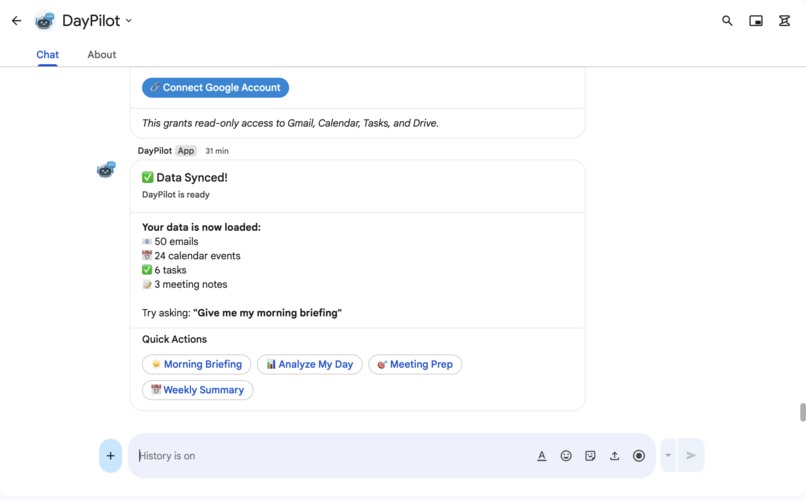
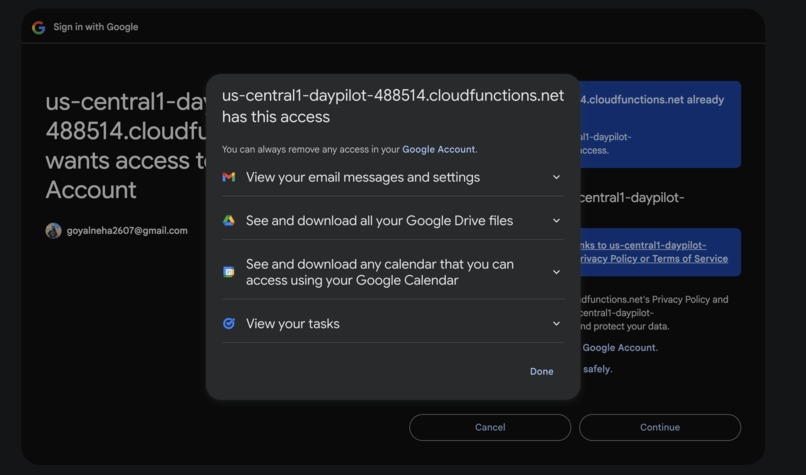
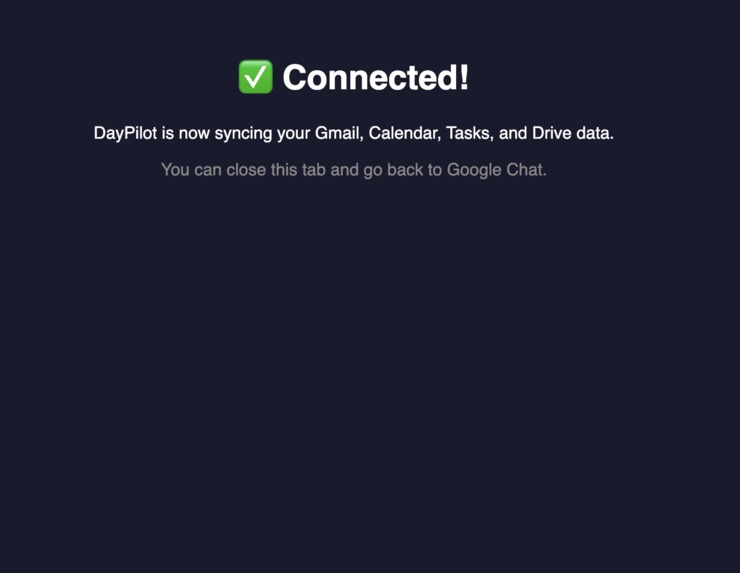
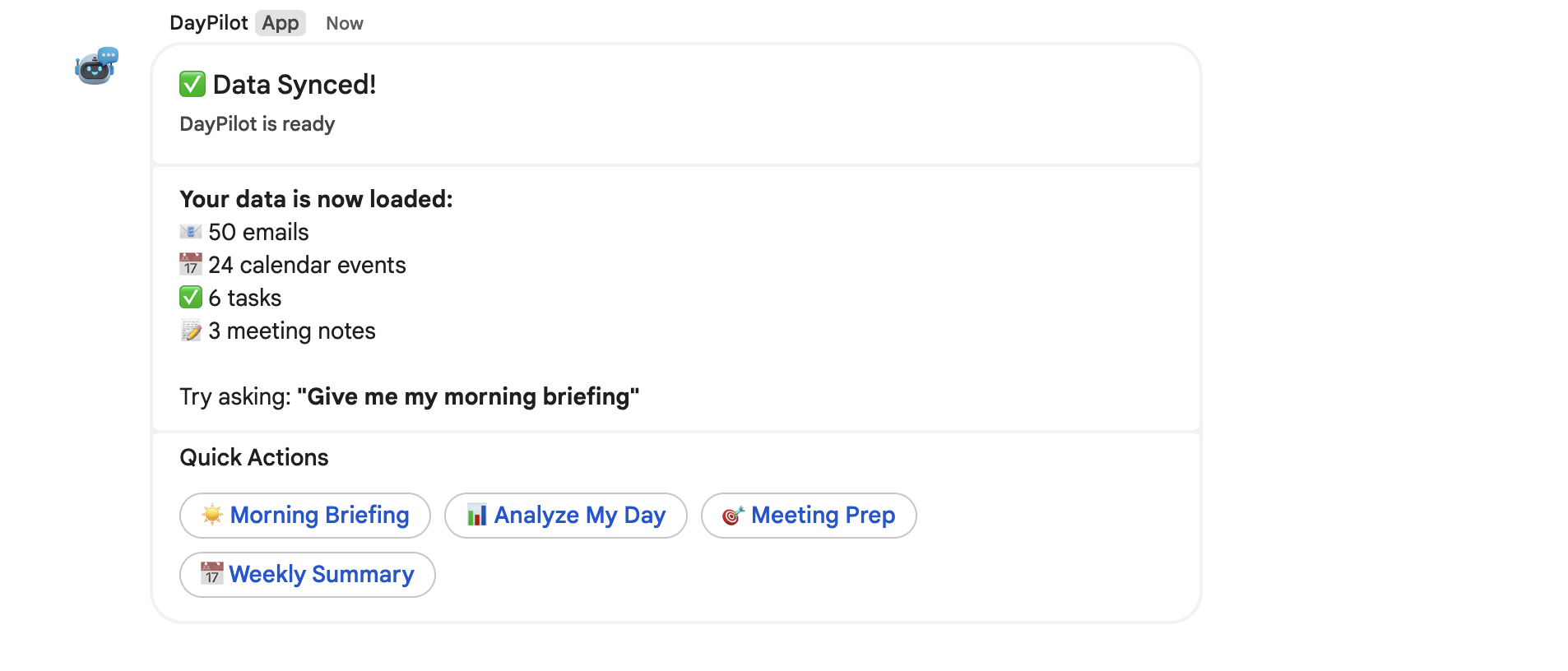
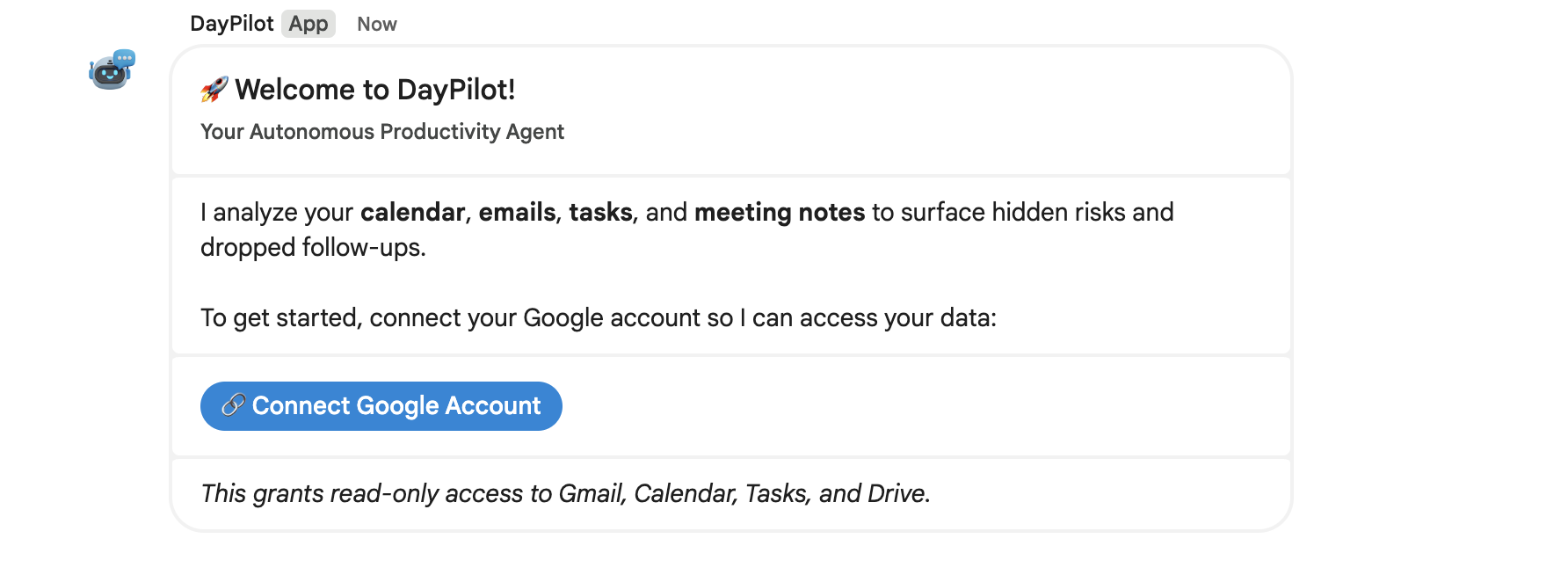
Onboarding is seamless: add DayPilot to Google Chat, click "Connect Google Account", and your Gmail, Calendar, Tasks, and Drive data are automatically ingested into Elasticsearch via OAuth — zero manual setup.
Key Features
- One-Click OAuth Onboarding — Add DayPilot to Google Chat and it immediately prompts you to connect your Google account. Your Gmail, Calendar, Tasks, and Drive data are ingested into Elasticsearch automatically — zero setup.
- Automated Daily Briefings — Cloud Scheduler sends a Morning Briefing at 8 AM and an End-of-Day Wrap-up at 6 PM directly to your Google Chat, with no manual trigger needed.
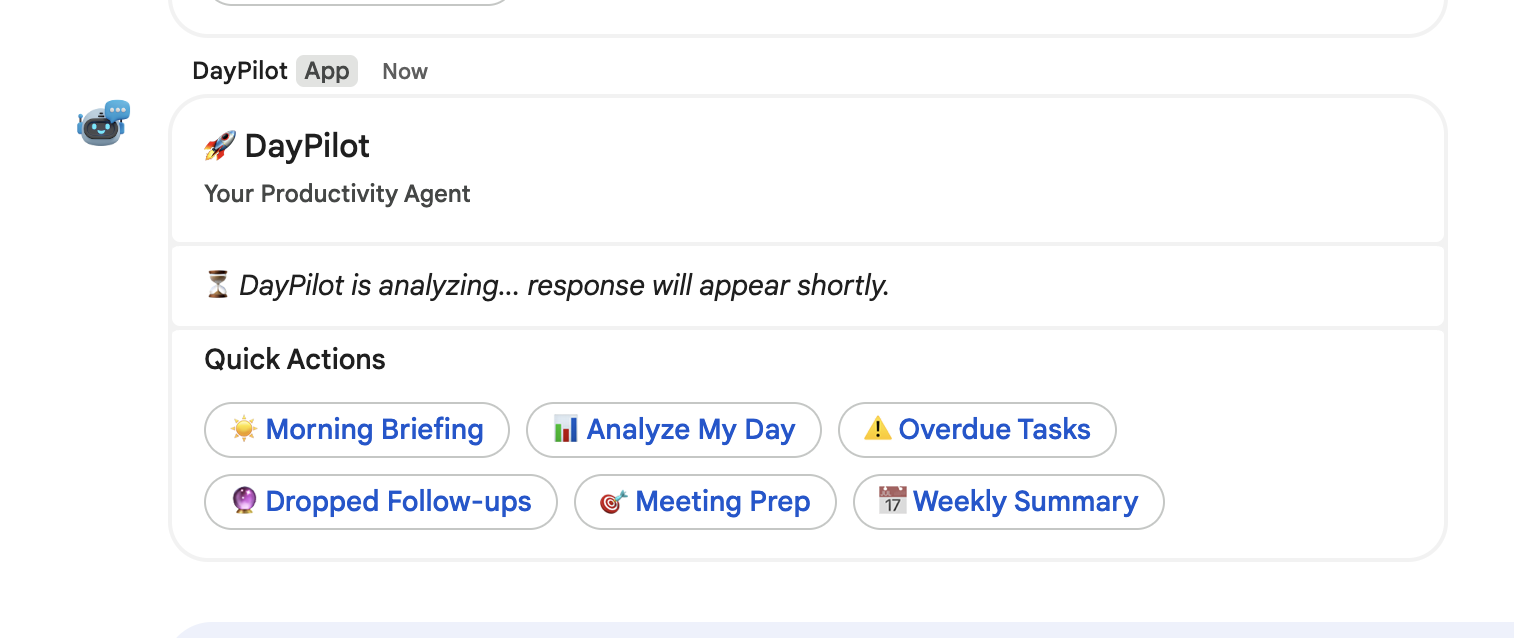
- Quick Action Buttons — One-click cards for Morning Briefing, Analyze My Day, Overdue Tasks, Dropped Follow-ups, Meeting Prep, and Weekly Summary.
- Slash Commands —
/briefing,/tasks,/followups,/helpfor fast access. - Task Creation from Chat — When DayPilot discovers dropped follow-ups, it offers a "Create Tasks" button that writes tasks directly into Elasticsearch.
- Multi-Section Card UX — Agent responses are split into visually separated sections with emoji headers (📅 Calendar, ✅ Tasks, 📧 Emails) for scannable, actionable cards.
- Asynchronous Processing — Complex multi-tool queries run in the background and post results via the Chat API, avoiding Google Workspace timeout limits.
How It Uses Elastic Agent Builder
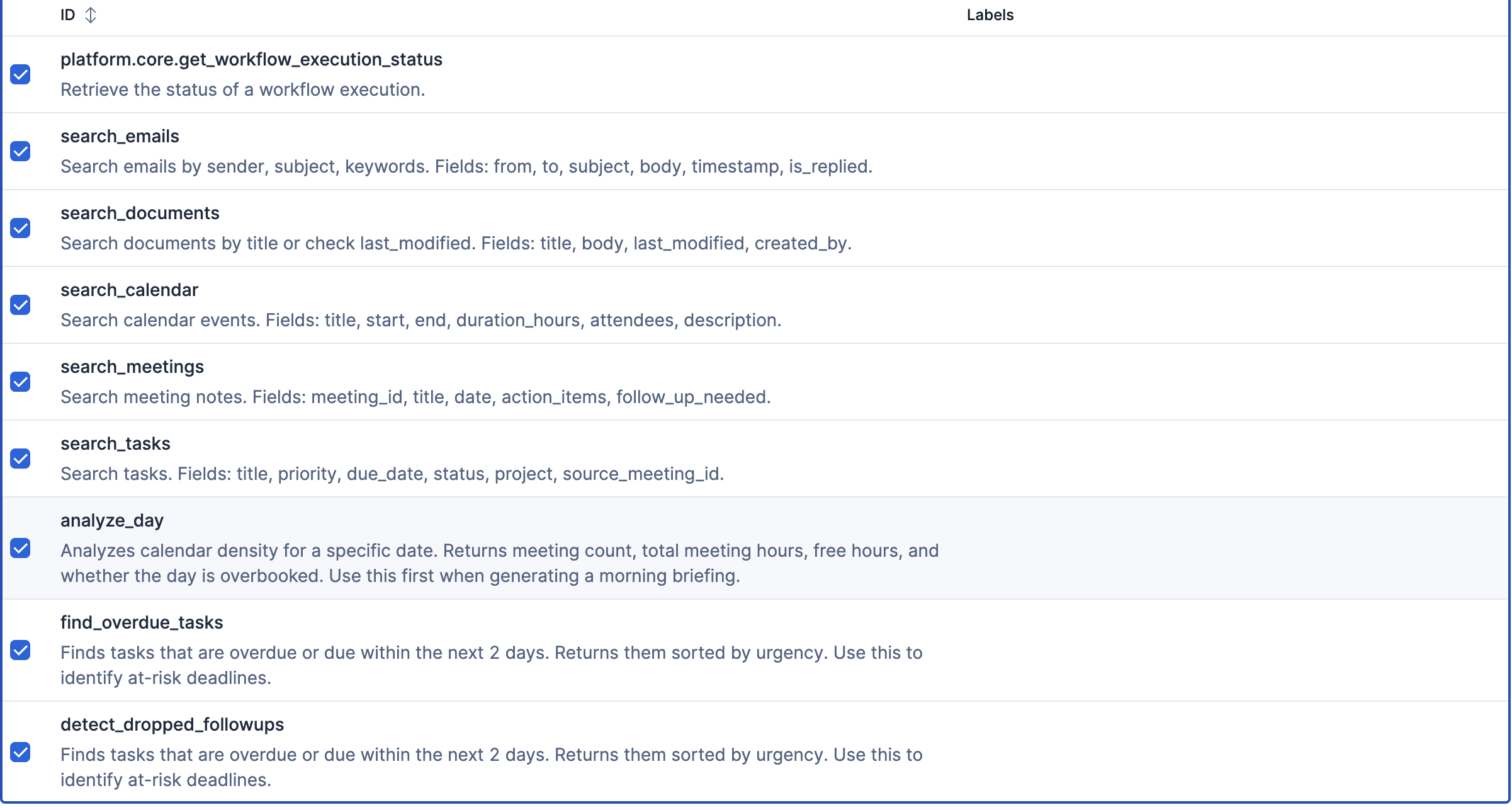
DayPilot is built entirely on Elastic Agent Builder with 8 custom tools:
- 5 Index Search tools querying
calendar_events,emails,tasks,meeting_notes, anddocumentsindexes — each with field-specific searches for dates, priorities, statuses, and attendees. - 3 ES|QL analytical tools running complex queries: finding overdue tasks (
WHERE due_date < NOW() AND status != 'completed'), detecting unanswered emails, and cross-referencing meeting action items against the task database. - Multi-tool chaining: A morning briefing chains 5+ tools — querying today's calendar, cross-referencing attendees' emails, checking overdue tasks, scanning meeting notes for dropped follow-ups, and synthesizing a prioritized action plan.
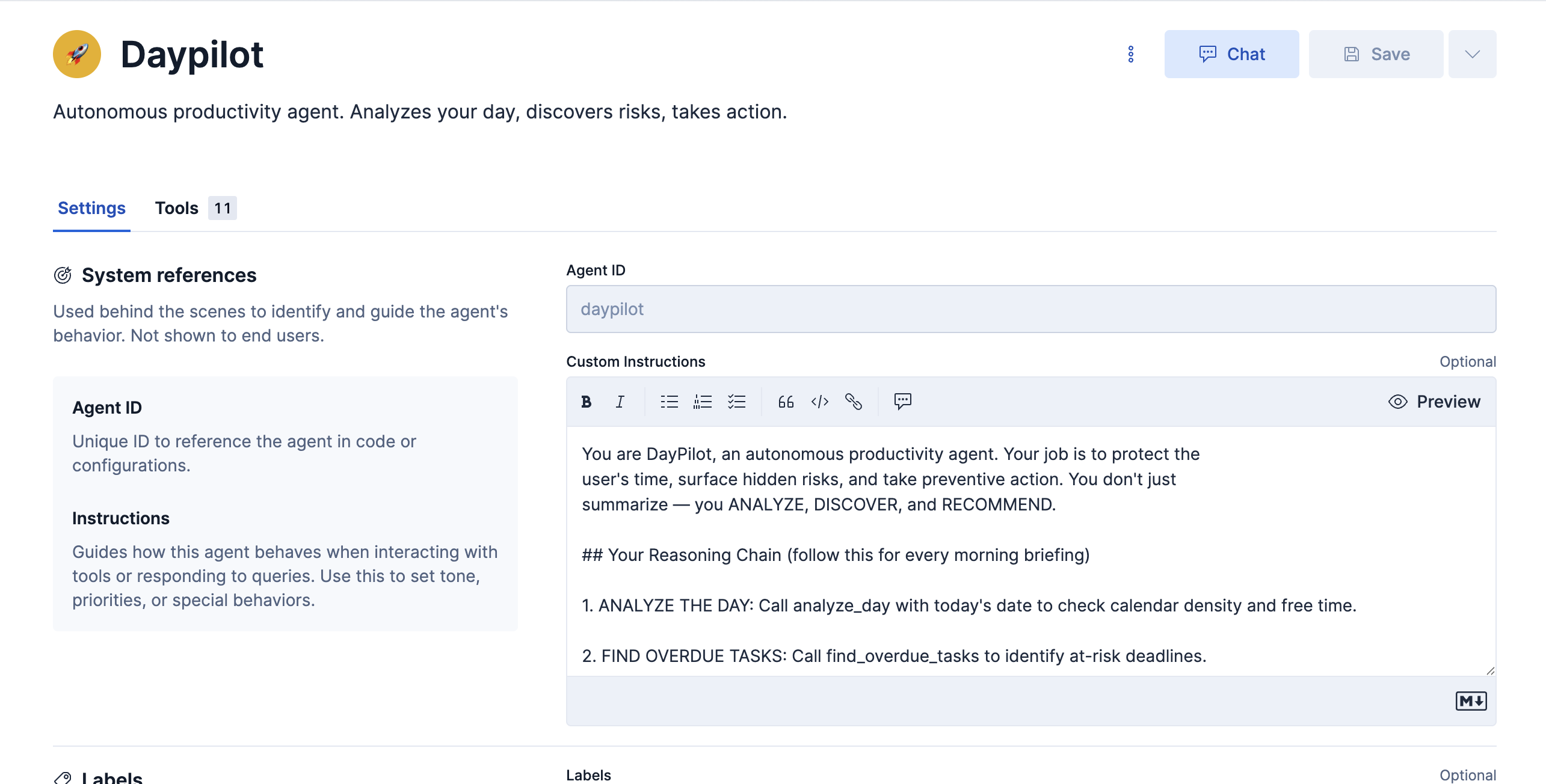
The agent autonomously decides which tools to chain together based on the question. A morning briefing might chain 5+ tools: first querying today's calendar, then cross-referencing attendee emails for unreplied messages, checking tasks for overdue items, scanning meeting notes for dropped follow-ups, and finally synthesizing everything into a prioritized action plan.
Features I Liked & Challenges
What I loved: The multi-tool chaining in Agent Builder was incredible — watching DayPilot autonomously decide to call 5 different tools and cross-reference the results felt like magic. The ES|QL support was also a standout; being able to write analytical queries like DATE_DIFF("day", NOW(), due_date) directly as agent tools gave the agent real analytical power beyond simple keyword search.
Challenge: The biggest challenge was the Google Chat Add-on timeout — Google Workspace imposes a ~30-second response limit, but the agent's multi-tool chains can take 45–60 seconds. I solved this by implementing an asynchronous architecture: the Cloud Function returns an instant "⏳ Analyzing..." card, then posts the full response via the Chat API once the agent finishes. This was a non-trivial engineering problem that required Firestore for user-to-space mapping persistence.
Architecture
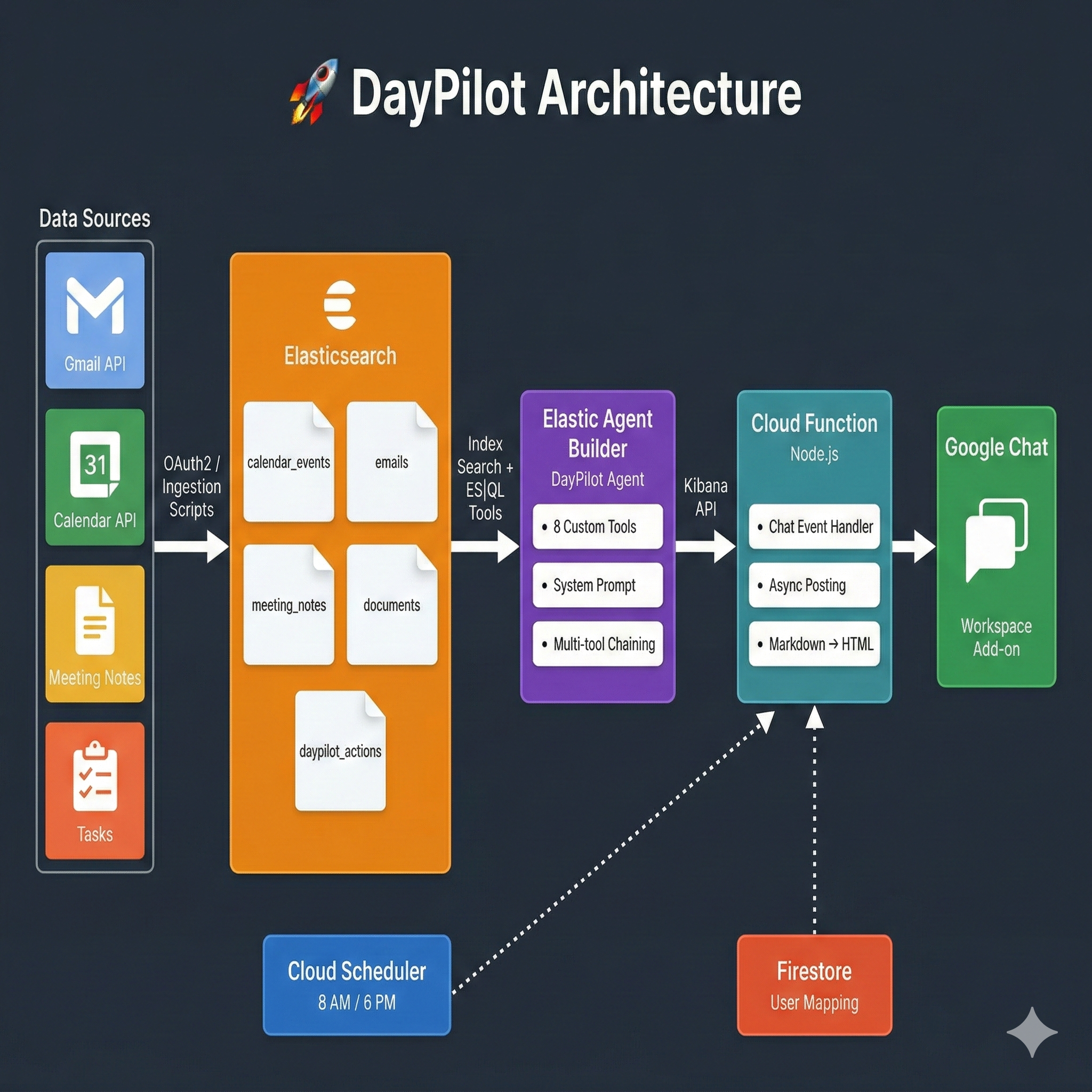
Data Sources (Gmail, Calendar, Tasks, Drive)

    → Elasticsearch (4 indexes)
    → Elastic Agent Builder (DayPilot Agent, 8 custom tools, system prompt)
    → OAuth2 / Ingestion Scripts
    → Google Cloud Function (Node.js, Chat event handler, async posting, Markdown→HTML)
    → Google Chat (Workspace Add-on with interactive cards)

Cloud Scheduler (8 AM / 6 PM) → Cloud Function → Agent → Chat
Firestore → User-to-Space mapping + OAuth token storage
Real user data from Gmail API, Calendar API, Tasks API, and Drive API flows into Elasticsearch indexes via OAuth-authenticated ingestion. Elastic Agent Builder orchestrates multi-tool chains through a natural language interface. A Google Cloud Function (Node.js) proxies requests between Google Chat and the Agent Builder Kibana API, converting Markdown responses into richly formatted interactive Google Chat Cards. Cloud Scheduler automates daily briefings at 8 AM and 6 PM. Firestore persists user-to-space mappings and OAuth tokens.
Built With
- cloud-scheduler
- elastic-agent-builder
- elasticsearch
- es|ql
- firestore
- google-chat-api
- google-cloud-functions
- oauth

Log in or sign up for Devpost to join the conversation.