-
-
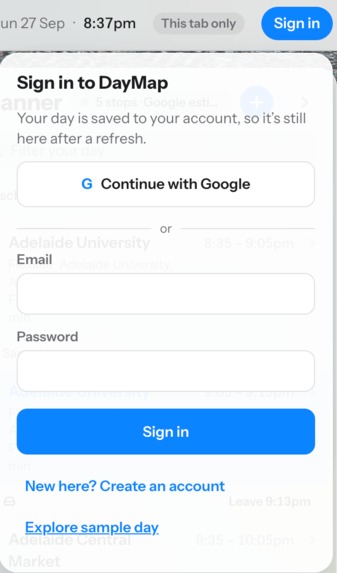
Login Page
-
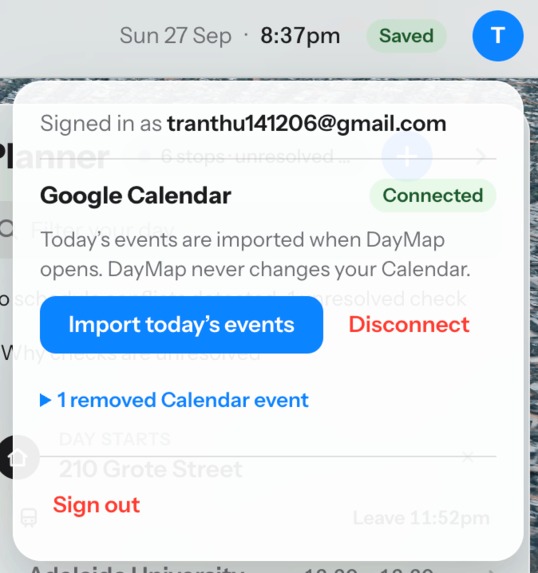
Calander connect
-
-
-
-
-
-
-
-
Inspiration
A calendar tells you when something happens, while a maps app tells you how to reach a destination. Neither clearly shows whether your entire day works as a journey.
We were inspired by a common experience: one delayed bus, an appointment running overtime, or an event on the other side of the city can make the rest of the day unexpectedly difficult. Manually replanning everything creates even more stress when someone is already running late.
That led us to build DayMap: a visual daily planner that connects time, place, and travel on one interactive map.
DayMap is designed for anyone managing multiple commitments. It may be particularly helpful for people who prefer clear transitions and fewer surprises—including some neurodivergent users—without requiring anyone to disclose a diagnosis.
What it does
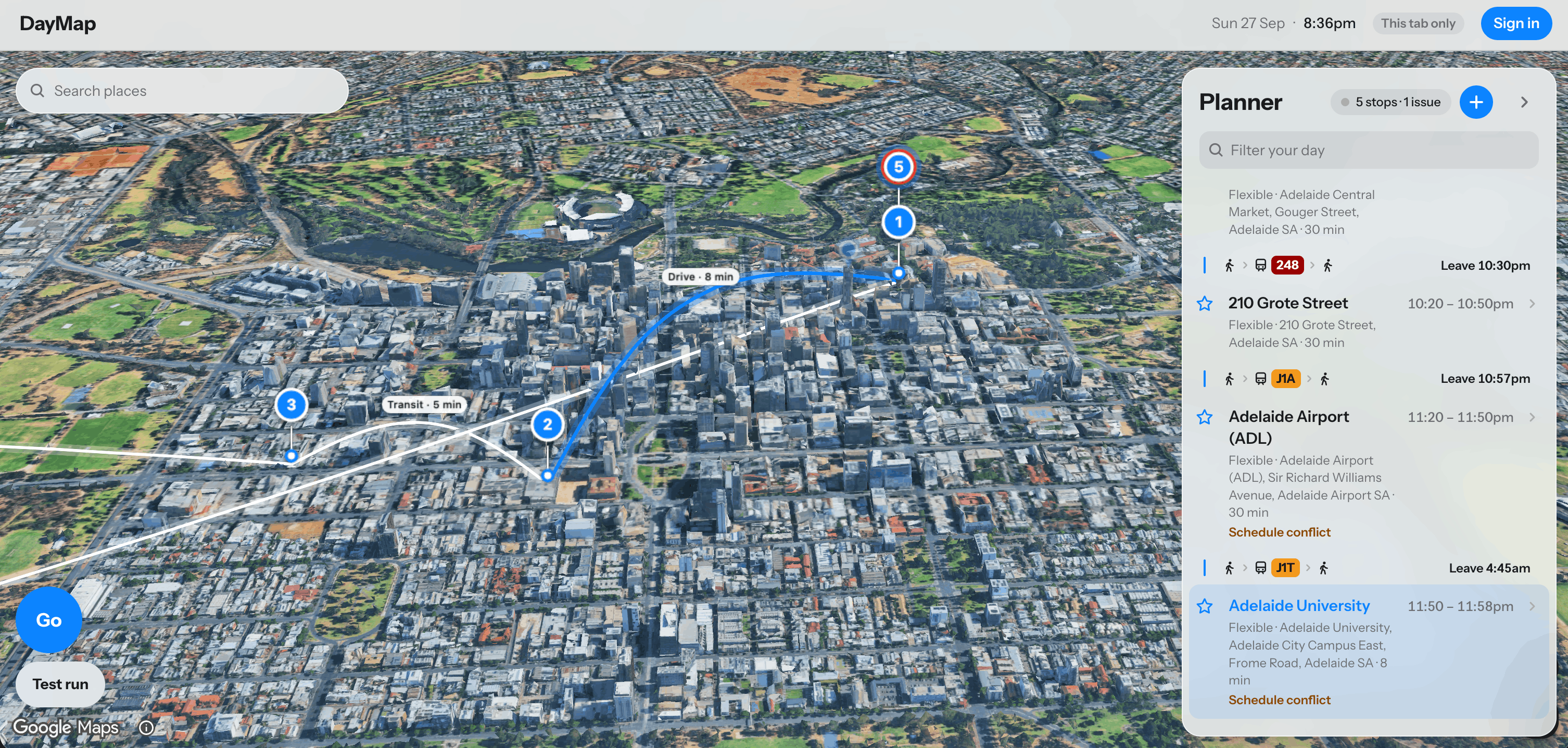
DayMap turns a user's Google Calendar into a visual route through their day.
Users can:
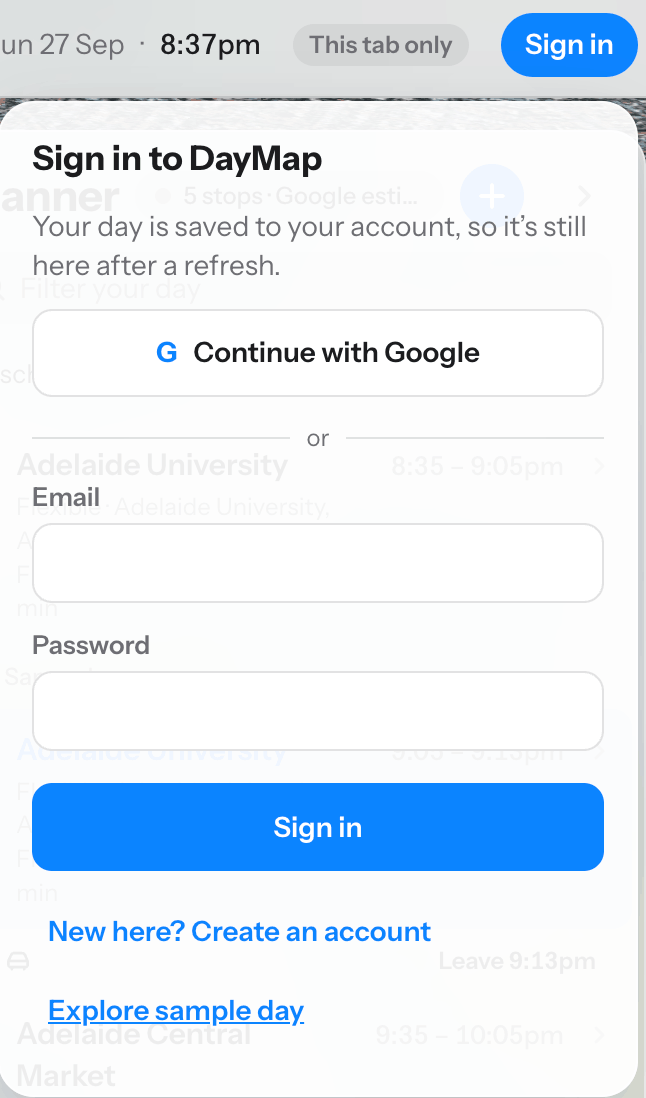
- Sign in securely with Google.
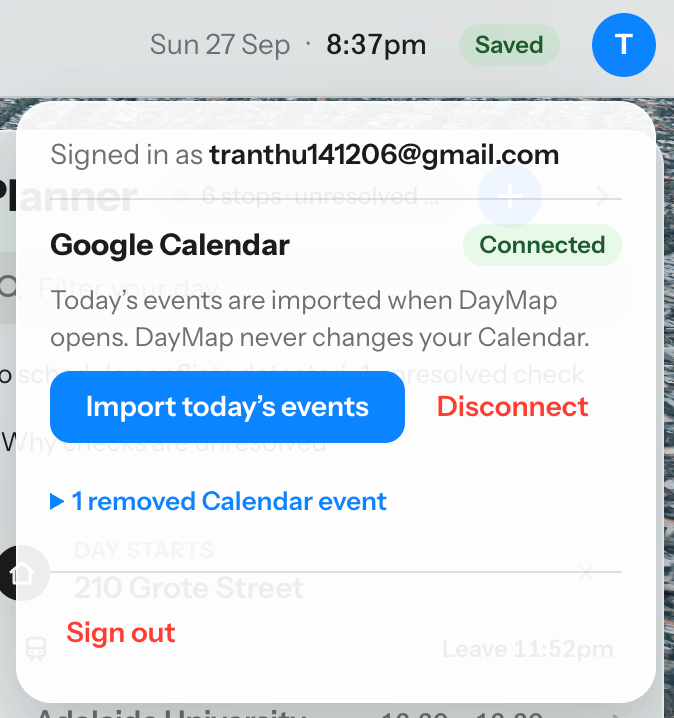
- Connect their primary Google Calendar with read-only permission.
- Import today's Calendar events into a visual planner.
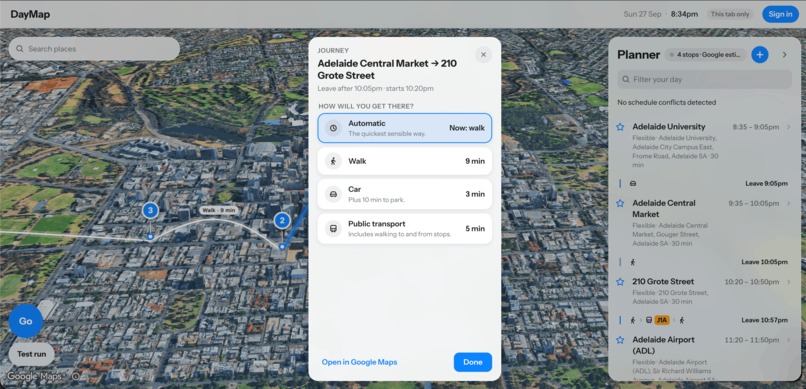
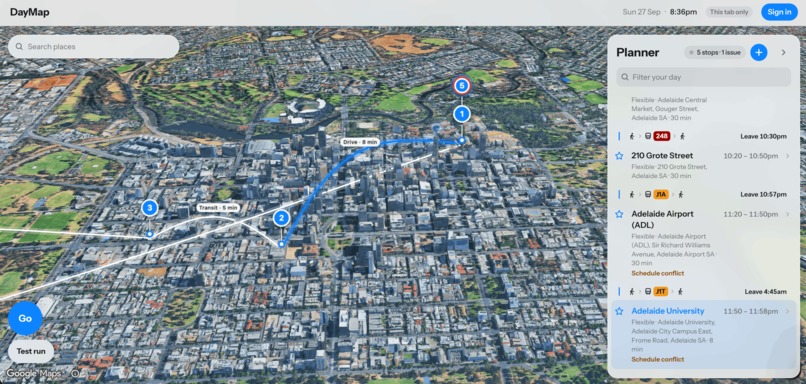
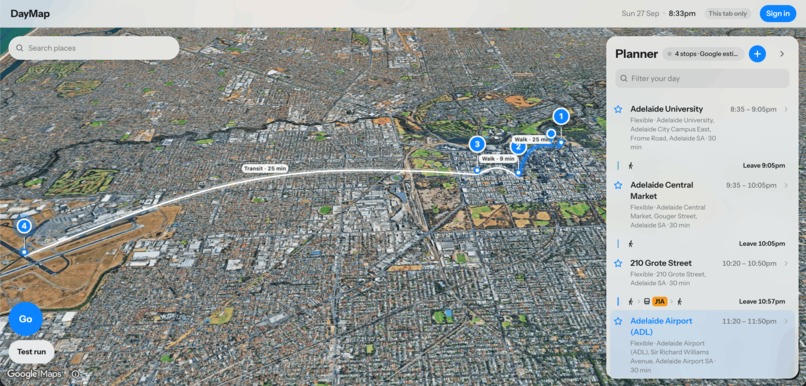
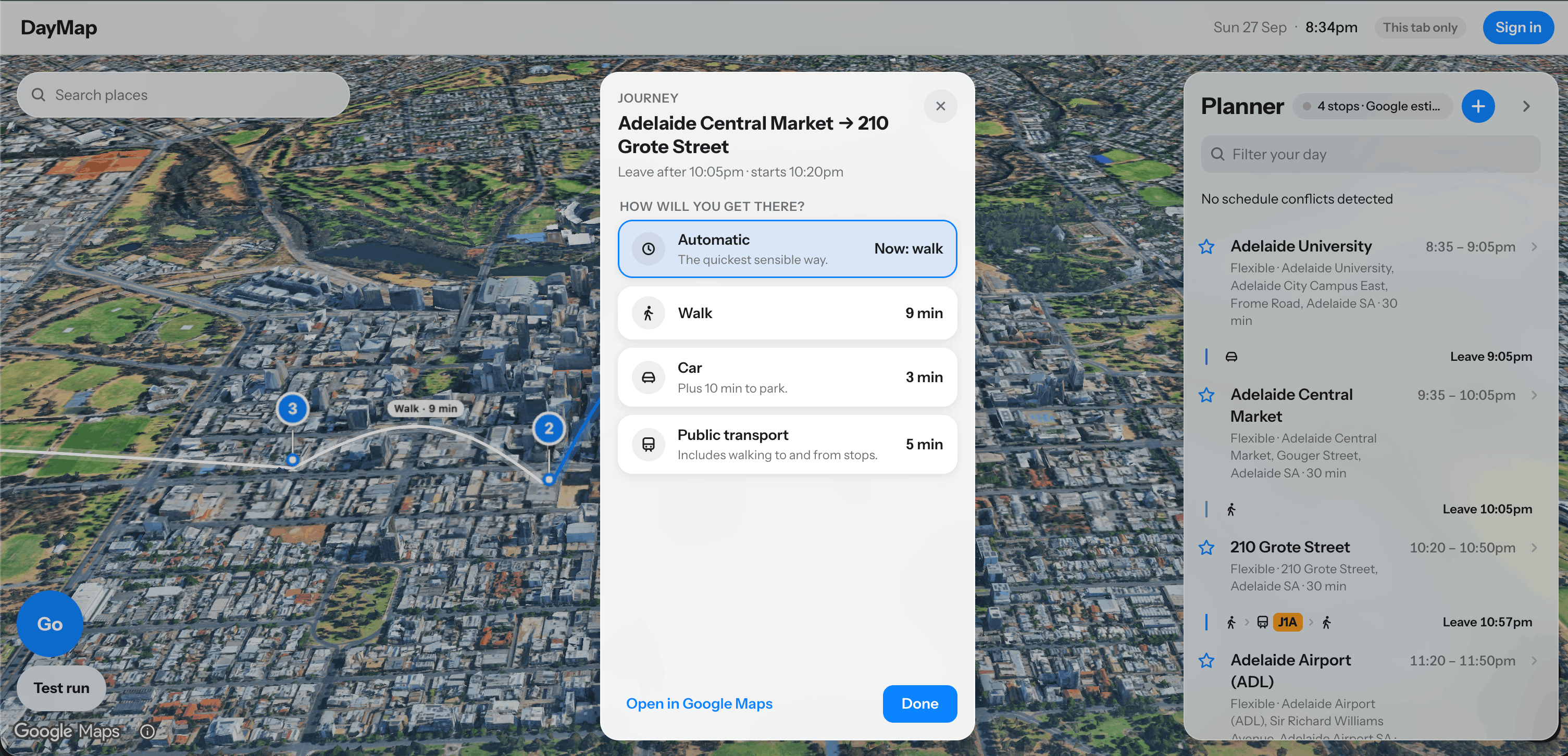
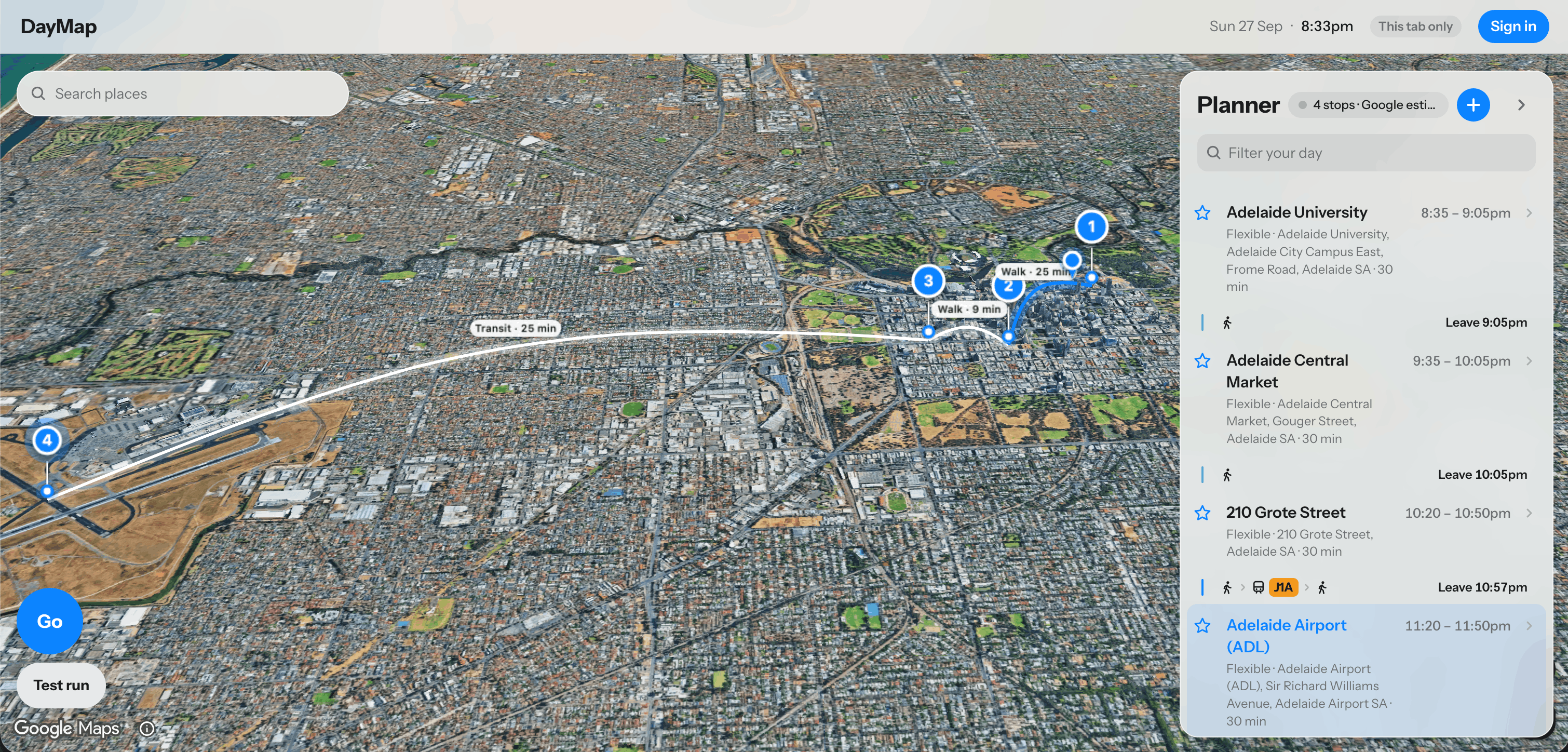
- See events as ordered stops connected to their locations on a map.
- Preview a route through the entire day.
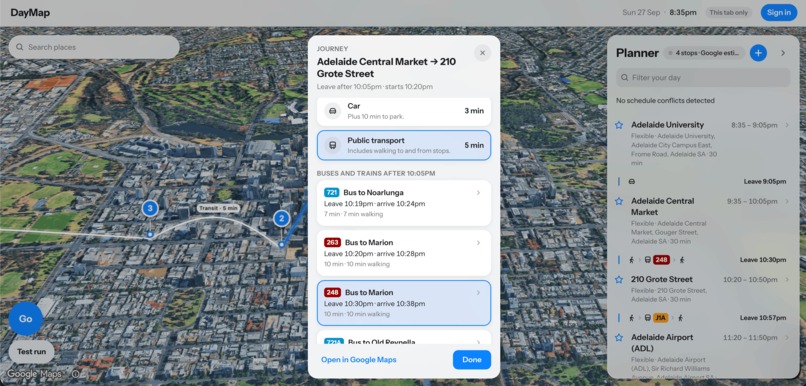
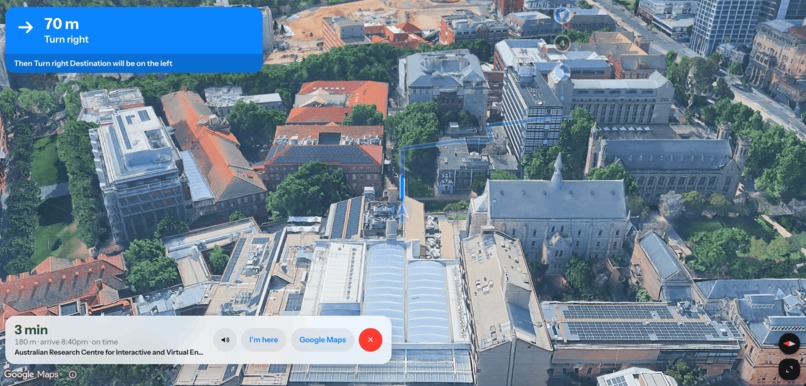
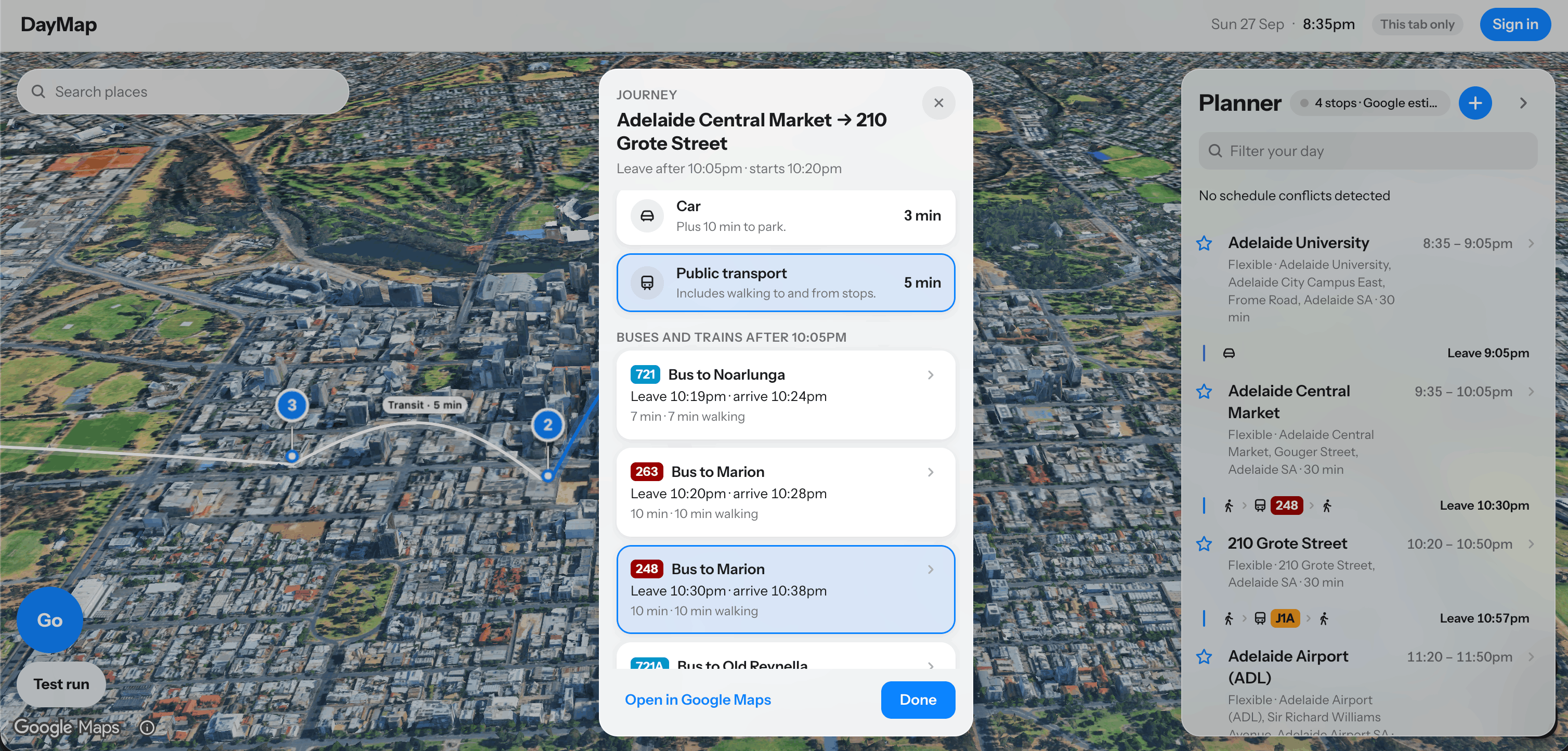
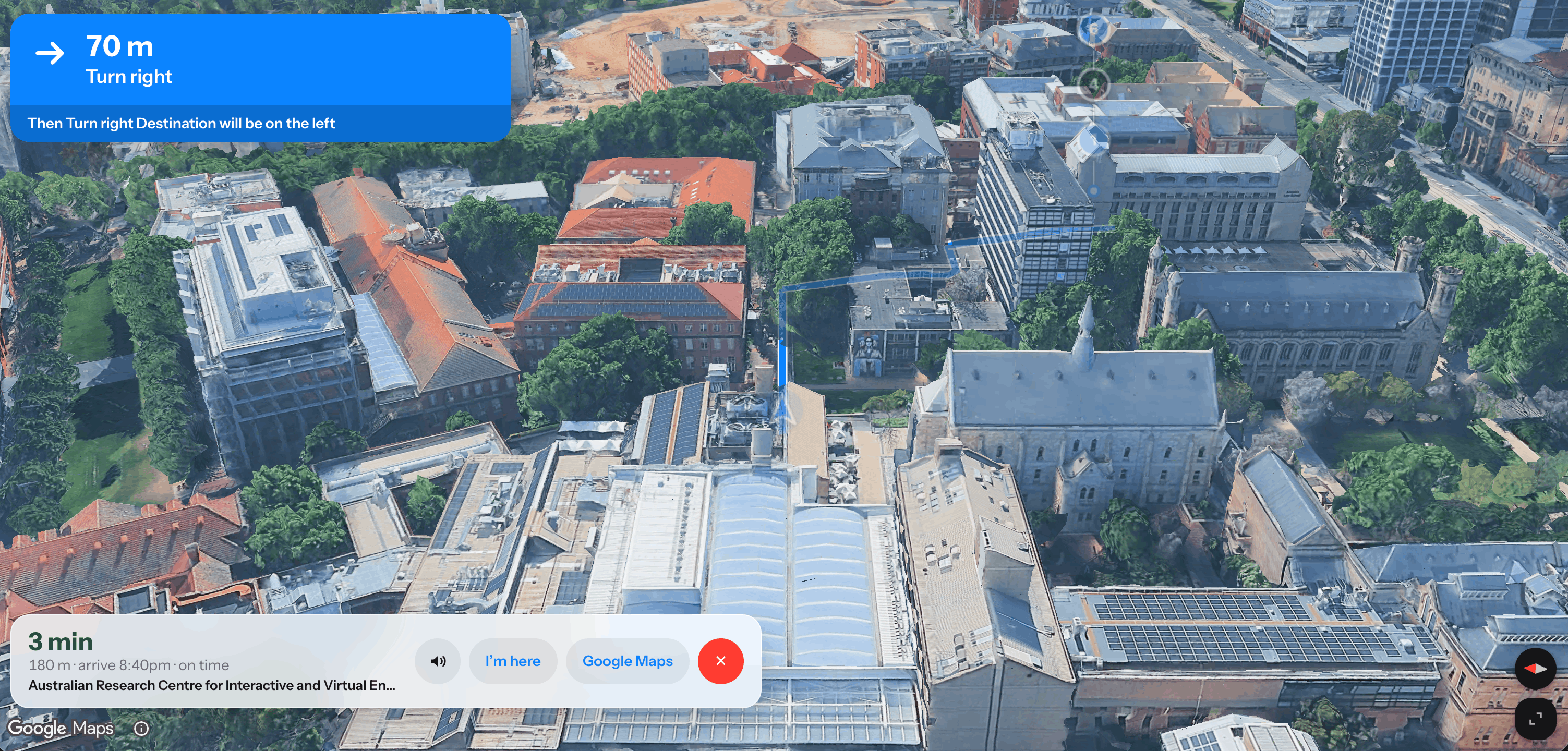
- Focus on the journey between two selected events.
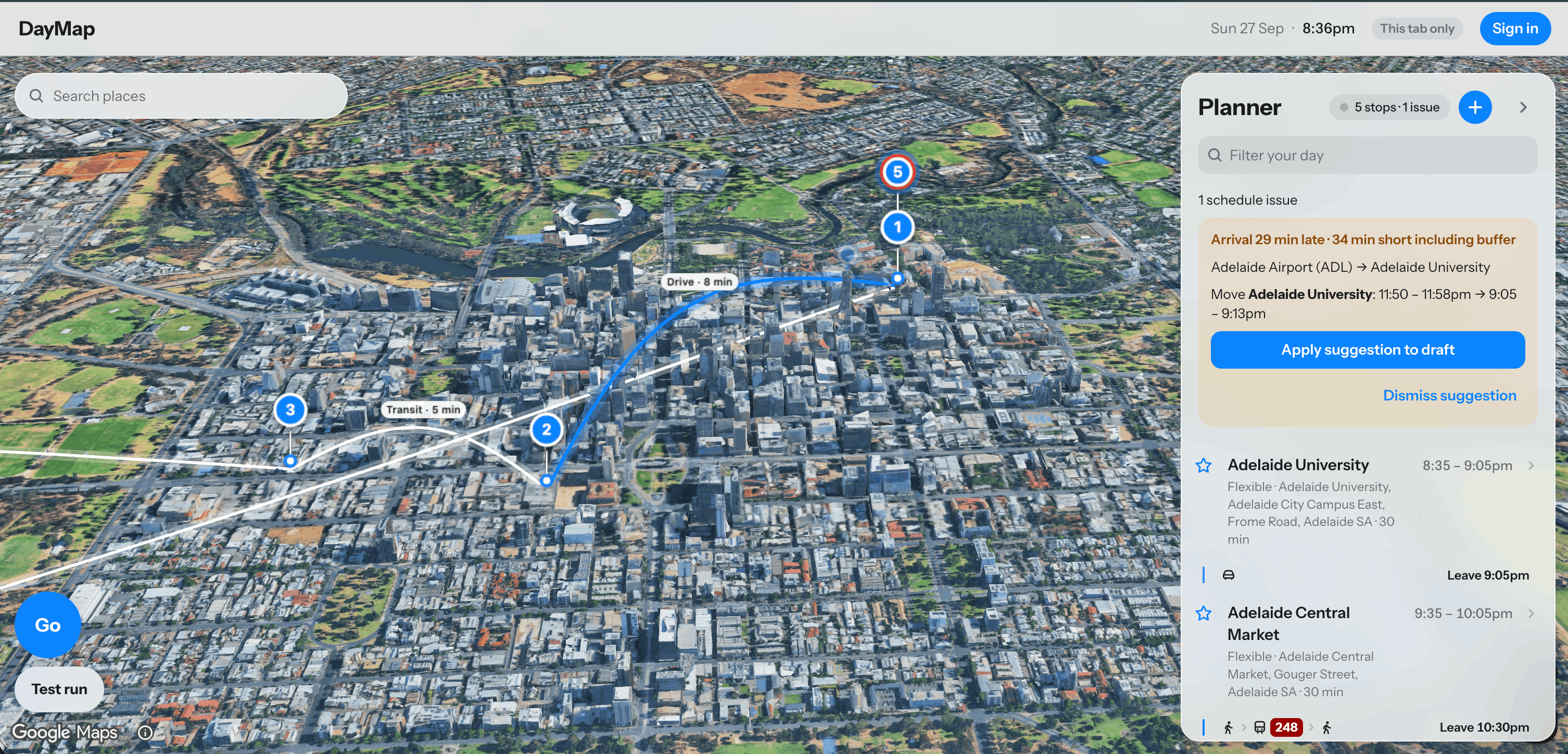
- View estimated travel and arrival times.
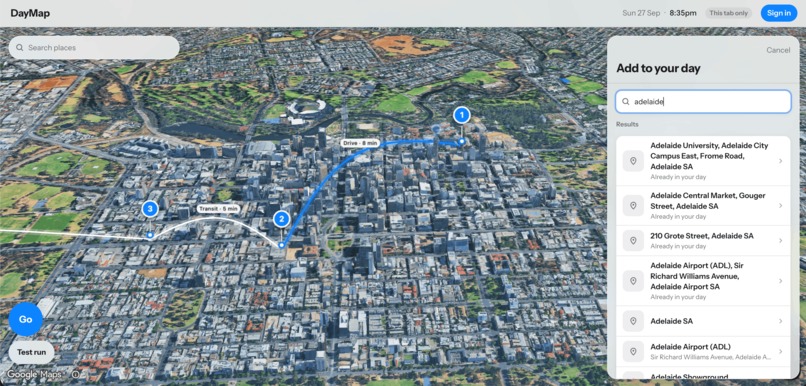
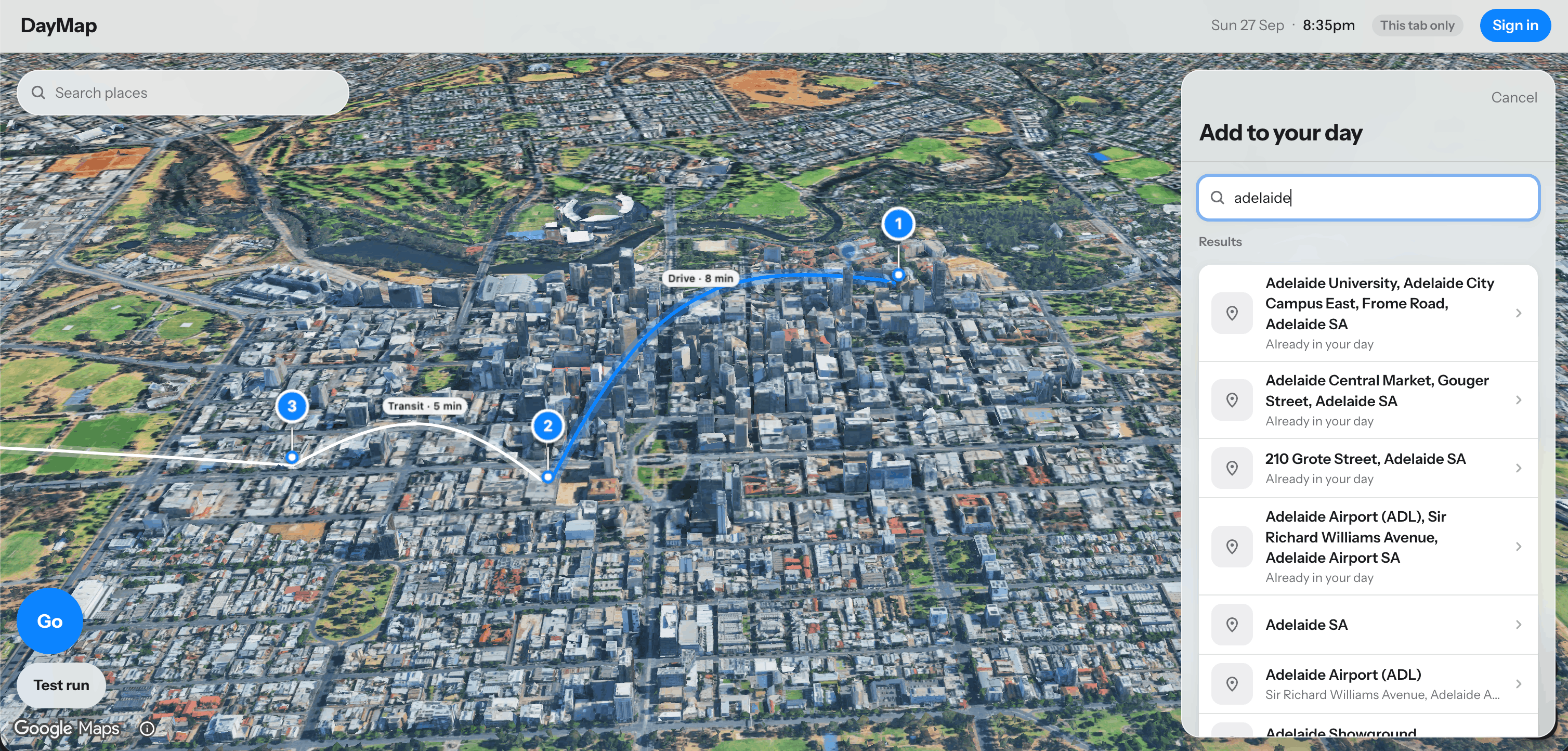
- Search for and confirm locations when an event has an incomplete or ambiguous address.
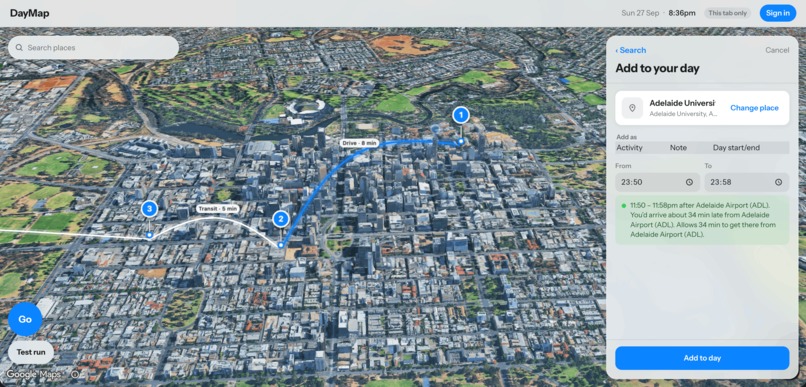
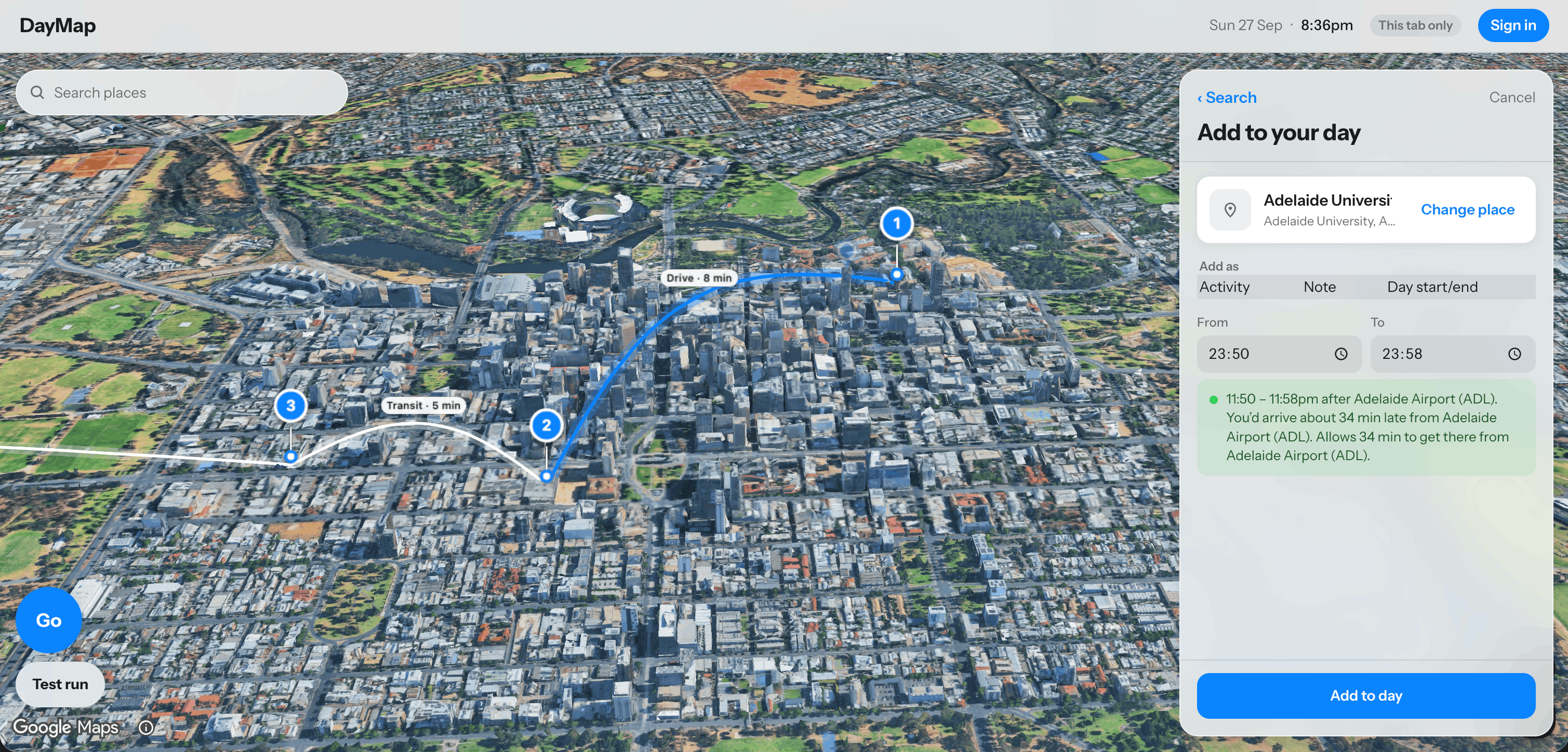
- Add an activity or intermediate stop between existing events.
- Edit an imported event's title, time, duration, and location without changing the original Google Calendar event.
- Mark important commitments as fixed.
- Skip or remove an optional event and update the remaining plan.
- Restore previously removed Calendar events.
- Save their personalised daily plan and reload it when they return.
- Keep the planner and map synchronized so selecting an event also highlights its location.
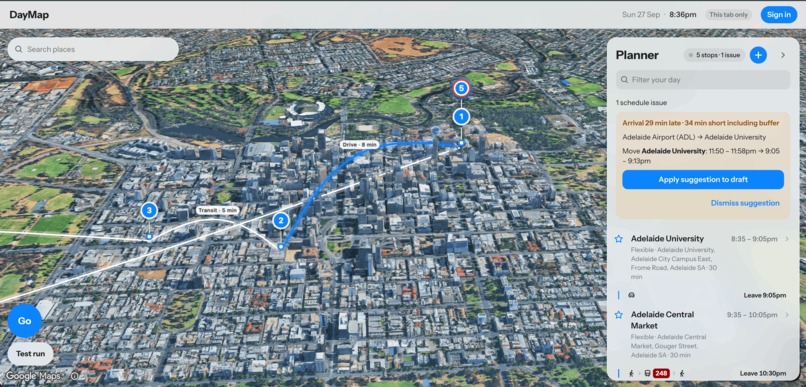
For our demonstration, DayMap uses a simulated daily plan containing several commitments across Adelaide. The user can run through the complete journey or focus on a particular section of the day. Adding a stop or skipping an activity updates the remaining route, timings, and schedule.
Instead of treating the map as decoration, DayMap uses geography as part of the planning process. Stops, travel legs, available time, and fixed commitments become visible in one place.
How we built it
We built DayMap as a full-stack JavaScript web application.
The frontend uses React and Vite to provide the planner, event editor, account controls, map interactions, and responsive interface. The planner and map use the same plan state so event changes remain consistent across both views.
Our Node.js and Express backend provides authenticated endpoints for saved plans, Google Calendar connection and import, validation, and external-service integration.
Imported Calendar data is converted into DayMap's normalized event format. This prevents the rest of the application from depending directly on Google-specific response objects and gives users an editable DayMap copy without modifying their original Calendar event.
We use Supabase Auth for user accounts and Supabase PostgreSQL for per-user plan persistence. Row-level access controls and authenticated backend requests help ensure that one user cannot access another user's plans.
Google Calendar access uses a separate server-side OAuth flow with the narrow calendar.events.readonly permission. Refresh tokens are encrypted before storage, and one-time OAuth state values are validated during the callback process.
The mapping layer uses Google Maps Platform for the interactive map, place selection, markers, and journey information. Our planning model represents each day using ordered stops and travel legs, allowing the interface to identify gaps, overlaps, unresolved locations, and timing pressure.
We also created automated tests covering planner state, time-zone handling, Calendar normalization, persistence, event editing, map calculations, suggestions, and user isolation.
Challenges we ran into
Connecting two different authorization systems
Signing into DayMap with Google and granting DayMap access to Google Calendar are related, but they are not the same permission.
We needed to coordinate Supabase authentication with a separate server-side Calendar OAuth flow. This involved configuring exact redirect URLs, managing test users, validating OAuth state, refreshing access tokens, and ensuring sensitive credentials never reached the browser.
Working with incomplete Calendar data
Calendar events do not always contain clean, map-ready locations. Some have no address, while others contain a room name, building name, or ambiguous text.
Rather than hiding these events or guessing silently, DayMap keeps them in the planner and allows the user to confirm the correct place.
Combining time with geography
A route can be geographically valid while still being impossible within the available time. We had to represent event duration, travel estimates, fixed commitments, flexible stops, and buffers as one connected daily plan.
Handling real scheduling edge cases
Real Calendar data includes all-day events, repeated imports, time zones, events crossing midnight, missing locations, and user edits.
We needed to normalize these cases while avoiding duplicate events and preserving the user's local DayMap changes when their Calendar was synchronized again.
Keeping the planner and map synchronized
The same event may appear as a planner row, map marker, journey endpoint, and saved database object. Maintaining a shared source of truth was essential to prevent the timeline and map from showing different information.
Integrating team contributions
The planner, map, backend, database, authentication, and Calendar connection were developed in parallel. Combining these components under hackathon time pressure required clear interfaces, frequent testing, careful conflict resolution, and disciplined version control.
Accomplishments that we're proud of
We are proud that DayMap treats the map as the central planning interface rather than as a visual background.
During the hackathon, we:
- Built a connected map and planner experience.
- Integrated secure Google sign-in.
- Added read-only Google Calendar connection and event import.
- Made imported events editable inside DayMap without changing the original Calendar.
- Added whole-day and event-to-event journey modes.
- Allowed users to insert intermediate stops.
- Allowed optional events to be skipped or restored.
- Added travel and arrival estimates.
- Implemented per-user plan persistence.
- Added protections to isolate each user's data.
- Supported events with missing or unresolved locations.
- Added an offline-friendly demo plan for reliable demonstrations.
- Developed automated tests across both frontend and backend behaviour.
We are especially proud that DayMap keeps the user in control. It does not silently rewrite someone's day; it makes the consequences visible and allows the user to decide what should change.
What we learned
We learned that daily planning is not simply a shortest-route problem.
A useful plan must consider:
- Fixed appointments.
- Flexible activities.
- Travel time.
- Event duration.
- Available gaps.
- Missing information.
- Personal priorities.
- The effect of every change on the rest of the day.
We also gained practical experience with:
- OAuth 2.0 and secure token handling.
- Google Calendar integration.
- Google Maps Platform.
- PostgreSQL migrations.
- Supabase authentication and row-level security.
- Time-zone-safe scheduling.
- API normalization.
- Shared state between maps and planners.
- Automated frontend and backend testing.
- Full-stack collaboration through Git and GitHub.
Most importantly, we learned that an adaptive planning tool should explain its suggestions rather than make unexplained decisions for the user.
What's next for DayMap
Our next steps are to:
- Add a seven-day Calendar view alongside the focused daily map.
- Recalculate the remaining plan when delays occur.
- Incorporate live traffic and public-transport disruption information.
- Add weather information for walking and outdoor activities.
- Present multiple visual Plan B options when the original schedule becomes infeasible.
- Suggest alternative flexible stops located along the user's updated route.
- Add optional morning-plan generation and notifications.
- Improve accessibility and conduct testing with a wider range of users.
- Expand transport-mode support.
- Deploy the application for broader public testing.
Our long-term vision is for DayMap to become a calm and explainable layer between a calendar and a navigation app—helping people understand not only where they need to go, but whether their whole day actually works.
Third-party services and AI disclosure
DayMap uses:
- Google Calendar API
- Google OAuth 2.0
- Google Maps Platform
- Google Places API
- Google Routes API
- Supabase Auth
- Supabase PostgreSQL
OpenAI ChatGPT and Codex were used to support brainstorming, development planning, debugging, code review, and documentation. All generated suggestions were reviewed, adapted, tested, and integrated by the team.
Third-party purchases: None.
Built With
- 2.0
- api
- calendar
- css3
- express.js
- git
- html5
- javascript
- maps
- node.js
- npm
- oauth
- places
- platform
- postgresql
- react
- rest
- routes
- supabase
- vite


Log in or sign up for Devpost to join the conversation.