-
-

-
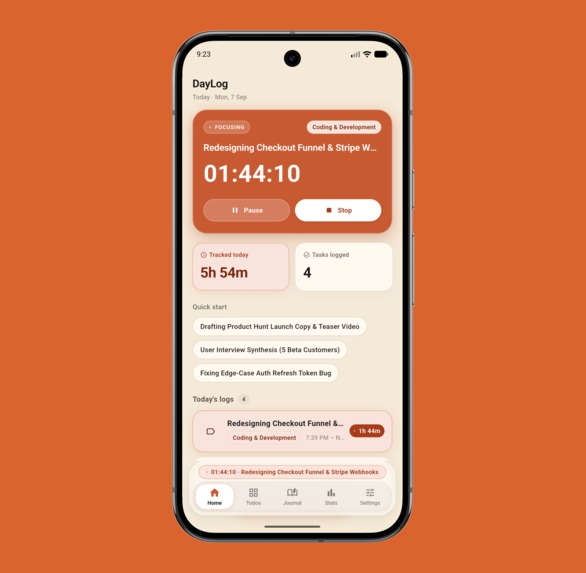
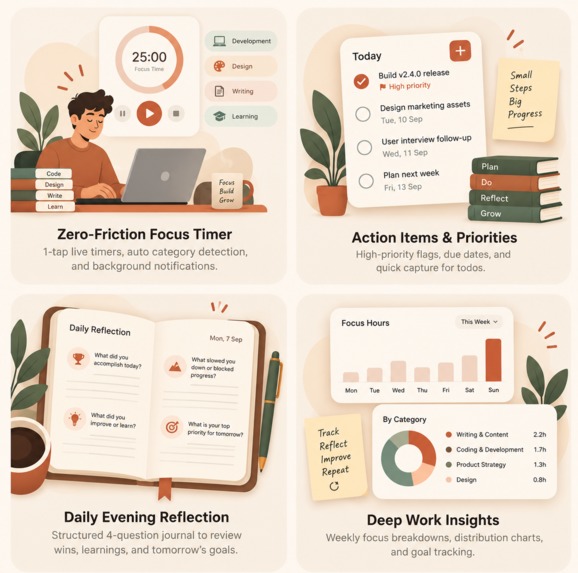
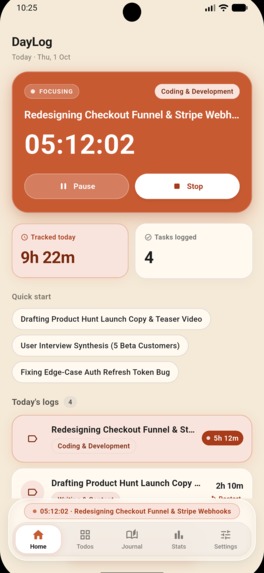
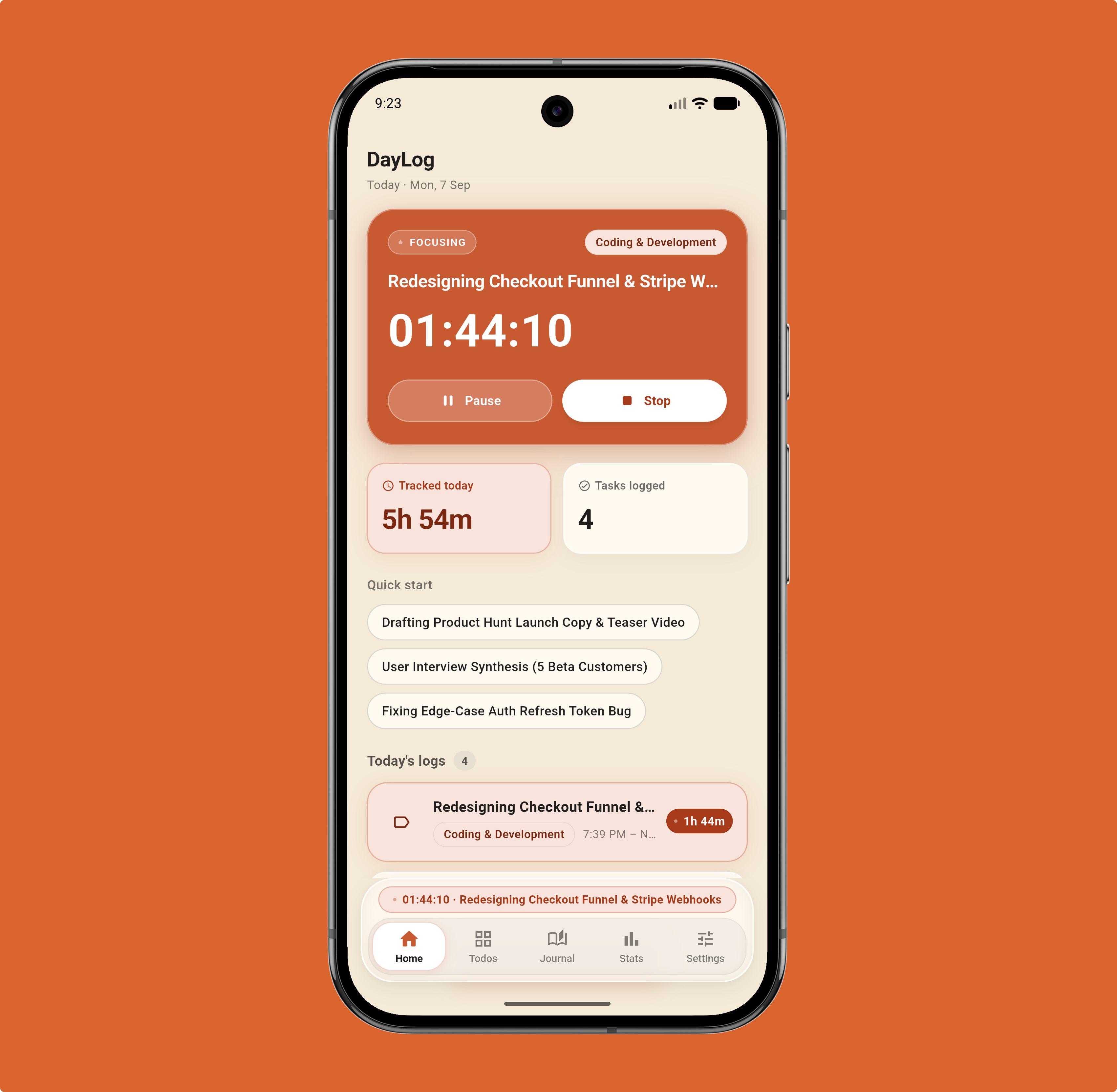
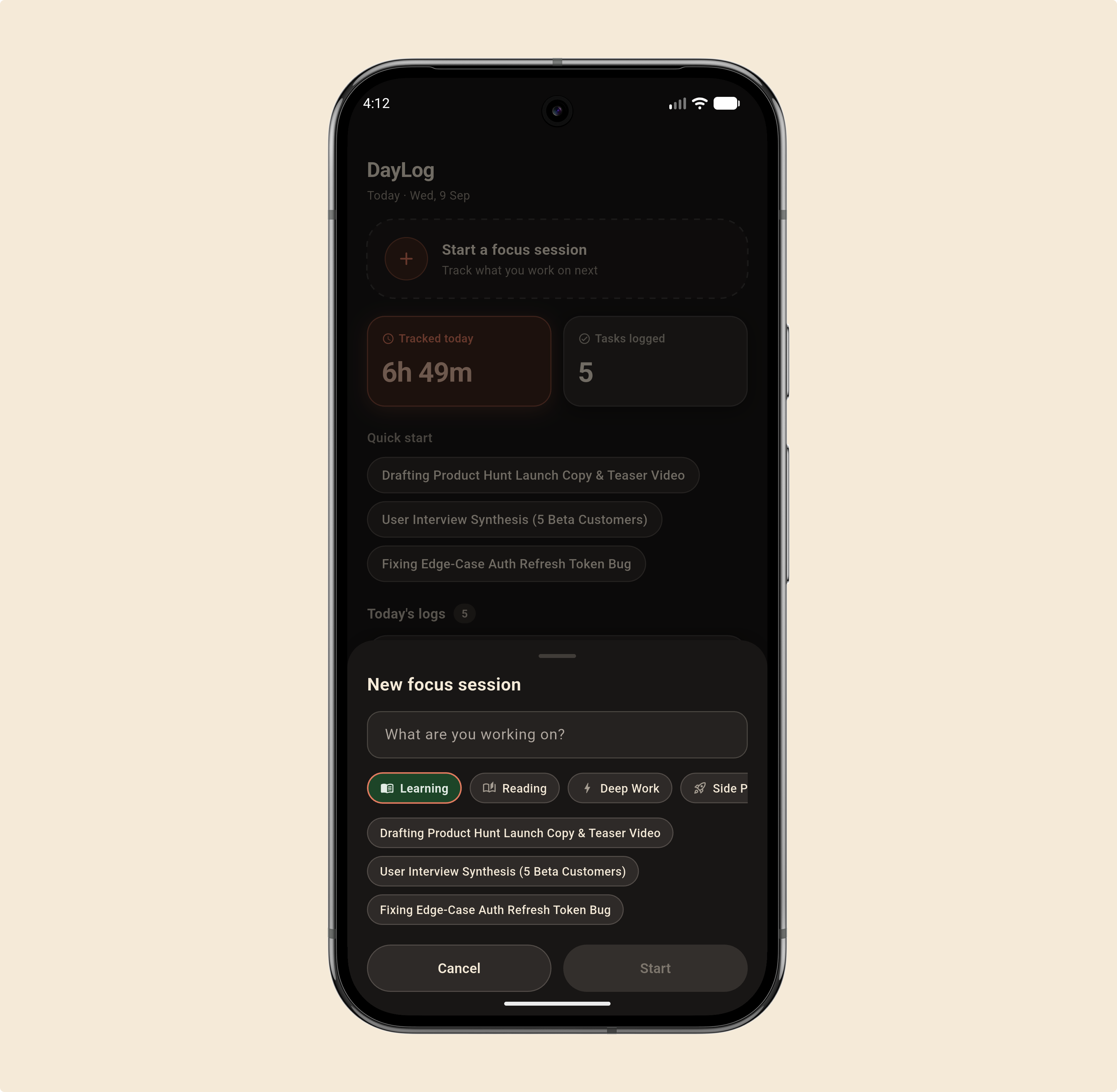
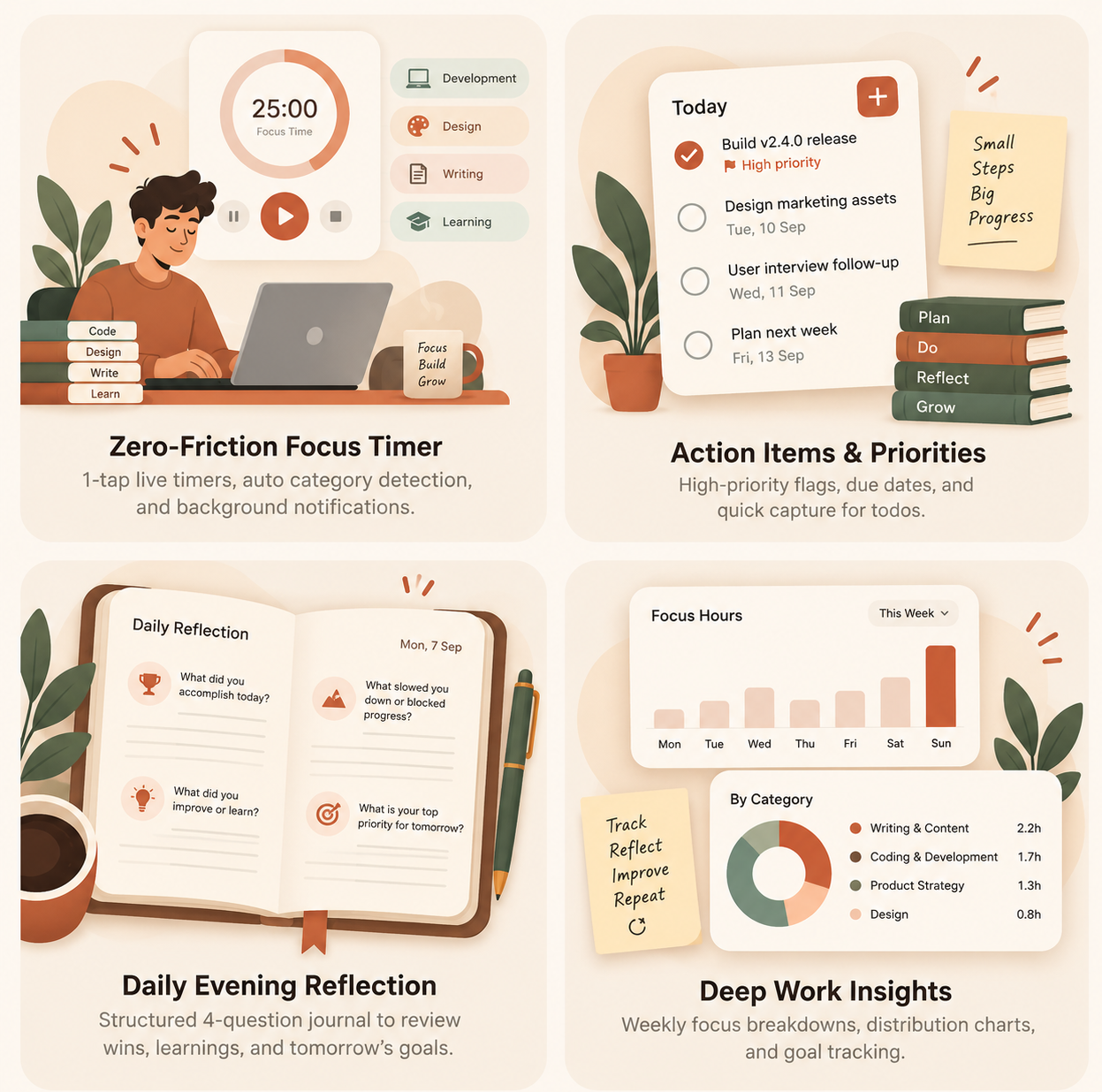
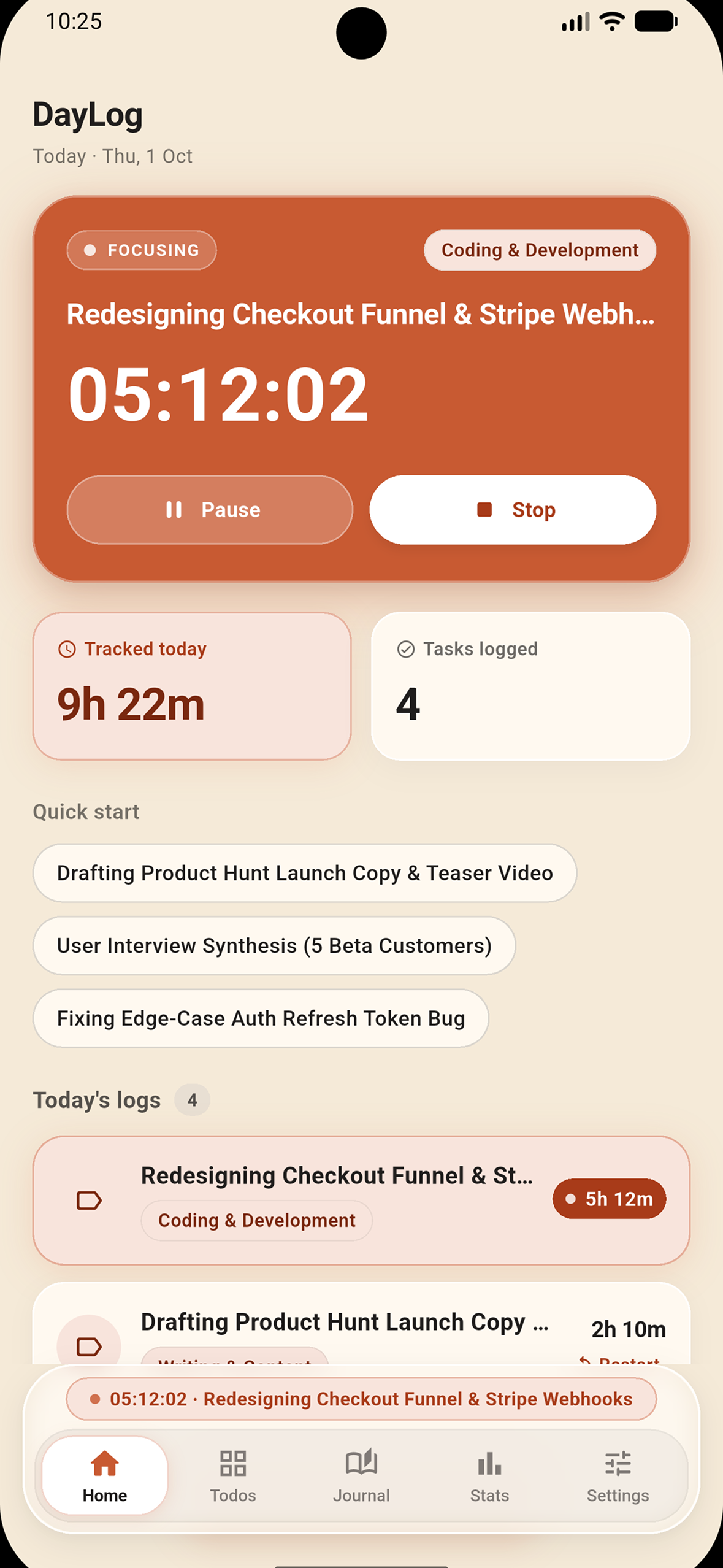
One place to see what you’re working on and how your day is progressing.
-
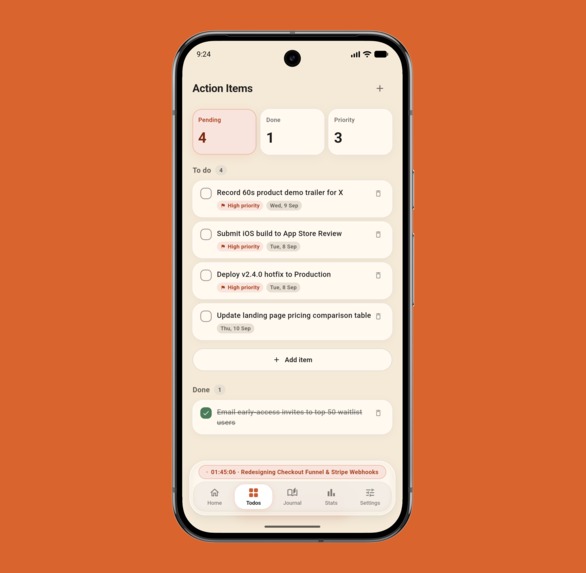
Turn unfinished intentions into clear, actionable tasks.
-
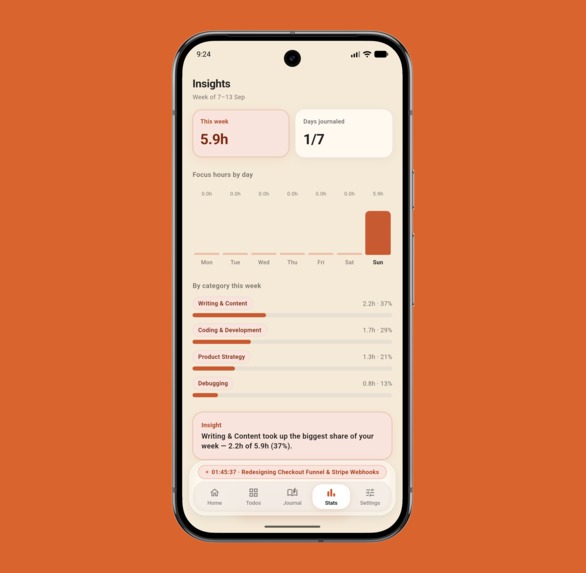
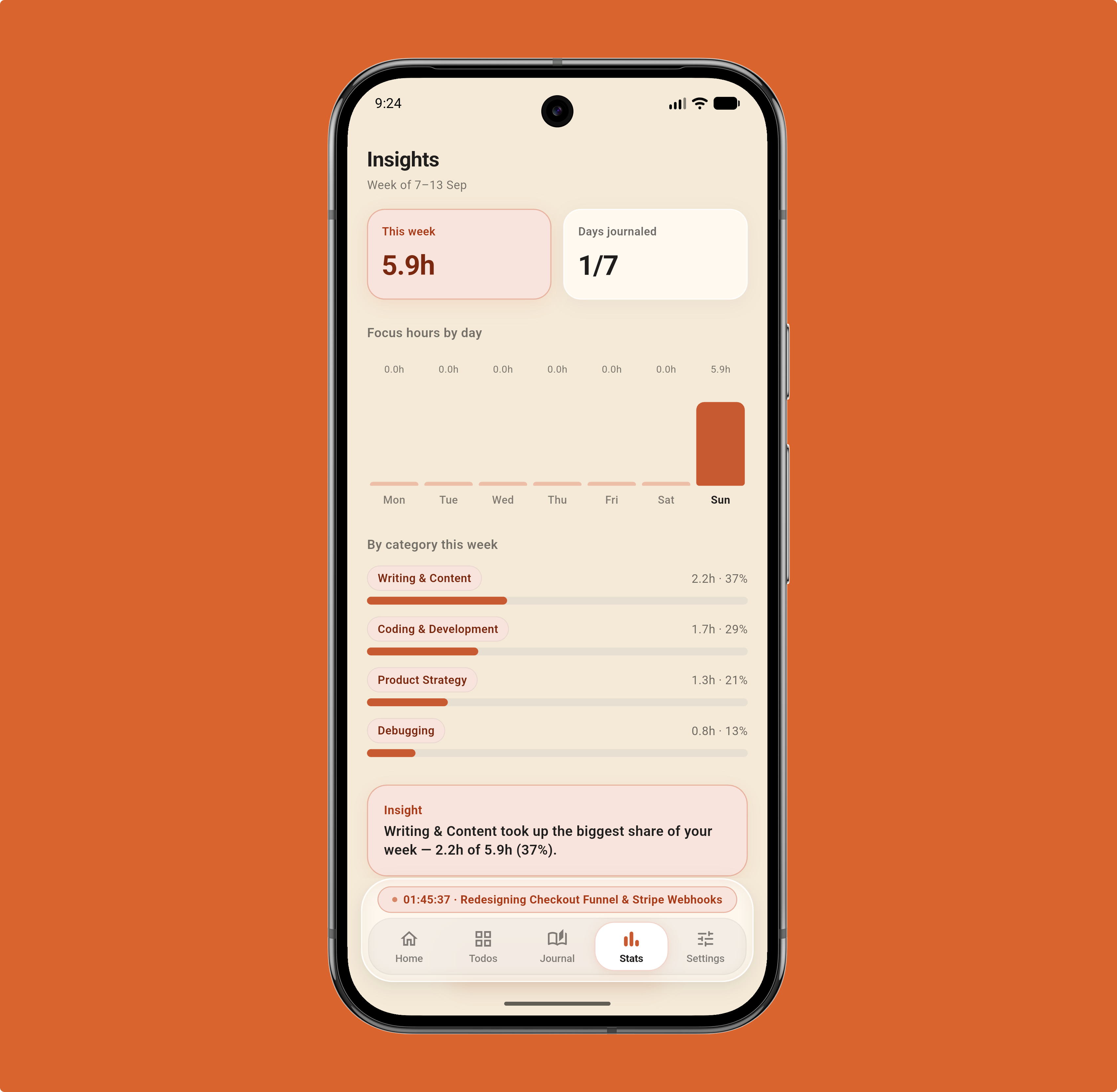
Turn your focus history into meaningful productivity insights.
-
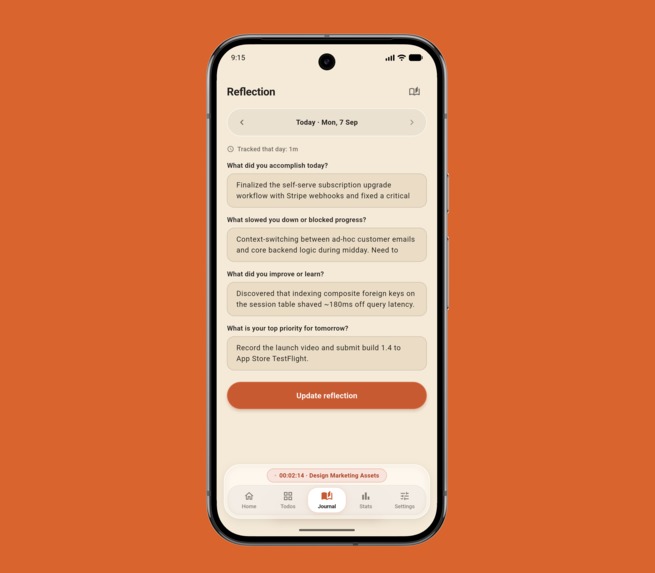
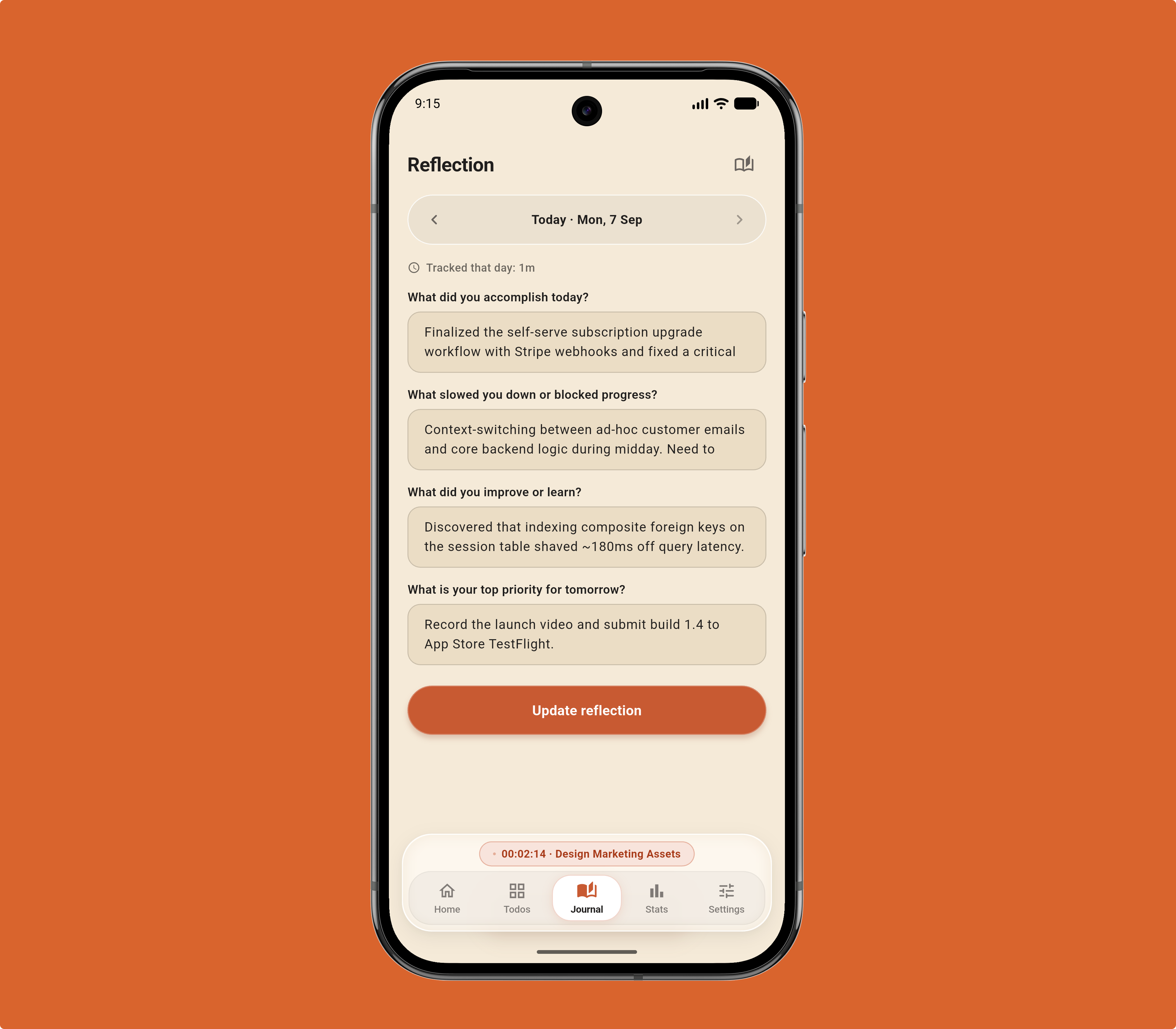
End the day by capturing progress, blockers, lessons, and tomorrow’s priority.
-
-
-

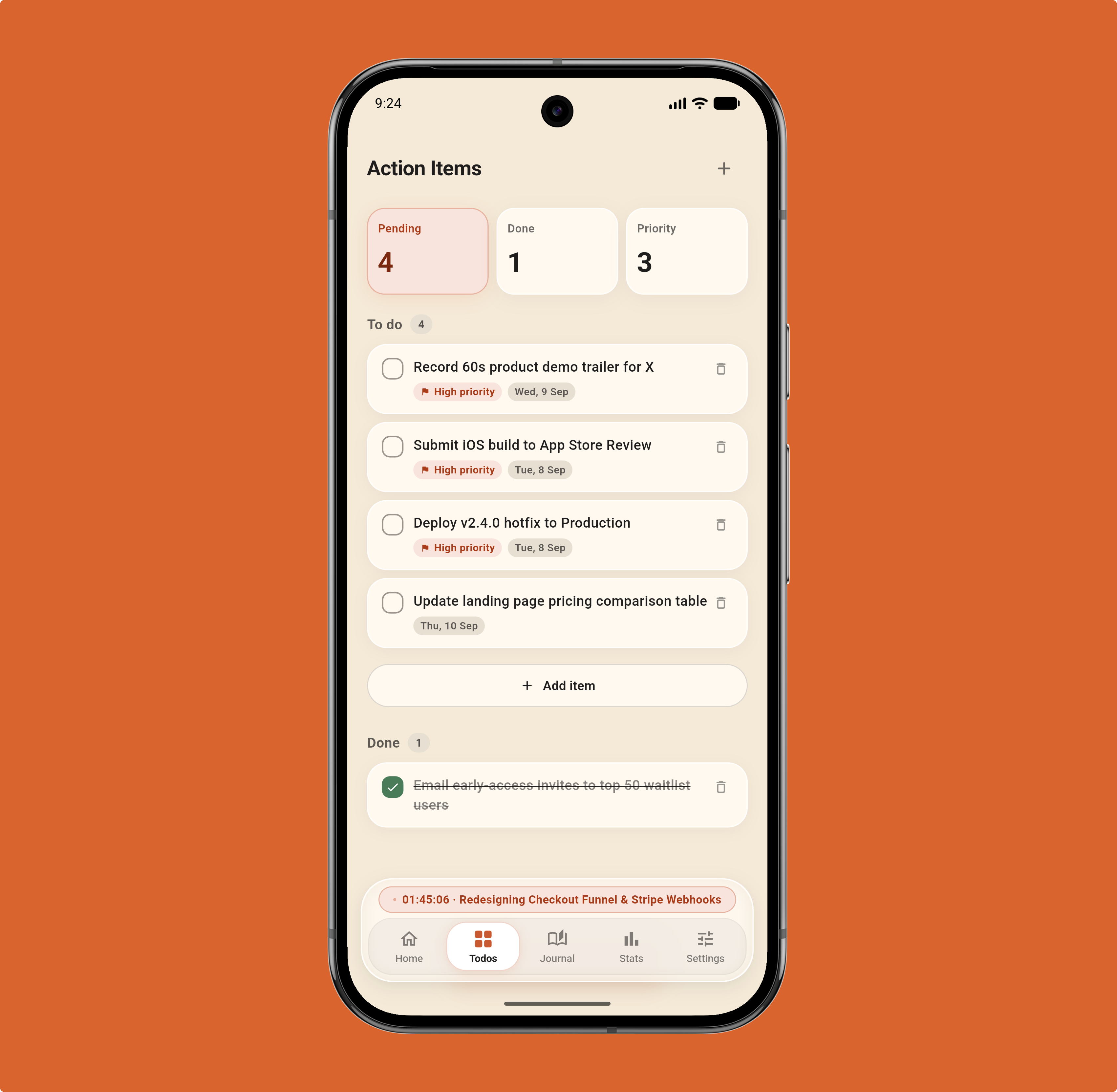
Inspiration
I spend most of my days building things, and I kept ending them with no idea where the hours went. Habit trackers felt like homework, and journaling apps wanted an account, a cloud sync and a subscription before I'd written a word. I wanted something smaller: a timer that logs what I worked on, and four questions at night to close out the day.
What it does
DayLog connects three essential routines that are usually fragmented across separate apps: 1. Deep work timing 2. End-of-day closure 3. Habit insights
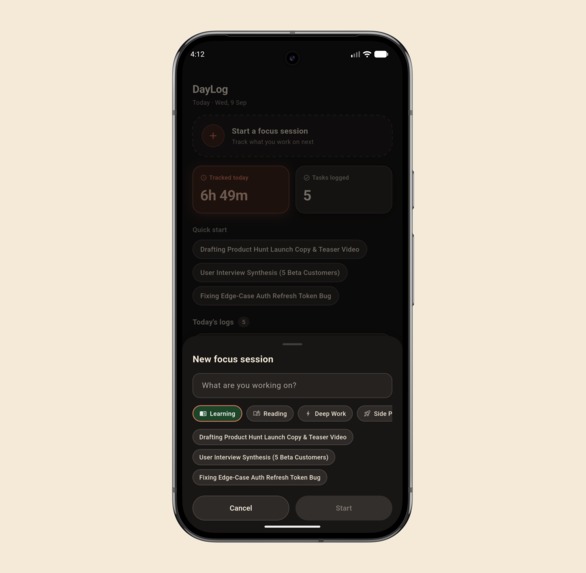
Focus timer: Start a session, and it guesses the category as you type (DSA, design, writing and so on). Recent tasks are one tap away.
Four-question reflection: What did you accomplish, what slowed you down, what did you learn, and what's tomorrow's top priority. Yesterday's priority shows up at the top of tonight's entry.
Charts: Daily focus hours and a weekly breakdown by domain.
Your data stays yours: Full JSON export and restore, plus a 9 PM local reminder that works offline.
How we built it
We built DayLog using a modern, reactive, offline-first mobile stack:
Flutter & Dart: Provides 60fps performance and a unified, clean interface across iOS and Android with custom light and dark themes.
Isar Database: A high-performance embedded NoSQL database engine written in C++ and Dart. It handles millisecond queries and live database watchers without any network overhead.
Riverpod: Powers declarative, predictable state management across running timers, ambient audio playback, and reactive UI streams.
Native Timezone & Notification Engine: Configured native background channels (flutter_local_notifications paired with device timezone resolution) to ensure the 9:00 PM daily reflection reminder fires reliably at your exact local time, even through device reboots and daylight saving changes.
Modular Audio Pipeline: Lightweight audio service handling looping ambient soundscapes with smooth fade transitions and background playback.
Challenges we ran into
Timer Precision & App Lifecycles: Mobile operating systems are notoriously aggressive about killing background processes to save battery. A naive timer ticker breaks the second an app is backgrounded. We solved this by architecting the timer around timestamp deltas and persisted start timestamps rather than continuous tick increments, ensuring millisecond-accurate recovery even after OS process kills.
Timezone Math Without Cloud Pingers: Scheduling an exact 9:00 PM local notification sounds trivial until you have to account for users traveling across timezones, daylight saving transitions, and Android 13+ exact alarm restrictions (SCHEDULE_EXACT_ALARM) without a backend server pushing silent notifications.
Zero-Cloud Data Migrations: When everything is stored locally on-device, database schema changes must be 100% airtight. A bad migration can't be fixed by rolling back a server migration—it risks corrupting user journals. We had to build careful backup and schema verification routines to safeguard local data integrity.
Balancing Minimalism with Capability: We constantly resisted feature creep. It was tempting to add cloud sync, rich social feeds, and dozens of metrics, but every design choice was filtered through one question: "Does this help someone focus, or does it add friction?"
Accomplishments that we're proud of
The Instant, Zero-Latency Feel: Because there are no network requests, authentication handshakes, or spinning loaders, every screen, chart, and search query opens instantly.
The "Yesterday's Priority" Loop: It sounds simple, but connecting yesterday's exit question to today's entry screen completely transformed how we work. It stopped the habit of planning ambitious daily goals that get forgotten by morning.
The Auto-Categorization Heuristic: Being able to type a quick session title and have the app immediately know what bucket it belongs to removes the cognitive friction of starting a timer.
True Privacy: Shipping an app where we can honestly tell users: "We don't know your email, we can't read your journal, and your data never touches our servers."
What we learned
Offline-first is harder upfront, but worth every minute: Designing for pure offline reliability requires thinking through state synchronization, device reboots, and storage constraints early on, but the resulting end-user speed and resilience are unbeatable.
The value of developer ergonomics: Clear separation of concerns with Riverpod providers and strict schema generation allowed us to iterate quickly without regressions.
Less is genuinely more: In productivity software, constraints are features. Limiting reflections to four focused questions leads to higher daily completion rates than offering a blank page.
What's next for DayLog
Desktop Builds: Bringing DayLog natively to macOS, Linux, and Windows with global menu-bar shortcuts for quick session toggling.
Custom Flow Timers & Sound Packs: Adding customizable Pomodoro intervals, short break chimes, and an expanded library of offline binaural beats and cafe soundscapes.

Log in or sign up for Devpost to join the conversation.