-
-
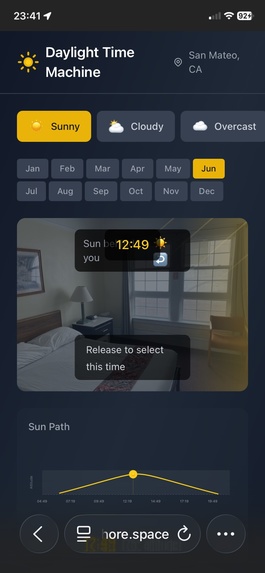
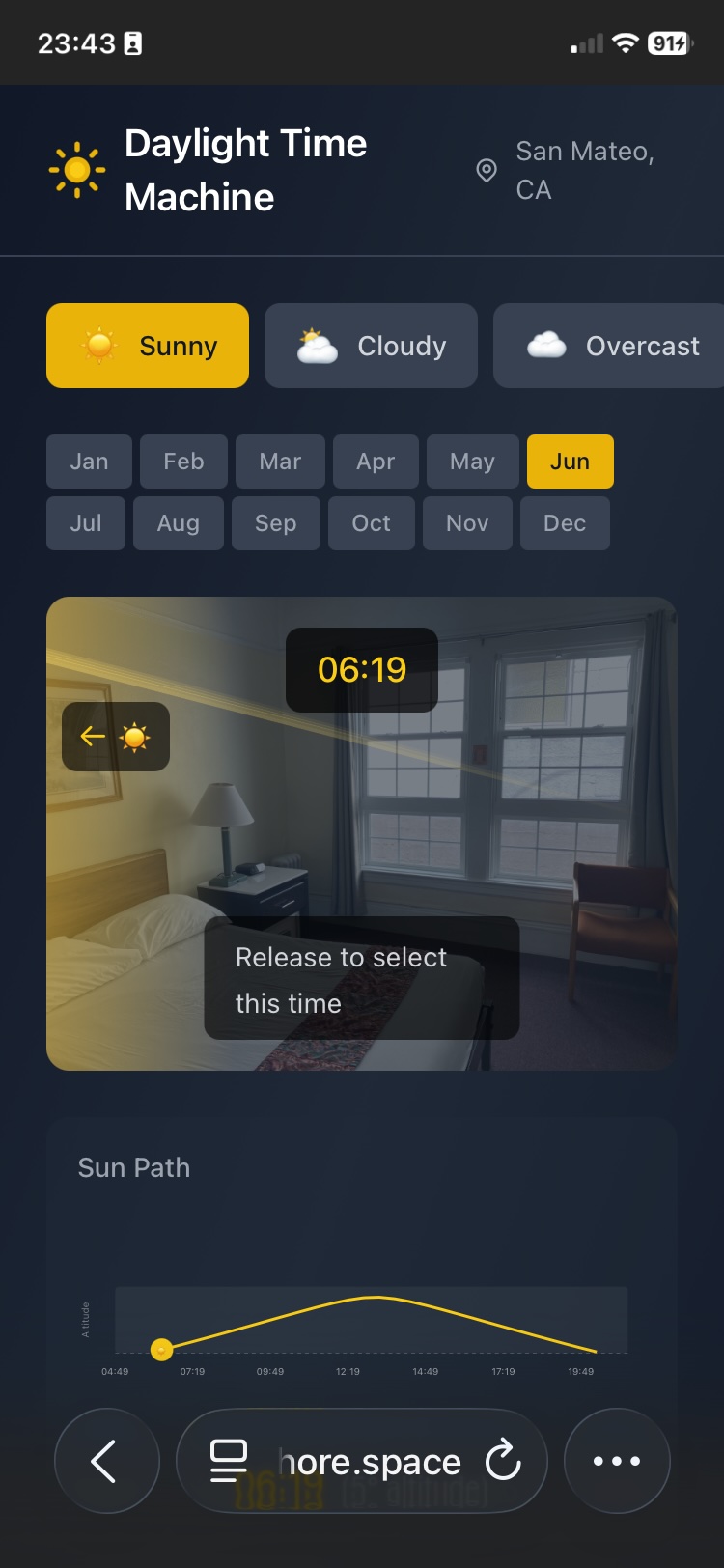
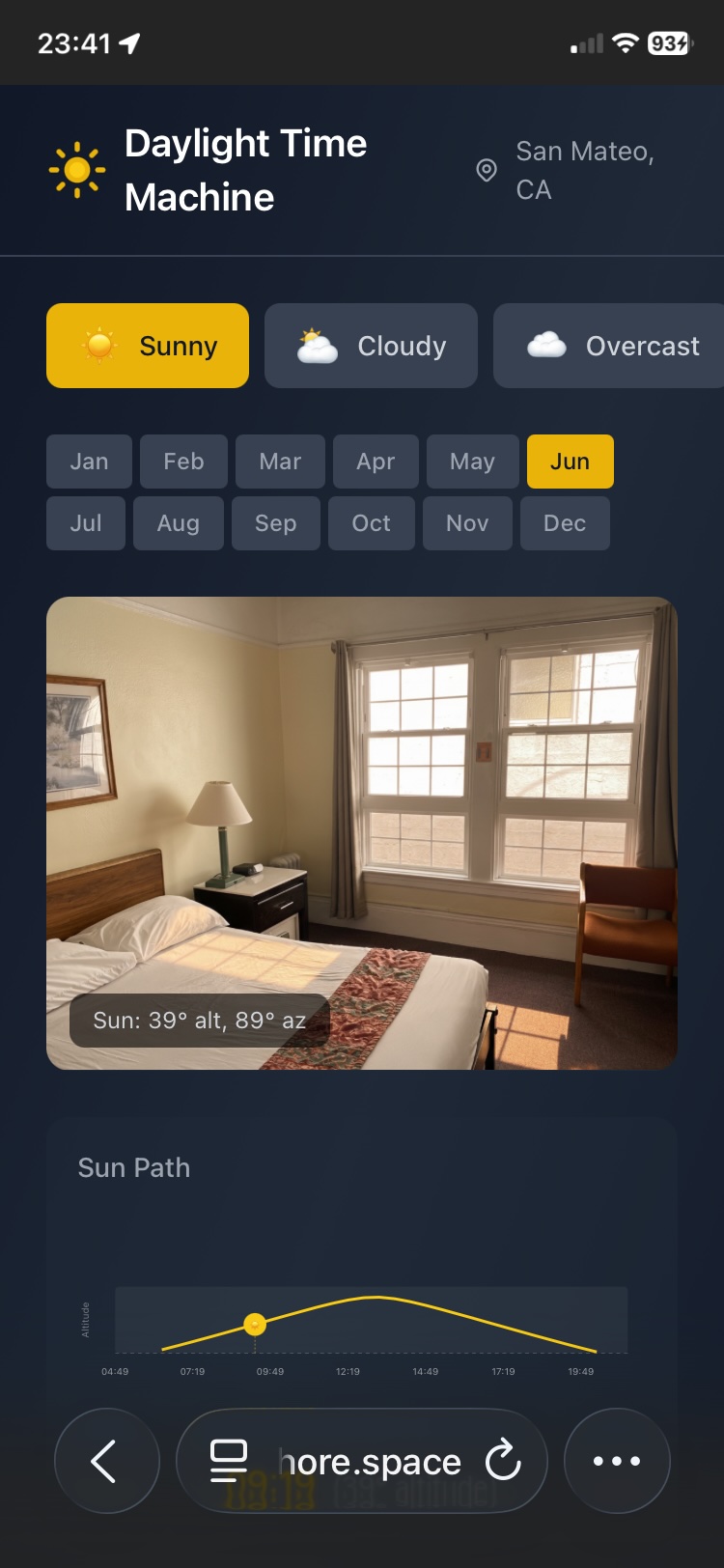
Scrub the sun along the solar path
-
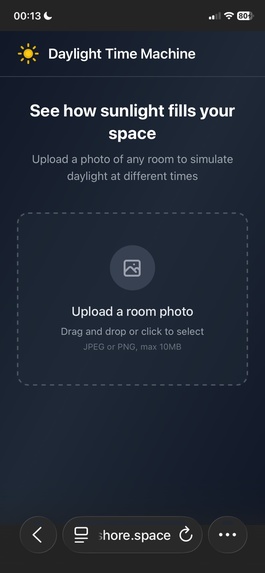
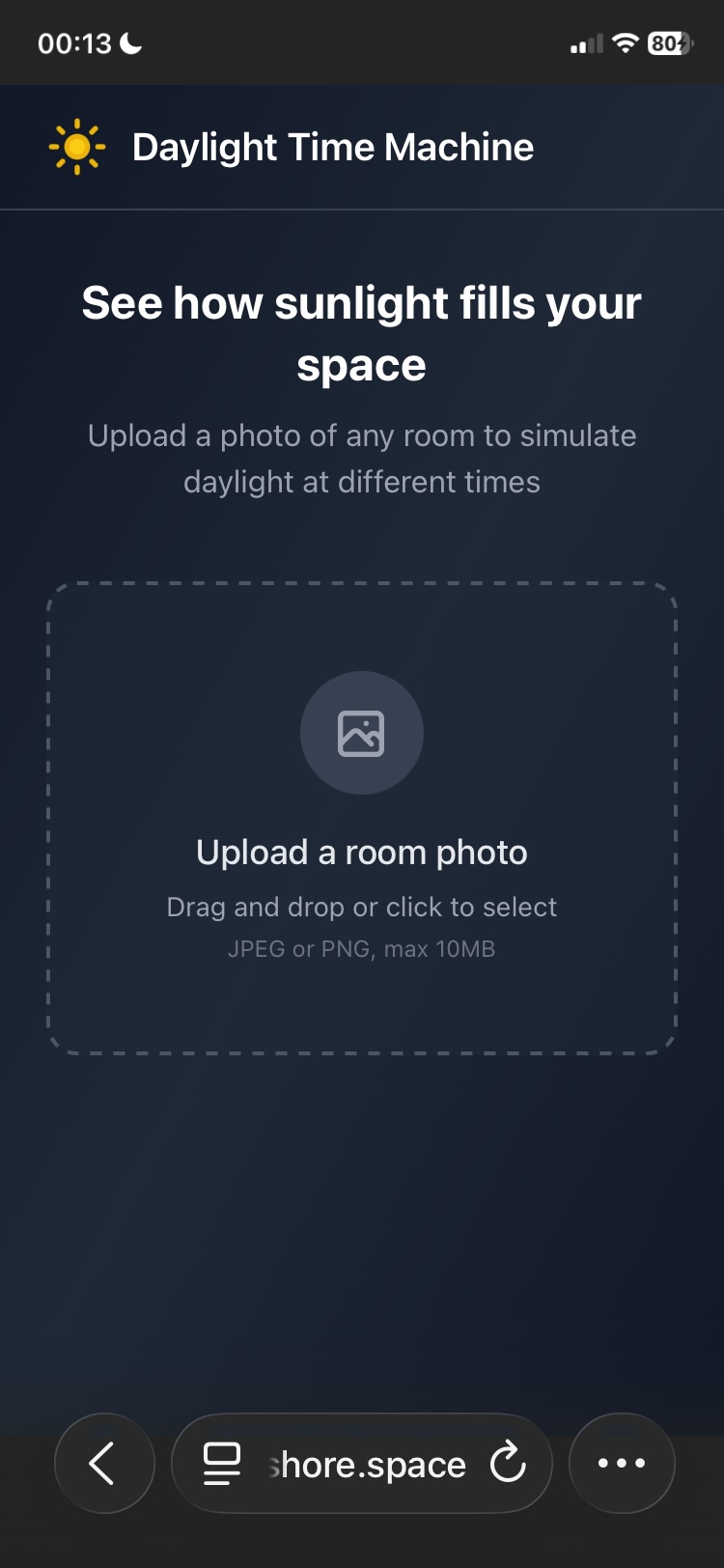
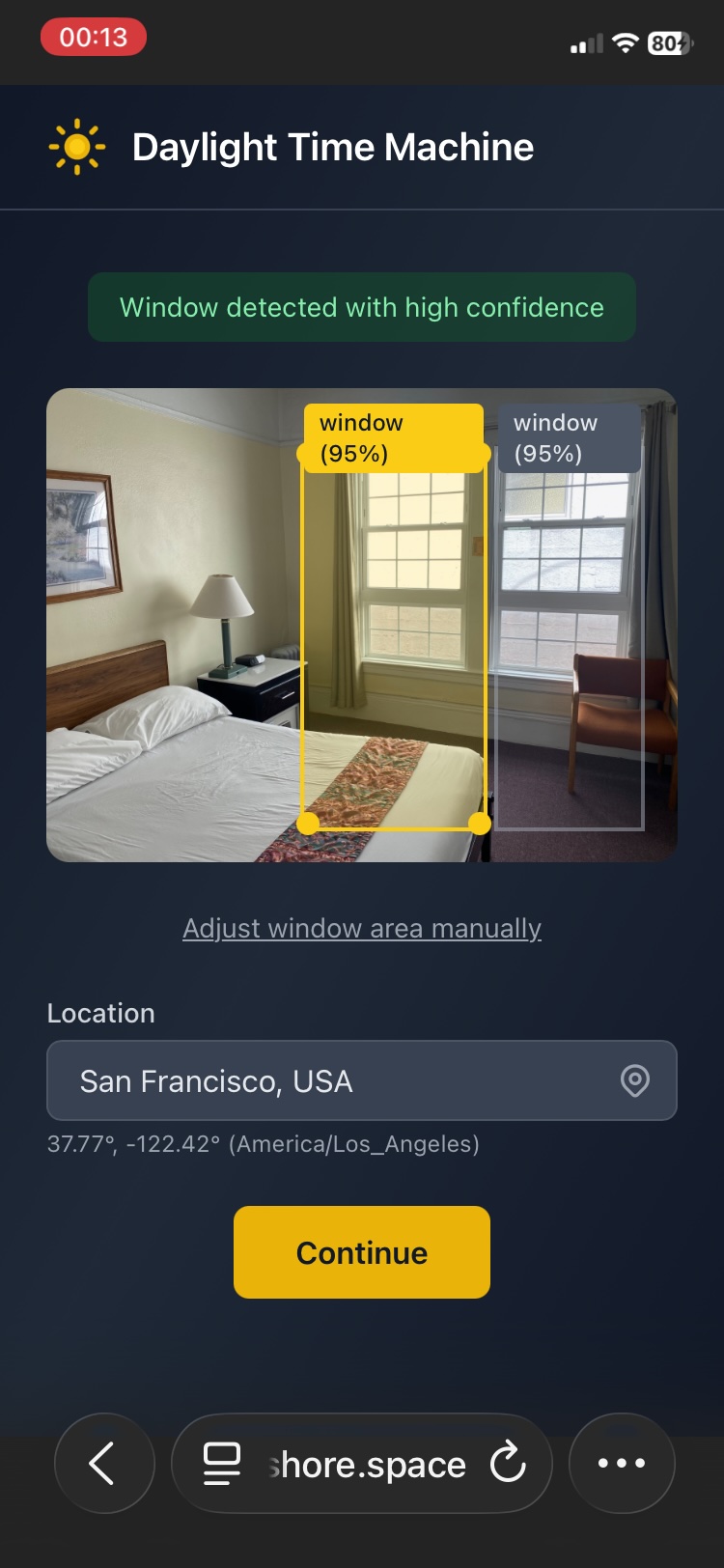
first, select a photo of a room(best with window in the photo)
-
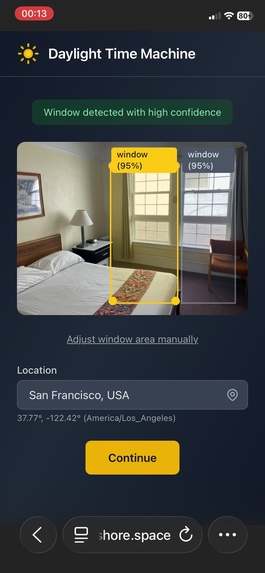
Automatically detect window by Gemini
-
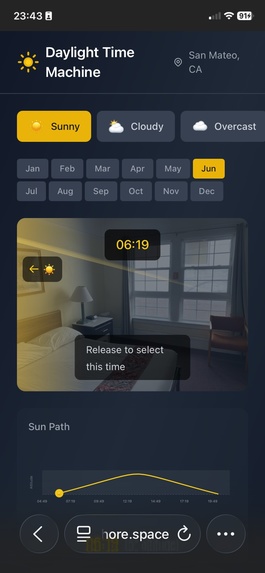
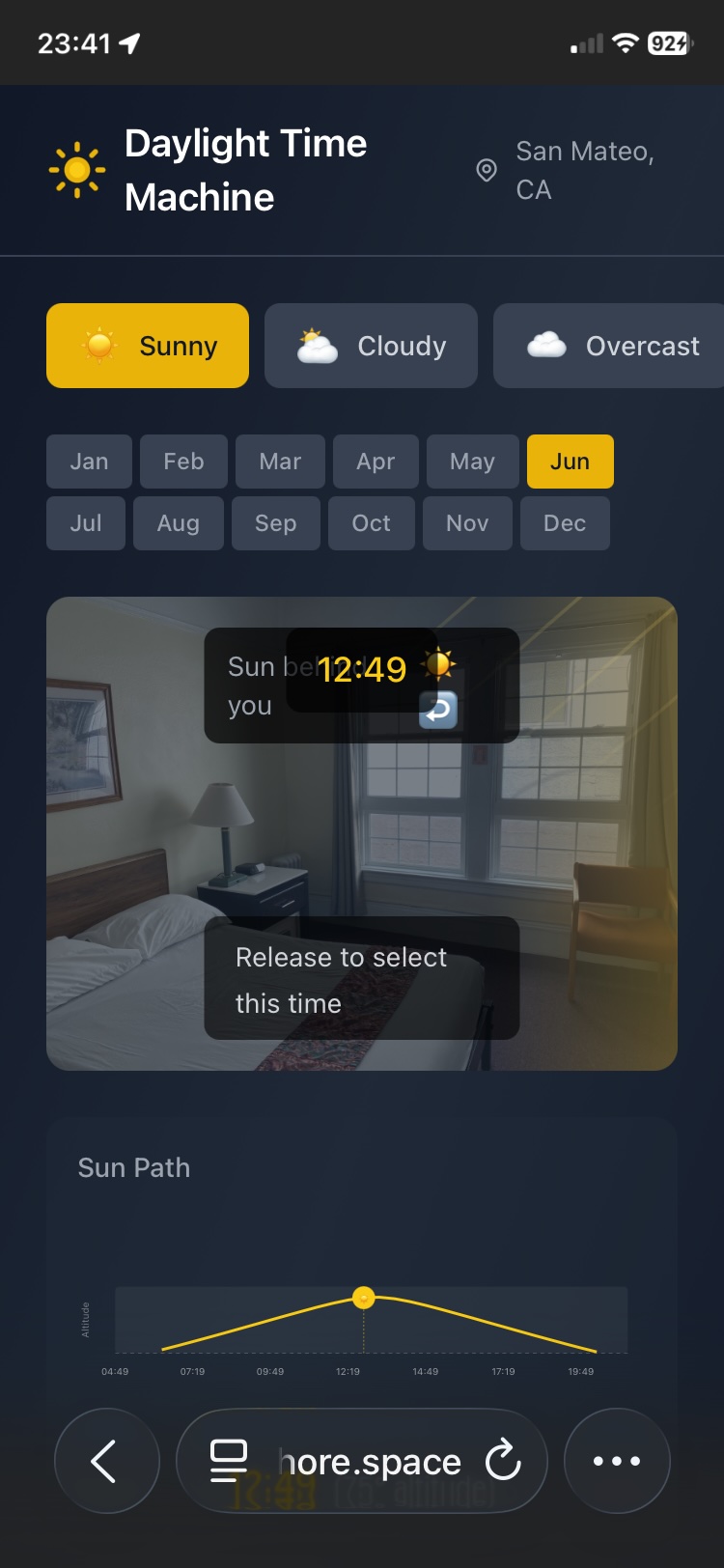
scrub the sun
-
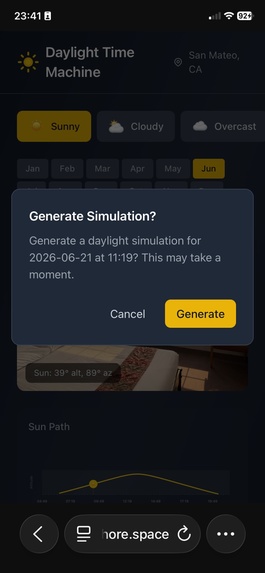
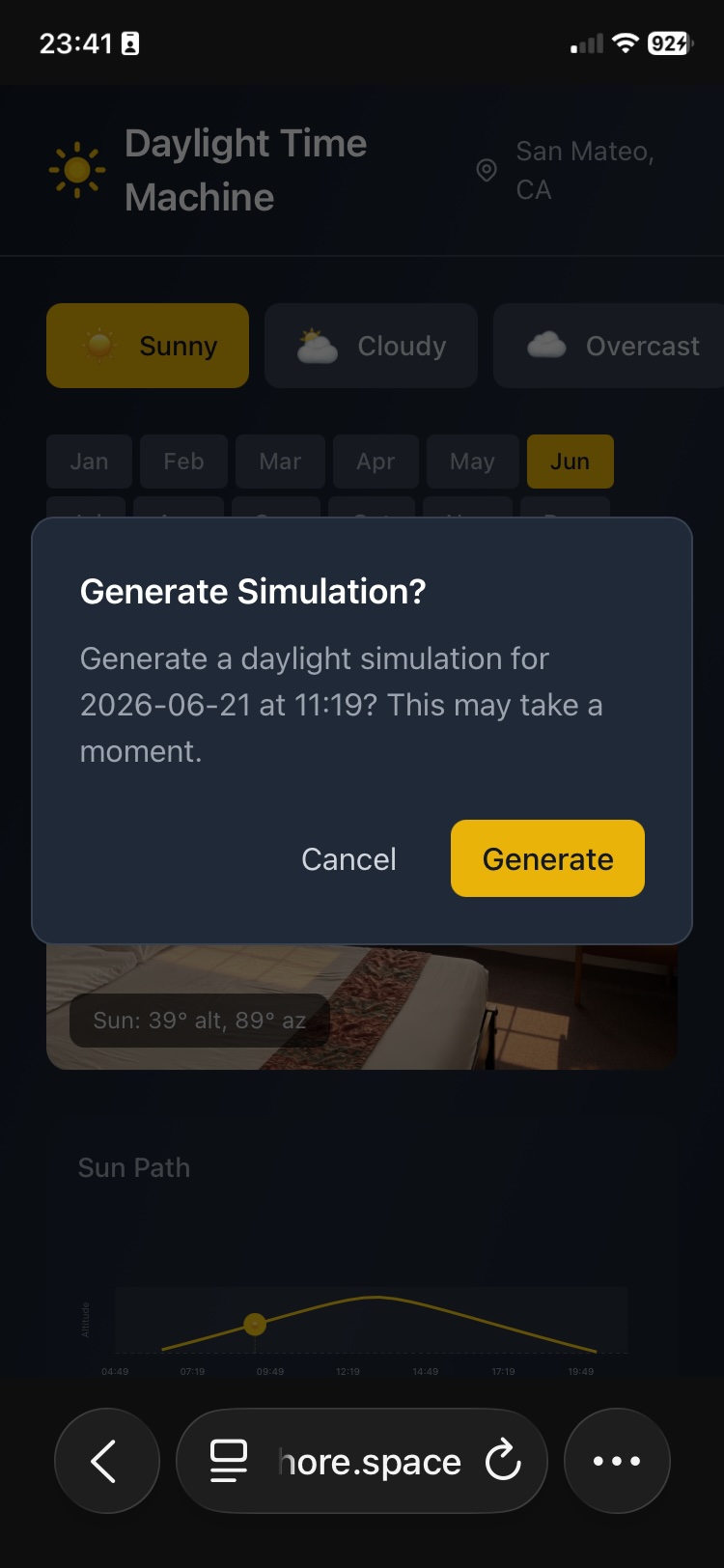
confirm generating of simulation
-
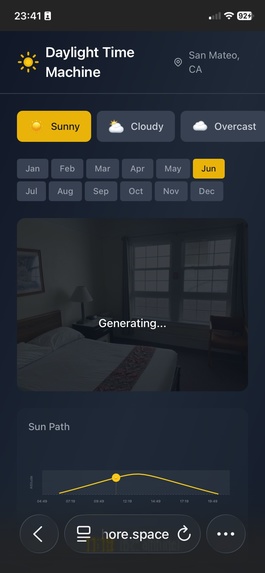
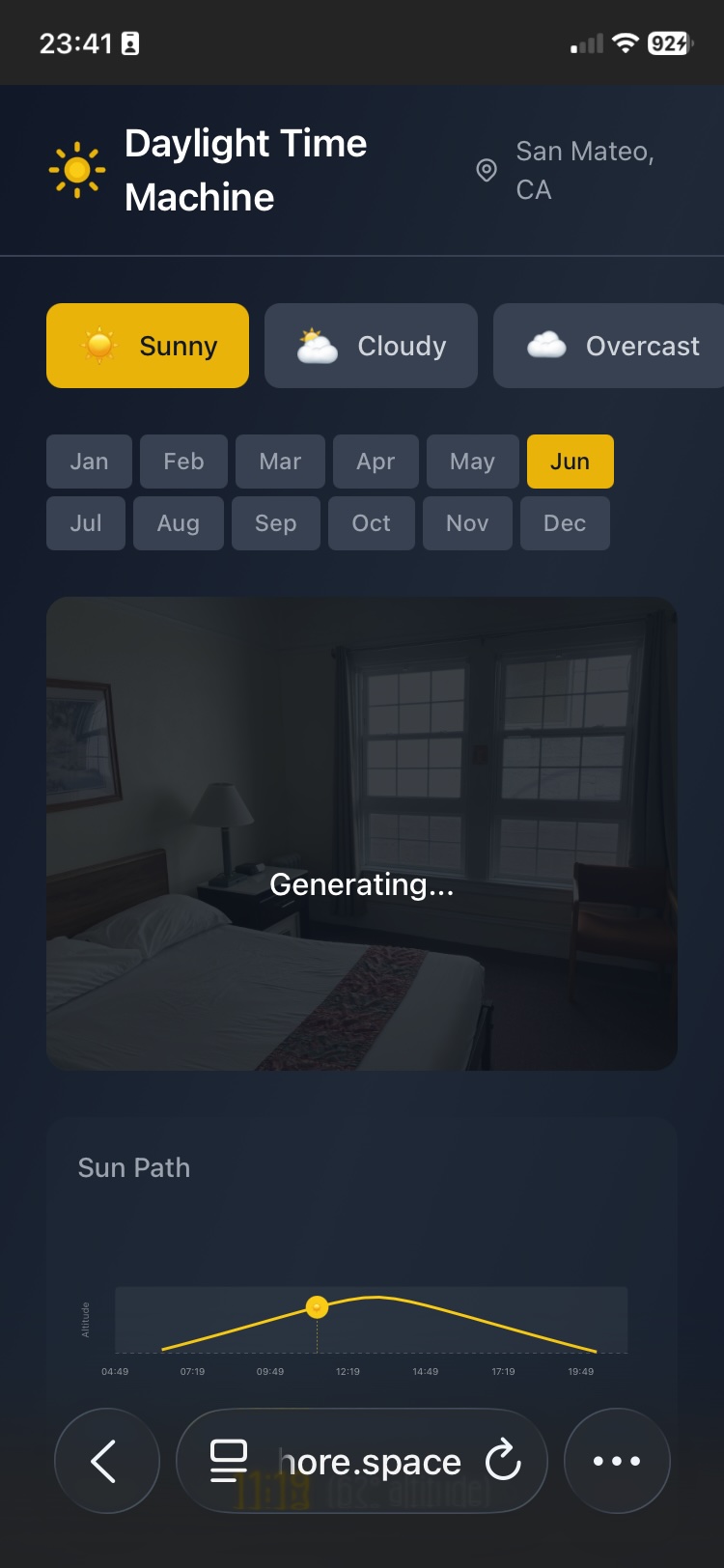
generating
-
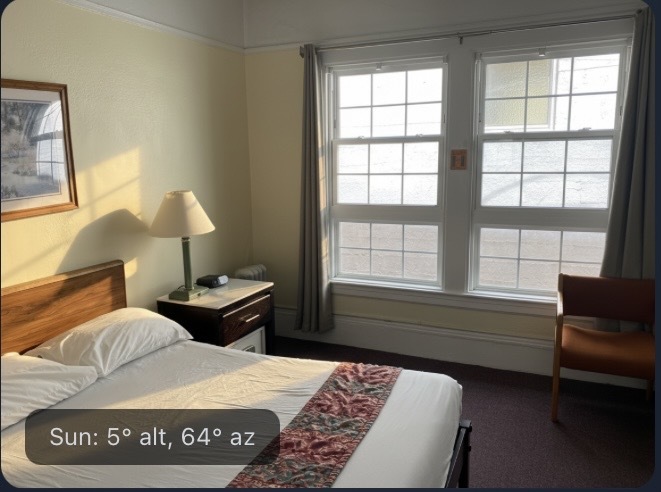
result1
-
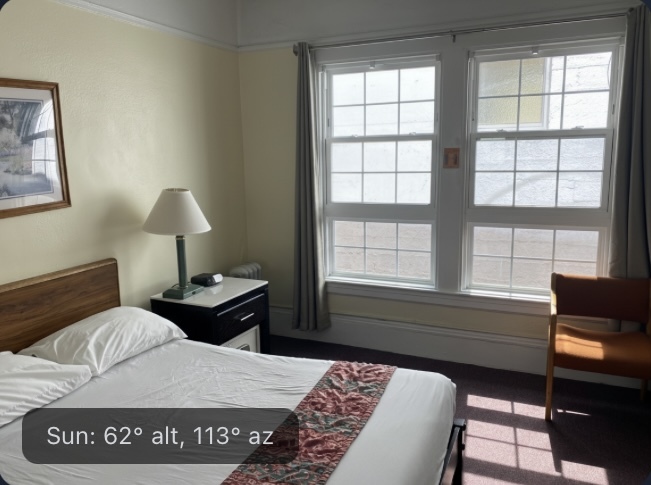
result2
-
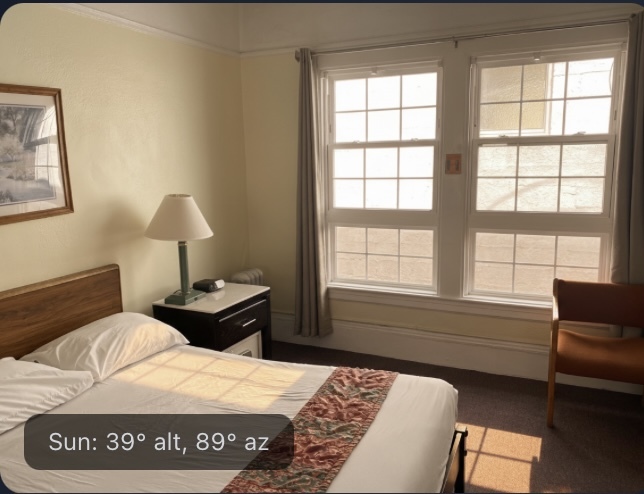
result3
-
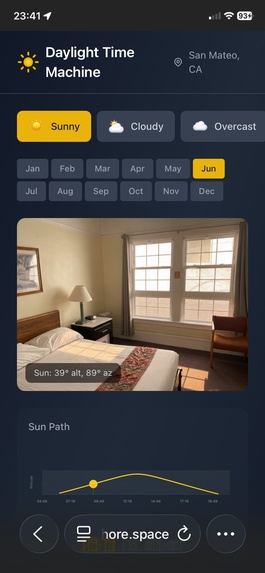
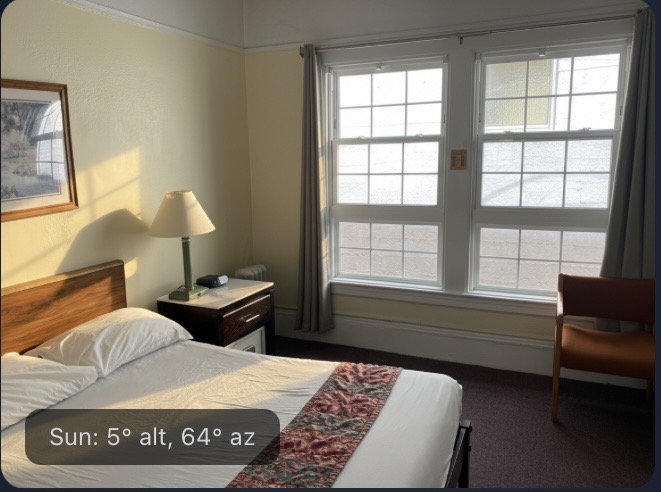
a sunny sunrise in June
-
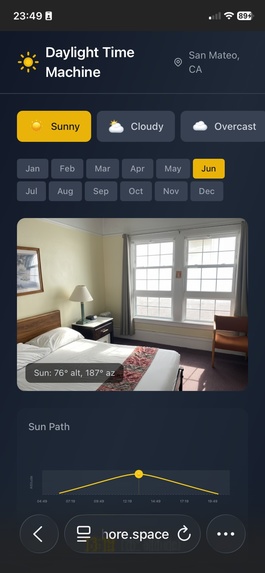
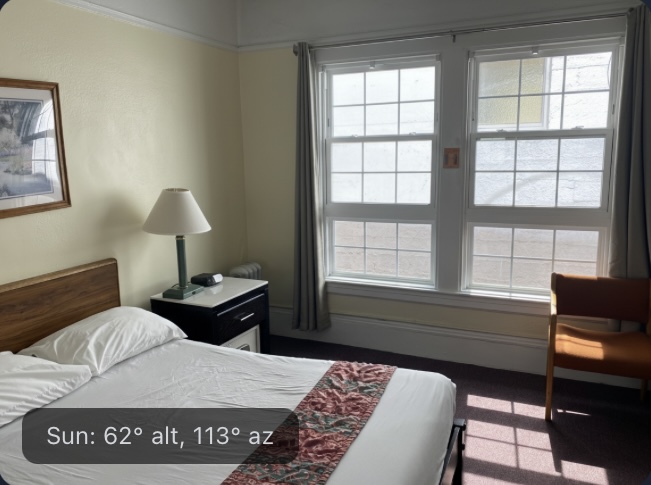
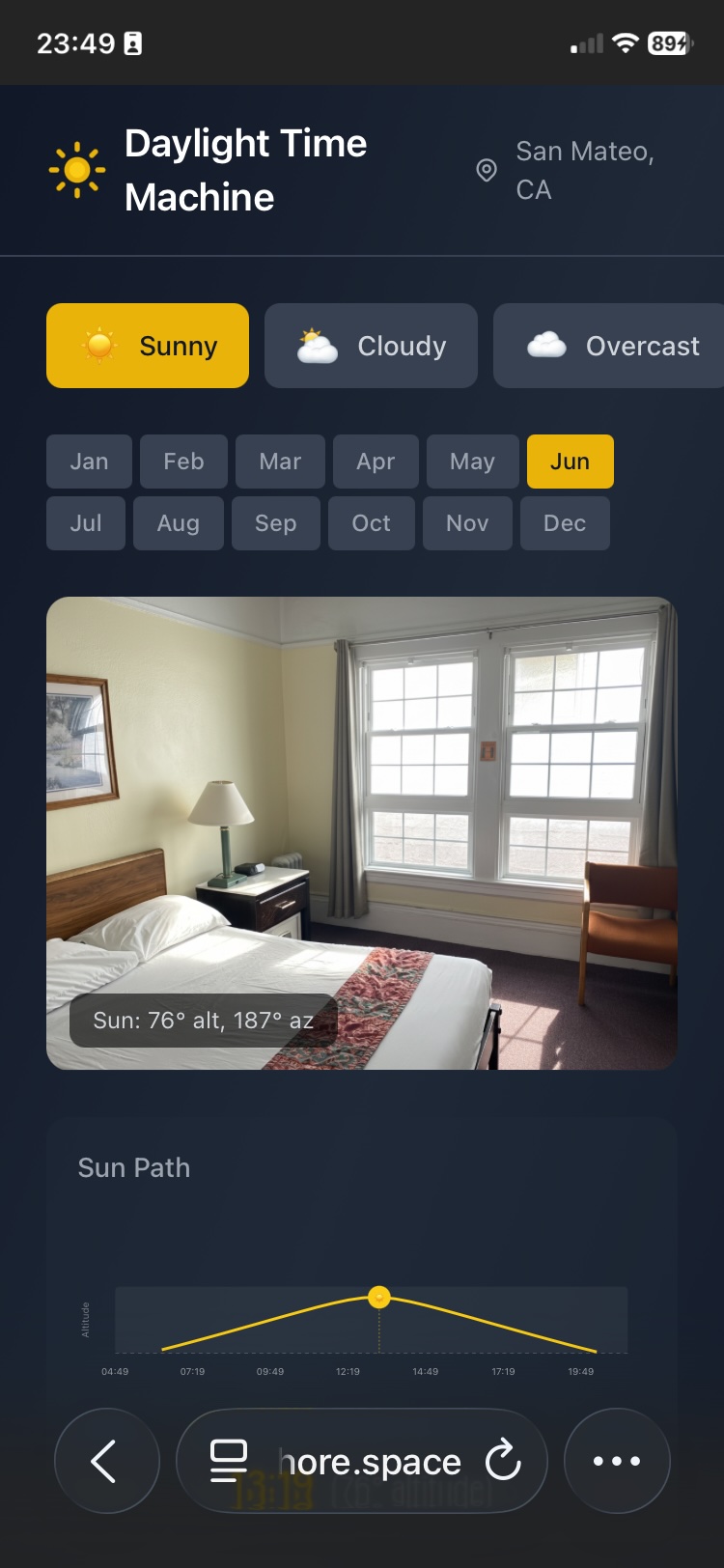
a sunny noon in June
-
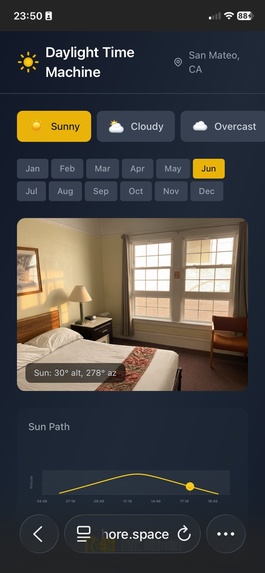
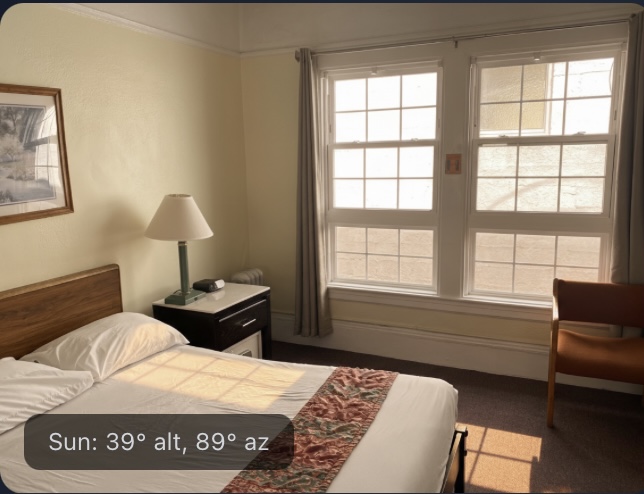
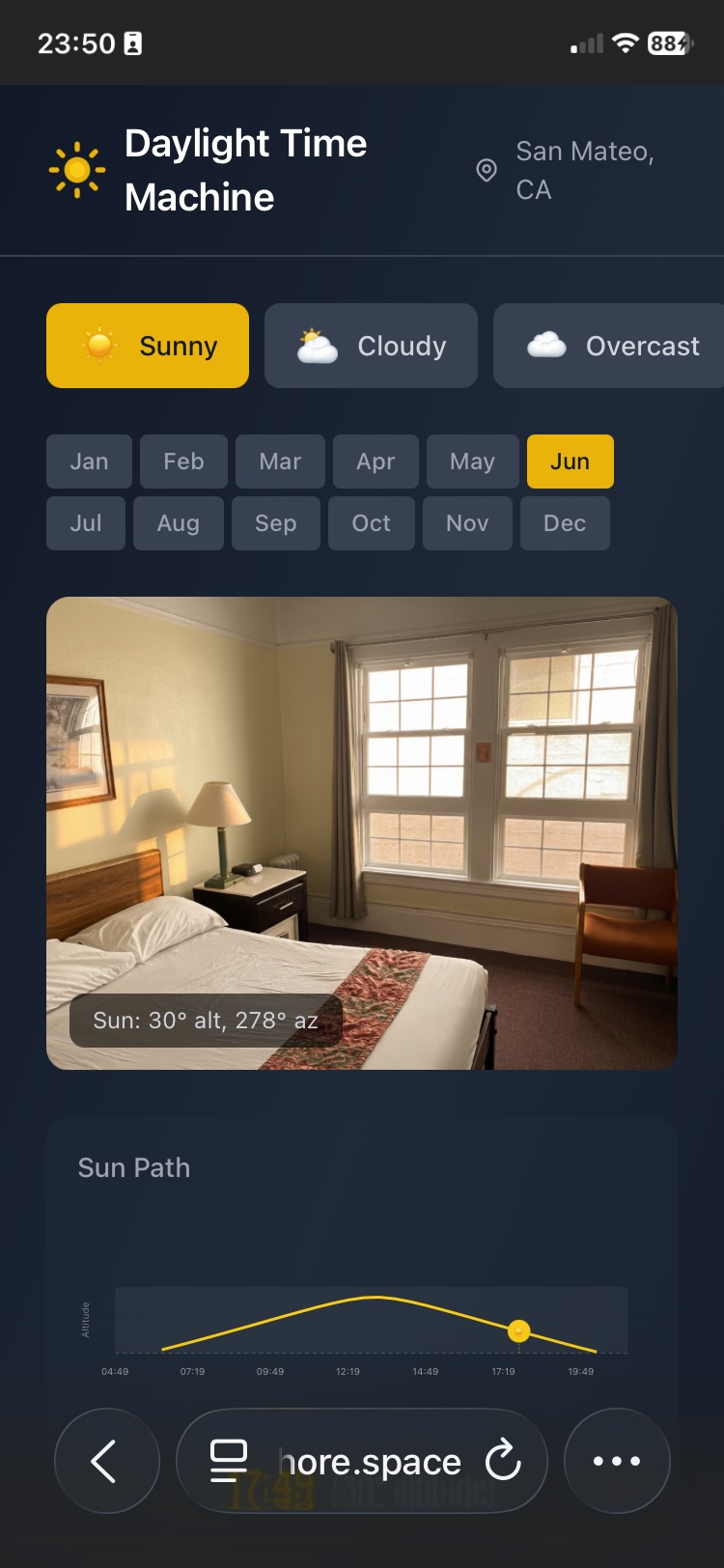
a sunny sunset in June
-
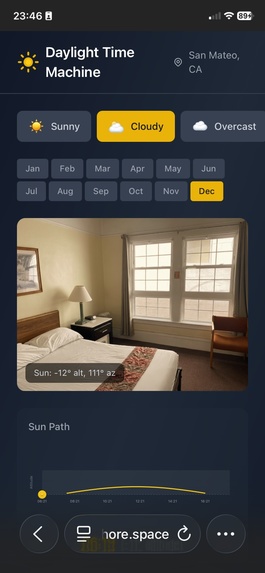
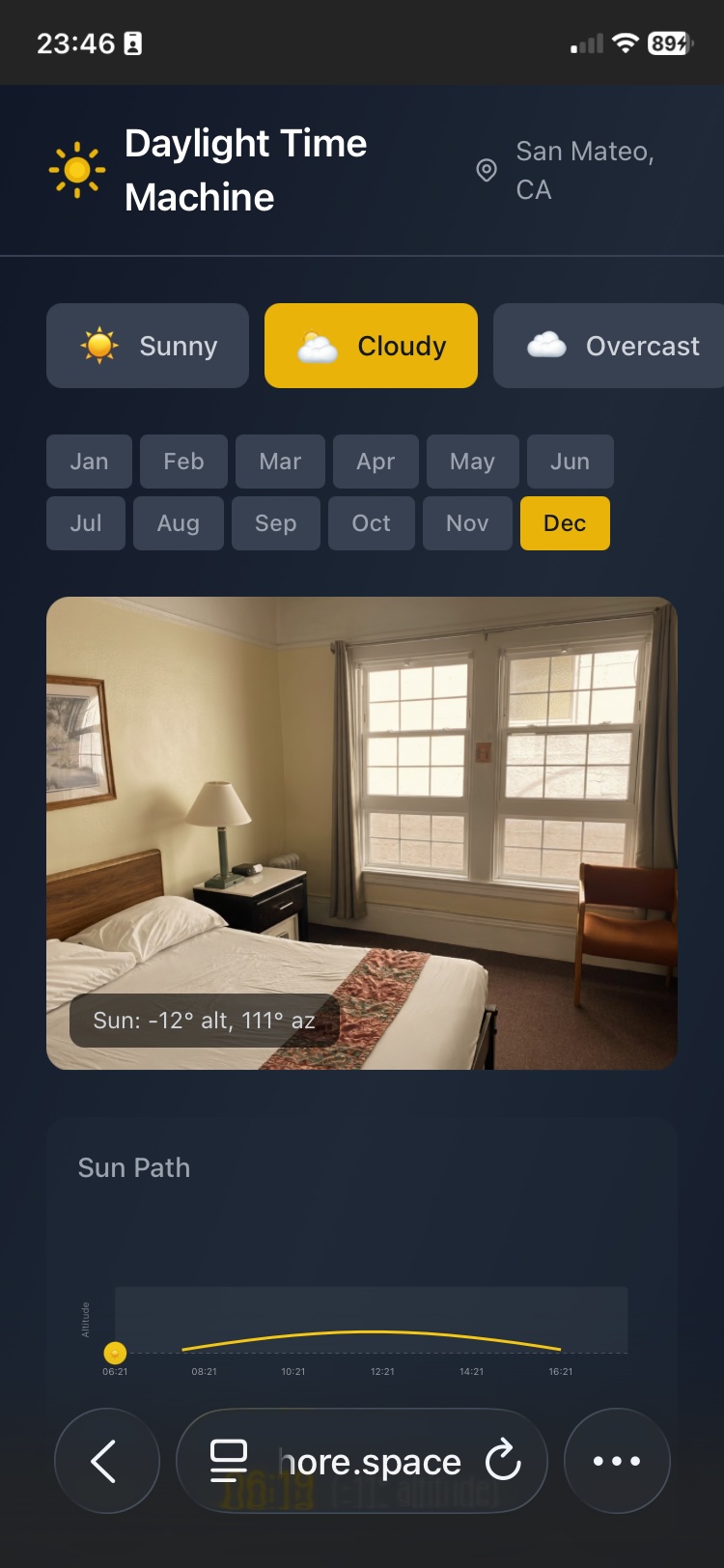
cloudy
-
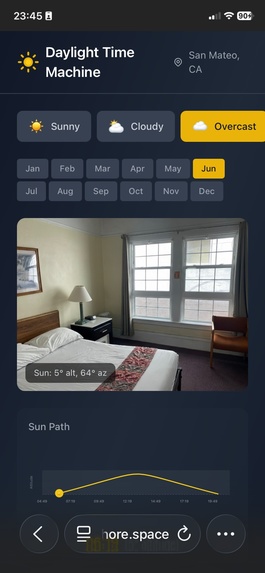
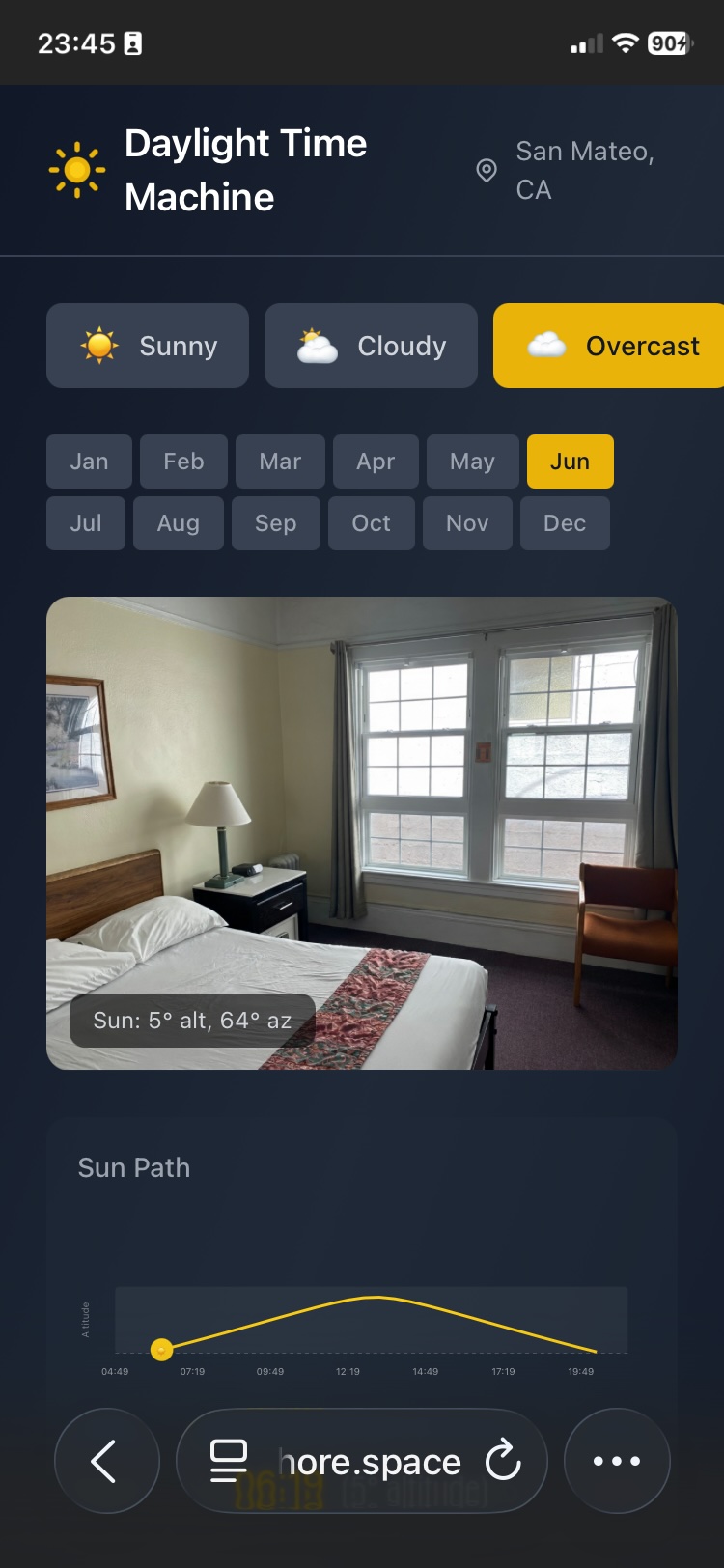
overcast
Inspiration
Choosing an apartment, planning a renovation, or arranging furniture all share one invisible variable: sunlight. How will this living room look at 7 AM in January? Will the home office get blinding afternoon glare in summer? Architects use expensive simulation software; everyone else just guesses.
We wanted to democratize that knowledge. The idea was simple: take a single phone photo of any room and let AI show you exactly how sunlight would fill it — at any hour, any season, any weather. When Google released Gemini 2.5 Flash with native image generation, we realized the missing piece was finally available: an AI that can understand a room's geometry from a photo and re-render it with physically accurate lighting.
What it does
Daylight Time Machine lets anyone upload a photo of a room and instantly visualize how natural sunlight illuminates it under any combination of:
- Time of day — scrub through a real solar arc from sunrise to sunset
- Season — switch between any month to see how the sun's altitude and arc length change
- Weather — sunny (hard shadows, sunbeams), cloudy (soft diffused light), or overcast (flat, even illumination)
The app overlays parallel light rays on the photo showing exactly where sunlight enters through windows, with a virtual sun disc tracking the real solar position. When the user selects a time, Gemini generates a photorealistic re-lit version of the room with accurate shadows, sunbeam direction, and color temperature.
How we built it
The system chains four distinct Gemini AI pipelines with real solar astronomy:
Window Detection (Gemini 2.5 Flash, vision) — Analyzes the uploaded photo to identify windows, sliding doors, and skylights, returning bounding boxes with confidence scores. The user can accept the detection or draw manually.
Compass Parsing (Gemini 2.5 Flash, vision) — Reads a screenshot of the user's phone compass app to extract the camera heading in degrees. This tells the system which compass direction the camera was facing, enabling accurate sun-to-camera geometry.
Camera Pitch Estimation (Gemini 2.5 Flash, vision) — Estimates the camera's vertical tilt angle by analyzing room geometry: vanishing point positions, floor-to-ceiling ratio, and horizon line. This corrects the virtual sun's projected screen position, since most indoor photos are taken with the camera tilted slightly downward.
Photorealistic Relighting (Gemini 2.5 Flash, image generation) — The core pipeline. Given the original photo, a binary window mask, and a detailed lighting plan, Gemini generates a photorealistic re-lit version of the room. The lighting plan specifies sun strength, shadow softness, color temperature, and — critically — the camera-relative sun direction with explicit shadow guidance (e.g., "Light enters from the LEFT side, shadows extend to the RIGHT").
The solar astronomy layer uses SunCalc to compute the sun's exact altitude and azimuth for any location, date, and time. We then apply a full 3D coordinate transformation pipeline:
$$\text{World} \xrightarrow{\text{heading rotation}} \text{Camera (yaw)} \xrightarrow{\text{pitch rotation}} \text{Camera (final)} \xrightarrow{\text{perspective}} \text{Screen}$$
The world-to-camera transform rotates the sun's direction vector by the camera heading (yaw around Y-axis) and pitch (rotation around X-axis), then projects to screen coordinates using perspective division with the camera's field of view. Light rays are computed directly from the 3D direction vector rather than clamped screen coordinates, preserving correct angles even when the sun is off-screen.
The frontend is a React + TypeScript SPA built with Vite, using Zustand for state management and Tailwind CSS for styling. The backend is serverless: Firebase Firestore stores job metadata, Firebase Storage holds photos, masks, and generated frames, and all Gemini API calls happen client-side. The app is deployed via Docker + Nginx with automatic HTTPS via Let's Encrypt.
Challenges we ran into
Getting the geometry right was the hardest part. The sun projection pipeline has to correctly transform between four coordinate systems (world, camera-yaw, camera-pitched, screen), and subtle bugs produced nonsensical results:
An early version used clamped screen coordinates to compute light ray direction. This caused a 25-degree sun to appear higher than a 37-degree sun, because perspective division by a small Z value (sun far to the side) amplified the screen position, and clamping destroyed the altitude information. We fixed this by computing ray direction directly from the 3D vector.
Two independent projection systems (
computeApproxOverlayandcomputeSunProjection3D) had different default camera headings (180 vs 0), causing the visual overlay and the Gemini prompt to give contradictory directions — the rays pointed left while Gemini rendered shadows pointing toward the camera.
Prompt engineering for consistent lighting was equally challenging. Gemini's image generation is powerful but needs precise, unambiguous direction. We learned that sending raw azimuth/altitude numbers was useless — the model needed camera-relative descriptions like "Sun is 45 degrees to the left, 38 degrees above horizon" with explicit shadow placement instructions. Weather conditioning was another pitfall: early prompts produced sunny-looking images even when "cloudy" was selected, because the sun direction emphasis overrode the weather instruction.
Mobile touch support required careful handling of iOS Safari's touch event model, including { passive: false } for touchmove and the touch-none CSS property to prevent the browser from intercepting gestures.
Accomplishments that we're proud of
- The "wow" moment works. Scrubbing through a day and watching physically-accurate sunbeams sweep across a room is genuinely delightful. It makes the invisible (sun position) visible and intuitive.
- Four Gemini pipelines in one app. Each pipeline solves a distinct vision/generation task, and they compose cleanly: window detection feeds mask generation, compass parsing feeds heading, pitch estimation feeds projection, and all of it feeds the relighting prompt.
- Real physics, not fake overlays. The sun positions come from actual solar astronomy. The light rays are parallel (because the sun is effectively infinitely far away). The 3D projection accounts for camera heading, pitch, and field of view. The weather conditioning produces meaningfully different results.
- Fully deployed and accessible. The app runs at https://redshore.space with automatic HTTPS, Docker-based deployment, and no server-side compute — all AI inference happens via client-side Gemini API calls.
What we learned
- Gemini's image generation can follow precise spatial instructions when the prompt is structured correctly. Camera-relative directions with explicit shadow placement ("light from LEFT, shadows extend RIGHT") work far better than absolute coordinates or raw angles.
- Coordinate system bugs are insidious. A 180-degree default mismatch between two code paths produced results that looked "almost right" but were physically wrong. Comprehensive numerical verification (plugging in known sun positions and checking every intermediate value) was essential.
- Solar geometry is surprisingly complex for indoor applications. The sun's position is easy to compute, but projecting it correctly into a camera's frame requires knowing the camera's heading, pitch, and FOV — information that isn't in the photo's EXIF data and has to be estimated or provided by the user.
What's next for Daylight Time Machine
- Video mode — scrub through an entire day and export a timelapse video of sunlight sweeping across the room
- Multi-window support — handle rooms with windows on multiple walls, each receiving light at different angles
- AR integration — use the phone's live camera feed and sensors (compass, gyroscope) to overlay real-time sunlight simulation
- Furniture shadow casting — detect furniture geometry to render accurate shadow shapes, not just directional lighting
- Energy analysis — estimate solar heat gain through windows to help with HVAC planning
Built With
- certbot
- docker+nginx
- firebase
- firestore
- gemini
- let'sencript
- react
- suncalc
- tailwind
- typescript
- vibe
- zustand


Log in or sign up for Devpost to join the conversation.