-
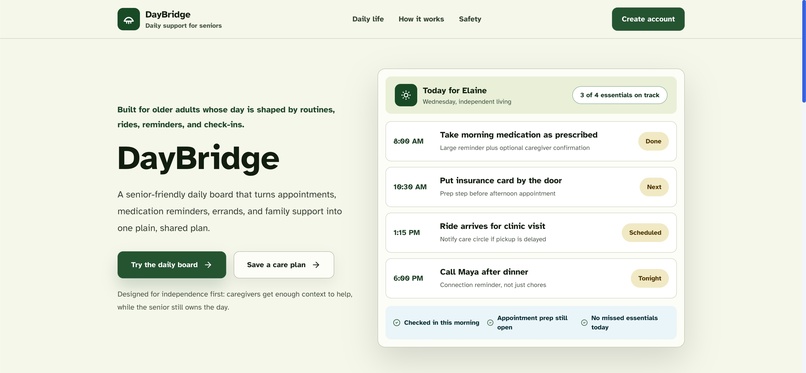
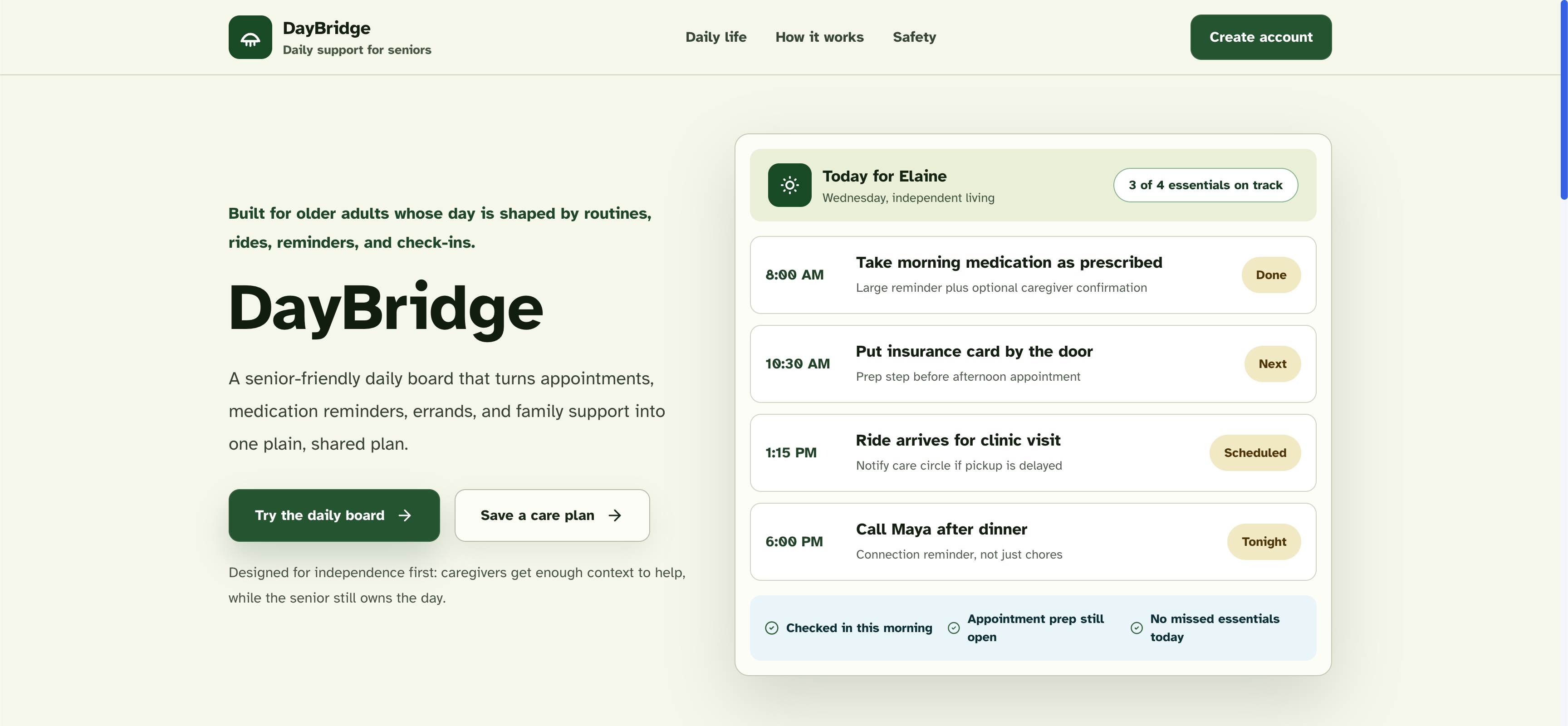
A calm accessibility-first daily schedule turning complex routines into simple missions for older adults.
-
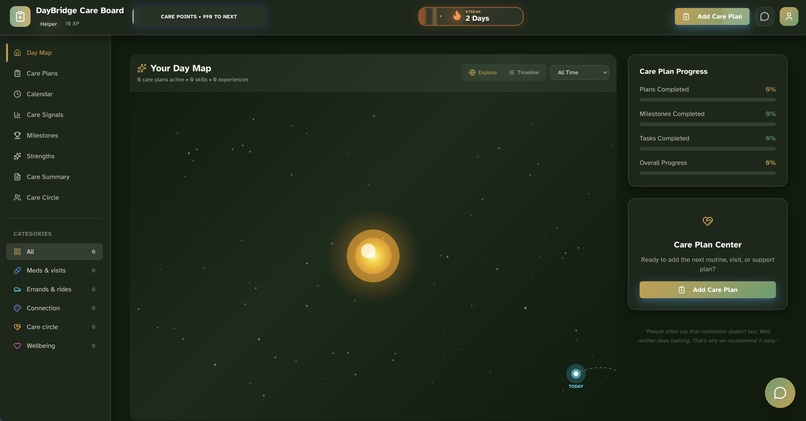
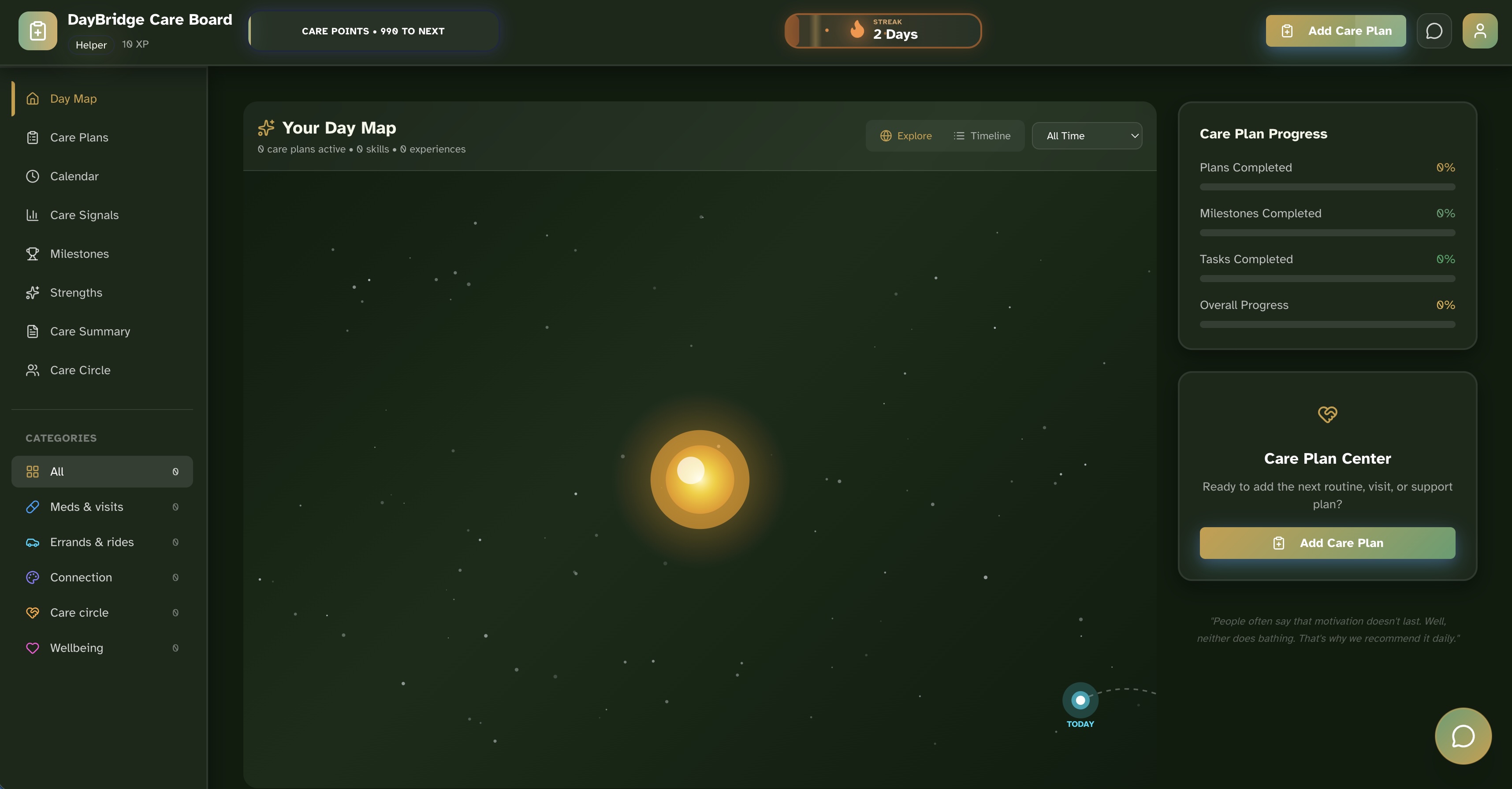
A visually engaging overview of active care plans and daily progress keeping the entire care circle synced in real-time.
-
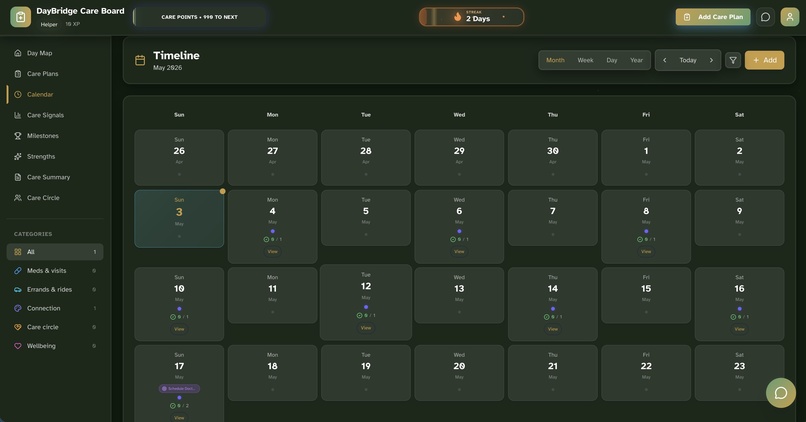
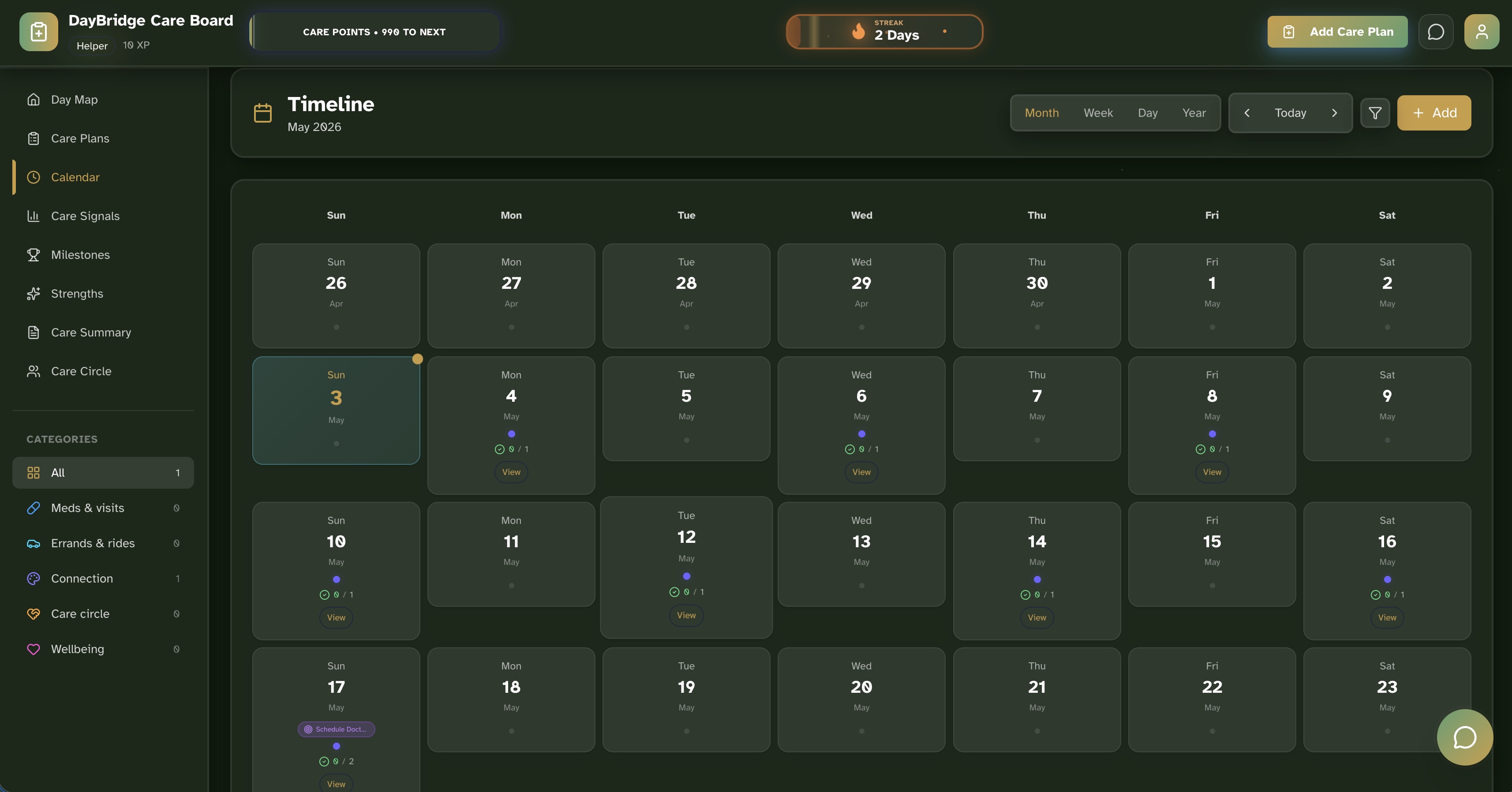
A clean senior-friendly calendar view that automatically spaces out generated tasks to prevent burnout and anxiety.
-
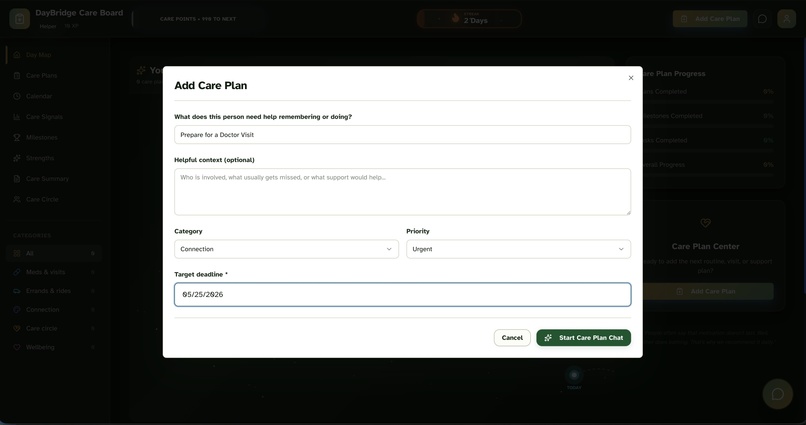
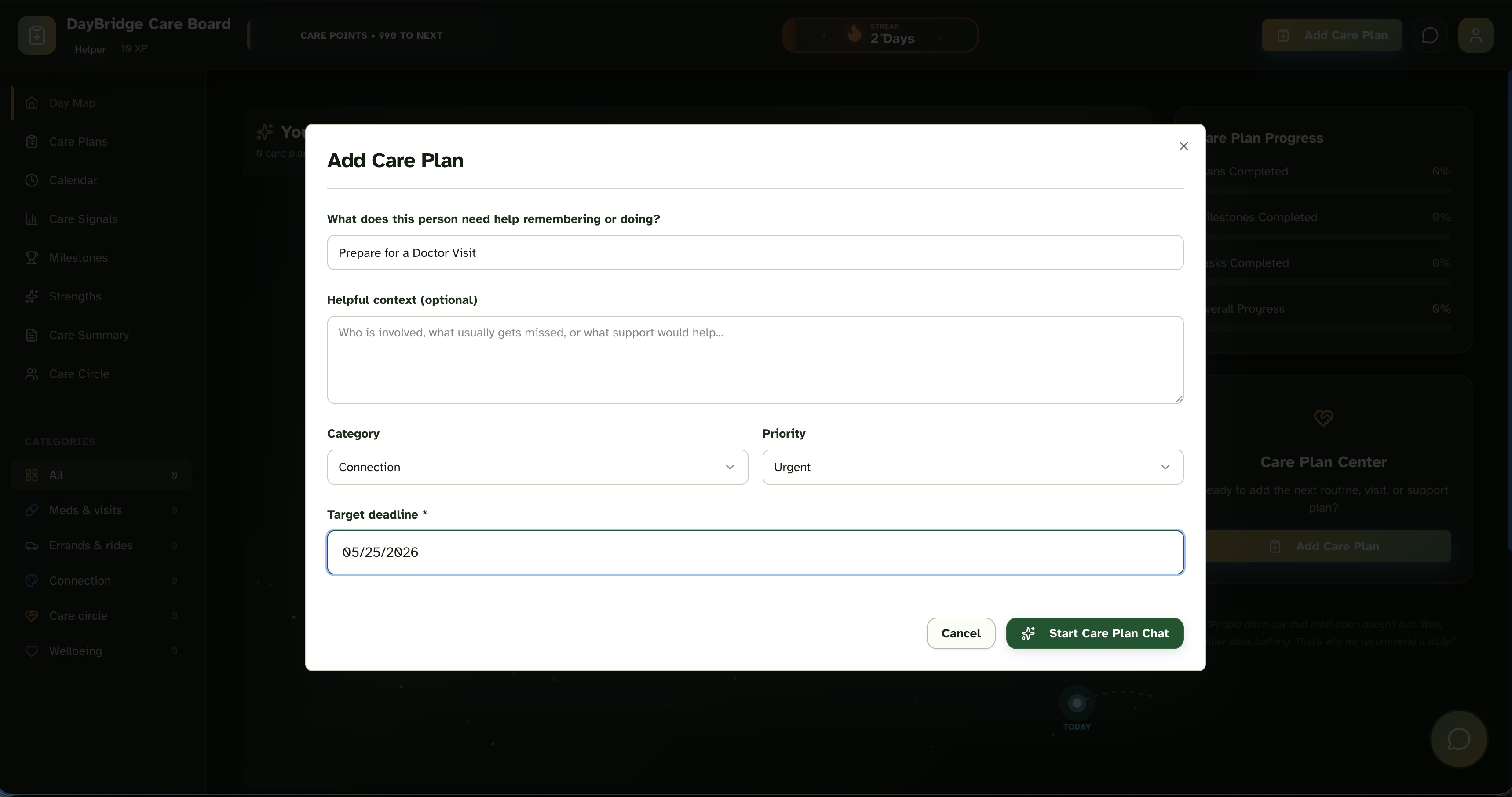
Caregivers or seniors can easily input complex goals like preparing for a doctor visit to begin the AI breakdown process.
-
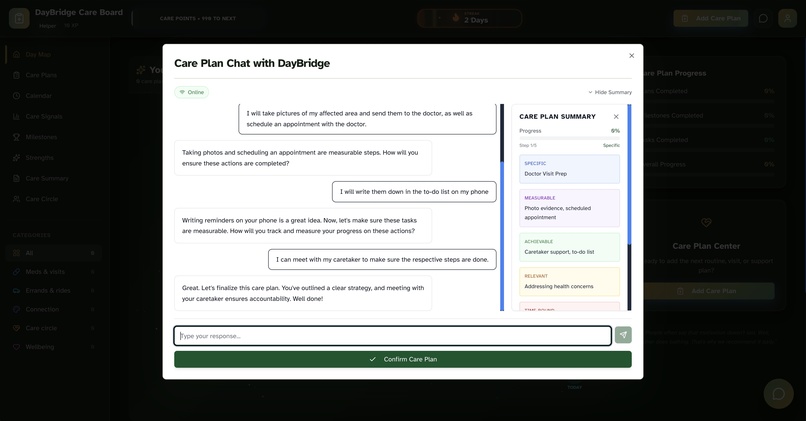
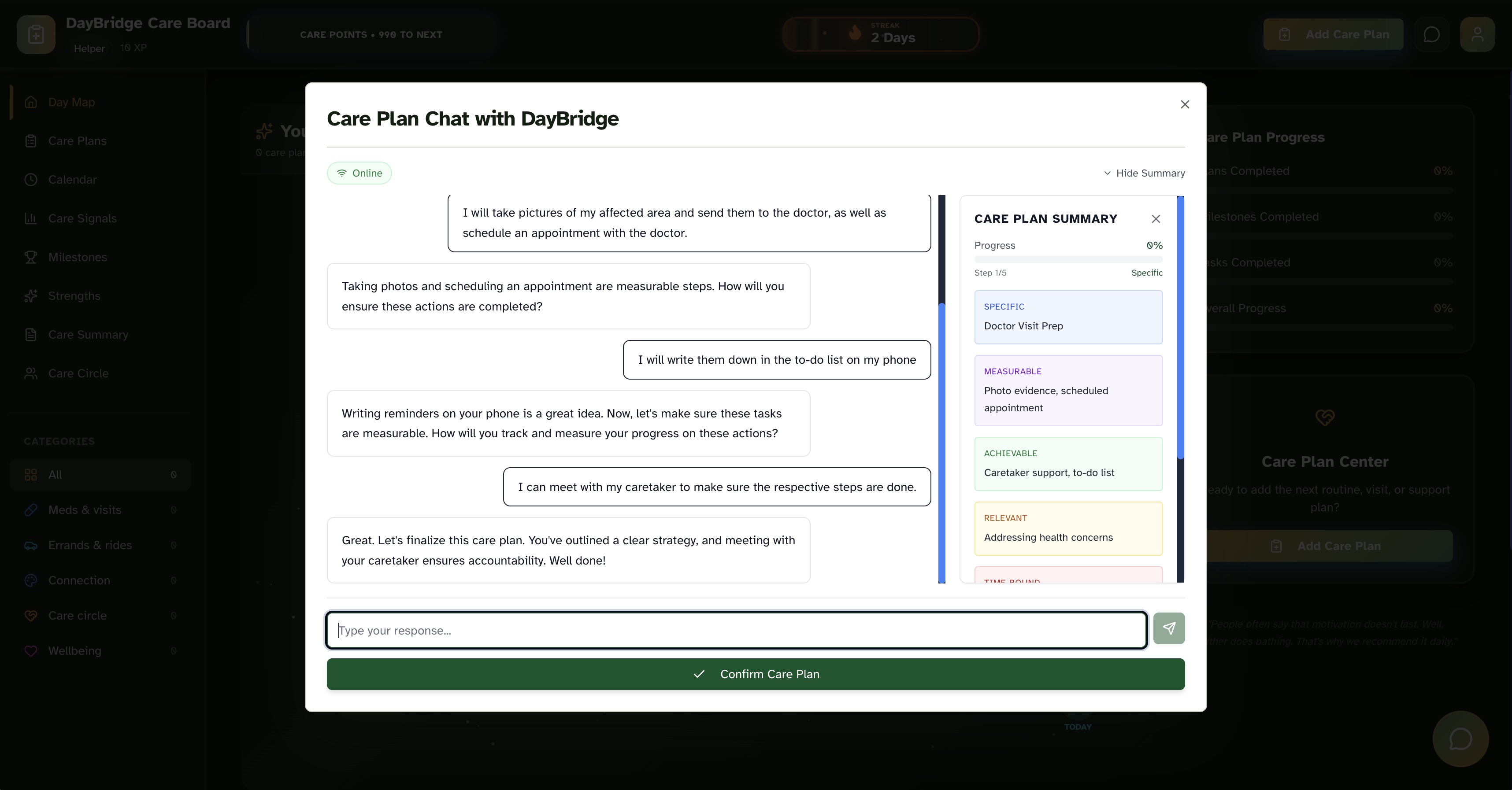
5 Powered by Cohere this conversational AI breaks down large goals into step-by-step SMART daily routines.
Inspiration
The idea for DayBridge came directly from spending time helping out in senior homes with tech support. While I was setting up iPads or fixing Wi-Fi issues for residents, I kept noticing the exact same thing in almost every single room. There was a chaotic mess of sticky notes, confusing physical calendars, and dry-erase boards full of appointments everywhere.
There was so much anxiety around managing the day. Family members would call to remind them to take medications. Caregivers would leave notes about upcoming rides. The seniors themselves felt overwhelmed trying to keep it all straight. Existing tech solutions proved overly complex and intimidating, and analog methods created a huge mess. I realized we needed a bridge to turn complex care goals into a simple, highly accessible daily board to keep the senior in control while keeping their family in the loop.
What it does
DayBridge is an accessibility-first daily support planner that helps older adults living independently manage their routines alongside their care circles.
DayBridge features a calm, large-text daily board that displays the day's missions, like taking medication, preparing for a doctor's visit, or calling a relative. Caregivers or seniors can use the built-in AI Care Plan Builder to input a complex goal, and our AI breaks it down into a chronological, step-by-step daily routine. Meanwhile, family members can view the board and see progress in real-time, providing peace of mind without invasive surveillance.
How we built it
I built the front end using React, Vite, and Tailwind CSS. From day one, the UI was engineered for accessibility. I used the Atkinson Hyperlegible font and added system-level reduced-motion support so animations wouldn't cause nausea or distraction.
For the backend, I used Convex to handle the real-time database and user authentication. The real-time syncing is crucial because a reminder added by a caregiver on their phone needs to instantly appear on the senior's tablet.
For the AI planning feature, I integrated the Cohere LLM. I engineered prompts to force the model to output strict JSON schemas representing logically spaced, sequential milestones and tasks.
Challenges we ran into
Integrating the Cohere API proved really difficult because of strict rate limiting. Getting the AI to reliably output chronological, evenly-spaced daily routines was also tough. LLMs tend to want to schedule everything for tomorrow. I had to implement a strict queue-and-retry system on the backend to validate that the AI's generated dates made logical sense before committing them to the database. Making the UI feel both simple and appealing for older adults presented another major challenge along the way.
What we learned
I learned that accessibility serves as a foundational design system built from the ground up. If you build a product that is easy enough for an 85-year-old to use with zero friction, you end up building a product that is beautifully simple for anyone to use. I also learned a ton about managing real-time data states using Convex.
Built With
- cohere
- convex
- react
- tailwindcss
- typescript
- vercel
- vite


Log in or sign up for Devpost to join the conversation.