-
-
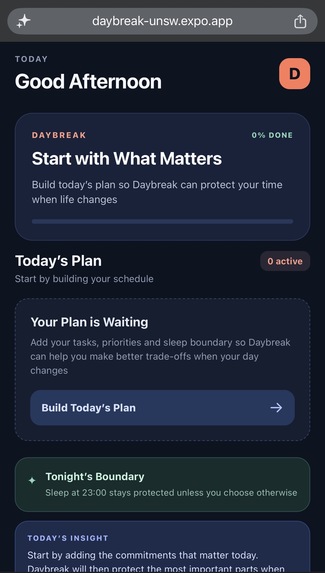
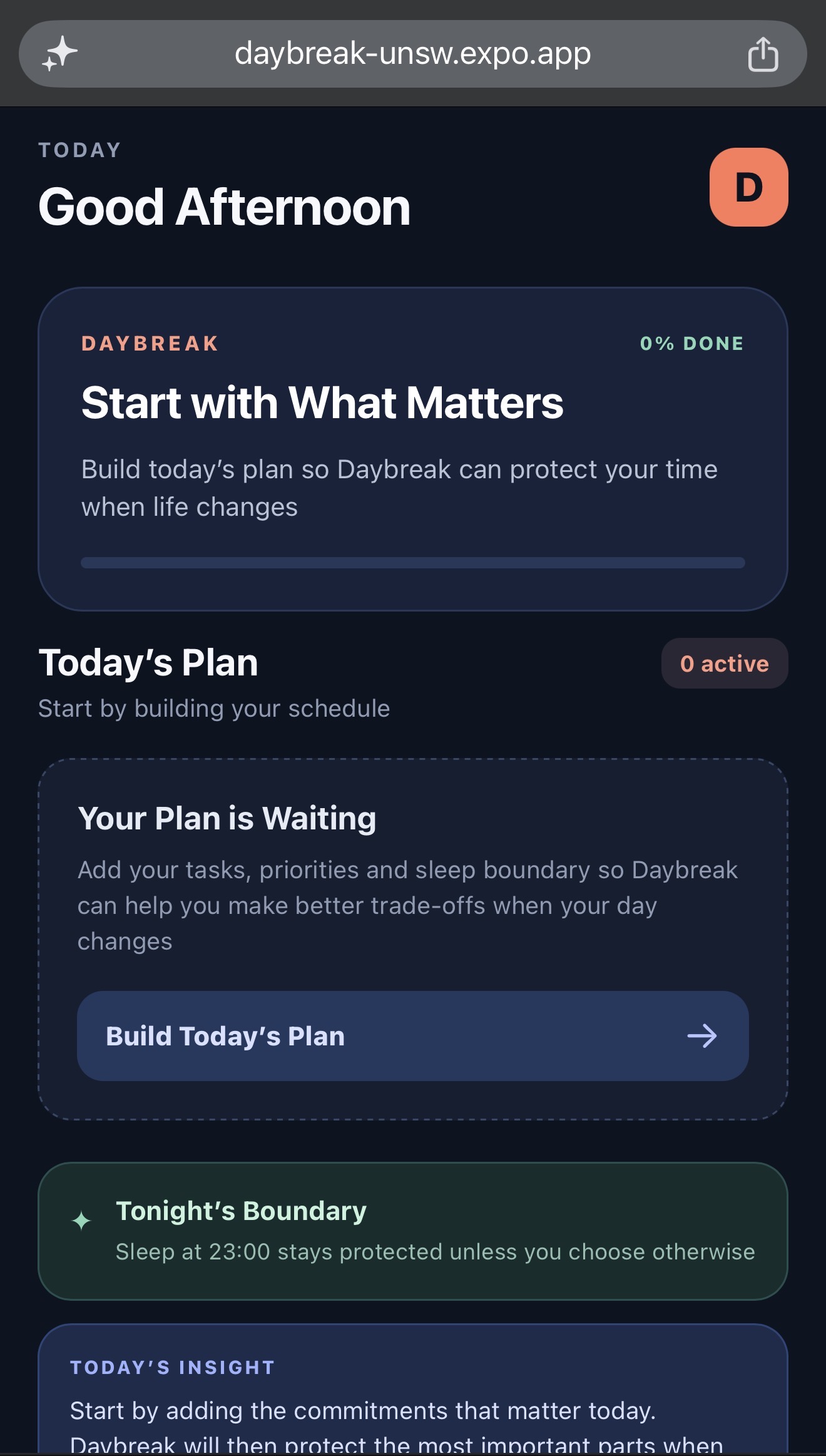
Home Page
-
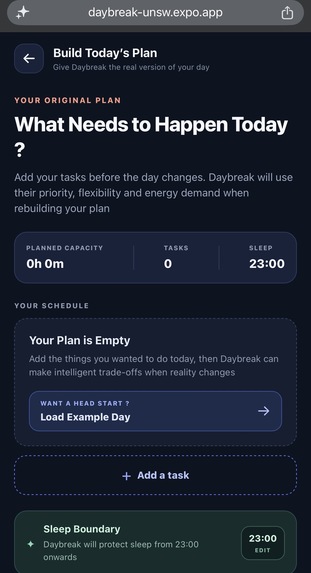
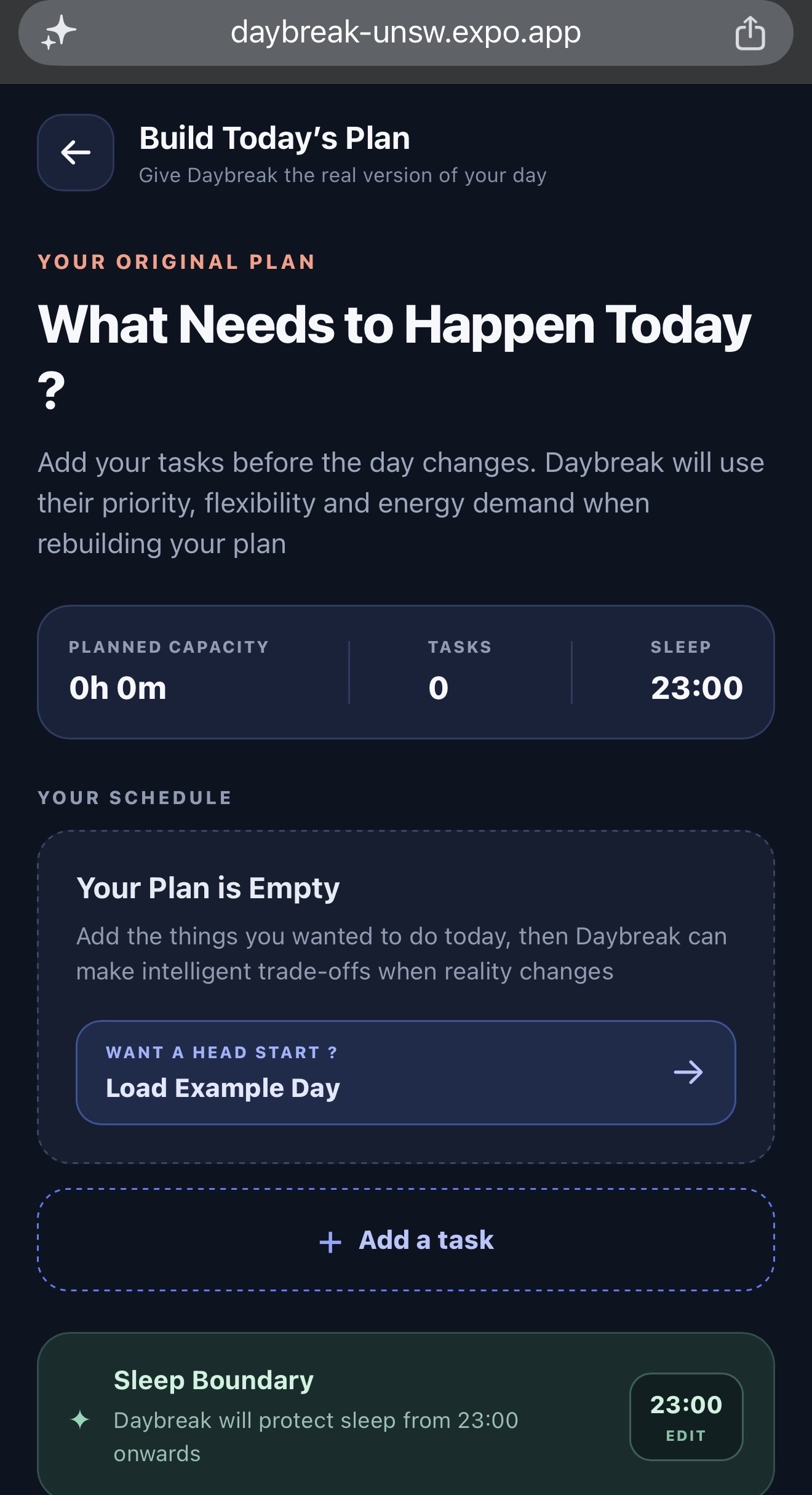
Day Planner
-
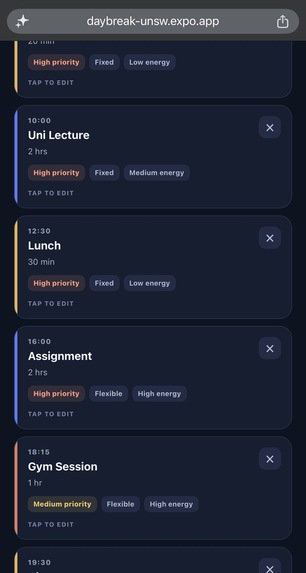
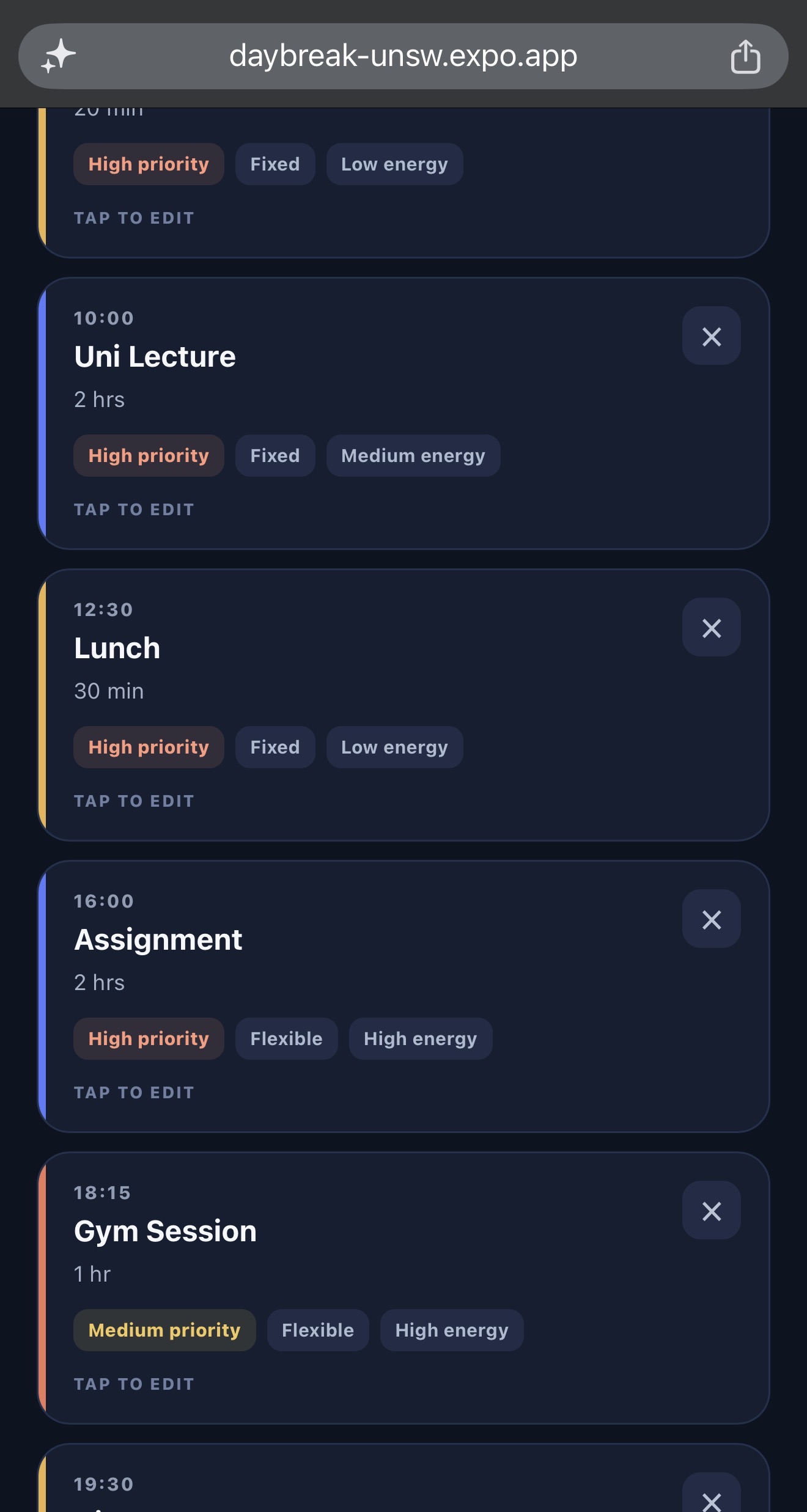
Preloaded Plan (Typical Students Schedule)
-
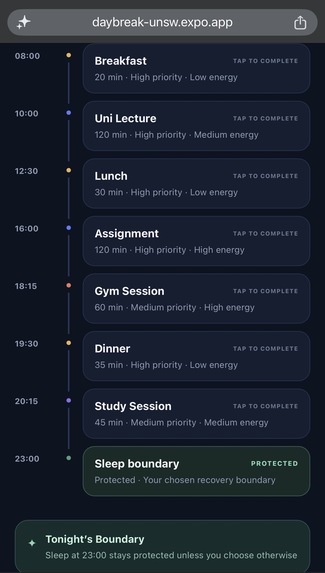
Home Page after Day Updated
-
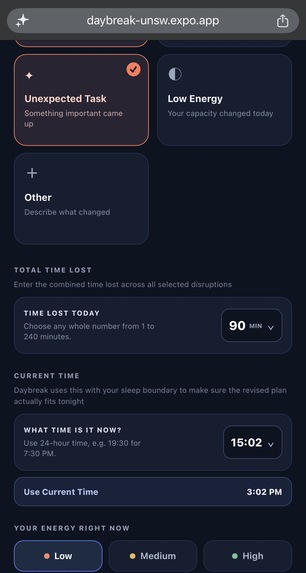
Disruption
-
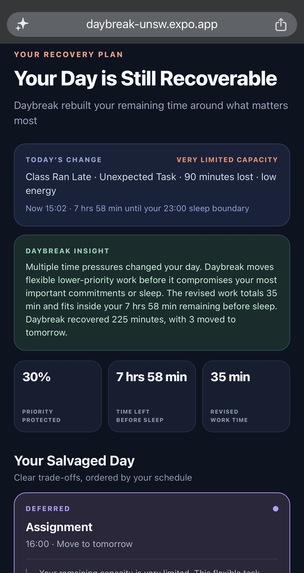
Recovery Plan page
-
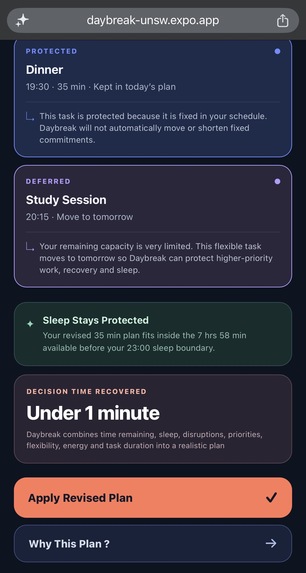
Recovery Plan page
-
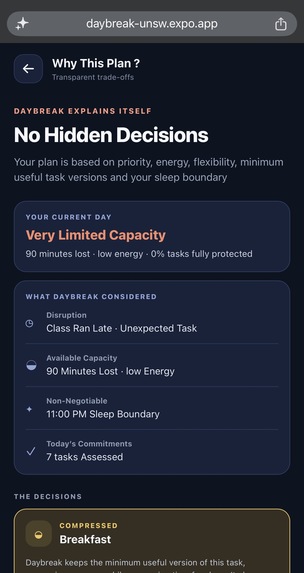
Why this plan page
-
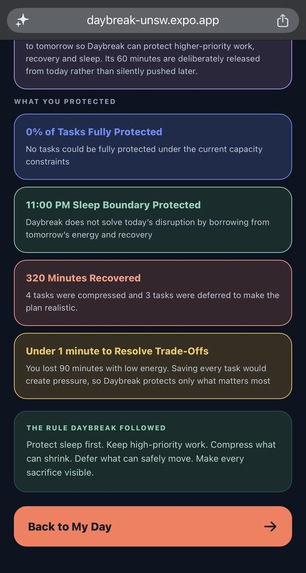
why this plan page
Inspiration
Daybreak came from a very personal frustration. I plan out a lot of things in advance, but then something always ends up disrupting the schedule. Once that happens, I waste too much time thinking about what I should skip, what I should try to finish, and how I should save the rest of the day. More often than not, that overthinking kills my momentum and I end up doing nothing and going to sleep instead.
What it does
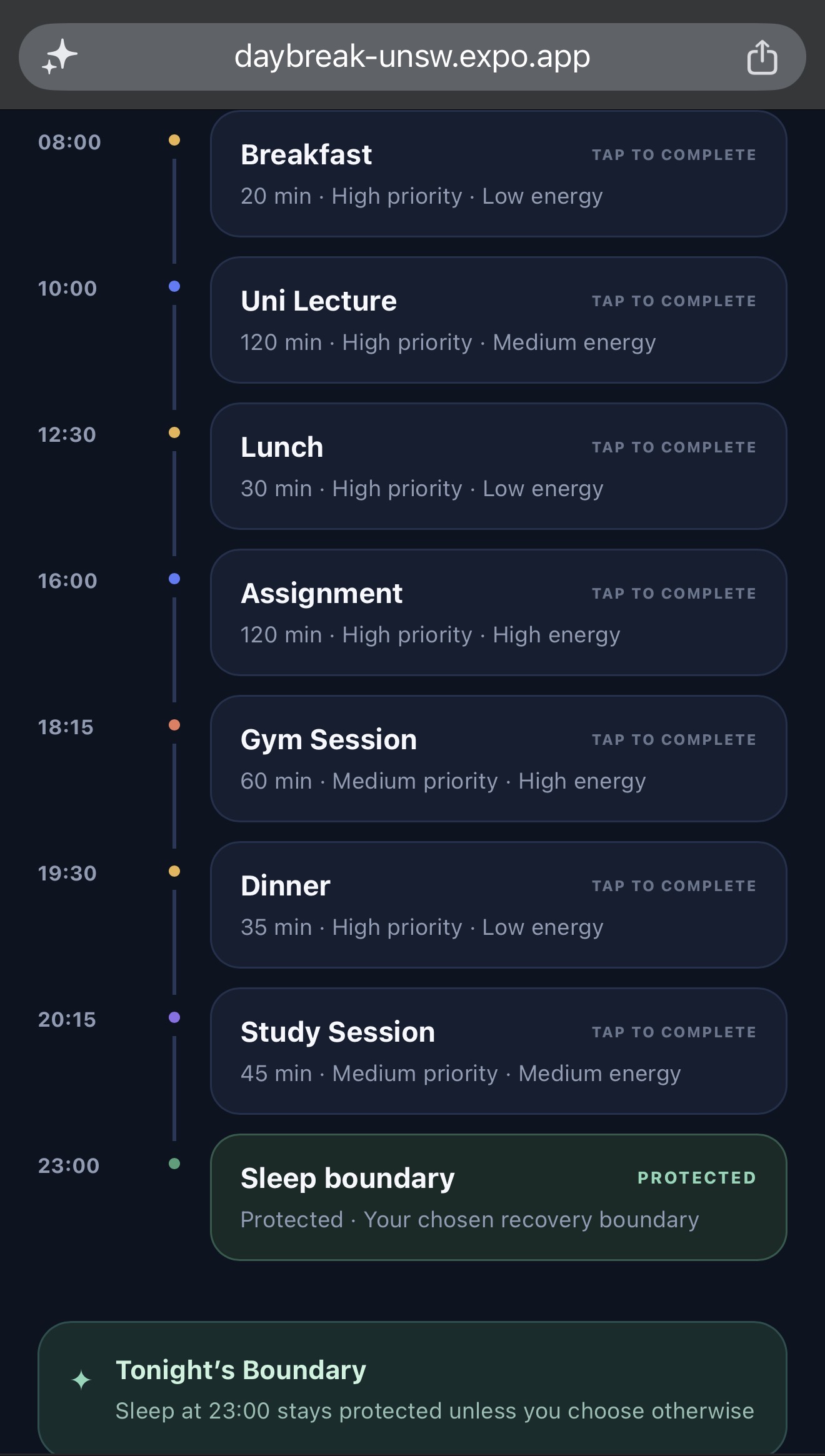
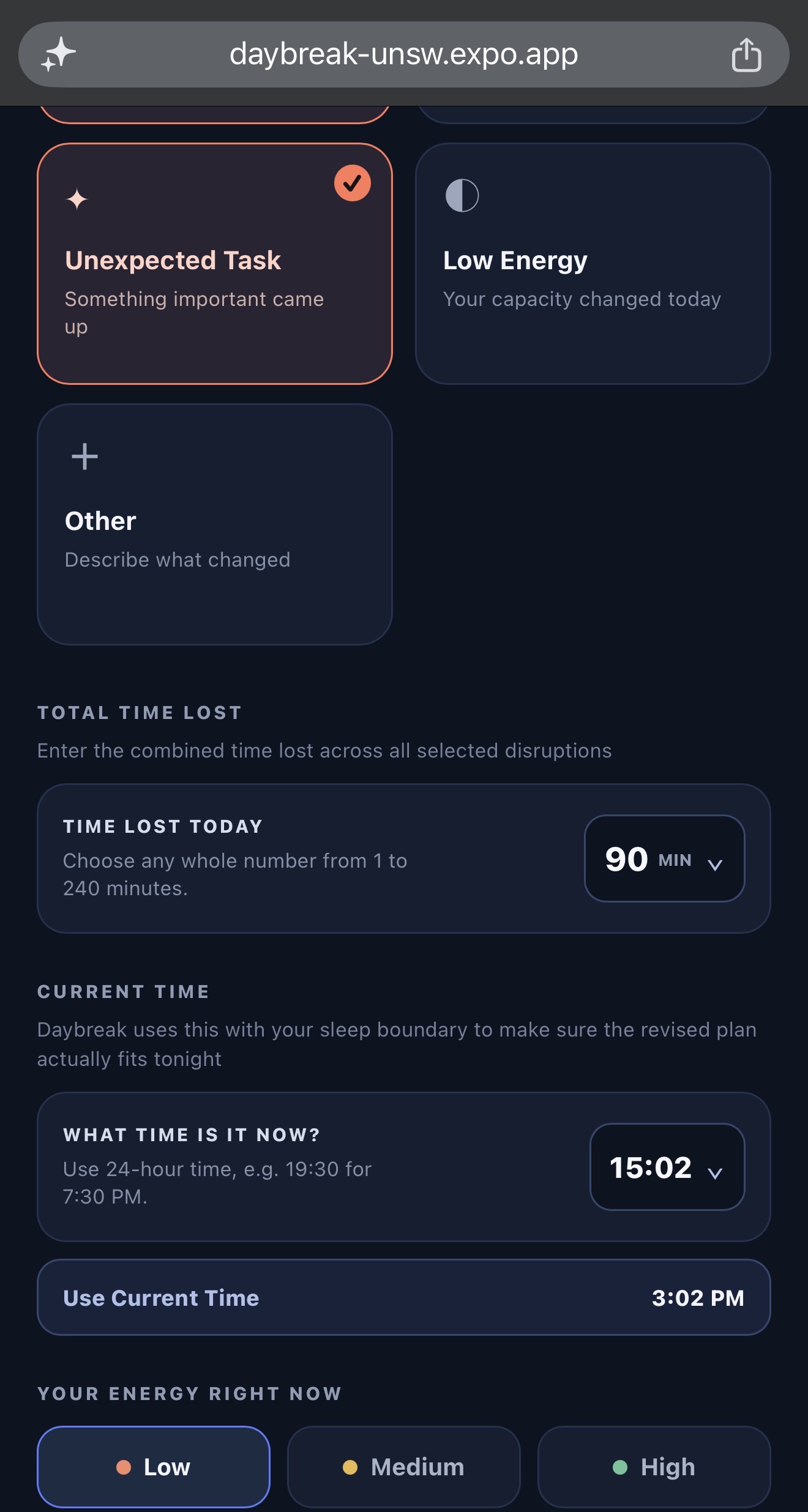
Daybreak is a one-day recovery planner for disrupted student schedules. Users can load or build a plan for the day, including tasks, durations, priority, flexibility, energy demand, and a sleep boundary. When something changes, they enter the disruption type, how much time was lost, and how much energy they have left.
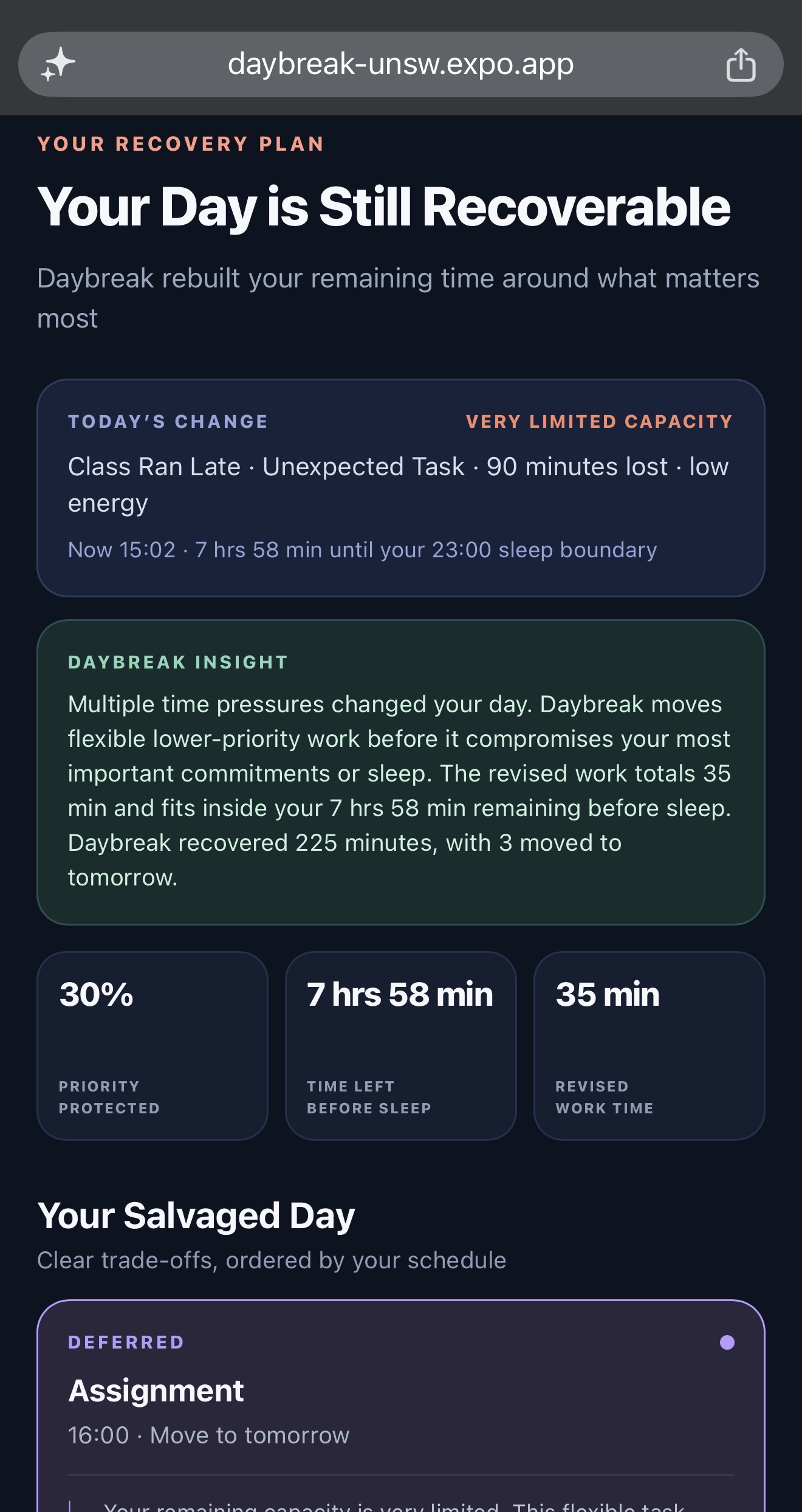
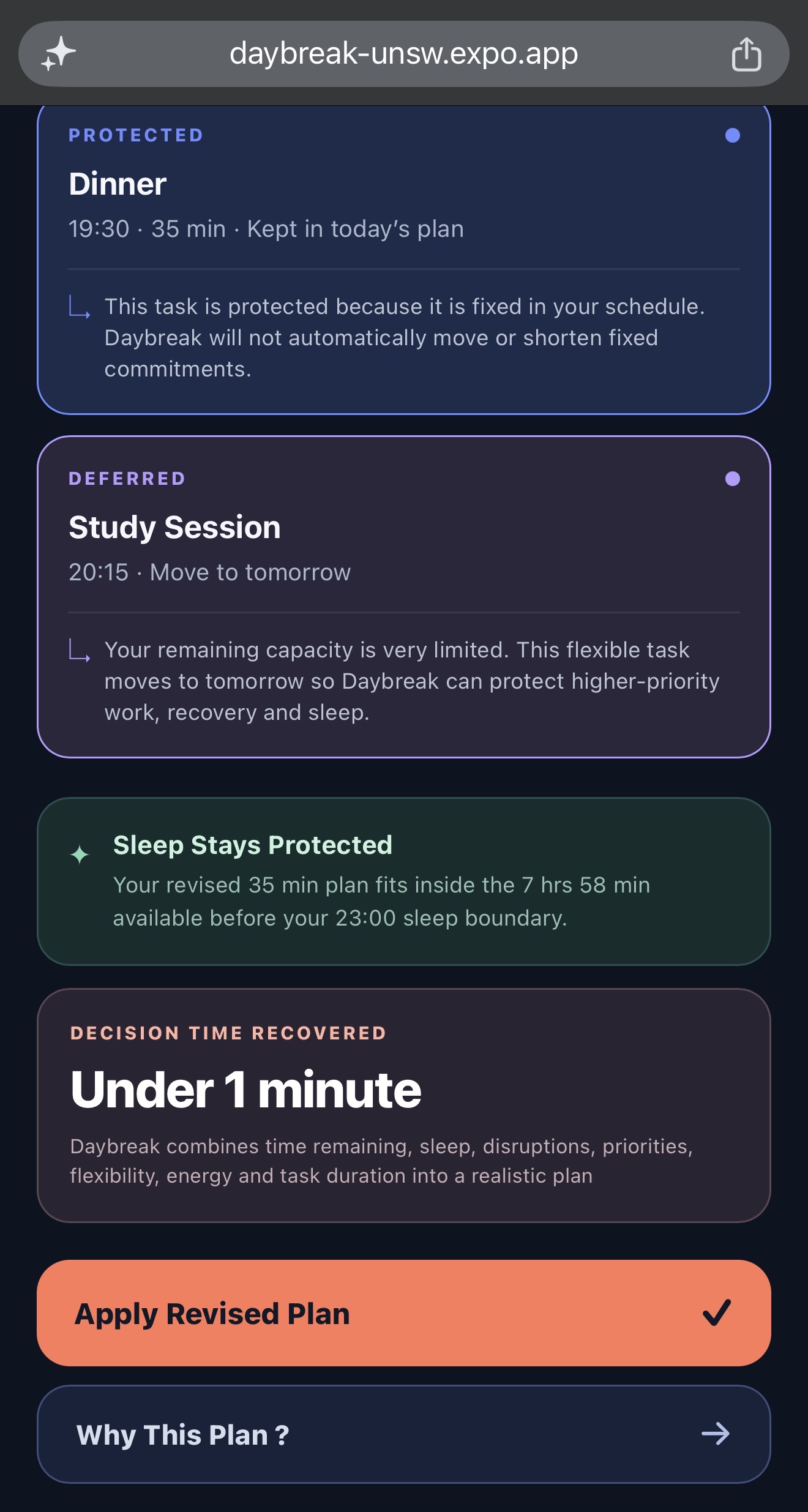
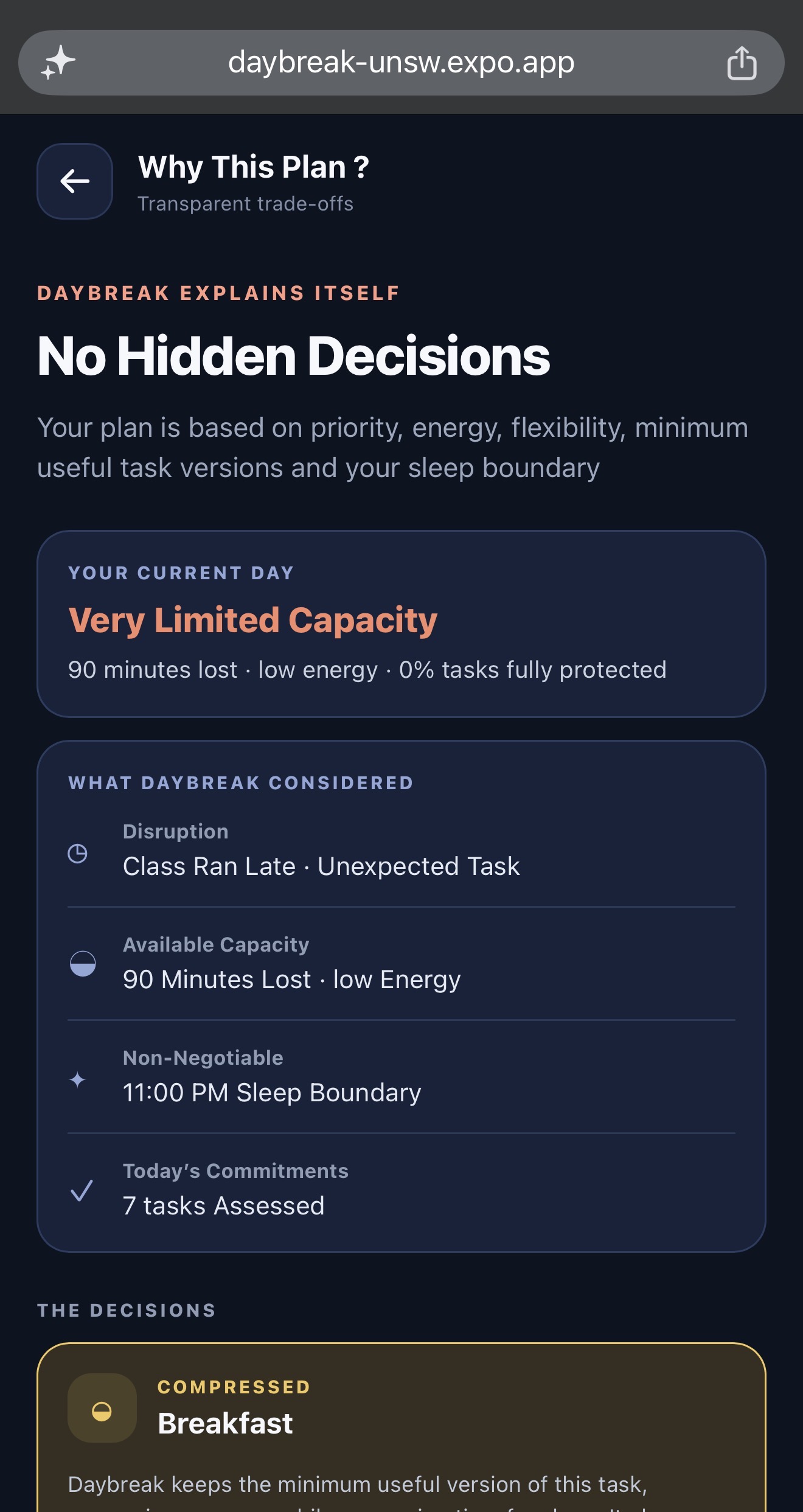
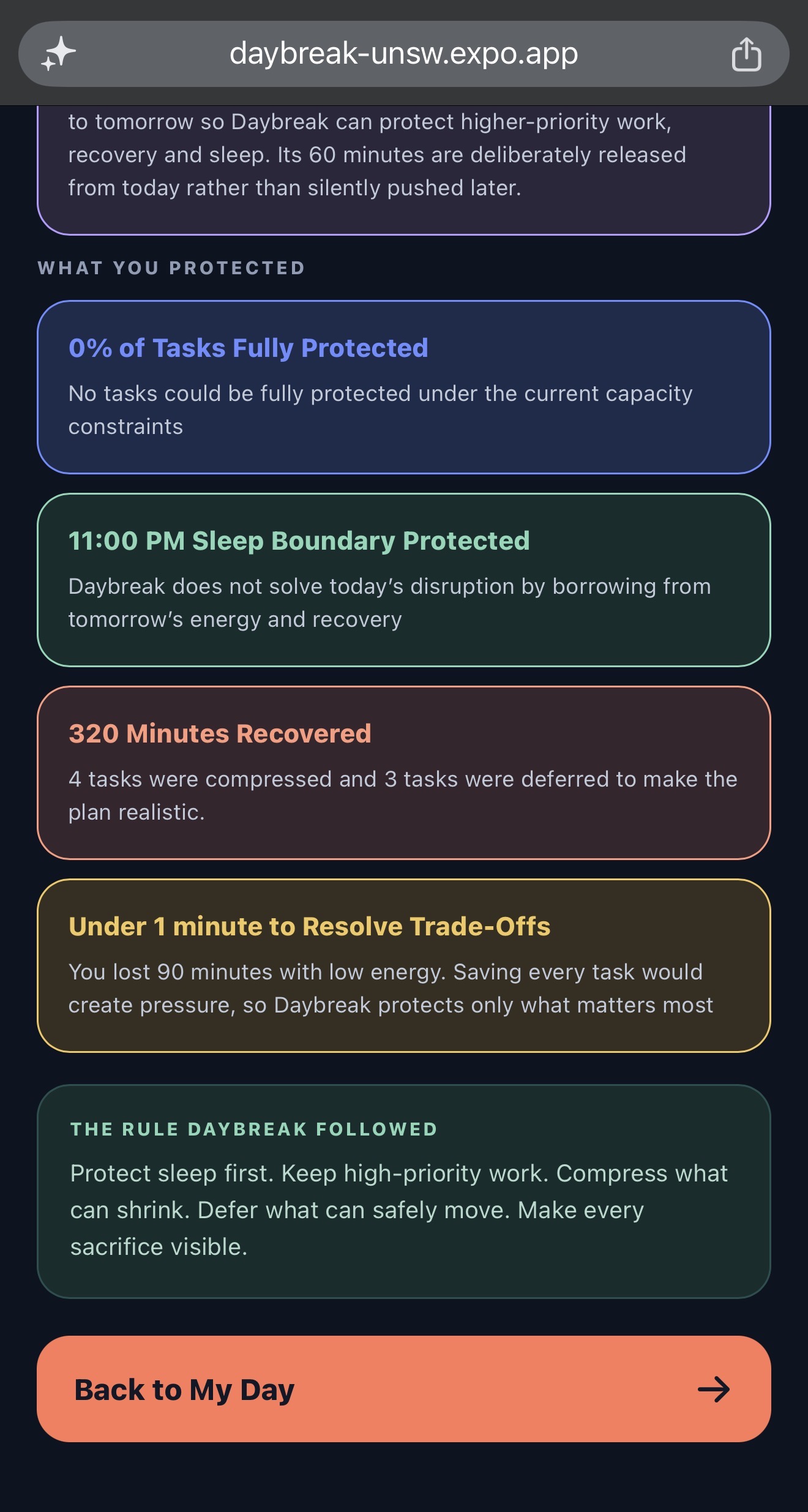
Daybreak then turns the disrupted day into a realistic recovery plan. It shows what should be protected, what can be compressed, what should be deferred to tomorrow, and what can be dropped for the day. The app explains each decision in plain language, shows how much of the day’s priority has been preserved, and keeps the user’s sleep boundary intact.
For example, if a student’s day gets interrupted, Daybreak might protect an assignment, shorten a gym session, keep dinner in place, and move a flexible study block to tomorrow instead of forcing everything into a stressful late night.
How we built it
Daybreak was built as a mobile app using React Native, Expo, Expo Router, and TypeScript. Instead of relying on opaque automation, we designed a clear rule-based recovery engine that makes schedule changes easy to understand. Each task is evaluated using its priority, flexibility, duration, energy demand, the user’s current energy, the type of disruption, the time lost, and the time remaining before the sleep boundary.
The recovery engine follows a simple set of rules. It protects the sleep boundary first, preserves fixed commitments and essential meals, prioritises high-value academic work, compresses tasks into realistic minimum versions where possible, defers flexible tasks that can safely move, and only drops low-priority tasks when time and energy are too limited to keep everything.
We also seeded the app with an example student day of breakfast, a university lecture, lunch, an assignment, a gym session, dinner, and a study block so it’s easy to show how Daybreak responds when a realistic schedule gets disrupted.
Challenges we ran into
One major challenge was making the recovery plan feel realistic rather than simply sorting tasks by priority. A high-priority task is not always the right task to keep at full length if the user has low energy or very limited time. We had to balance task importance with flexibility, energy demand, duration, fixed commitments, meals, and the sleep boundary.
Another challenge was making the trade-offs understandable. We did not want Daybreak to quietly remove tasks, so every protected, compressed, deferred, or dropped item includes a visible explanation showing what changed and why.
We also had to make sure the plan fit chronologically within the remaining day. The app calculates the available time up to the selected sleep boundary and uses that capacity when building the recovery plan.
Accomplishments that we're proud of
- Creating a focused solution for disrupted days instead of another ideal-day planner.
- Building a recovery engine that makes explicit, explainable trade-offs.
- Protecting sleep as a non-negotiable boundary.
- Supporting realistic student commitments such as lectures, meals, assignments, exercise, and study.
- Showing users that moving or dropping a task can be a deliberate decision, not a failure.
- Designing a clear visual distinction between protected, compressed, deferred, and dropped tasks.
- Creating a realistic seeded scenario that made the live demo fast and easy to understand.
What we learned
We learned that productivity support is not just about helping users do more. It is also about helping them decide what not to do when time and energy are limited.
We also learned that transparent rule-based logic can be more useful than a complicated black-box system, especially for an early-stage productivity tool. Users need to trust the plan, and they are more likely to trust it when the trade-offs are visible and explained.
Finally, we learned that sleep, meals, and recovery should be treated as real constraints in planning tools, not as optional tasks that are always sacrificed first.
What's next for Daybreak
Next, we want to make Daybreak even more personal and practical. We’re exploring task deadlines and urgency scoring, user-defined priorities, adjustable recovery weights, and a visual before-and-after timeline to make the plan easier to understand.
We also want to support reusable student-day templates, deferred task scheduling, optional calendar import, and notifications so Daybreak fits more naturally into everyday life. In the longer term, we want the app to learn from repeated disruptions and show users which recovery strategies work best for them.
Our goal is for Daybreak to be the tool students open when reality interrupts their plan, not to build a perfect schedule, but to help them make the next best decision quickly.
Built With
- expo-router
- expo.io
- javascript
- mobile-application
- react-native
- typescript
