-
-
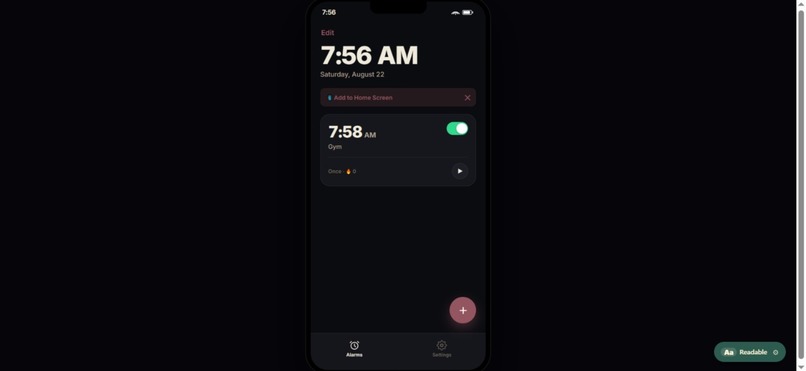
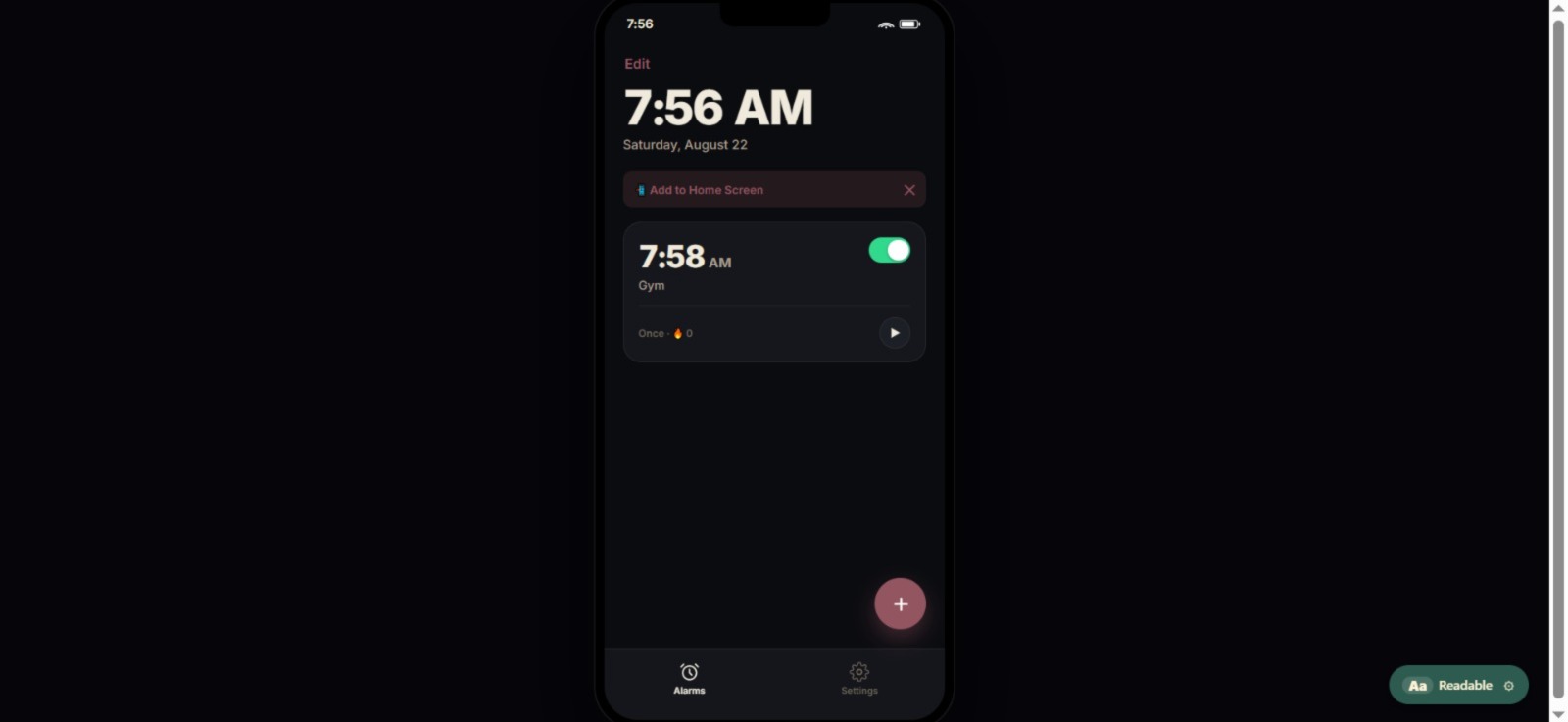
Full app, except the alarm fires only when the page is open. Browsers can wake up themselves, use it for room scan and live detection.
-
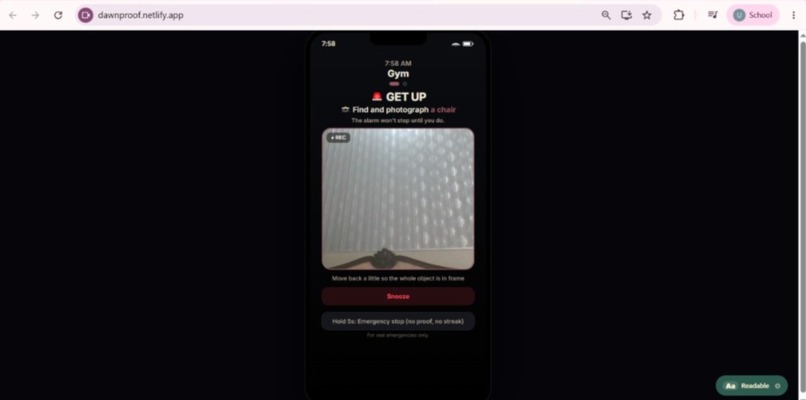
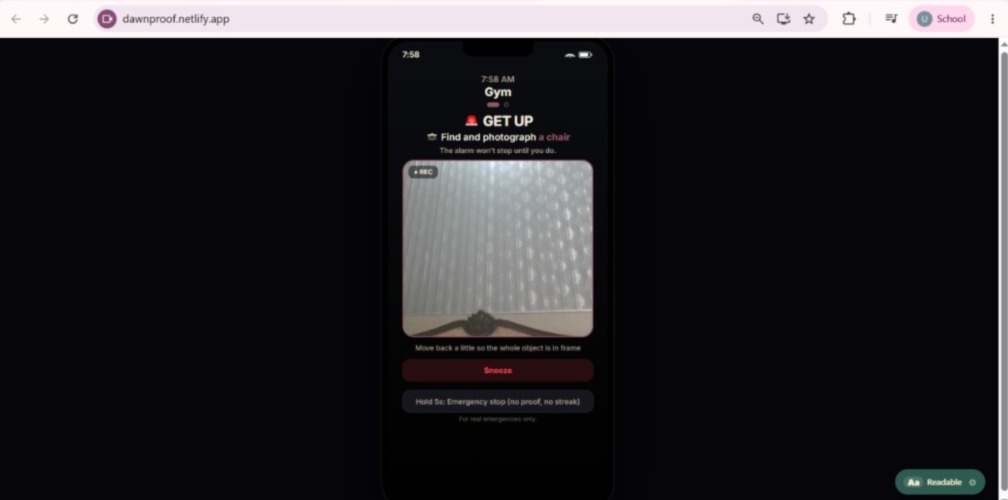
Alarm Rang. Camera Opened. No excuses left.
-
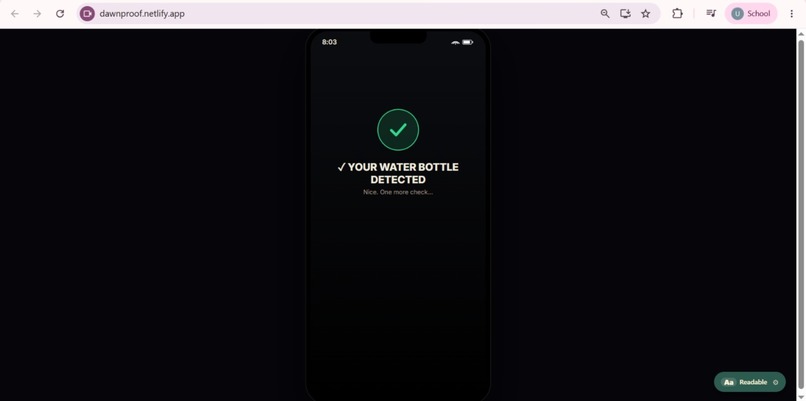
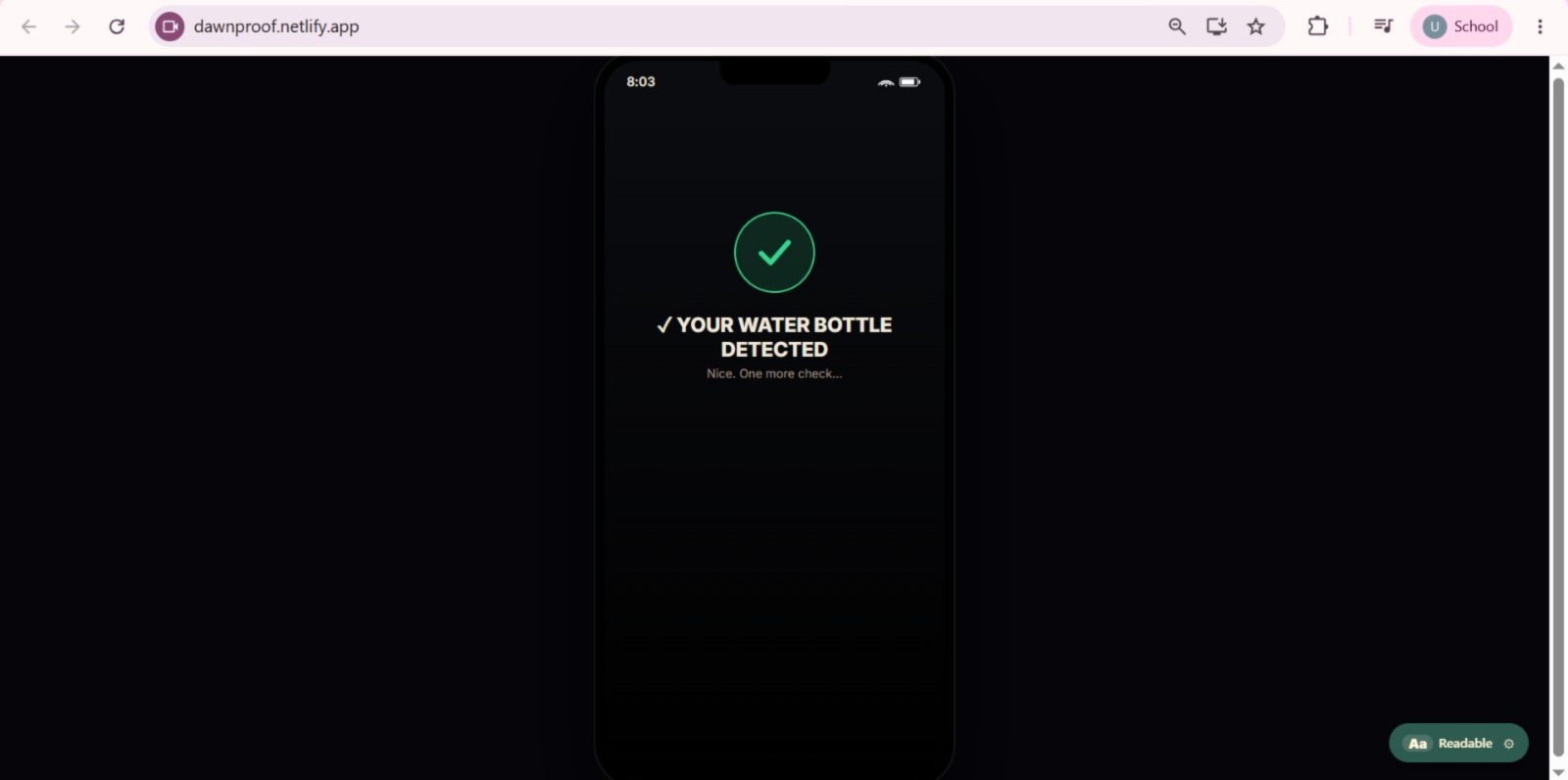
Task Completed, one more check ahead.
-
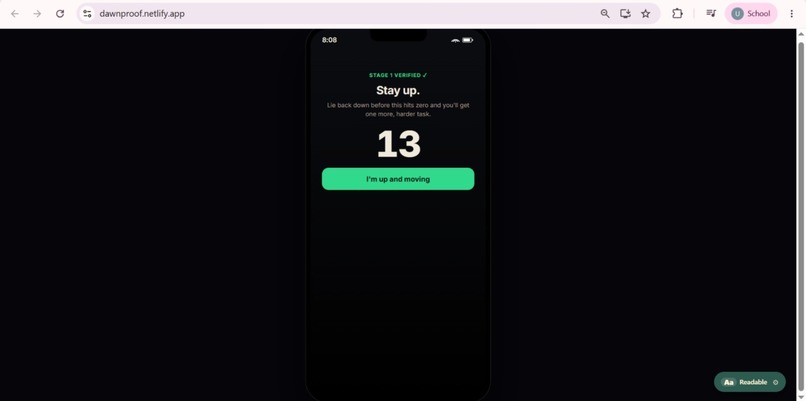
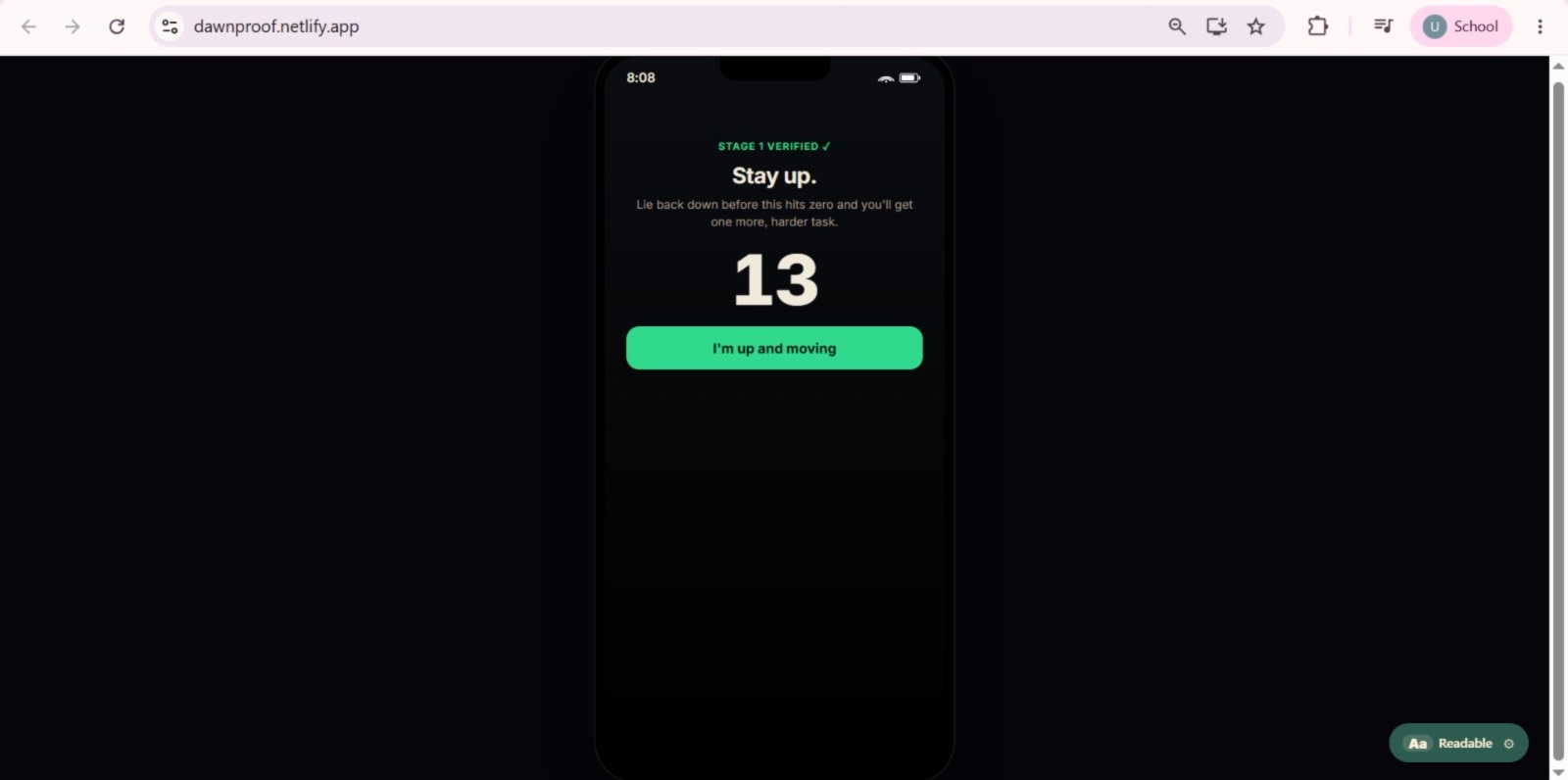
Stage 1 verified- but dawn proof isn't done with you yet. 13 seconds to prove it wasn't a fluke, or round 2 gets harder.
-
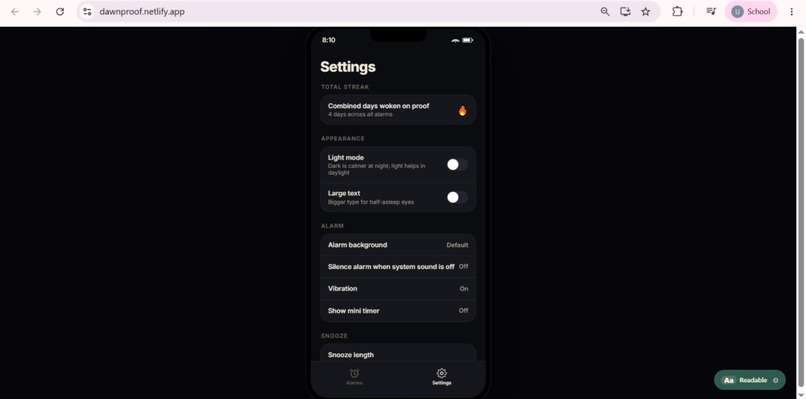
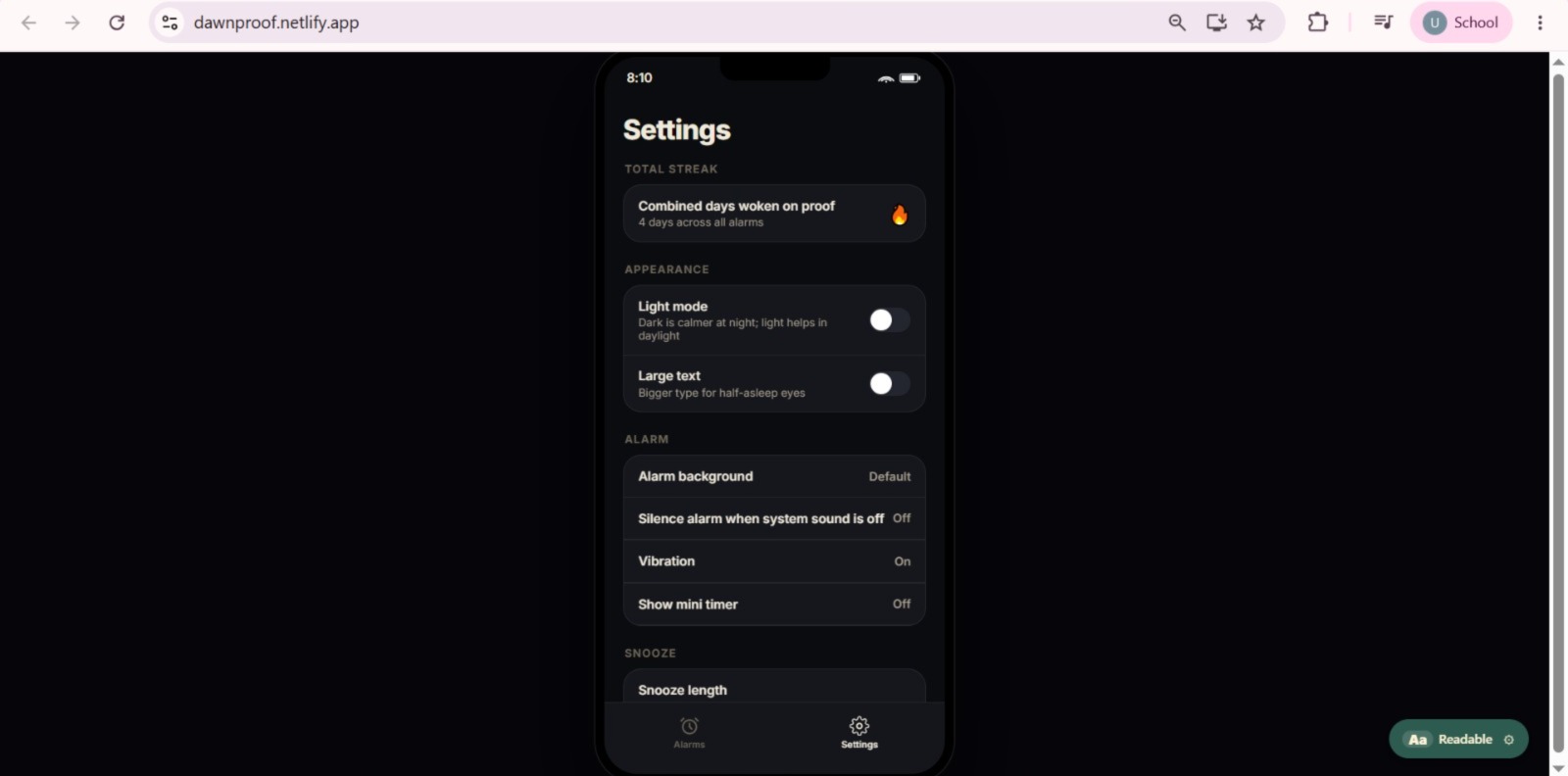
Streak drive return visits; light/large text help half asleep mode: alarm and snooze settings tune exactly how hard it's to ditch dawnproof.
Inspiration
I have missed Fajr more times than I want to admit.
Not because I didn't set an alarm. I always set the alarm. And every single time, some version of me that isn't really awake would get up, walk over, turn it off, and go back to bed. I would have no memory of what i did in sleep. By the time I actually woke up, the window had closed.
In such a similar way, I have a record of missing university lectures, class quiz or sehri for just a 5 min more nap. Every loss woke me up in a panic mode and compelled me to rush into things. Sometimes luck was on my side, but rest of the times I reaped what I saw.
So lately I came across "hard to dismiss" alarm app, Alarmy. Alarmy makes you photograph a spot you register in advance like your bathroom sink, your kettle, whatever. It would've worked really well but they missed a very strong point.
Something I found genuinely funny at first and then kind of disturbing. I realised people would start photographing the bathroom sink without waking up. Their bodies would learn the route. Stand, walk, point, done, return to bed. The task would become muscle memory, and muscle memory doesn't require consciousness. The app is still "working." but user is asleep.
Every one of these apps fails the same way, and it isn't because the task is too easy. It's because the task is always the same. Anything you can predict, you can automate. Anything you can automate, you can do asleep.
So let's do it differently. What if you couldn't know what the task was until the moment it rang?
What it does
DawnProof is an alarm that hides your task until it goes off, and won't stop until a camera confirms you actually did it.
When you set an alarm, the app privately picks a target object and says nothing about it. At 5am the screen takes over your lock screen and reveals it for the first time: "Find and photograph your cup." You can't pre-aim at something you were never told.
The targets come from your own room. You scan it once - walk around with the camera, and the app builds a list of what it can actually see: your book, your bottle, your laptop, the sink, the fridge. Every alarm draws from that list, so it only ever asks for things that genuinely exist in your house.
Then it escalates, deliberately:
Stage 1 : Something within reach of the bed. Easy. You're standing. The stay-up countdown — a timer runs. If you lie back down before it hits zero…
Stage 2: A harder object in the kitchen or bathroom. Every object is tagged with a zone, so stage 2 mathematically cannot be something in your bedroom. You have to leave the room. Snoozing is allowed, because banning it just makes people fight the app. But it costs you. It's capped at three, and each snooze shortens the stay-up window, so the more you negotiate the less room you get.
There's a five-second hold-to-dismiss for real emergencies. It works with no internet and no camera, and it deliberately does not count toward your streak. Being able to escape is a safety requirement. Being rewarded for escaping is not.
One distinct feature is alarms named Fajr, Zuhr, Asr, Maghrib or Isha automatically follow the real prayer times, recalculated every day for your location. Fajr moves about 95 minutes across a year in Karachi. A fixed alarm is wrong most of the year.
Everything runs on the phone. No account, no API key, no server, no network calls. Your camera frames are analysed in memory and discarded. There is no code path in the app that uploads an image anywhere.
How we built it
🛠 The whole app is a single self-contained HTML file — no framework, no build step, no bundler. That was a deliberate constraint: one file that runs identically as a website and inside the Android app, so there's no chance of the two versions drifting apart.
🛠 Object recognition runs on-device with TensorFlow.js and COCO-SSD (lite_mobilenet_v2), bundled into the app at about 17MB. It knows 80 everyday object classes. I wrote the task pools against that vocabulary rather than the other way round. Every task is something the model can actually find, because an alarm you physically cannot turn off is a far worse bug than a slightly shorter task list.
🛠 Each object carries two pieces of metadata that make the whole escalation work: a zone (within arm's reach of the bed, or another room) and the alarm themes it suits. That's how a "Gym" alarm asks for your water bottle while a "Work" alarm asks for your laptop, and how stage 2 reliably gets you out of bed.
🛠Prayer times are computed, not fetched: Solar declination and the equation of time from the Julian date, then the hour angle at which the sun sits at each prayer's defining altitude. Five calculation methods (Karachi, Muslim World League, ISNA, Egyptian, Umm al-Qura) and both Asr conventions.
The Android side is where an alarm becomes a real alarm. AlarmManager.setAlarmClock() fires at the exact minute and survives Doze. A foreground service takes a wake lock and plays the sound on Android's ALARM audio stream, so it's loud even with media volume at zero. A full-screen-intent notification takes over the lock screen. The service is the single source of truth for "an alarm is ringing," so the ring screen appears no matter how the app is opened. Capacitor wraps it for Android and iOS. Deployed as a PWA on Netlify.
Challenges we ran into
I built it on a cloud AI, then tore that out.
The first version sent each camera frame to a vision API. It worked well and I was pleased with it, right up until I thought about what I'd actually shipped: an app that needs an API key, needs a server to hide that key, costs money per photo, doesn't work without signal, and uploads photographs of your bedroom to someone else's computer at 5 in the morning.
For a hackathon demo that's fine. For something a person installs on their phone, it isn't. I moved the entire thing on-device. It cost me the ability to recognise arbitrary objects, I went from "anything" to 80 classes, and I still think it's the best decision in the project. No key, no bill, no server, works on a plane, and the photos never leave the phone.
The detector worked perfectly on the web and failed in the app with:
byte length of Float32Array should be a multiple of 4 I checked the model files inside the APK first. Byte-perfect. So the files were fine and something was damaging them in transit.
It turned out to be Capacitor's asset handler. To tell the WebView what type a file is, it first guesses from the file extension, and my model weight shards were named group1-shard1of5, with no extension. So that guess returned nothing and it fell through to a second method that identifies the type by reading the opening bytes of the file. Those bytes were consumed. The app received the file minus its own header. Model weights are 32-bit floats, so a few missing bytes meant the total no longer divided by four , hence that exact error.
The proof was sitting right next to it: model.json was in the same folder, equally compressed, and loaded perfectly. Same folder, same packaging, opposite outcome — decided purely by whether the filename had an extension. Renaming the shards to .bin fixed it.
Designing for the worst possible failure
At one point the alarm started silencing itself. It would ring, open the app, and go quiet on its own.
The cause was embarrassing and instructive. Nothing in the app had ever actually been saved , it used a storage API that existed only in the environment I first prototyped in, and every failed write was swallowed by an empty catch. So the alarm rang, the app opened, found no saved alarms, concluded the alarm must have been deleted, and helpfully stopped the sound.
For an alarm clock, going quiet unexpectedly is the worst thing the software can do worse than a crash, because a crash is at least visible. So now, if the app is ringing for an alarm it can't account for, it recovers with a working stand-in task rather than stopping. It will always give you something to do to make the noise end. It will never just give up and let you sleep.
Accomplishments that we're proud of
✔It actually rings. Phone locked, app force-closed, screen off , THEN the alarm takes over the lock screen, wakes the display, and starts the camera. Most "app" submissions are responsive web pages. This one compiles to an APK and behaves like the stock Clock app, because that's the only version of this idea that's worth anything.
✔It costs nothing to run and always will. No API key, no server, no per-user cost. I could hand this to a thousand people tomorrow and my bill would be zero. That's not a technical brag, it's what makes it something a person can actually keep using.
✔The prayer times are correct. Not approximately, not "close enough." Zero minutes of drift against an independently written reference implementation, across four cities and three dates including both solstices.
✔Nothing in the interface is fake. During development I built an accountability-partner toggle and a prayer-time switch that didn't do anything yet. I deleted both. Every switch in the app now does something real. It's very easy to ship a hackathon project full of buttons that are only there to look good in a screenshot, and I'd rather have fewer features that are all true.
What we learned
Anything predictable can be done asleep. That's the whole insight, and it isn't really about alarms. The unpredictability is the mechanism, the moment the task becomes knowable in advance, the app stops working and you won't even notice, because you'll still be dismissing it every morning.
Constraints improve products more often than they damage them. Losing cloud AI forced me to design the task system around a fixed 80-word vocabulary, which forced me to tag every object by room and by theme, which is what made stage 2 reliably get people out of bed. The generic cloud version wouldn't have had that structure. The limitation created the feature.
Two things can both be true and only one can be visible. The alarm ringing and the alarm being displayed were separate systems, and for a while one worked while the other silently didn't. The alarm fired perfectly on time while the card showing it had vanished from the list. It taught me to distrust "it works" until I've checked each layer independently.
Design for the failure mode, not the happy path. An alarm clock is defined by what it does when things go wrong at 5am, half-asleep, camera not cooperating. Almost every meaningful decision in this project — the emergency hold, the escalating leniency, the recovery task, the honest error messages — came from asking "what happens when this breaks?" rather than "how does this look in a demo?"
What's next for DawnProof
✨Getting it into people's hands. It's a signed APK today. Play Store next, so installing doesn't require trusting an unknown source.
✨A wider vocabulary. 80 object classes is the honest limit right now. I want to train a small custom model on household objects specifically ~enough to recognise a prayer mat, a pair of shoes, a medicine box ~ while keeping everything on-device. The privacy and cost properties are non-negotiable; the vocabulary is the part I want to grow.
✨Every tradition that keeps time by the sun. It computes solar position — sunrise, sunset, solar noon, and the angle of the sun below the horizon. Almost every faith that schedules observance by the day does it from the same handful of numbers. I want anyone to be able to say "wake me for this observance, wherever I am, correctly, for the rest of my life"
✨Household mode. Streaks are per-person today. Shared accountability between siblings or roommates — everyone's Fajr streak visible to each other — would make the mechanic social, and social is what actually sustains habits.
✨Open-sourcing the somatic-free verification engine— the part that hides a task, escalates it by zone, and verifies it on-device. It isn't really about alarms. The same pattern would work for medication reminders, physiotherapy, or any commitment where proving you did the thing matters more than acknowledging a notification.
DawnProof started because I kept turning off alarms in my sleep and had no memory of it. Now I wouldn't, because I don't know what it's going to ask for until it asks.
Built With
- android
- capacitor
- cocossd
- computervision
- css3
- html5
- java
- javascript
- machine-learning
- mobilenet
- object-detection
- pwa
- serviceworkers
- tensorflow.js
- webgl

Log in or sign up for Devpost to join the conversation.