-
-
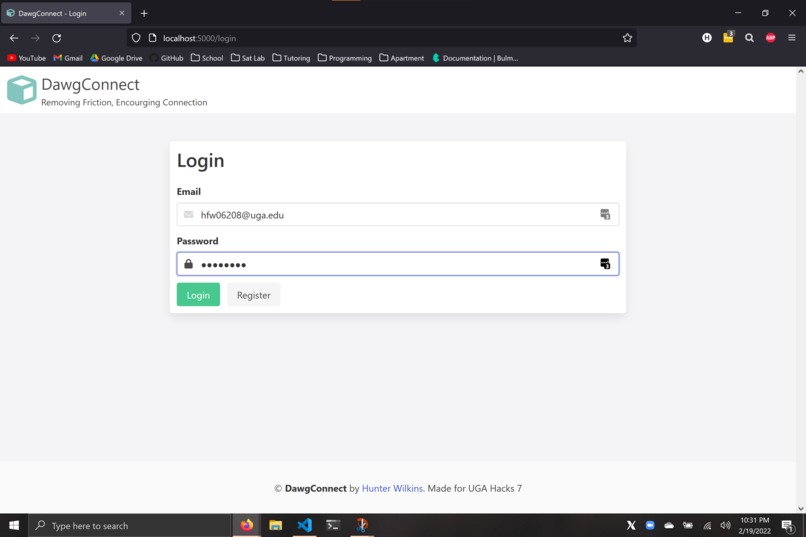
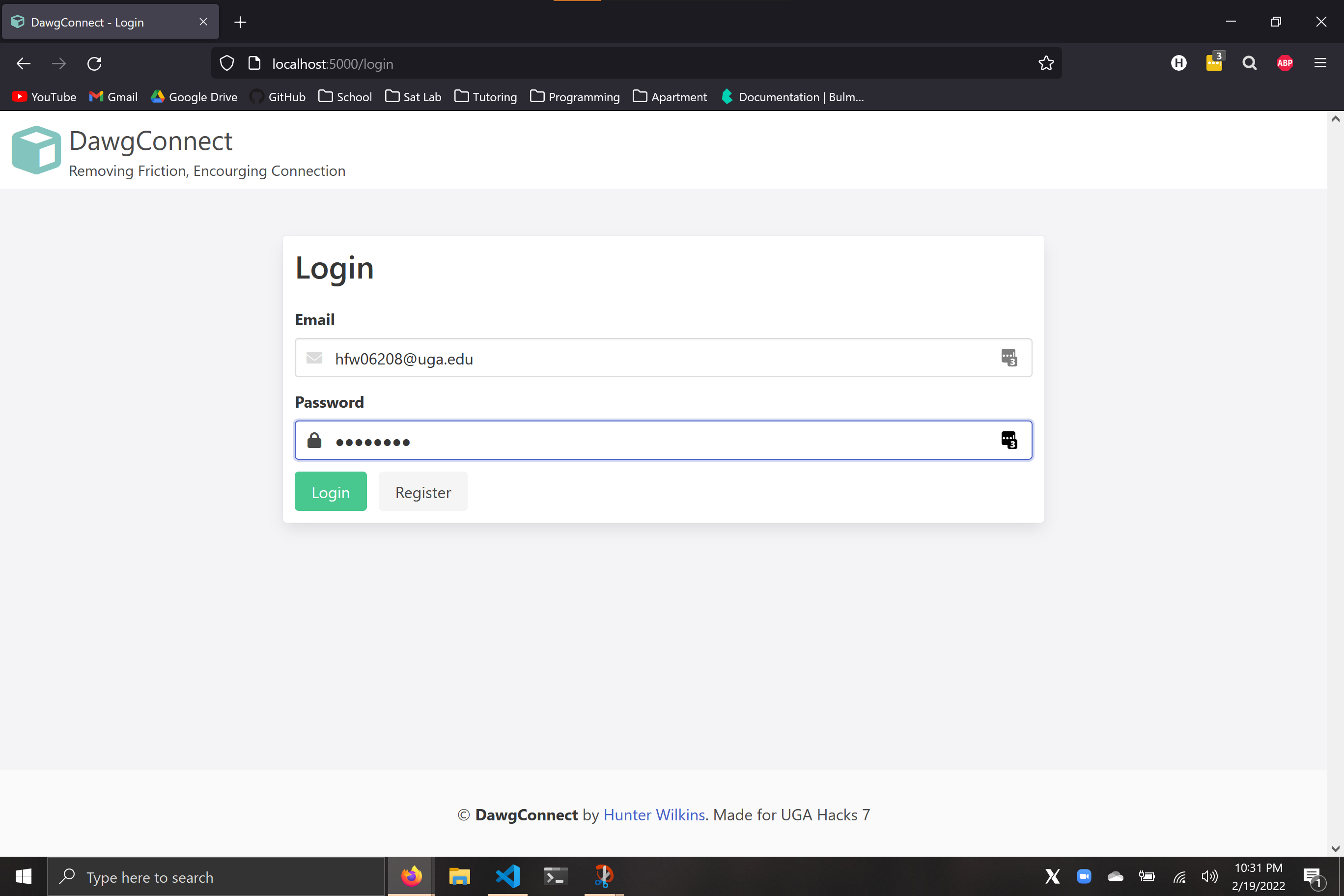
Welcome to DawgConnect!
-
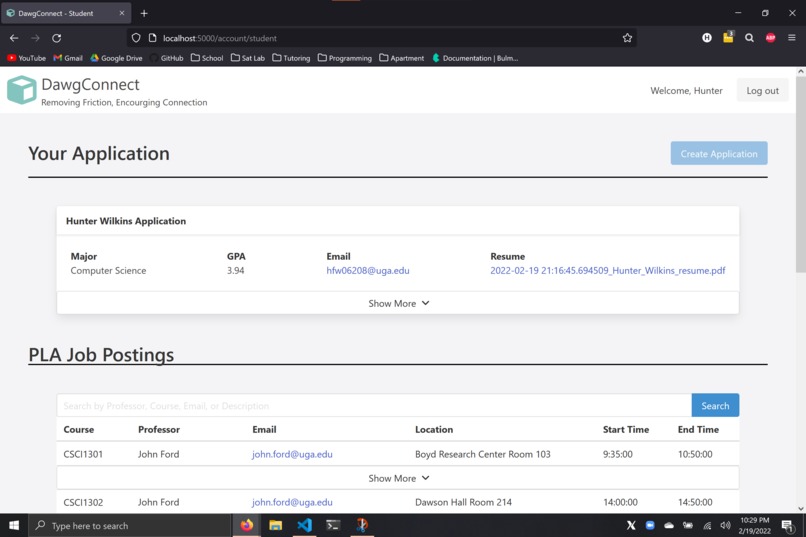
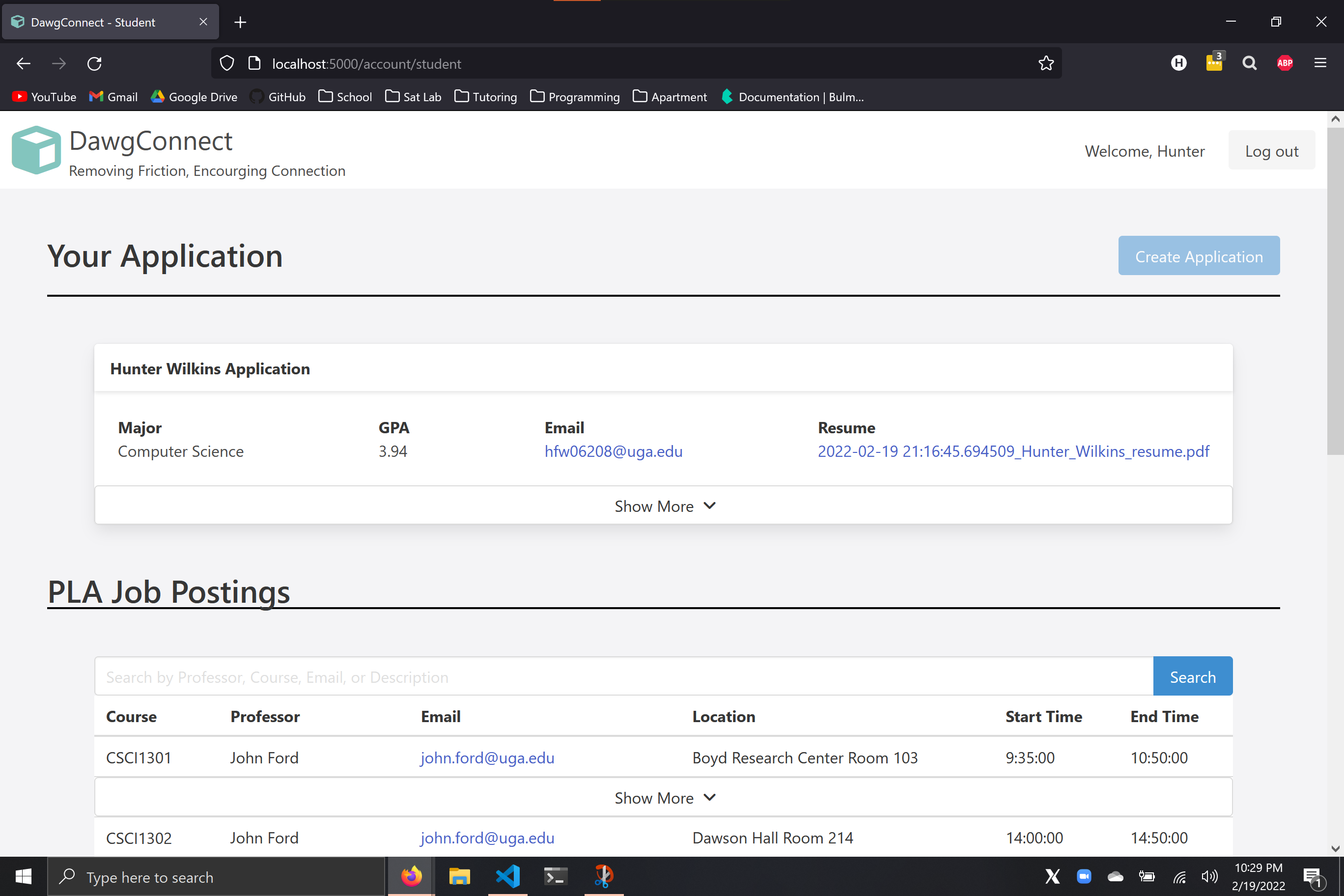
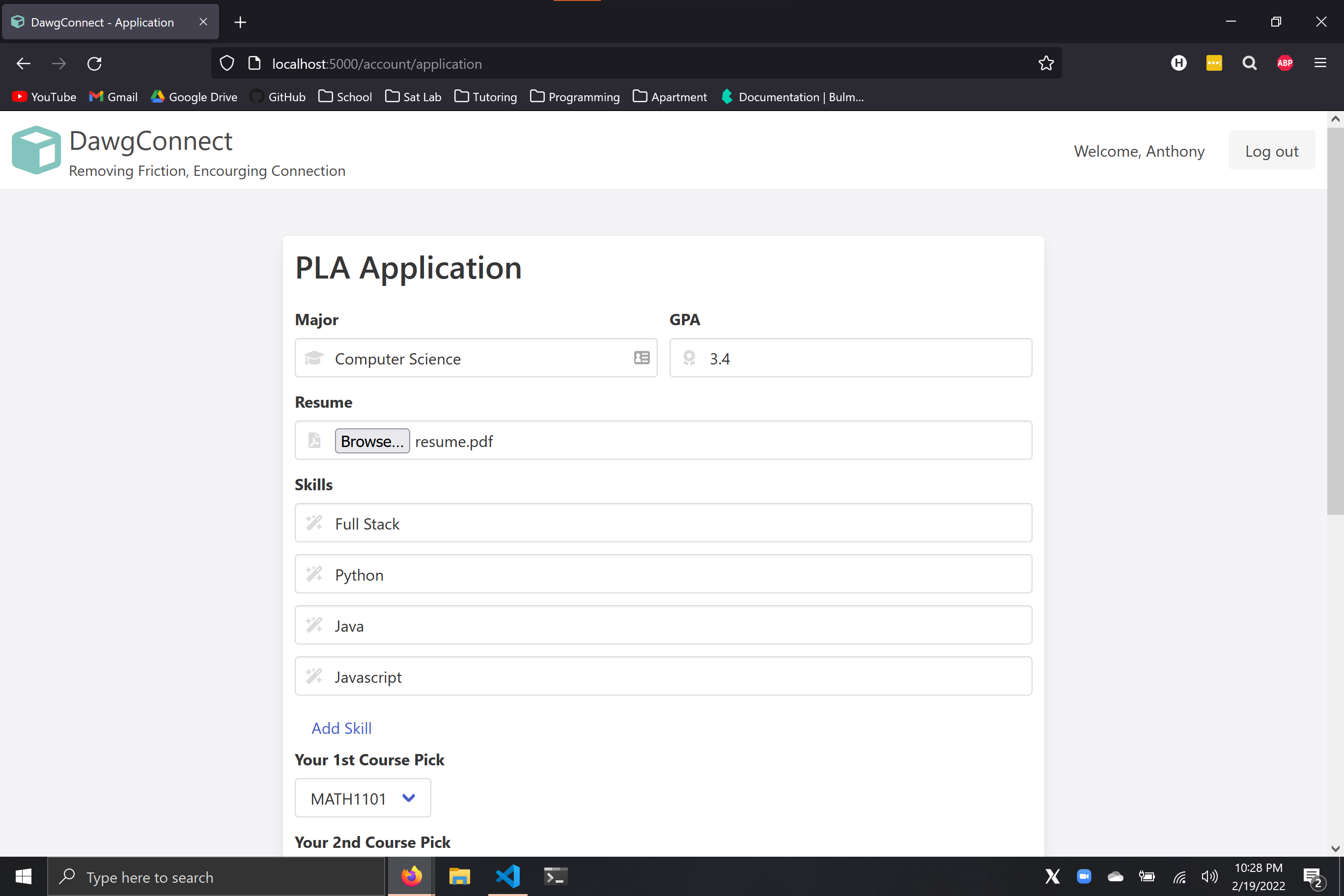
This is the student account page where students can apply for PLA jobs
-
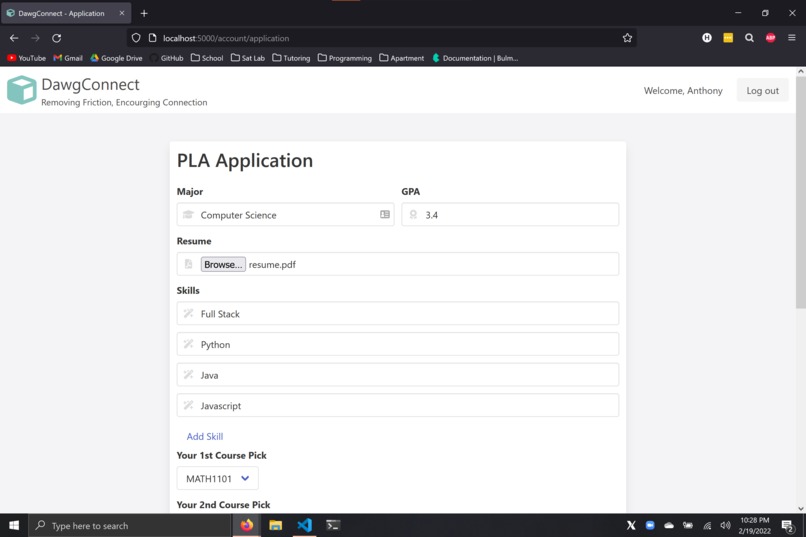
Students use rank choice matching to find the best pair between professor and PLA
-
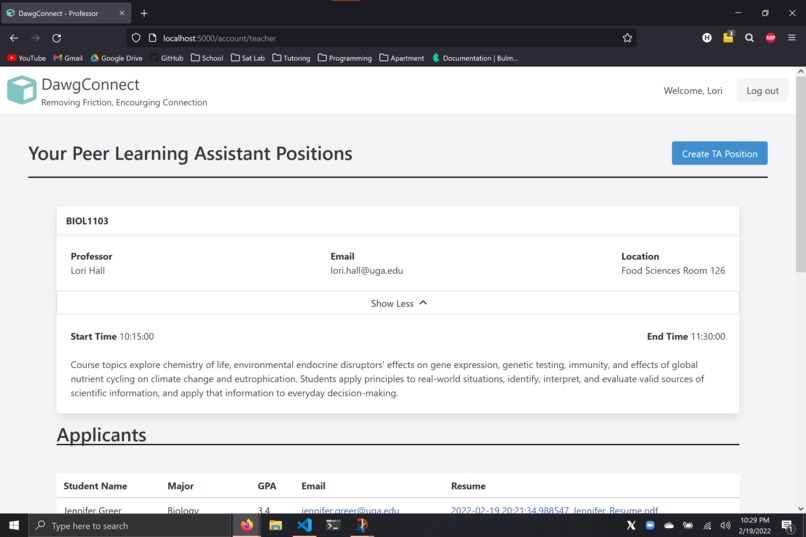
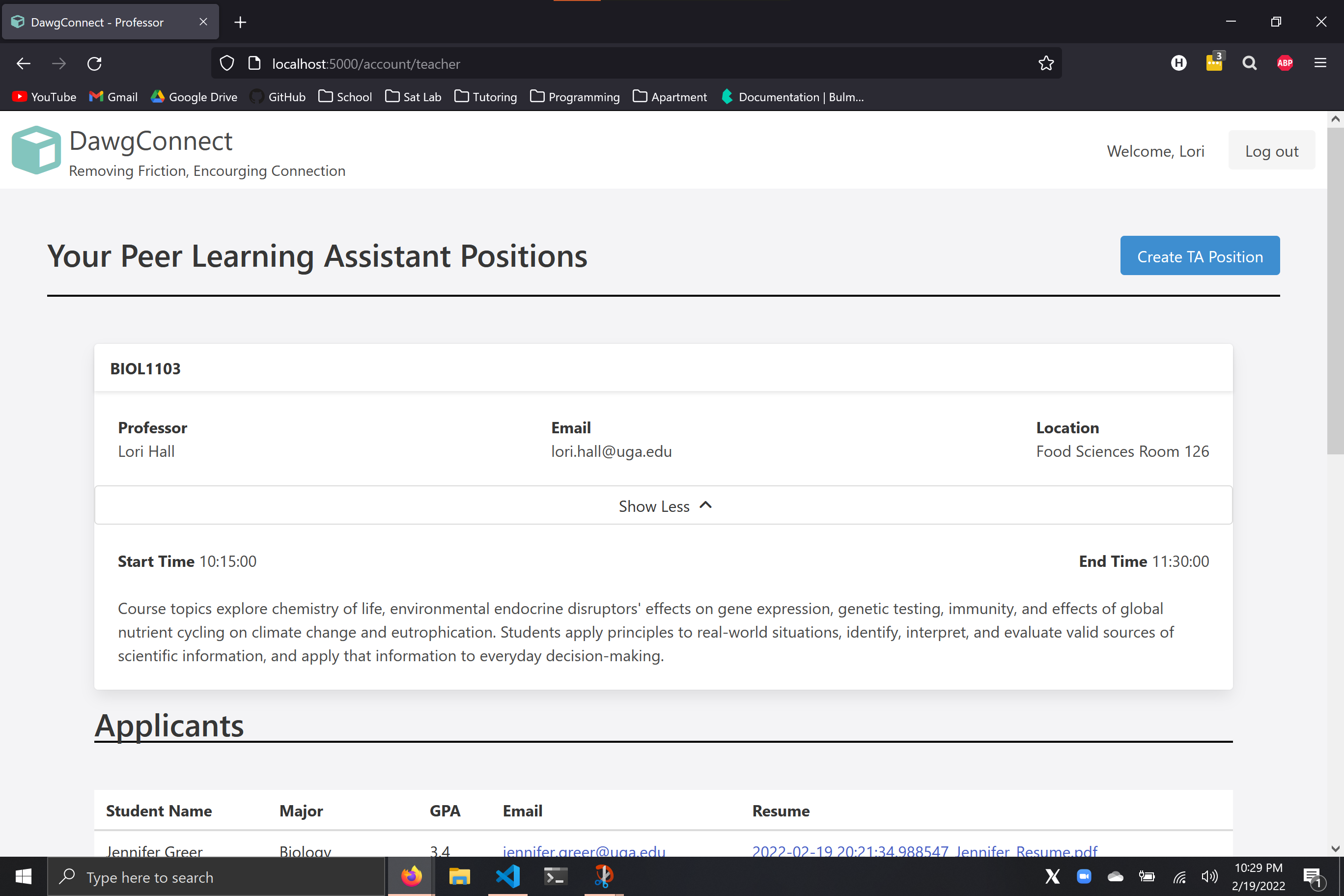
This is the professor account page where they can view students applications
-
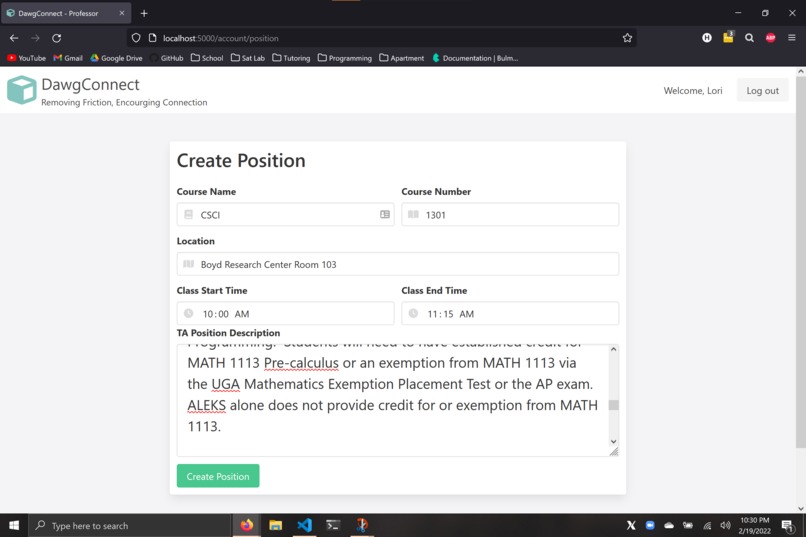
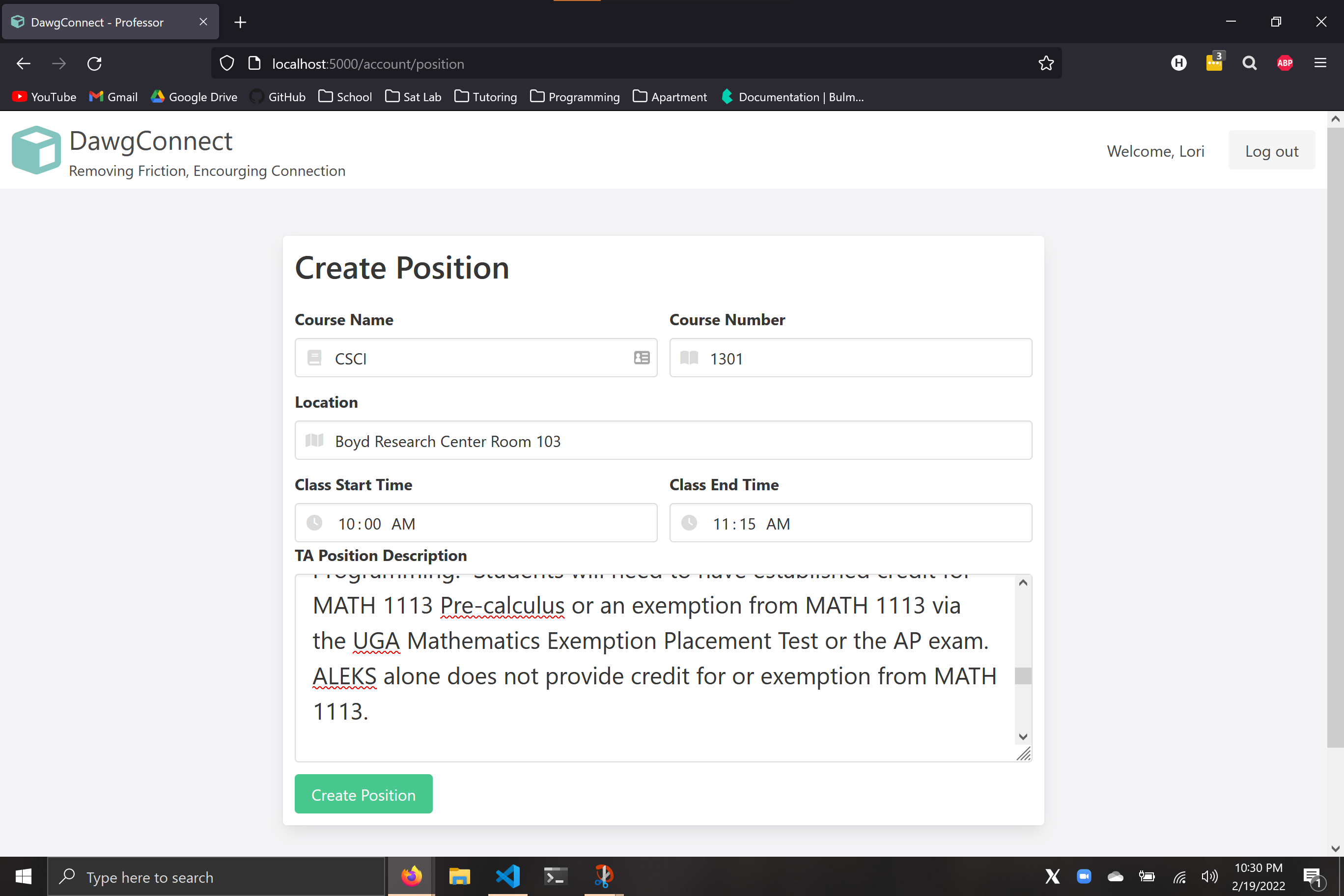
Professors can create new job listings and list job descriptions, locations, and class times
-
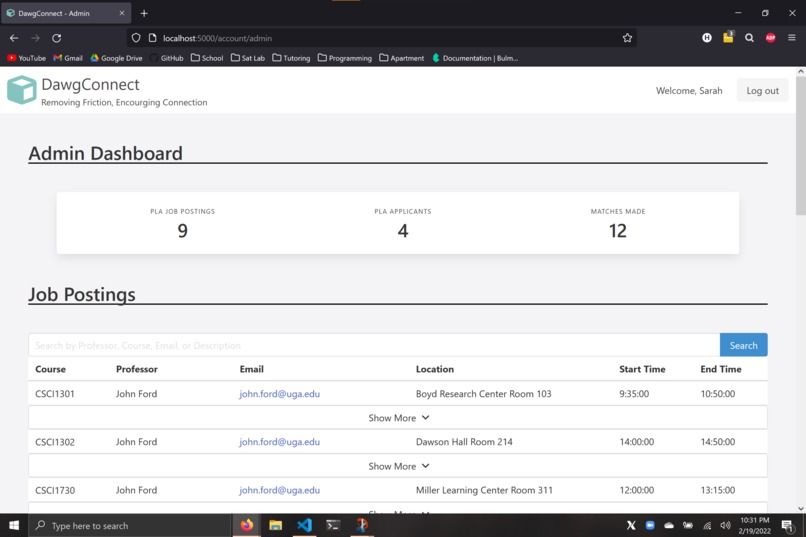
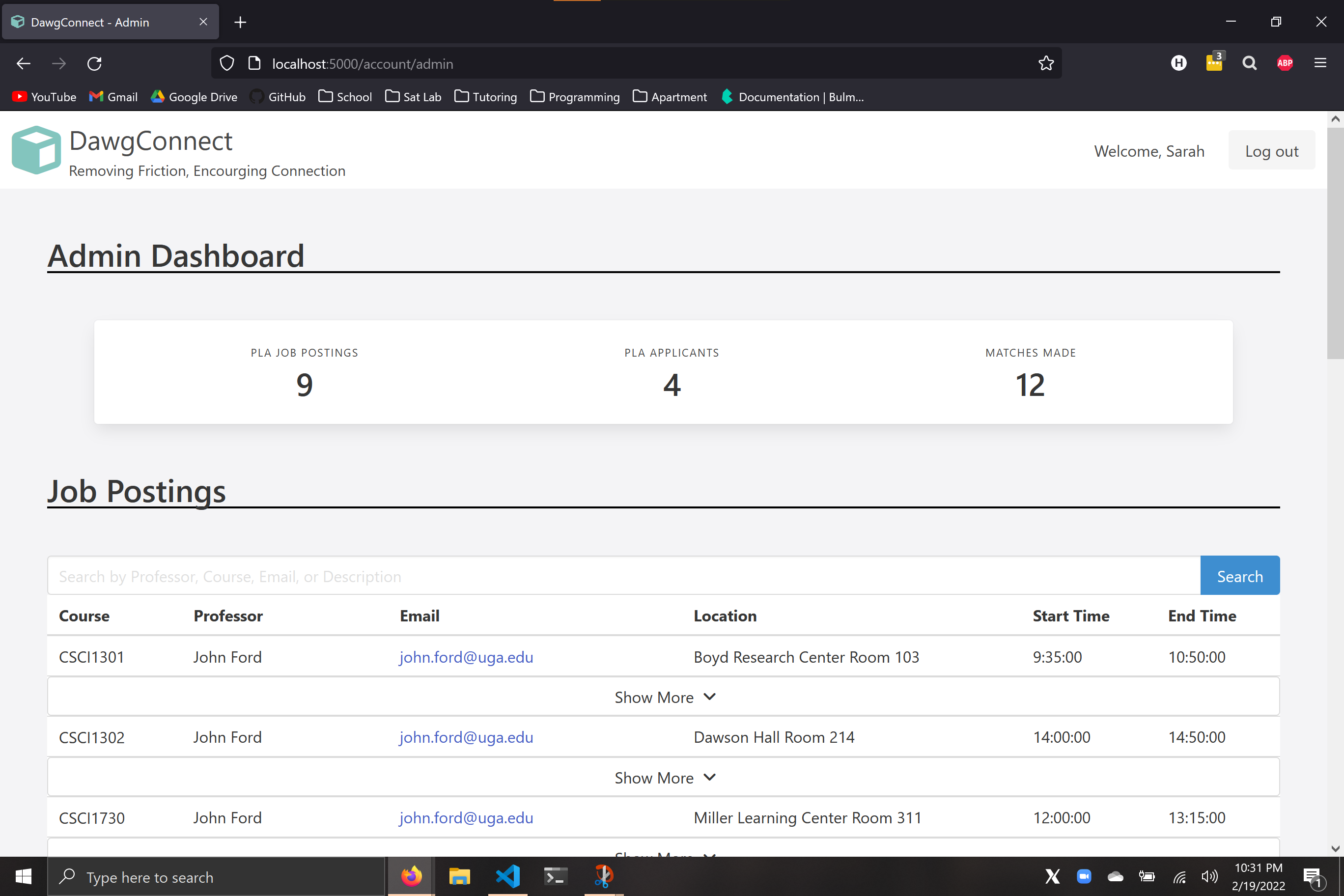
This is the admin dashboard that is used for tracking statistics and views job postings and applicants.
-
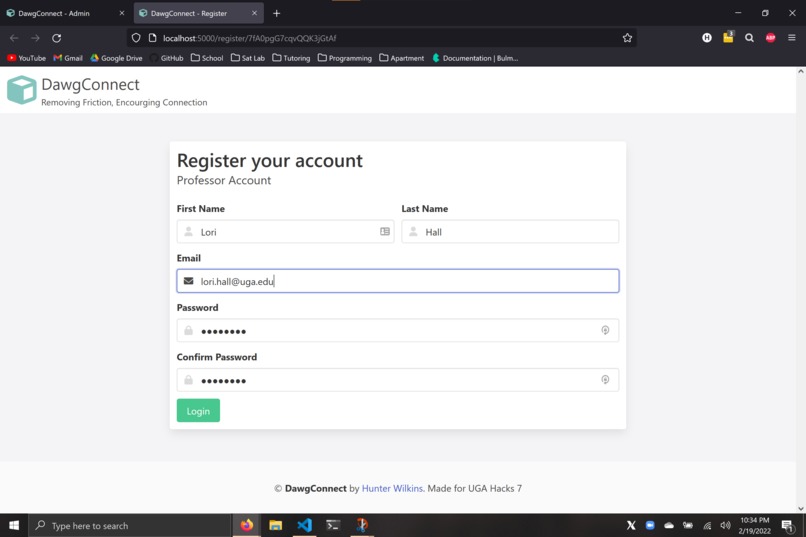
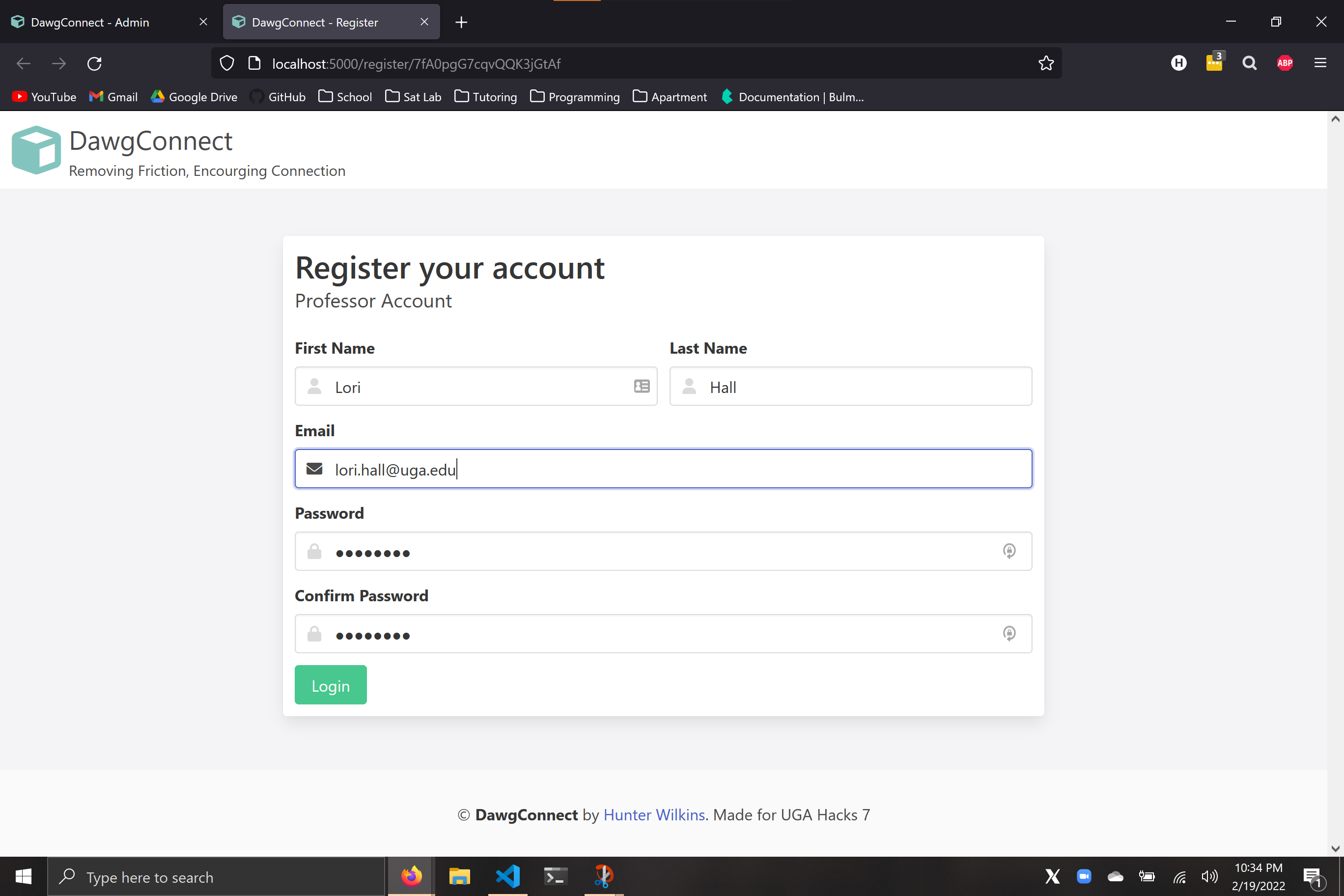
The teacher registration page can be accessed only through a temporary link that expires after 3 hours
DawgConnect
Inspiration
The reason I created DawgConnect was because I am a computer science tutor here at UGA, and I work closely with other Peer Learning Assistants (PLAs) and professors. I saw how tedious and time consuming the process of interviewing students and pairing PLAs with professors was, and I created DawgConnect to automate this process and reduce the friction of connecting PLAs with professors.
What it does
DawgConnect uses Rank Choice Matching to pair PLAs with professors. This has several advantages over more traditional job applications. Rank Choice Matching reduces the number of applications professors have to filter through and the amount of students they must interview. Rank Choice Matching also benefits the Learning Assistant because it broadens their job opportunities and increases the probability of landing a job
How I built it
For my tech stack, I used Flask, MySQL, and Bulma. I chose Flask because of its versatility. It served the front-end HTML pages and also orchestrated the back-end business logic.
Challenges I ran into
Cryptography
Some of the main challenges I ran into were with implementing security features to secure DawgConnect. I used sha256 to salt and encrypt passwords and I used private rsa keys to digital sign the JWT cookies. I struggled with some of the python cryptography library, but thankfully there were great blogs I found that helped walk me through it and explained each step of the process.
Scope creep
The next issue I faced was scope creep. Initially, I had many ideas of features I wanted to implement, but I had to scale back some of the features to meet the deadline of the hackathon.
Accomplishments that I'm proud of
The feature I am most proud of is how well Rank Choice Matching worked and its ability to pair PLAs with professors. It shows that this idea for job applicants has validity and could be worth pursuing further.
Other features I'm proud of
- The admin page was visually nice and showed useful statistics that would be important to a PLA director
- I used temporary links that would expire in 3 hours to limit the access to the professor registration page
- JWTs were incredibility useful for limiting access to pages, protecting against users trying to use malicious cookies, and passing state across different pages
What I learned
In the 36 hours of the hackathon, I learned an incredible amount and experimented with technologies that I haven't used before.
- Cryptography and Cyber Security
- Using CSS frameworks like Bulma to create rapid prototypes
- Leveraging inheritance with HTML templates in Flask
What's next for DawgConnect
The success of DawgConnect with just 36 hours for the hackathon motivates me to continue to work on it. The next steps would be, implementing the features that had to be cut-back with such a short time frame and finding potential users for DawgConnect to get feedback on how to continue to iterate on the idea.
Author
DawgConnect was a solo project created for UGA Hacks 7. Feel free to check out my portfolio or send me email


Log in or sign up for Devpost to join the conversation.