-
-
calendar file readback
-
dashboard and review
-
landing page
-
source review
Inspiration
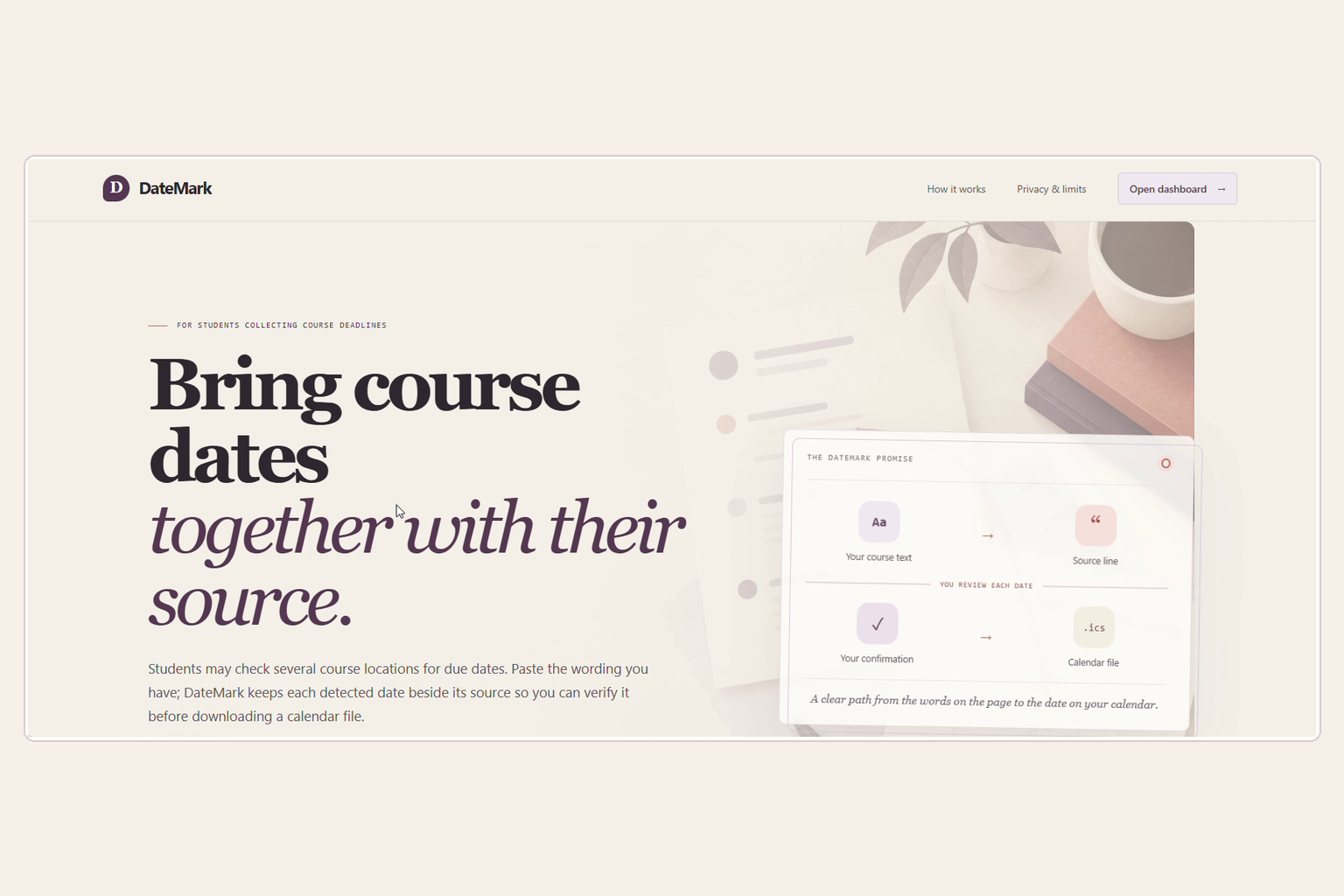
A 2024 study of 324 science students found that deadlines were the most important syllabus information students wanted, while students checked several locations in their learning systems for course details. That made me interested in a small, practical handoff: helping students move a date from course wording into a calendar without losing the line it came from.
I did not have permission to share a real course document, so the demo uses clearly labeled fictional course text. It demonstrates the product flow, not real student data or proof of impact.
What DateMark does
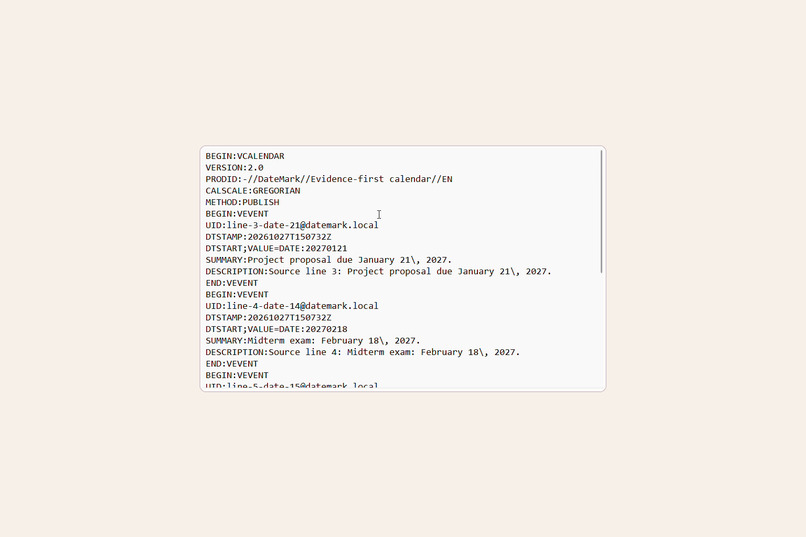
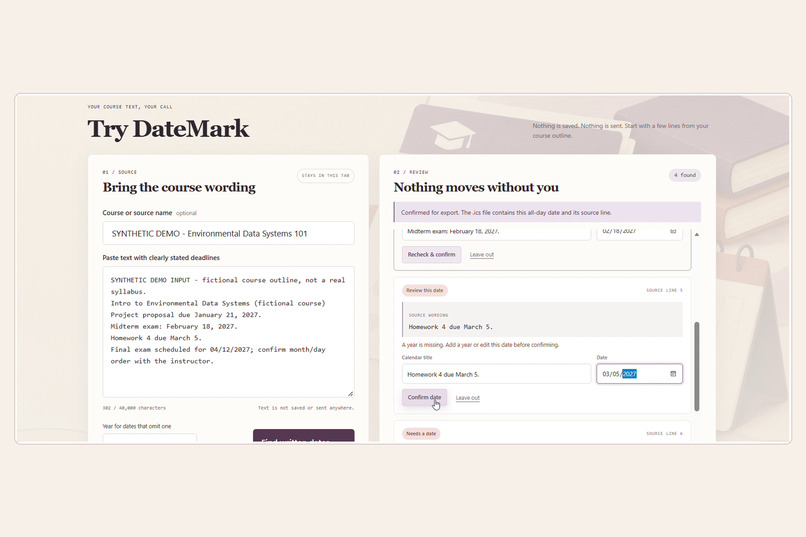
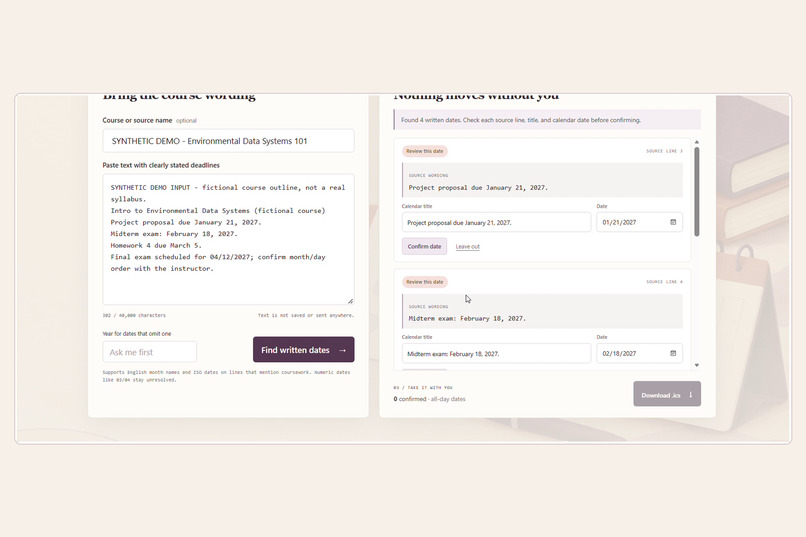
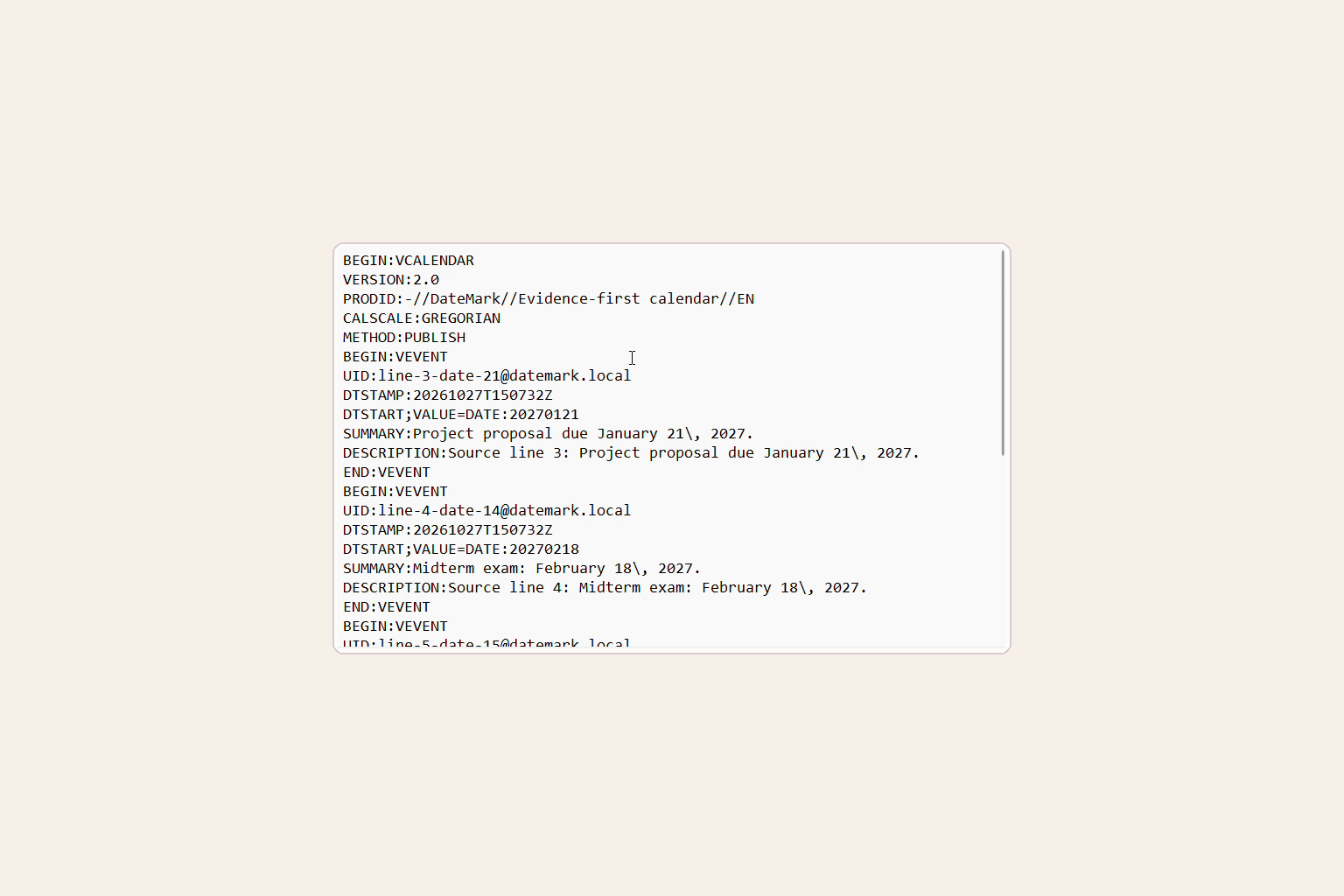
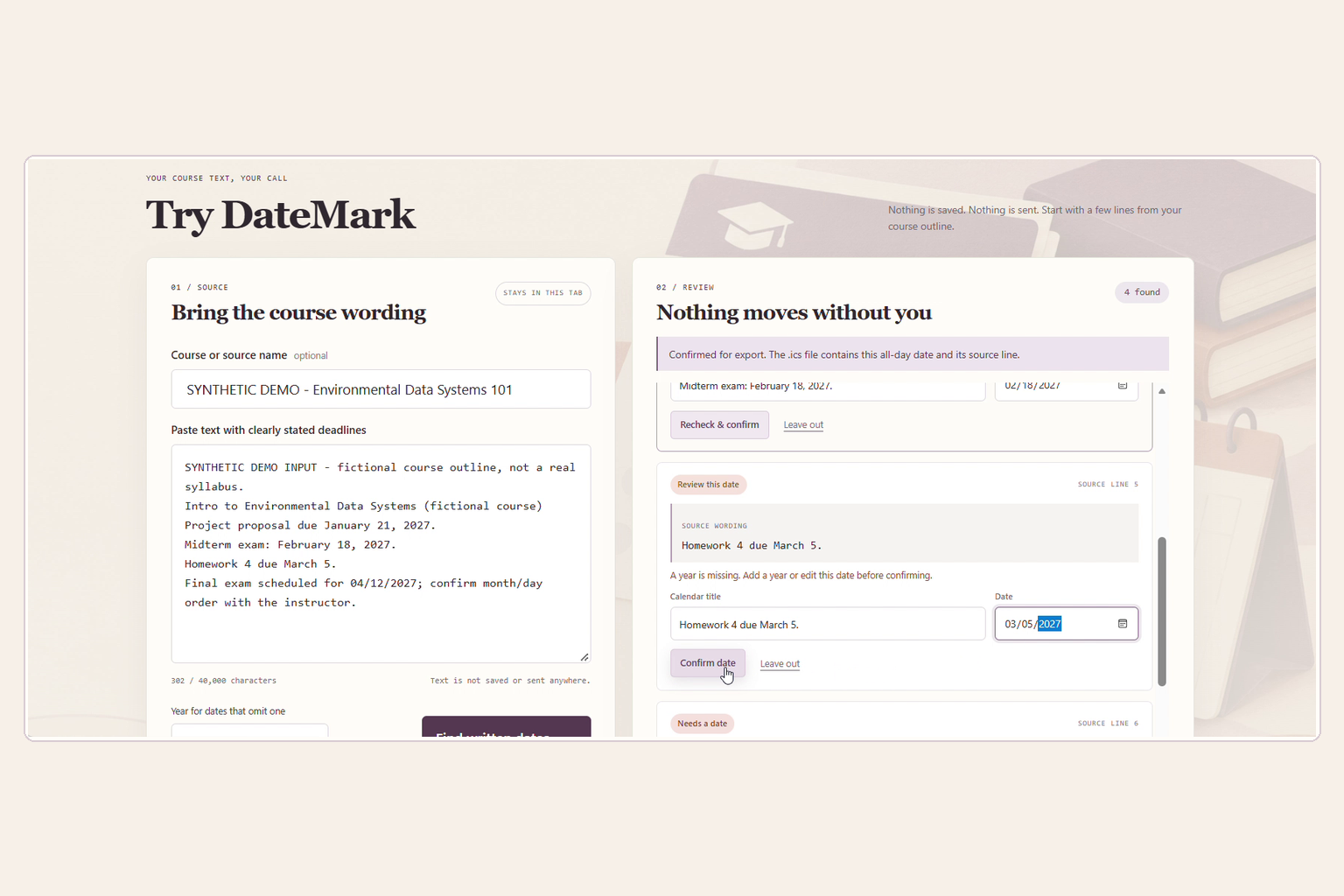
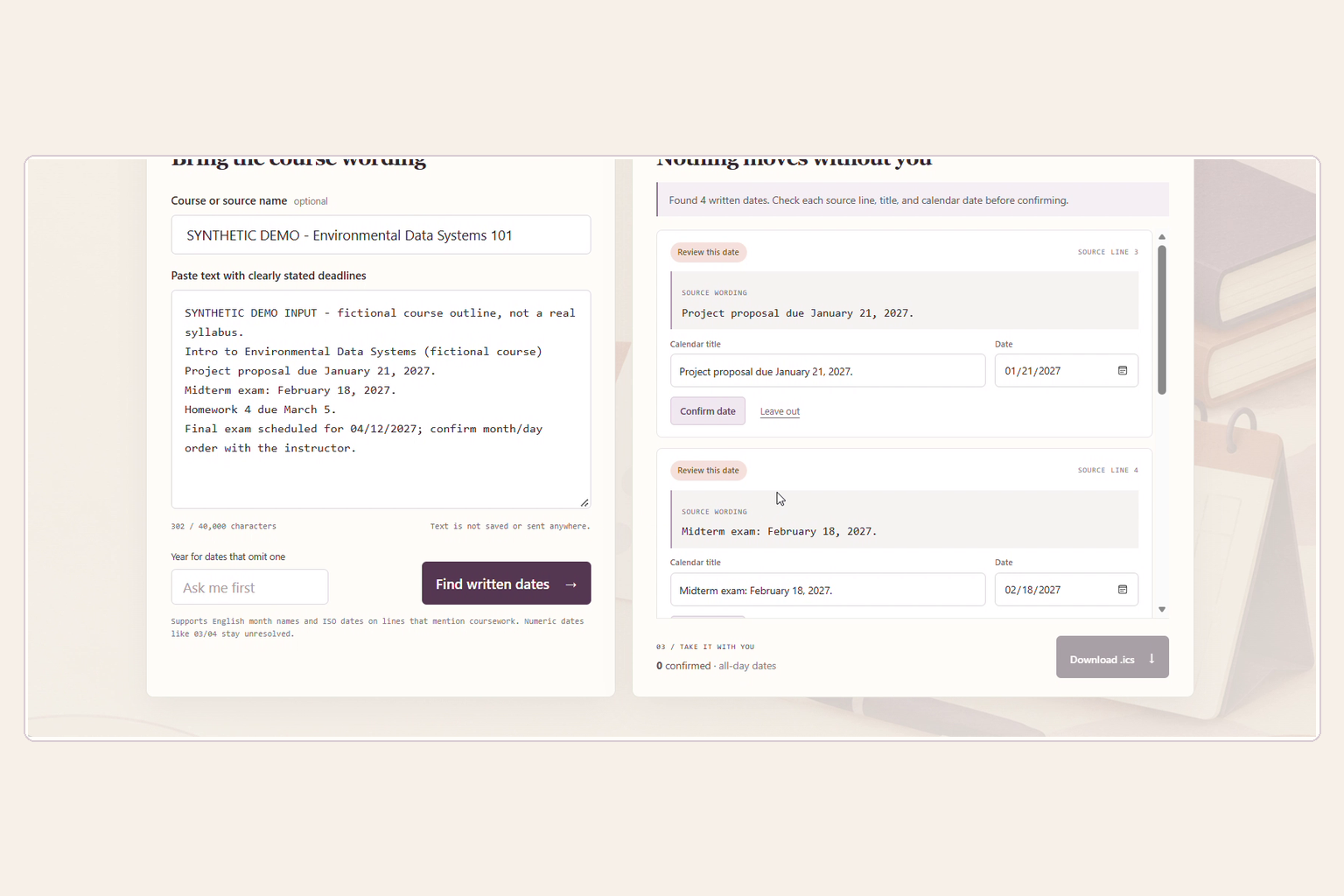
DateMark is a browser-based tool for reviewing written course dates. Paste text you are allowed to use, find supported date candidates, check each candidate against its original source line, and confirm the dates you want in an iCalendar (.ics) file.
Dates that need clarification—such as a missing year or an ambiguous numeric date—require manual review. DateMark does not decide which course source is authoritative.
How I built it
I built the prototype with HTML, CSS, and JavaScript. A deterministic in-browser parser finds a limited set of English month-name and ISO dates on coursework-related lines and keeps each candidate connected to its source wording. The review interface lets the user edit, confirm, or leave out candidates. The exporter validates confirmed dates and creates an .ics download.
The app has no account, database, AI feature, LMS connection, or calendar integration. Pasted text is processed in the browser tab and is not sent to a DateMark backend. Downloading an .ics file does not mean it has been imported into a calendar.
Challenges and what I learned
The main challenge was handling uncertainty responsibly. A date can look valid while still having the wrong year or an unclear month/day order. I learned that a useful prototype should show where a result came from and leave the decision with the person who can check the course source, rather than silently treating every detected date as correct.
I also learned to keep the first version focused: support a narrow set of written dates, preserve their source lines, and make export depend on user confirmation.
Limitations
DateMark supports only a limited set of English month-name and ISO dates on coursework-related lines. It does not sync with learning platforms, read scanned PDFs, detect changed deadlines, resolve conflicting sources, send reminders, or connect to a calendar account. Student demand and impact have not yet been measured, and the fictional demo input is not evidence of either.
Credits
The product contains no AI feature or model call. OpenAI Codex assisted with development.
What it does
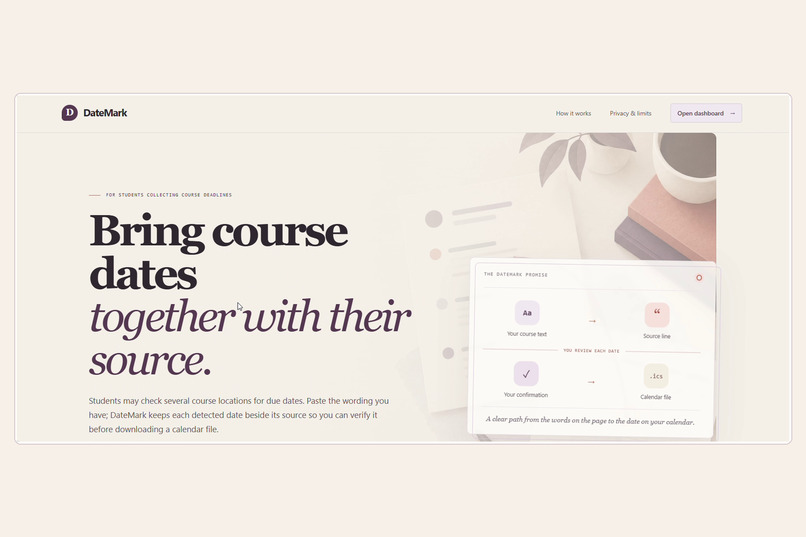
DateMark helps students turn written course deadlines into a calendar file they can review. Paste course text you’re allowed to use, inspect each detected date beside its original source line, then confirm or leave it out. Only confirmed dates are included in the .ics download.
Dates with a missing year or ambiguous numeric format need manual review. DateMark does not connect to learning platforms or calendars.
How we built it
We built DateMark with HTML, CSS, and JavaScript. Its deterministic parser runs in the browser, finds a limited set of written dates, and keeps each candidate linked to the line it came from. The review interface supports editing and confirmation. The exporter validates confirmed dates and creates an iCalendar file.
There is no AI feature, account, database, or DateMark backend. Pasted text is processed in the browser tab.
Challenges we ran into
Dates can be ambiguous: a year may be missing, or a numeric date may have more than one valid interpretation. We designed the flow to leave uncertain candidates for human review instead of silently guessing. Another challenge was demonstrating the product without permission to share a real course document, so the demo uses clearly labeled fictional text.
Accomplishments that we’re proud of
DateMark delivers a complete, focused workflow: paste course wording, inspect dates with their source lines, confirm selected dates, and download an .ics file. The prototype also keeps its boundaries clear: it does not claim to sync a calendar or verify that a download was imported.
What we learned
We learned that preserving the source wording matters as much as recognizing a date. We also learned to make uncertainty visible and leave decisions to the user when the source needs interpretation. A smaller, clearly explained workflow is more useful than pretending to solve course-platform synchronization or deadline changes.
What’s next for DateMark
Next, we would test the workflow with students using course materials they have permission to share. Based on that feedback, we could improve date-format coverage and accessibility, then explore optional calendar import or learning-platform connections with clear permissions and source provenance.
Built With
- accessibility
- beginner
- calendar
- css
- education
- friendly
- github
- html
- javascript
- productivity
- student-tools

Log in or sign up for Devpost to join the conversation.