-
-
Viz - 1
-
Viz - 2
-
Viz Chat
-
Viz Trans - 1
-
Viz Trans - 2
Inspiration
Imagine juggling multiple spreadsheets across Google Sheets, SharePoint, and Excel—constantly switching between tools just to make sense of your data. For analysts, teams, and decision-makers, this isn’t just inefficient—it’s a daily struggle. Existing tools either overwhelm users with complexity or require technical expertise that limits accessibility.
I wanted to change that.
Inspired by the vision of simplifying data exploration for everyone, I built an AI-powered data assistant that makes working with data as effortless as possible. Just as automation transforms tedious tasks into seamless workflows, my platform automatically detects data files, generates instant insights, and answers questions in natural language—making data understanding intuitive, interactive, and truly effortless.
What it does
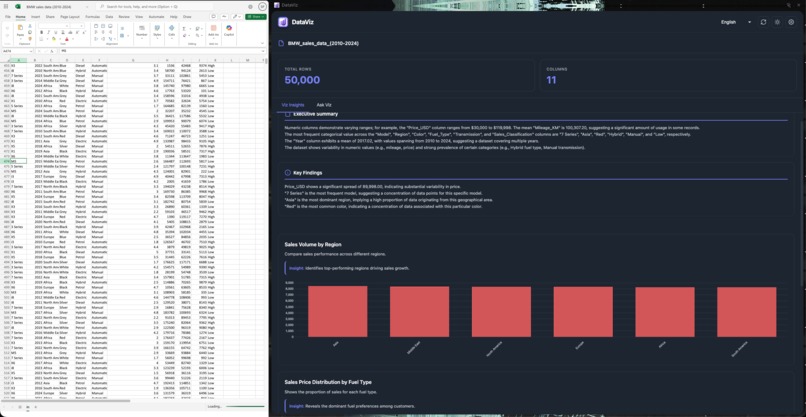
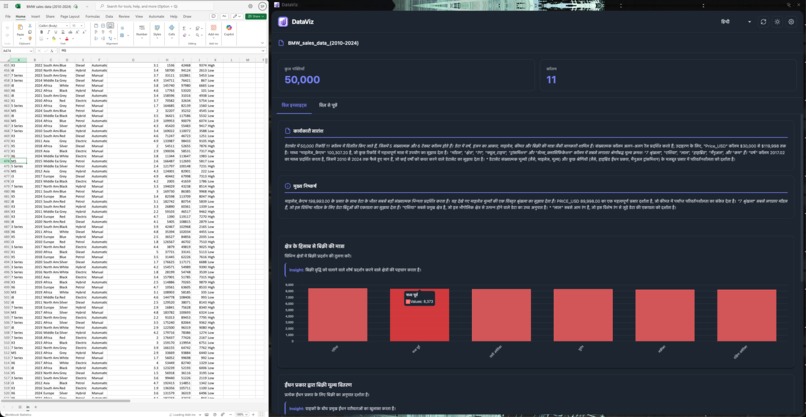
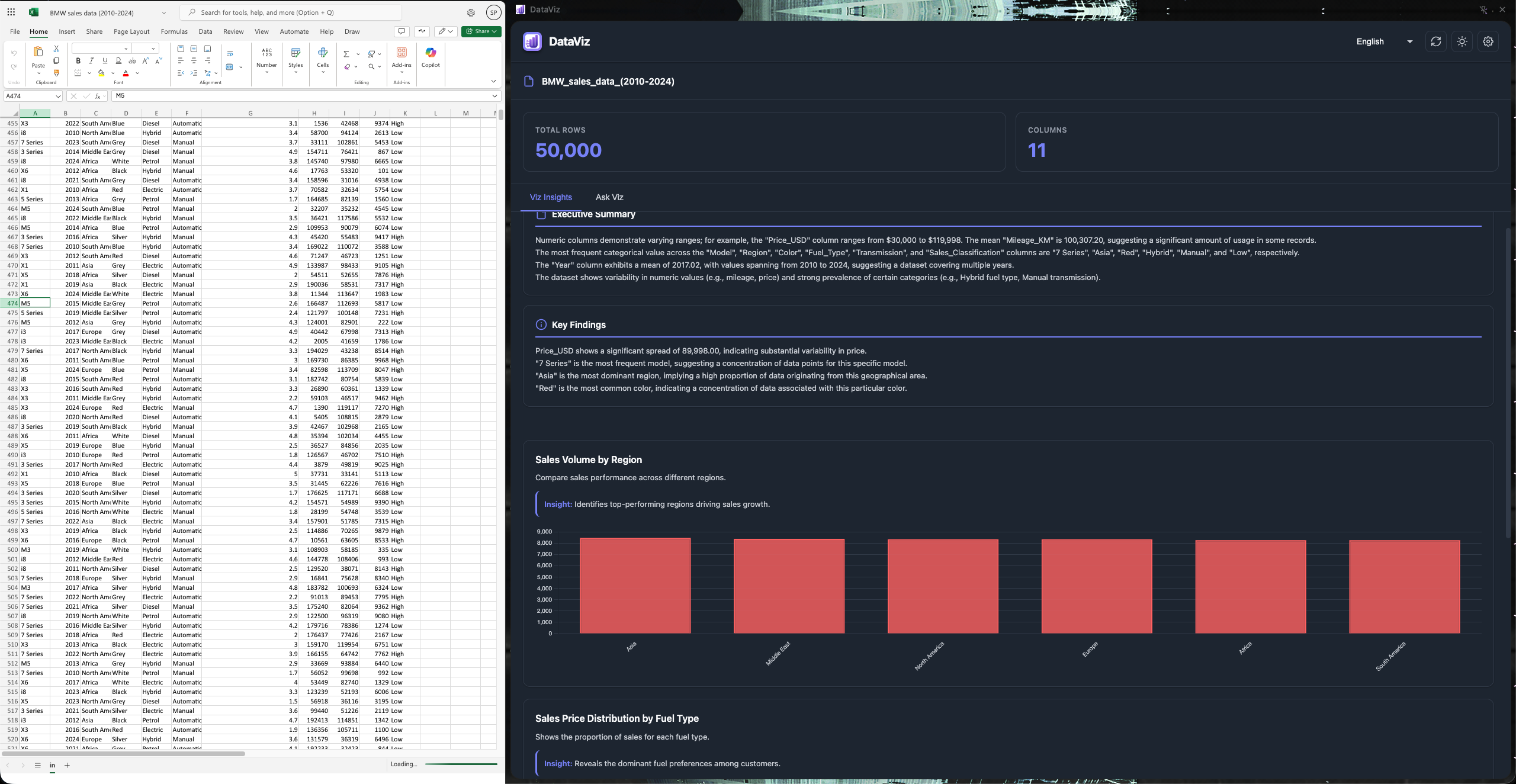
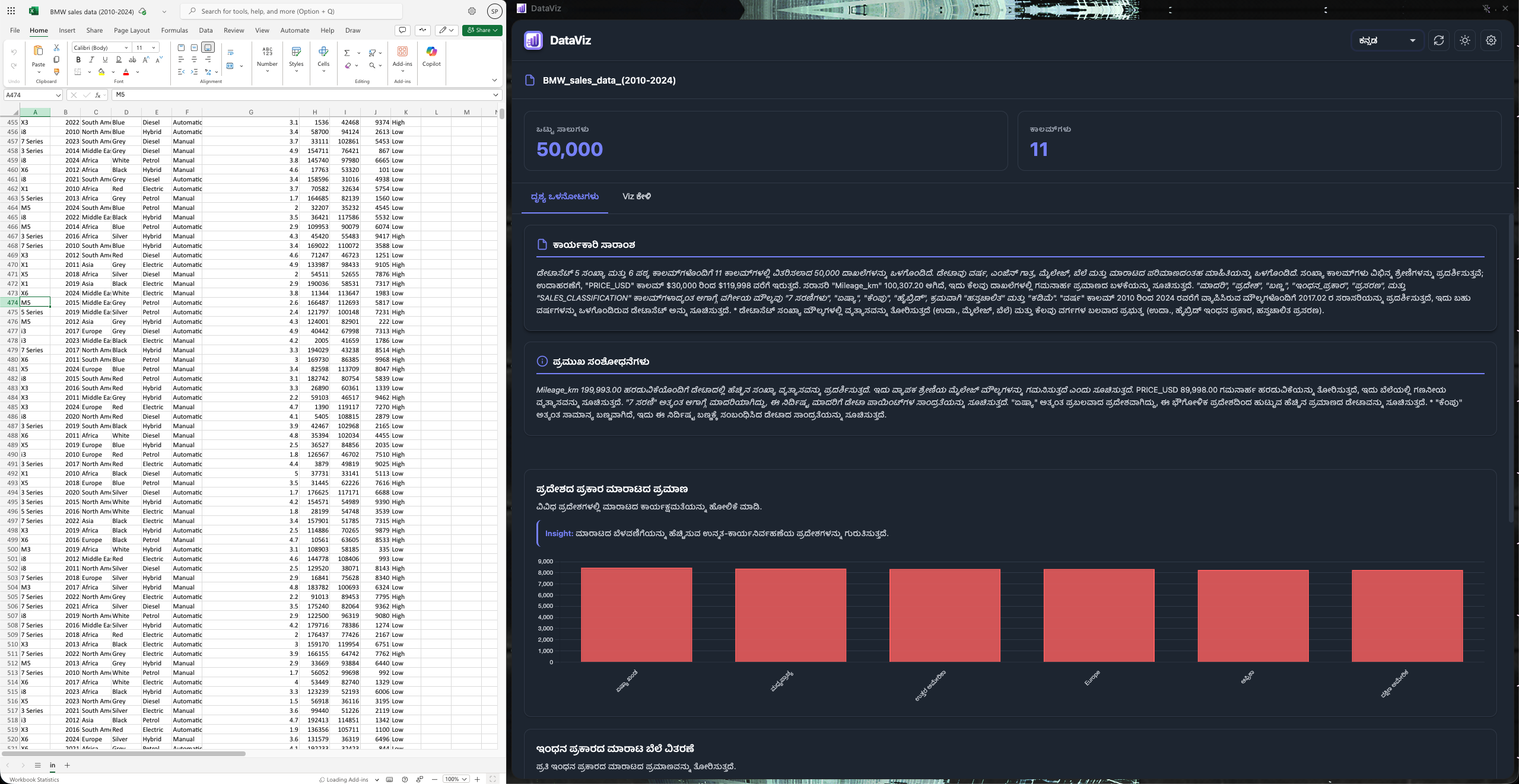
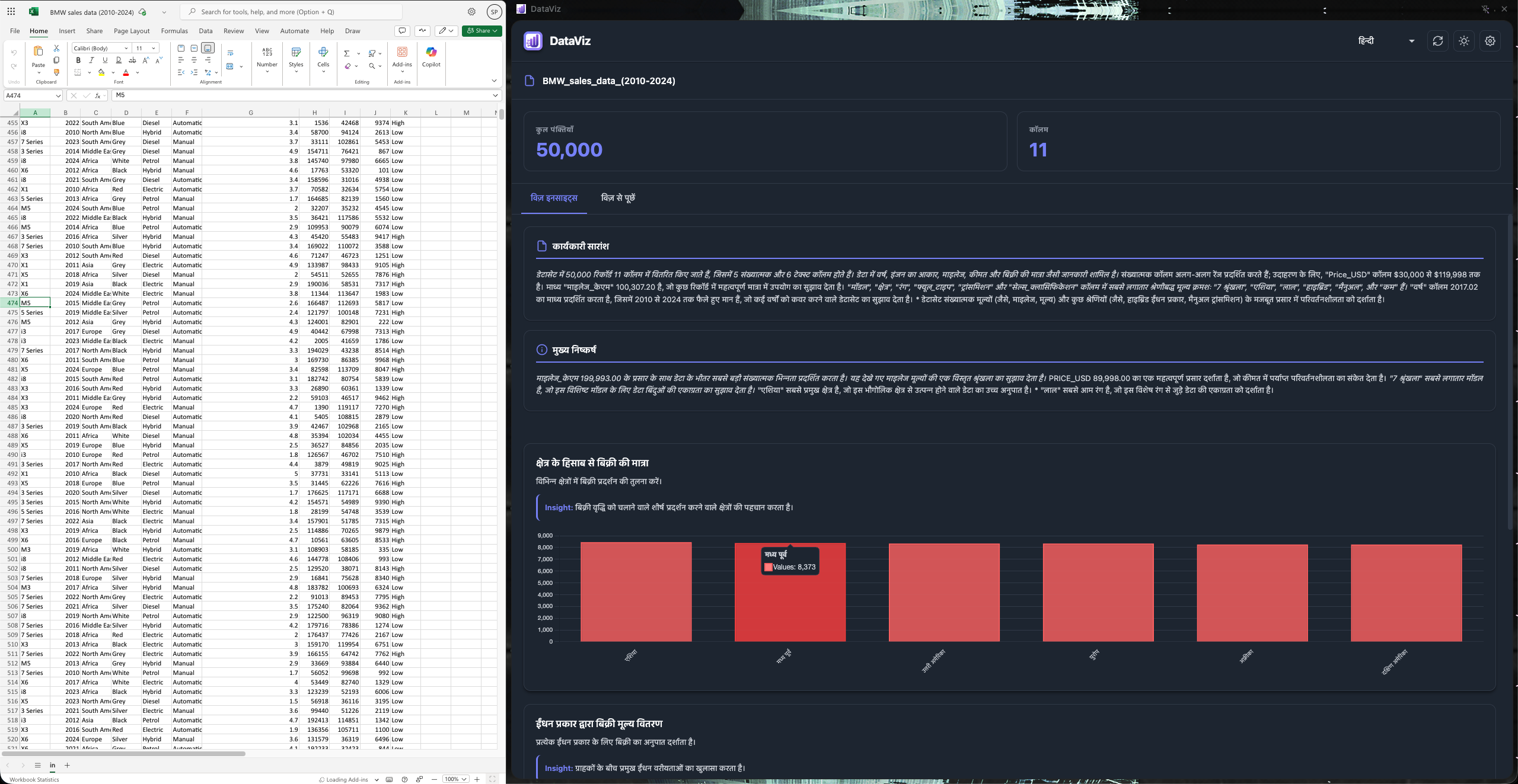
DataViz is an intelligent Chrome extension that acts as your personal data co-pilot. It automatically detects when you're viewing spreadsheet files on Google Sheets or SharePoint and provides:
- Automatic File Detection: Seamlessly identifies Excel, CSV, and Google Sheets files across platforms
- AI-Powered Insights: Generates executive summaries and key findings using Chrome's built-in AI Summarizer API
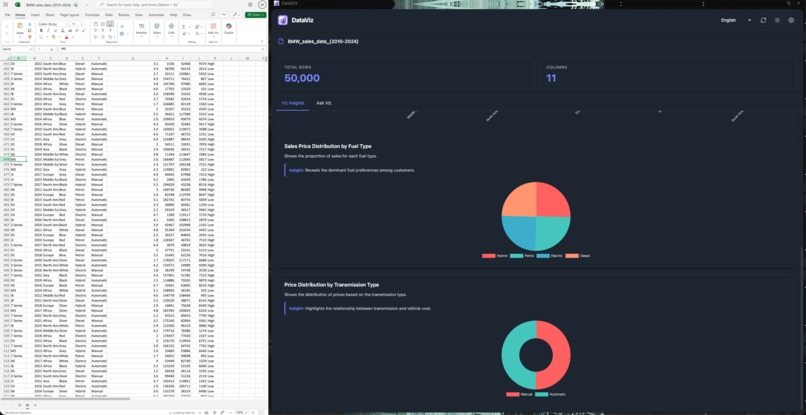
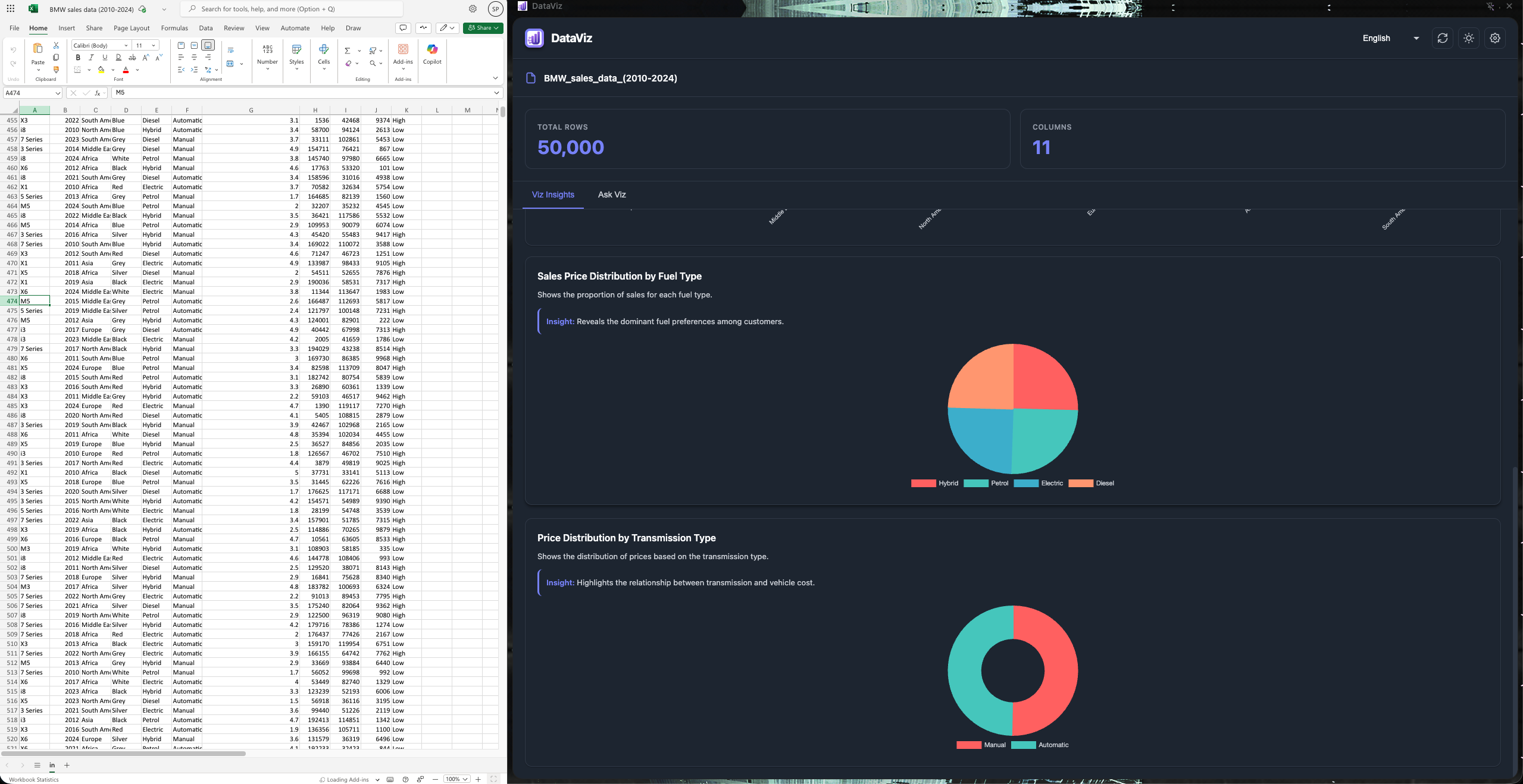
- Smart Visualizations: Recommends and creates relevant charts (bar, line, pie, scatter) based on your data characteristics using the Prompt API
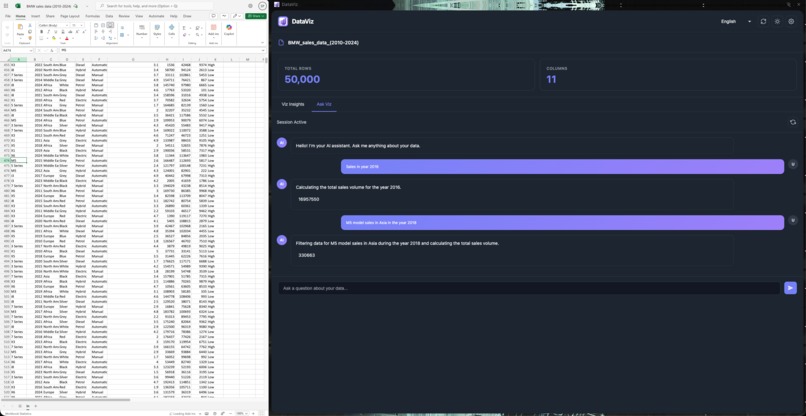
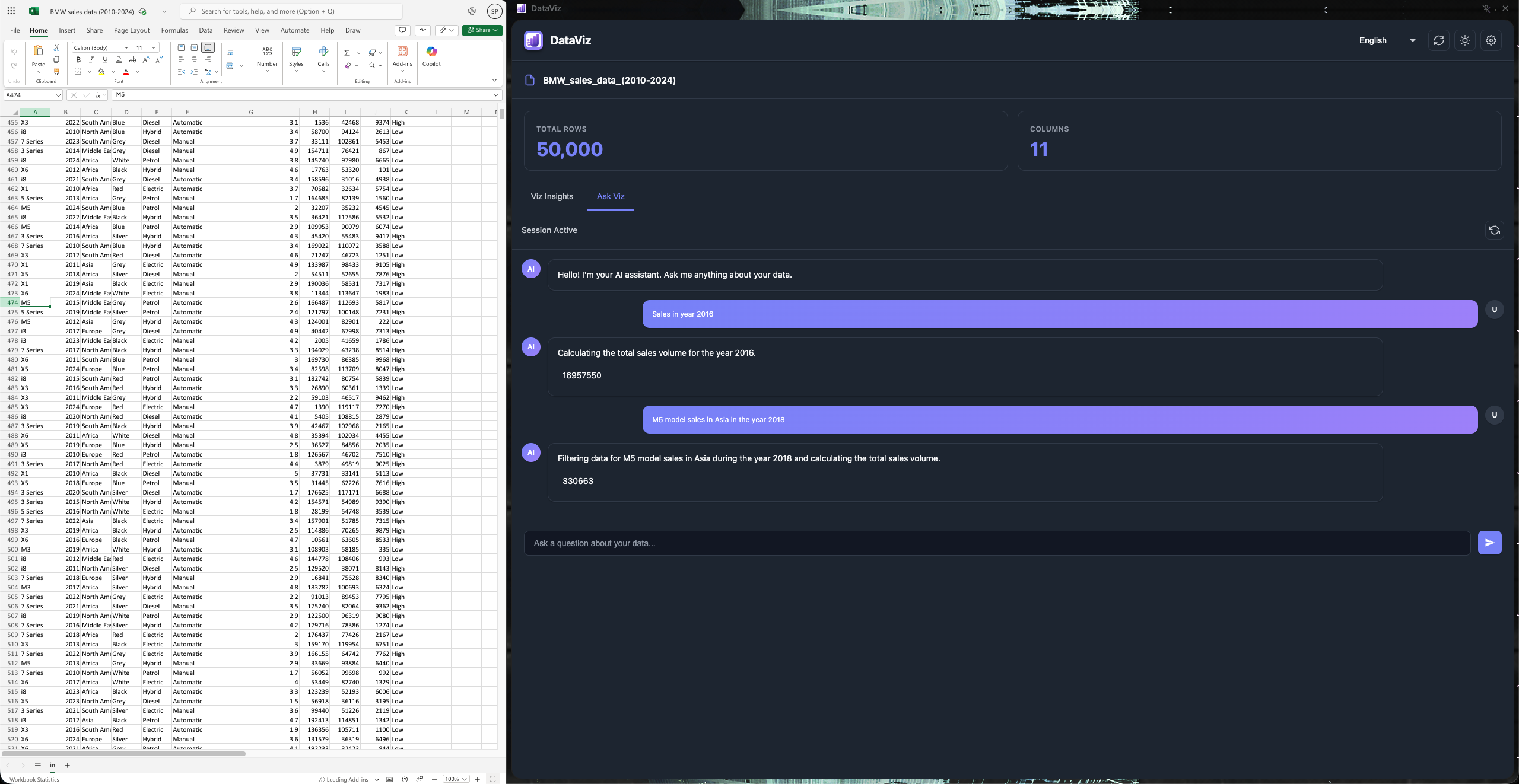
- Natural Language Queries: Chat with your data using “Ask Viz”—ask questions like “What’s the average sales by region?” and get instant answers with visualizations
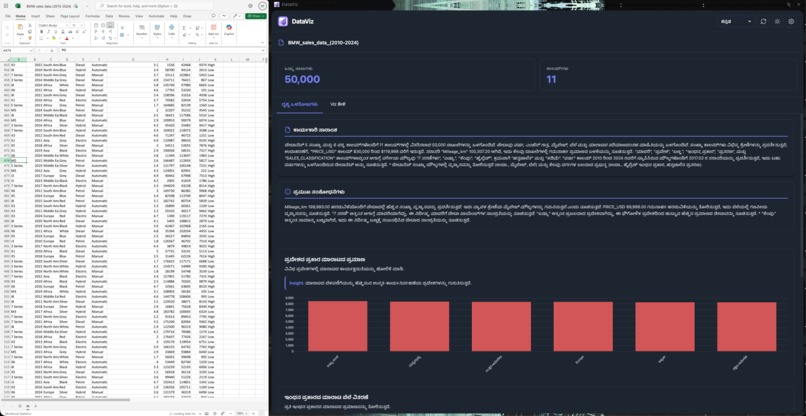
- Multilingual Support: Translates insights and the interface into 13 languages (English, Spanish, French, German, Kannada, Hindi, Chinese, Japanese, Korean, Portuguese, Italian, Arabic, Russian)
- Interactive Charts: All visualizations are interactive with tooltips, legends, and responsive design
How I built it
I built DataViz using a modern web technology stack combined with Chrome’s cutting-edge AI capabilities:
- Frontend: Vanilla JavaScript, HTML5, and CSS3 for a lightweight, performant extension
- Chrome Extension APIs: Leveraged Manifest V3 for the extension architecture with sidepanel, background workers, and content scripts
- AI Integration:
- Chrome’s Prompt API for intelligent chart recommendations and natural language query processing
- Chrome’s Summarizer API for generating executive summaries and key findings
- Chrome’s Translator API for multilingual support
- Data Processing: Implemented a custom DataFrame in JavaScript for efficient data manipulation and statistical analysis
- Visualization: Used the Chart.js library to create beautiful, interactive charts
- File Handling: Integrated SheetJS (XLSX) for parsing Excel files, with custom extraction logic for Google Sheets and SharePoint
The architecture uses a content script to detect files, a background service worker to manage state and notifications, and a sidepanel for the main interface.
Challenges I ran into
- Cross-Platform File Detection: Each platform (Google Sheets vs SharePoint) handles file URLs differently. I had to reverse-engineer URL patterns and DOM structures to reliably extract download links.
- AI API Limitations: Working with Chrome’s experimental AI APIs meant dealing with model availability, download states, context limits, and designing fallback mechanisms when AI services were unavailable.
- Code Execution Security: Running dynamic user queries safely was challenging. I implemented a sandboxed execution system with strong validation to prevent malicious code injection.
- Real-Time Data Processing: Processing large datasets (thousands of rows) in the browser without freezing the UI required optimizing DataFrame operations and implementing progressive loading.
- Multilingual AI Translation: Ensuring accurate translations of technical insights across 13 languages while maintaining meaning and context.
Accomplishments that I'm proud of
- Seamless Integration: Built a truly non-intrusive extension that works across multiple platforms without requiring users to upload or import data manually.
- On-Device AI: Leveraged Chrome’s built-in AI capabilities to provide intelligent insights without sending data to external servers—keeping user data private.
- Smart Recommendations: Created an AI system that understands data characteristics and suggests appropriate visualizations instead of random charts.
- Natural Language Processing: Implemented a query system that translates questions like “top 5 companies by revenue” into executable data operations with visualizations.
- Production-Ready UX: Designed a polished, intuitive interface with loading states, error handling, and smooth animations.
What I learned
- Chrome AI APIs: Gained deep expertise in Chrome’s experimental Prompt, Summarizer, and Translator APIs—understanding their capabilities, limitations, and best practices.
- Data Science in the Browser: Learned to implement statistical analysis and data manipulation entirely client-side while optimizing performance.
- Extension Architecture: Mastered Chrome Extension Manifest V3, including communication between content scripts, service workers, and sidepanels.
- Prompt Engineering: Discovered how to craft effective prompts that guide AI to generate meaningful, accurate insights from structured data.
- Internationalization: Understood the complexity of supporting multiple languages in a technical domain where precision and context are critical.

Log in or sign up for Devpost to join the conversation.