Inspiration
I spent two years at Oracle managing a customer portal that served 2 million users. Every single morning started the same way: open a terminal, write SQL against multiple databases, copy numbers into a spreadsheet, and hope the query I wrote was fast enough to not stall the standup. The people who actually needed the data, operations leads, account managers, sales directors, couldn't get it themselves. They'd send a Slack message, someone on the data team would write a query, and 20 minutes later they'd get a table they half understood.
That bottleneck always frustrated me. The data was there. The questions were simple. The only thing missing was a layer that could translate plain English into something the database could act on. When I saw the Fivetran track for this hackathon and read about their MCP server giving agents access to 750+ data connectors, I knew immediately that was the piece I'd been missing. You don't need a data analyst if the agent is the analyst.
What it does
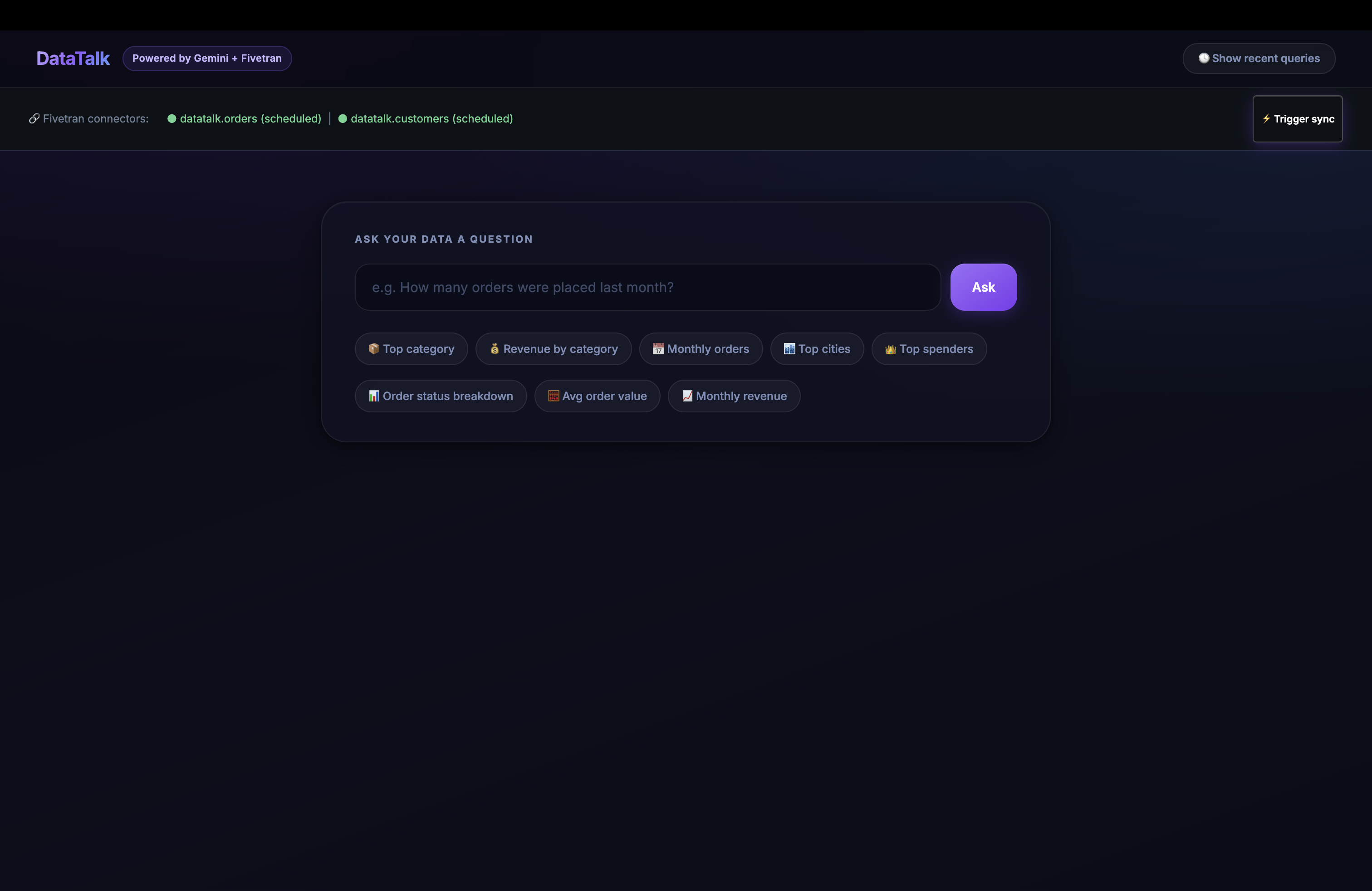
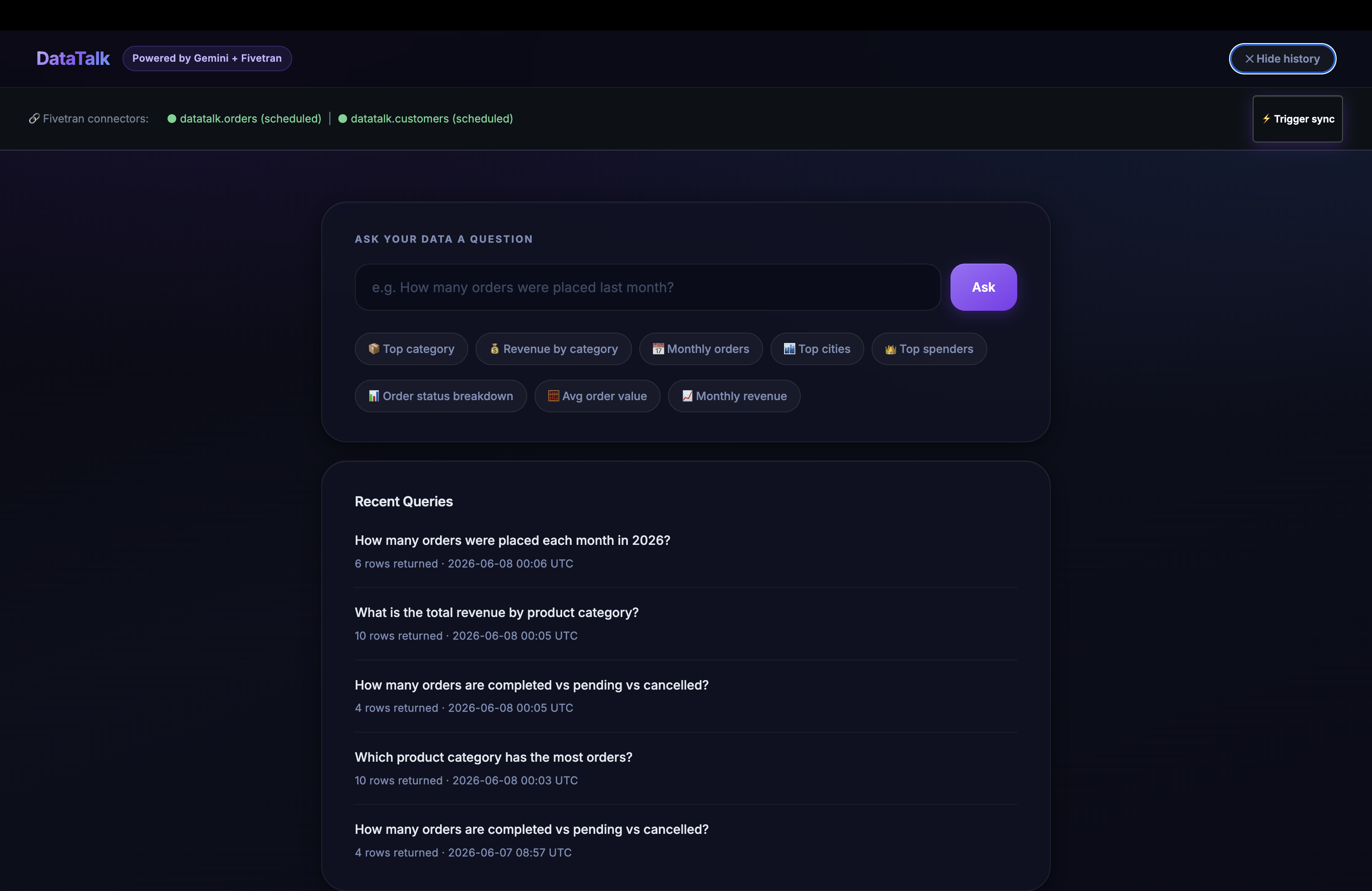
DataTalk lets non-technical users ask business questions in plain English and get real answers from their data warehouse, with a human approval step before anything executes.
You type something like "which city has the highest total order value?" and the agent:
- Checks Fivetran connector health to confirm the data is fresh
- Introspects the BigQuery schema to understand what tables and columns are available
- Generates 5 SQL candidates at different temperatures using Gemini
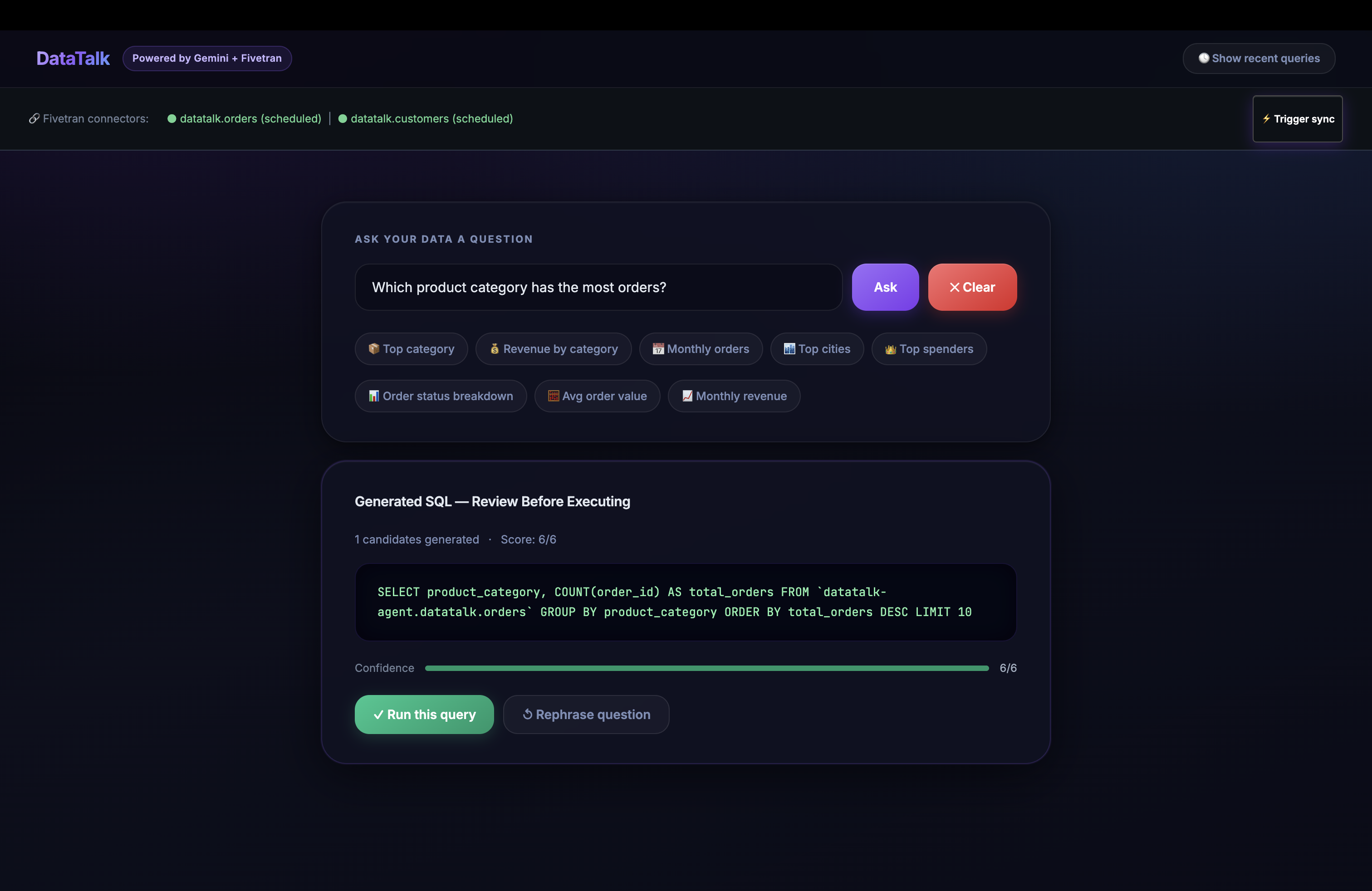
- Executes each one against a 100-row BigQuery preview, scores them by validity and result shape, and surfaces the best one
- Shows you the SQL before running it. You approve it.
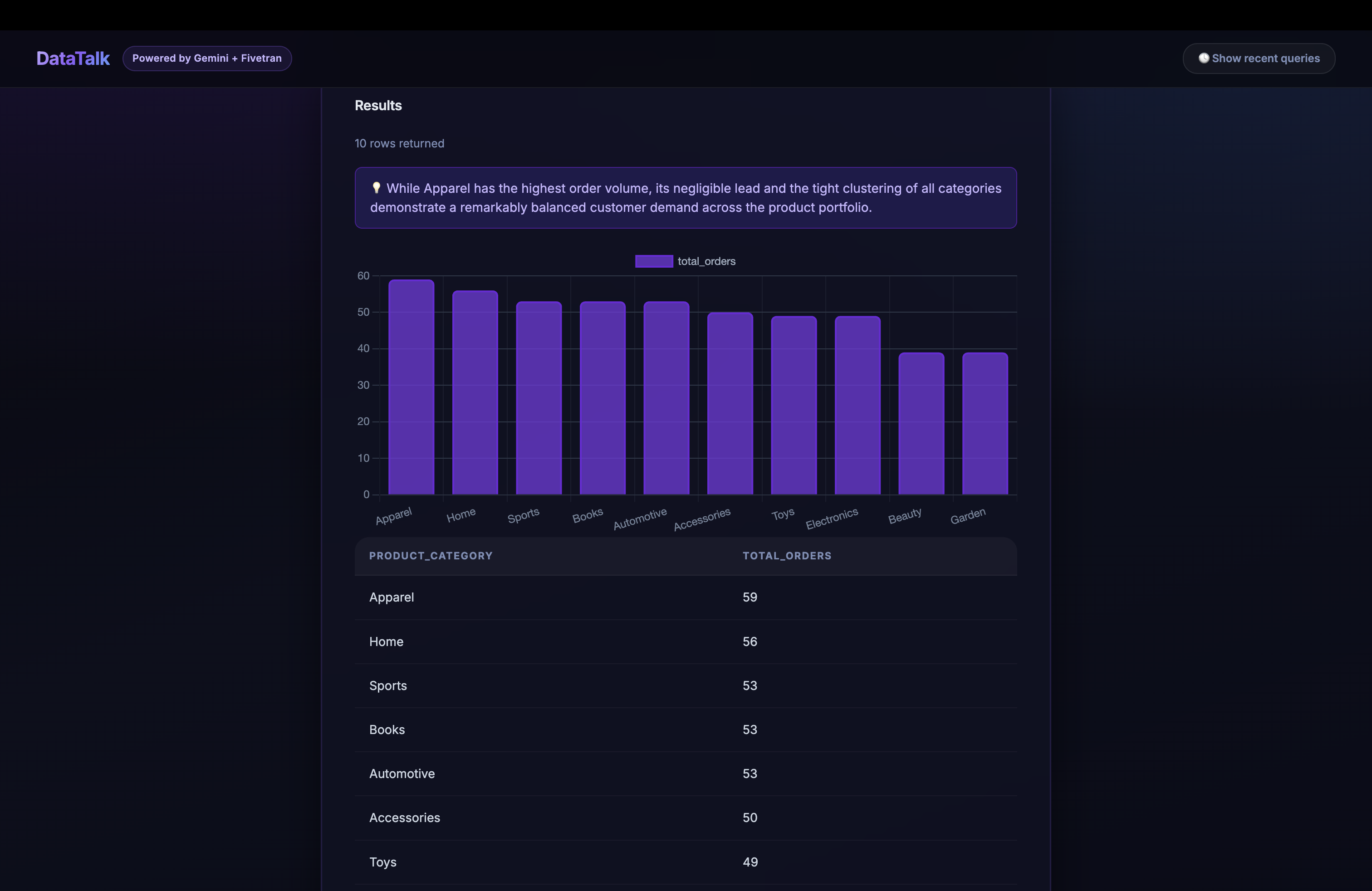
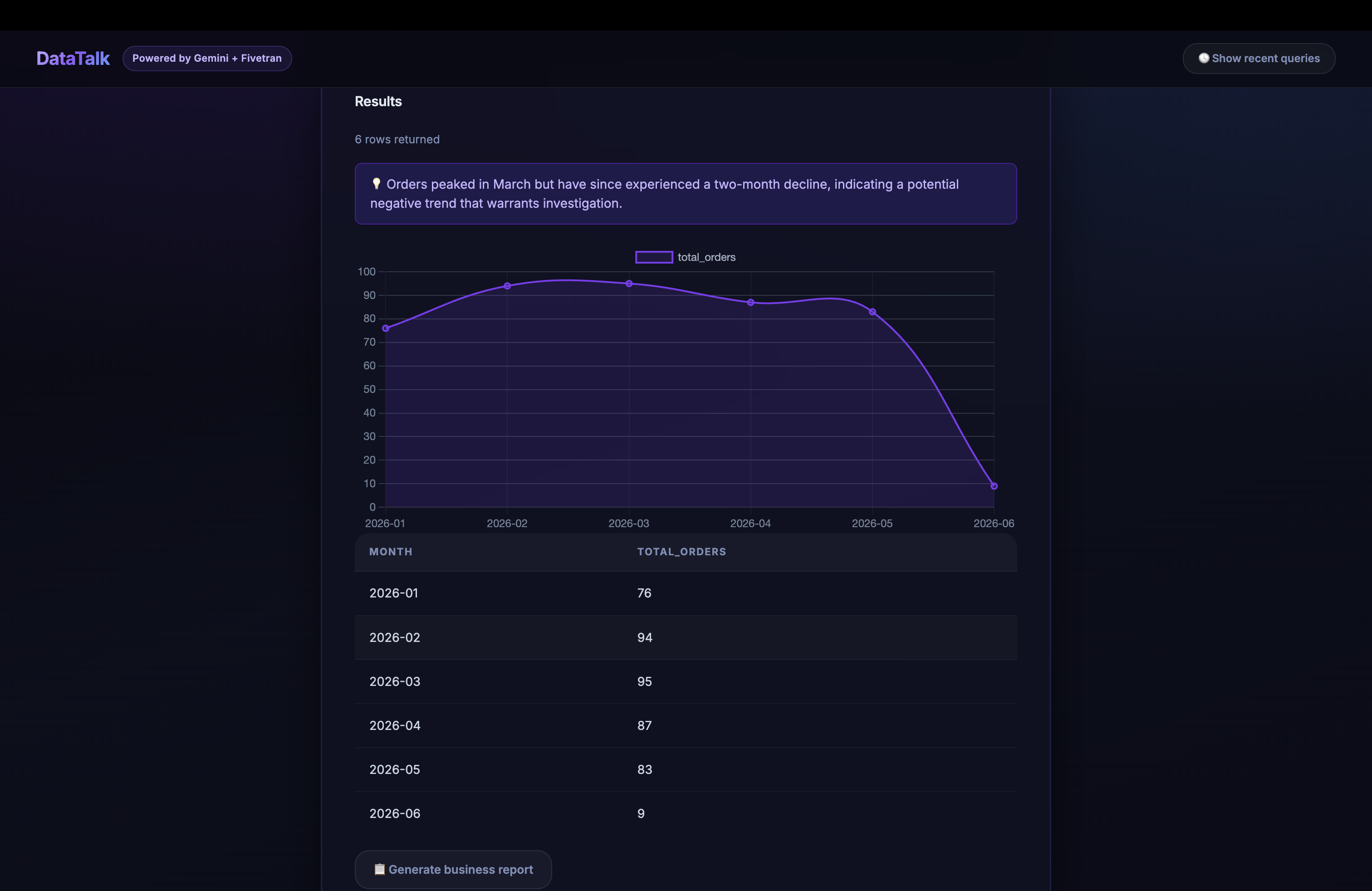
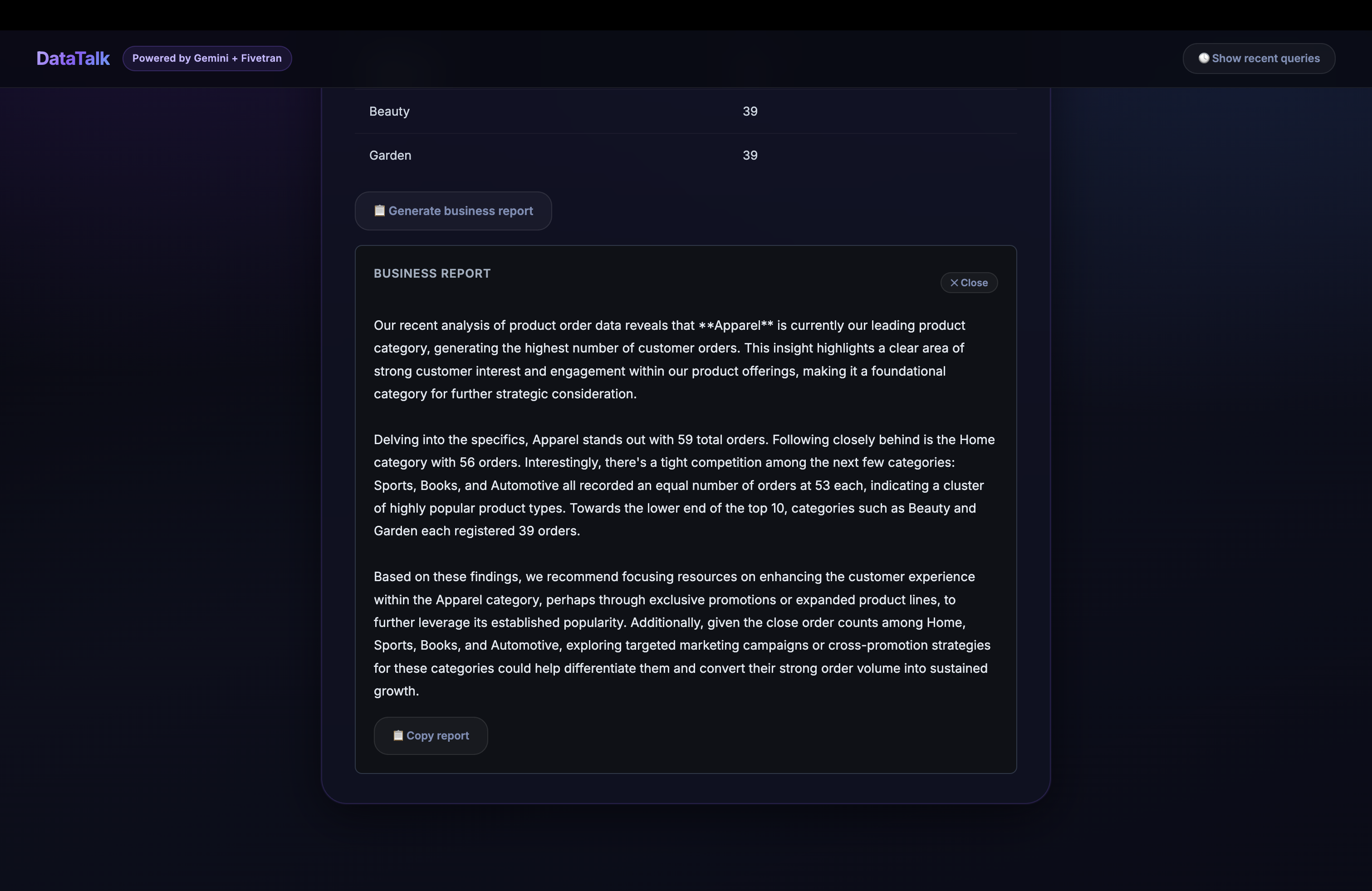
- Executes the full query, returns results as a table and bar chart, and writes a plain-English insight
- Saves the query to Firestore so it can be retrieved later or reused
If the data pipeline is stale, there's a "Trigger sync" button in the UI that fires a Fivetran sync manually without leaving the app.
How we built it
The stack breaks into three layers.
Data layer: Fivetran connects Google Sheets (orders and customers tables) to BigQuery. The Fivetran MCP server handles connector status monitoring and manual sync triggering directly from inside the agent. schematool.py introspects the live BigQuery schema at query time so the agent never has hardcoded table names.
Agent layer: Google ADK (Agent Development Kit) with Gemini 2.5 Flash on Vertex AI. The agent is defined in agent.py using the @agent decorator with MCPToolset pointing at the Fivetran MCP server. Custom Python tools registered alongside MCP handle schema lookup, SQL reranking, BigQuery execution, and Firestore history. The SQL reranker in sqlreranker.py generates 5 candidates at temperatures ranging from 0.0 to 1.0, runs a 100-row preview execution on each, and scores them on syntax validity, row count, and result shape. The highest scorer is what the user sees.
Frontend layer: A Flask backend (app.py) exposes the agent pipeline as a REST API. The HTML/CSS/JavaScript frontend uses Chart.js for visualizations and a two-step flow: generate SQL (no execution), show the user, then execute only after confirmation.
Challenges we ran into
Service account key creation was blocked - When I tried to create a JSON key for BigQuery authentication, GCP threw an organization policy error. The fix was switching to Application Default Credentials using gcloud auth application-default login, which worked cleanly with BigQuery and removed the need for a stored key file entirely.
Gemini model availability was inconsistent - gemini-2.0-flash returned a 404 initially in my Vertex AI project. I had to write a quick loop to test which model version was actually available, which turned out to be gemini-2.5-flash once the Model Garden API was explicitly enabled. Lost about an hour on this.
Schema ambiguity in NL to SQL - Early runs would generate SQL that referenced the right columns but from the wrong table. The fix was a two-pass schema resolution: retrieve all tables matching the query topic by name, then score each by column overlap with the entities in the user's question before injecting context into the prompt.
Fivetran MCP startup in ADK - The first version of agent.py used a direct StdioServerParameters call to launch the Fivetran MCP server via uvx. This worked locally but broke in Cloud Run because uvx wasn't in the container path. I moved the MCP connection to a managed subprocess with a health check before the agent starts.
SQL column alias issues - When running COUNT(*) without an alias, BigQuery returns f0_ as the column name. The reranker was scoring aliased results higher, which nudged the agent to always generate cleaner SQL. That was an accidental win, but I kept it.
Accomplishments that we're proud of
The execution-guided reranking actually works. When I started testing with real questions like "how much revenue came from completed electronics orders last month?", single-shot generation failed 3 out of 5 times. With 5 candidates and execution scoring, the right query came back every time. That improvement felt tangible and came directly from research work on Text-to-SQL fine-tuning done outside this hackathon.
The human-in-the-loop approval step is something I'm proud of too. Most demo agents just execute. It shows you what it's about to do and waits. That design choice came from working in enterprise environments where a wrong query on production data has real consequences. It also made the demo easier to follow because you can see the SQL and understand it before the answer appears.
Getting the full pipeline from a Google Sheets source through Fivetran into BigQuery and back out through a Flask UI in a week, while working through credential issues and model availability problems and redeployments, felt like a real build.
What we learned
MCP is a better abstraction layer than I expected. Being able to call list_connections through the Fivetran MCP server and have the agent discover what data is available at runtime, without hardcoding any connector names, is genuinely useful. It means the same agent works regardless of what data sources a user has connected.
System prompt engineering is harder than model selection. I spent more time getting Gemini to follow a strict Plan > Schema Lookup > Generate > Preview > Confirm > Execute sequence than I spent on any code. Without explicit tool-first constraints, the model would occasionally answer data questions from its own training knowledge instead of querying BigQuery. That's the failure mode you have to design against.
ADK is code-first and that matters. I started with the Dialogflow CX UI approach, realized halfway through Day 1 that it was the wrong tool, and switched to ADK. The Python SDK gave me full control over how tools are registered, how the agent reasons, and how to wire custom functions alongside MCP tools. That flexibility is what made the reranker integration possible.
What's next for Datatalk
The most obvious next step is cross-connector reasoning. Right now DataTalk queries one BigQuery dataset. But Fivetran's real value is that it can sync from 750 sources simultaneously. The architecture is already in place to support a version where a user asks "which marketing channel drives customers with the highest lifetime value?" and the agent joins a CRM connector, an ad spend connector, and a payments connector to answer it. That's the version worth building after the hackathon.
Longer term, the reranking logic could be extended to use cached past queries as few-shot examples. If a user has asked 50 questions over time and all of them are saved in Firestore, those become training signal for better SQL generation on the 51st question. The institutional memory the agent already builds is the foundation for that.
Built With
- cloudrun
- css3
- firestore
- fivetranmcp
- gemini
- google-bigquery
- googleadk
- html5
- javascript
- python

Log in or sign up for Devpost to join the conversation.