DataRelay
Inspiration
I’ve spent a lot of time looking for Jira issues and Confluence pages I knew I’d seen before. In a large Jira project, I could remember what an issue was about but forget its title or ticket number. In a large Confluence space, I’d open one page after another, trying to remember which parent page the information was under.
What frustrated me most was finding the ticket and then having to start the search all over again in Confluence. I built DataRelay because I wanted to type the few words I remembered and find both in one place.
What it does
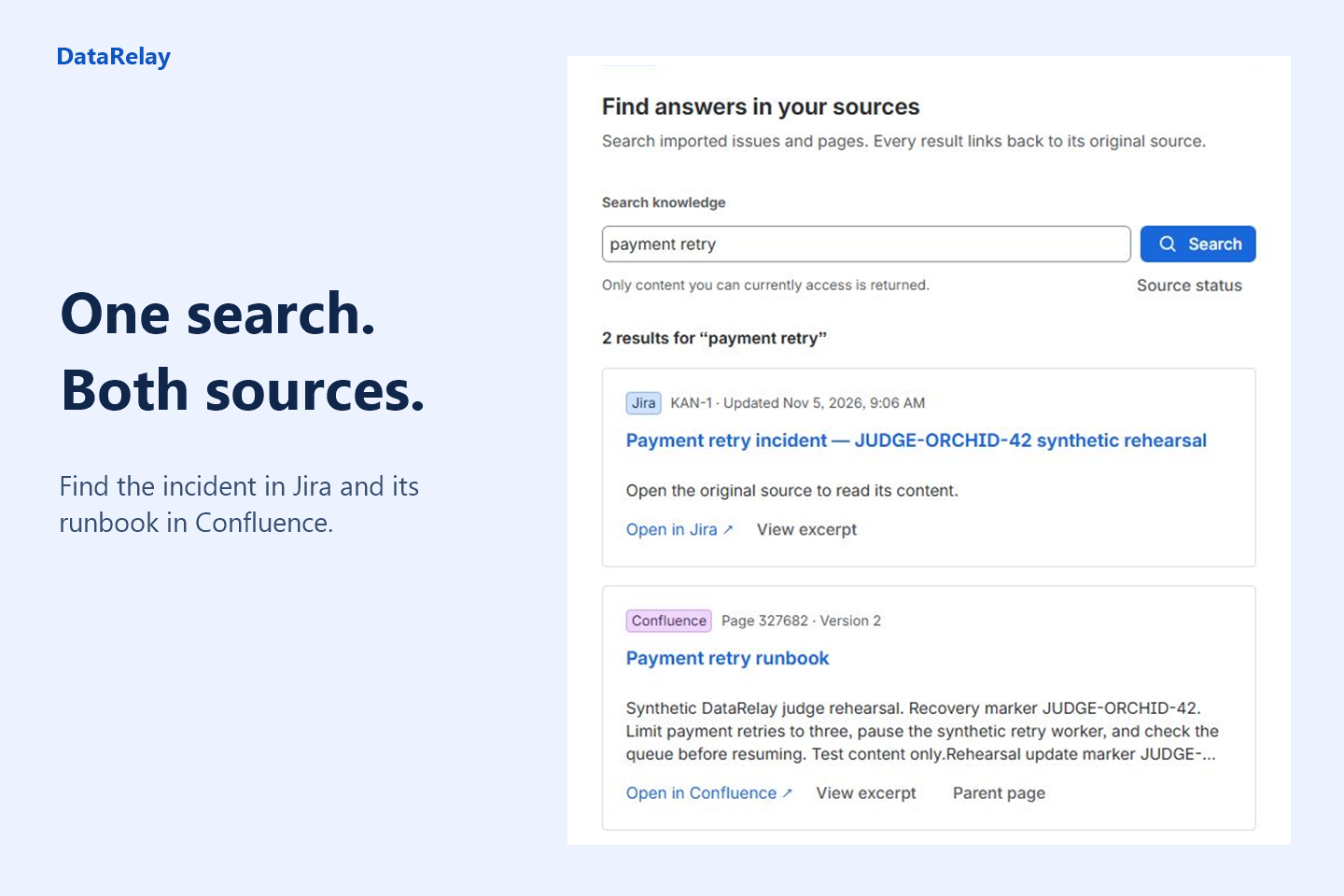
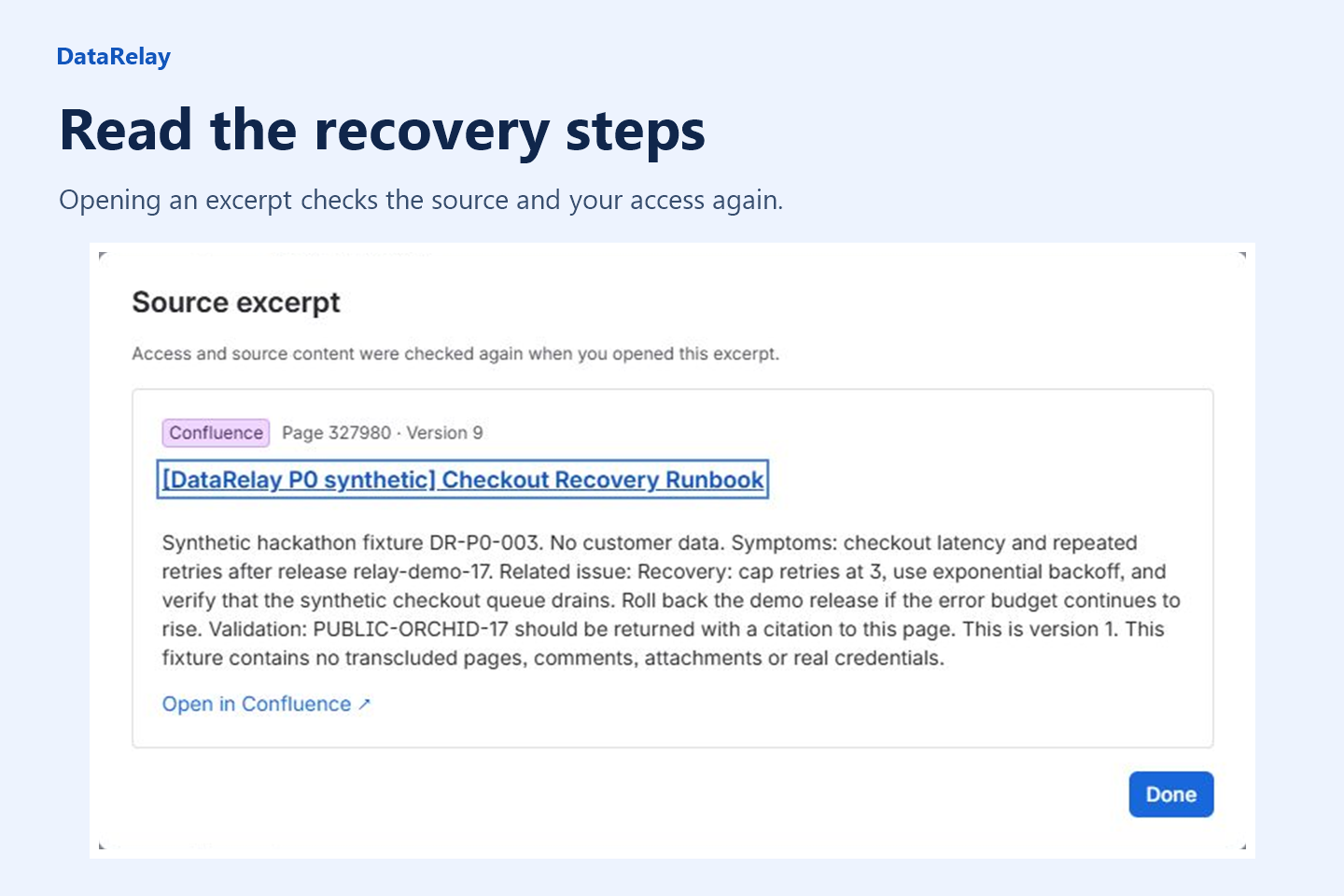
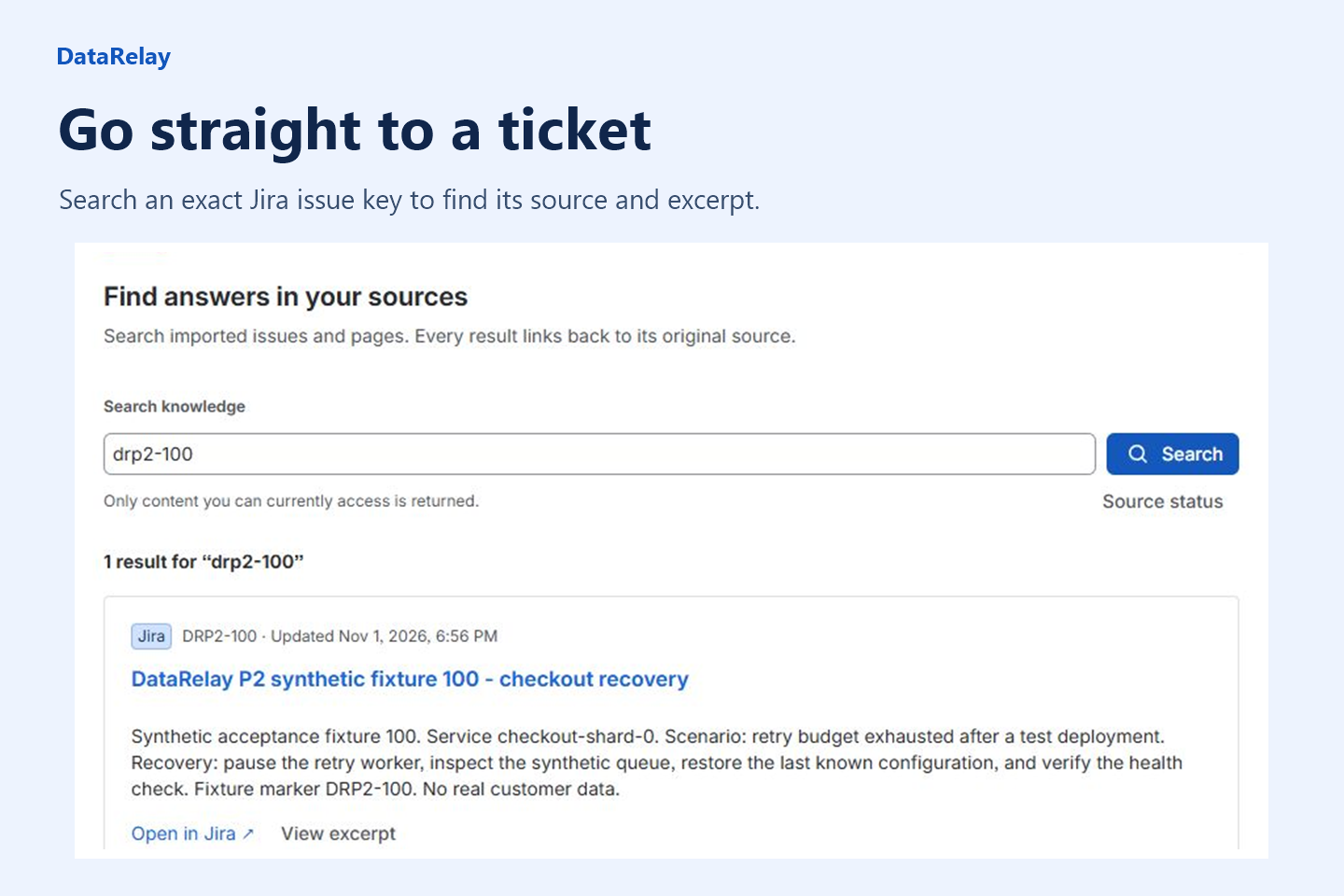
- Search Jira and Confluence together. Type a few words in Jira to find the ticket and the runbook in the same result list. You can also search for an exact issue key or page ID, read an excerpt, and open the original. From an open Jira ticket, the DataRelay panel lets you look up that issue directly.
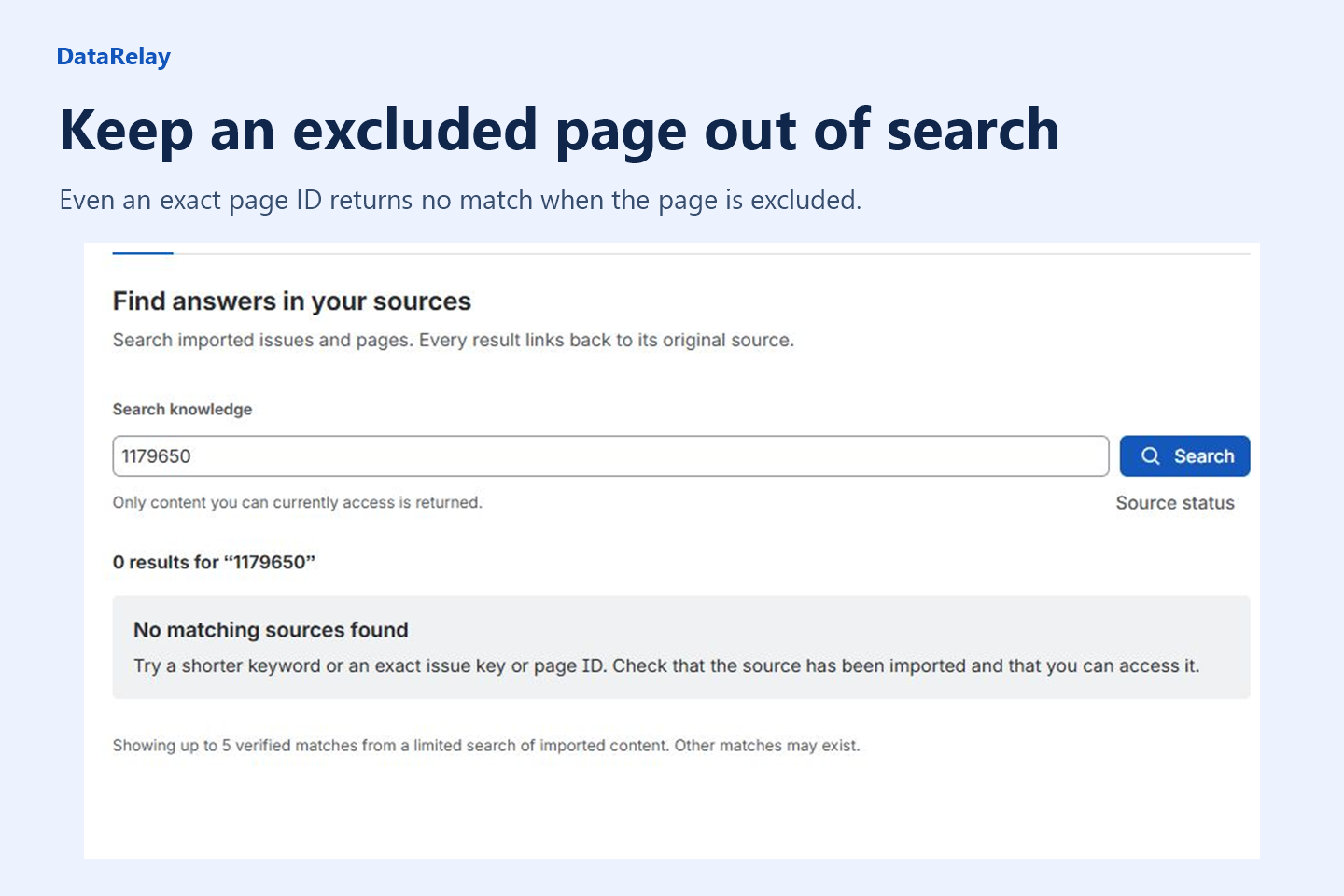
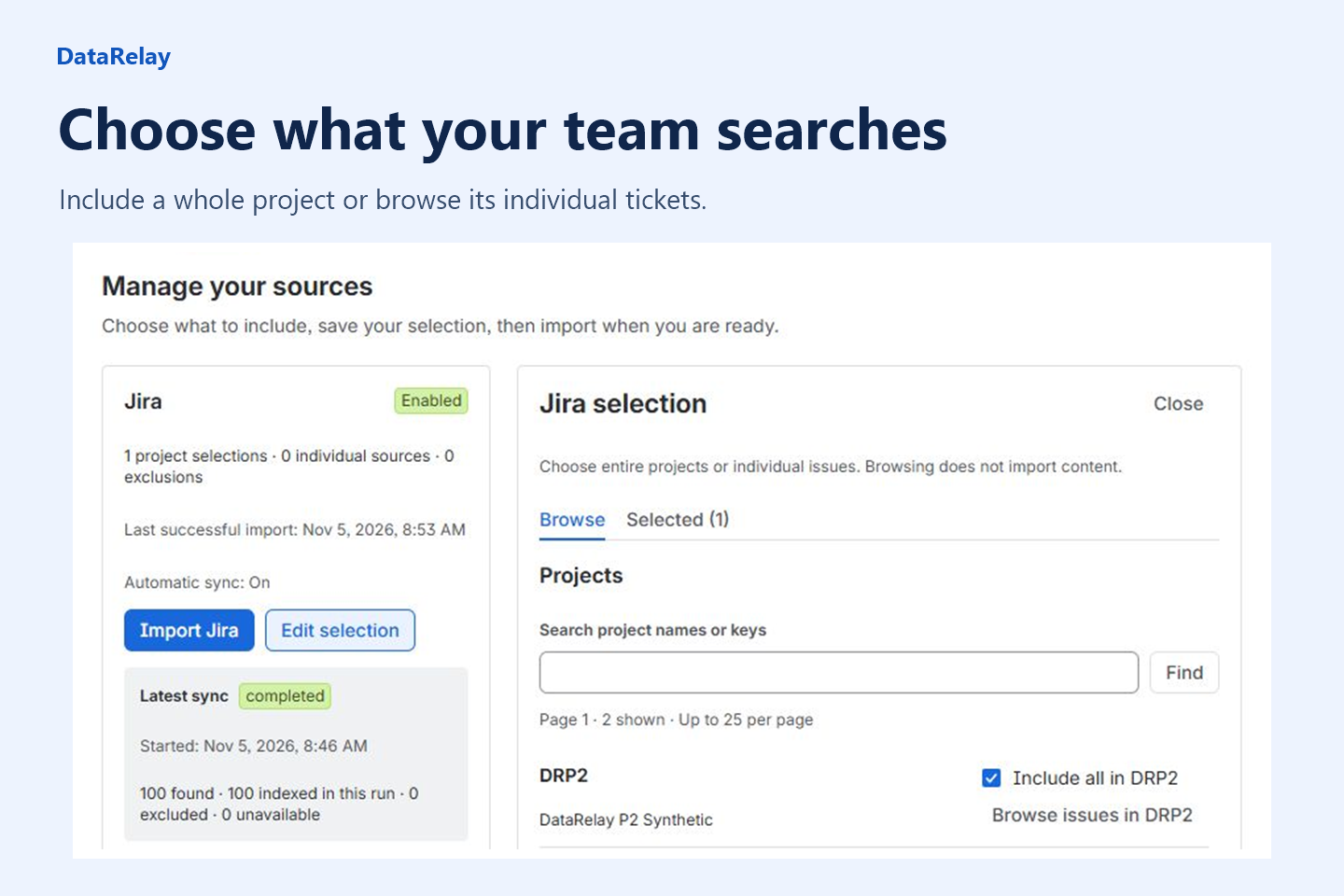
- Choose exactly what goes into search. An administrator can include a whole Jira project or a single ticket. In Confluence, they can choose a space, one page, or a page with its children. They can exclude individual items even when the rest of the project or space is included.
- Keep ticket-level and page-level access controls. Including a project makes its tickets eligible for search. Jira still decides who can read each one. If a security incident is visible only to responders, only those responders can see its title or excerpt in DataRelay. The same rule applies to restricted Confluence pages.
- Import when you’re ready. Add sources at any time, track progress, and pause or cancel an import. After a successful import, DataRelay picks up edits in the background. Removing a source from the selection hides it from search immediately.
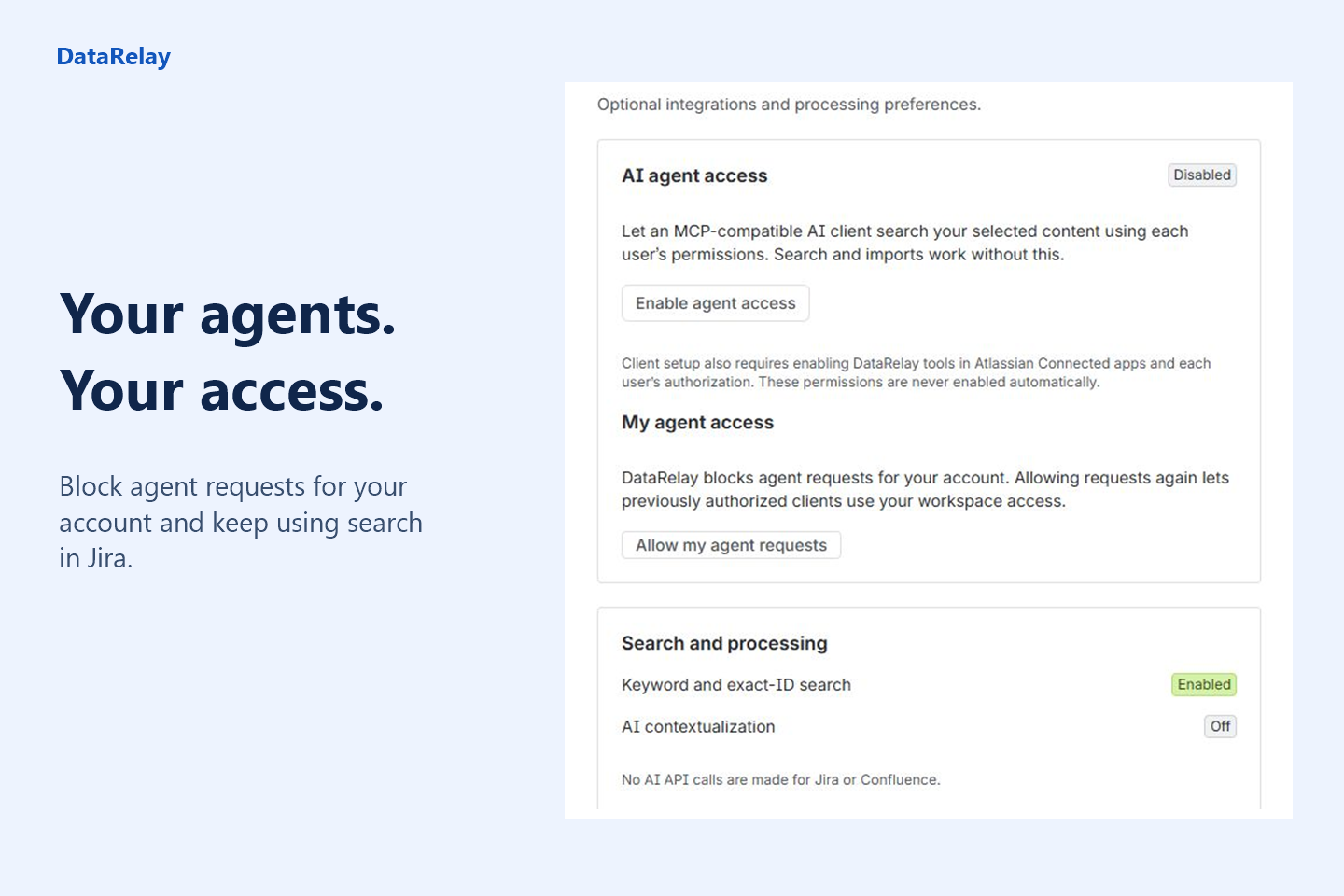
- Let an AI agent search on your behalf. Five optional read-only tools let a compatible agent list sources, search, read a result, look up a parent page, and check when content last synced. Administrators control access for the workspace. Each person can also block agent requests for their own account.
How we built it
I built DataRelay on Atlassian Forge. The search screen, source picker, and settings use Forge UI Kit, so you can do everything inside Jira. When an administrator starts an import, Forge Async Events puts the work in a queue. A worker reads the selected issues and pages in small batches and stores their text and versions in Forge SQL. The team can run the app without managing a separate server or database.
When you search, DataRelay ranks matches from the saved index, then reads the strongest matches again using your Atlassian permissions. It shows a result only when you can open the original and the indexed version is current. The same check applies when an agent searches for you. Search uses keywords and exact identifiers and works without an AI key.
Challenges we ran into
Permissions can change after an import. A runbook might be open to everyone on Monday and restricted on Tuesday. I tested this by changing access after a page was already in the index. Checking the original page at read time meant the restricted reader lost access to the result while an authorized reader could still open it.
The best match could get cut off too early. An early search picked the first 40 matching records before ranking them. A ticket with the exact phrase could miss the list altogether. I moved ranking ahead of that cutoff. In a live test with 100 sample tickets and two pages, an expected source came first for all 12 searches with a known answer. All three searches for excluded, missing, or unrelated content returned no results.
An interrupted import could leave the team with half an index. I made each run build a separate copy and check what was stored before switching search over to it. If a worker times out or an import is cancelled, people can still search the last completed import, subject to their current permissions and selections.
Accomplishments that we're proud of
The test I’m proudest of was installing DataRelay on a fresh site. I imported a Jira ticket and a Confluence runbook, searched for “payment retry,” and found both. Then I edited the runbook in Confluence. Its new text appeared in DataRelay after automatic sync, without anyone having to import it again.
I’m also proud that I could give an AI agent the same search while leaving the person using it in control. They can block agent requests for their account and carry on searching in Jira themselves.
What we learned
I learned to test the questions people ask when they’ve forgotten the title. Searching by ticket number told me very little about whether someone could find that ticket a month later. Trying a few remembered words, an incomplete phrase, and a question with no relevant answer showed me where the ranking needed work.
I also learned to test what happens after a successful search. Opening the same result after someone edits a page or loses access to it is a different test from finding it the first time.
What's next for DataRelay
I want to test DataRelay with larger Jira projects and more deeply nested Confluence spaces. I’d like to give people a real task, such as finding an old issue and the page that explains its fix, and measure how long it takes using their usual workflow and using DataRelay. That would tell me where it actually saves time and where people still get stuck.
After that, I want to try searches where the wording differs from the source, such as finding a ticket titled “checkout failure” when someone types “customers can’t pay.” I’ll test that separately from the keyword search people use today.
Built With
- atlassian-forge
- codex
- confluence-cloud-rest-apis
- forge-async-events
- forge-sql
- forge-ui-kit
- javascript
- jira-cloud-rest-apis
- mcp
- node.js
- react

