-
-
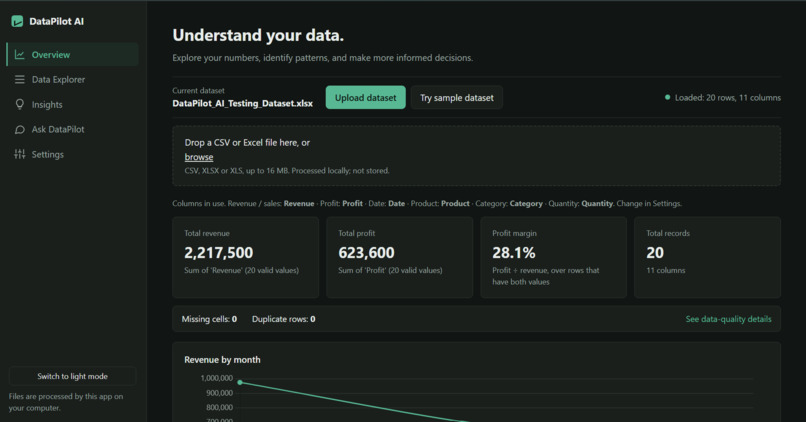
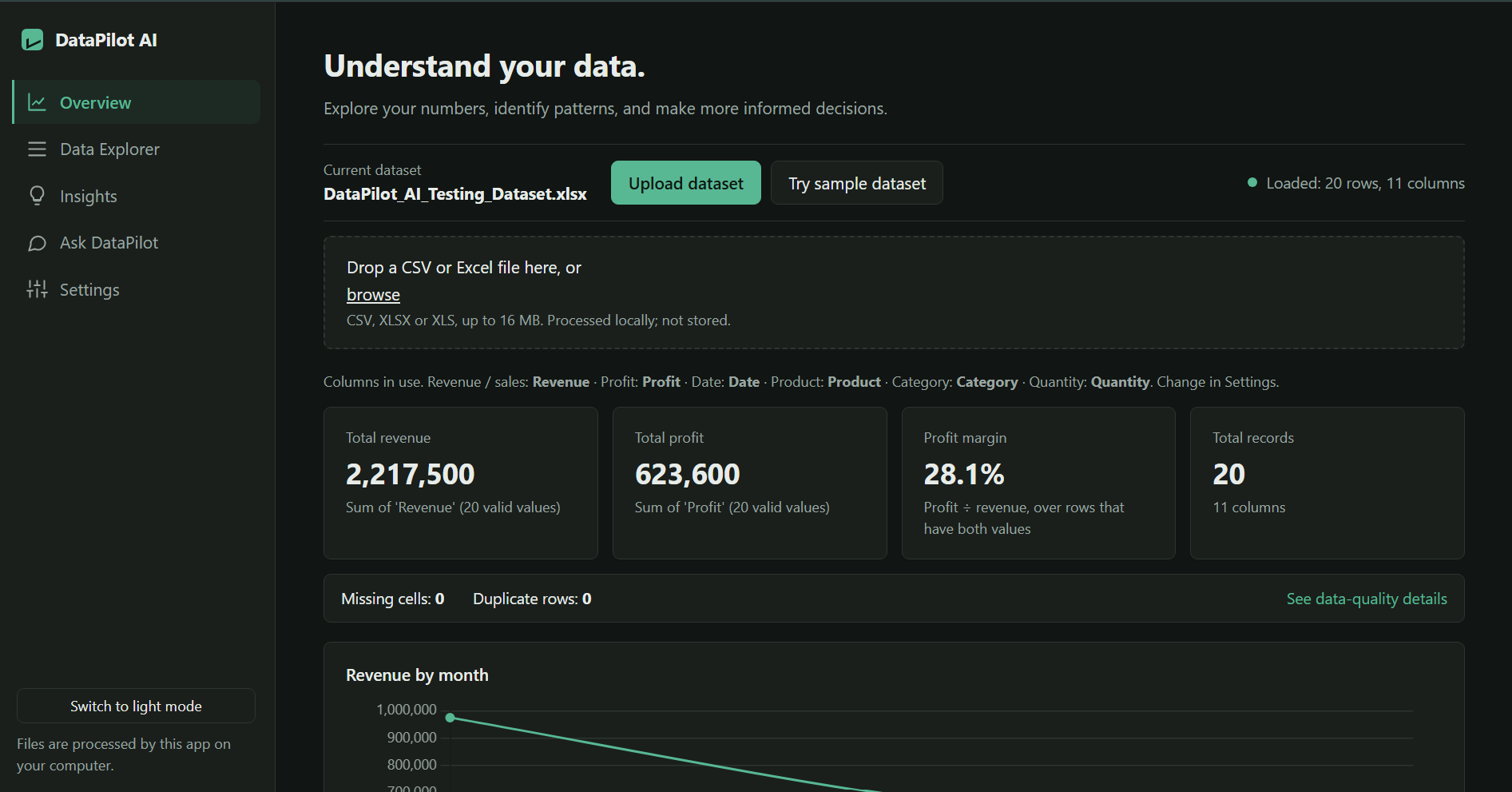
Homepage
-
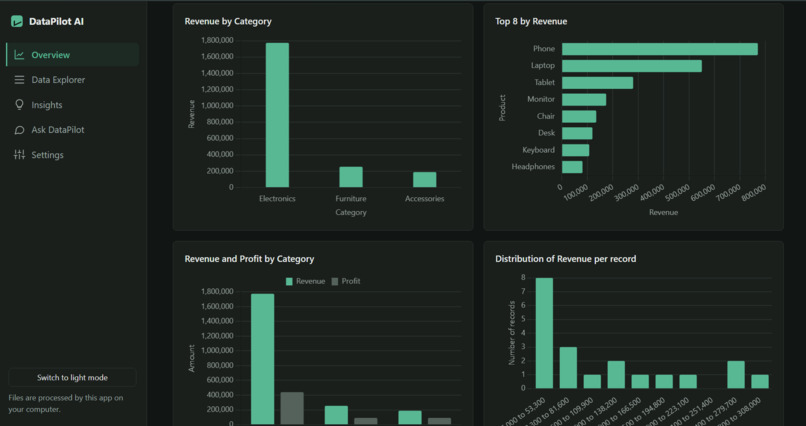
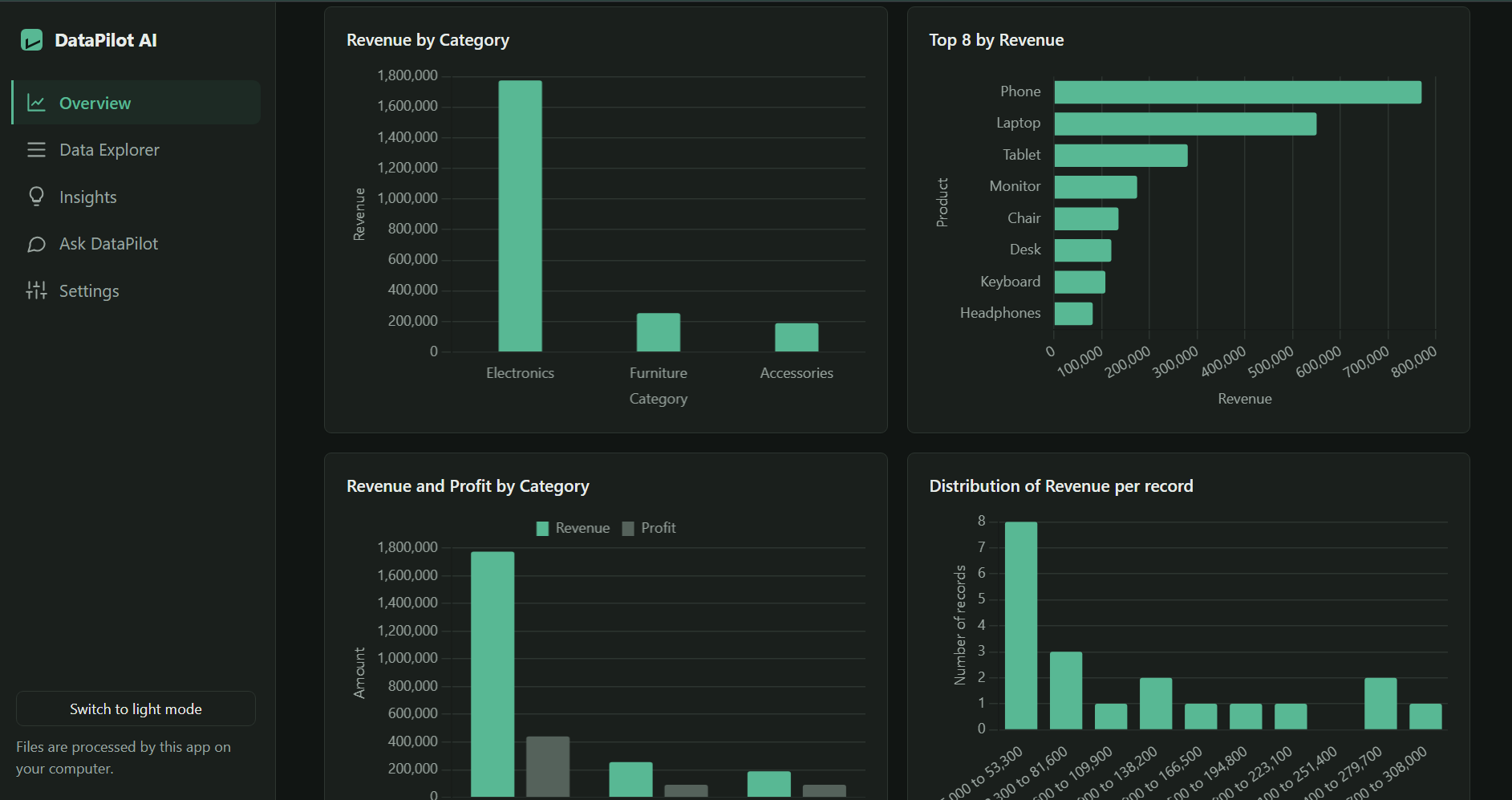
Graphs and charts
-
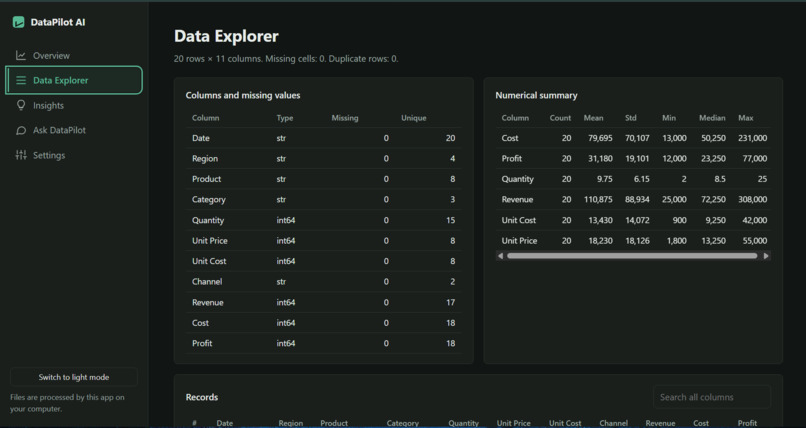
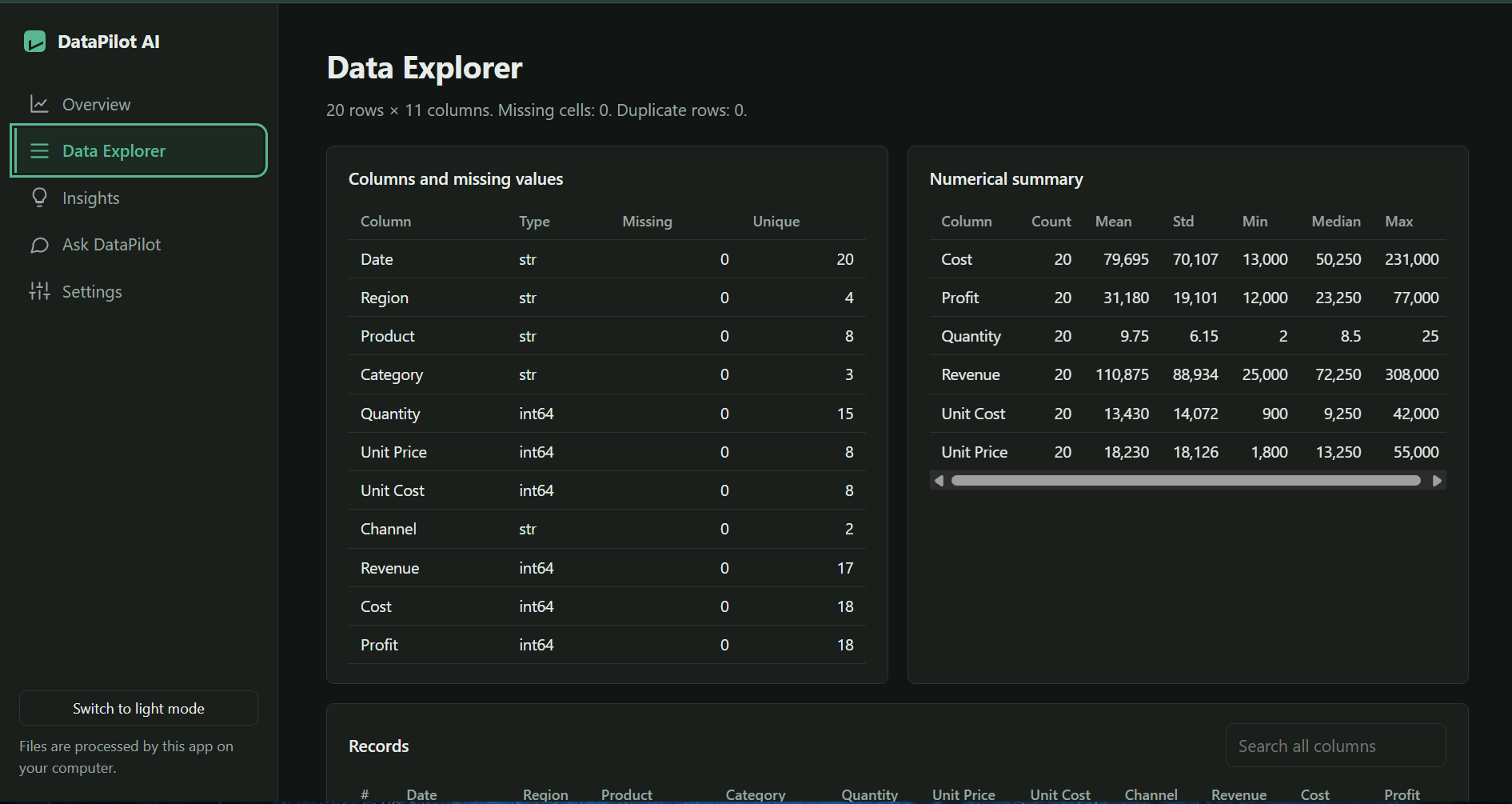
Data Explorer section
-
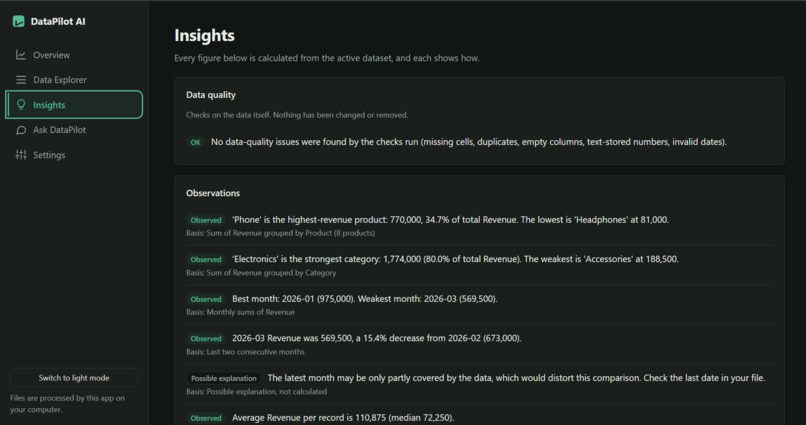
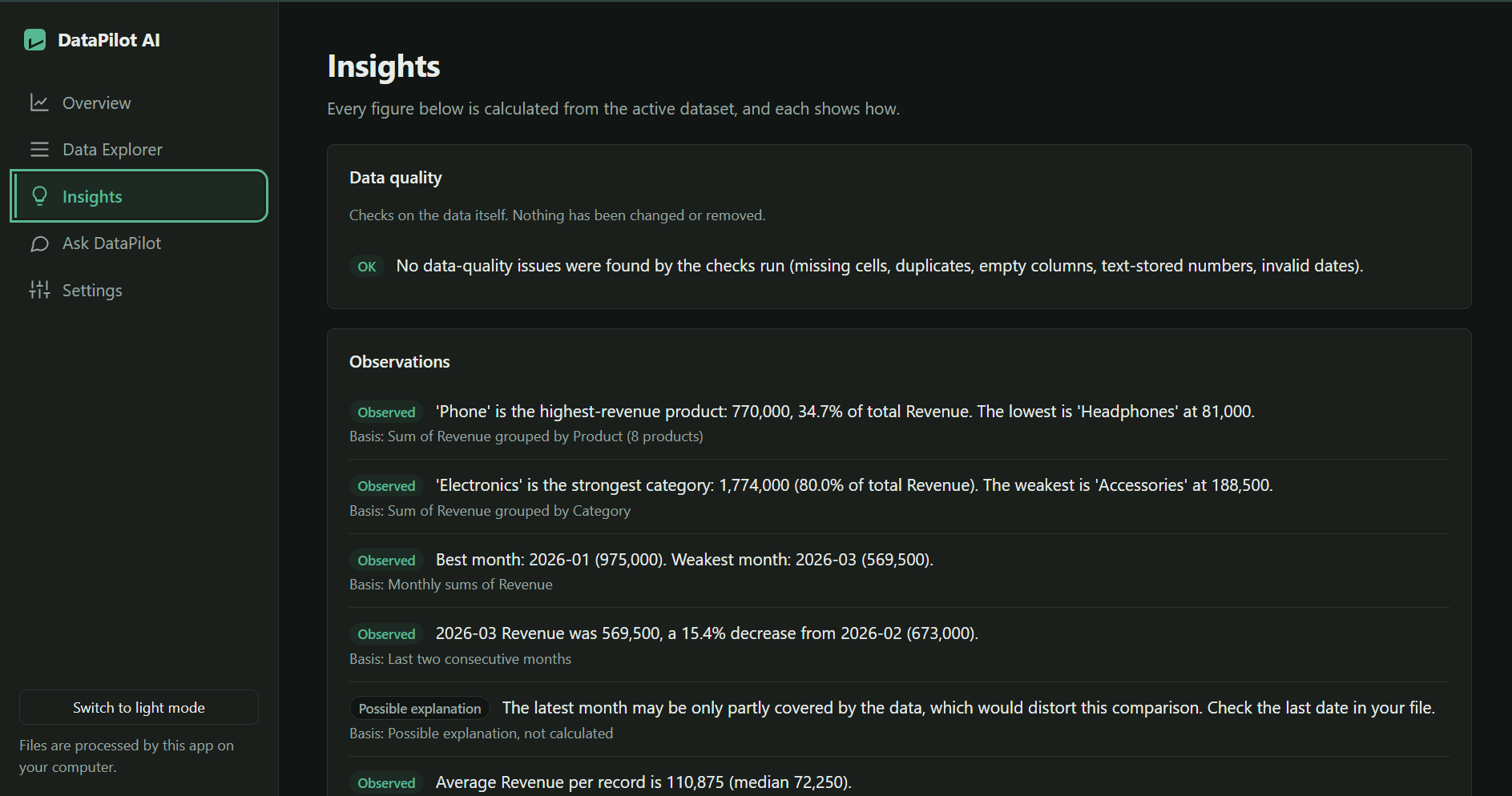
Insights section
-
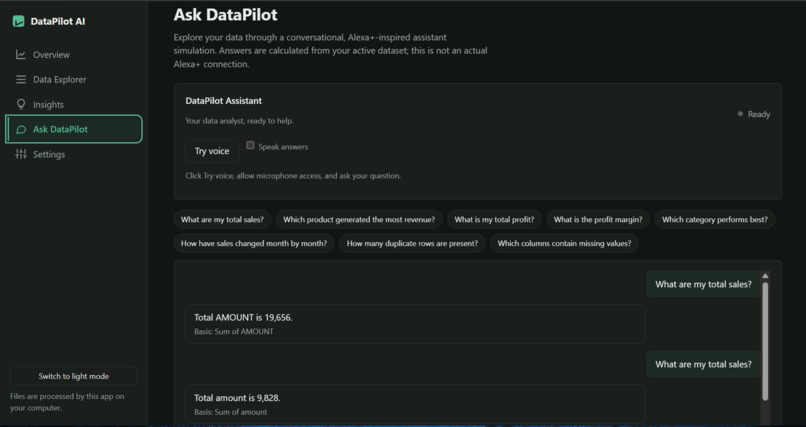
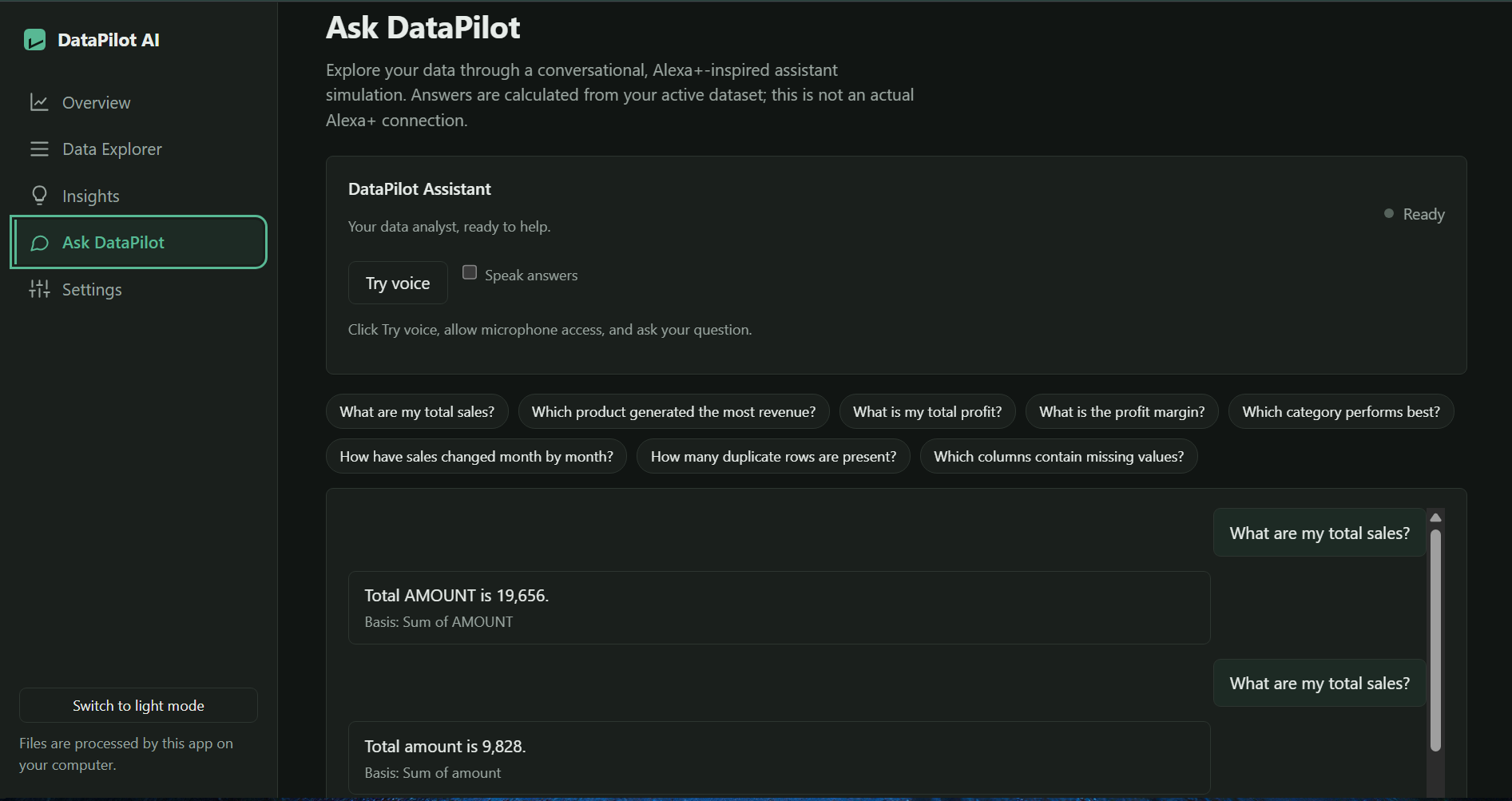
AI assistant
Inspiration
Modern data analysis often requires navigating complex software or writing custom scripts. We created DataPilot AI to simplify this process—giving users a seamless, web-based platform that instantly parses tabular data, generates interactive visualizations, and provides clear, actionable insights through natural language.
What it does
DataPilot AI allows users to upload dataset files (CSV, XLS, XLSX) or load pre-configured sample datasets. Once uploaded, the app automatically inspects the structure, creates interactive data visualizations, highlights key statistical insights, and allows users to ask conversational questions about their data using "Ask DataPilot."
How we built it
Backend: Built with Python and Flask, utilizing pandas and numpy for efficient dataset processing and analysis, with gunicorn as the production WSGI server.
Frontend: Clean, responsive HTML/CSS user interface built for data dynamic rendering and chart visualizations.
Deployment & Cloud Infrastructure: Deployed as a web service on Render connected to a GitHub repository workflow.
Challenges we ran into
- Handling various spreadsheet formats (both legacy
.xlsand modern.xlsx) seamlessly alongside.csvfiles. - Managing production deployment dependencies and WSGI server configurations on cloud hosting.
- Optimizing data processing pipelines to deliver instant feedback and insights without latency.
Accomplishments that we're proud of
- Successfully building a production-ready web application that handles full-cycle dataset processing from file upload to automated visual analysis.
- Achieving end-to-end zero-friction user workflow with clean, responsive design.
What's next for DataPilot AI
- Adding automated report exports (PDF/Executive Summaries).
- Expanding conversational query capabilities for advanced statistical modeling and predictions.

Log in or sign up for Devpost to join the conversation.