-
-
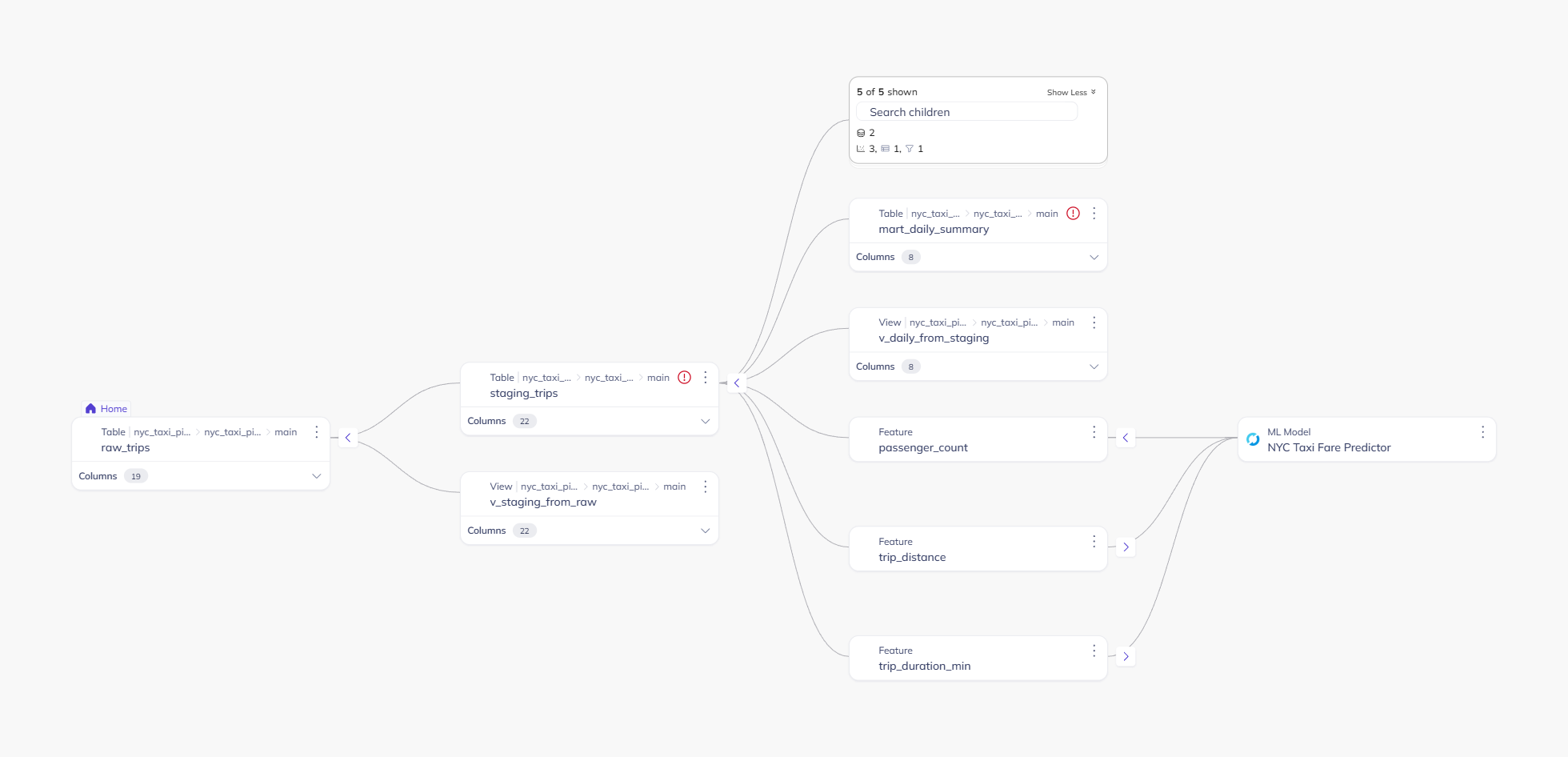
01-lineage-raw-to-mlmodel
-
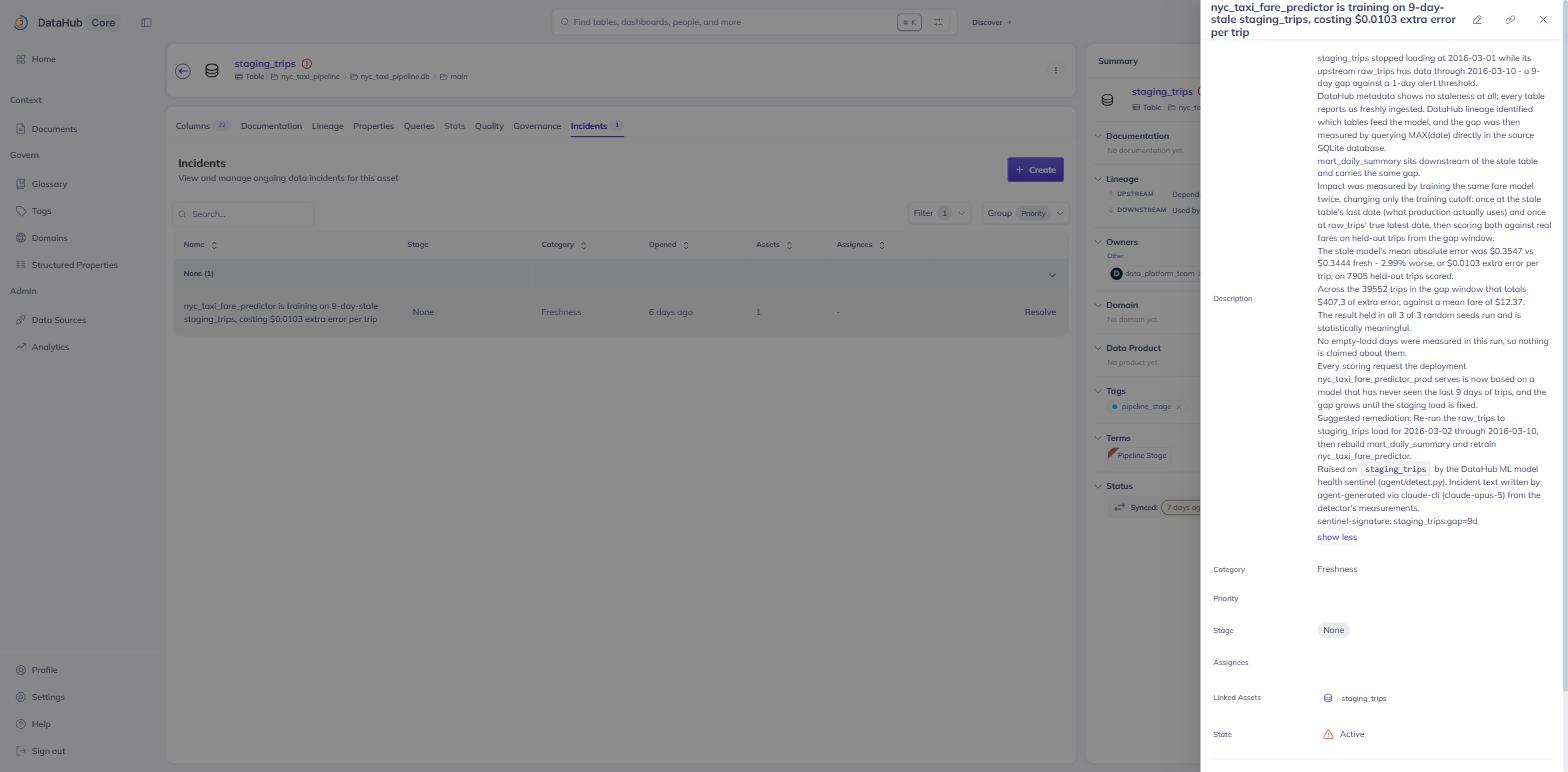
02-freshness-incident-staging_trips
-
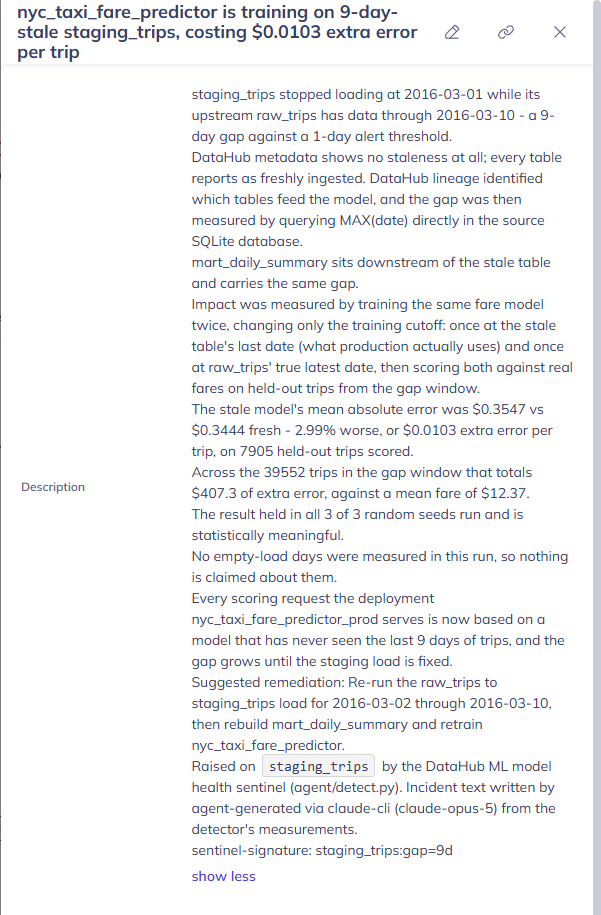
03-incident-narrative-full
-
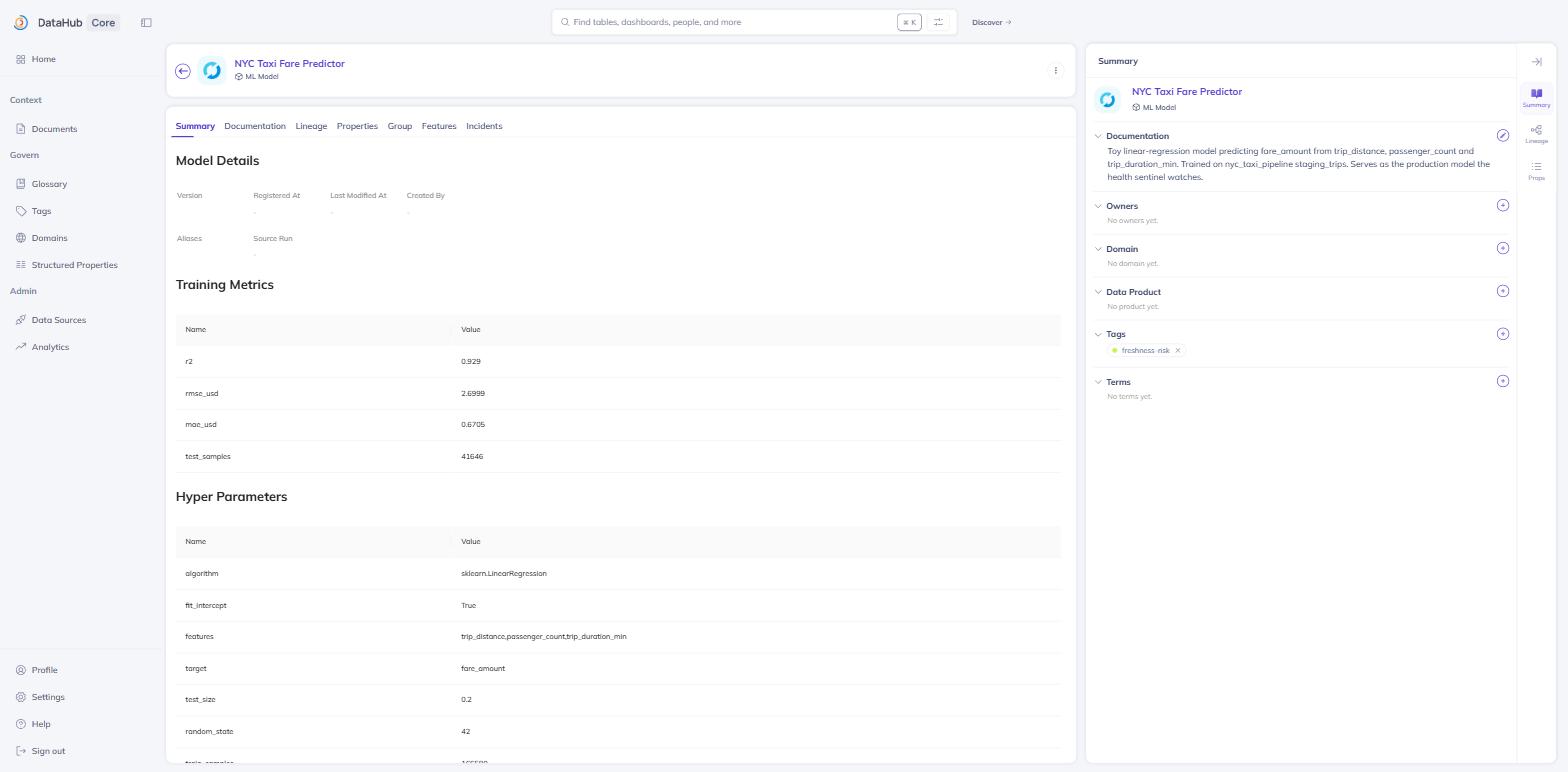
04-mlmodel-freshness-risk-tag
Inspiration
We wanted to kno w if a ML sentinel could catch the flaw in the data being fed and could it catch it, catch the error from its root? Datahub knows the shape of the pipeline, but it doesnt know whether the information travelling thru that pipeline is fresh or not. The gap between "The pipeline works" and the "data is trustworthy" is what we set out to close here.
What it does
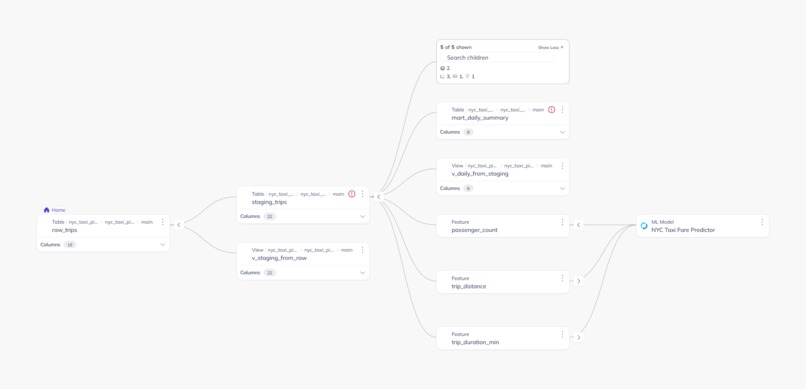
DataHub ML Model Health Sentinel is an agent that walks DataHub's ML lineage graph: training data → features → model → deployment and then it catches staleness that's invisible in DataHub's own metadata. In the piepeline we tested, (a 3-stage NYC taxi dataset: raw_trips → staging_trips → mart_daily_summary), every table reports a successful ingestion. DataHub's metadata says everything is fine. But the actual data inside staging_trips and mart_daily_summary is 9 days old, or 9 days "stale" relative to raw_trips, and metadata on its own can never reveal that, because ingestion timestamps only tell you if a pipeline ran, not that the data it moved is current.
The agent:
- Starts from the MLModel in Datahub Production and follows its lineage back until it learns of all the tables that have contributed to it.
- Gets down to the true database, computes the actual freshness difference between these tables, not based on the cached metadata.
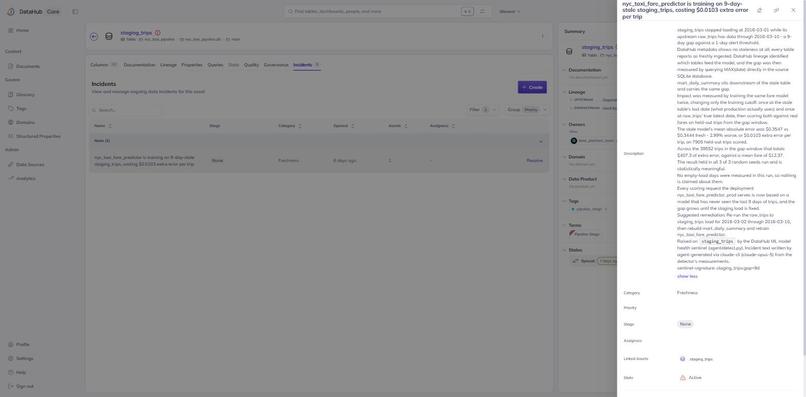
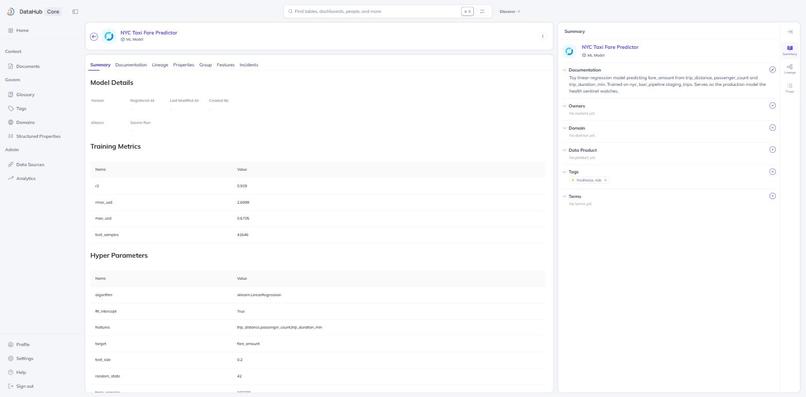
- If the freshness difference is higher than the threshold which is configurable, opens an incident in Datahub – FRESHNESS against the datasets, also adding a freshness risk tag to the model.
- On the next run, if the issue gets resolved with the data, the tag expires automatically.
How we built it
This relies on DataHub’s local live DataHub instance (quickstart), using the DataHub Python SDK to consume lineage and report any events or tags.
Pipeline & data: For this project, the sample NYC taxi dataset from DataHub itself was taken as the baseline for the pipeline and here the version with an artificial 9-day staleness between raw_trips and the downstream tables is selected, not a synthetic one.
ML layer: Further, upon the baseline, we trained a basic scikit-learn linear regression ML model that predicts taxi ride prices (R2 = 0.929), and we registered it in DataHub as an ML entity chain (MLFeatureTable, MLModel, and MLModelDeployment in production).
Detect Agent (detect.py): This is the main deliverable. Given the get_lineage function of the MLModel, it will detect any upstream tables, open the corresponding SQLite database via sqlite3, and then compute the real age difference for them - something which cannot be inferred from the DataHub’s metadata alone. The agent is idempotent (with a deduplication guard to ensure there are no duplicates in consecutive runs), the staleness threshold is tunable via a constant, and it has non-zero status on detecting the issue.
Challenges we ran into
Lineage does not involve deployments. The original idea was to start the lineage walk from the MLModelDeployment node because it is the "production" node. We discovered that the get_lineage graph traversal of DataHub does not support the MLModelDeployment node type; therefore, we had to rebuild the lineage walk starting from the MLModel node, with only a direct entity call to extract the deployment details for the naming purpose.
Incidents cannot be linked to models. The original intention was to link the FRESHNESS incident to the model since it is the entity affected by this incident. However, version 1.5.0.6 of DataHub does not permit linking any incidents to mlModel entities; hence, we rebuilt the write-back process to link the FRESHNESS incident to the datasets upstream and downstream of the model and add a self-closing risk tag for the model.
Verification vs Assumption. As several of the above-mentioned functionalities of the DataHub could not be found in any documentation at all, instead of assuming how these functionalities operate, we went straight ahead and verified them with the help of the DataHub code and scripts for the sample data set. This is how we found out that the 9-day stale window in the sample data set actually exists (instead of the 2-3 day stale window mentioned in the documentation).
Accomplishments that we're proud of
A closed loop with all its pieces working properly: lineage-aware detection -> verification using real data -> automatic write-back to DataHub without any intermediate steps.
Using real data time stamps during all detection process, instead of making up some staleness problem, in other words, solving a real problem rather than toy one.
Considering two non-obvious limitations of the DataHub platform (nodes from lineage, incident entity types), instead of making assumptions about them and getting architecture that does not comply with them due to that, but considering reality check and coming up with the one that fits.
Ensuring that the detection algorithm is idempotent and cleans up after itself, so it won't cause trouble if executed several times in a row.
What we learned
The lessons learned from this discussion include the fact that the lineage graph in DataHub is an excellent mapping tool that reveals connections and relations, but it was not built to do anything more than that; in other words, the lineage graph in DataHub was not built to ascertain the reliability of the data that has been mapped. It is wise to stick within the limits of its mandate, but it also implies that the agent has to be ready to venture outside of the metadata layer to assess the risks involved.
What's next for DataHub ML Model Health Sentinel
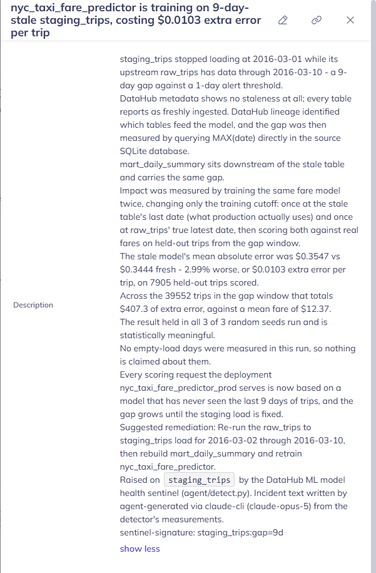
Staleness should be considered both in terms of days and dollars; measure the effect of this problem through a comparison of a model trained on stale data against another one trained on fresh data.
Do not rely on the current hardcoded text for describing incidents; rather, create an incident description with the help of an LLM to ensure that the information about staleness, its significance, and affected parties is clear.
This feature should be generalized beyond the particular use case of NYC taxis to cover all models within DataHub.
Built With
- claude
- claude-code
- datahub
- github
- machine-learning
- pandas
- python
- sclkit-learn
- sqlalchemy
- sqlite
- windows

Log in or sign up for Devpost to join the conversation.