-
-
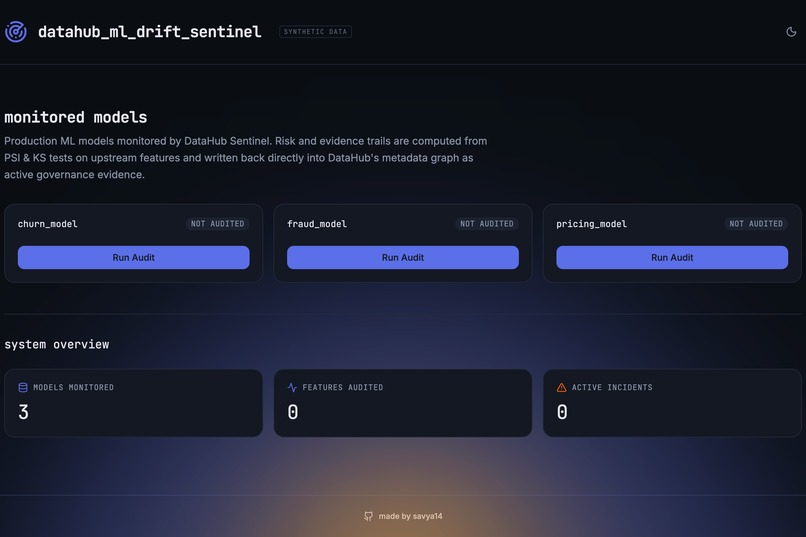
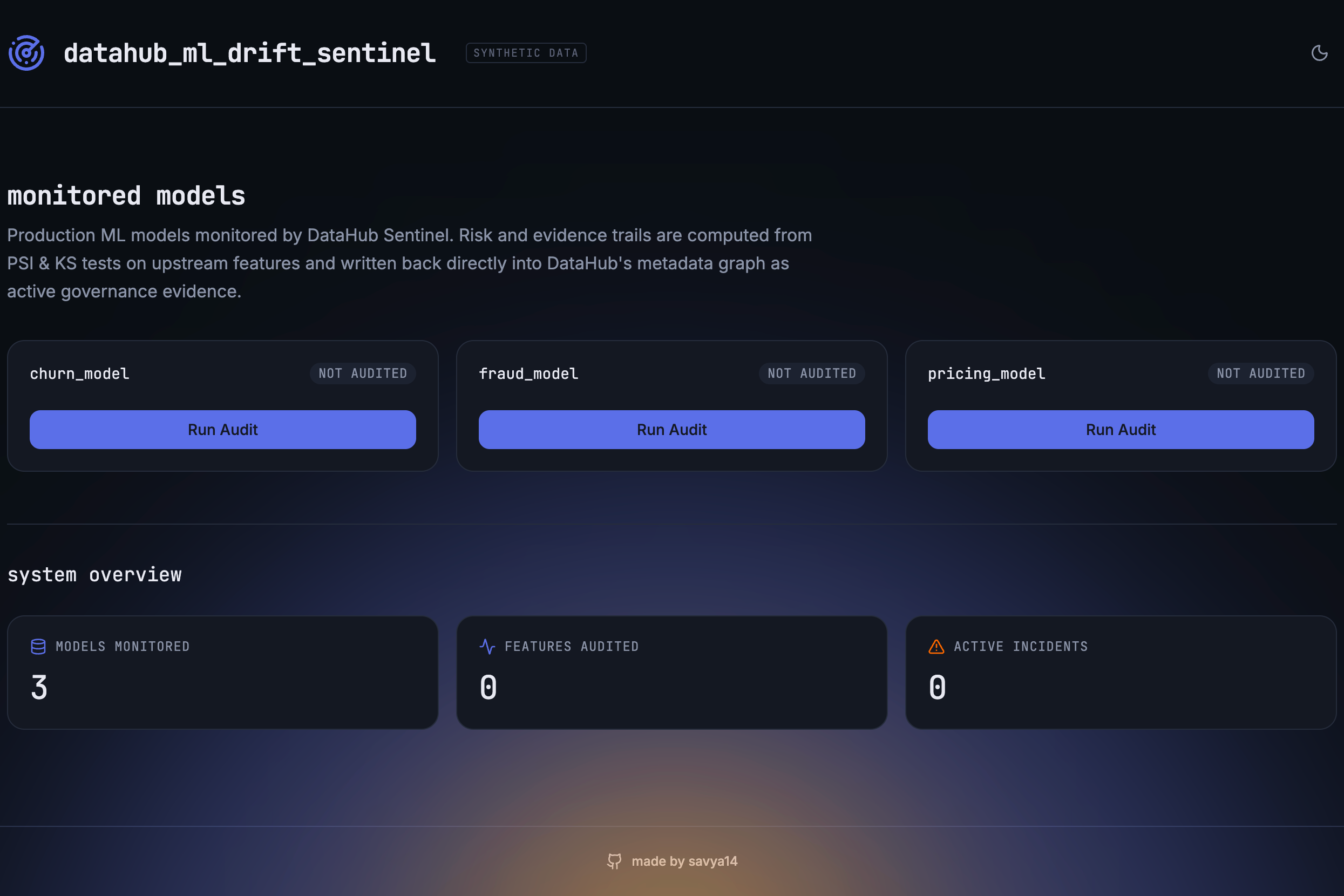
DataHub ML Drift Sentinel dashboard showing three monitored models in a clean zero-audit state.
-
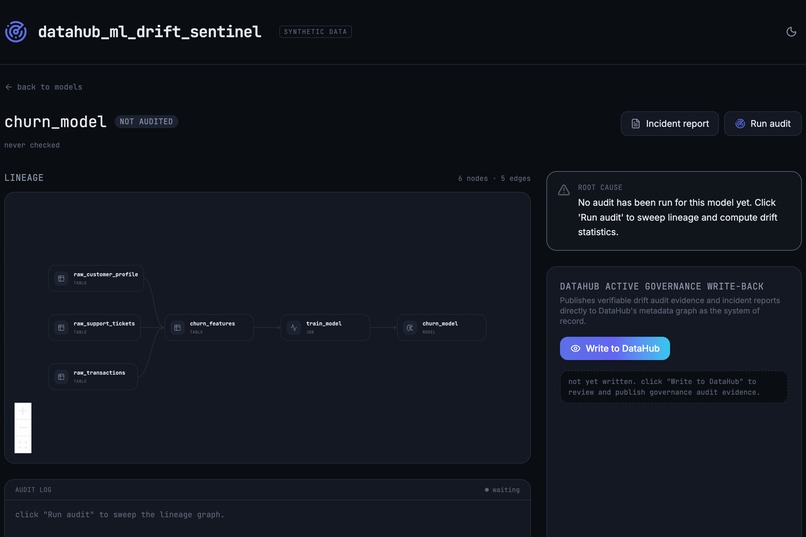
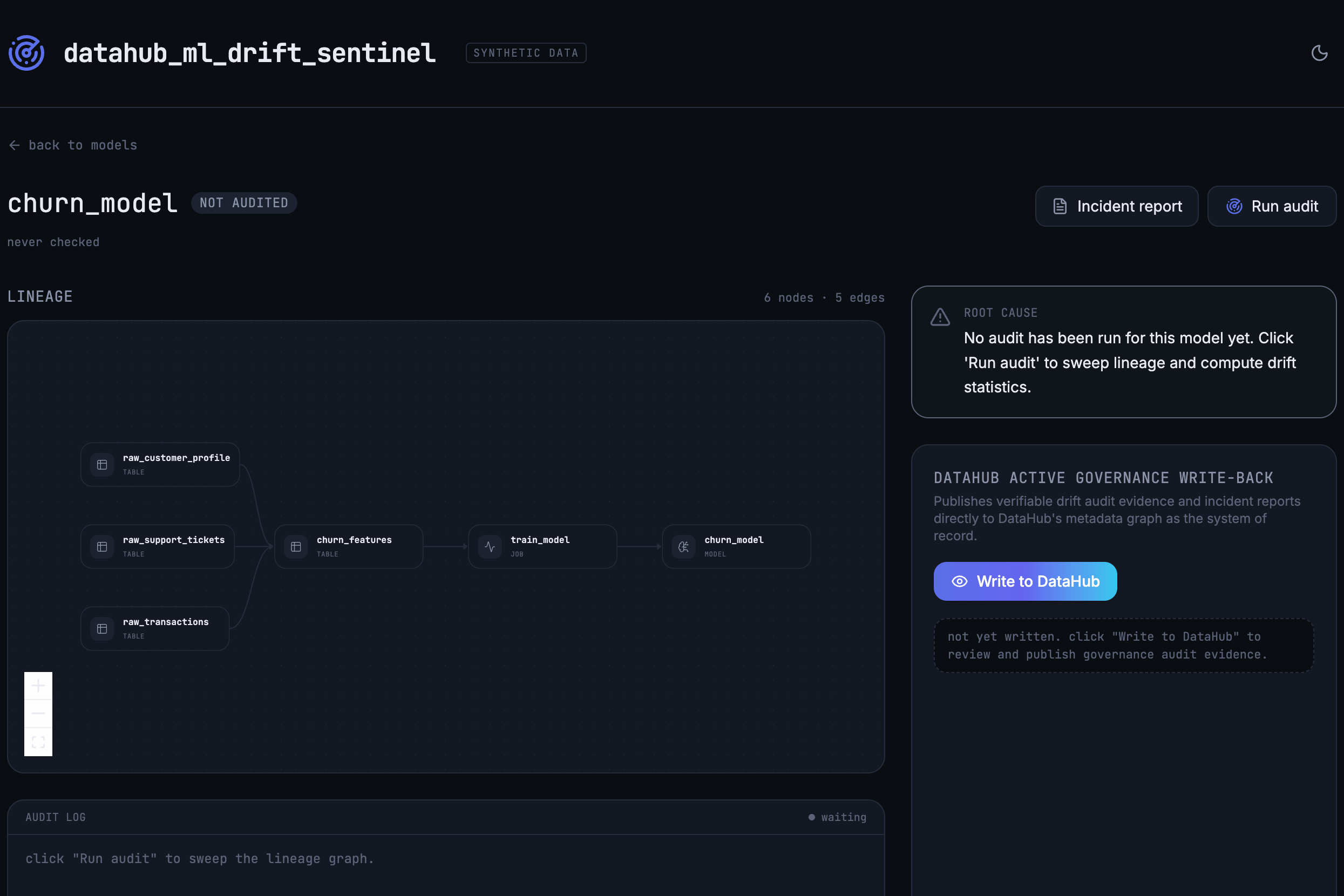
Churn model lineage showing upstream datasets, feature pipeline, training job, and model before the first audit.
-
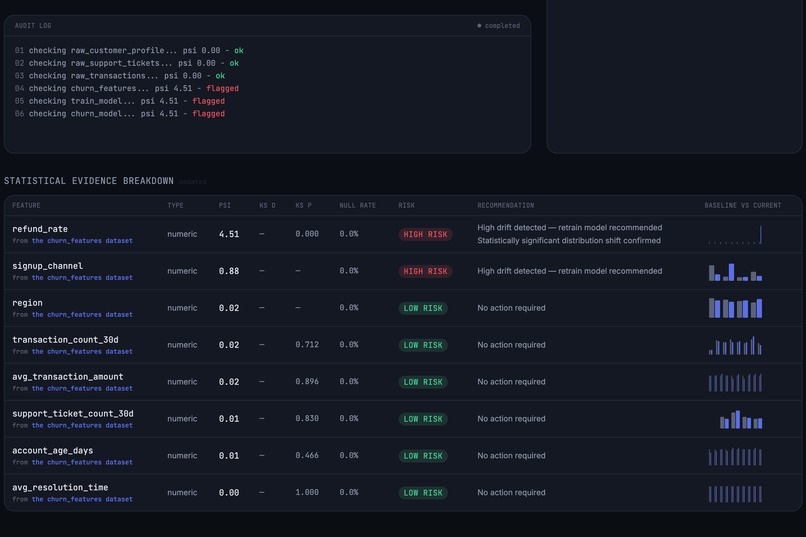
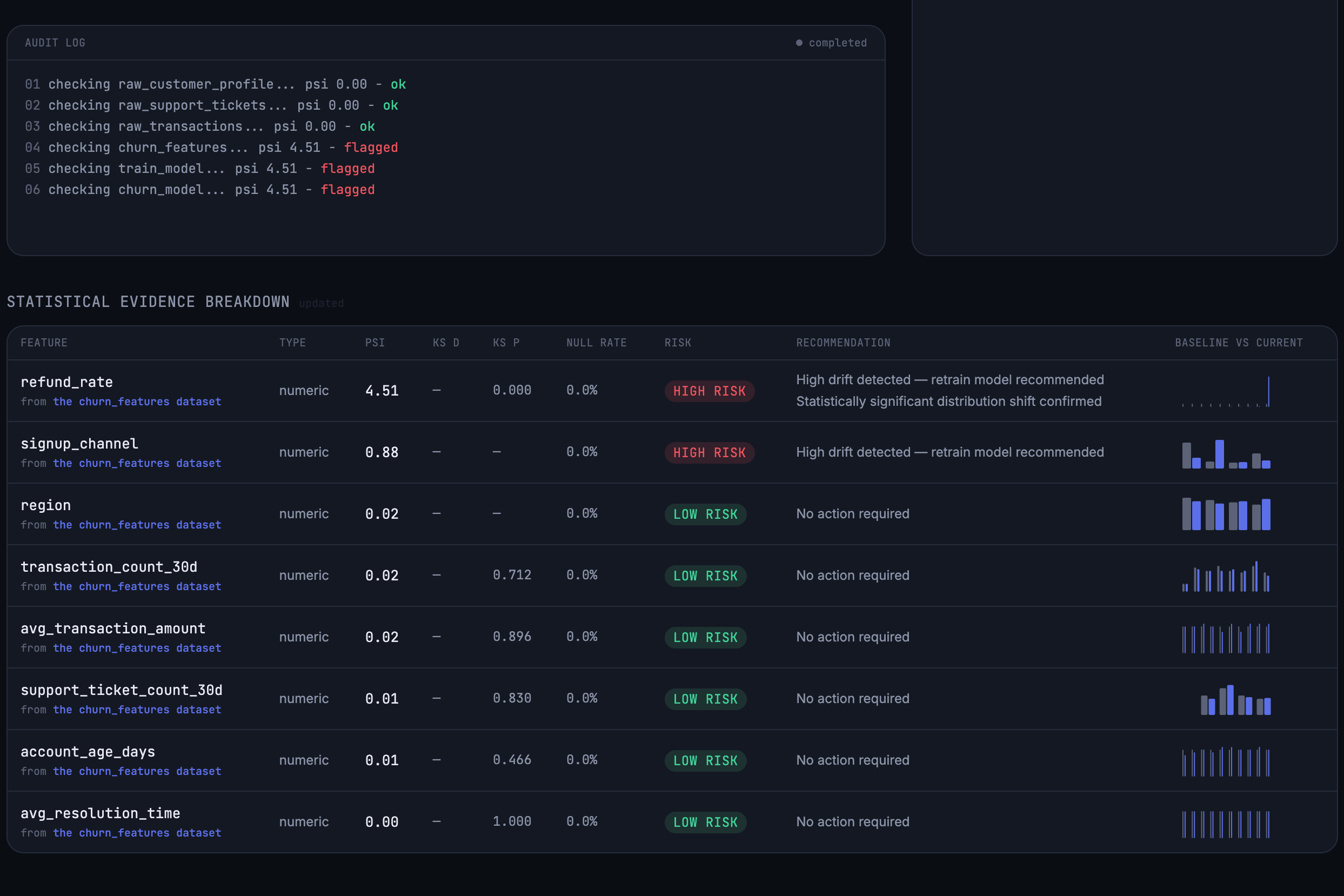
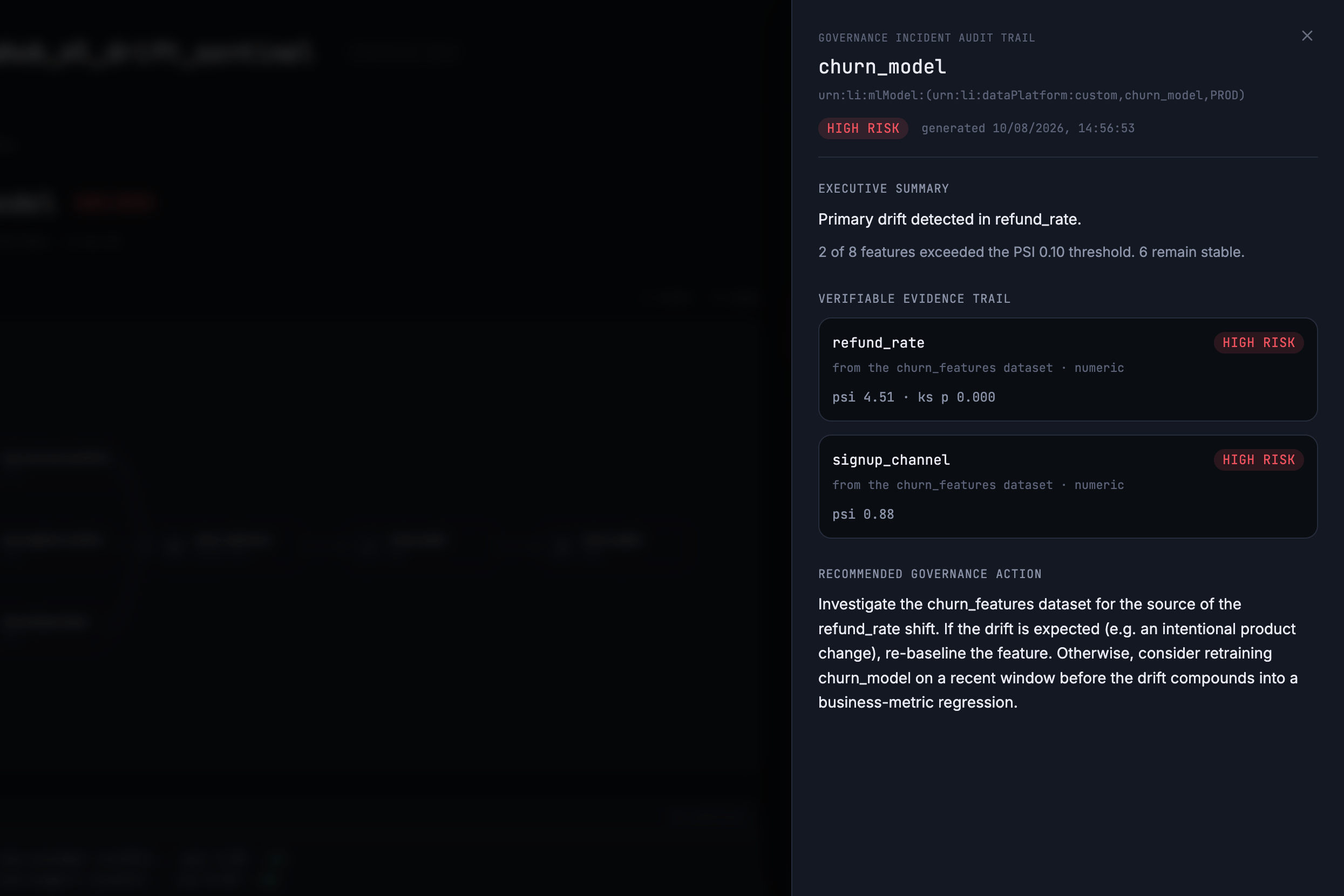
Feature-level PSI/KS evidence identifies refund_rate and signup_channel as high-risk drift, confirming the remaining features are stable.
-
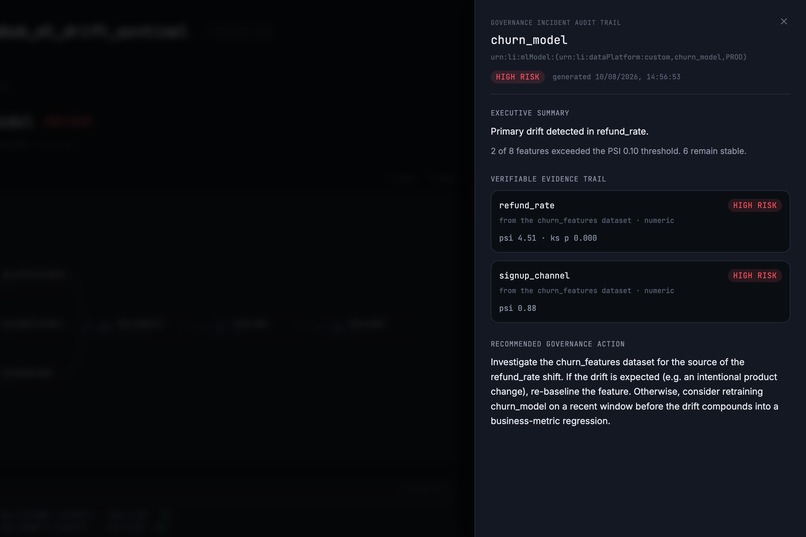
Governance incident report showing HIGH-risk drift, verifiable evidence, and a recommended remediation path for churn_model.
-
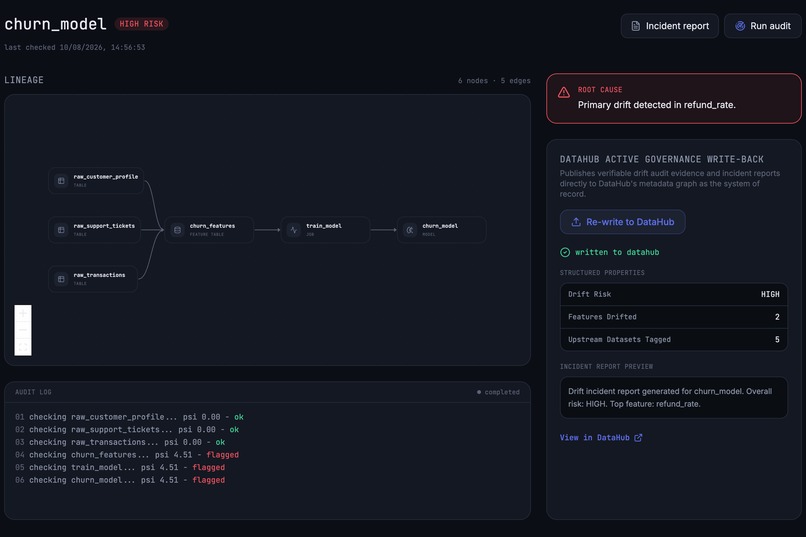
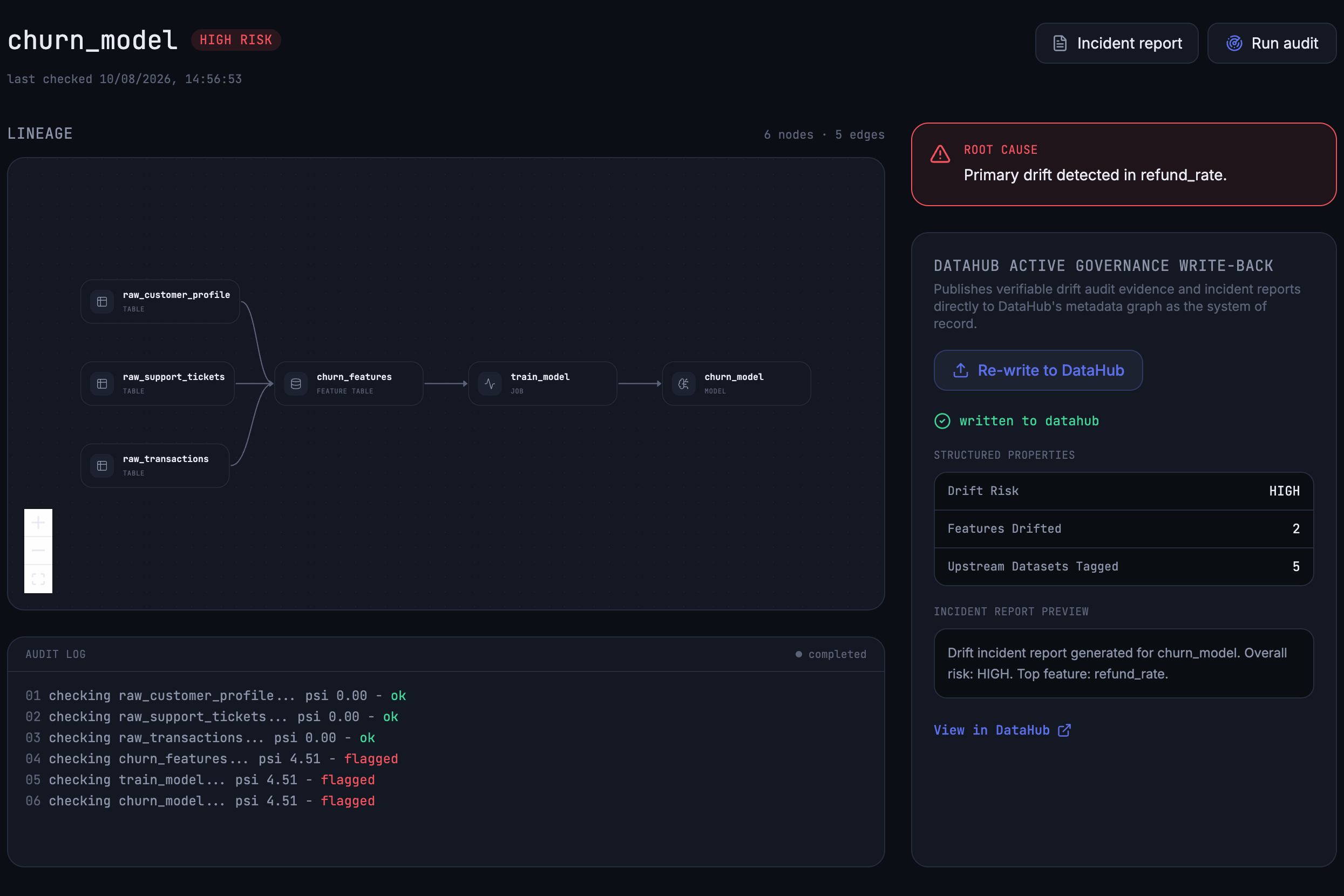
Audit complete → root cause identified → evidence written back to DataHub.
-
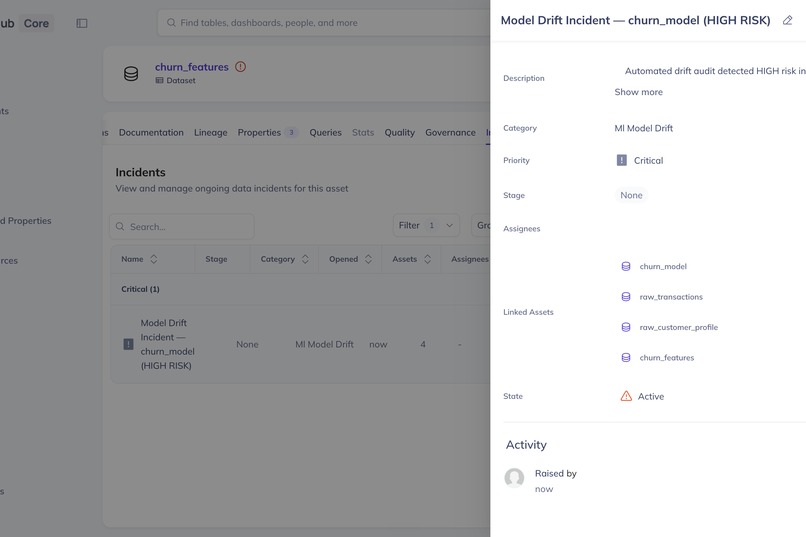
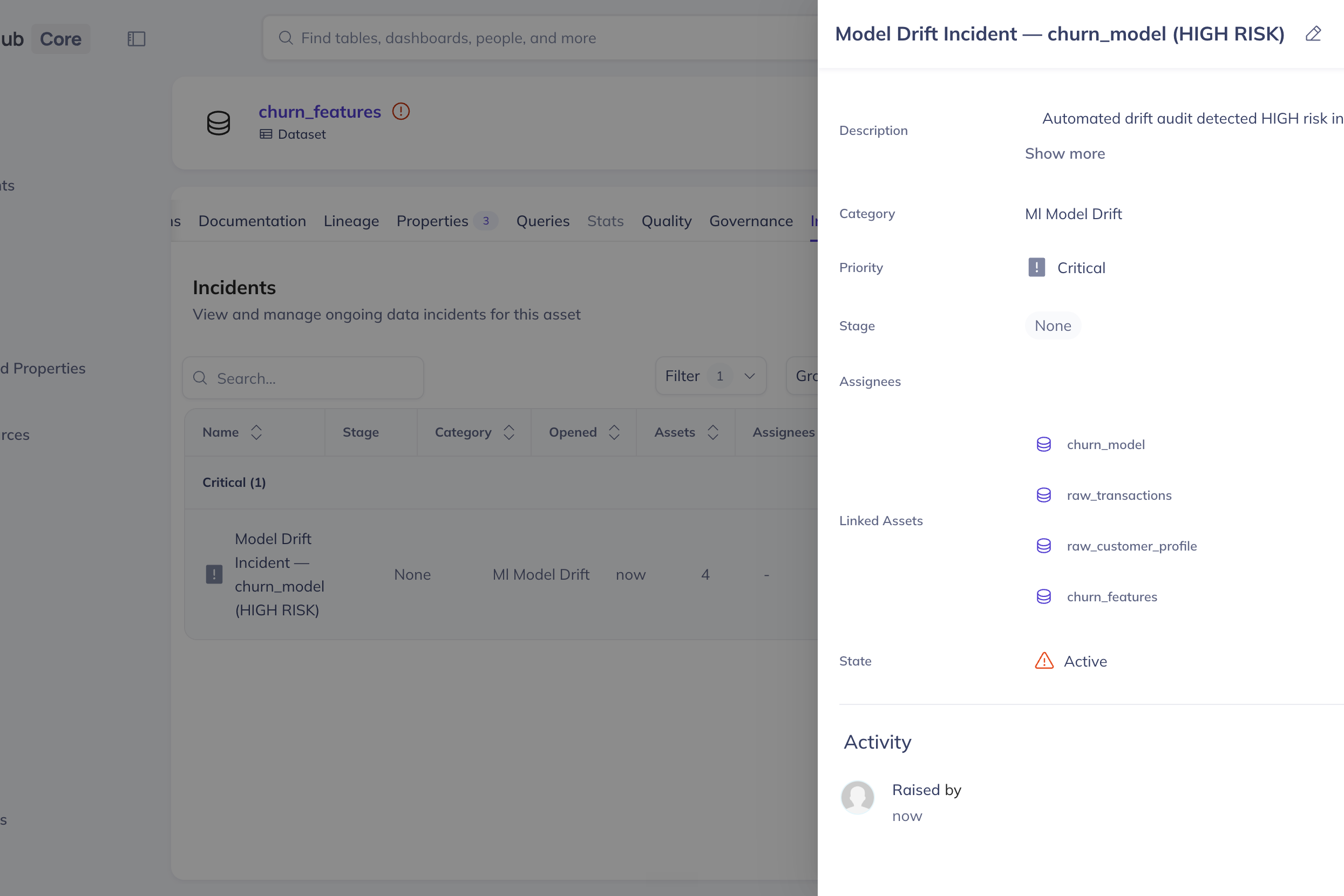
DataHub records the CRITICAL, HIGH-risk churn_model drift incident with its linked upstream assets, closing the governance loop.
-
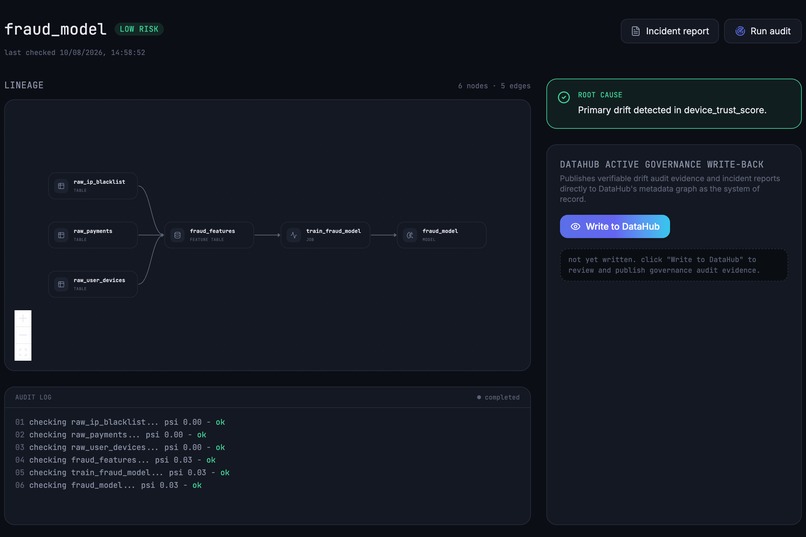
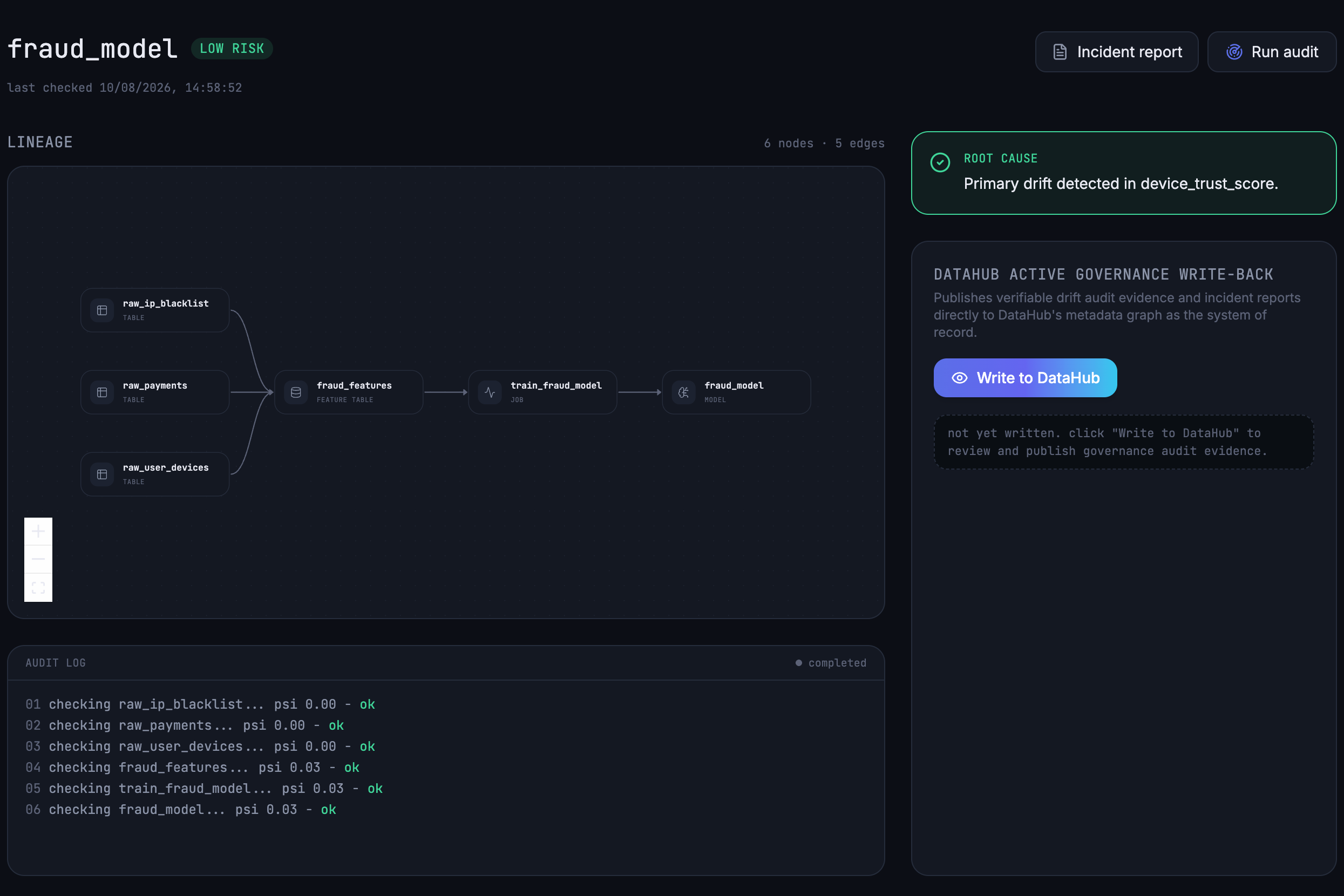
Fraud model audit shows low risk, with all lineage nodes passing drift checks and no significant distribution shift detected.
-
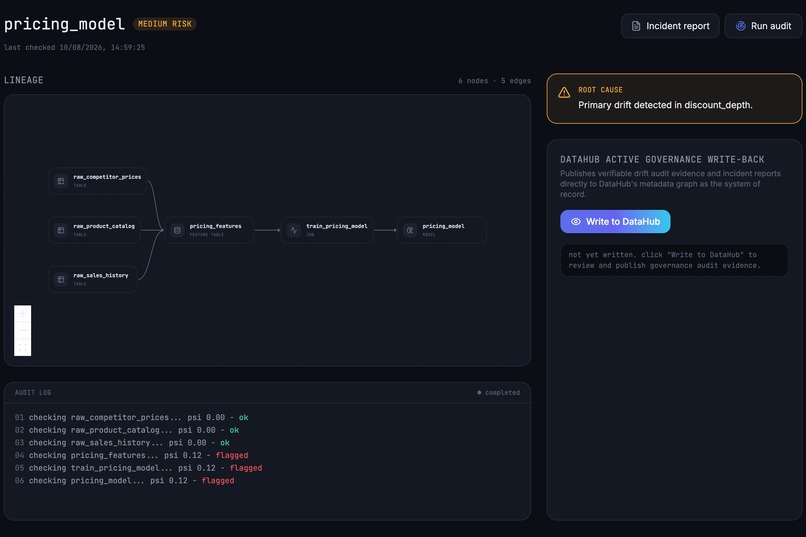
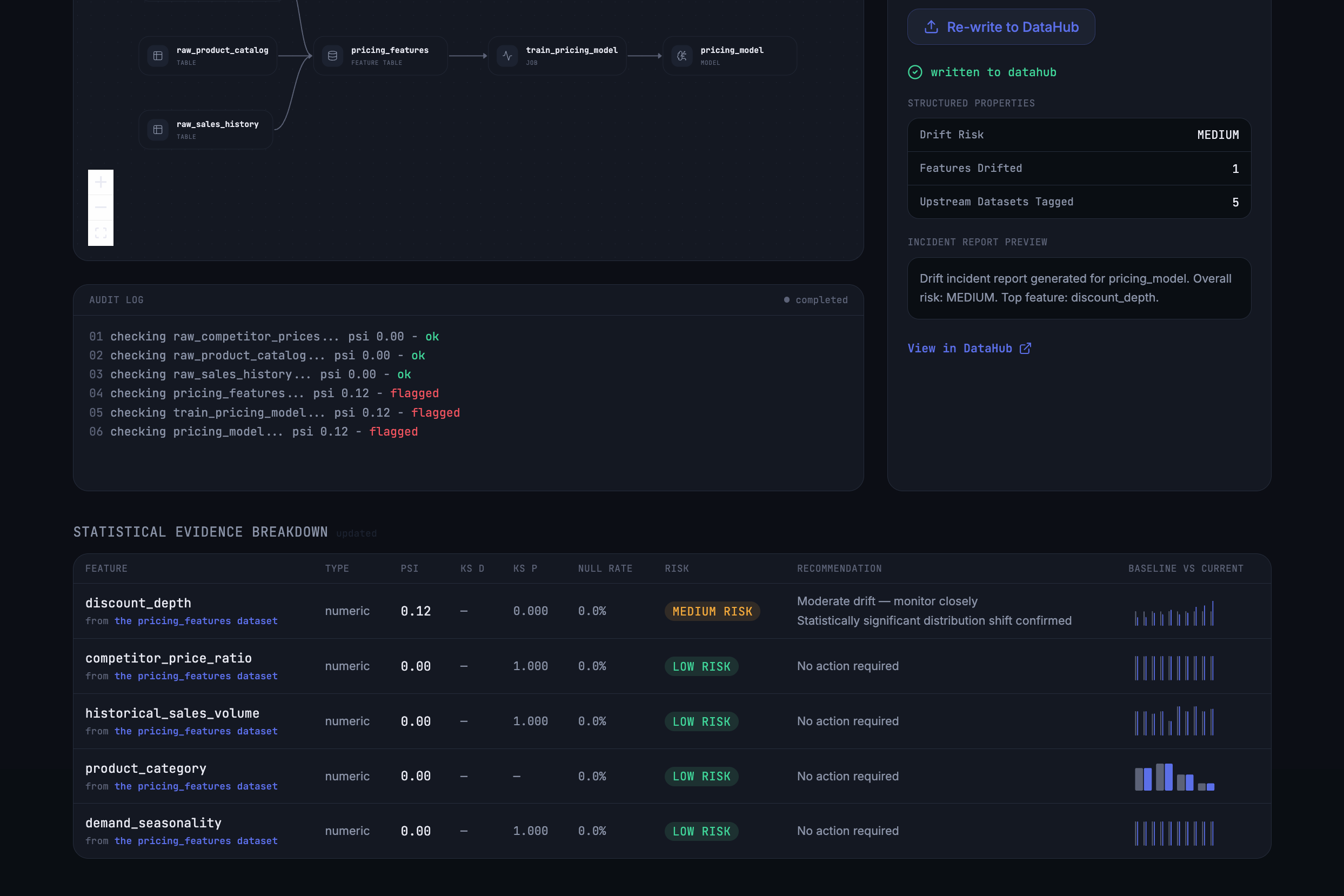
Pricing model audit detected medium-risk drift, with discount_depth identified as the primary source of distribution shift.
-
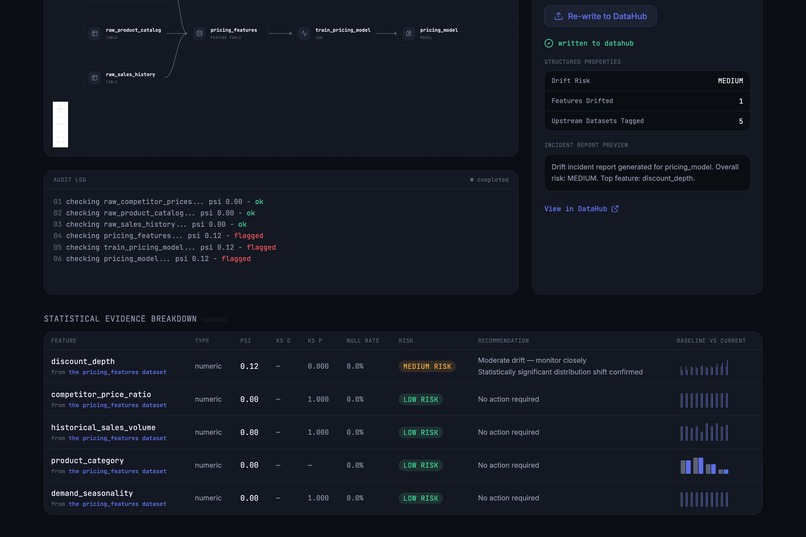
Statistical evidence confirms medium drift in discount_depth while the remaining pricing features remain stable.

Inspiration
DataHub gives you this great lineage graph — you can see exactly how tables and models connect to each other. But when a model actually starts drifting, none of that lineage helps you in the moment. You just get a drift score, and then you're stuck manually digging through upstream tables trying to figure out what changed. We wanted the lineage graph DataHub already has to do that digging for us.
What it does
It watches registered models for statistical drift. When drift shows up, it walks backward through the model's DataHub lineage and evaluates the upstream datasets to identify where the strongest drift signal appears — so instead of just "drift detected," you get "drift detected, and here's where the signal originates in the lineage." It then writes an incident report straight back into DataHub, keeping the investigation and its evidence alongside the asset instead of in a separate tool.
How we built it
Backend's FastAPI, pulling model and dataset info through the DataHub SDK. We didn't want to hardcode which models get watched, so we made it config-driven — a models.yaml file plus a DataSource base class (with a LocalCSVSource version built out) means you can add a new model without touching any code.
The root-cause part lives in lineage_walker.py, which calls DataHub's searchAcrossLineage to grab the actual upstream edges for a model. That flows through run_audit.py into a ModelAuditReport, then out to the frontend through api.ts.
Frontend's React 19 with TanStack Start/Router, built on Vite, Tailwind v4 for styling, Radix/shadcn-style components, and React Flow to actually draw the lineage graph you're tracing through — not just dump a list of upstream table names.
Anything that matters, like write-back status, gets saved server-side in a backend cache instead of just sitting in frontend memory, so a page refresh doesn't wipe out an audit that's mid-flight.
Challenges we ran into
Originally the plan was field-level root-causing, using DataHub's fine-grained lineage. Then we actually checked and it turned out fine-grained lineage wasn't populated on the instance we were using — one of those things you assume "just works" until you go looking. We could've faked it with straight-line synthetic edges to make the demo look cleaner, but that felt like cheating the whole point of the project. So we rebuilt the root-causing logic around real table-level edges from searchAcrossLineage instead, which meant re-threading actual data through the entire audit pipeline and going file by file (main.py, run_audit.py, writeback.py, api.ts) to make sure no leftover hardcoded config was still hiding anywhere.
We also ran into a real bug during testing — the write-back flow kept throwing a 422 because of missing distribution fields. Classic case of a bug you only find by clicking through the actual UI, not by staring at the code.
What we learned
Check your assumptions about the platform before you build on top of them. We assumed fine-grained lineage would just be there, and it wasn't. Honestly, a real signal that's slightly less granular beats a fake one that looks more impressive — the demo's less flashy but it's actually true.
What's next
Field-level root-causing once fine-grained lineage is actually populated, and supporting more real-world data sources beyond LocalCSVSource.
Built With
- azure
- datahub
- fastapi
- python
- radix-ui
- react
- react-flow
- rest-api
- tailwindcss
- tanstack-query
- tanstack-router
- tanstack-start
- typescript
- vite


Log in or sign up for Devpost to join the conversation.