-
-
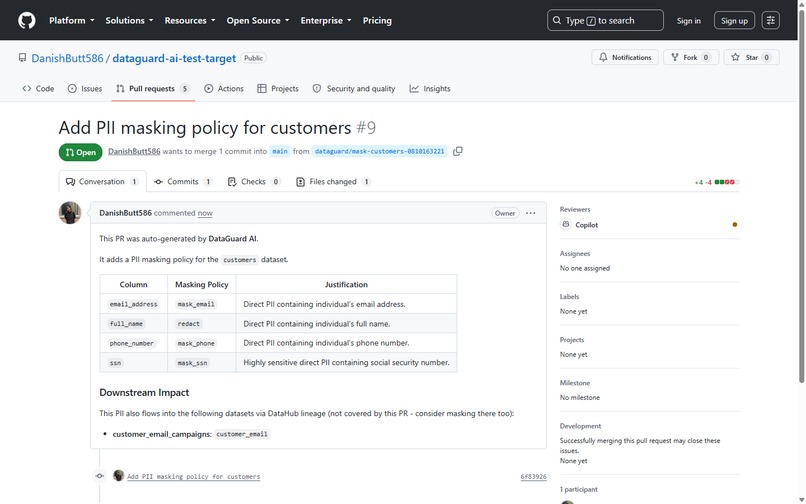
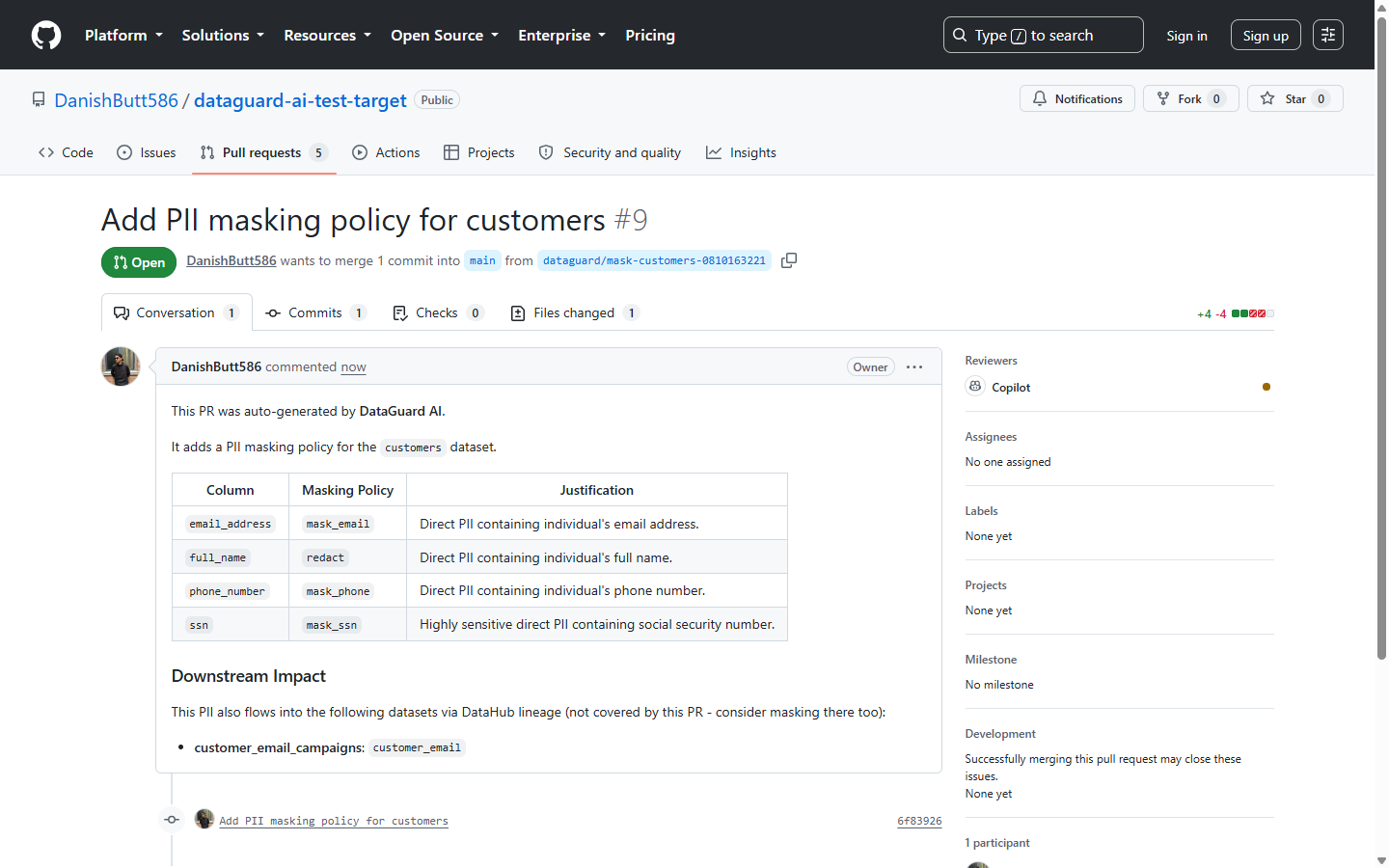
Auto-generated GitHub PR with the masking policy table and a Downstream Impact section flagging PII in another dataset.
-
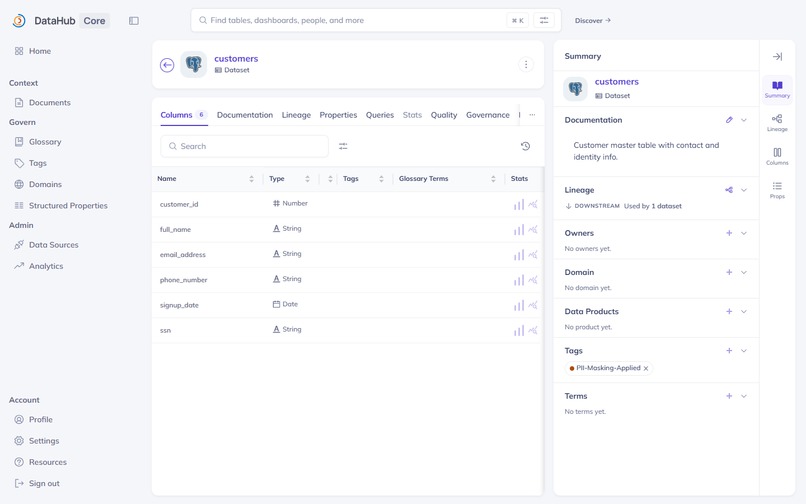
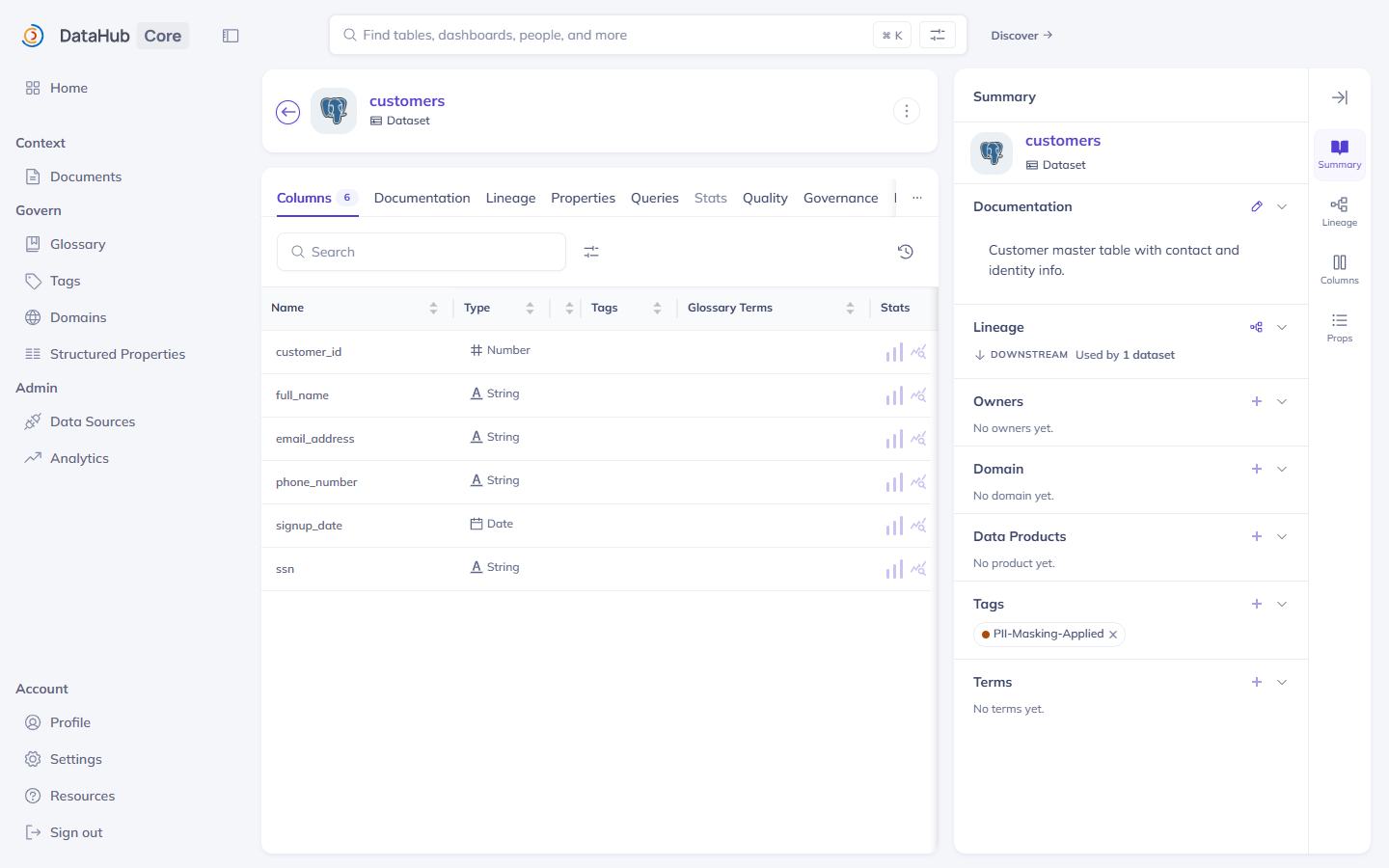
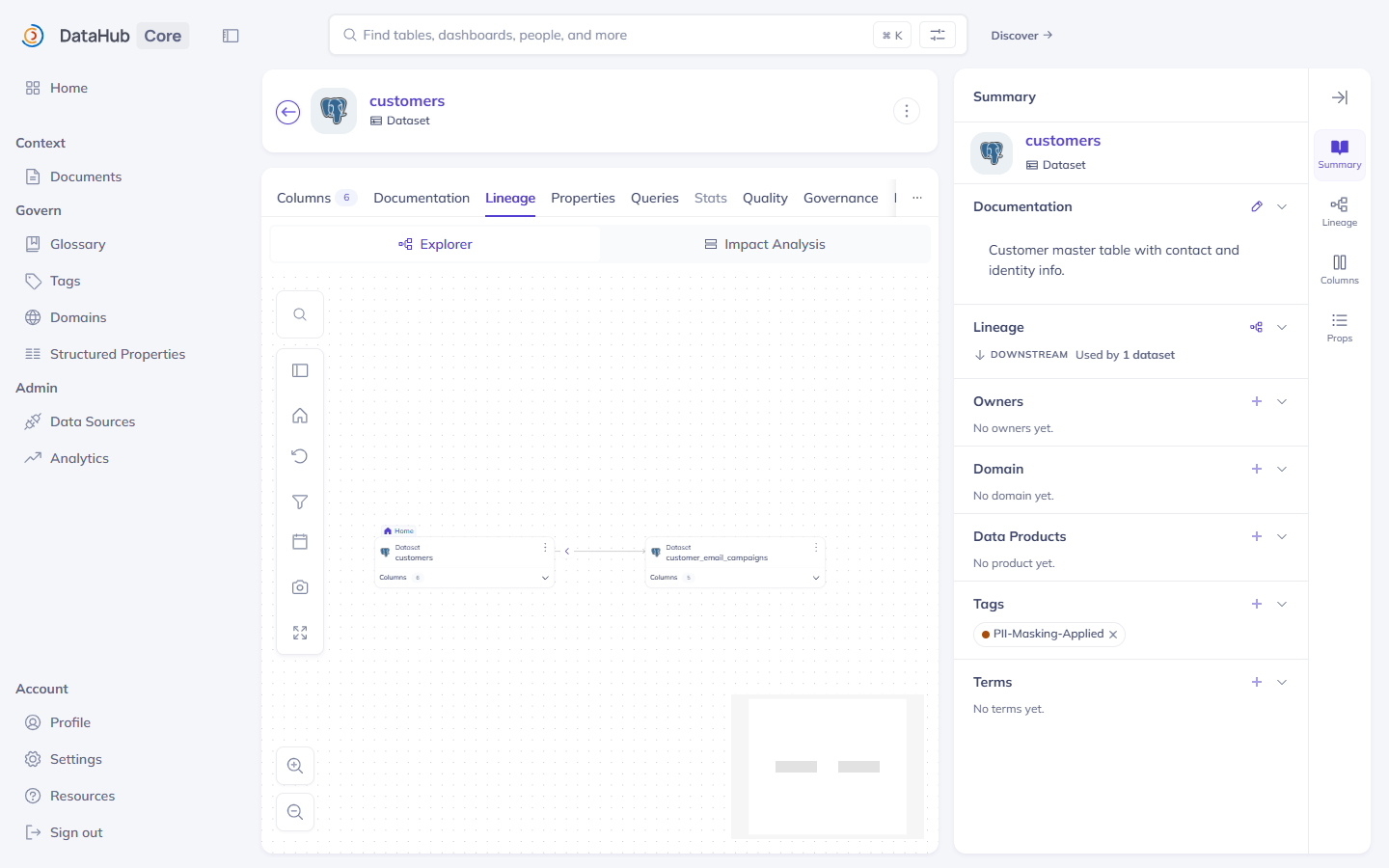
The PII-Masking-Applied governance tag written back to DataHub after the masking PR was merged.
-
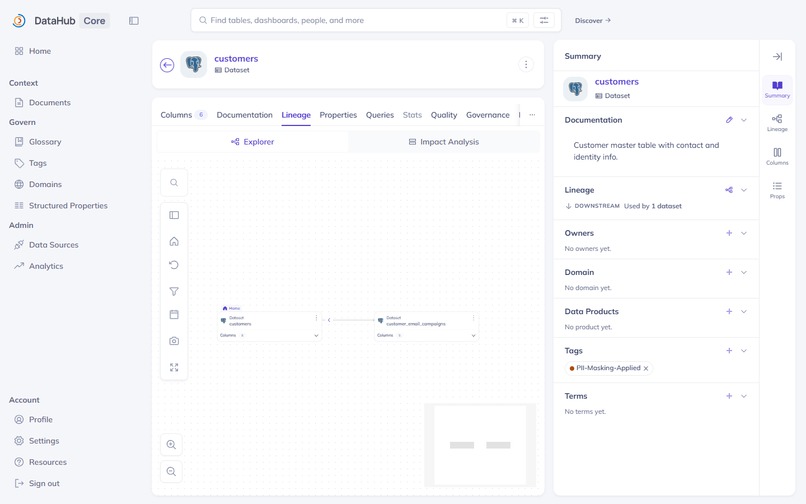
DataHub's lineage graph showing the downstream dataset DataGuard AI detected as also carrying the PII.
-
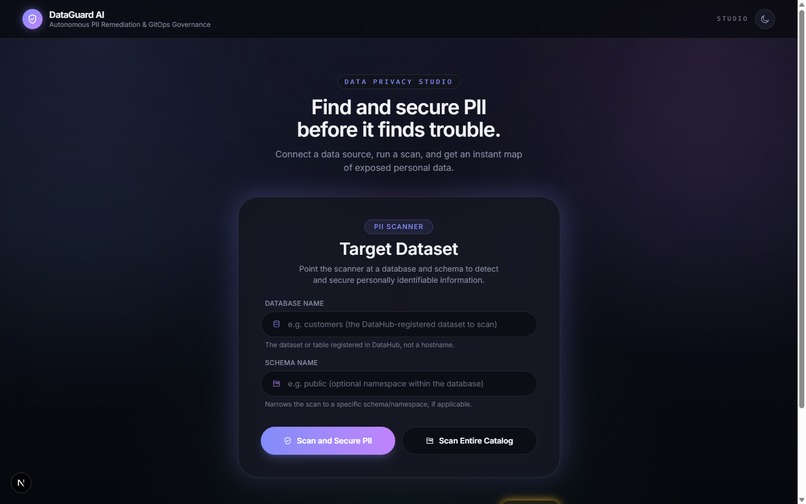
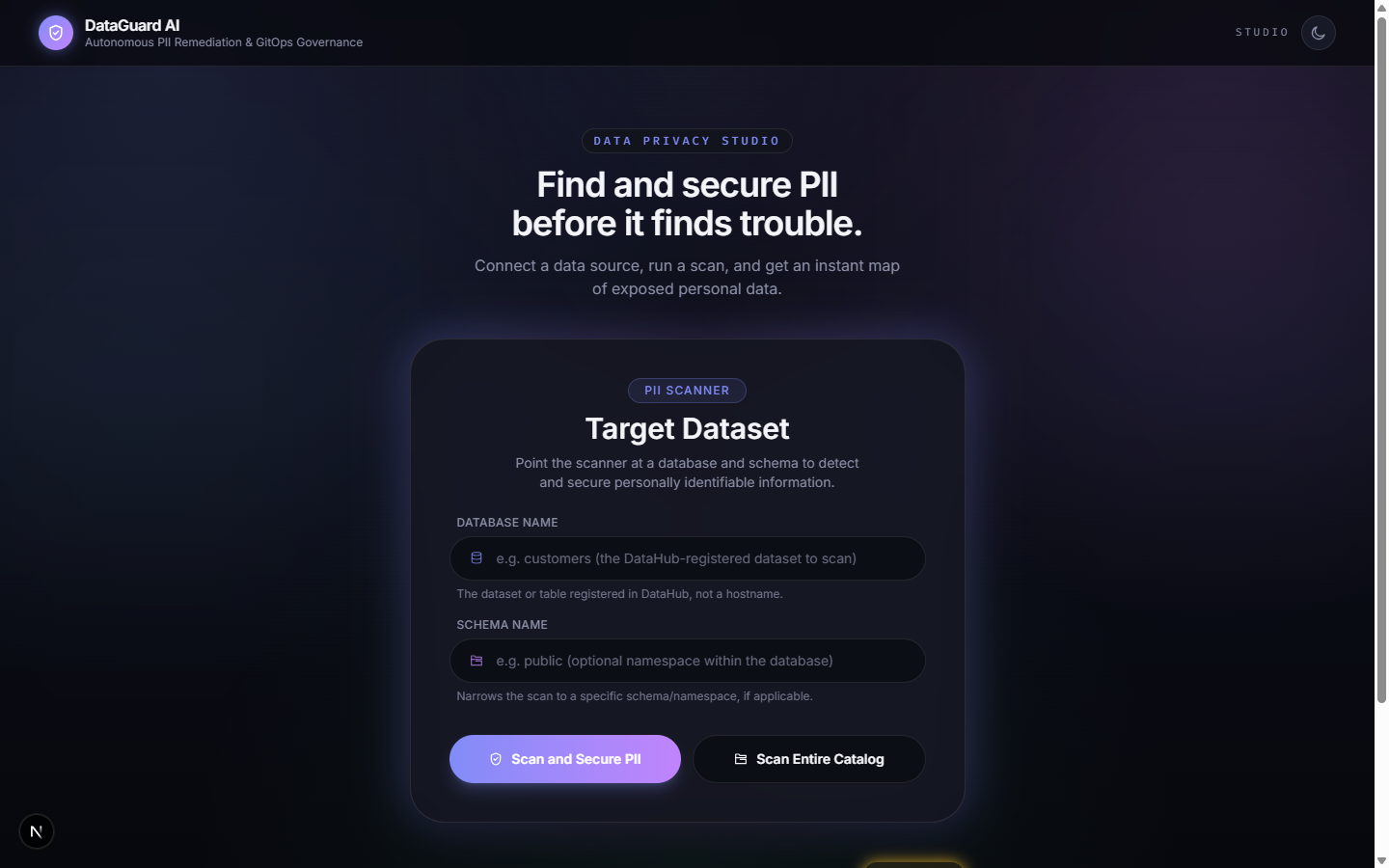
The DataGuard AI dashboard in dark mode, ready to scan a dataset or the entire DataHub catalog.
-
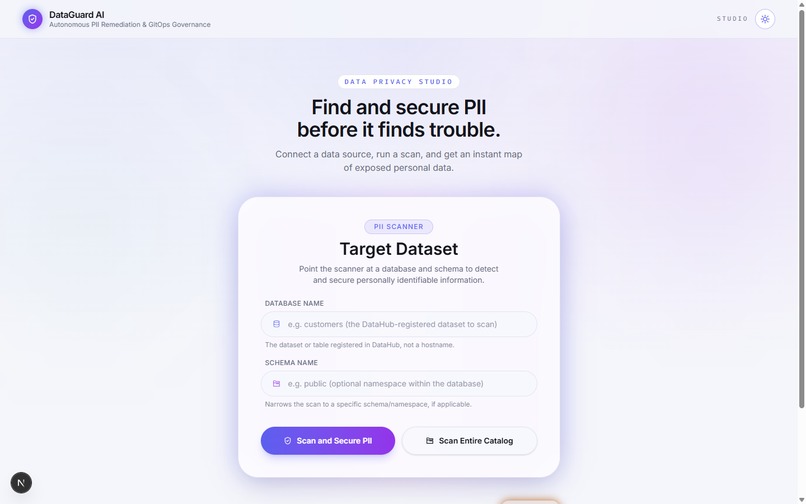
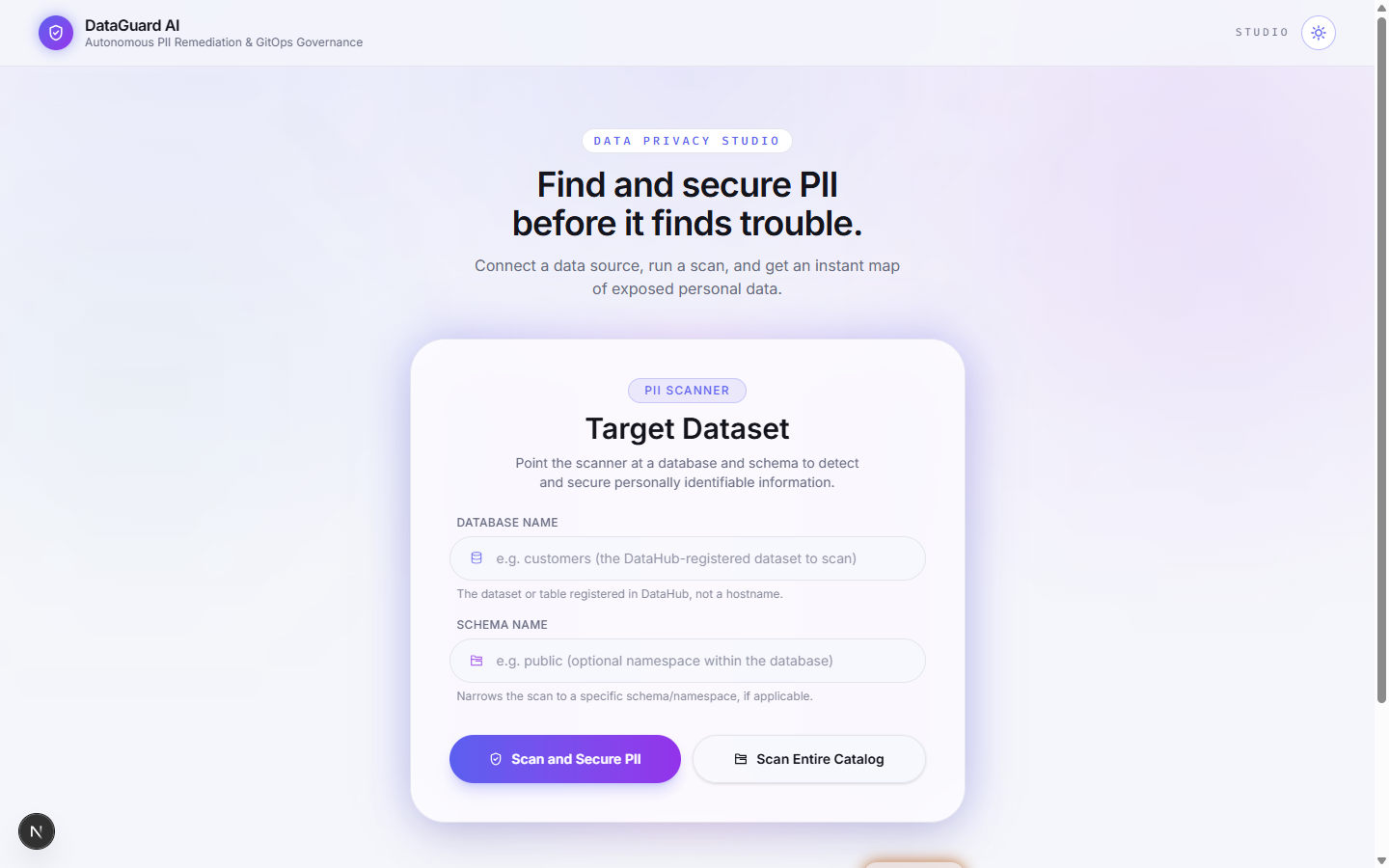
The DataGuard AI dashboard in light mode.
-
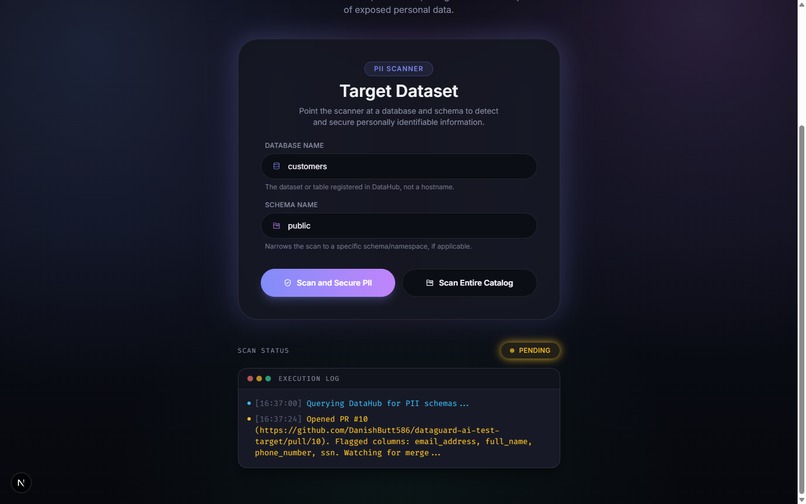
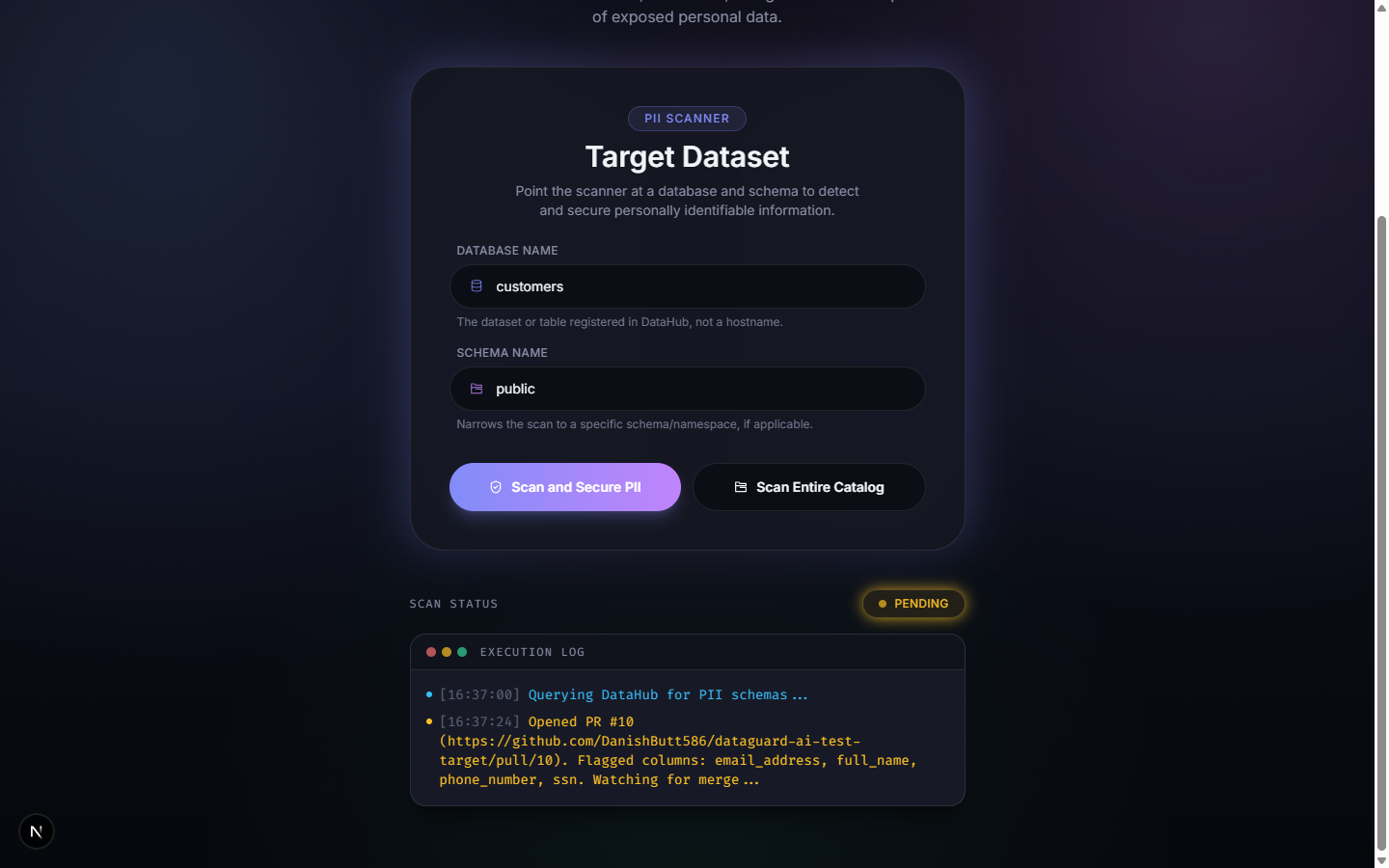
A live scan in progress — DataHub queried, a GitHub PR opened, dashboard showing "Pending" while watching for merge.
Inspiration
Data platform teams face a constant, quiet risk: sensitive personal information—emails, social security numbers, and phone numbers—lands in raw warehouse tables all the time, often without anyone noticing until an audit or a breach forces the issue. AI agents can write masking code in seconds, but an agent that blindly executes changes against production without real schema and lineage context is arguably more dangerous than the problem it's solving. We wanted to build something that treats DataHub's metadata graph as ground truth before proposing a fix and treats "propose, don't execute" as a hard design rule, not an afterthought.
What it does
DataGuard AI scans a DataHub catalog for unmasked personal information, filters out false positives using AI, checks whether that same sensitive data has already spread into other, downstream tables by tracing DataHub's data lineage, and compiles a standard masking policy file. Instead of touching the warehouse directly, it opens a pull request on GitHub for a human to review—and once that request is approved and merged, it writes a status label straight back into DataHub, closing the loop between "we found a problem" and "here's proof it's been handled."
How we built it
- Discovery — We use DataHub's own search and schema-reading capabilities to find columns that look like they contain personal information, matching directly against column names so that even datasets nobody has manually labeled yet still get caught.
- Filtering and policy generation — Two separate calls to an AI model: one to filter out false positives from our initial keyword-based matching (a column named "product name" isn't personal information, but "shipping address" is), and one to generate the actual masking recommendation in a clean, structured way.
- Lineage-aware exposure detection — Before opening a pull request, DataGuard traces DataHub's data lineage graph, at both the table and individual column level, to check if the same personal data has already flowed into other downstream tables, surfacing a clear warning about that in the pull request itself.
- Automated pull requests — Our backend creates a new branch, commits the generated configuration file, and opens a pull request with an automatically written summary, entirely through GitHub.
- Closed-loop synchronization—The dashboard checks the Pull Request's status in the background; once it's merged, the status flips to "Secured," and DataGuard writes a status label back onto the dataset inside DataHub itself.
The frontend is a modern web dashboard, the backend is a Python web service, and all communication with DataHub goes through its official developer toolkit.
Challenges we ran into
- DataHub's data-writing capabilities are turned off by default, and adding a label to a dataset also requires that label to already exist as a real entity in DataHub before it can be attached — so we had to create those labels ourselves through a separate step before we could attach them.
- A subtle, undocumented formatting issue: one of DataHub's tools returns a list of results but wraps that list inside an extra layer that isn't mentioned anywhere in the documentation. Our first implementation didn't account for that extra wrapping, so a step meant to remove an old label before adding a new one silently never ran — both labels ended up stuck on the same dataset at once until we caught it.
- Keyword search alone wasn't enough—DataHub's built-in search didn't index column names on our instance, so we had to add a broader catalog scan alongside the keyword search to catch unlabeled datasets purely by their column names.
- Windows-specific quirks — from Python environment conflicts to a startup check that timed out before DataHub had actually finished starting up, most of our early setup friction was specific to developing on Windows and needed manual debugging.
What we learned
That reading information from DataHub and meaningfully using DataHub are two very different bars to clear — the lineage-aware detection and the write-back-to-the-catalog features ended up being what made the project feel like it was actually collaborating with the catalog, not just querying it once and forgetting it existed.
What's next
Making the connection between a Pull Request and its dataset persist properly instead of only living in short-term memory; showing live progress for a full-catalog scan instead of one long wait; and extending our lineage-aware detection to trace further through the data pipeline than it currently does.
Built With
- datahub
- dbt
- docker
- fastapi
- google-gemini
- mcp
- nextjs
- pygithub
- python
- react
- tailwindcss
- typescript


Log in or sign up for Devpost to join the conversation.