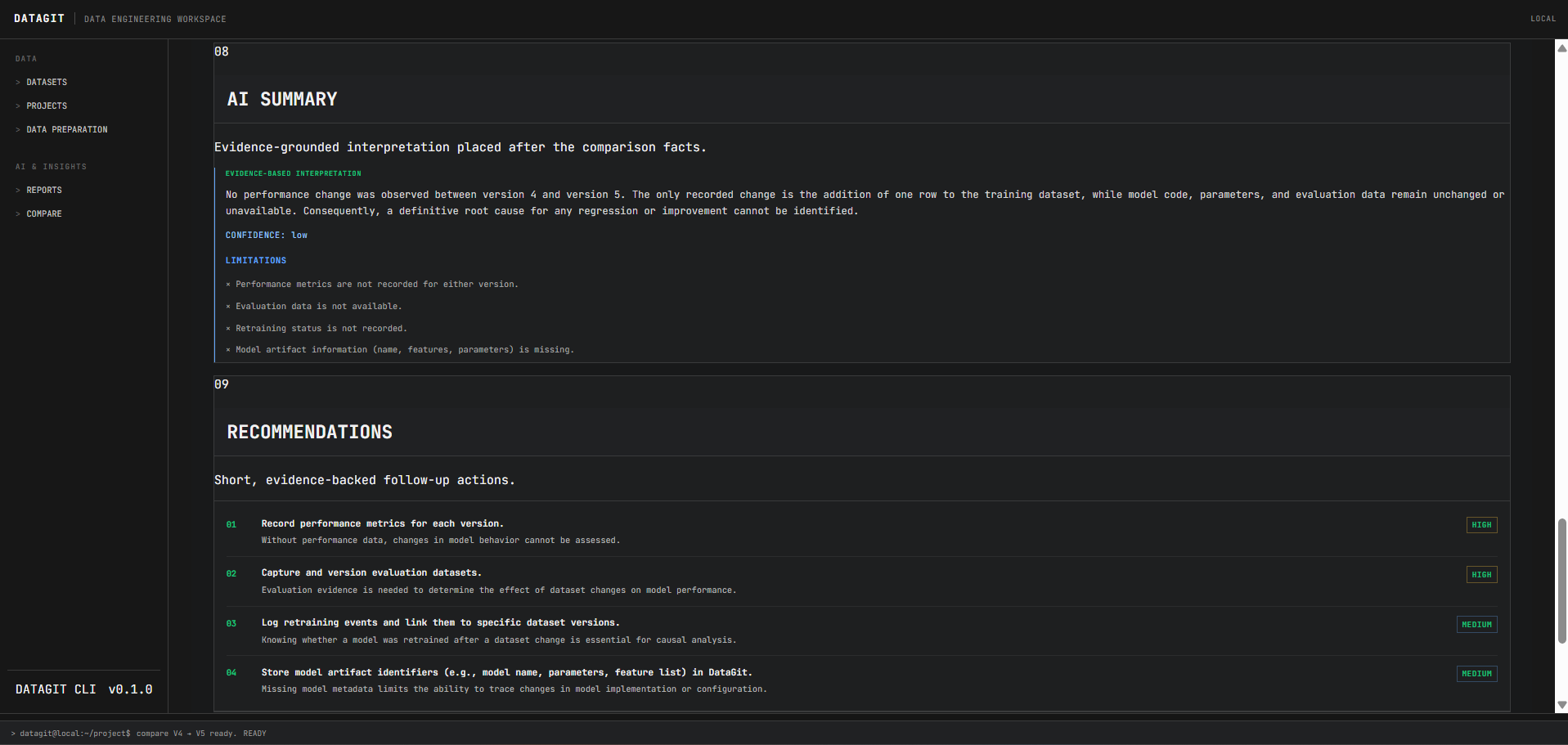
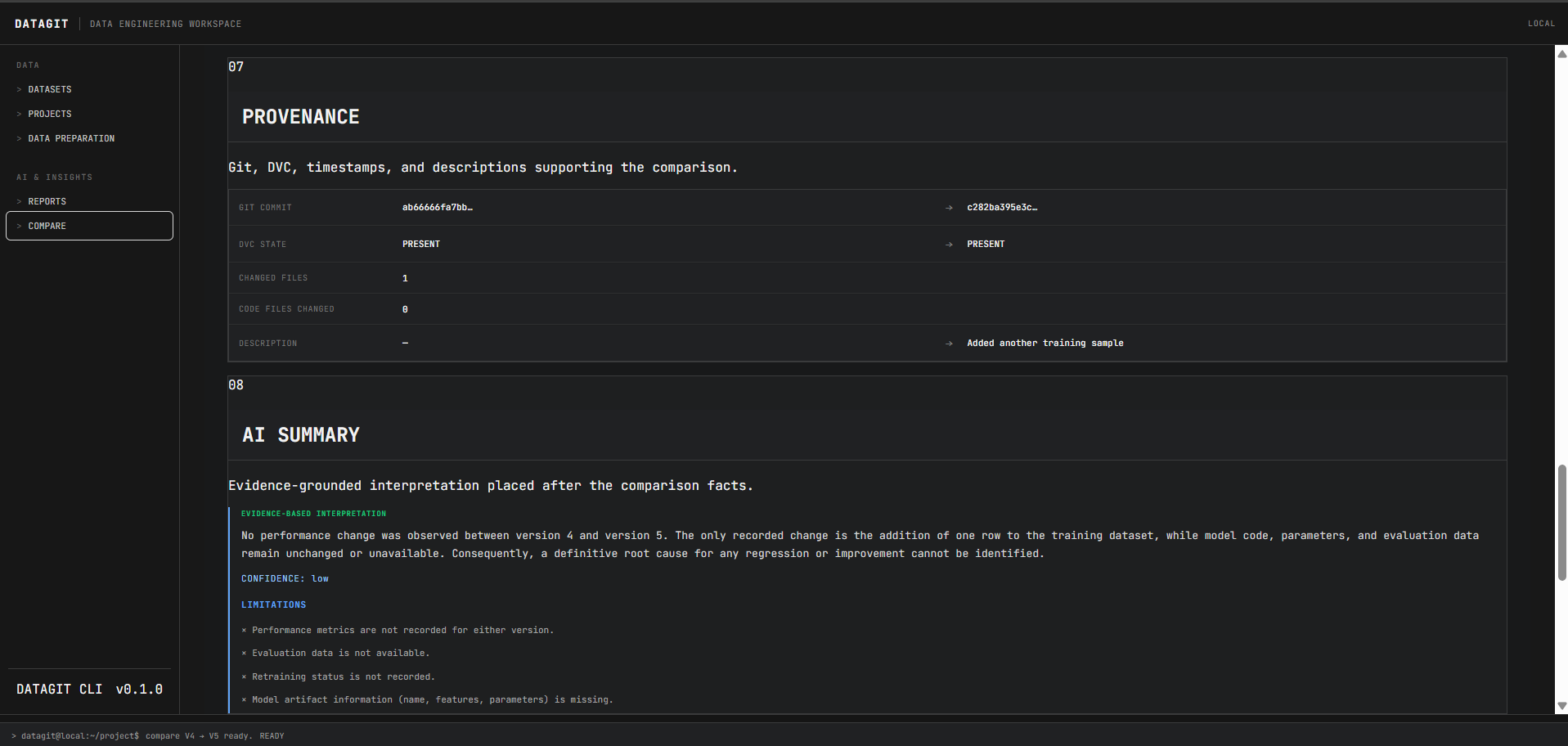
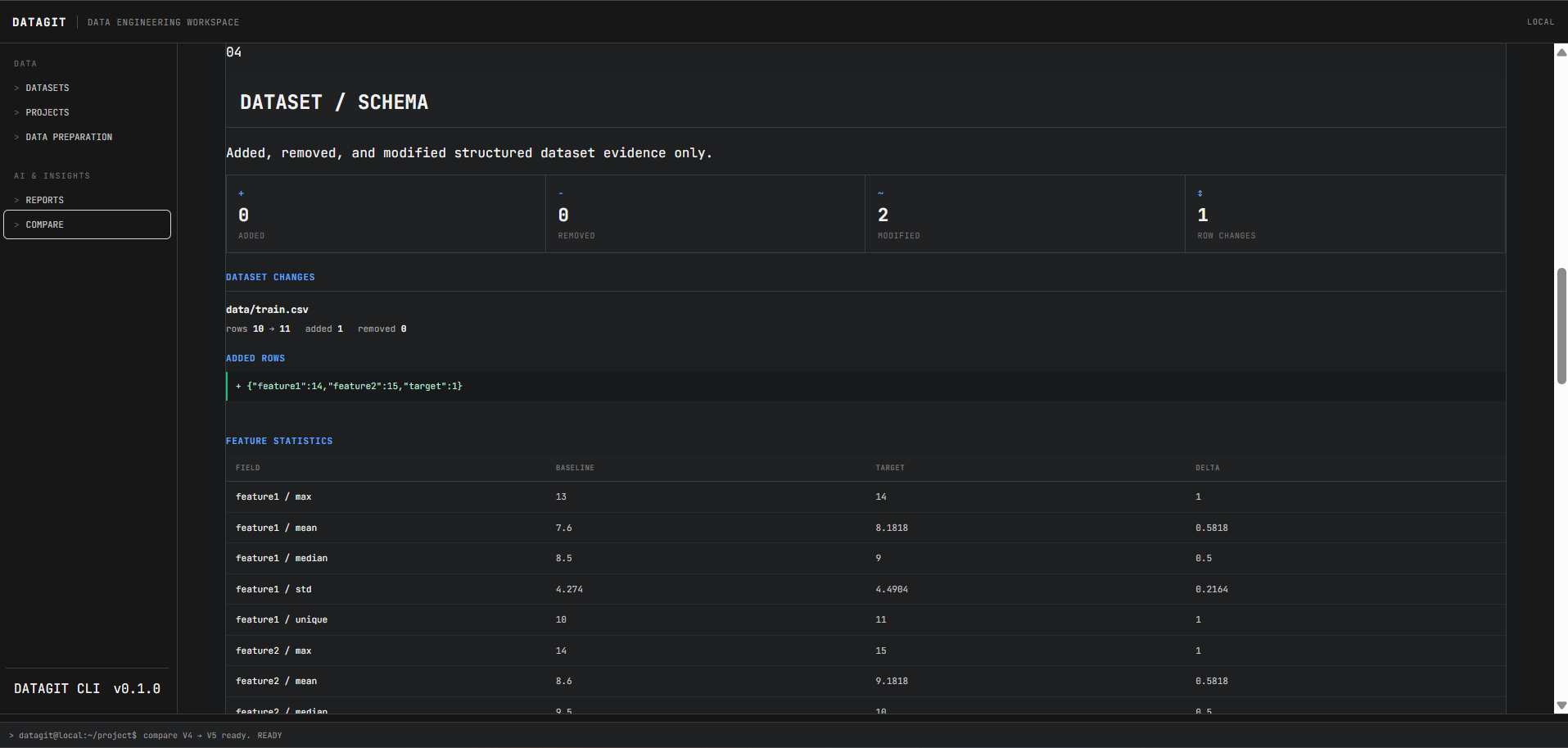
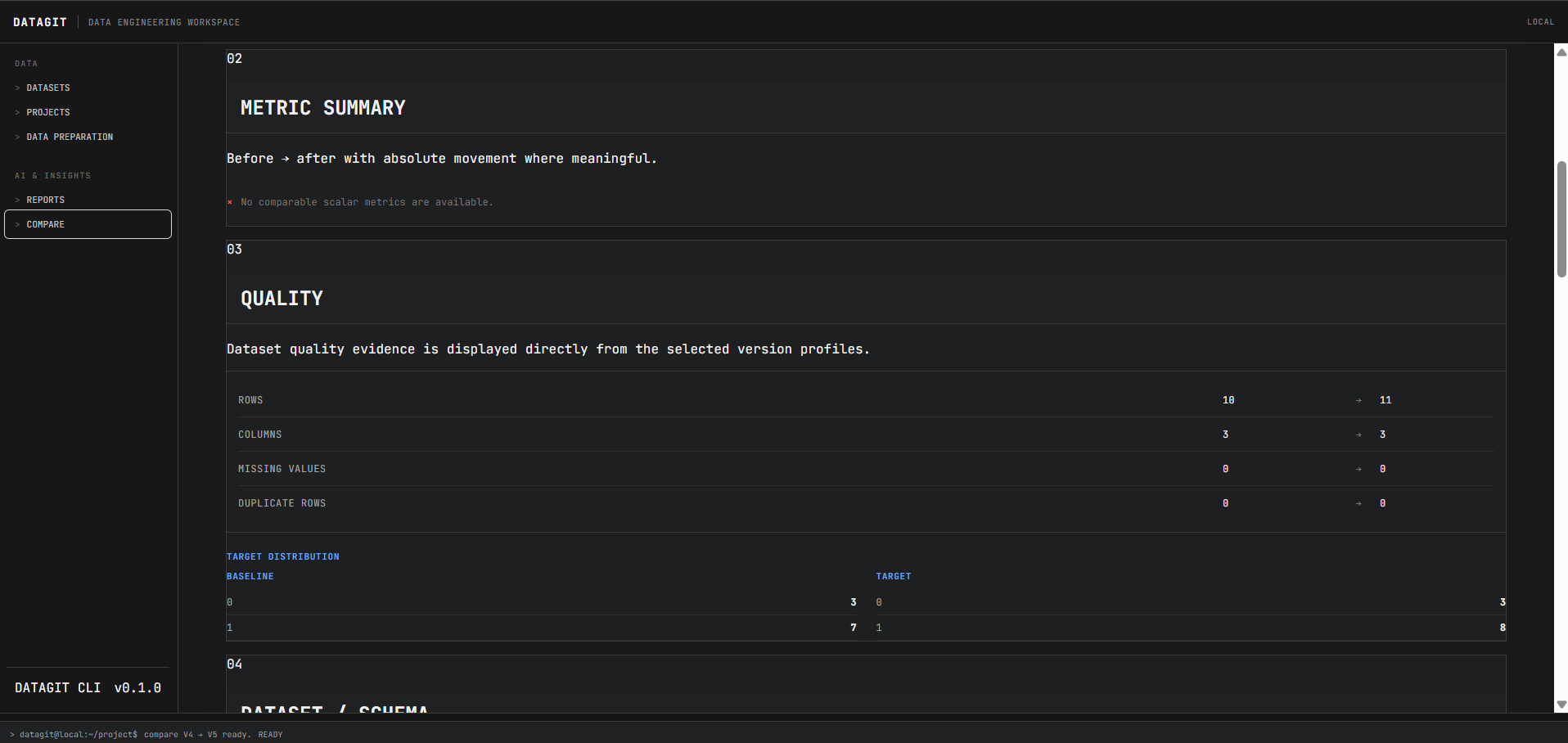
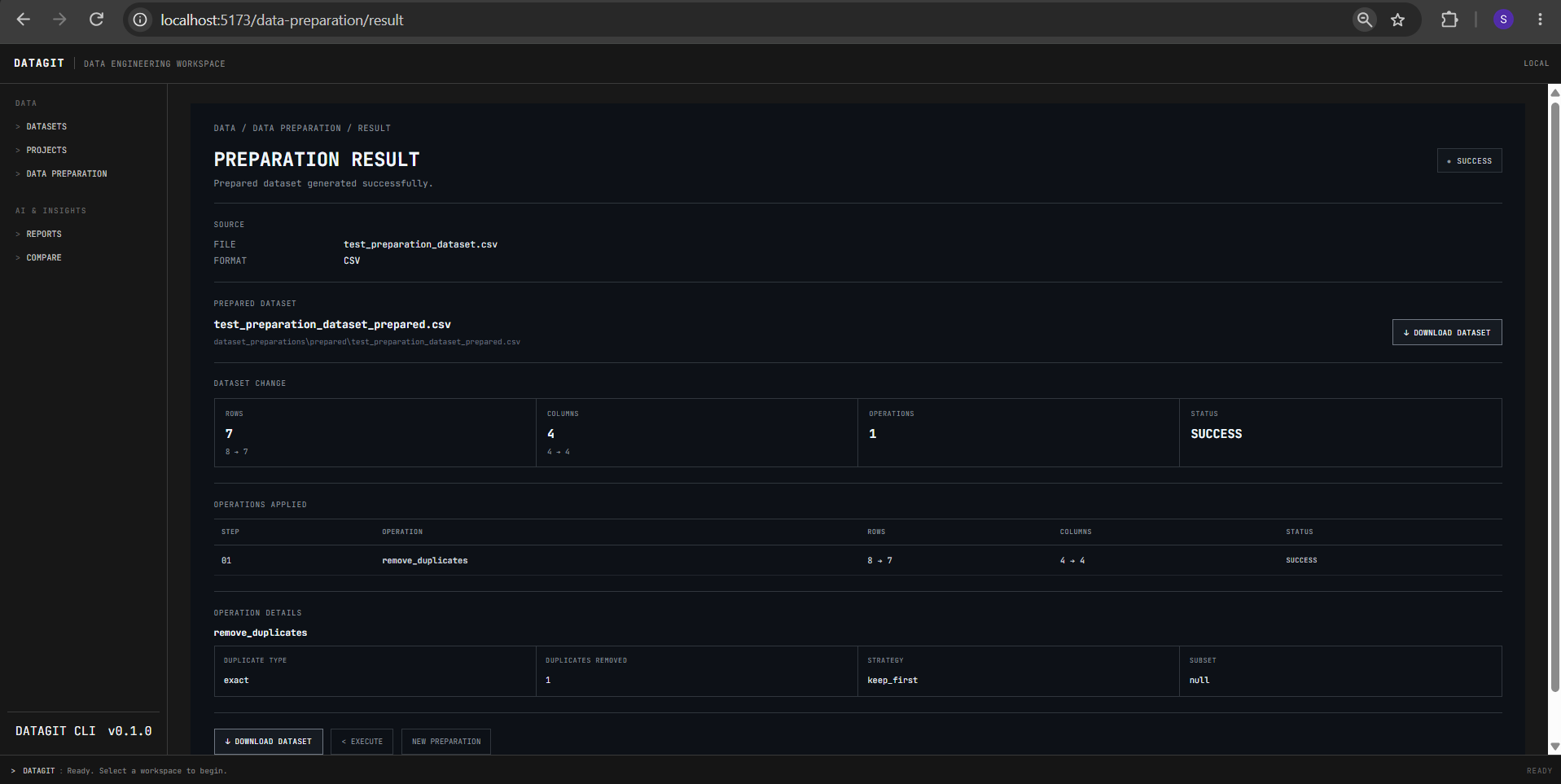
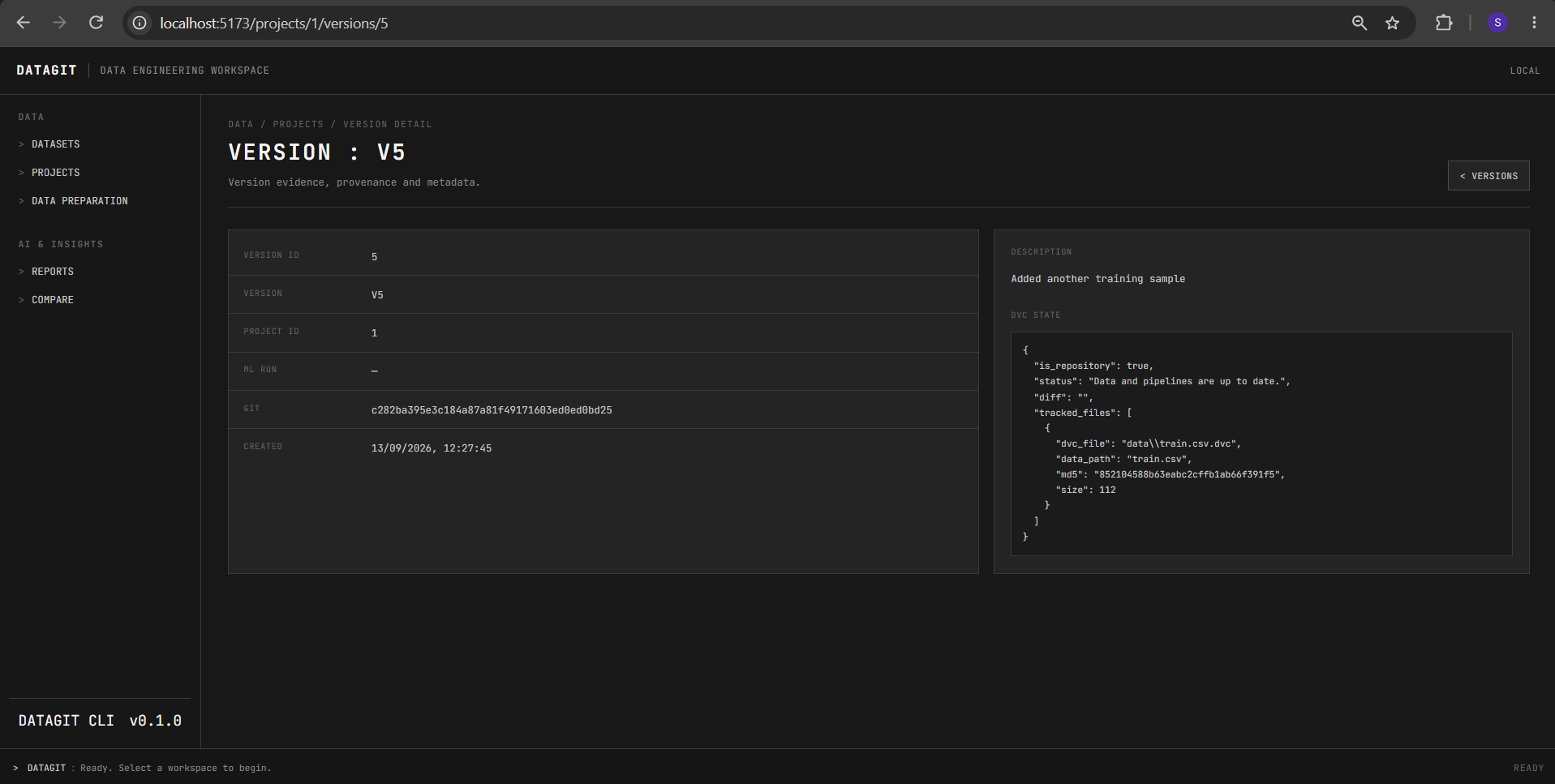
Below is the Devpost project-description version of the DataGit summary, structured as a clean Markdown document that you can paste directly into the Devpost Project Description field.
# DataGit

DataGit is a developer-focused platform for managing the complete data lifecycle of machine-learning projects.

In a typical ML workflow, developers work in VS Code or another IDE, write preprocessing and training code, use Git for source-code versioning, use DVC for dataset versioning, and manually track model results.

As the project grows, it becomes difficult to answer:

- What changed between two dataset versions?
- Which preprocessing operations were applied?
- Which Git commit produced the model?
- Which DVC-tracked dataset was used?
- Did the data distribution change?
- Did model performance change?
- Why did model performance change?

**DataGit brings these pieces together into one version-aware ML workflow.**

---

# How DataGit Works

DataGit is designed to work alongside the developer's existing workflow.

Developers continue using their normal development environment such as VS Code for writing code, training models, and running experiments.

DataGit provides the layer that organizes the project, datasets, versions, preparation history, provenance, monitoring results, and AI analysis.

```text
VS Code / IDE
      │
      ├── Python / ML Development
      ├── Model Training
      └── Project Code
              │
        ┌─────┴─────┐
        │           │
       Git         DVC
        │           │
   Code / Model   Dataset
   Provenance    Provenance
        │           │
        └─────┬─────┘
              │
           DataGit
              │
   ┌──────────┼──────────┐
   │          │          │
Datasets   Projects   Data Preparation
   │          │          │
   └──────────┼──────────┘
              │
           Versions
              │
        ┌─────┴─────┐
        │           │
     Reports      Compare
        │           │
        └─────┬─────┘
              │
         AI Analysis
              │
        Detailed Report
The goal is to make the evolution of an ML project traceable, understandable, and reproducible.
DATA
Datasets
DATASETS
│
├── Dataset Library
├── Dataset Overview
├── Profile
├── Quality
└── Projects Using This Dataset
Dataset Library
The Dataset Library provides a centralized view of datasets used by projects managed in DataGit.
Instead of manually searching project folders, developers can access datasets through the platform and understand their relationship with projects and versions.
Dataset Overview
The Dataset Overview provides information about a selected dataset and its project/version context.
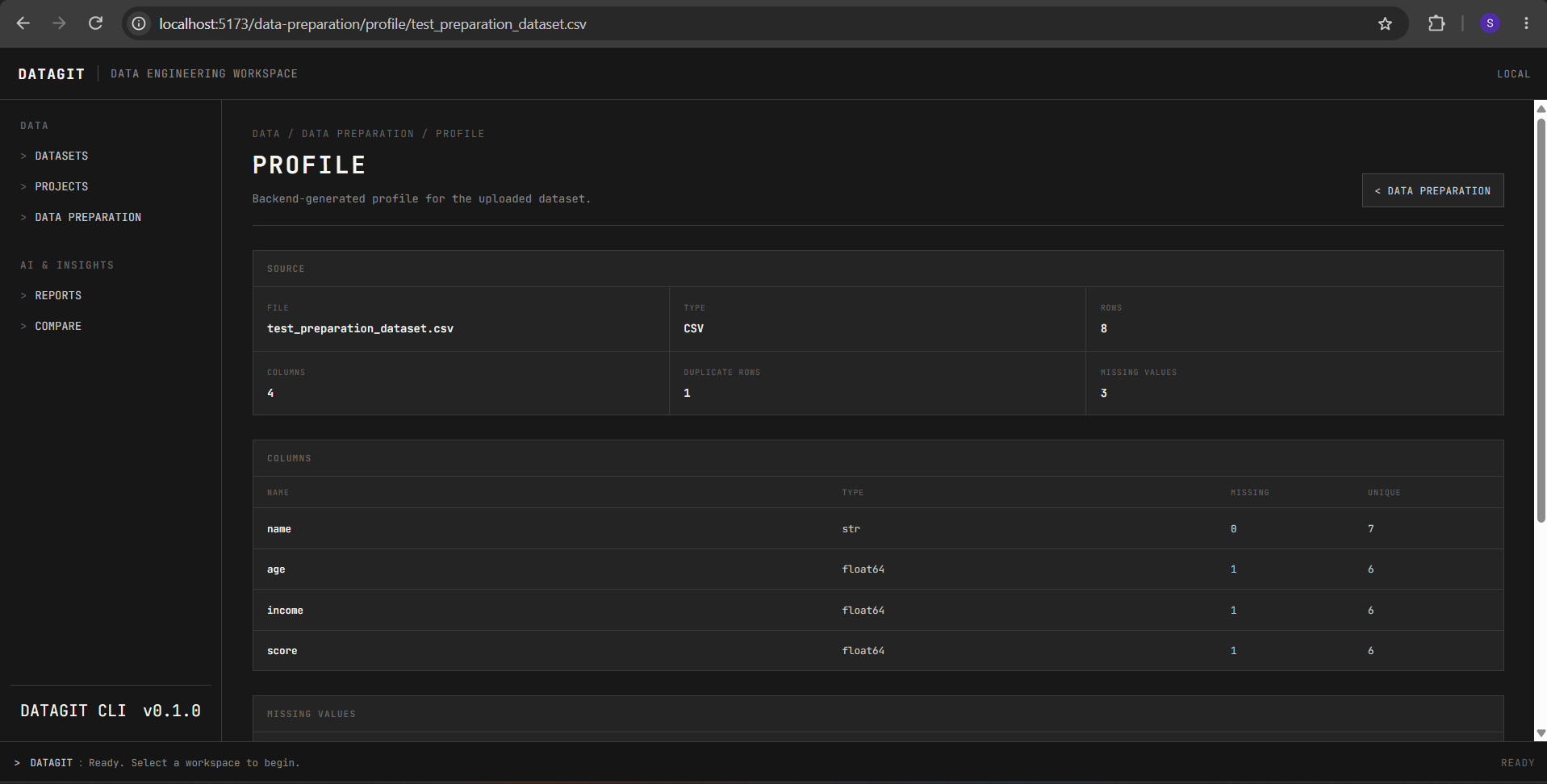
Profile
The Profile section helps developers understand the structure of a dataset.
It can include:
- Number of rows
- Number of columns
- Data types
- Numerical features
- Categorical features
- Missing values
- Unique values
- Basic statistics
Quality
The Quality section focuses on identifying important data-quality issues:
- Missing values
- Duplicate records
- Outliers
- Inconsistent categories
- Schema problems
- Class imbalance
- Other detected quality issues
Projects Using This Dataset
DataGit connects datasets with the projects and versions that use them.
Dataset
   ↓
Project
   ↓
Version
This helps developers understand how the same dataset is being used throughout an ML project.
PROJECTS
PROJECTS
│
├── Select Project
│   ├── Project Overview
│   └── Versions
│       ├── V1
│       ├── V2
│       ├── V3
│       └── ...
│
└── Create New Project
Create New Project
A project is the main organizational unit in DataGit.
It connects:
- Datasets
- Versions
- Git state
- DVC state
- ML runs
- Reports
- Comparisons
The project is associated with the actual development environment so DataGit can work alongside the developer's existing codebase.
Project Overview
The Project Overview provides a central view of the project's current state.
For example:
PROJECT: Fraud Detection

Dataset:
transactions.csv

Versions:
V1
V2
V3
V4
V5

Git:
Tracked project/model code

DVC:
Tracked dataset state

ML Runs:
Training and evaluation evidence
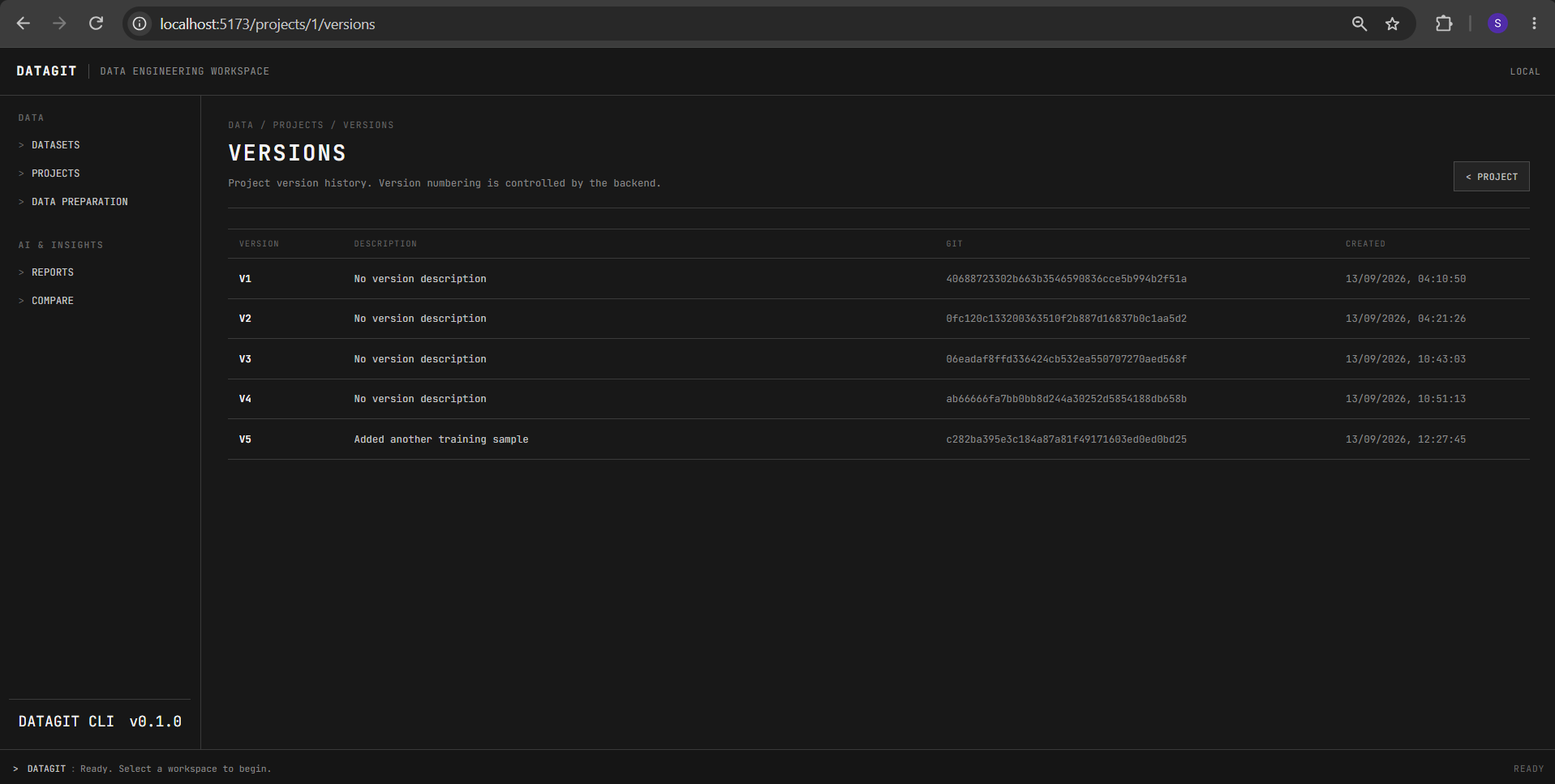
VERSIONING
Versioning is one of the core ideas behind DataGit.
A project can evolve through:
V1 → V2 → V3 → V4 → V5
Each version can be associated with:
- Version number
- Git commit
- DVC state
- Dataset state
- ML run
- Description
- Creation timestamp
A version is therefore not just another copy of a dataset.
It represents a traceable state of the ML project.
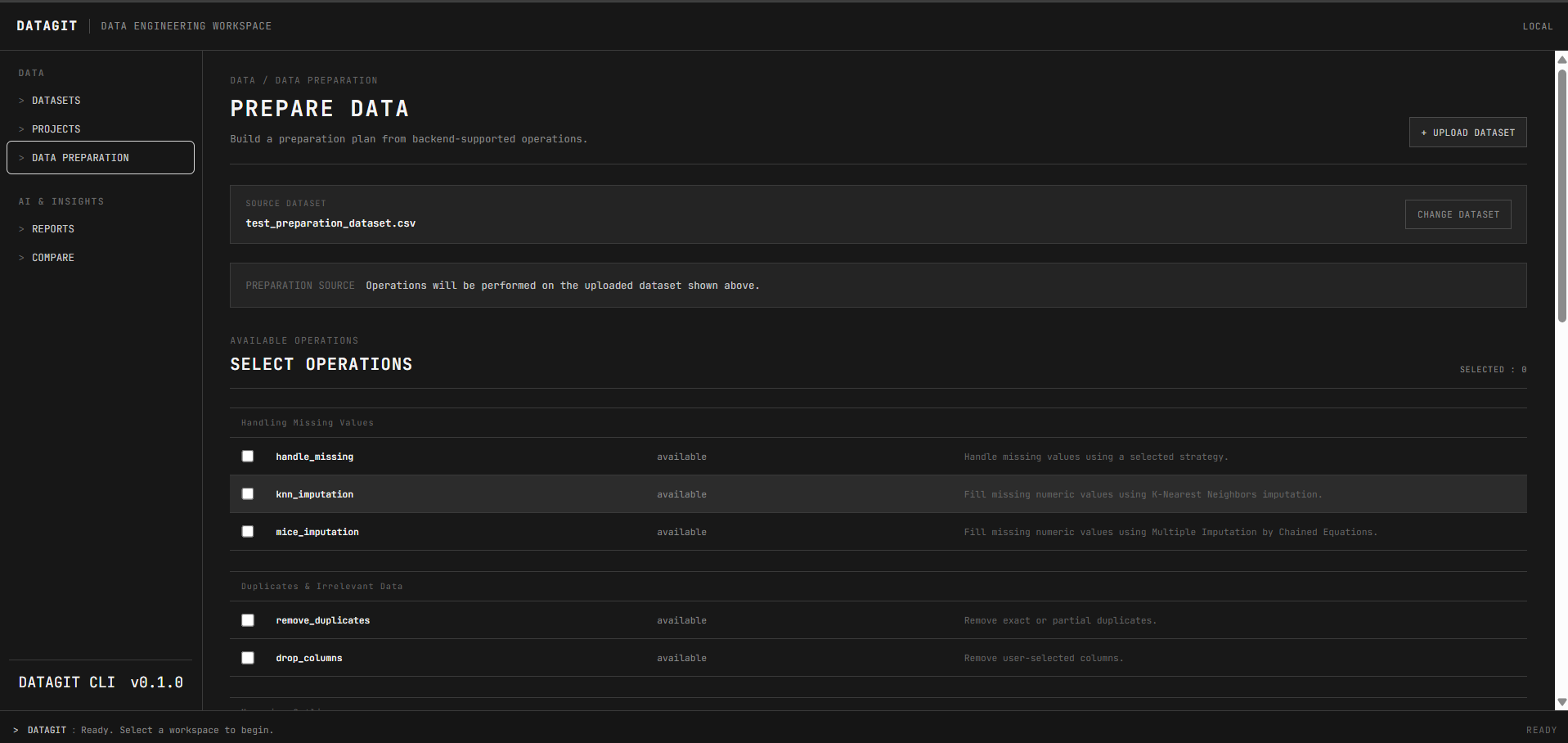
DATA PREPARATION
DATA PREPARATION
│
├── Select Project
├── Select Source Version
├── Profile / Quality
│
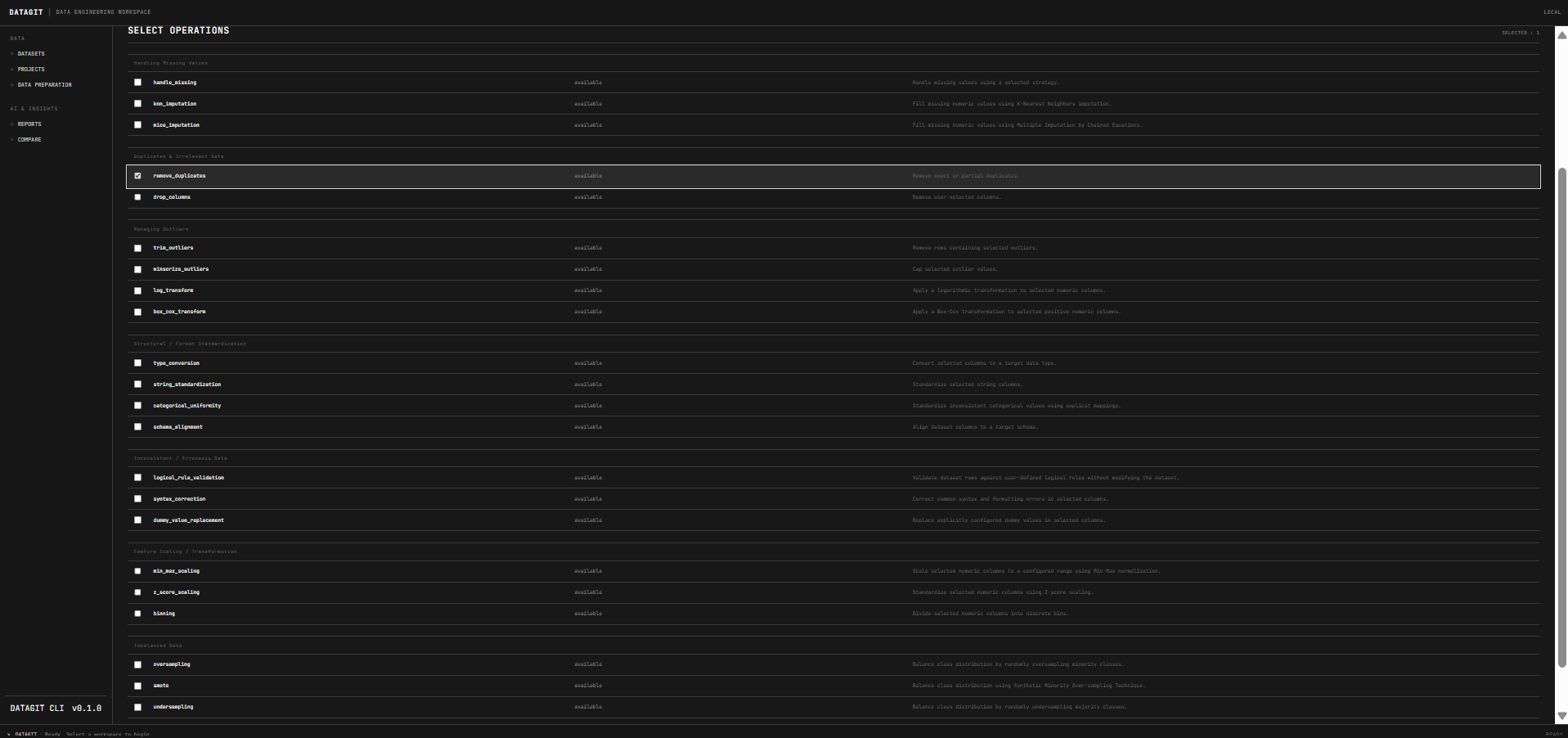
├── PREPARE DATA
│   │
│   ├── Handling Missing Values
│   │   ├── Deletion
│   │   ├── Mean / Median / Mode
│   │   ├── Constant Imputation
│   │   ├── KNN Imputation
│   │   └── MICE Imputation
│   │
│   ├── Duplicates & Irrelevant Data
│   │   ├── Exact Duplicate Removal
│   │   ├── Partial Duplicate Removal
│   │   └── Drop Irrelevant Columns
│   │
│   ├── Managing Outliers
│   │   ├── Trimming
│   │   ├── Winsorization
│   │   ├── Log Transformation
│   │   └── Box-Cox Transformation
│   │
│   ├── Structural / Format Standardization
│   │   ├── Data Type Conversion
│   │   ├── String Standardization
│   │   ├── Categorical Uniformity
│   │   └── Schema Alignment
│   │
│   ├── Inconsistent / Erroneous Data
│   │   ├── Logical Rule Validation
│   │   ├── Syntax Correction
│   │   └── Default / Dummy Value Replacement
│   │
│   ├── Feature Scaling / Transformation
│   │   ├── Min-Max Scaling
│   │   ├── Z-Score Scaling
│   │   └── Binning / Discretization
│   │
│   └── Imbalanced Data
│       ├── Oversampling
│       ├── SMOTE
│       └── Undersampling
│
├── Configure Operations
├── Validate Plan
├── Execute
├── Review Results
└── Create Next Version
DataGit treats data preprocessing as an explicit, configurable, and traceable workflow.
The user selects a project and source version, reviews the dataset profile and quality, chooses the required operations, validates them, executes them, reviews the result, and can create the next project version.
Handling Missing Values
DataGit supports:
- Deletion
- Mean / Median / Mode
- Constant Imputation
- KNN Imputation
- MICE Imputation
Duplicates & Irrelevant Data
DataGit supports:
- Exact Duplicate Removal
- Partial Duplicate Removal
- Drop Irrelevant Columns
Managing Outliers
DataGit supports:
- Trimming
- Winsorization
- Log Transformation
- Box-Cox Transformation
Structural / Format Standardization
DataGit supports:
- Data Type Conversion
- String Standardization
- Categorical Uniformity
- Schema Alignment
Inconsistent / Erroneous Data
DataGit supports:
- Logical Rule Validation
- Syntax Correction
- Default / Dummy Value Replacement
Feature Scaling / Transformation
DataGit supports:
- Min-Max Scaling
- Z-Score Scaling
- Binning / Discretization
Imbalanced Data
DataGit supports:
- Oversampling
- SMOTE
- Undersampling
Configure Operations
Each preprocessing operation can be configured before execution.
Example:
Operation: KNN Imputation
Column: income
Neighbors: 5
Another example:
Operation: Winsorization
Column: transaction_amount
Lower: 0.01
Upper: 0.99
Multiple operations can be combined into an ordered preparation plan.
Validate Plan
Before execution, DataGit validates the configured plan.
✓ Source version exists
✓ Required columns exist
✓ Required parameters are present
✓ Parameters are valid
✓ Operation configuration is valid
If a configuration is invalid, the user receives an error before execution.
Execute
After validation, the backend executes the preparation plan.
The frontend does not pretend that an operation succeeded. The backend remains the source of truth for the actual transformation and resulting state.
Review Results
After execution, developers can review what changed.
For example:
Rows:
1,000,000 → 998,420

Missing Values:
4.2% → 1.5%

Duplicates:
2,400 → 0
This provides an immediate view of the effect of the preparation workflow.
Create Next Version
Once the prepared data is accepted, it can become the next project version.
V1
 ↓
Missing Value Handling
 ↓
Duplicate Removal
 ↓
Outlier Treatment
 ↓
V2
Later:
V2
 ↓
Feature Transformation
 ↓
Schema Alignment
 ↓
V3
This creates a traceable history of how the dataset evolved.
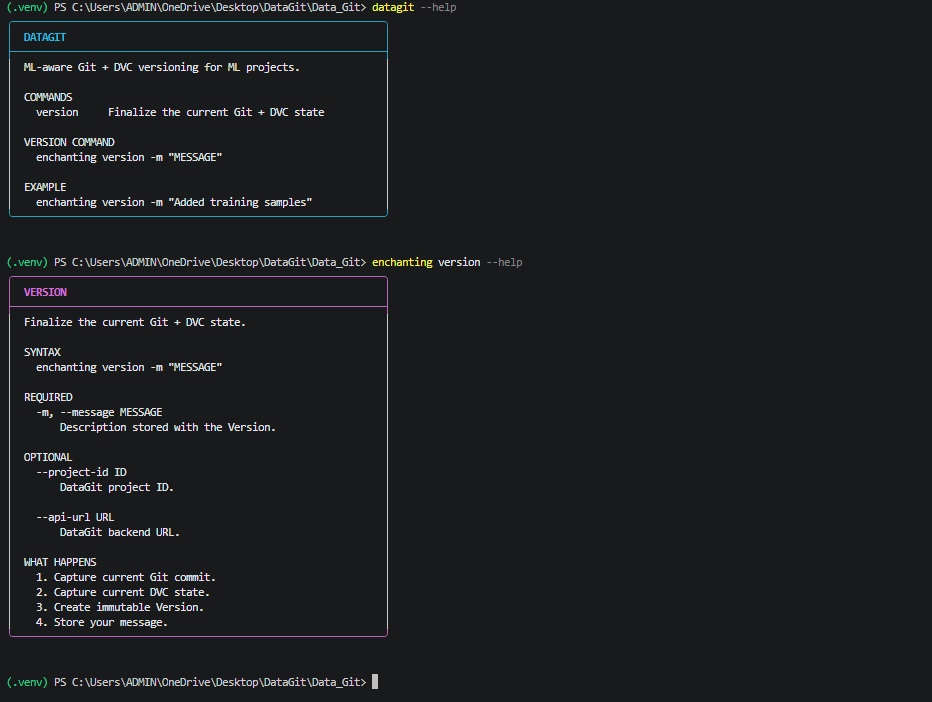
VS CODE + DATAGIT
DataGit is designed to complement the developer's normal ML environment.
A developer can continue working in VS Code:
project/
├── data/
├── src/
├── models/
├── notebooks/
├── train.py
└── ...
They can run:
python train.py
They can change preprocessing or model code and commit those changes using Git.
DVC can track the relevant datasets.
DataGit then connects those changes to its project/version structure.
Developer
   ↓
VS Code
   ↓
Code / Training
   ↓
Git + DVC
   ↓
DataGit Version
DataGit therefore does not replace the IDE.
It provides a version-aware layer around the existing development workflow.
AI & INSIGHTS
AI & INSIGHTS
│
├── REPORTS
└── COMPARE
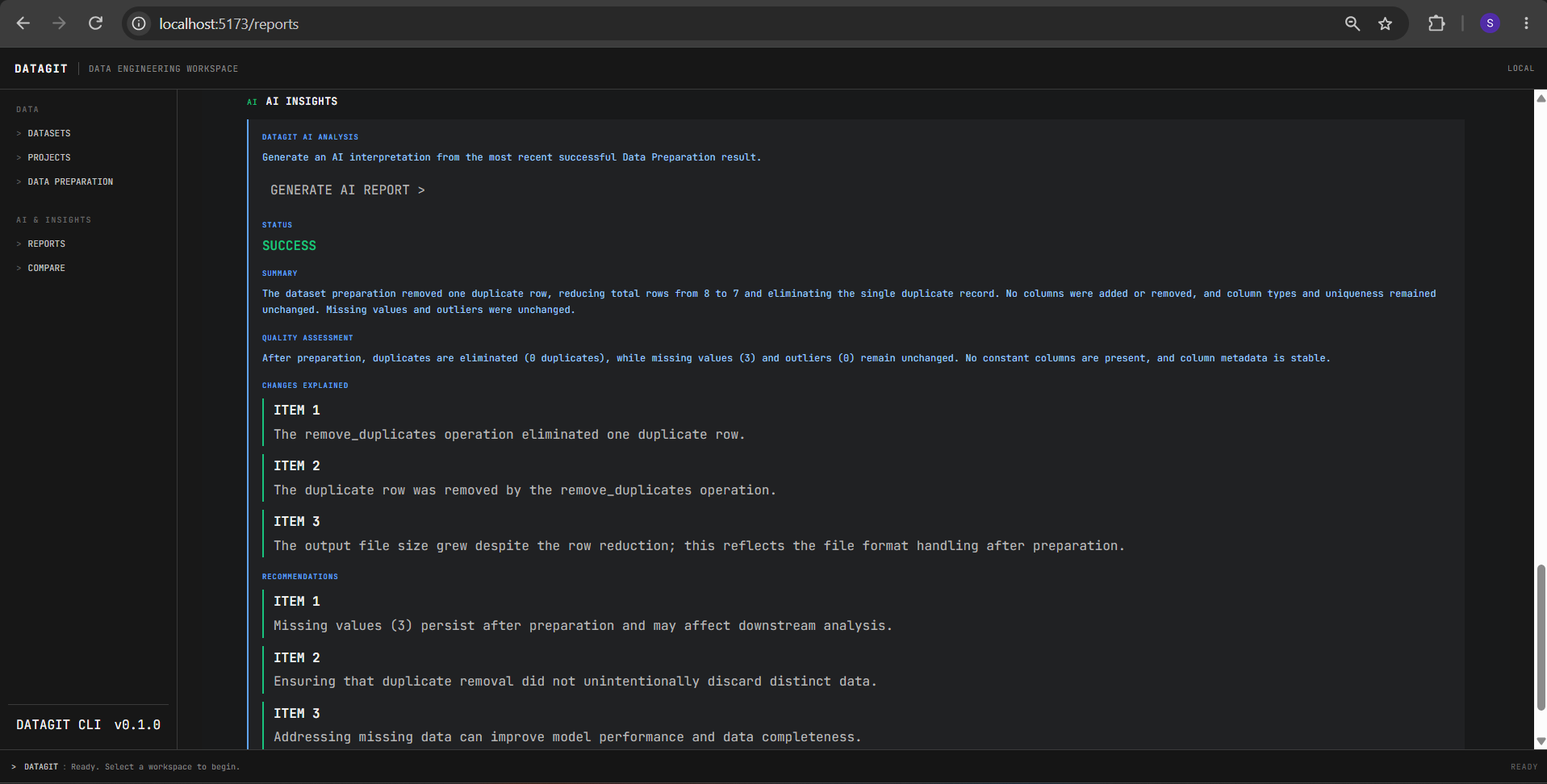
The AI section is where DataGit moves from simply storing history to analyzing the available project evidence.
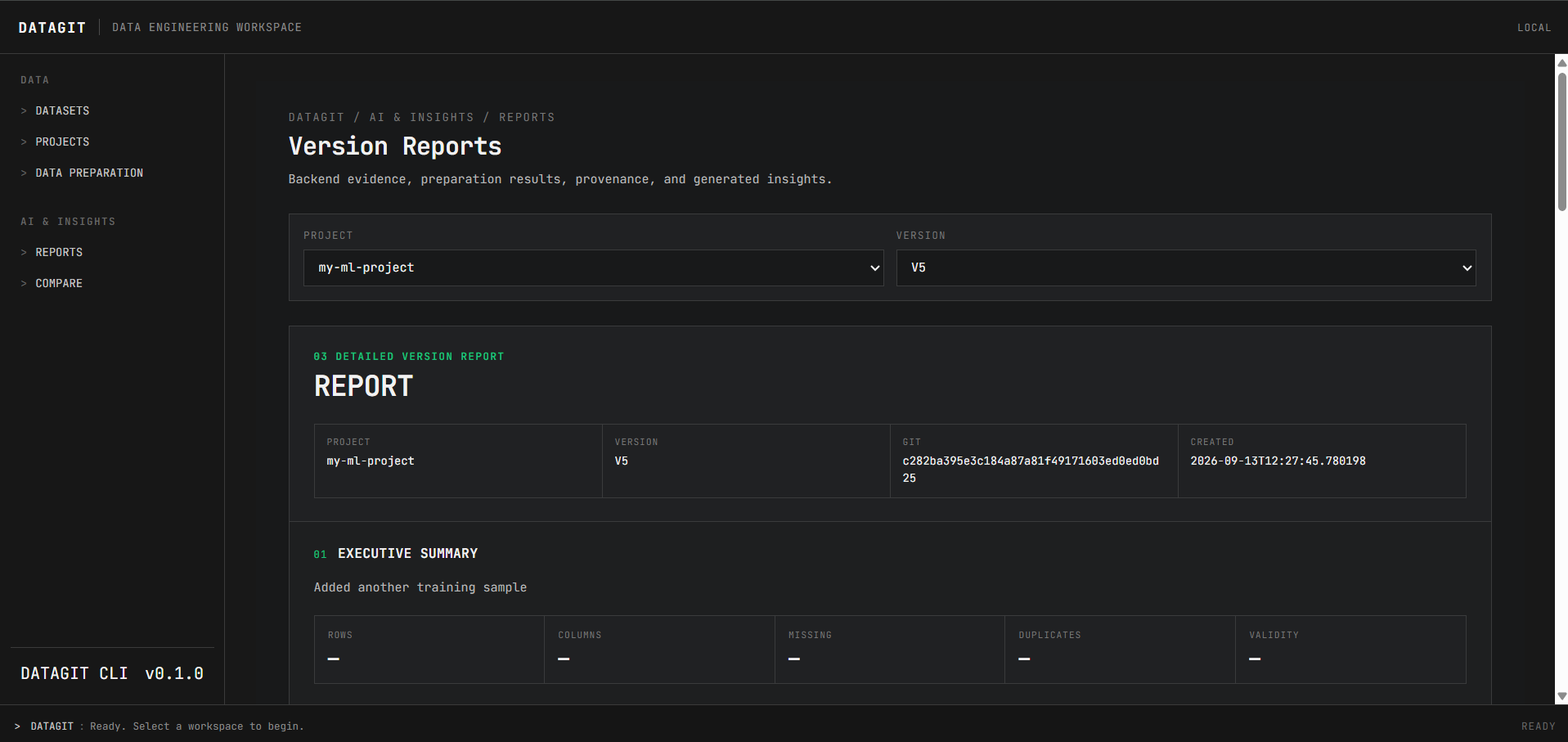
REPORTS
REPORTS
│
├── Select Project
├── Select Version
└── Detailed Version Report
A detailed version report can bring together:
Version Information
        ↓
Dataset Snapshot
        ↓
Data Quality
        ↓
Preparation History
        ↓
DVC Provenance
        ↓
Git Provenance
        ↓
Model Information
        ↓
Training / Evaluation Metrics
        ↓
AI Insights
The goal is to provide a complete view of the selected version.
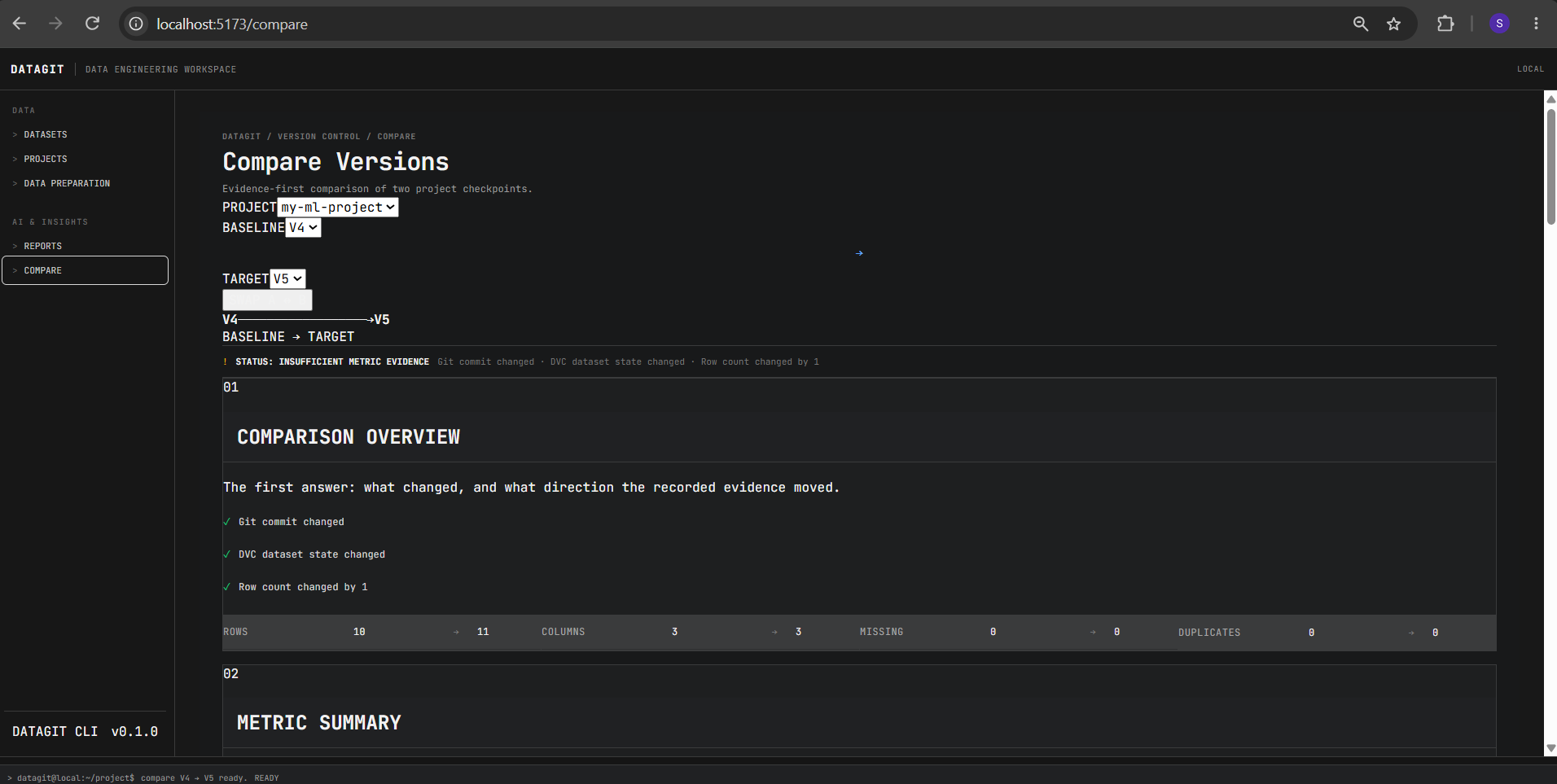
COMPARE
COMPARE
│
├── Select Project
├── Select Version A
├── Select Version B
└── Comparison Report
For example:
Version A = V2
Version B = V5
DataGit analyzes both versions together.
VERSION COMPARISON
The comparison can investigate:
- Dataset changes
- Data-quality changes
- Schema changes
- Preparation changes
- Feature distributions
- Git provenance
- DVC provenance
- Model information
- Model metrics
- Prediction behavior
Version A
    │
    ├── DVC State
    ├── Dataset
    ├── Quality
    ├── Preparation
    ├── Git State
    └── Model Metrics
               │
               ▼
          Comparison
               ▲
               │
Version B
    │
    ├── DVC State
    ├── Dataset
    ├── Quality
    ├── Preparation
    ├── Git State
    └── Model Metrics
DRIFT ANALYSIS
One of DataGit's important monitoring capabilities is identifying distribution changes.
For important features, the monitoring system can use statistical methods such as:
- Kolmogorov-Smirnov test
- Population Stability Index
- Chi-square test
- Jensen-Shannon divergence
Example:
| Feature | Drift | Status |
|---|---|---|
| Age | 0.08 | Low |
| Income | 0.32 | High |
| Transaction Type | 0.41 | High |
This helps identify significant changes between two selected versions.
TYPES OF DRIFT
DataGit distinguishes between several different types of model/data change.
Data Drift
Changes in the distribution of model input features.
Concept Drift
Changes in the relationship between features and the target.
Prediction Drift
Changes in the distribution of model predictions.
Model Performance Degradation
A reduction in measured model performance.
These categories help the monitoring system investigate changes from multiple perspectives.
MODEL PERFORMANCE MONITORING
DataGit can work with available model/evaluation evidence such as:
- Accuracy
- Precision
- Recall
- F1
- ROC-AUC
- False Positives
- False Negatives
- Prediction Distribution
Example:
Training Recall:    91%
Production Recall:  76%
Instead of only saying:
Model degraded.
DataGit investigates other available evidence that may help explain the change.
ROOT-CAUSE ANALYSIS
When performance changes, DataGit can investigate:
- Feature drift
- Target/class distribution changes
- Missing values
- New categories
- Outliers
- Schema changes
- Prediction distribution
- Data quality
Example report:
Performance: 91% → 76%

Likely contributing changes:

1. Transaction amount drift — HIGH
2. Transaction type changed — HIGH
3. Missing values increased — MEDIUM
4. Fraud ratio changed — MEDIUM
The important principle is that the AI analysis is based on actual stored project metrics and monitoring results.
The AI should not invent dataset statistics, model metrics, version information, or causes that are not supported by the available evidence.
DVC + GIT + AI
DataGit combines dataset provenance with code/model provenance.
DVC
 ↓
Dataset State
 ↓
Dataset Analysis


Git
 ↓
Code / Model State
 ↓
Model Analysis
Together with model metrics and quality information:
DVC Dataset Evidence
        +
Git / Model Evidence
        +
Stored ML Metrics
        +
Data Quality
        +
Statistical Drift Analysis
        ↓
AI Analysis
        ↓
Detailed Report
This allows DataGit to investigate changes across both sides of the ML lifecycle.
EXAMPLE: FRAUD DETECTION PROJECT
Imagine a fraud-detection project.
The developer begins with:
V1
DataGit identifies:
Missing Values
Duplicates
Outliers
Class Imbalance
The developer configures:
KNN Imputation
Duplicate Removal
Winsorization
SMOTE
After execution and review, the project creates:
V2
The developer then continues model development in VS Code.
Git tracks the project/model code.
DVC tracks the dataset state.
ML evaluation results are stored for the project version.
Later, another development cycle creates:
V5
The developer can then open:
COMPARE
   ↓
Project
   ↓
V2
   ↓
V5
DataGit analyzes:
DVC Dataset V2
DVC Dataset V5
        +
Data Quality
        +
Feature Distributions
        +
Preparation History
        +
Git State
        +
Model Metrics
        +
Prediction Distribution
The monitoring system calculates the relevant differences.
The AI layer then turns those results into a detailed report.
The report answers:
What changed?
      ↓
Where did it change?
      ↓
How significant was the change?
      ↓
Did model performance change?
      ↓
What evidence may explain the change?
THE COMPLETE DATAGIT WORKFLOW
                    DATASET
                       │
                       ▼
                    PROJECT
                       │
                       ▼
                      V1
                       │
                       ▼
              PROFILE / QUALITY
                       │
                       ▼
                DATA PREPARATION
                       │
          ┌────────────┼────────────┐
          │            │            │
       Missing      Outliers     Schema
       Values       Handling     Changes
          │            │            │
          └────────────┼────────────┘
                       │
                       ▼
                VALIDATE PLAN
                       │
                       ▼
                    EXECUTE
                       │
                       ▼
                  REVIEW DATA
                       │
                       ▼
                CREATE NEXT VERSION
                       │
                       ▼
              VS CODE / ML TRAINING
                       │
                ┌──────┴──────┐
                │             │
               Git           DVC
                │             │
             Model/Code     Dataset
                │             │
                └──────┬──────┘
                       │
                       ▼
                  NEW VERSION
                       │
          ┌────────────┴────────────┐
          │                         │
        REPORT                    COMPARE
          │                         │
          │                  Version A + Version B
          │                         │
          │                 ┌───────┴───────┐
          │                 │               │
          │              Dataset          Model
          │                 │               │
          │              DVC State       Git State
          │                 │               │
          │              Drift           Metrics
          │                 │               │
          └─────────────────┴───────┬───────┘
                                    │
                                    ▼
                              AI ANALYSIS
                                    │
                                    ▼
                         DETAILED MONITORING
                                REPORT
Why DataGit?
DataGit connects parts of the ML workflow that are usually separated:
Dataset Management
        +
Data Preparation
        +
Project Versioning
        +
DVC Dataset Tracking
        +
Git Model / Code Tracking
        +
Data Quality
        +
Drift Detection
        +
Model Performance Monitoring
        +
AI Analysis
The result is a single platform where developers can understand how their ML project evolved, trace changes back to datasets and code, compare versions, inspect model behavior, and generate detailed reports from actual project evidence.
DataGit turns dataset and model evolution into a traceable, version-aware ML workflow.
Built With
- artificial-intelligence
- concept-drift
- data-cleaning
- data-drift
- data-preprocessing
- data-quality
- developer-tools
- fastapi
- feature-drift
- machine-learning-platform
- ml-monitoring
- model-versioning
- reproducible-ml
