-
-
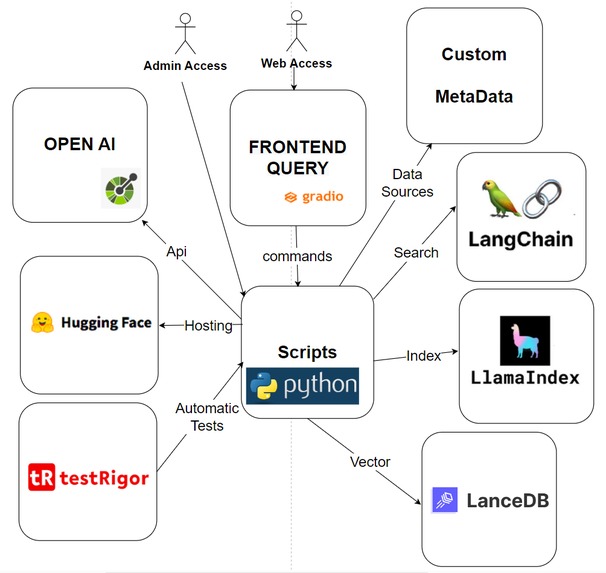
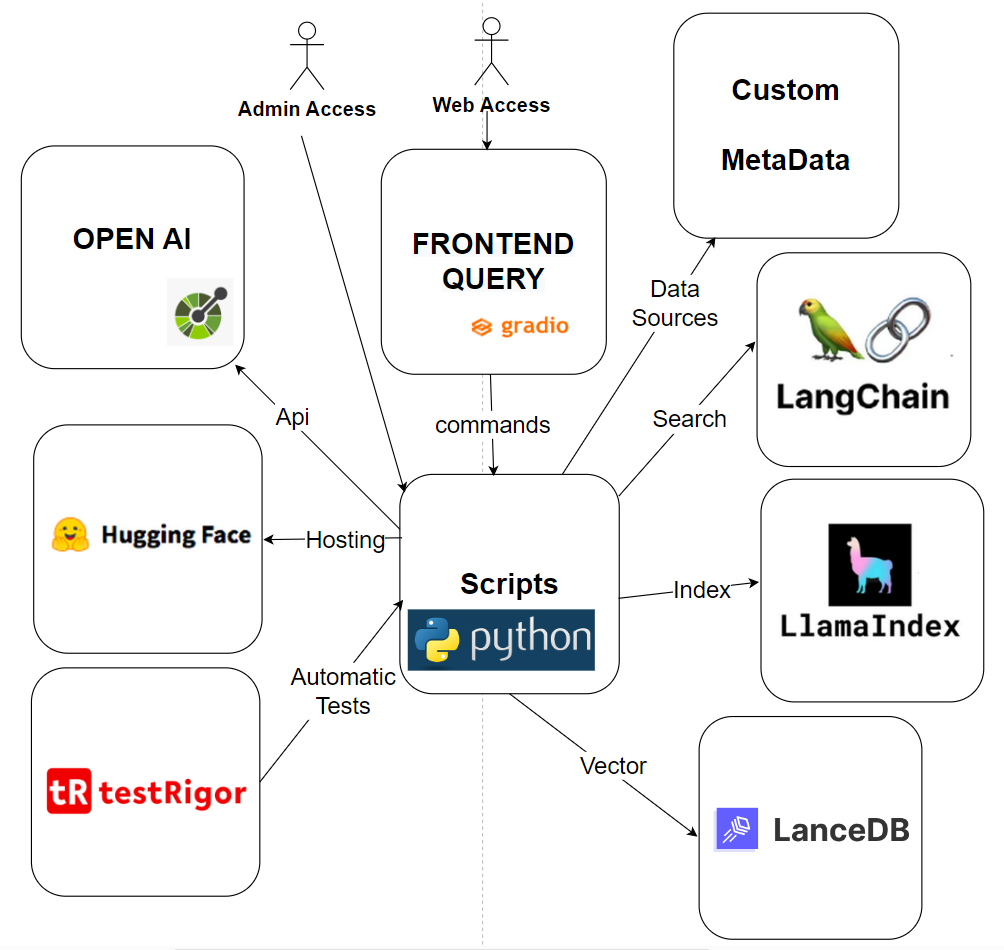
databot-lancedb-testrigor-architecture
-
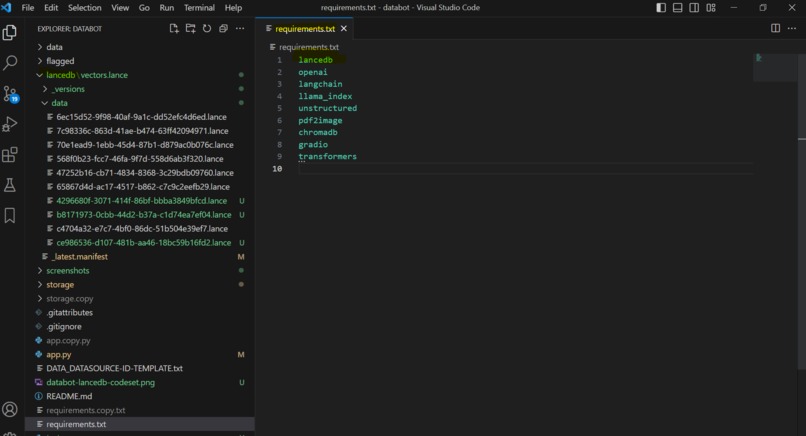
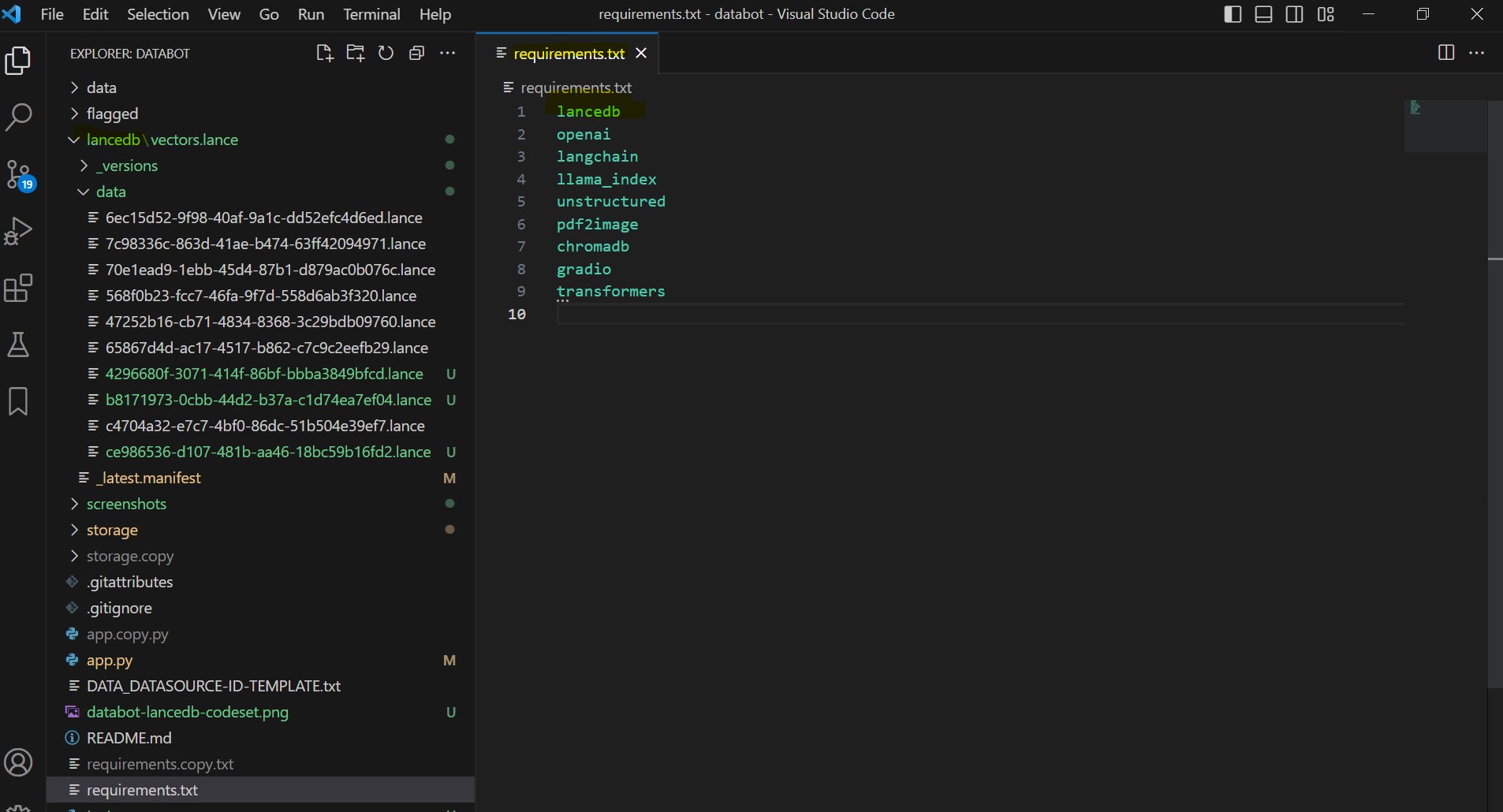
databot-codeset-lancedb
-
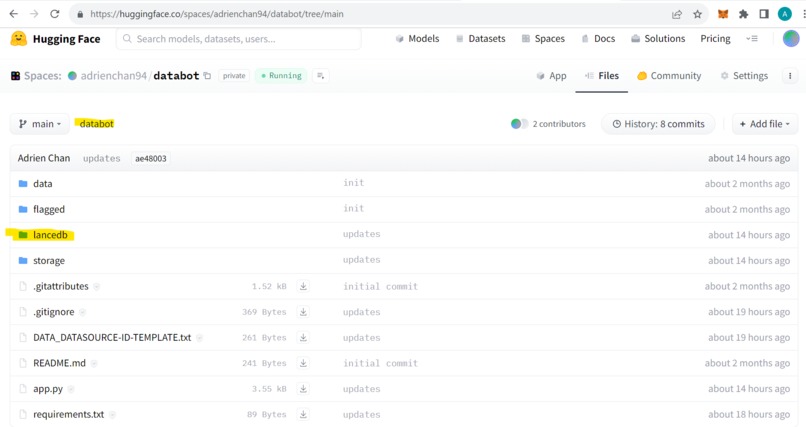
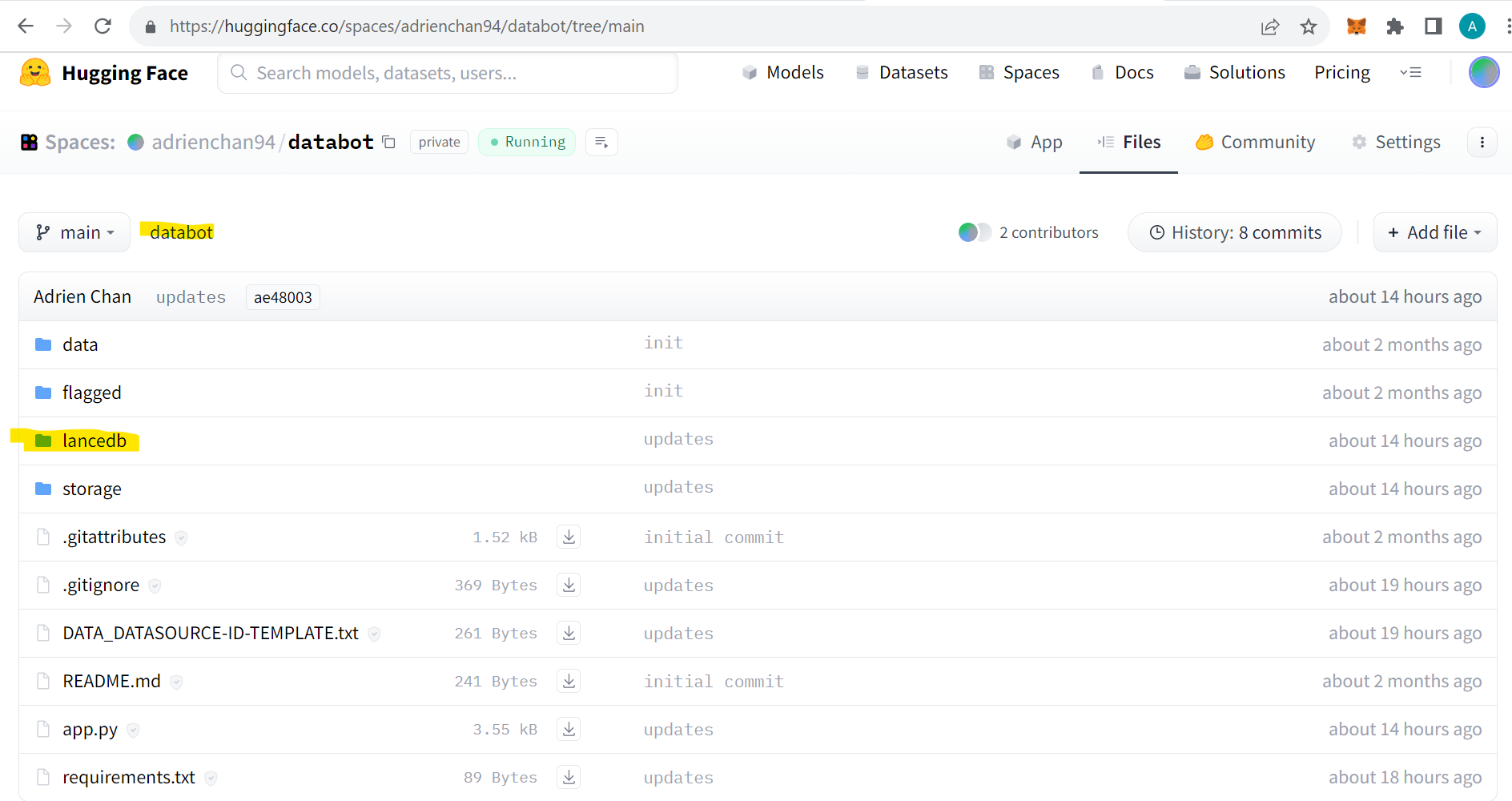
databot-huggingface-space-lancedb-details
-
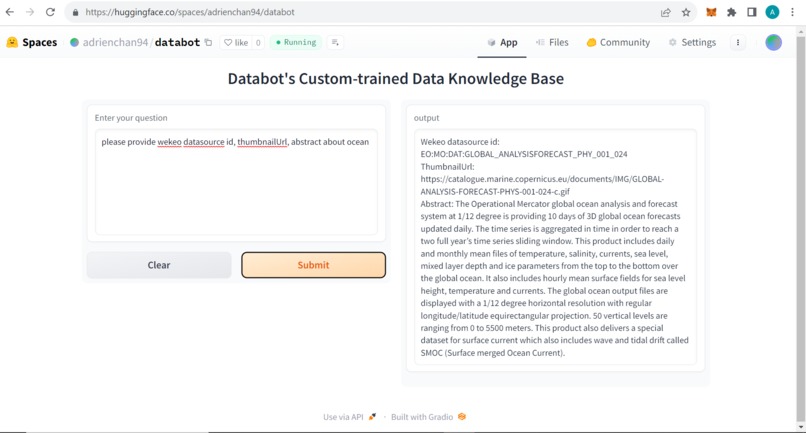
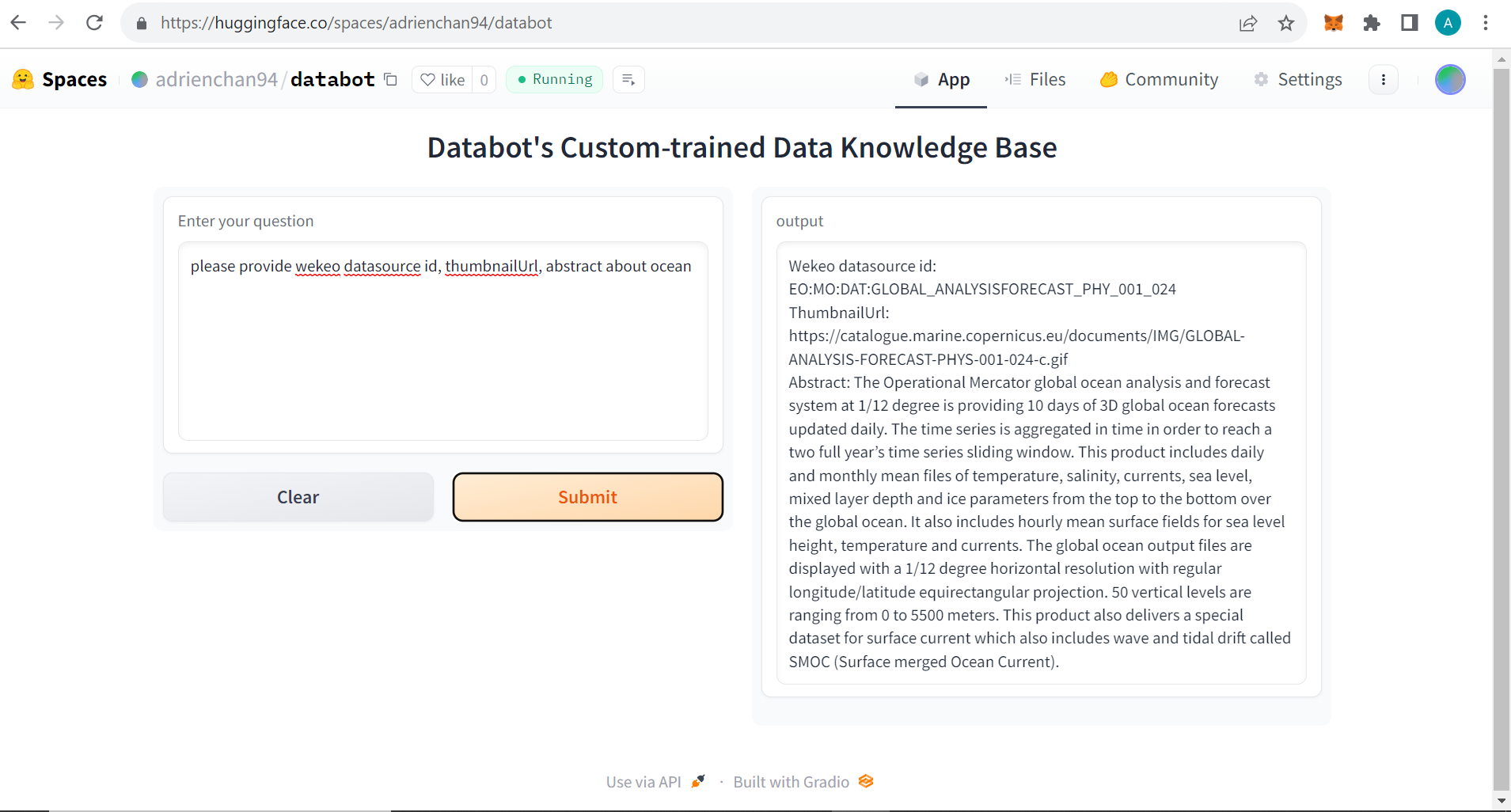
databot-huggingface-space-run
-
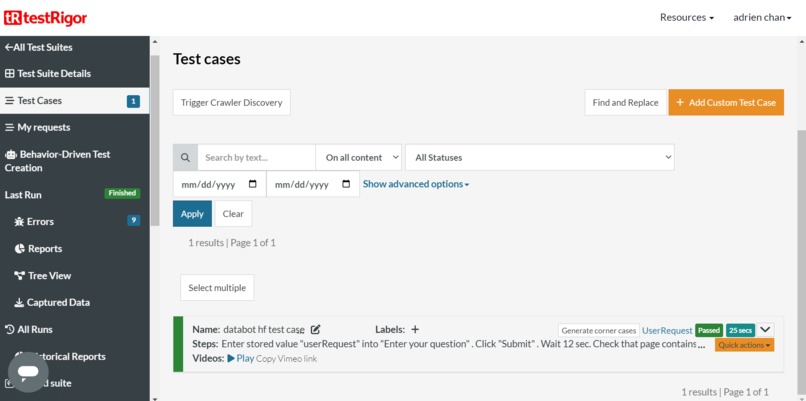
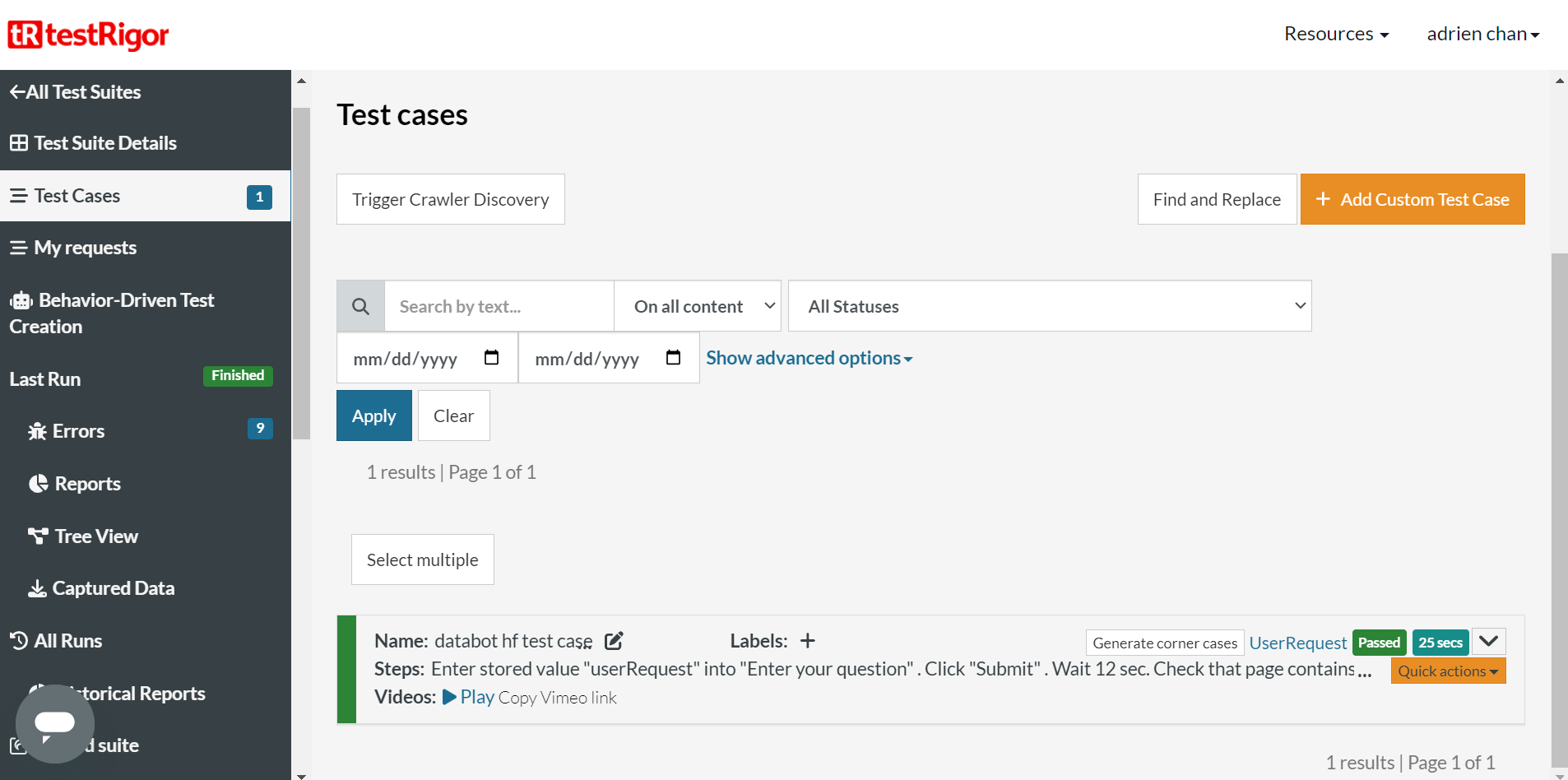
databot-testRigor-testcase
-
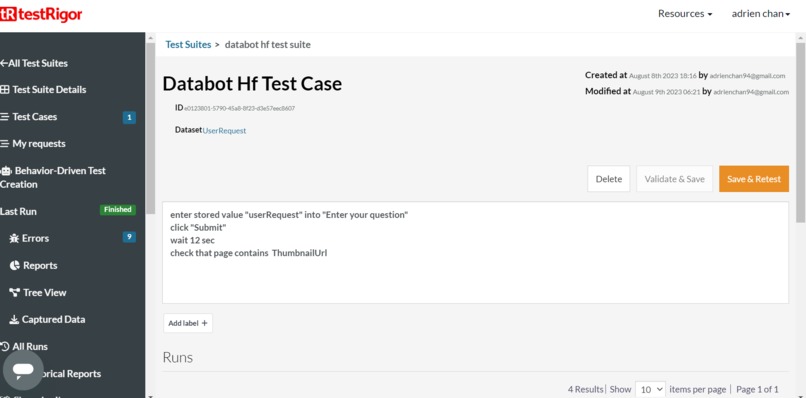
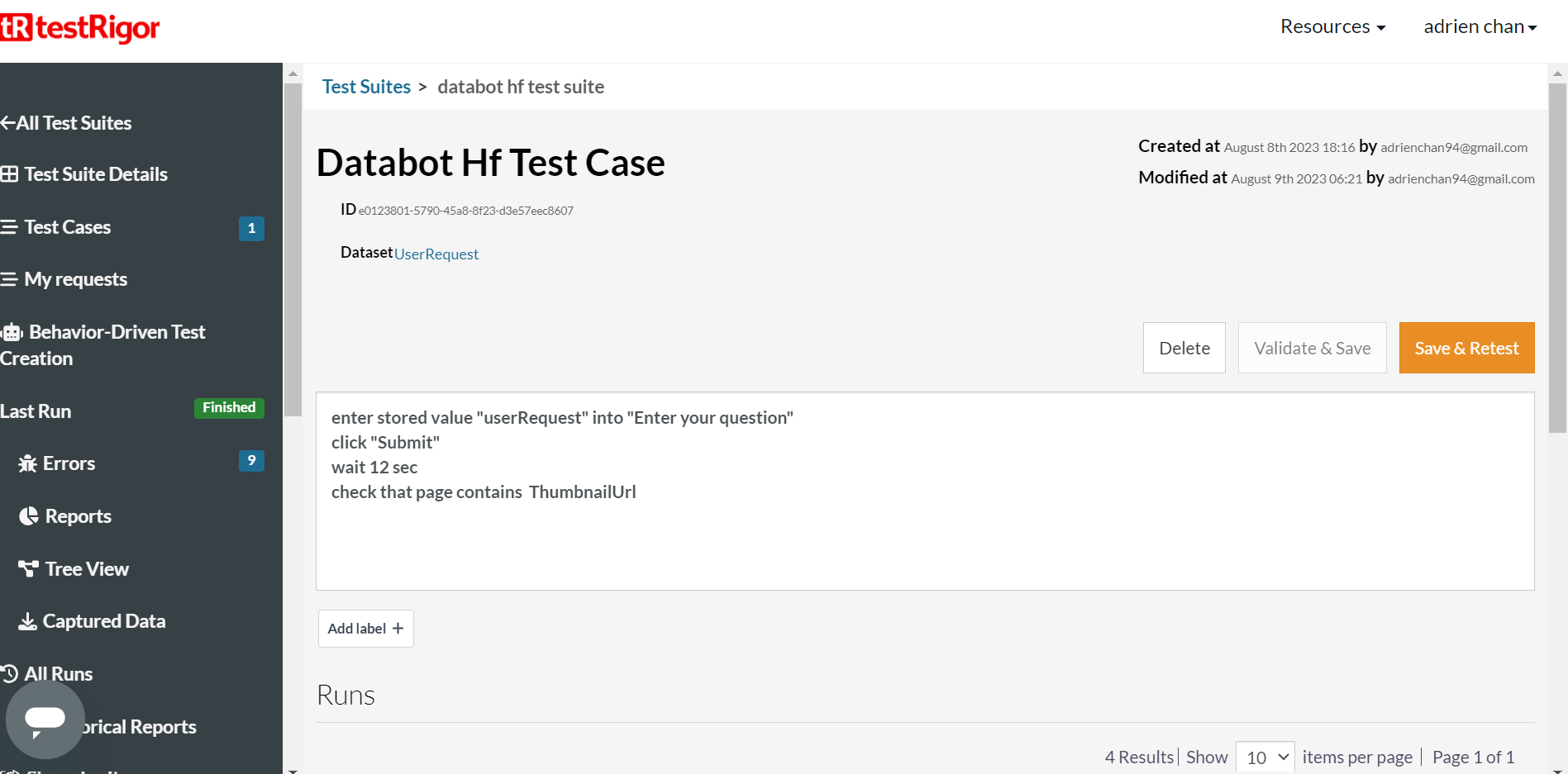
databot-testRigor-testcase-details
-
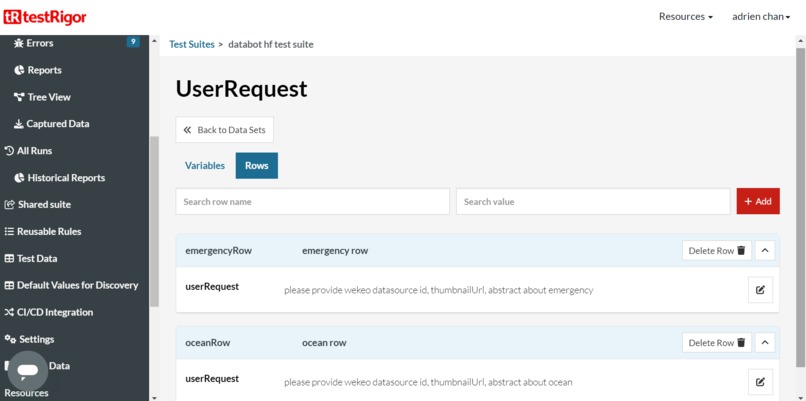
databot-testRigor-datasets
-
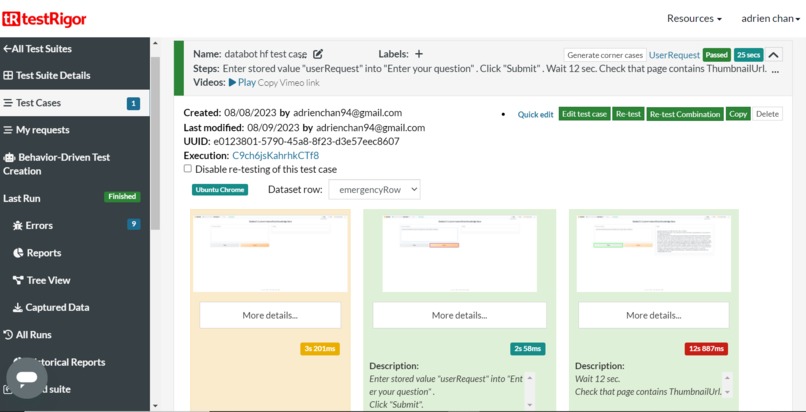
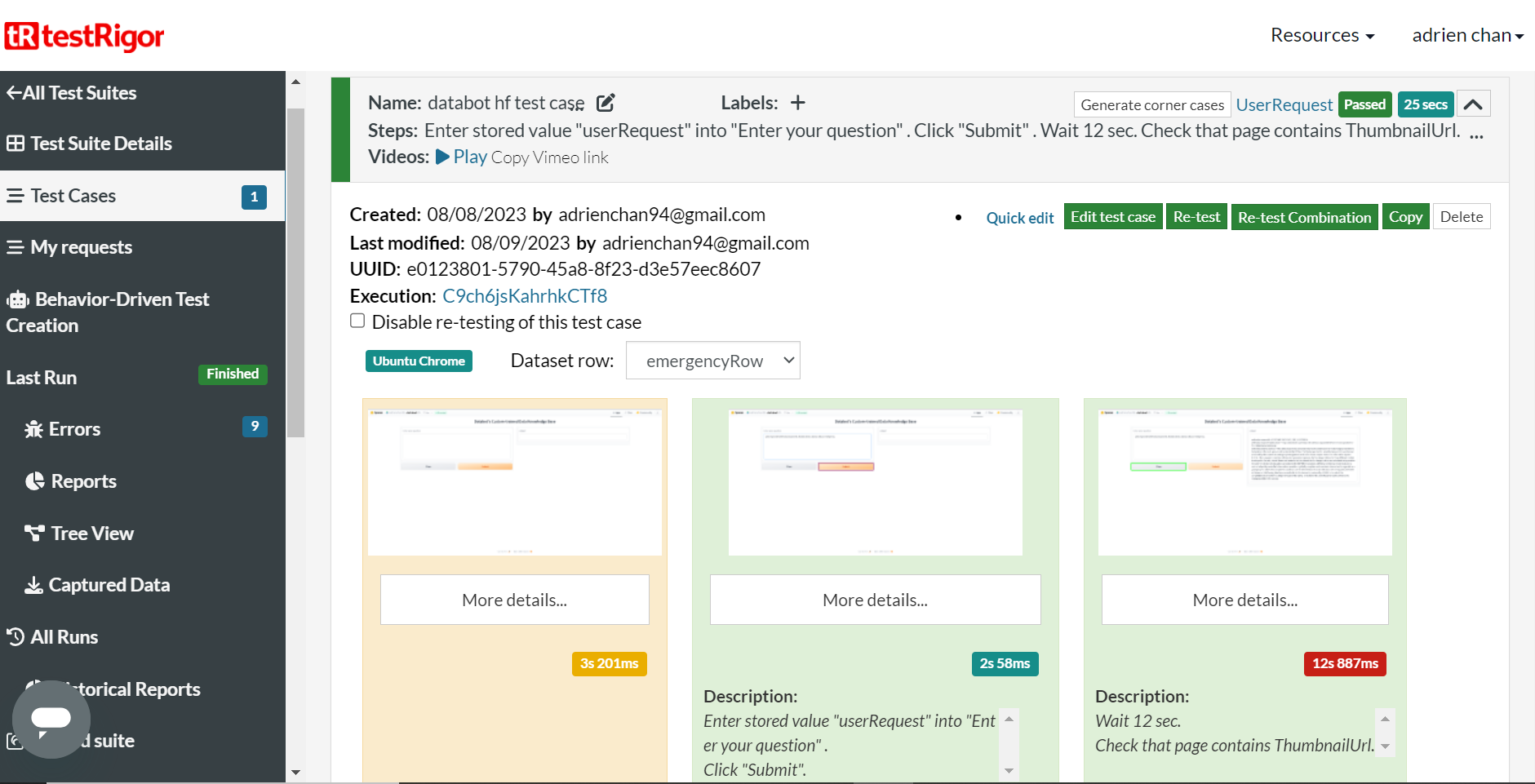
databot-testRigor-testcase-dataset-emergencyRow-result
-
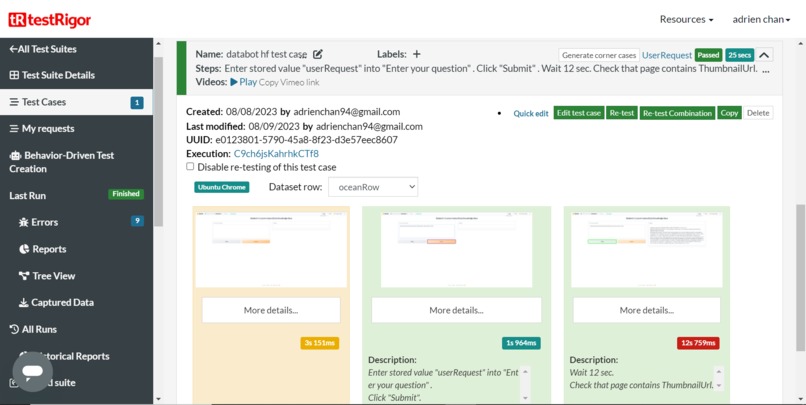
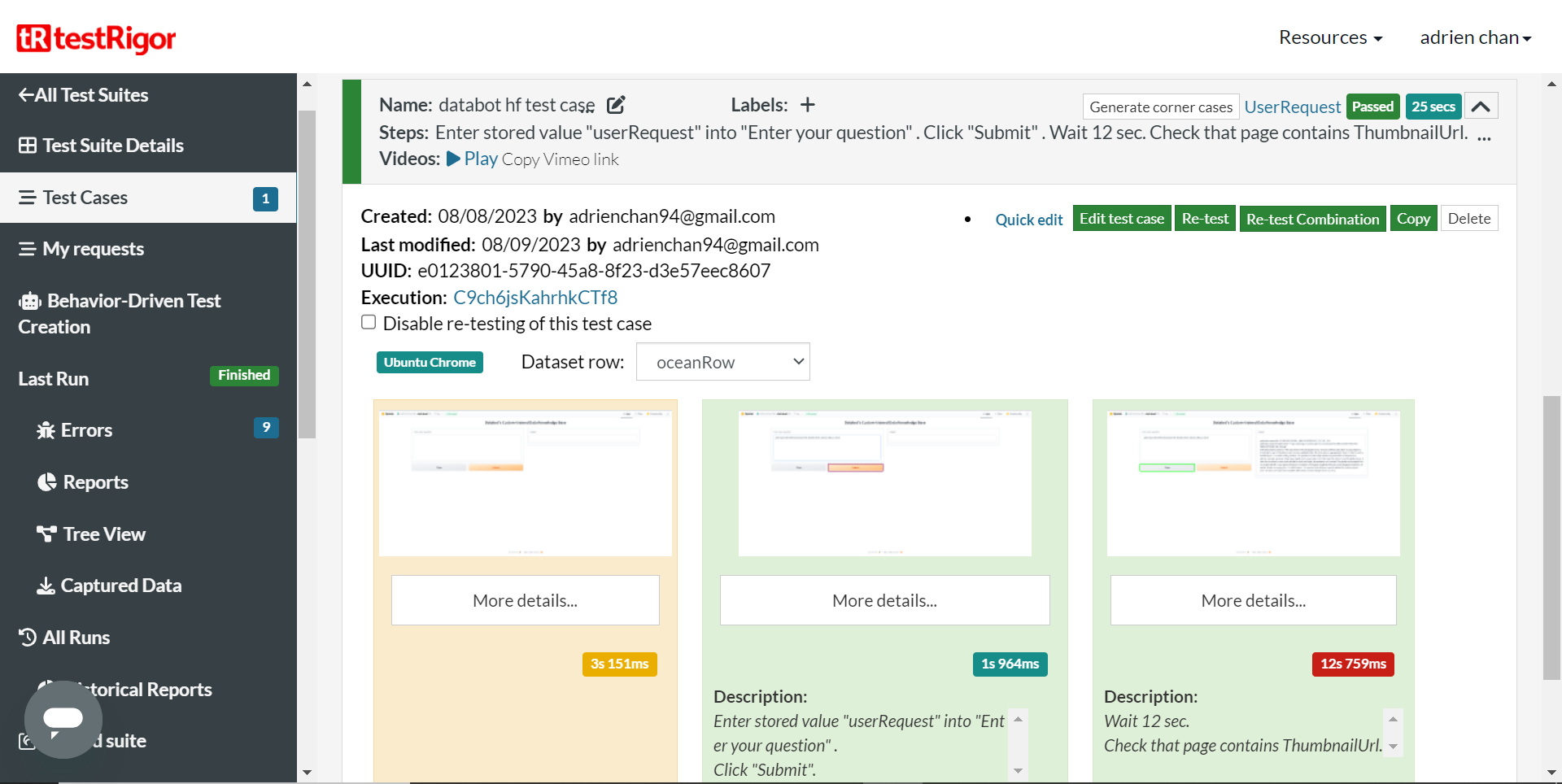
databot-testRigor-testcase-dataset-oceanRow-result
-
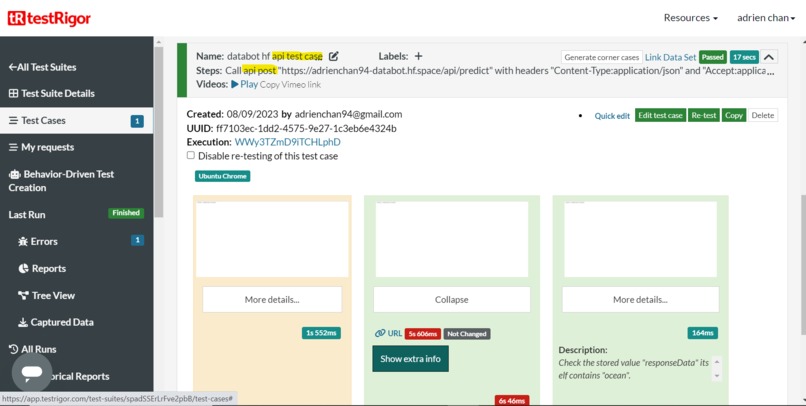
databot-hugging-face-api-test-result


Inspiration
Since I am interested in Generative AI, LLM and already have a initial version of gpt web interface with Langchain, LlamaIndex on Python environment, I have decided to participate to the LanceDb (vector database) and TestRigor ( for testing web interface) challenges
What it does
Databot is a web application to help end users to explore copernicus custom data (ocean, emergency,...), which are pre-compiled into text metadata (datasource id, abstract, title, thumbnailUrl), stored in data directory. Then the user can request and search for the data in plain english as illustrated by following screenshot

How we built it
adapt an existing Generative AI web application developed with openai , langchain, llamaindex, gradio python modules to integrate LanceDb vector database for index creation and query
deploy the resulting application on hugging face space to enable public access, then run the hugging face application
configure test suite / subroutine / test case / test dataset on TestRigor to automatize testing of the hugging face web and api application, then run the test case with takes into account various cases defined in test dataset rows and not hardcode these test data.
For each web and api interface, happy path and anormal unexpected spotential situations test cases have been defined, (more information in accomplishment section below)
More details about experience to apply Test Driven Development with TestRigor can be found here
Experience of Loriebot Test Development with TestRigor
This application can be adapted easily to ingest, index, query different custom databases. The data directory should just contain the custom data in text format
Challenges we ran into
lancebot module integration works only after upgrading llamaindex from 0.6.12 to latest version 0.7.21
authorization access problem on the hugging face application/api on first testing with TestRigor => fix by changing space visibility to public
Accomplishments that we're proud of
running web + api interface application with LanceDb vector database integration
testing and validation check of hugging face web interface made with following TestRigor features
Test Suite : databot web interface test suite
Test Data : enabling to iterate with multiple data category values (examples)
++ Emergency
++ Ocean
- Test Cases :
++ happy path => databot hf test case. (12 steps with various commands)
// init question by concatenating template model with dynamic category value and store in web form input
enter from the string with parameters "please provide wekeo datasource id, thumbnailUrl, abstract about ${userRequest}" into "Enter your question"
click "Submit"
wait 8 sec
// grab datasource id parameter value from response available from web form textbox
grab value of "(?<=datasource id = )[^\n ]+" from "textbox" and save it as "datasourceId"
// check that datasource id value matches some format word:word:word:word
check that stored value "datasourceId" itself matches regex "[a-zA-Z0-9_]{2,50}:[a-zA-Z0-9_]{2,50}:[a-zA-Z0-9_]{2,50}:[a-zA-Z0-9_]{2,50}"
// grab datasource abstract parameter value from response available from web form textbox
grab value of "(?<=datasource abstract = )[^\n]+" from "textbox" and save it as "datasourceAbstract"
// check that datasource abstract value is not empty
check that stored value "datasourceAbstract" itself is not empty
// check that datasource abstract value contains the dynamic user request category
check that stored value "datasourceAbstract" itself contains stored value "userRequest"
// grab datasource thumbnailUrl parameter value from response available from web form textbox
grab value of "(?<=thumbnailUrl = )[^\n ]+" from "textbox" and save it as "thumbnailUrl"
// check that datasource thumbnailUrl value ends with png or jpg or jpeg or gif
check that stored value "thumbnailUrl" itself contains "png" or "jpg" or "jpeg" or "gif"
// try to browse the thumbnailUrl value to see whether it is a real image url
open url from stored value "thumbnailUrl"  if exists
// check that the thumbnailUrl is accessible as expected 200 status code
check that the browser called api from stored value "thumbnailUrl" and response code was "200"
++ invalid content for user request on web form
++ unreachable web form url
testing and validation check of hugging face api interface made with following TestRigor features
Test Suite : databot api interface test suite
Subroutine with dynamic parameter (12 steps with various commands) : test api interface with "requestData"
store value from the string with parameters "please provide wekeo datasource id, thumbnailUrl, abstract about ${requestCategory}" as "requestData"
store value from the string with parameters "{\"data\": [\"${requestData}\"]}"  as "bodyData"
// prepare body data with ocean category as user request and post the body data to  databot api
call api post "https://adrienchan94-databot.hf.space/api/predict" with headers "Content-Type:application/json" and "Accept:application/json" and body  from stored value "bodyData" and get "$.data[0]" and save it as "responseData"
// extract datasource id parameter value from response available from api call responseData
extract value of "(?<=datasource id = )[^\n\\ ]+" from stored value "responseData" and save it as "datasourceId"
// check that datasource id value matches some format word:word:word:word
check that stored value "datasourceId" itself matches regex "[a-zA-Z0-9_]{2,50}:[a-zA-Z0-9_]{2,50}:[a-zA-Z0-9_]{2,50}:[a-zA-Z0-9_]{2,50}"
// extract datasource abstract parameter value from response available from api call responseData
extract value of "(?<=datasource abstract = )[^\n\\]+" from stored value "responseData" and save it as "datasourceAbstract"
// check that datasource abstract value is not empty
check that stored value "datasourceAbstract" itself is not empty
// check that datasource abstract value contains the dynamic user request category data
check that stored value "datasourceAbstract" itself contains stored value "requestCategory"
// extract datasource thumbnailUrl parameter value from response available from api call responseData
extract value of "(?<=thumbnailUrl = )[^\n\\ ]+" from stored value "responseData" and save it as "thumbnailUrl"
// check that datasource thumbnailUrl value ends with png or jpg or jpeg or gif
check that stored value "thumbnailUrl" itself contains "png" or "jpg" or "jpeg" or "gif"
// try to browse the thumbnailUrl value to see whether it is a real image url
open url from stored value "thumbnailUrl"  if exists
// check that the thumbnailUrl is accessible as expected 200 status code
check that the browser called api from stored value "thumbnailUrl" and response code was "200"
Test Cases :
++ happy path => test normal call of api interface
// call subroutine with  data category "ocean" as requestData parameter
test api  interface with "ocean"
++ invalid GET method for POST API
++ No Expected Body for POST API
++ No Expected Header for POST API
++ Invalid Body for POST API
++ Unknown Category Data for POST API
++ Invalid Endpoint for POST API
++ Unreachable Url for POST API
++ invalid json body attribute value for POST API
++ not json body content for POST API
all realized actions are illustrated in enclosed screenshots
What we learned
integration of LanceBot features on Python application
configuration and testing with TestRigor
What's next for databot
- integrate with lancedb cloud version
Built With
- gradio
- huggingface
- lancedb
- langchain
- llamaindex
- openai
- python
- testrigor

Log in or sign up for Devpost to join the conversation.