-
-
Dashboard
-
Data Visualization
Inspiration
The framing of commands for any program in machine learning was always a task for students especially those who do not have a fairly technical background. Thus in order to solve this conundrum and save hours spent on tedious debugging, we have proposed a system that is easier and efficient enough to carry out the job on a few button clicks. It is like a speed dial system for Machine Learning commands. This our form of automating the tasks that initially required specialized data scientists and manual labor to a more time saving and cost efficient system.
What it does
Data Analyzer is an AI based tool that takes a data set as input, analyze patterns in the data, interpret the result, and can produce an output analysis. It is able to pro-actively analyze data and generate feeds using natural language generation techniques with very less efforts. The application caters to users with a basic working knowledge of Machine Learning and Data Science concepts and is thus easily usable and understandable.
How we built it
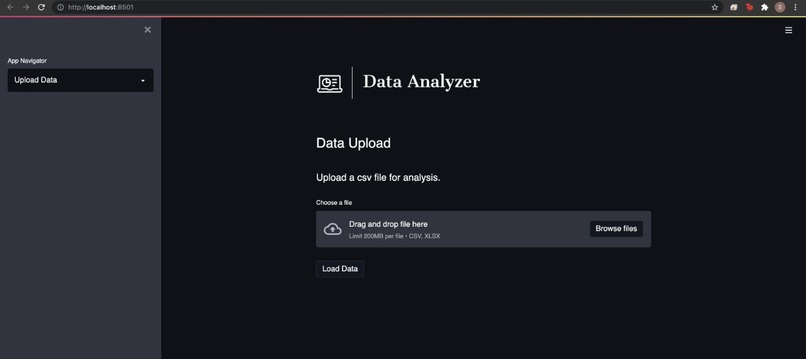
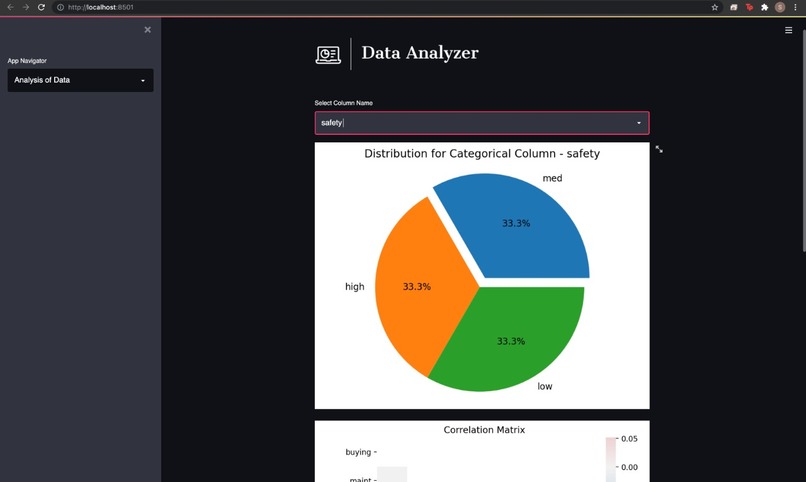
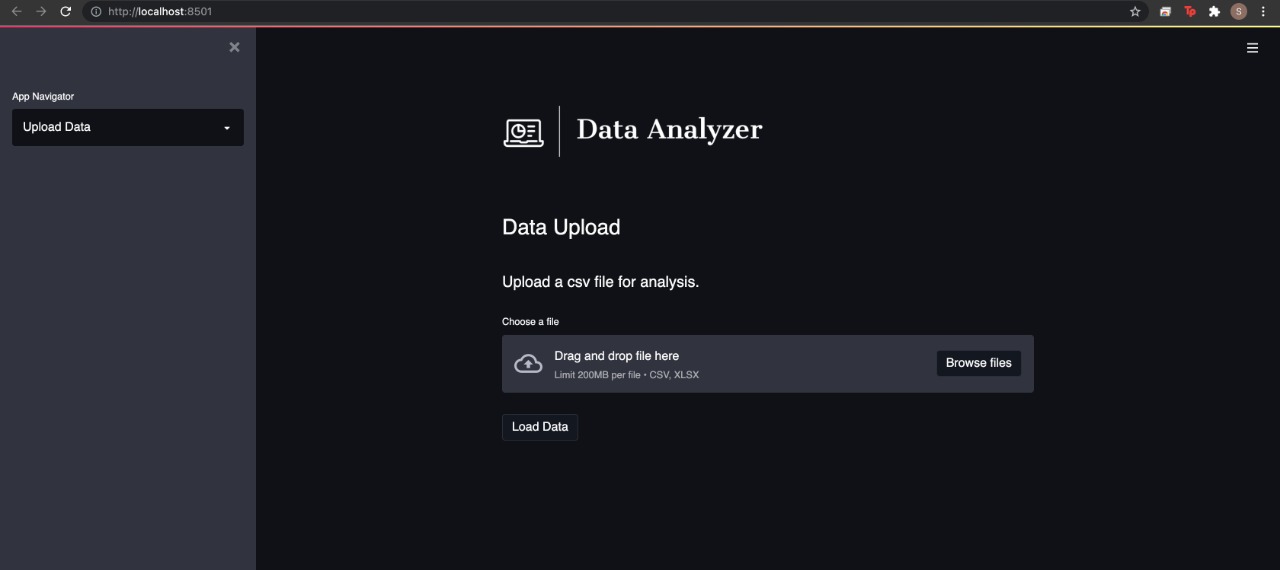
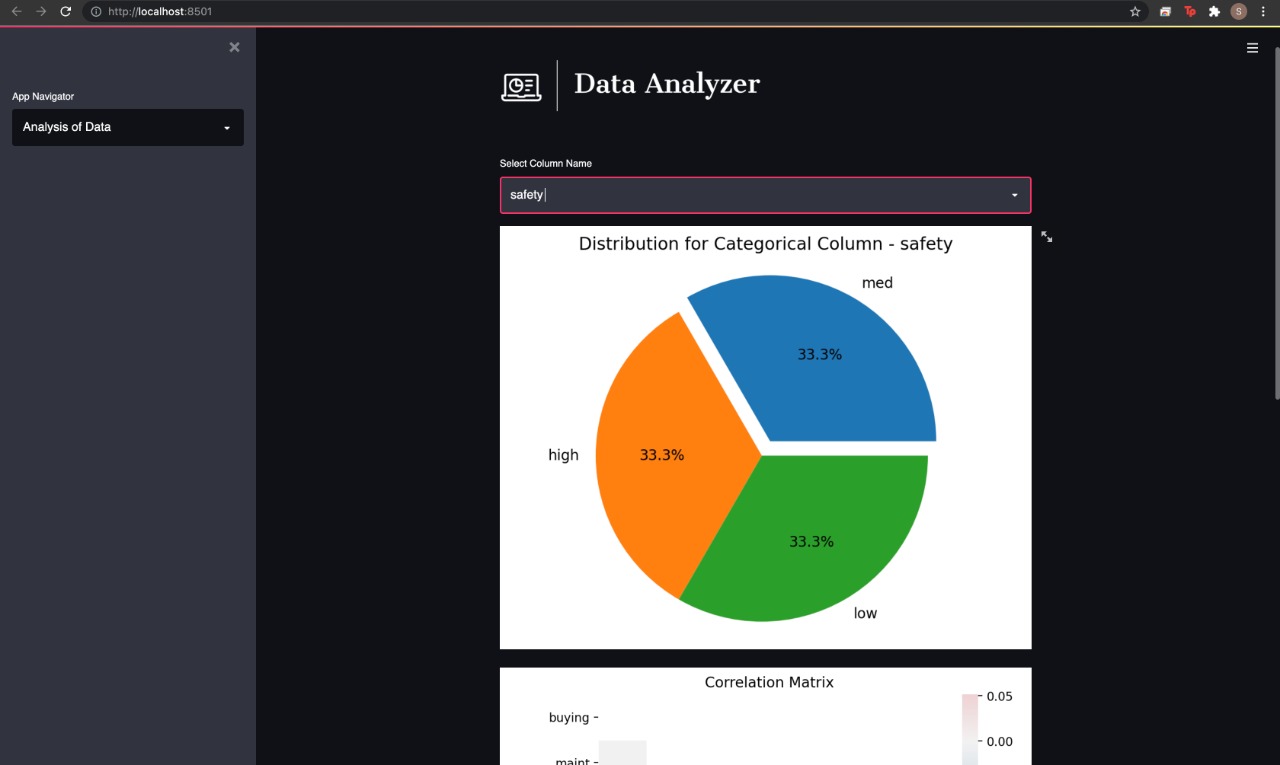
The application is built using Streamlit for a multi-class page implementation. It is divided into various modules and a gist of them is given below: Firstly, Upload Data deals with uploading a .csv or excel files within the limit of 200mb. Once uploaded, it creates a copy of the data and it also saves the columns and along with their data types. Secondly, Changing Metadata gives the user the option to change the column type from the already listed ones. Thirdly, Machine Learning Algorithm automates the process of machine learning by giving the user the power to select independent and dependent variables and then select the type of process. It also saves the best model as a binary .sav file which can be used in the future for inferencing. Along with this, the accuracy is also displayed. Lastly, Analysis of Data and Y-Parameter Optimization shows the user some visualized graphs made using seaborn and gives the user the option to change the graphs based on the different column names.
Challenges we ran into
One of the major challenges we ran into was the varying processing time required for each new dataset which ended up in restarting the kernel each time. Thus making our application slow. Hence, we had to set a limit for uploading the dataset. However, this problem can easily be eliminated by using a third-party API for cloud storage.
Accomplishments that we're proud of
We are proud to contribute to the field of data science in a way that has innovated the way we look at Machine Learning programs. We are also pleased to share that this combined effort has not just been acknowledged as a massive break-through but we have also received many positive feedbacks about this project since its inception.
What we learned
We learnt to integrate multiple pages with StreamLit. Our previous project had taught us the basics of this closed framework but through this project, we were able to stretch our boundaries and dive deeper into the concepts of this closed framework. Our entire team is proficient with the basics of Data Science but its display on an app was not our strong suit until we developed this webapp.
What's next for Data_Analyzer
Chatbot options for a more interactive User Experience. User Profile for enhanced personalization and better data insights based on your tool usage.
Built With
- pandas
- python
- scikit-learn
- seaborn
- streamlit


Log in or sign up for Devpost to join the conversation.