-
-
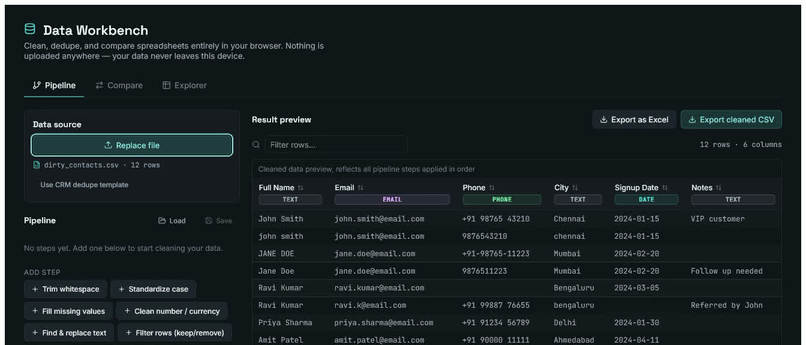
Pipeline For cleaning data
-
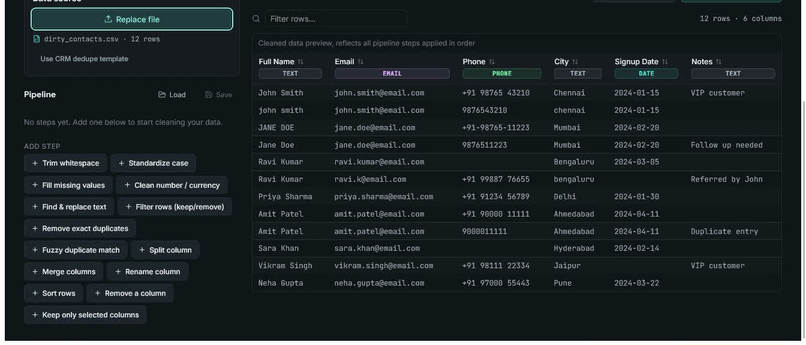
Uploaded Data view
Inspiration
I spend a lot of time working with Power Automate, Power BI, and VBA macros to clean and reconcile data at work — GL reports, budget files, vendor lists, contact exports. Every one of these tools requires a paid Microsoft 365 or cloud subscription, and every time I hand a workflow to someone else, they need the same paid stack just to run it.
I wanted to see if the same class of problem — messy spreadsheets that need trimming, deduplicating, and reconciling against each other — could be solved entirely for free, entirely in the browser, with zero API keys, zero cloud services, and zero recurring cost. Data Workbench is the result.
What it does
Data Workbench is a local-first, no-code data cleaning and reconciliation tool with three parts:
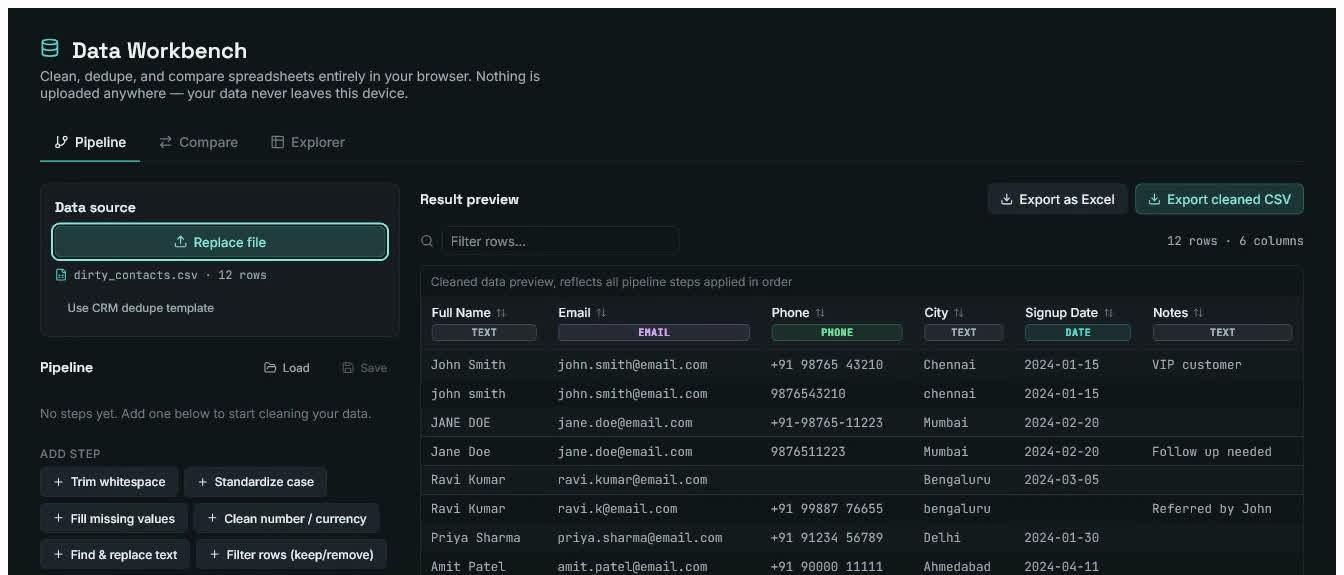
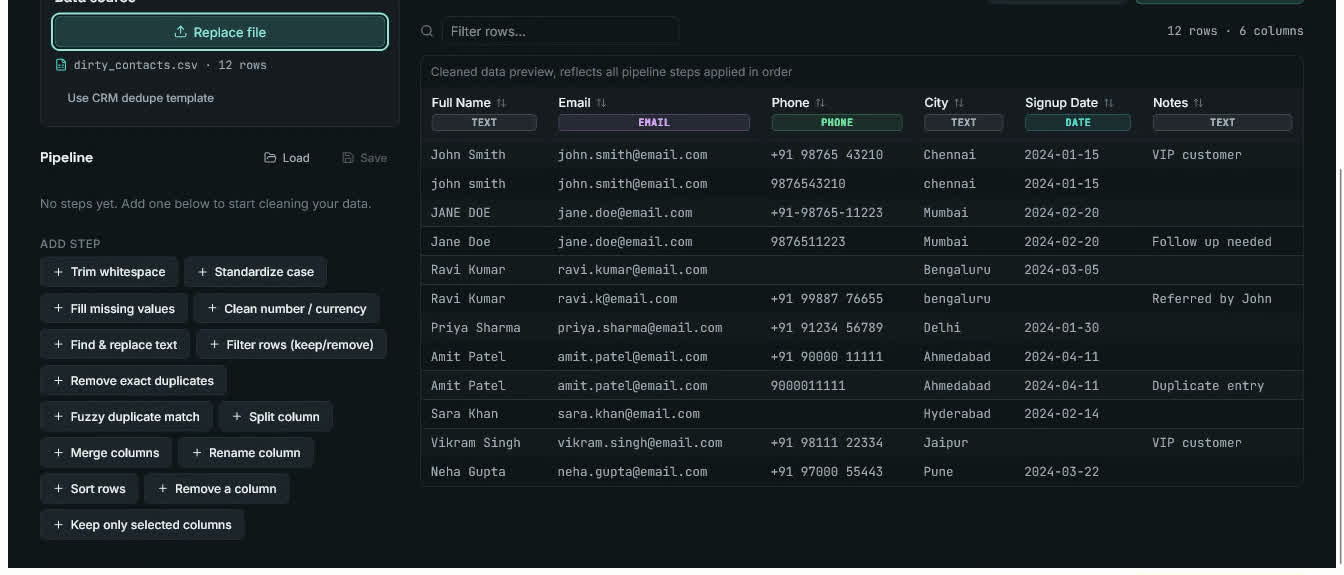
- Pipeline — chain cleaning steps onto any CSV or Excel file: trim whitespace, standardize case, fill missing values, clean currency/number formatting, find & replace, filter rows by condition (including the classic "remove all zero-value rows" case), exact and fuzzy deduplication, split or merge columns, rename columns, sort rows, and keep only selected columns. Every step shows a live before/after row count and a real data preview, so nothing is a black box.
- Save/Load pipelines — a pipeline can be exported as a
.jsontemplate and reapplied to a new file later. This turns a one-time cleanup into a repeatable process — clean January's report once, save the recipe, and reuse it on February's file in one click. - Compare — reconcile two files against each other (e.g. two vendor price lists, two contact exports) using fuzzy key matching, with automatic delta calculation on a chosen value column and clear matched/unmatched reporting.
- Explorer — automatic column type detection (date, number, currency, email, phone, text) with null and unique counts, for a fast data-quality overview of any uploaded file.
Everything runs client-side in the browser. No file is ever uploaded to a server — there is no server. This matters for anyone handling sensitive business data who can't or won't paste it into a cloud tool.
How I built it
React + Vite, with PapaParse for CSV parsing, SheetJS (xlsx) for Excel parsing, and a hand-written Levenshtein-distance similarity function for fuzzy matching (no external NLP/AI library — deliberately rule-based, so it's fully auditable and has zero external dependency risk).
The whole app is a single reusable component tree: a StepEditor renders the
right controls for whichever pipeline step is selected, and applyStep() is a
pure function that takes data + a step definition and returns transformed
data + a human-readable summary of what changed. That separation made it easy
to keep adding new step types without the UI growing more complex.
I also treated accessibility as a first-class requirement rather than an afterthought: every control has a real associated label, the tabs use proper ARIA roles, focus is always visible, and live regions announce row-count changes as pipelines run.
Challenges I ran into
The most instructive bug: my first version of the "Split column" step used a free-text delimiter field. During testing, I typed the word "space" into that field instead of an actual space character — and the split silently did nothing, because it was searching for the literal 5-character substring "space" rather than a whitespace character. It looked like a bug in the splitting logic, but the real problem was the UI inviting a natural but wrong input. The fix was to replace free text with a delimiter picker (Space / Comma / Hyphen / Tab / Custom) so the ambiguity can't occur in the first place — a good reminder that a lot of "logic bugs" are actually interface design problems.
Deployment was its own learning curve — going from a working local dev server to a live, publicly reachable GitHub Pages link, entirely through the browser (no local Git installed), using GitHub Actions to build and deploy on every push instead of running the build locally.
Accomplishments I'm proud of
- A genuinely reusable automation story (save/load pipelines), not just a one-shot cleaner
- Zero external API/cloud/AI dependency — the entire tool works offline once loaded
- Caught and fixed a real, non-obvious UX bug (the delimiter issue) through systematic testing with deliberately messy sample data
- Built with accessibility as a requirement, not a retrofit
What's next
- Package the same React code as a desktop app (Electron/Tauri) for people who want an installed tool rather than a browser tab
- File-system utilities (bulk rename, duplicate file finder) as a second module
- More one-click templates (survey analysis, timesheet reconciliation, GST invoice validation)
- Optional richer Excel export (preserving formatting) using a heavier library like ExcelJS

Log in or sign up for Devpost to join the conversation.