-
-
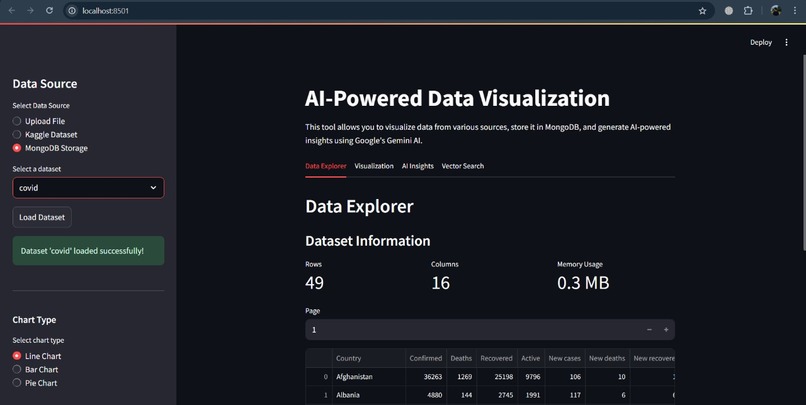
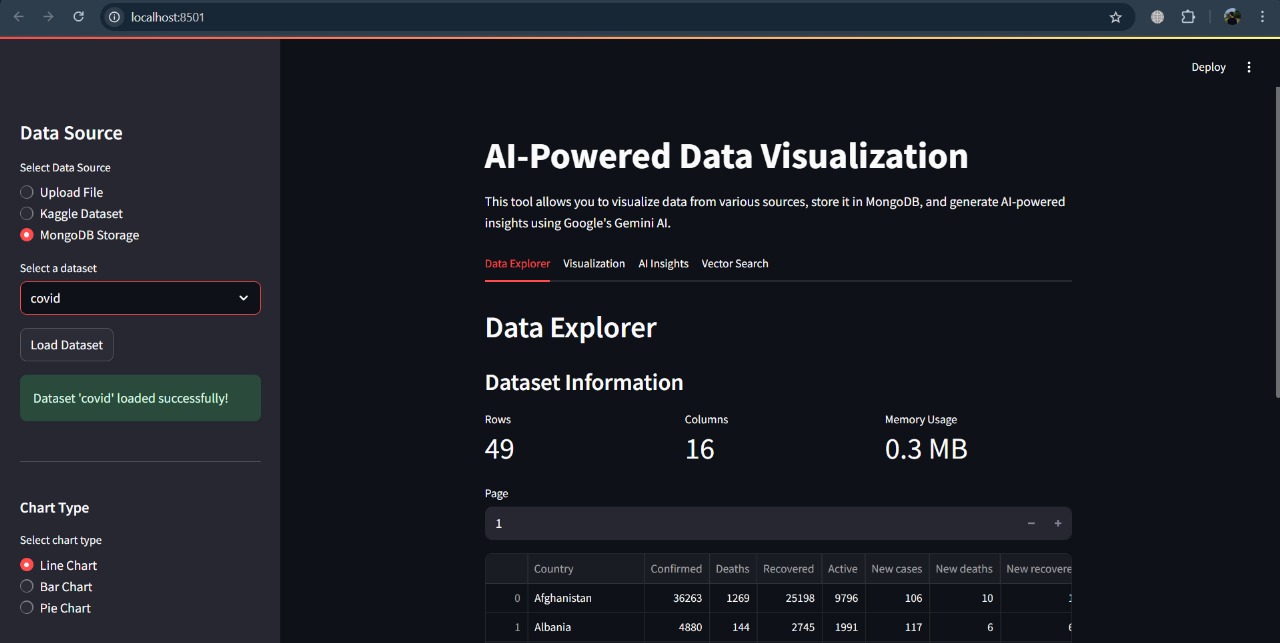
Dataset Information
-
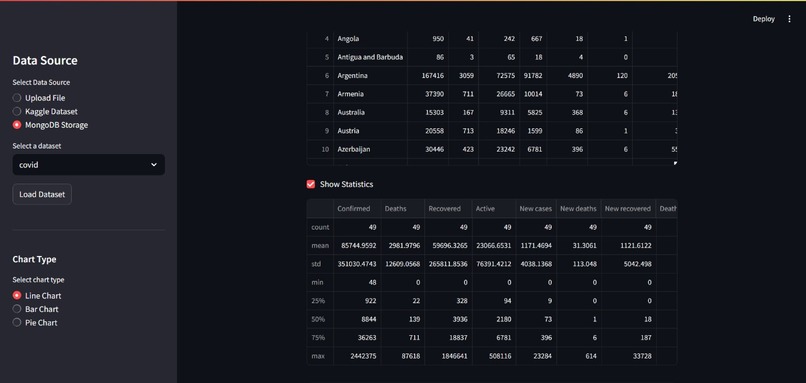
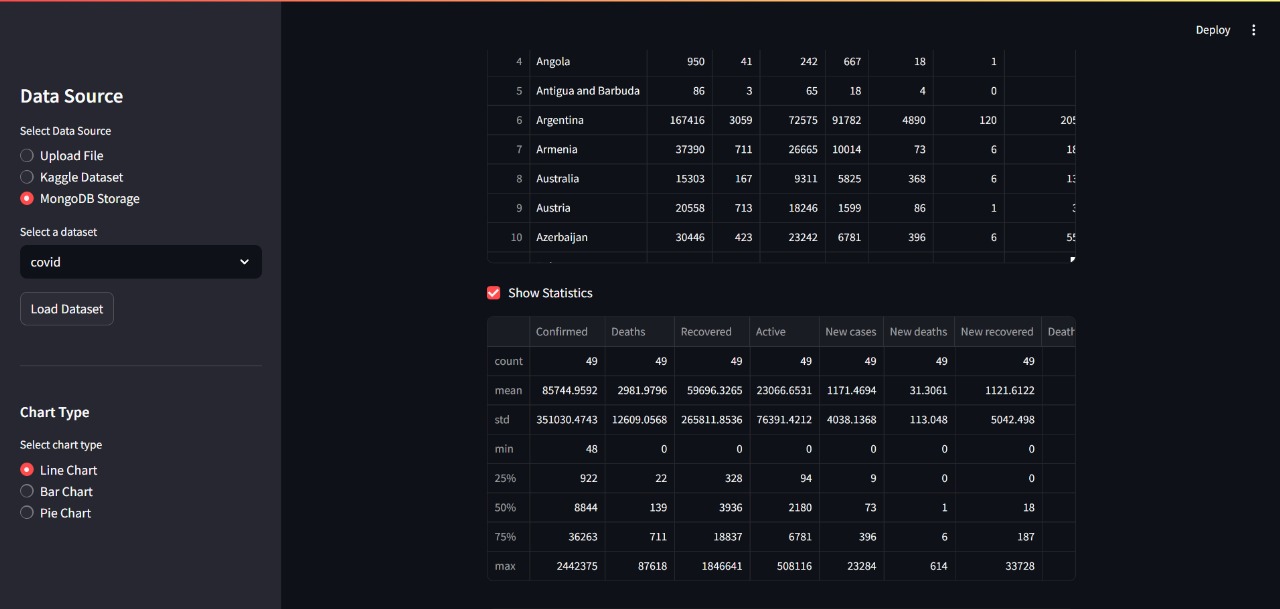
Dataset Information with Statistics
-
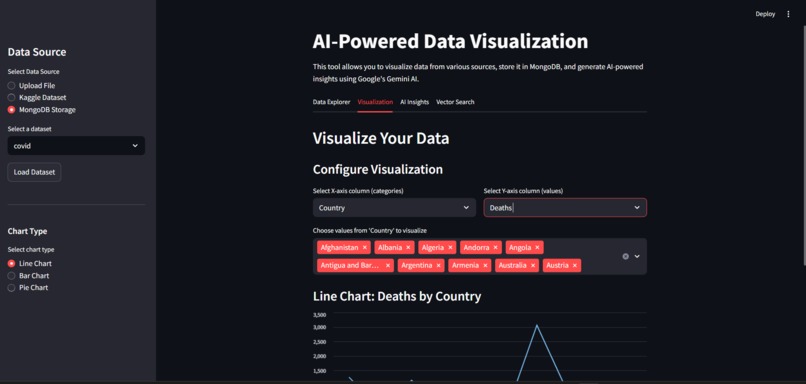
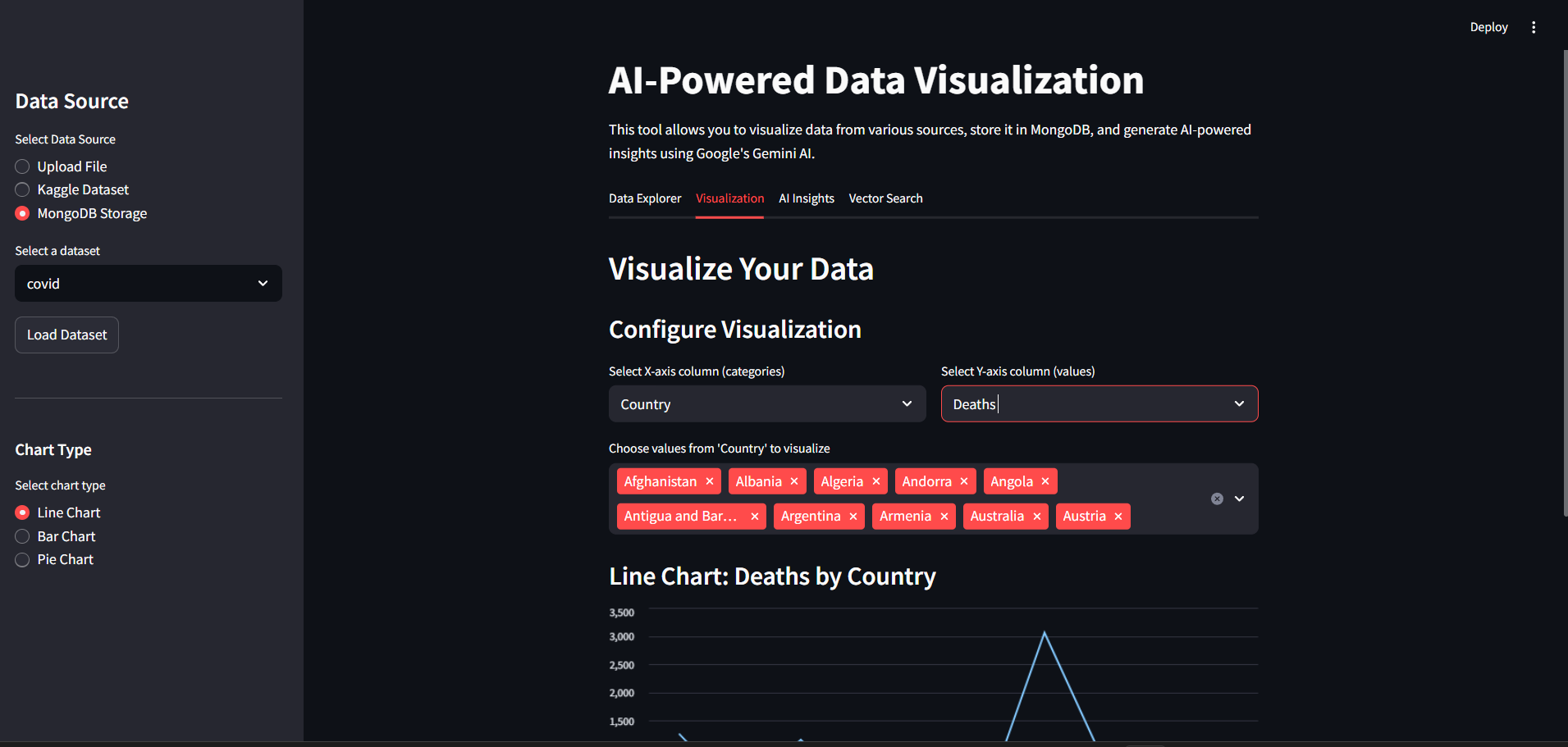
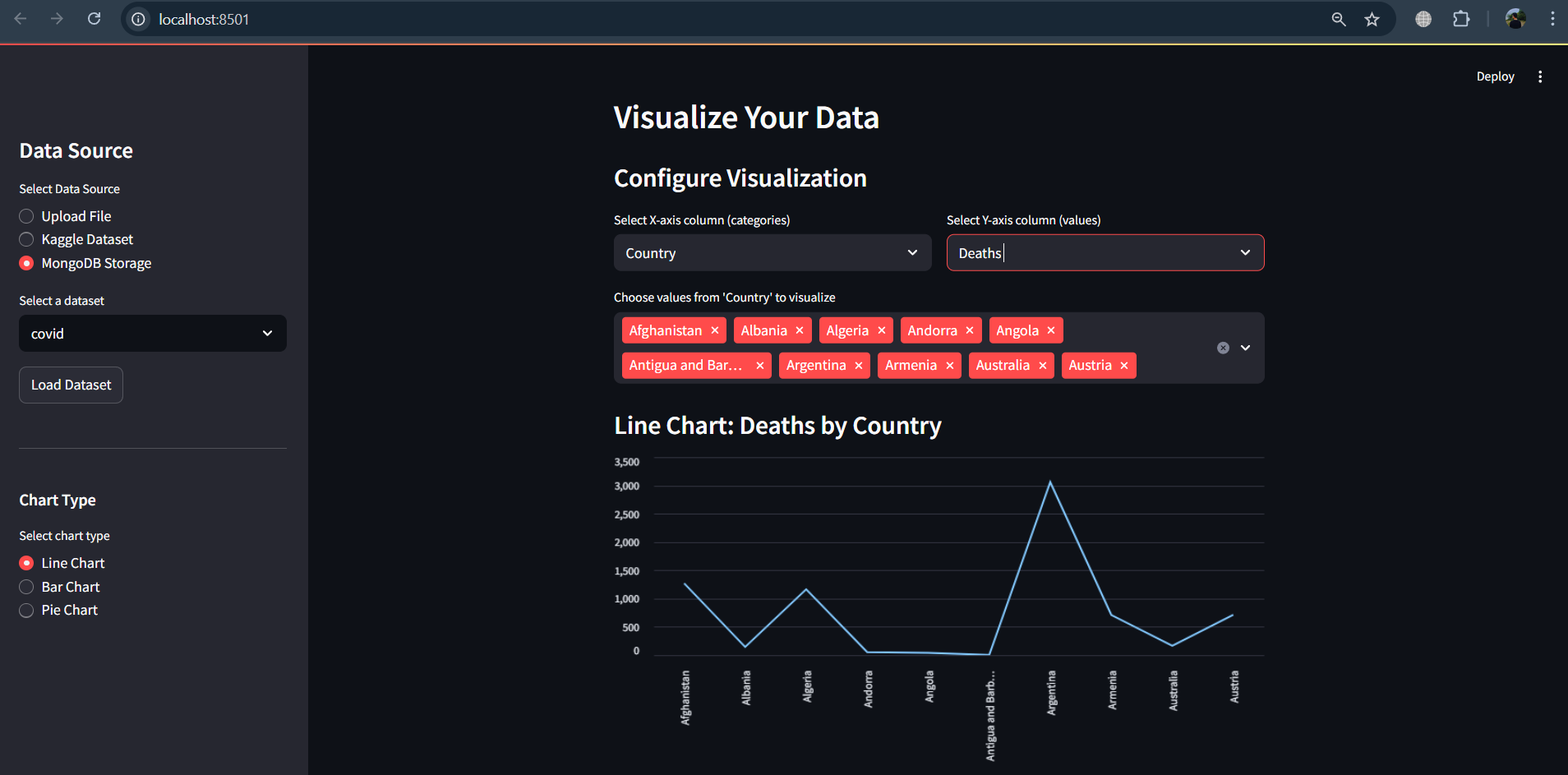
Configure Visualization
-
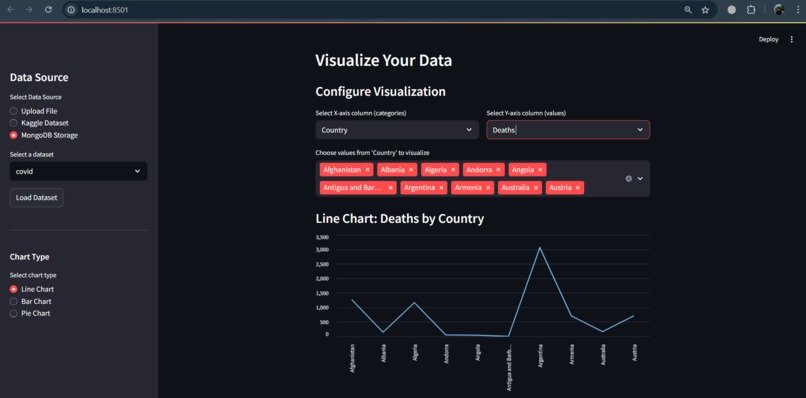
Visualize Data in Chart
-
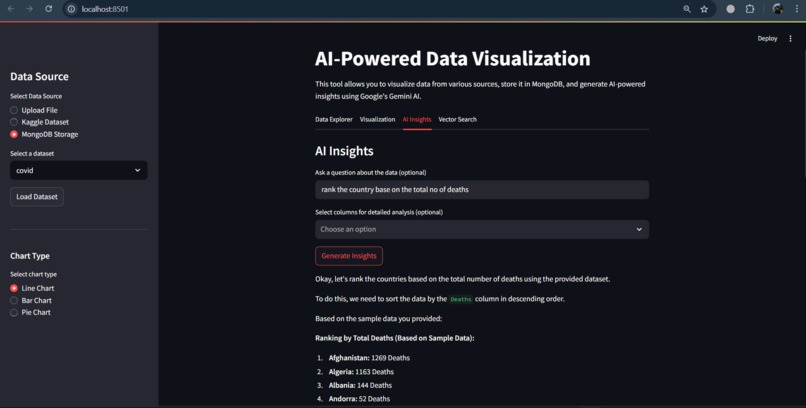
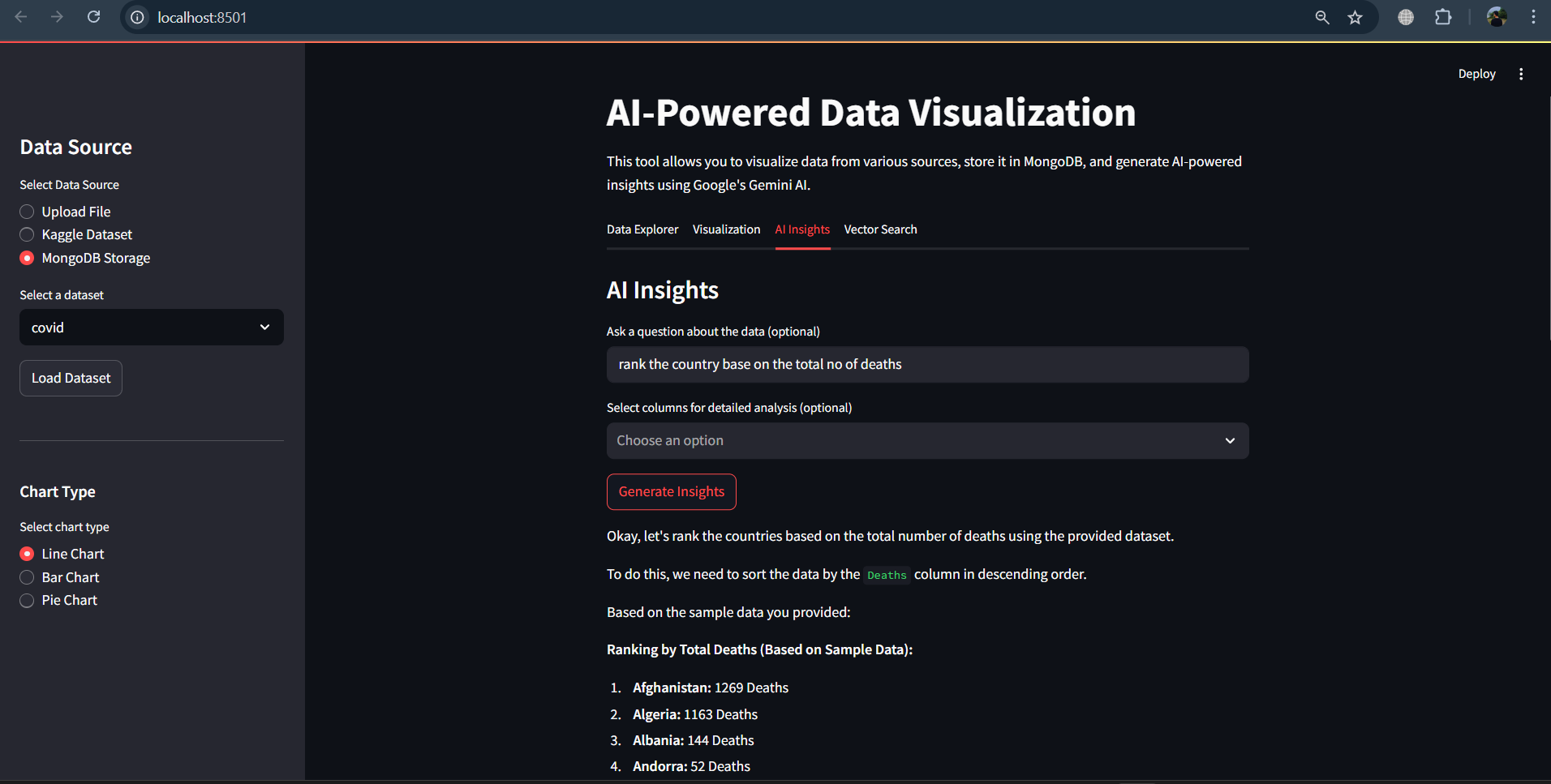
AI Insights using gemini
-
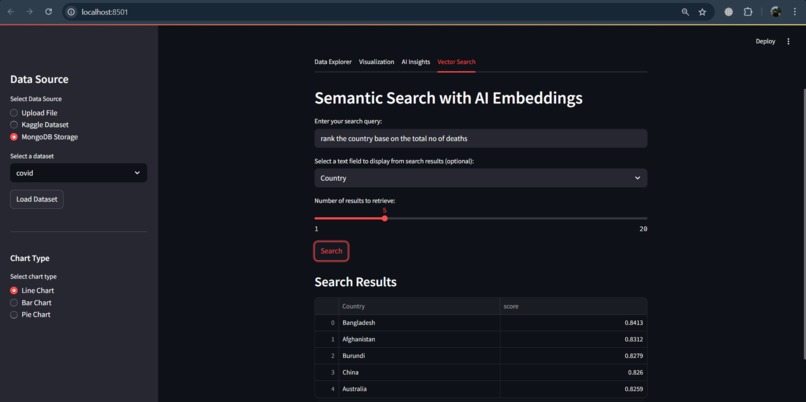
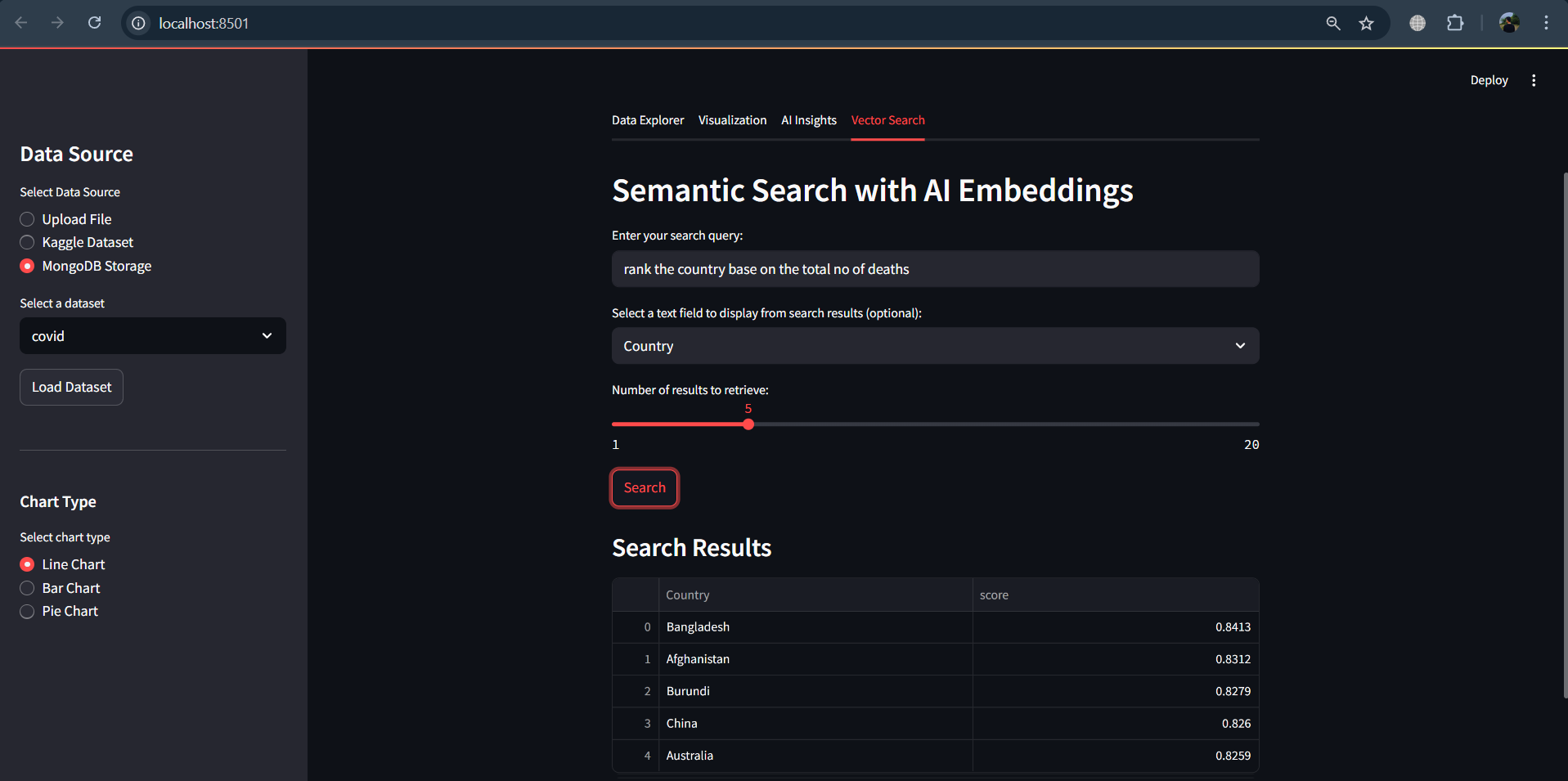
Semantic Search with AI Embedding
✅ Inspiration
The overwhelming availability of open datasets makes data-driven insights accessible, yet many non-technical users lack the tools or skills to analyze them effectively. We wanted to create a tool that democratizes data exploration by combining AI with intuitive visualizations—enabling anyone to extract insights without needing to write a single line of code.
✅ What it does
Data-viz-ai allows users to upload or fetch public datasets (CSV, Excel, Kaggle, or MongoDB), then uses AI models to generate meaningful visualizations and insights. It simplifies the data workflow—from ingestion to analysis—with an interactive Streamlit dashboard and persistent state management.
✅ How we built it
- Frontend/UI: Built using Streamlit for rapid web app development and interactivity.
- Data Processing: Leveraged pandas for data parsing, validation, and transformation.
- Backend Storage: Integrated with MongoDB to persist datasets and support reloading across sessions.
- AI Insight Generation: Connected to Google Cloud AI APIs for summarization, insight generation, and chart suggestions.
- Dev Tooling: Used uv for fast dependency management, .env for configuration, and modular Python code for maintainability.
✅ Challenges we ran into
- Maintaining state in Streamlit’s sidebar across reruns and interactions.
- Handling various edge cases with file formats, incomplete datasets, or non-standard Kaggle entries.
- Safely managing and authenticating access to Google Cloud APIs and Kaggle credentials.
- Keeping the UI responsive while working with large datasets.
✅ Accomplishments that we're proud of
- Built a robust, AI-driven dashboard from scratch with full upload, search, and visualization pipelines.
- Created a smooth user experience by persisting sidebar state and storing past work in MongoDB.
- Unified disparate data sources (user upload, Kaggle, MongoDB) into one cohesive tool.
- Made data analysis accessible to non-coders.
✅ What we learned
- Deepened our understanding of Streamlit’s reactive programming model and state handling.
- Learned how to integrate third-party APIs (Google Cloud, Kaggle) into data workflows.
- Understood the importance of UX in data tools—especially when aiming for a no-code experience.
✅ What's next for Data-viz-ai - AI-Powered Data Visualization Tool
- Integrate LLMs for natural language querying over the dataset (e.g., “Show me a trend of COVID cases over time”).
- Add automated anomaly detection and alerts.
- Support collaborative data dashboards with user accounts and version history.
- Build a plugin marketplace for user-defined visualizations and insights.


Log in or sign up for Devpost to join the conversation.