-
-
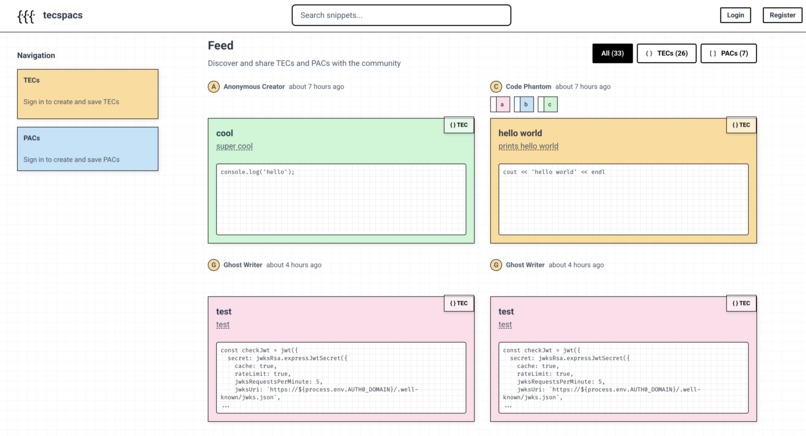
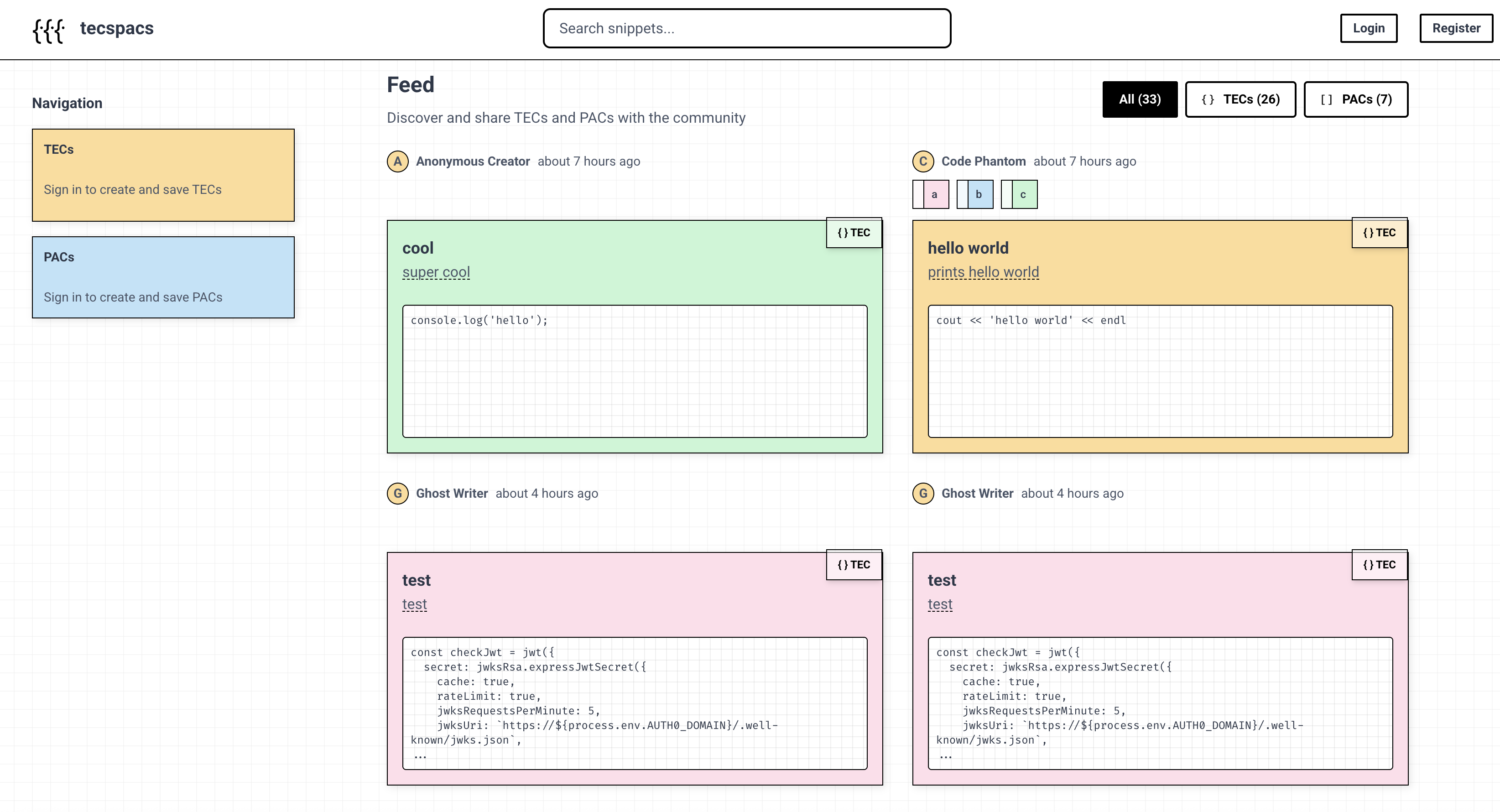
Front end of the Web App
-
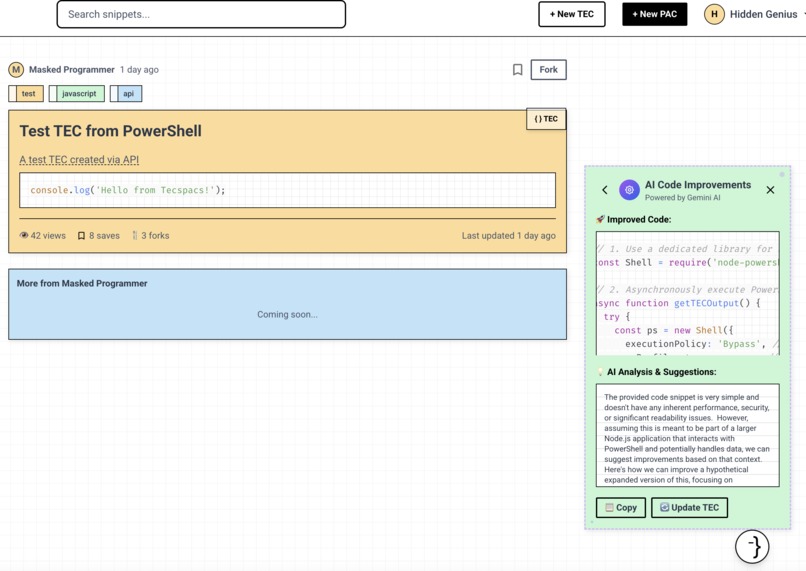
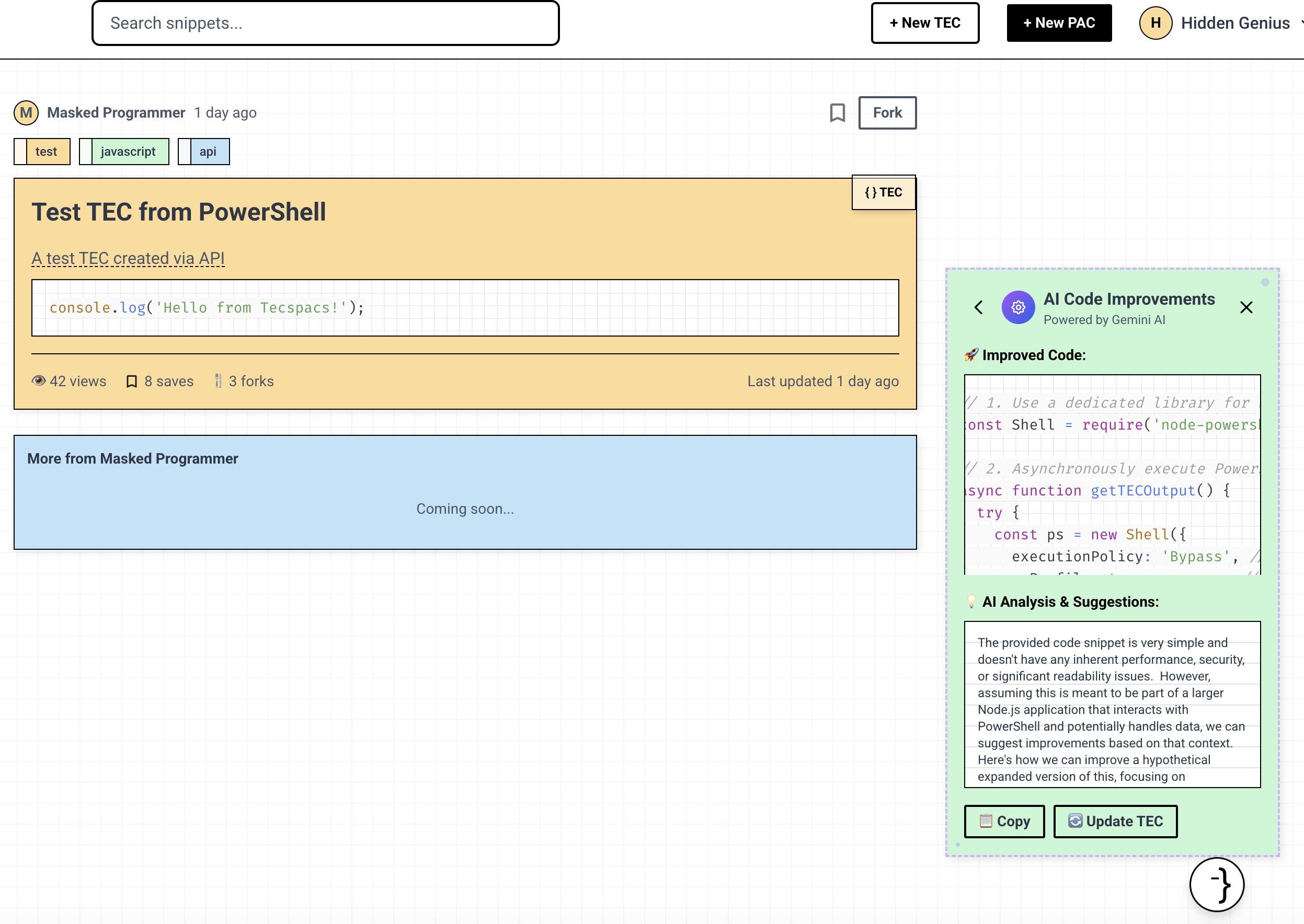
AI Powered code improvement & summary
-
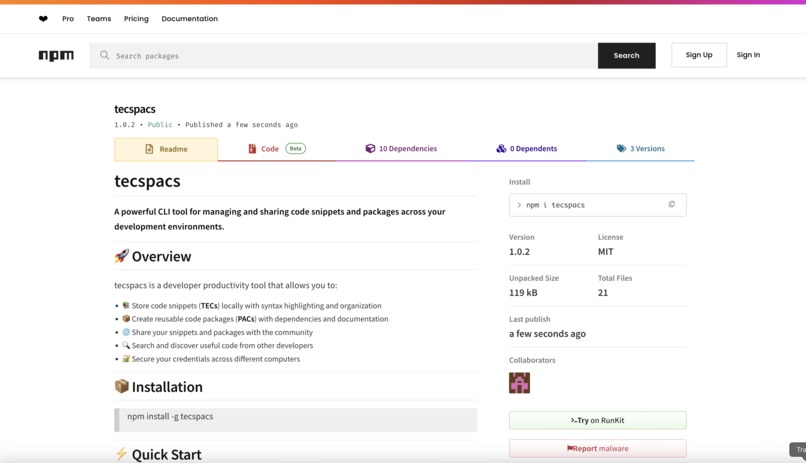
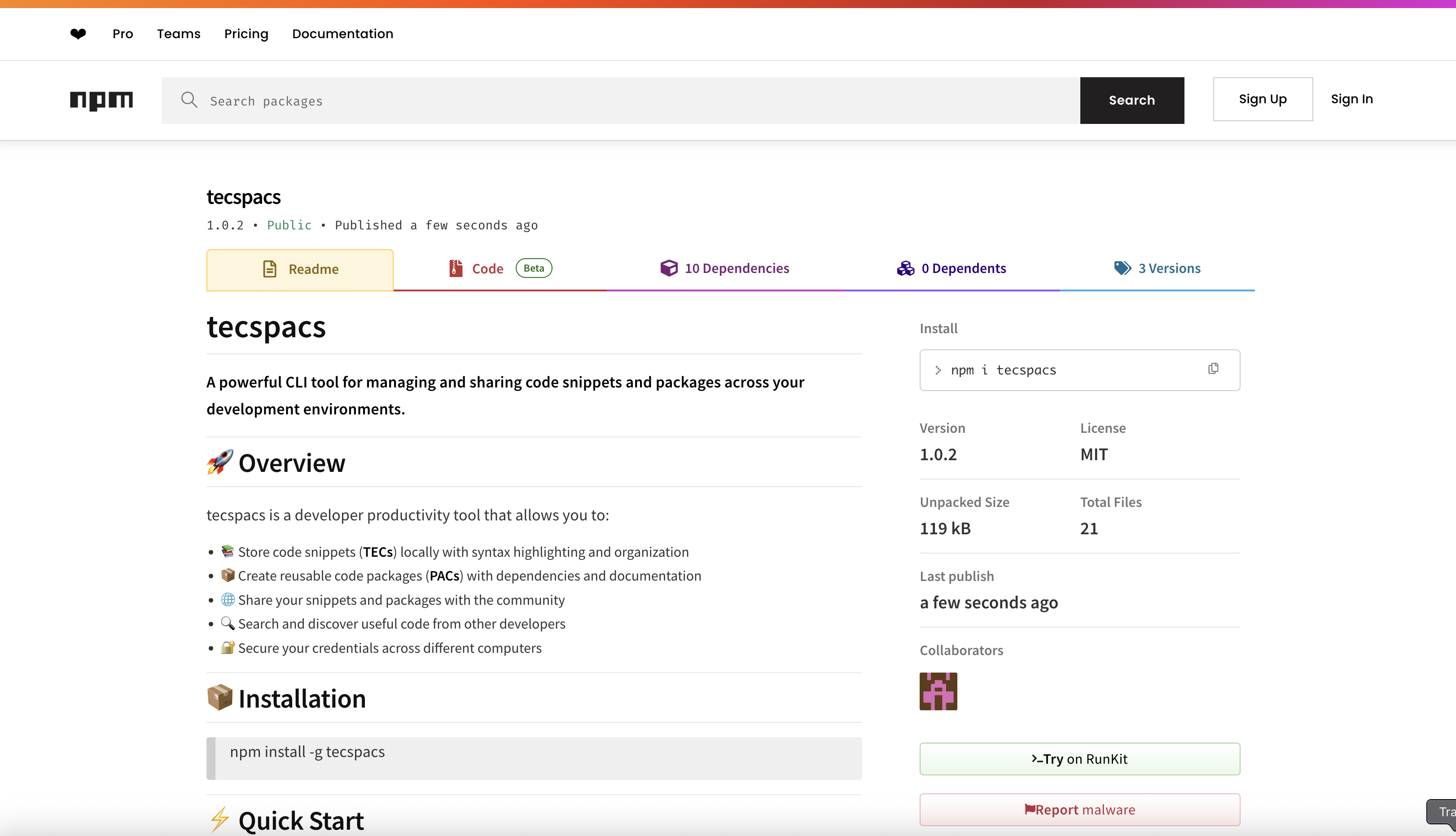
Tecspacs hosted on npm
-
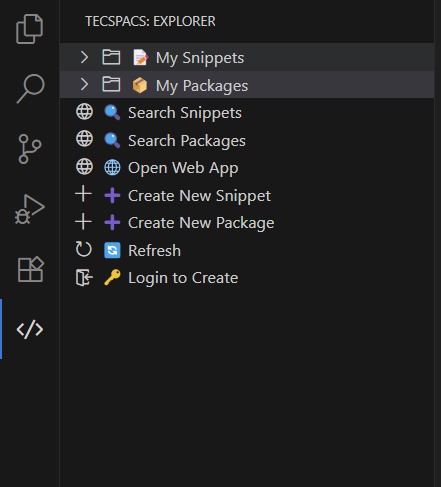
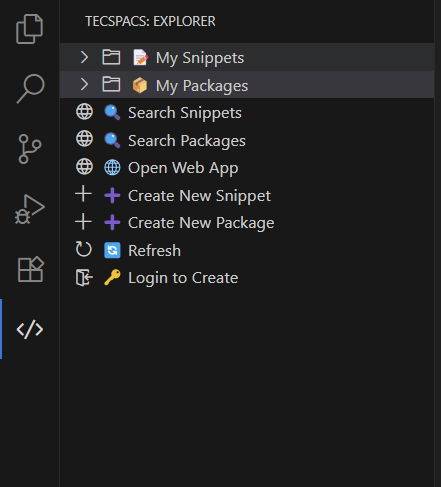
VS Code Extension
💡 Inspiration
Developers often reuse code snippets and mini utilities across projects, but keeping them organized, reusable, and sharable is frustrating. Tools like npm or pip are too heavy for small personal use, while note-taking apps like Notion aren’t built for live code reuse. We wanted to build a developer-first tool that feels light, visual, and fun—something like sticking your favorite code onto a digital sketchbook.
⚙️ What it does
Tecspacs is a personal + collaborative snippet/package manager. Developers can create and browse TECs (code snippets) and PACs (mini packages). The MVP allows users to browse and view snippets, create new ones, and interact with them in a playful sticky-note UI. While authentication isn’t required yet, the full UI for login, register, and profiles is in place. We also added AI features (summary and code improvement) to help developers better understand and refine their code.
🏗️ How we built it
For frontend, we used React + TypeScript and styled everything with Tailwind CSS, custom components, and a strong UI identity: sticky notes on a sketchbook. The frontend communicates with a REST API and handles tokens using Auth0's SPA SDK. For backend server we used Javascript for the REST API implementation and MongoDB for storage. We created the CLI and VS Code Extension using Javascript as well.
🧱 Challenges we ran into
- Integrating Auth0 properly and handling token-based auth between frontend and backend required a lot of configuration.
- Calling AI endpoints via ngrok tunnels caused CORS and header issues we had to debug deeply.
- Since we did not have that much experience with building a CLI tool or a VS code extension, we ran into some obstacles during implementation and especially in deployment.
🏆 Accomplishments that we're proud of
- We were able to finish all 3 parts of the project: the web app, CLI tool, and VS Code Extension, also we were able to connect all 3 parts together.
- The sticky note visual identity is unique and gives the app a playful, creative vibe, something not usually seen in dev tools.
- We were able to integrate a fully working AI assistant for summaries and improvements with real-time feedback.
📚 What we learned
- How to integrate Auth0 in a secure, flexible way using access tokens and route protection.
- Learn the full cycle of full stack development.
- How to implement a CLI tool and VS Code Extension, and how to deploy them.
- How to integrate AI assistants like Gemini into our app
🚀 What's next for Data HackFest Project
- Including more API endpoints to allow more flexible customizations of tecs/pacs and user profiles.
- Adding customizations for users' tecs/pacs like pinning code snippets on their profile pages.
- Allow users to switch between list and post views to view their tecs/pacs in profile pages.
- Adding more social features like co-authoring tecs/pacs, sharing tecs/pacs, and starting a project together.
- Adding version controls for tecs/pacs similar to github
Built With
- auth0
- gemini
- javascript
- mongodb
- react
- tailwind
- typescript
- vercel


Log in or sign up for Devpost to join the conversation.