Inspiration
Thought it would be neat.
What it does
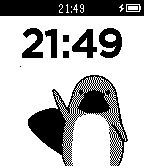
DashDot allows you to type a message on your android phone which gets transmitted as morse code to a pebble smartwatch, which can then be read by the user by feeling the watch's vibrations. The pebble app also allows you to respond to these messages also using morse code (and the 3 side buttons), which is translated back into words by the other user's android phone. The pebble app has 2 modes, one which displays the messages as text on the screen, and the other which appears as a clock, giving the appearance that you aren't receiving messages at all. Both modes vibrate the messages through morse code, meaning reading them off the screen is optional.
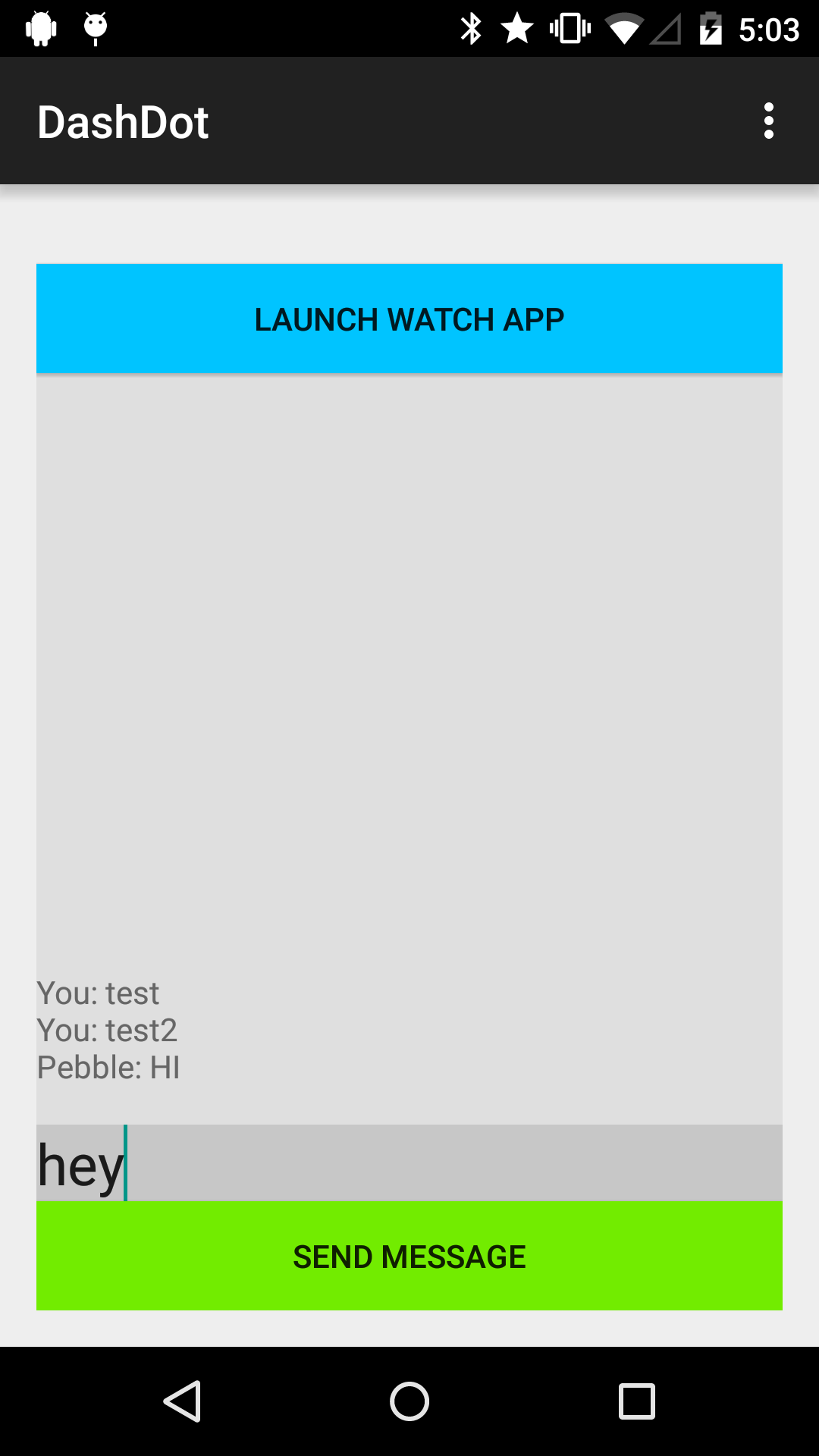
The android app allows the user to type a message to be sent to the connected pebble, and also shows a transcript of the conversation so far. It also allows the user to activate the pebble app remotely to begin sending messages immediately.
Controls
The top button places a dot (or 'dit'), the bottom button places a dash (or 'dah'), and the center button sets the current set of dashes and dots as the next letter (it also automatically does this after 4 button presses since morse code has max 4 symbols per letter). Double clicking the top button finishes the current letter and sends the previously completed letters to the paired cellphone. Triple clicking the middle button switches between reading mode and clock mode.
How I built it
Android Studio and PebbleCloud, testing on a real pebble.
Challenges I ran into
I was originally going to provide the ability to tap the pebble for morse code input, but wasn't satisfied with the accuracy. I also ran into a few memory leaks which I eventually fixed.


Log in or sign up for Devpost to join the conversation.