Inspiration We kept watching teams juggle scripts and buttons just to tweak thresholds, run TabPy simulations, or refresh dashboards. Tableau MCP promised a better way—build on its tools and let the dashboard act like a teammate: you talk, it acts, and everything stays up to date without extra clicks.
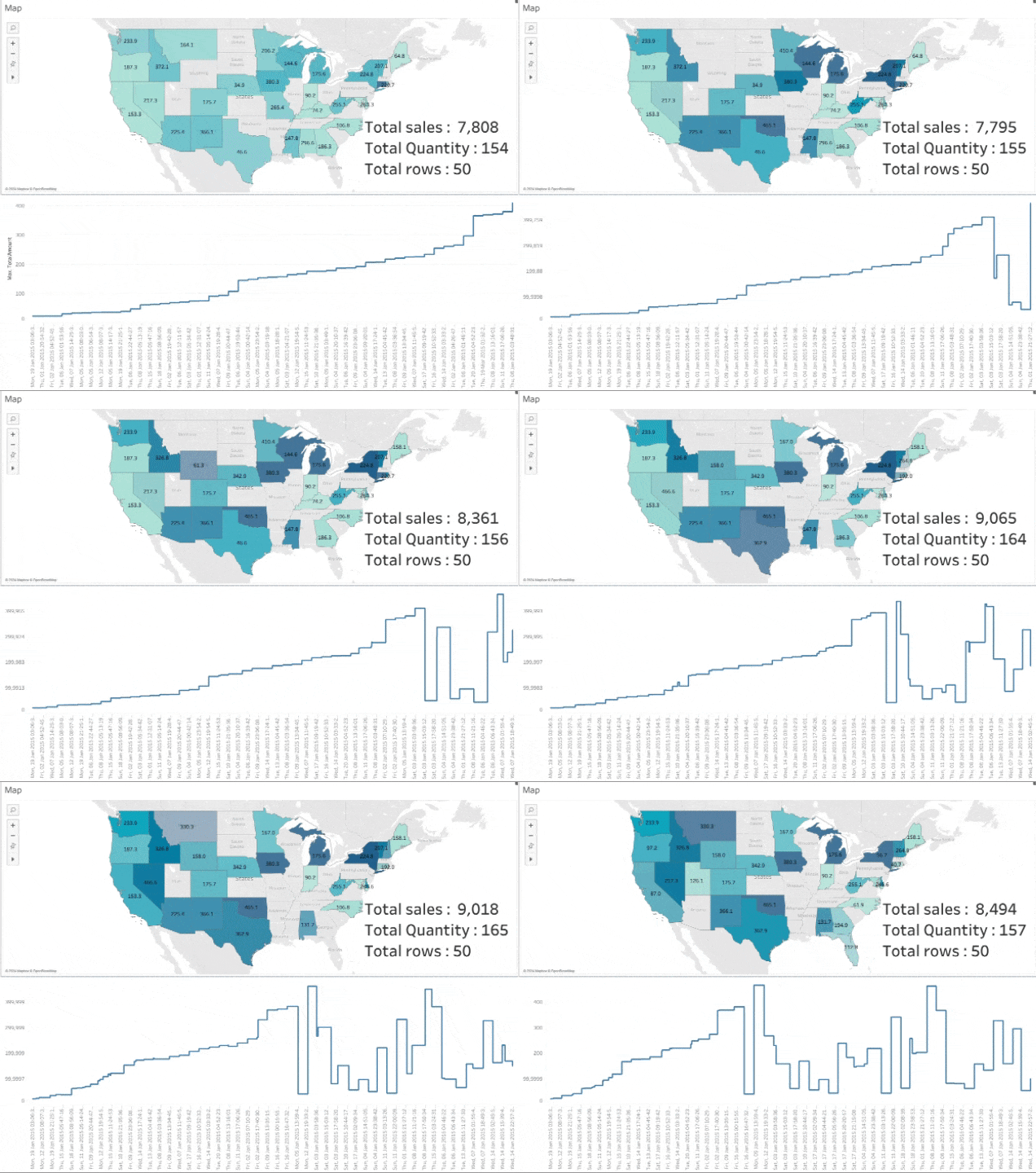
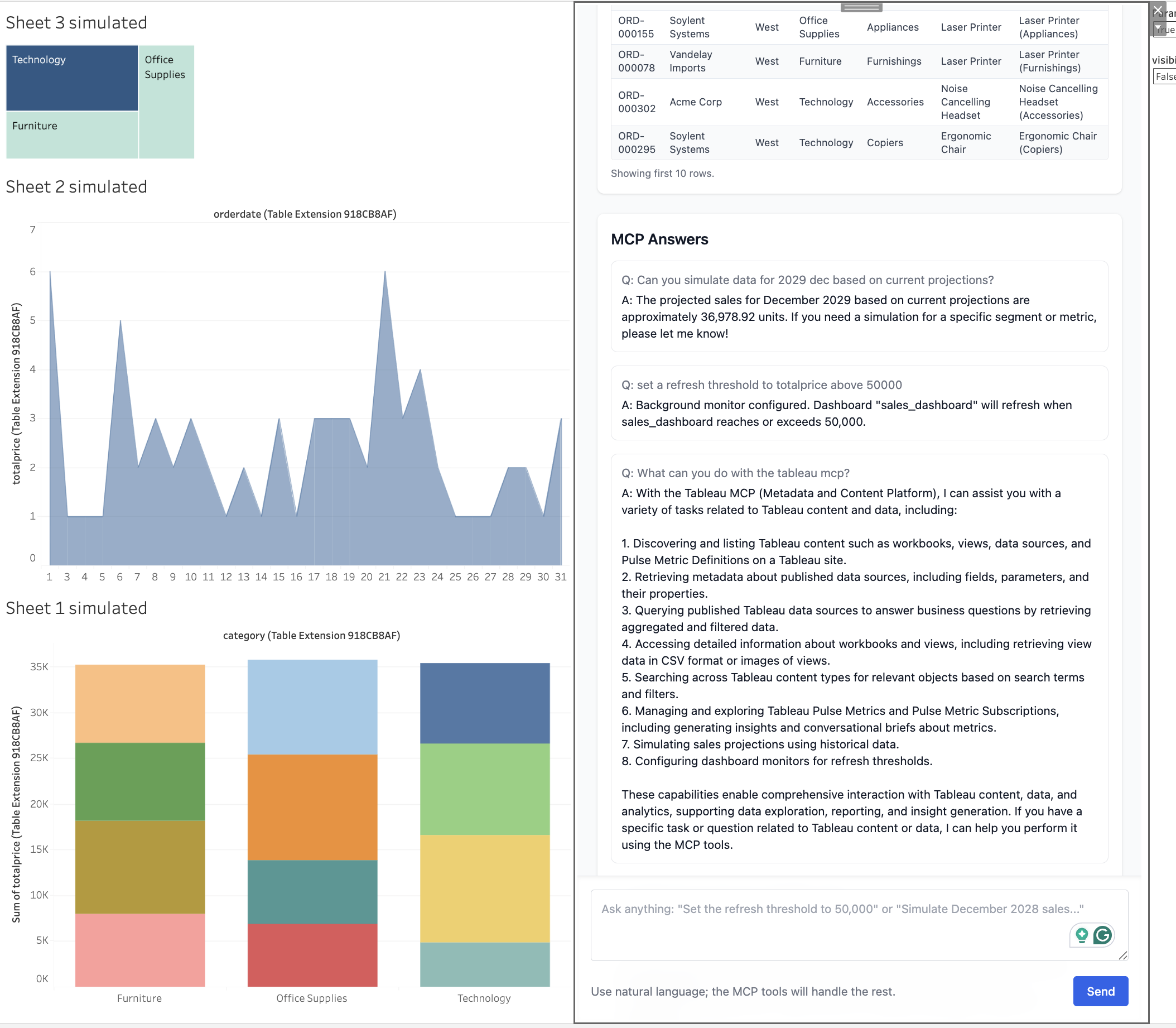
What It Does You chat with the dashboard in plain language—“set the alert to 120k,” “simulate December sales,” “stream data.” Thanks to Tableau MCP, it replies with the results, stores simulations, and can flip into a streaming mode that refreshes the datasource every 2 seconds, re-running the TabPy script so visuals look real-time.
How We Built It
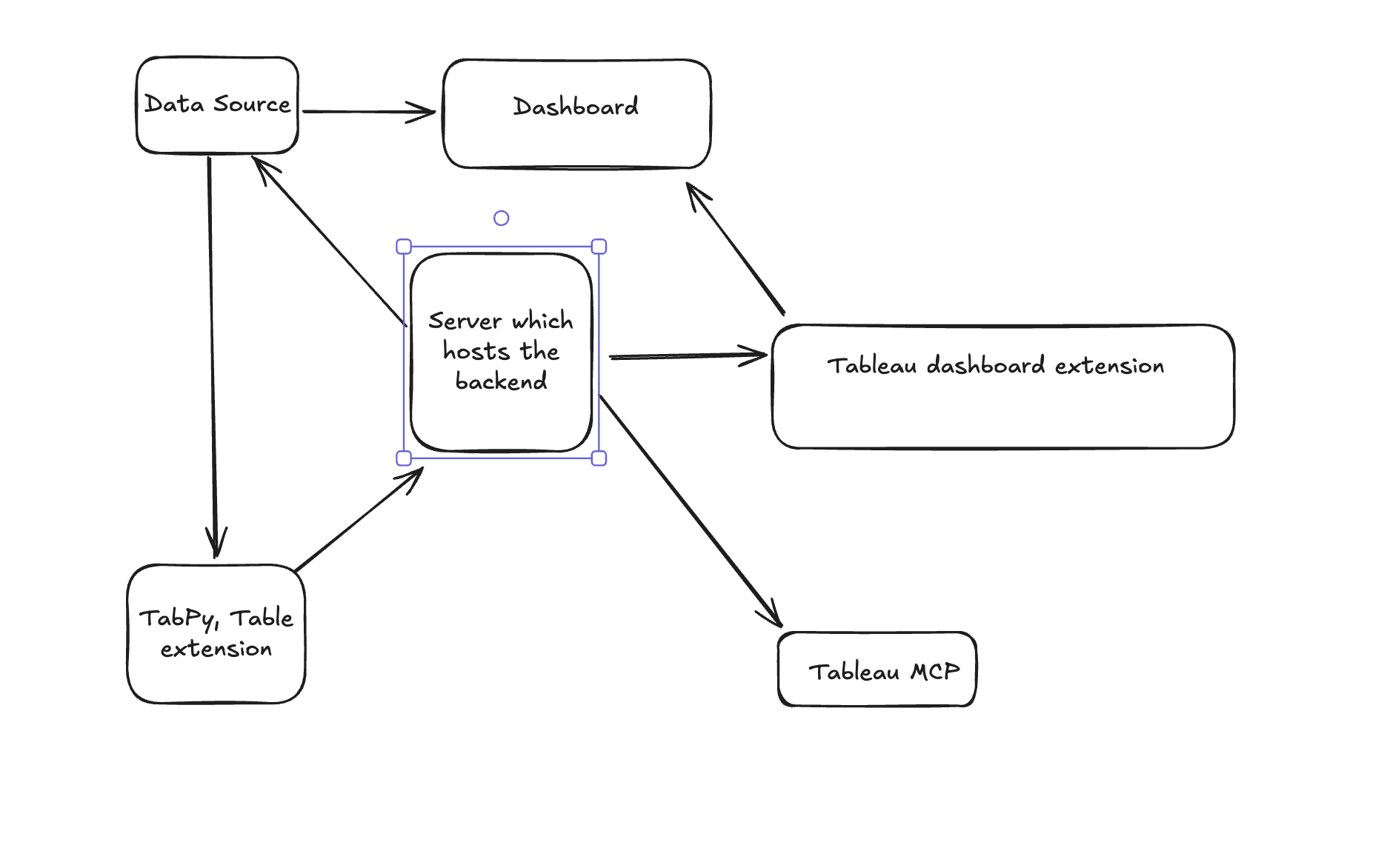
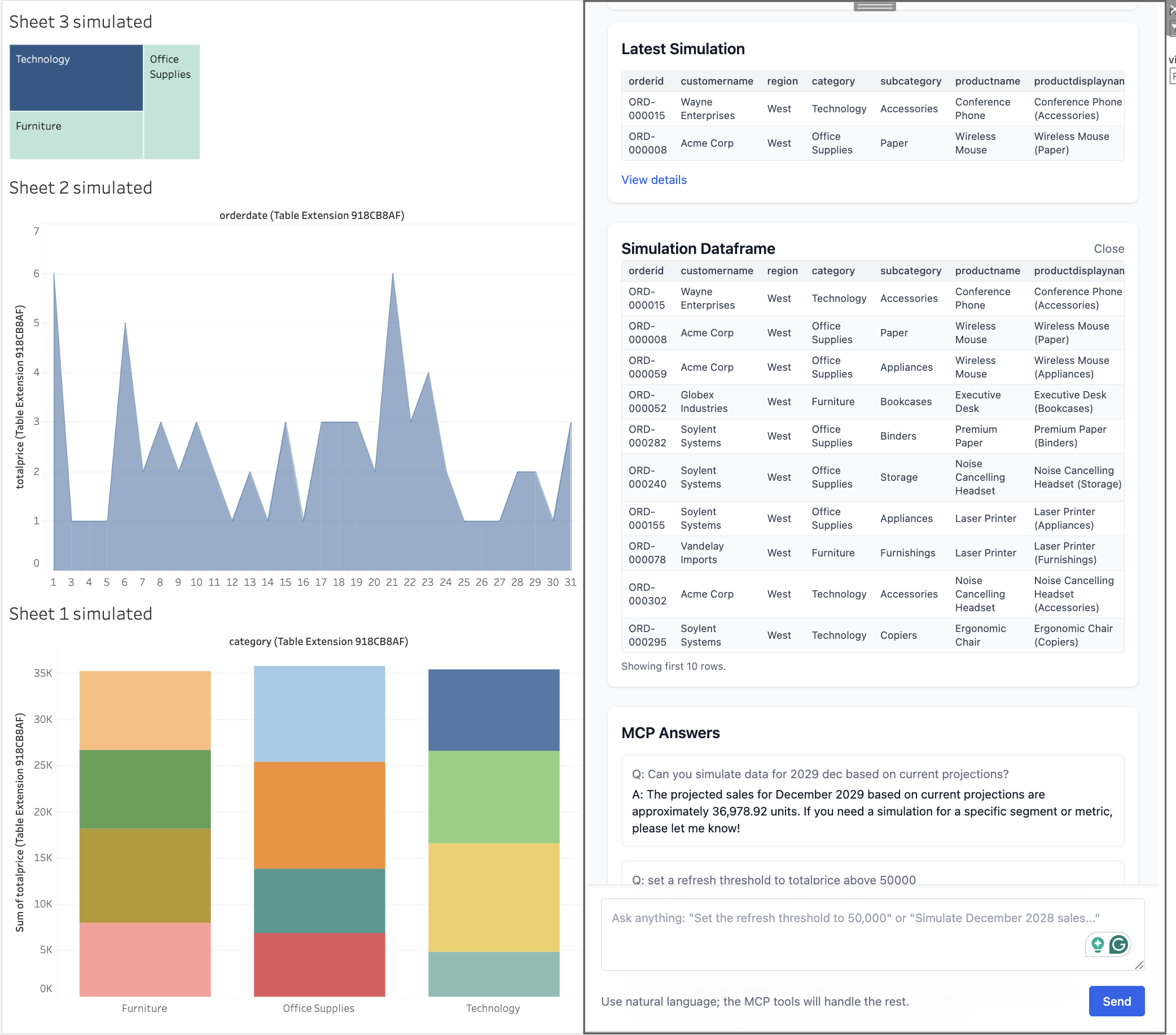
A Bun server fronts Tableau MCP, so every prompt flows through /ask and can trigger any MCP tool we register: threshold monitoring, background jobs, notifications, simulations. A React app packaged as a .trex extension runs inside Tableau; once initialised it grabs worksheet handles and calls refreshAsync() whenever you ask—again powered by Tableau MCP instructions. That re-runs the TabPy logic underneath, giving the “stream data” effect. Simulations post their dataframes via MCP endpoints (/simulations), and the UI keeps a history plus “View details” previews. Because everything routes through Tableau MCP, adding new capabilities is as simple as wiring another MCP tool. Challenges We Ran Into
Tableau only exposes the Extension API when the .trex manifest and certificates are perfect; any mismatch throws “internal-error” during initializeAsync. We had to build graceful fallbacks so the Tableau MCP chat still works outside Tableau. Coordinating MCP responses, simulation storage, and frequent datasource refreshes required careful state management and clear user messaging so the Tableau MCP-powered actions never feel opaque. Accomplishments We’re Proud Of
One chat box now handles threshold monitoring, background jobs, notifications, simulations, and streaming refreshes—because Tableau MCP makes those extensions plug-and-play. Streaming mode keeps re-running the TabPy script every 2 seconds, giving dashboards a live feel entirely driven by Tableau MCP commands. What We Learned
Tableau MCP is the backbone; once /ask is wired, new MCP tools (different alert types, richer simulations) Users need explicit confirmations, so every Tableau MCP action—threshold changes, simulations, streams—sends a short “AI response” t What’s Next for Dashboards That Live
Add more Tableau MCP-driven skills (parameter tuning, multi-worksheet streaming controls, richer notifications). Surface TabPy parameters in the chat so users can tweak models before the Tableau MCP refresh kicks in. Package the Bun + React + Tableau MCP setup as a starter kit so others can spin up conversational, live-feeling dashboards quickly.
Built With
- bun
- react
- simulations
- tableau-cloud
- tableau-extensions-api-(.trex)
- tableau-mcp
- tableau-rest-api/vizql
- tailwind-css
- thresholds
- typescript
- vite


Log in or sign up for Devpost to join the conversation.