Story & Reflection
Inspiration
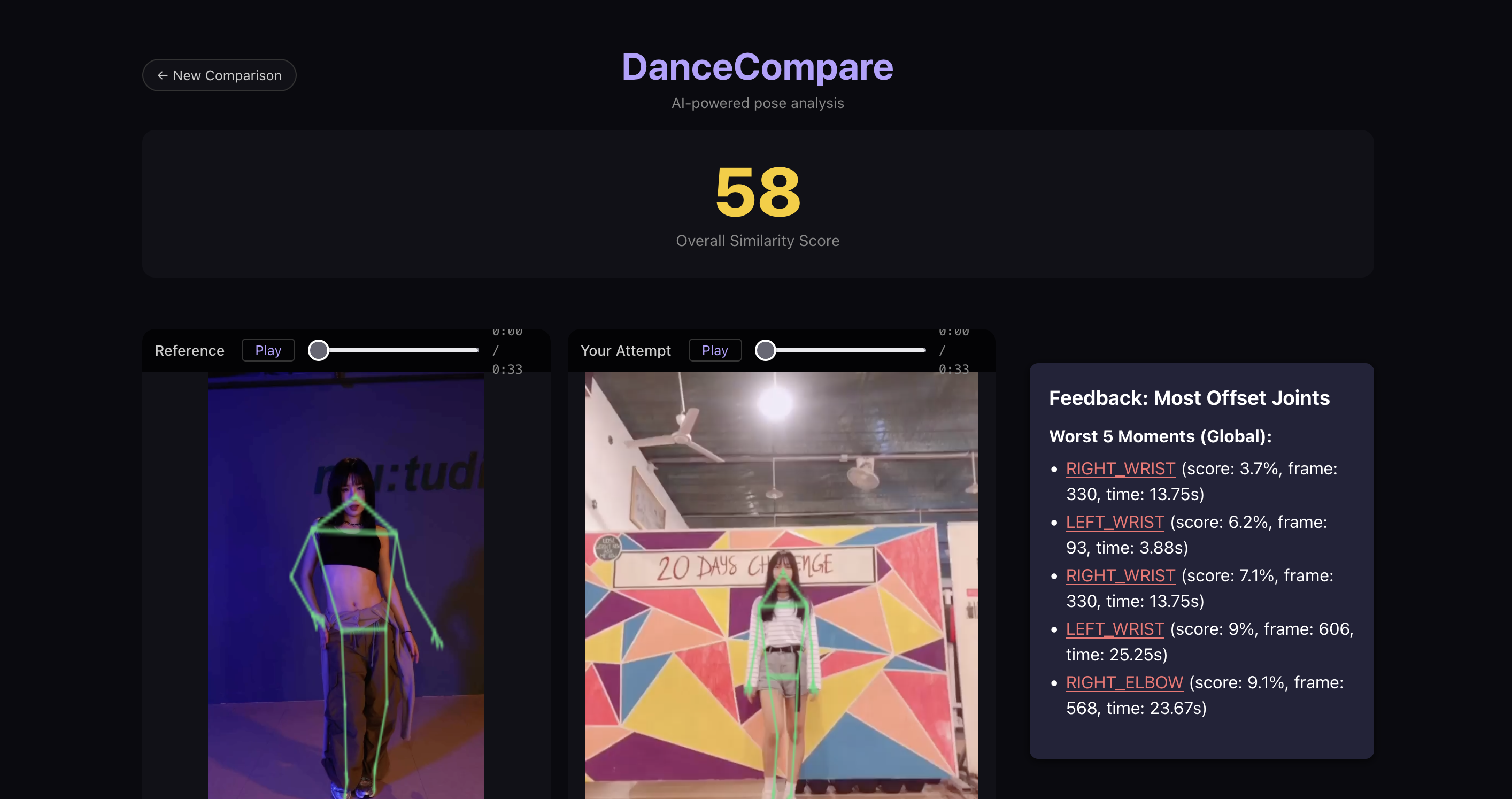
The project was born from a common frustration among beginner dancers: the difficulty of self-correcting form while watching a YouTube tutorial. It’s hard to tell if your shoulder is too low or your knee isn't bent enough just by looking in a mirror. We wanted to build a "Digital Dance Coach" that could objectively measure form and provide immediate, visual feedback by overlaying skeletons directly onto the dancer's video.
Building the Project
We built DanceCompare using a decoupled architecture to handle the heavy lifting of computer vision.
- Pose Extraction: We used MediaPipe's PoseLandmarker to extract 33 $(\text{x, y, z})$ coordinates per frame.
- Mathematical Scoring: To ensure the score was scale-invariant (so a person standing closer to the camera wouldn't "fail"), we converted raw coordinates into joint angle vectors. For a joint triplet $(A, B, C)$ where $B$ is the vertex, we calculate the vectors $\vec{u} = A - B$ and $\vec{v} = C - B$. The similarity between two frames $f_1$ and $f_2$ is computed using the Cosine Similarity of these angle vectors: $$\text{Score}(f_1, f_2) = \frac{\mathbf{v}_1 \cdot \mathbf{v}_2}{|\mathbf{v}_1| |\mathbf{v}_2|}$$ We then map this $[-1, 1]$ range to $[0, 100]$ for the user.
- Temporal Alignment: No two dancers move at the exact same speed. We implemented Dynamic Time Warping (DTW) to find the "optimal path" through the two video sequences, matching the user's move to the reference move even if they were slightly off-beat.
Challenges Faced
- Synchronization: Aligning two videos of different lengths and framerates was the biggest hurdle. DTW solved the mathematical alignment, but visualizing that in real-time in the browser required complex
requestAnimationFramelogic to keep the "Attempt" video's playhead snapped to the "Reference" video's aligned frames. - CORS & Assets: Handling mixed-origin requests between the Vite dev server and the FastAPI backend, along with loading the large
.taskmodel file efficiently, took several iterations of configuration. - Skeleton Clipping: Ensuring the canvas exactly matched the video's aspect ratio across different screen sizes required a custom
ResizeObserverimplementation to prevent the skeletons from looking "stretched."
Lessons Learned
We learned that UX is just as important as the AI. A high similarity score is useless if the user can't see where they messed up. This led us to build the Timeline Heatmap, which allows users to click on red "bad" segments and immediately jump both videos to that exact moment for review. We also discovered that filtering out facial landmarks (eyes/ears) made the visualization much cleaner, focusing only on the movement that matters.

Log in or sign up for Devpost to join the conversation.