-
-
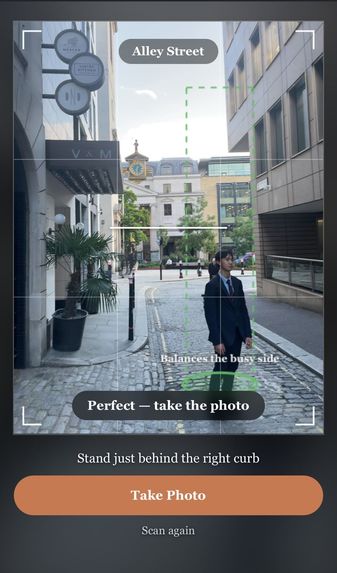
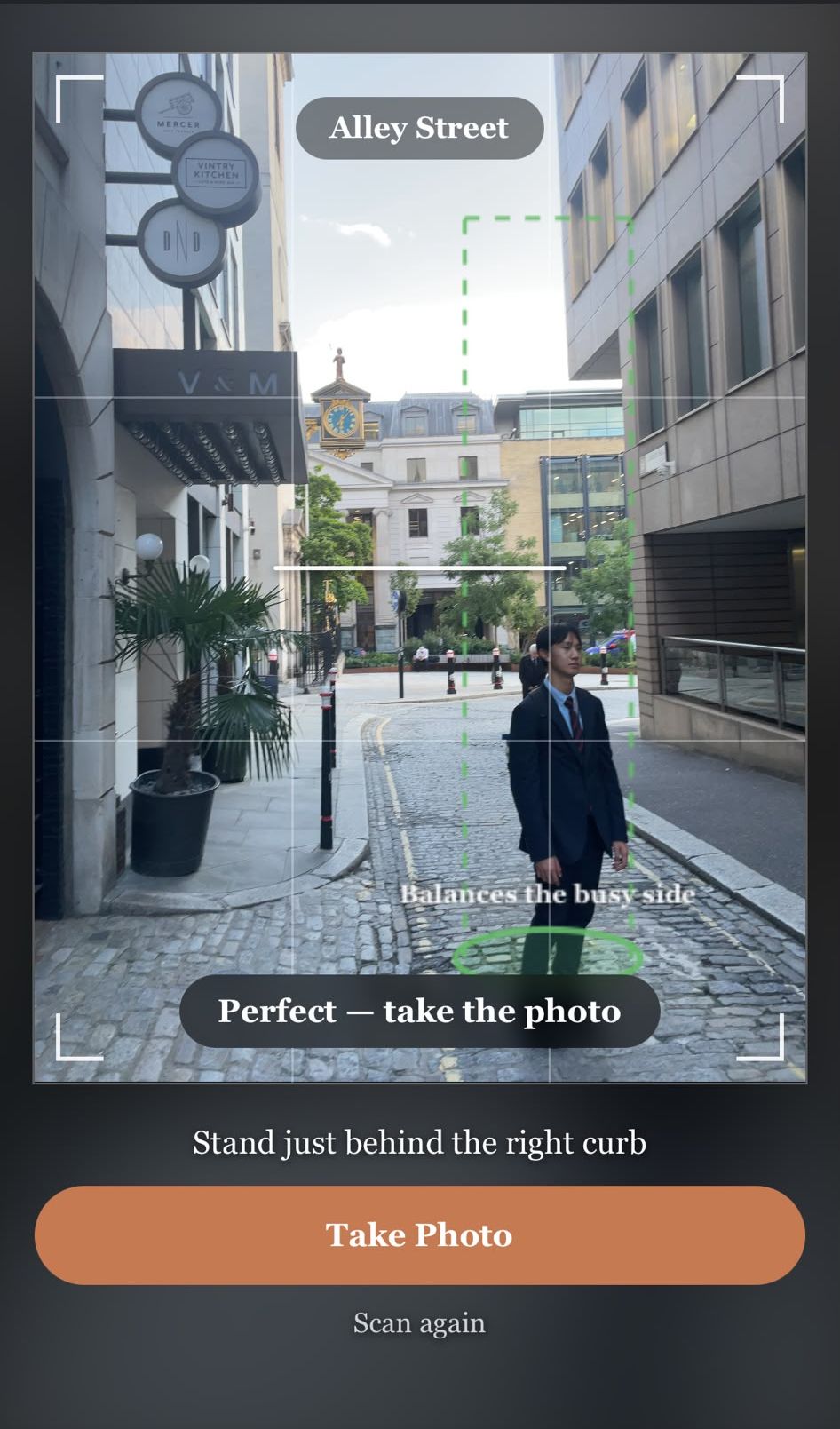
The marker turns green once they're standing on it - shot at Garlick Hill
-
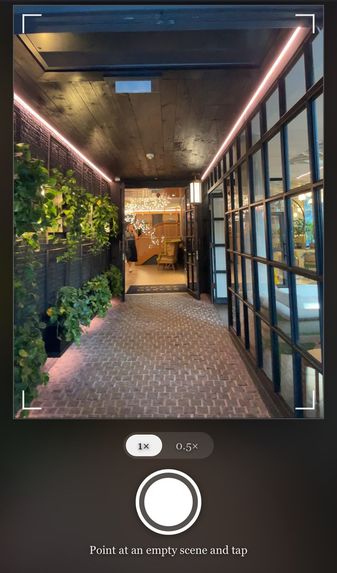
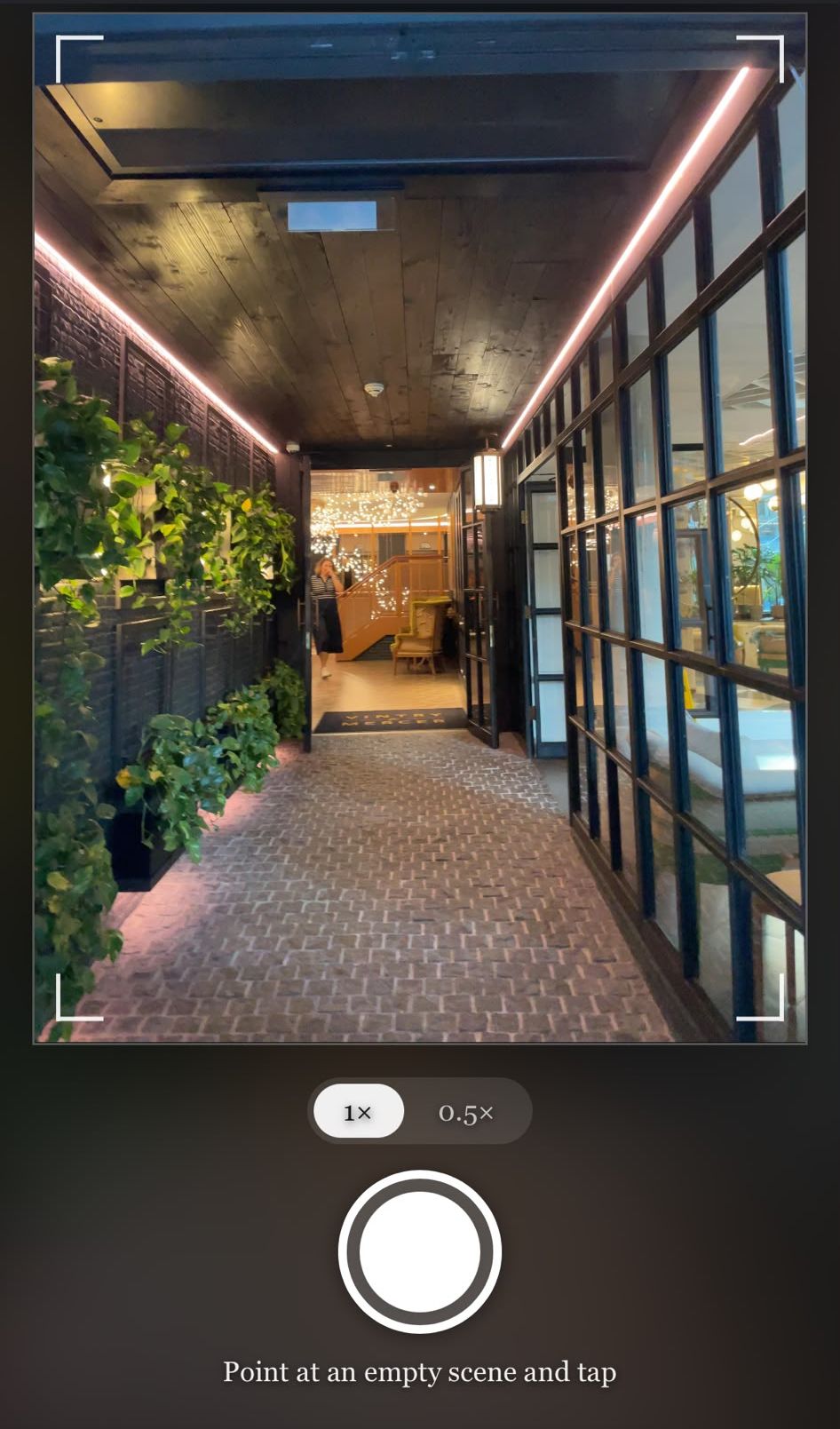
Point at the empty scene and tap once - shot at London Vintry and Mercer
-
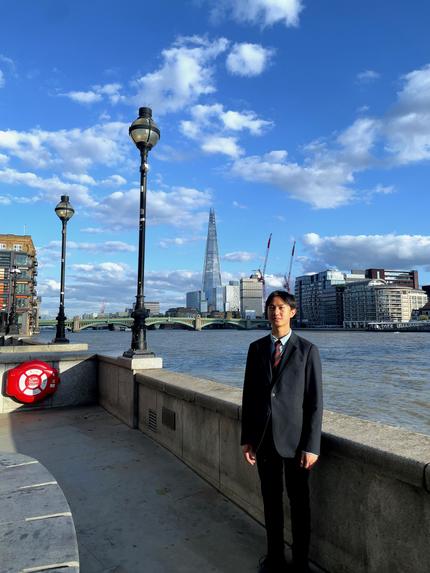
A finished shot, Dramatic Cool filter - shot at Millennium Bridge
-
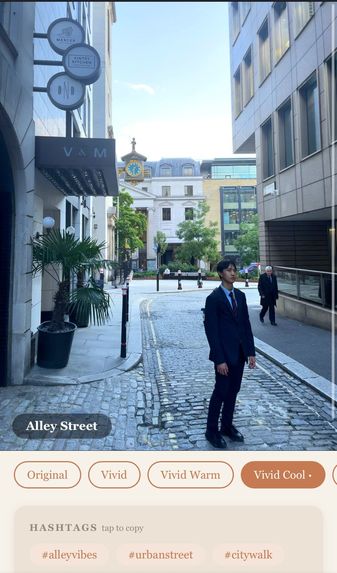
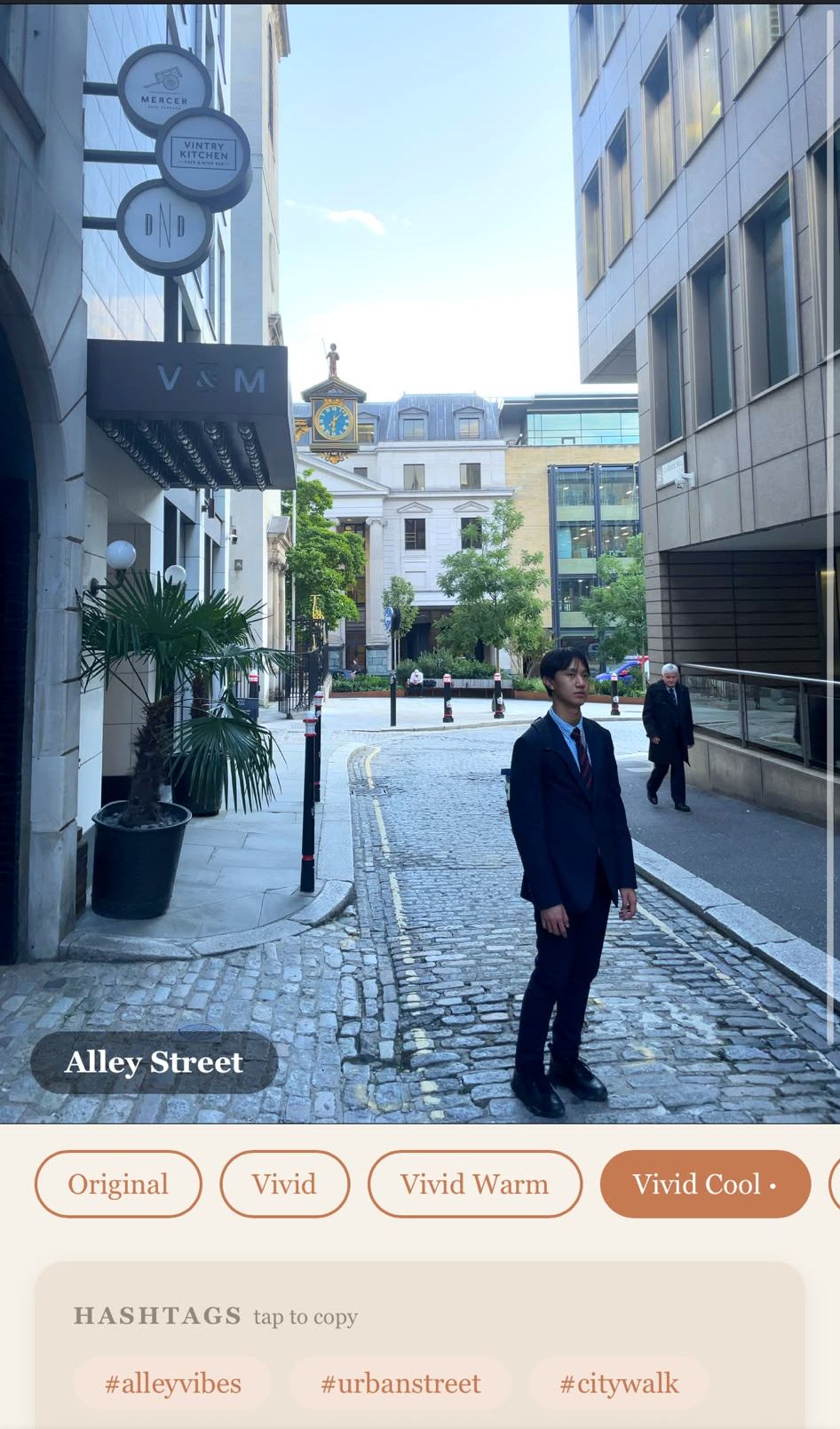
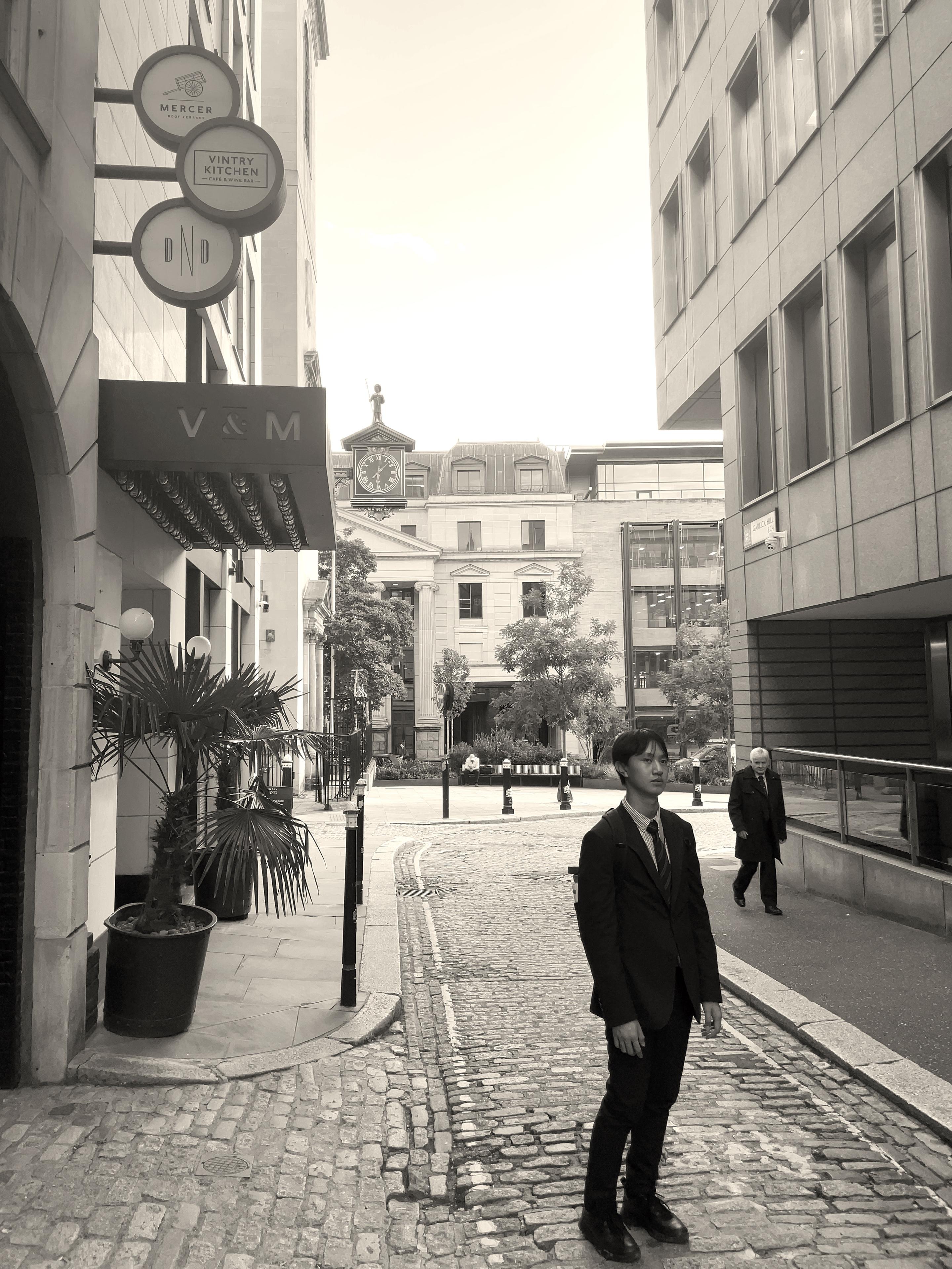
It picks a filter for that scene, and you can overrule it - shot at Garlick Hill
-
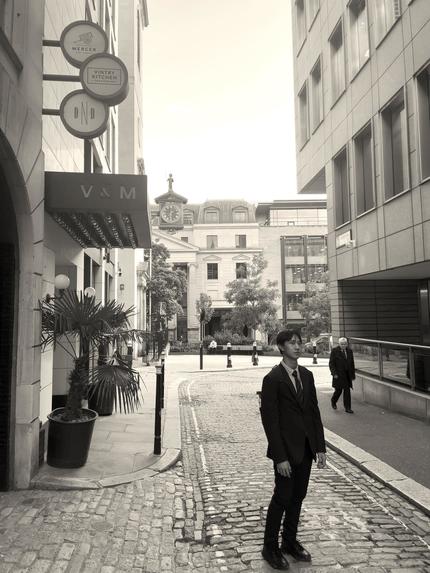
Silvertone filter - shot at Garlick Hill
-
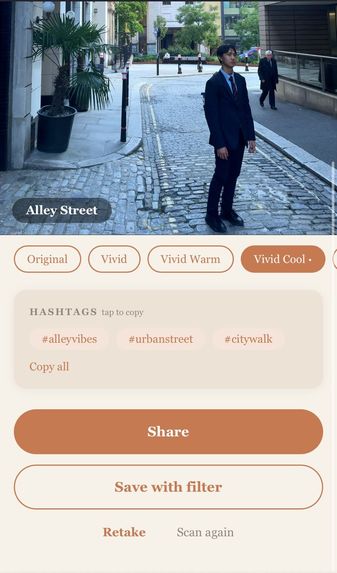
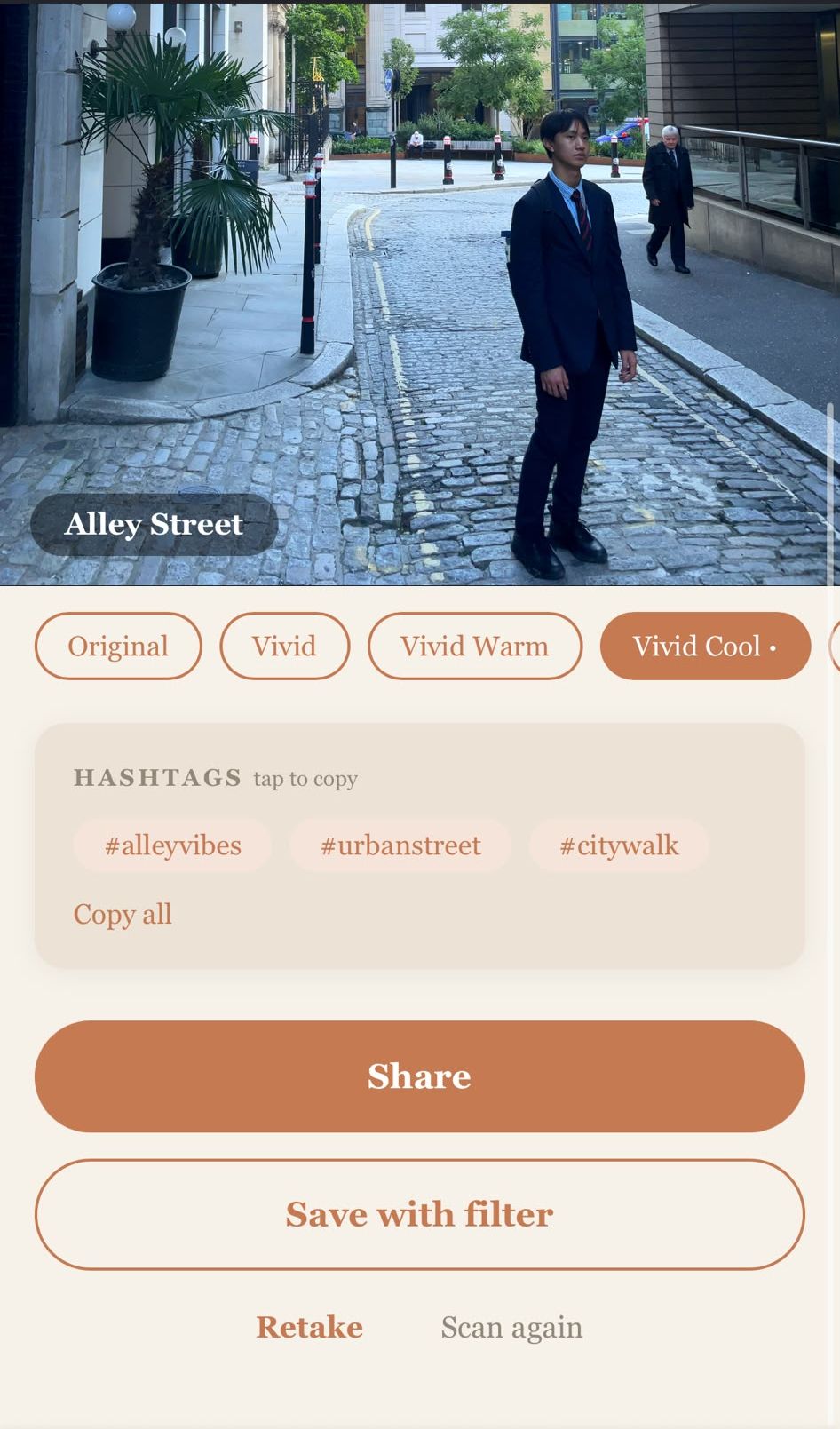
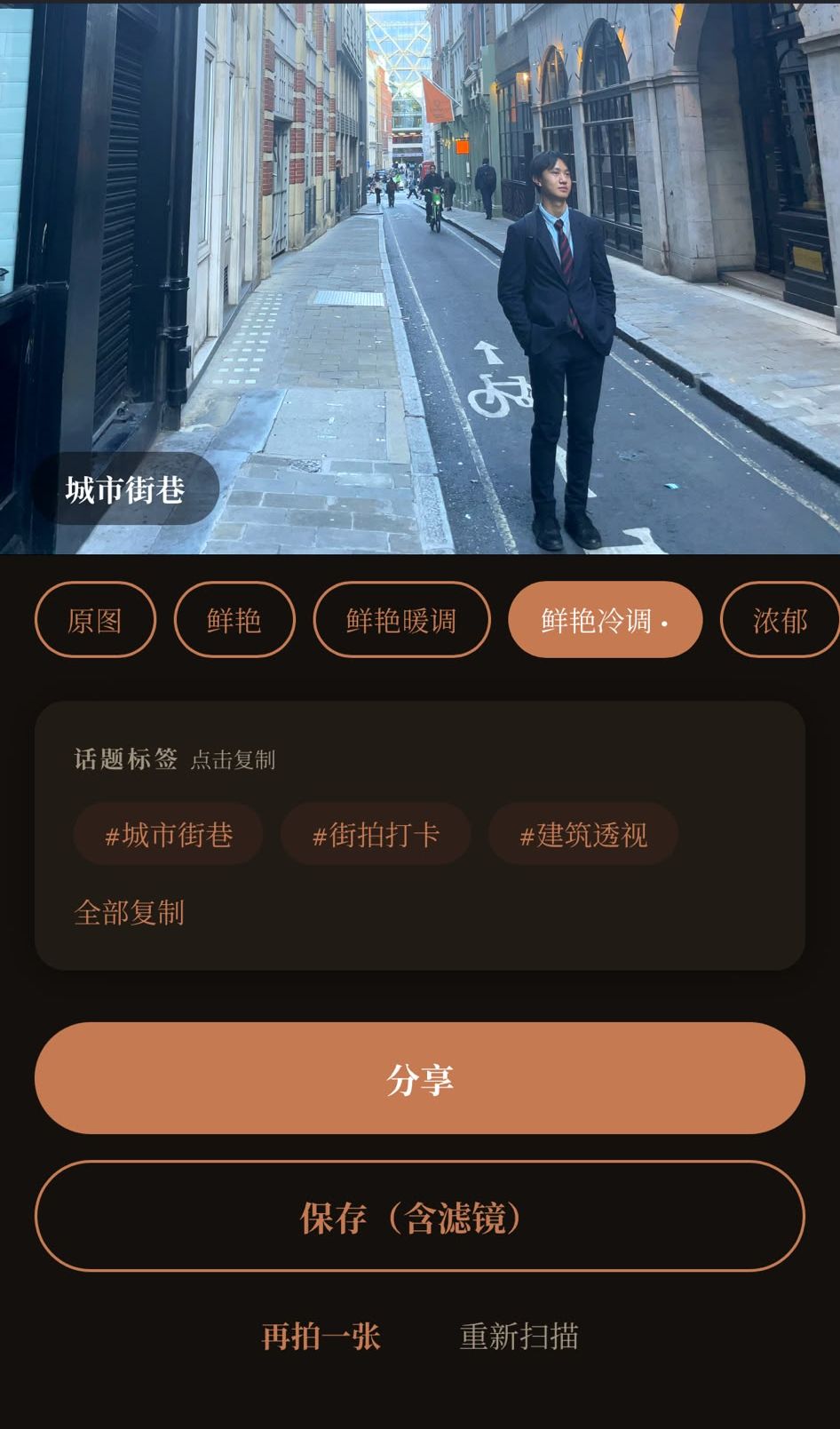
Three hashtags, tap to copy, then share or save
-
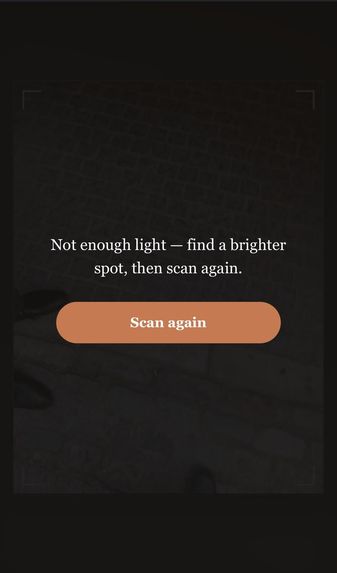
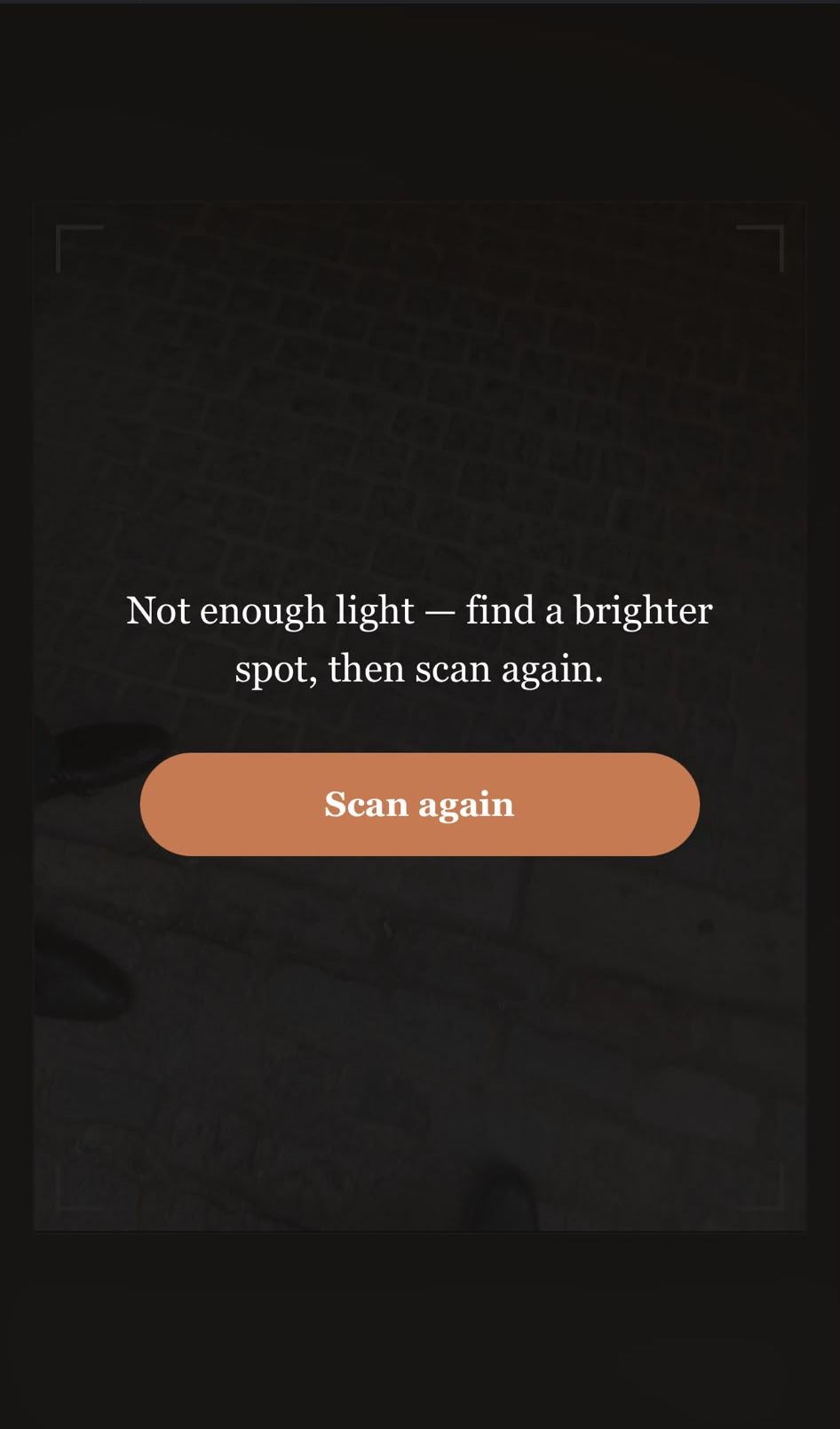
If it's too dark, it stops judging rather than guessing
-
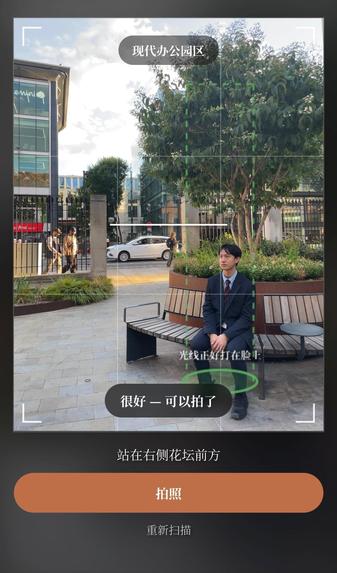
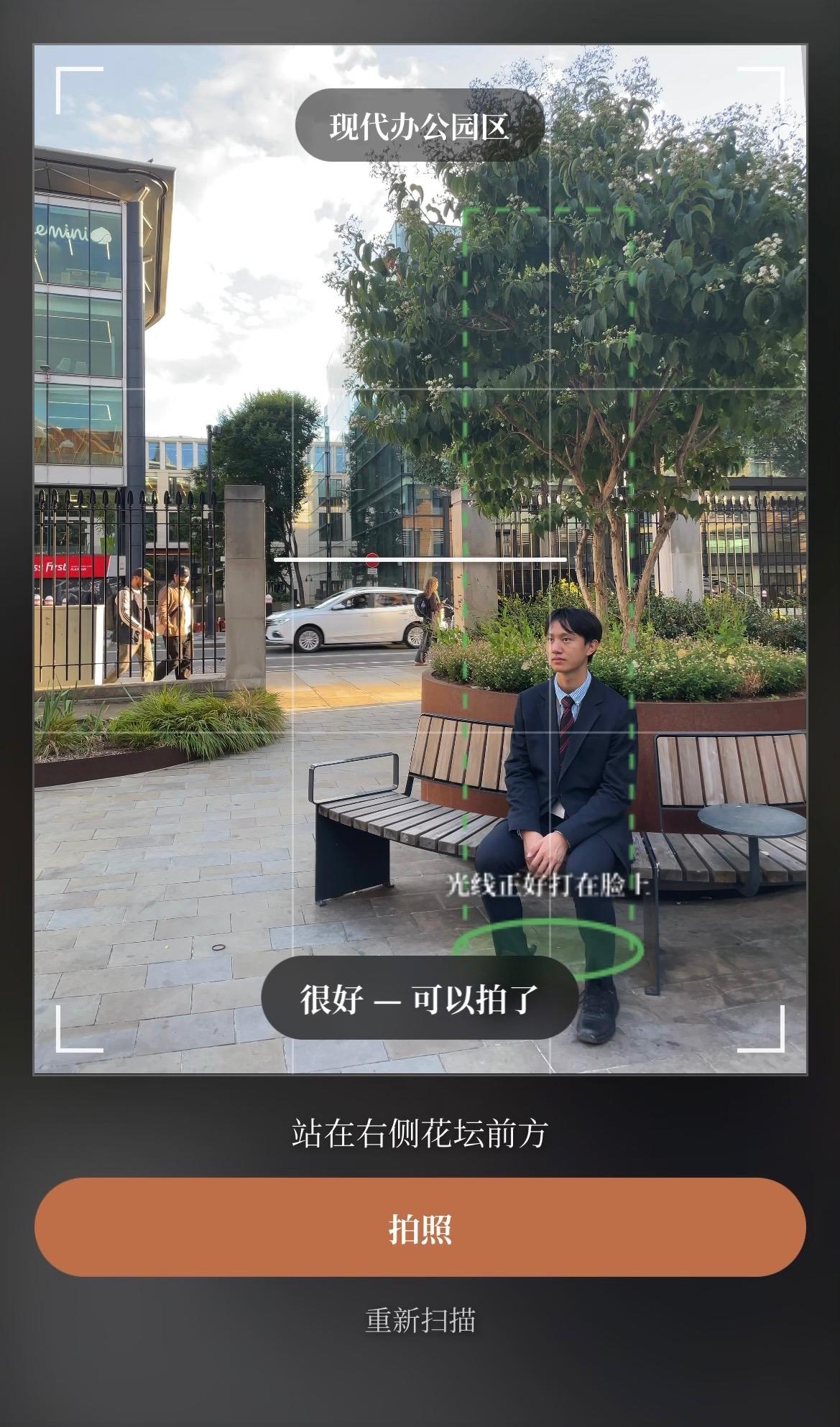
The same coaching, in Chinese - shot at Queen Victoria Street
-
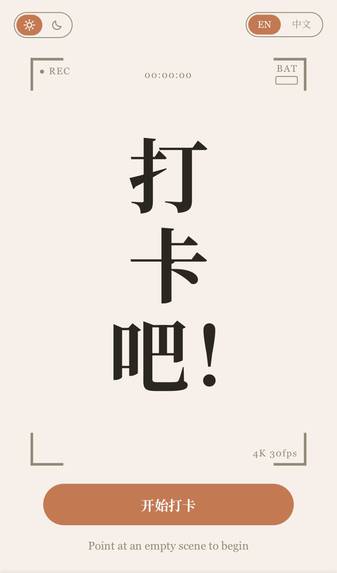
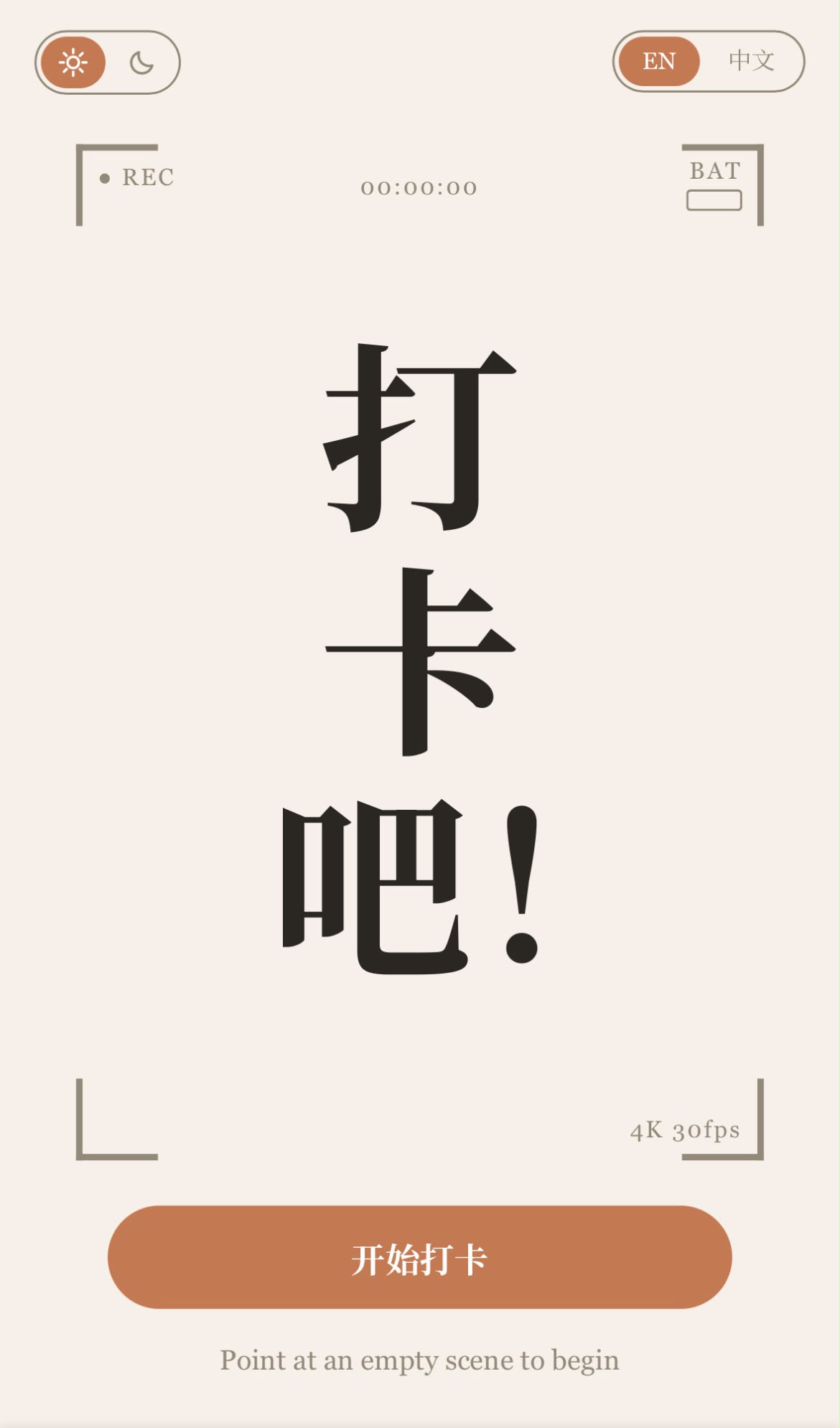
Home, light mode
-

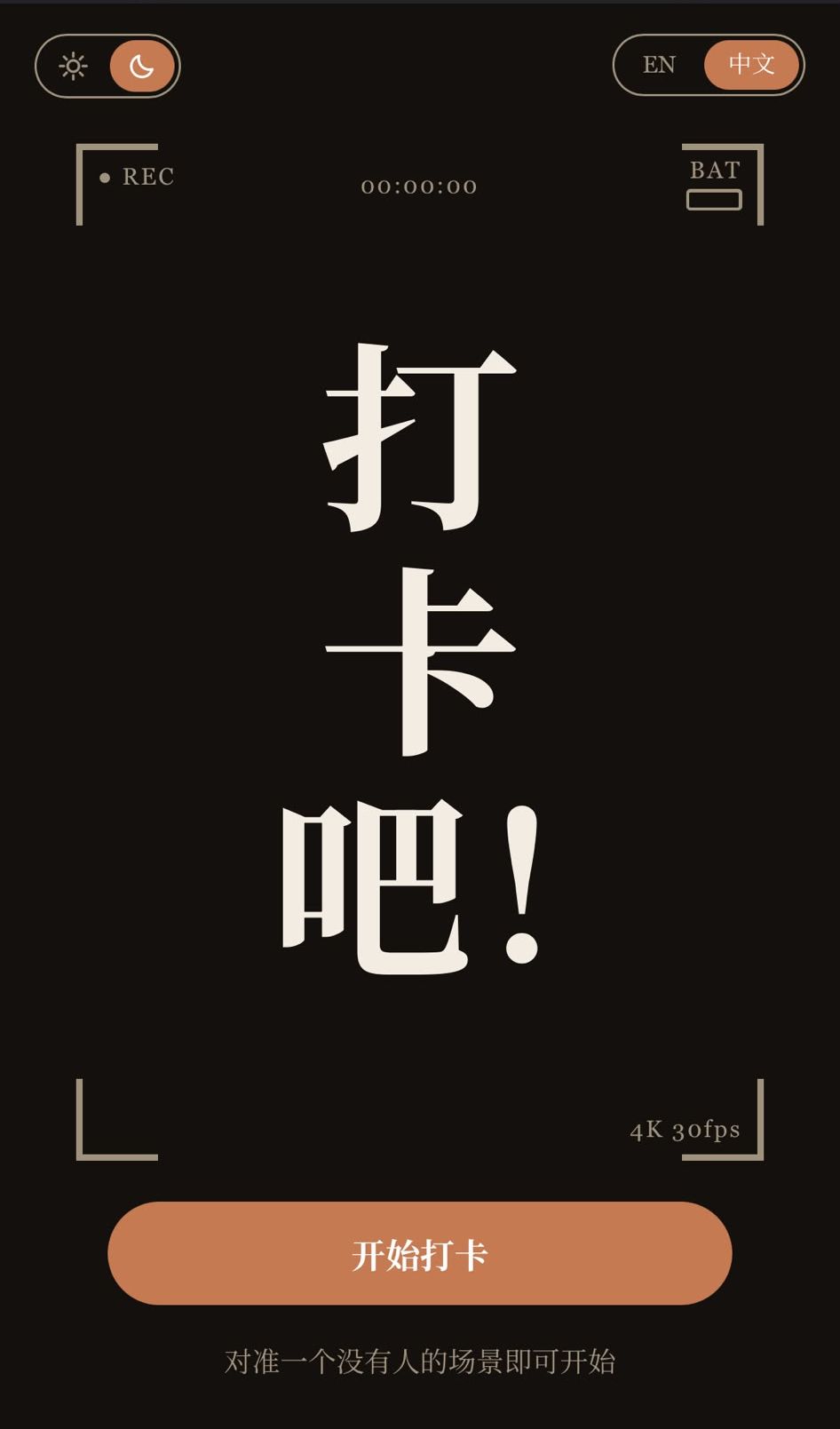
Home, dark mode and Chinese
-

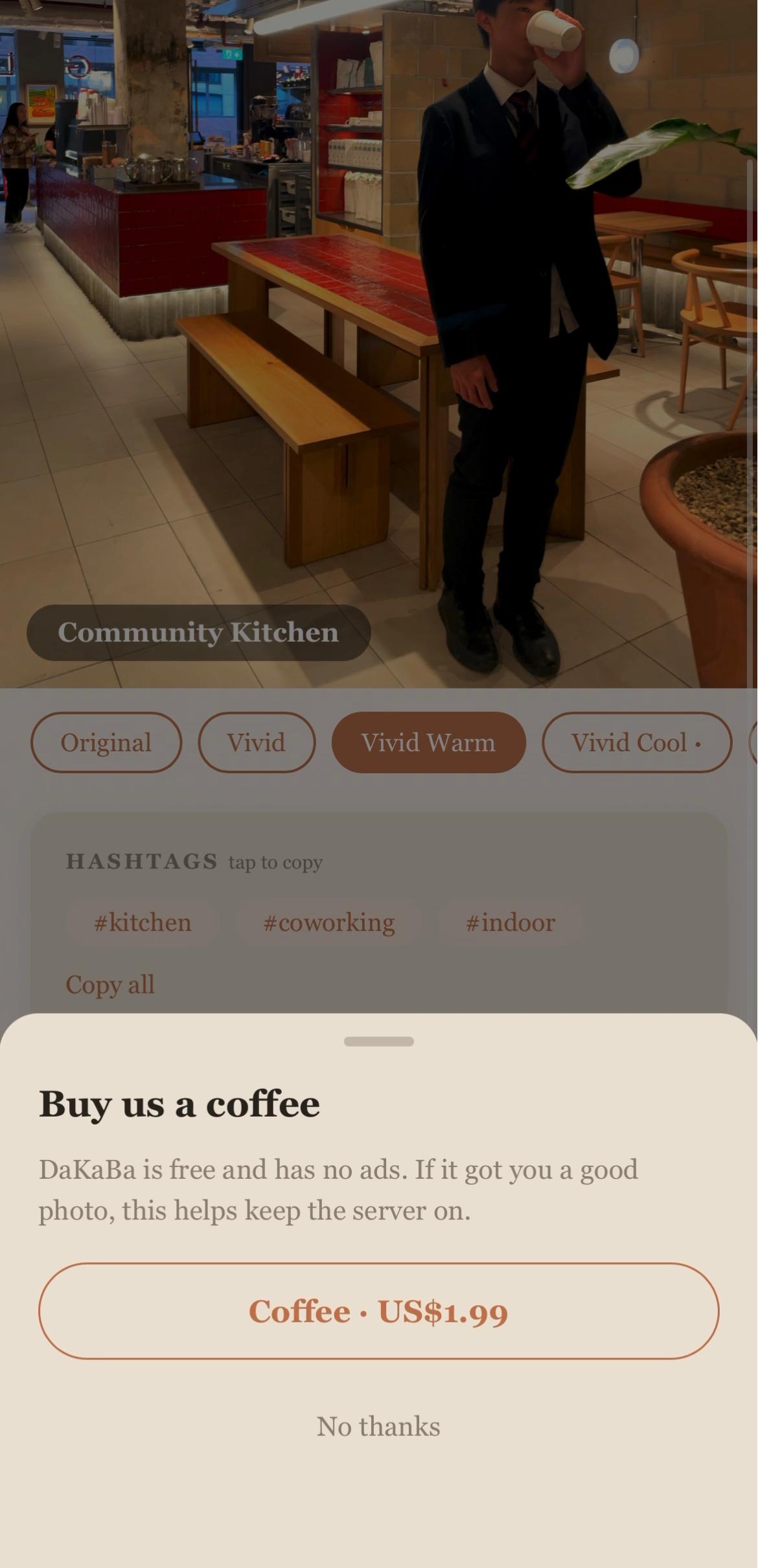
Optional tip jar, nothing behind it - shot at a coffee shop ;)
-
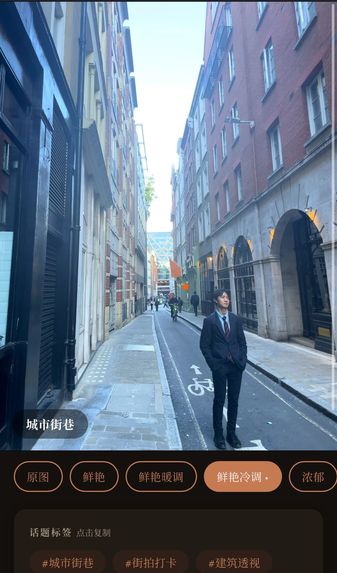
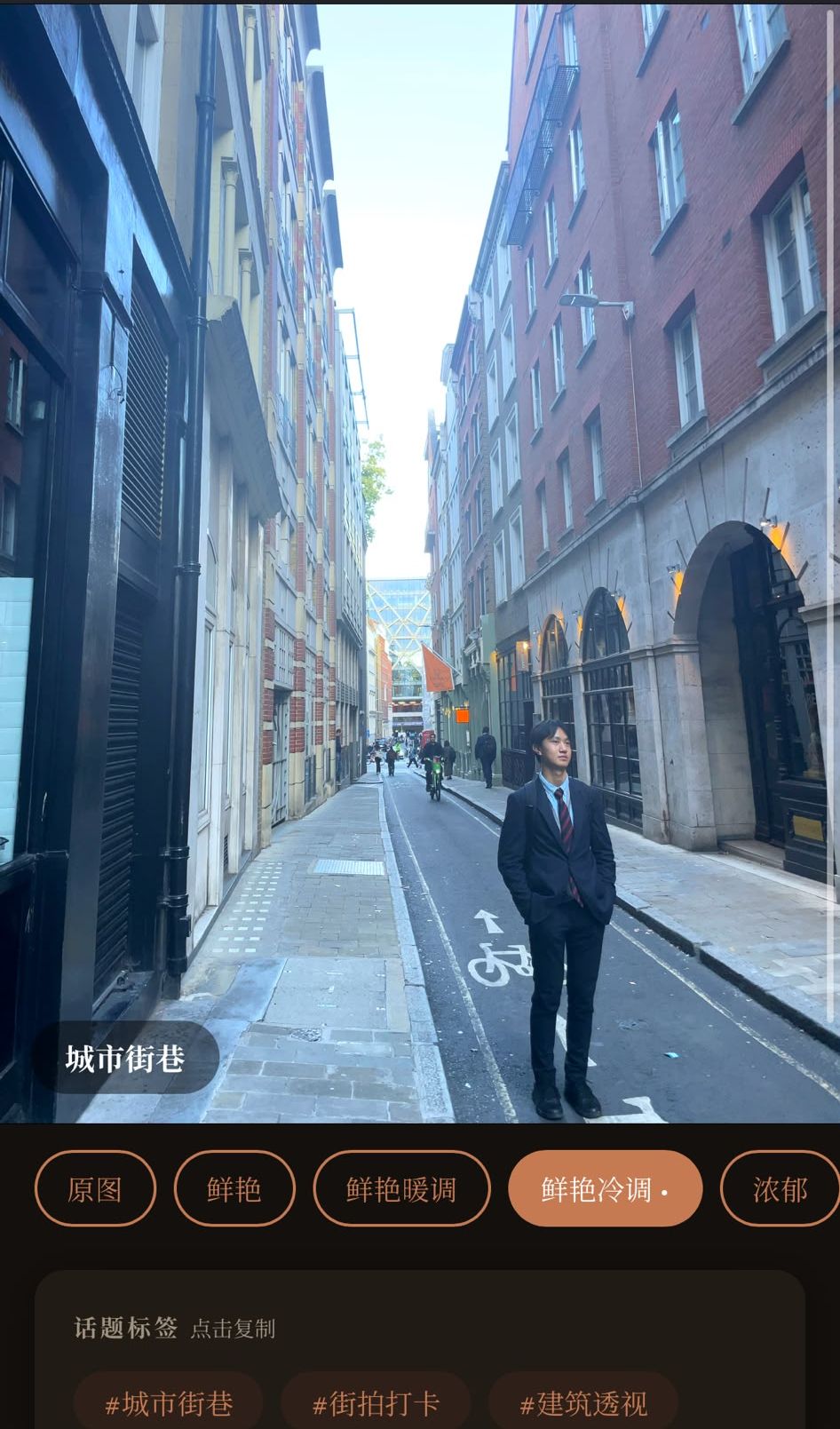
Preview, dark mode and Chinese - shot at Cannon Street
-
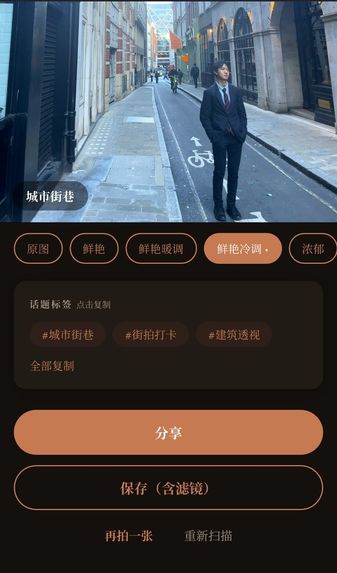
Sharing, dark mode and Chinese
-
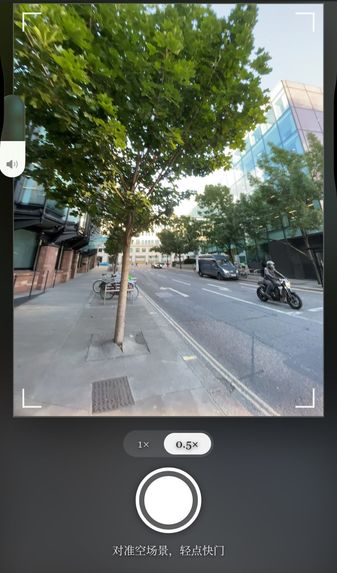
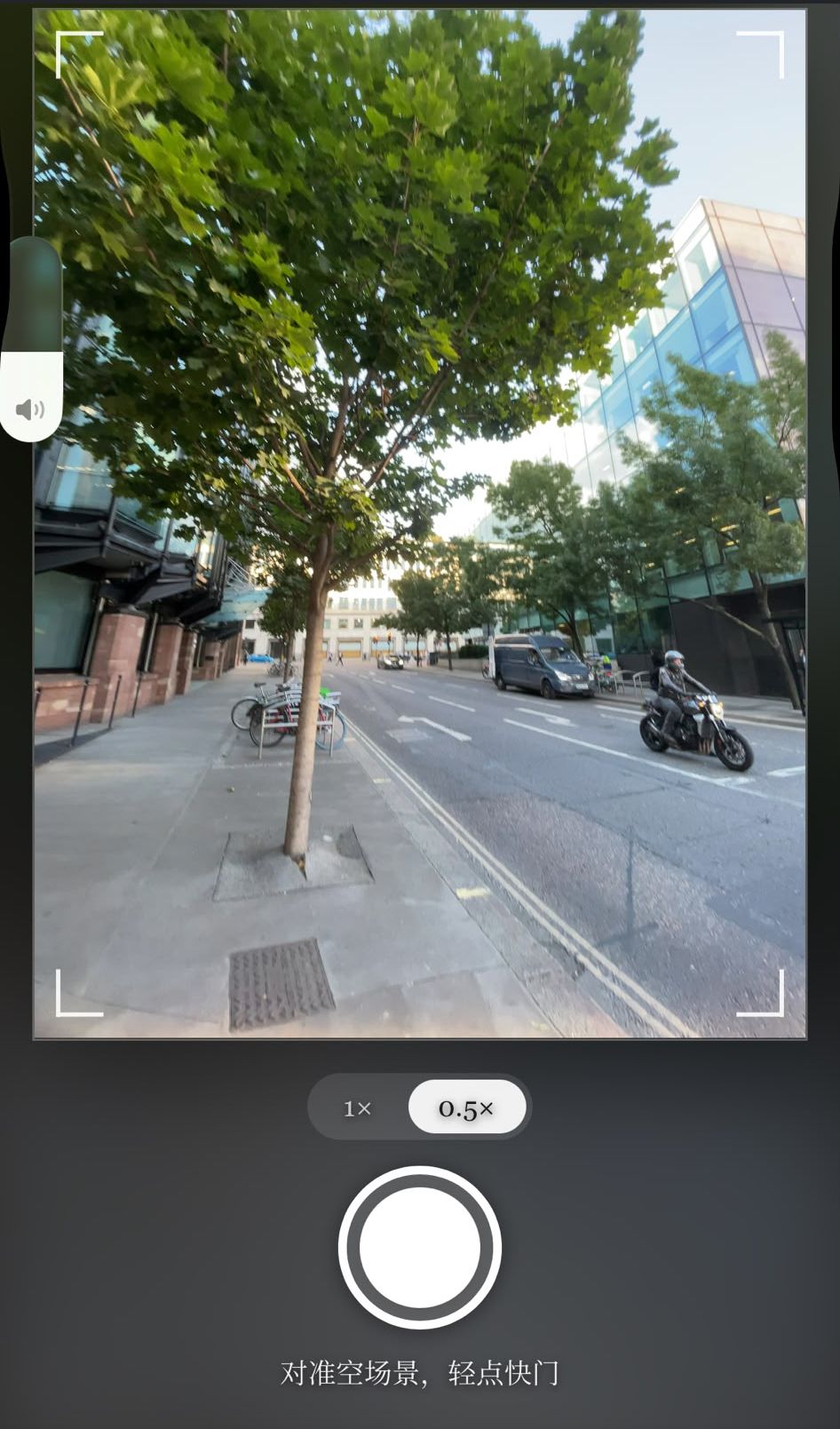
Using 0.5× lens, for when you want to capture more - shot at Friday Street
-

DaKaBa app icon

Inspiration
In Chinese culture, whenever Chinese people go somewhere for relaxation, whether it be a casual meetup in the park or a 2 week vacation in Spain, they will carry with them 3 big goals they aim to achieve during this time - to eat good food, to enjoy the sights, and to take good photos, also known as '打卡' (daka) or 'check in' culture.
The first two are pretty simple to achieve. The third one? Not so much.
Because not everyone knows how to take a good photo, especially when the crowds are big and the time is limited, and searching for 'how to take a good photo at [x location]' on Google will only give you generic advice.
We wanted to build an app that actually looks at your exact scene, right now, and tells you how to take a proper good photo - not a one-size-fits-all guide, but real-time, spontaneous guidance.
So we built DaKaBa.
What it does
Point your phone at an empty scene, where you'd like to take a photo of someone, and tap once. DaKaBa works out where a person should stand for the best photo, draws a marker at that exact spot, and it tells you why - 'light falls on your face', 'cleaner background here', 'out of the window glare'.
Then it coaches the person holding the phone, in the order:
Getting the subject into frame → Adjusting the subject's position to enter the marker → Camera adjustments → 'Perfect - take the photo!'
The marker turns from orange to green once the subject enters so the person holding the phone knows they're in the right spot.
And after taking the photo, the app shows a preview of the taken photo, along with a pre-applied filter which it thinks looks best, and various other filter options to tweak the look of the photo.
Finally, there are some hashtags beneath and a 'Share' button for quick distribution to all the socials and friend groups, and you can choose to 'Save' it straight to your camera roll in 2 clicks.
How we built it
The engine we built is deliberately split in two, mirroring the split between objective and subjective.
OpenCV does the objective half. Things like brightness, colour balance, Canny edge density, variance of Laplacian for blur, spectral-residual saliency, and Hough lines for horizon tilt are all calculated from the raw image itself. The placement decision incorporates three signals, each one only firing when it actually applies to the scene:
- Balance - stand opposite the scene's focal mass, so you don't block what's interesting
- Background cleanliness - prefer the side which has less going on
- Light direction - stand on the dimmer side, so that light falls on your face instead of behind you
Over all of this is a backlight veto - to never silhouette the subject by placing them in front of a blown-out light source. Similar to this, there is a capture gate which stops the app from coaching if the initial scan taken is blurry or too dark. The final marker snaps to a rule-of-thirds line for visual balance.
The vision model does the subjective half. This includes the scene name, filter choice, hashtags, and a depth sentence. Nothing else depends on them.
That split is why the app doesn't have to rely on the API. If OpenAI times out, you still get the marker, the framing, the lighting gate and the blur gate - the actually important bits.
In the browser, MediaPipe pose tracks the subject's ankles - the marker is basically a footprint, which activates when the position of the subject's feet line up with the position of the marker.
The tip jar is RevenueCat, and it's the only thing in the entire app that asks you for anything. Nothing is gated, locked behind a paywall, or requires a 30 second ad - and we wrote a test that enforces that by scanning our own code for anything that would prove otherwise. And it sits after the photo, so the only person who ever sees it is someone the app has already helped. Note: In-app purchase is a store transaction, so this is native-only. On the web build the button stays hidden and none of it runs.
Stack: FastAPI on Render, a static frontend on Cloudflare Pages, and a Capacitor 8 shell for iOS with a small Swift plugin for the camera roll. 429 tests in CI.
Challenges we ran into
Initially we found it difficult to understand what a 'good photo' actually means. Does it include subject posing? Does it include sparkly effects and overlays? Does it include a 'vibe score' that measures how 'good' your photo is? Turns out a truly good photo contains none of those. Once the person has decided how they want to pose, what's left is almost entirely lighting, framing, and colour - so that's all we built.
And then we had to actually get those three things right.
Lighting is pretty easy - measure the brightness of the frame, and tell the subject to move into a dimmer area of the frame, where light falls naturally onto them. Framing as well - choose a decent rule-of-thirds point and create visual balance within the frame.
But colour grading was the last hurdle. We wanted to give the user something simple; not complex hue and saturation sliders, not white balance tuning. We wanted familiar camera filters. But our filters didn't work. Not "looked a bit off" - they changed nothing at all. They used a CSS hue rotation, and grey has no hue to rotate, so a grey wall came out as exactly the same grey. The warm ones used sepia, which washes colour out as it warms, so "Vivid Warm" measured less vivid than just plain "Vivid". It wasn't broken, just useless, and we only found out by putting real colours through the filters and measuring the outputs.
Similarly, we then discovered our colour temperature had been backwards for a long time. OpenCV loads images as blue-green-red instead of red-green-blue, so our warmth score was inverted - and golden hour cafés were being told they had 'nice cool tones' and to use them for a clean aesthetic, instead of leaning into that existing warmth and cosiness.
Then we made the photos bigger and broke the entire app. We raised the camera resolution, trying to improve photo quality, but subject detection stopped working completely - no marker, no cues, nothing at all. It turns out the pose model uploads whatever you hand it as a GPU texture, and 4096 pixels is exactly the maximum texture size on lots of phones. So it didn't get slower, it threw a silent error, so there was no way to tell if there was genuinely no subject or the model was broken. It now runs on a 480 pixel copy, which is all a pose model ever needed anyway.
Finally, we tried building something clever, then had to scrap it completely. This was a mechanism that warned you when the camera had drifted away from the scene it initially analysed, using the phone's compass. But held upright with the lens on the horizon - the one position you hold a phone to take a photo - it fully collapses, not being able to tell moving away from the scene from tilting the phone. The warning fired wildly while the phone sat still - not viable at all, so it had to go.
Accomplishments that we're proud of
As mentioned, the app still works when the AI doesn't. Everything that matters - where to stand, whether the frame is level, whether the light is good enough, whether the shot is sharp - is calculated, not collated from an AI. If the model times out mid-scan you lose the scene name and the hashtags, not the coaching.
It tells you why. Every marker comes with a reason - and that reason isn't just for show. We didn't want to build an app that bosses you around. Just like how a sports coach, or a maths teacher, or a music professor encourages you to think and improve for yourself, we wanted a photography coach you would soon stop needing, because after a few shots you start seeing the vision yourself.
It's bilingual. English and Chinese, one tap, and the AI responds in whichever one - not just the buttons around it - so that we can expand this app to the makers of the 打卡 culture.
And the app is free, properly free. There's a tip jar, but nothing sits behind it - no feature waits for a purchase, nothing is counted, and no entitlement is ever checked. If the app got you a photo you liked, you can say thanks. That's the whole arrangement, and we wrote a test that scans our own code to keep it that way.
And we're proud of what isn't in it. We deleted a drift warning that wasn't honest. We deleted a 打卡 watermark, because nobody wants our name on their photo. We deleted the AI posing tips, because you already know how you want to stand. Every one of those was working code that someone had spent time on. Cutting the bloat, and looking at the app not from a technical developer perspective, but from a new consumer perspective, was the hardest discipline of the whole project - but it's the reason the app just does one thing, and does it really well.
What we learned
Look at the app from the perspective of someone who's never seen it before. Build it solely around the consumer, and ask yourself - 'would I actually use this feature?' before implementing it. Even if you think you would, get the opinions of others - because a feature you think is great might be terrible in practice.
Lock in the brand identity, from the start, and don't stray away from it. We initially went for a super modern, minimalist aesthetic, with bold typefaces and cold accents. Then we realised that the act of photography does not reflect that kind of aesthetic - rather, photography is about slowing down, capturing the moment, feeling the nostalgia from looking at old photos. And so we settled on a warm, terracotta feel, mirroring that sense of cosiness and nostalgia, and stuck with it.
Use the AI for the things you genuinely can't calculate, and nothing else. Halfway through, we pulled out the whole marker system and just asked the model where someone should stand. It was so much less code, but worse - a model is terrible at geometry, yet gives you a confident, well-written sentence without an exact position, without any justification. We put the marker back the next day. Light direction, balance and background clutter are things you can measure; the model is for noticing the things that you can't.
Everything in your prompt is an instruction, including the parts you didn't mean to be instructions. The model's outputs kept coming back in Chinese on some photos and English on others, at random. Why? Because we'd described the app as a 打卡 app in the prompt, and that one word was enough to steer the model's entire output language. Prompts must be carefully and precisely engineered - because what happens after you give that prompt is out of your control.
Finally, our scan felt slow and we assumed it was the image processing. It wasn't. All the OpenCV work takes about 30 milliseconds. But testing on one photo took 3.7 seconds, then 5.2, then 11.1 on three consecutive scans, and all of it was waiting on the AI. So we split the scan into two requests: one that measures the scene and comes back almost instantly, and one that asks the model for the scene name and caption. The marker now appears before the AI has answered anything at all - much more user-friendly, and stops them from having to awkwardly hold up their phone while looking at a spinner.
What's next for DaKaBa
We want to add support for group photos. While 打卡 is traditionally for couples or 2 friends taking photos of each other, it's the biggest thing missing and harder than it sounds. Tracking several people is the easy part - the real problem is that "where should a group stand?" is a completely different question from "where should one person stand?".
The drift warning, done properly. We still like the idea - you scan a scene, then as humans, you move slightly while getting your friend into position, and now the marker is in the wrong place. We just need to measure it with the gyroscope over the few seconds between scanning and shooting instead of the compass.
What we won't do is add features for the sake of it. We built this for 打卡 culture, but good lighting and good framing aren't Chinese - they're just good photography. Anyone standing in front of something worth remembering should get a decent photo of it.
Thank you for reading. We had a lot of fun building this project, and we hope you have fun using it too. A huge thank you to Devpost and RevenueCat for hosting and providing this fantastic opportunity to us and to thousands of other people.
Built With
- canvas
- cloudflare
- css3
- fastapi
- github-actions
- html5
- javascript
- mediapipe
- numpy
- openai
- opencv
- pillow
- pytest
- python
- render
- revenuecat
- svg
- uvicorn
- webrtc


Log in or sign up for Devpost to join the conversation.