-
-
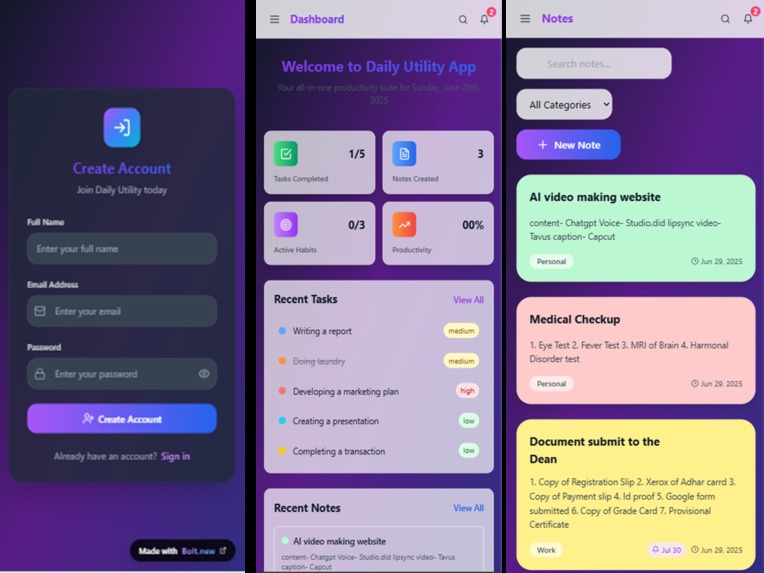
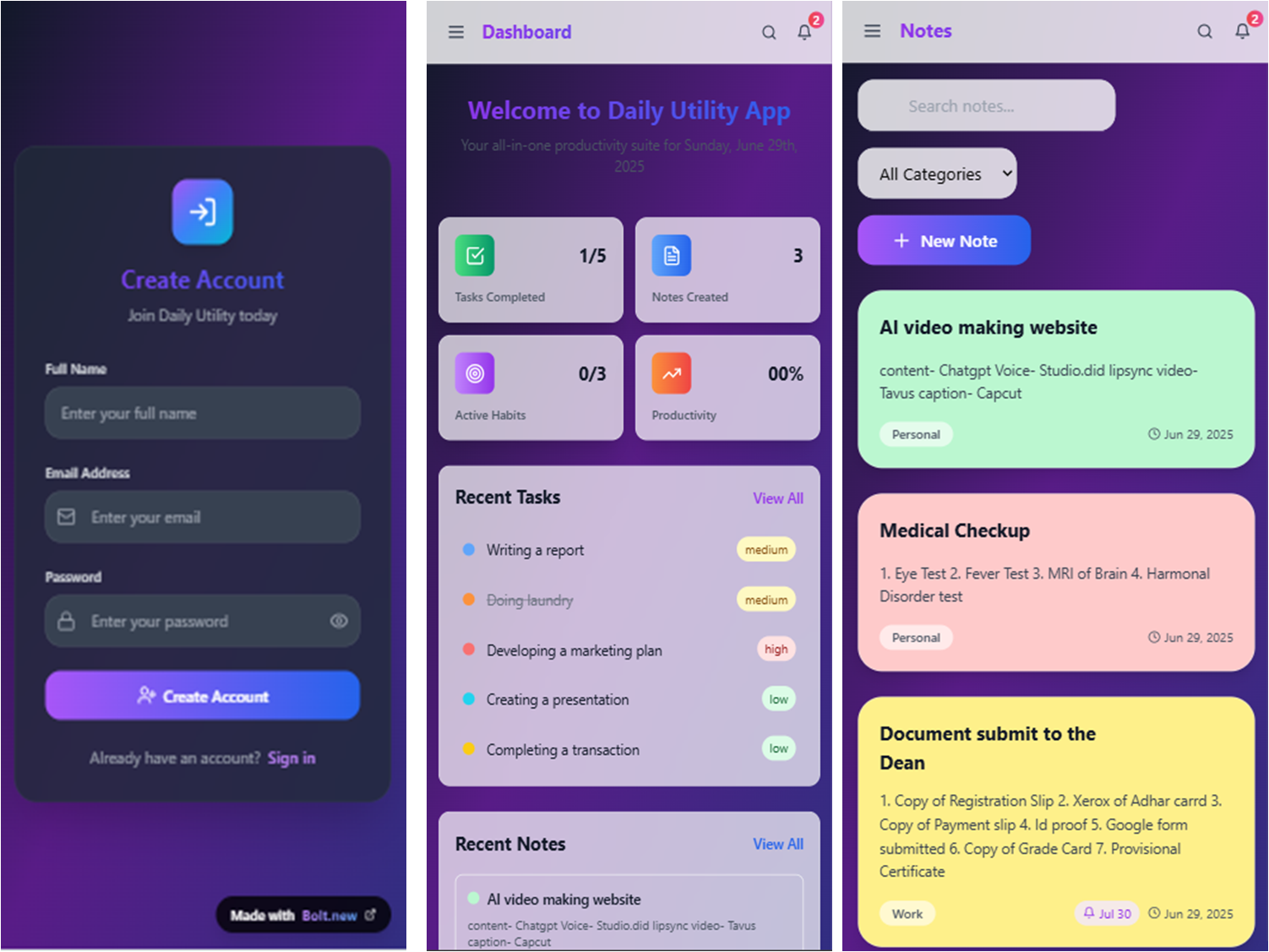
login page, Dashboard, Notes
-
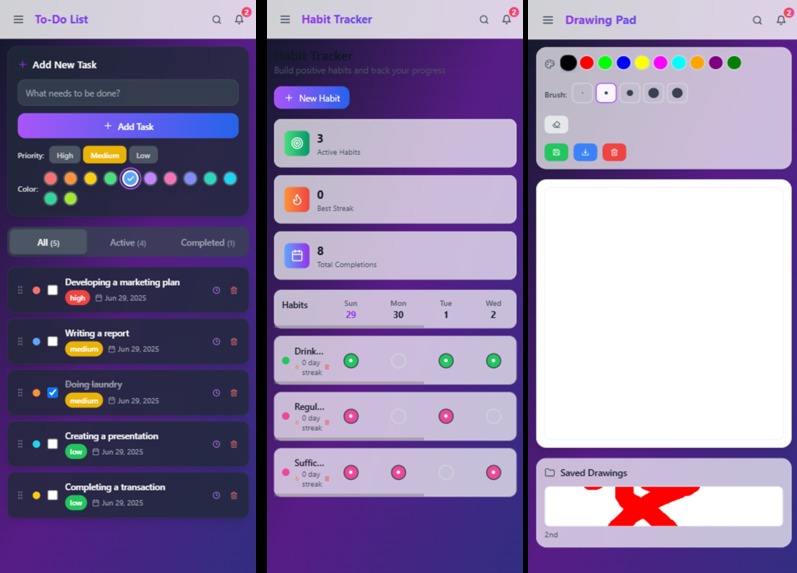
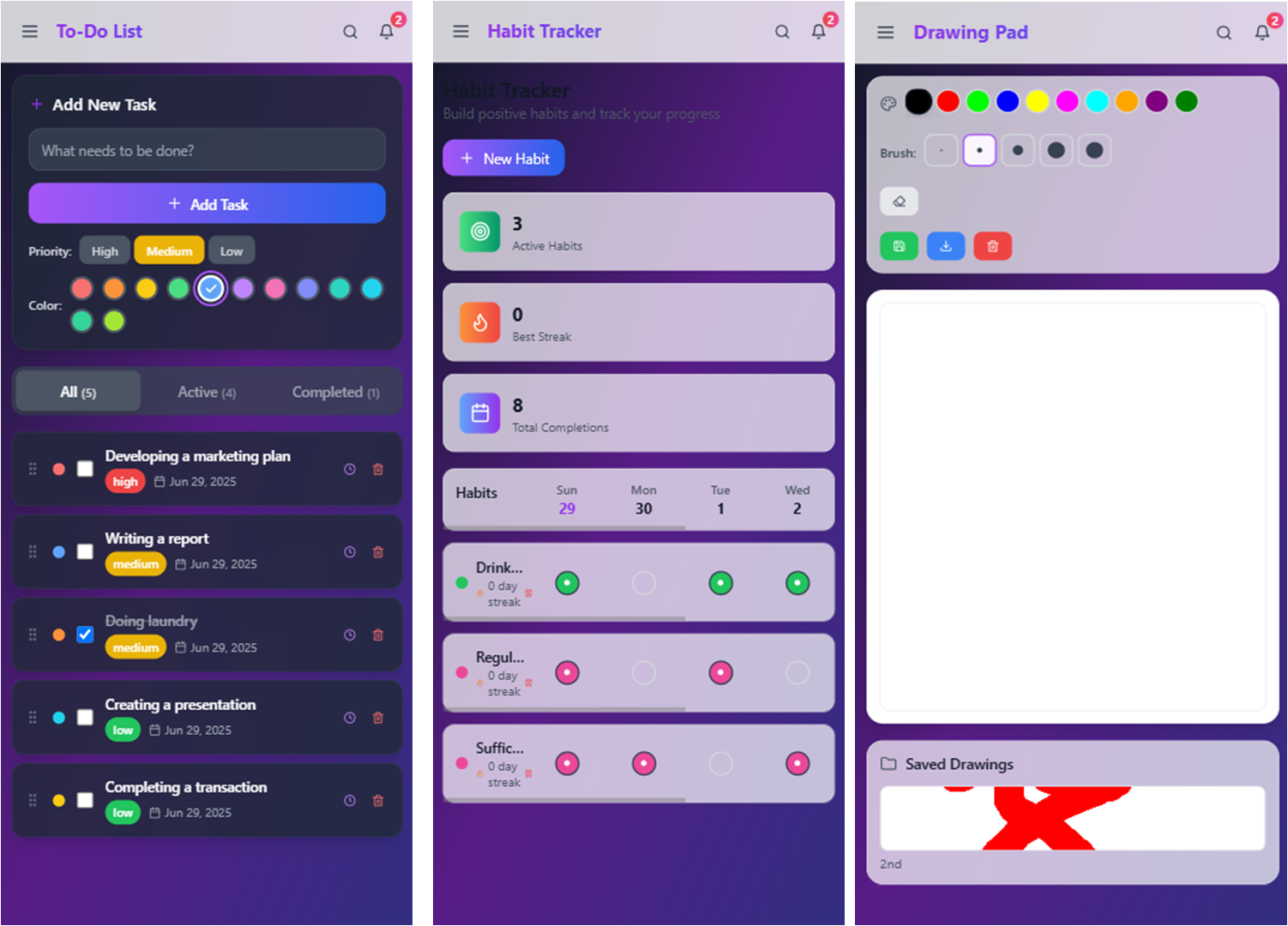
To do list, habbit Tracker, drawing Pad
-
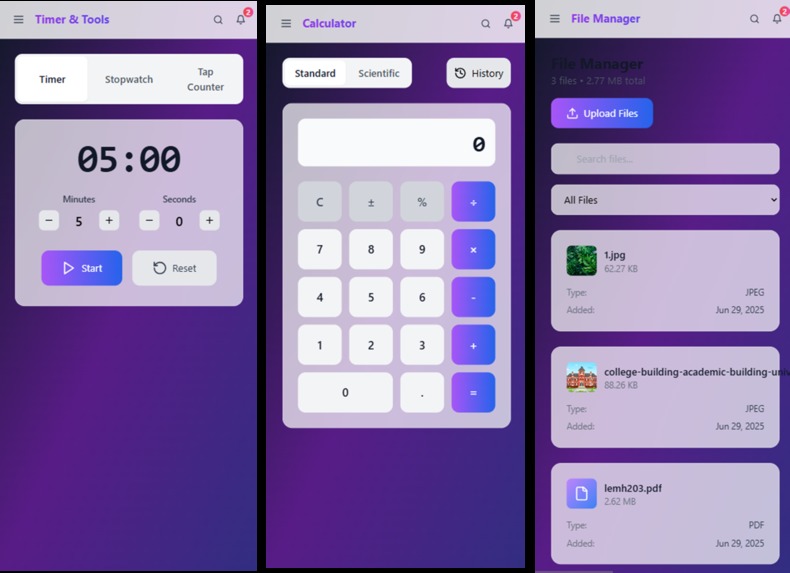
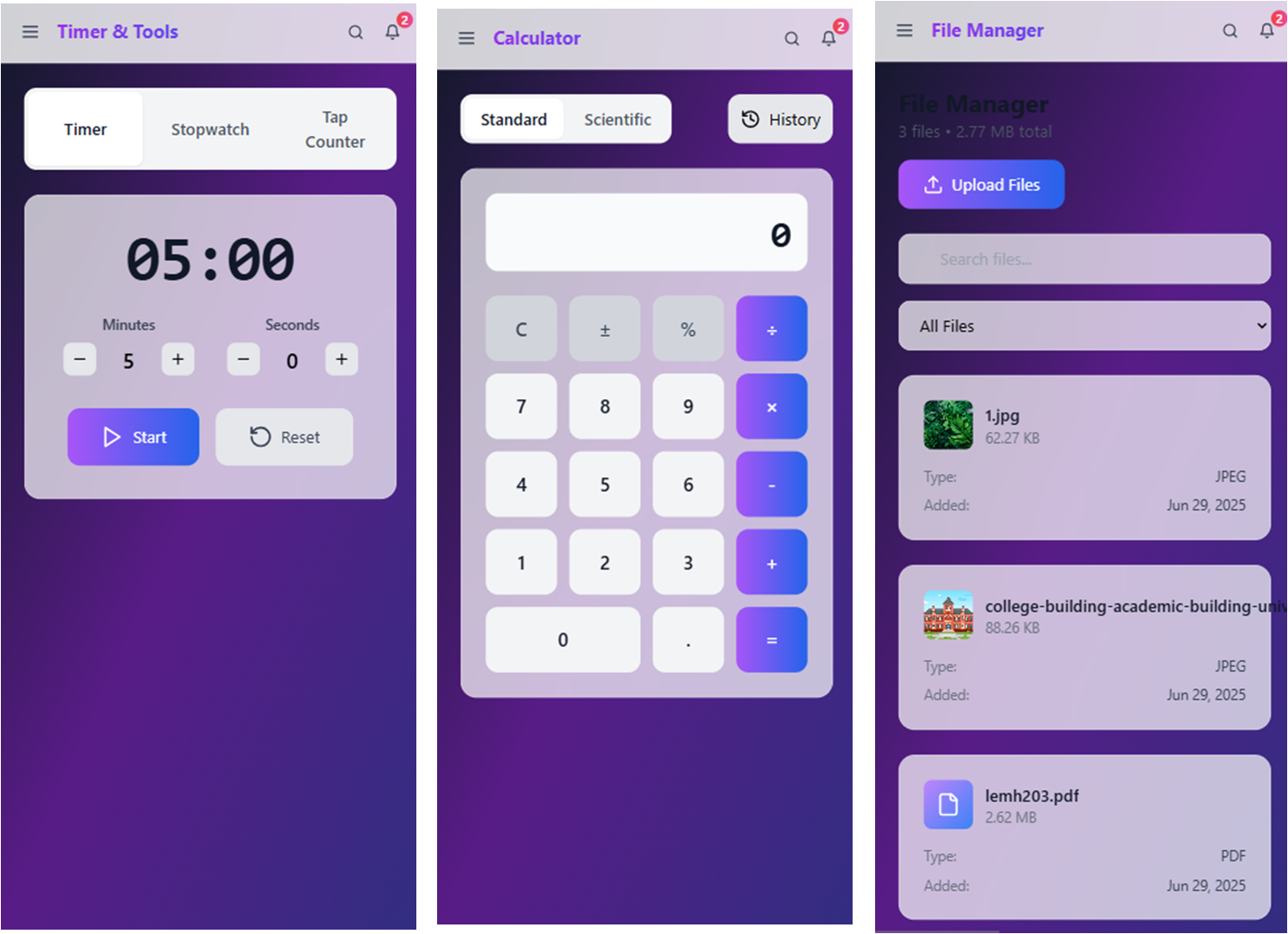
timer, Calculator(Basic+ Scientific), Upload Files
Inspiration
The inspiration for the Daily Utility App stemmed from a common frustration many of us experience: the sheer number of single-purpose apps cluttering our phones and digital lives. We found ourselves constantly switching between a to-do list for tasks, a separate app for notes, another for calculations, and yet another for tracking habits. This fragmentation didn't streamline our days; it created more friction and wasted time.
We envisioned a simpler, more integrated approach. What if all these essential, everyday tools could exist harmoniously in one place? The goal was to create a truly comprehensive and intuitive solution that wasn't just a collection of features, but a cohesive platform designed to enhance daily productivity and organization.
What it does
The Daily Utility App is designed to simplify and streamline various everyday tasks by consolidating multiple functionalities into a single application. Here's what it does:
To-Do List: It allows users to create, manage, and track their tasks, helping them stay organized and on top of their responsibilities. This includes setting reminders and potentially prioritizing tasks.
Calculator: It provides a standard calculator function for quick arithmetic calculations, eliminating the need to open a separate calculator app.
Notes: Users can create and store notes for various purposes, whether it's capturing ideas, making shopping lists, or simply jotting down information.
Habit Tracker: This feature enables users to monitor and develop positive habits, promoting personal growth and consistency.
Drawing Pad: It offers a simple drawing or sketching tool, which can be useful for quick diagrams, visual notes, or just a bit of creative expression.
Upload Files: Users can upload and store various types of files within the app, centralizing documents and other digital assets.
Timer: It provides a timer function for various uses, such as cooking, workouts, or managing work intervals.
How we built it##
Frontent Framework: React, Typscript.
Build Tool: VITE
Styling: Tailwind css, Postcss.
State Management: Zustand.
Animation: Framer Motion.
Routing: React Router.
Utilities: Lucid React.
Challenges we ran into
Data Management and Synchronization: With features like notes, to-do lists, and habit data, ensuring seamless data storage, retrieval, and particularly synchronization across multiple devices was complex. We had to implement a robust backend system that could handle different data types efficiently and securely. Managing potential data conflicts, especially when a user might be updating the same information from two different devices, required careful planning and sophisticated logic.
Maintaining a Cohesive User Experience (UX): The biggest challenge was integrating diverse features without making the app feel cluttered or overwhelming. We had a calculator, a to-do list, a drawing pad, and a habit tracker – each with its own typical user interface. The difficulty lay in designing a unified navigation system and visual language that made sense across all these distinct tools. We spent significant time on UX research and iterative design to ensure users could effortlessly switch between features and always know where they were in the app.
Accomplishments that we're proud of
Building the Daily Utility App was a significant undertaking, and there are several key accomplishments that we're particularly proud of: Accomplishments We're Proud Of with the Daily Utility App Building the Daily Utility App was a significant undertaking, and there are several key accomplishments that we're particularly proud of:
Seamless Integration of Diverse Features: Our biggest point of pride is successfully integrating a wide array of seemingly disparate functionalities – from a logical calculator and a robust to-do list to a creative drawing pad and a diligent habit tracker – into a single, cohesive application. We managed to create a user experience that feels intuitive and unified, rather than a collection of disjointed mini-apps. This required immense effort in UX design and backend architecture to ensure smooth transitions and consistent interaction patterns.
Intuitive and User-Friendly Design Despite the complexity of offering so many tools, we're incredibly proud of the clean, uncluttered, and highly intuitive user interface we achieved. We prioritized simplicity and ease of use, ensuring that even first-time users can navigate and utilize all features effectively without a steep learning curve. This focus on user-centric design has been crucial in making the app genuinely useful for daily tasks.
What we learned
Building the Daily Utility App was an incredibly valuable learning experience. Here are some of the key takeaways and lessons we've gained:
Managing Complexity in a Multi-Feature App: Integrating multiple distinct tools within a single application brought inherent complexity. We learned the importance of modular development, breaking down each feature into manageable, independent components. This approach made debugging easier, allowed for parallel development, and simplified future maintenance and updates.
What's next for Daily Utility App
1. Enhanced User Customization & Personalization
Themes & Layouts: Allow users to choose from various themes (light/dark mode, different color palettes) and potentially customize the layout or order of features on their main screen.
Widget Support: Develop highly functional home screen widgets for popular features like the to-do list, notes, and habit tracker for quick access without opening the app.
Notification Customization: More granular control over reminders and notifications for habits and to-do items.
2. Advanced Feature Development & Refinement
Smart Reminders/AI Integration: Implement AI to suggest reminders for notes, categorize tasks automatically, or even learn user habits to provide more intelligent nudges.
Collaboration Features: Allow users to share to-do lists or notes with others, making it useful for families, small teams, or study groups.
Cloud Integration Expansion: Beyond just file uploads, integrate with popular cloud storage services like Google Drive, Dropbox, or OneDrive for seamless access and management of files.
Rich Media in Notes/Drawing: Enhance the notes feature with rich text editing, inline images, and potentially audio recording. Improve the drawing pad with more brush options, layers, and color palettes.
Advanced Habit Tracking: Deeper analytics for habit streaks, performance over time, and perhaps integration with health apps.
Currency Converter/Unit Converter in Calculator: Expand the calculator's utility with common conversion tools.
3. Cross-Platform Expansion & Ecosystem Building
Web Version: Develop a web application that syncs with the mobile app, allowing users to access and manage their data from a desktop browser. This is crucial for power users and those who work extensively on computers.
Desktop Applications: Dedicated macOS and Windows applications for a more native desktop experience.
Wearable Integration: Integrate with smartwatches (Wear OS, watchOS) for quick access to reminders, habit checks, or timer controls.
4. Monetization Strategies (if not already implemented):
Premium Features: Offer advanced features (e.g., unlimited cloud storage, more customization options, advanced analytics, ad-free experience, priority support) through a subscription model or one-time purchase.
Freemium Model: A free tier with essential features and a paid tier for enhanced capabilities.
Built With
- css
- framermotion
- lucidereact
- postcss
- react
- reactrouter
- tailwind
- tailwindcss
- typescript
- vite
- zustand

Log in or sign up for Devpost to join the conversation.