🛠️ How We Built It
We built Smart Daily Planner using a simple front-end stack: HTML, CSS, and JavaScript, powered by Kiro, the AI IDE.
🧩 #SpecDrivenDevelopment with Kiro
We started by using Kiro’s spec system to plan out our app components. The following specs were defined in the /.kiro/spec.json:
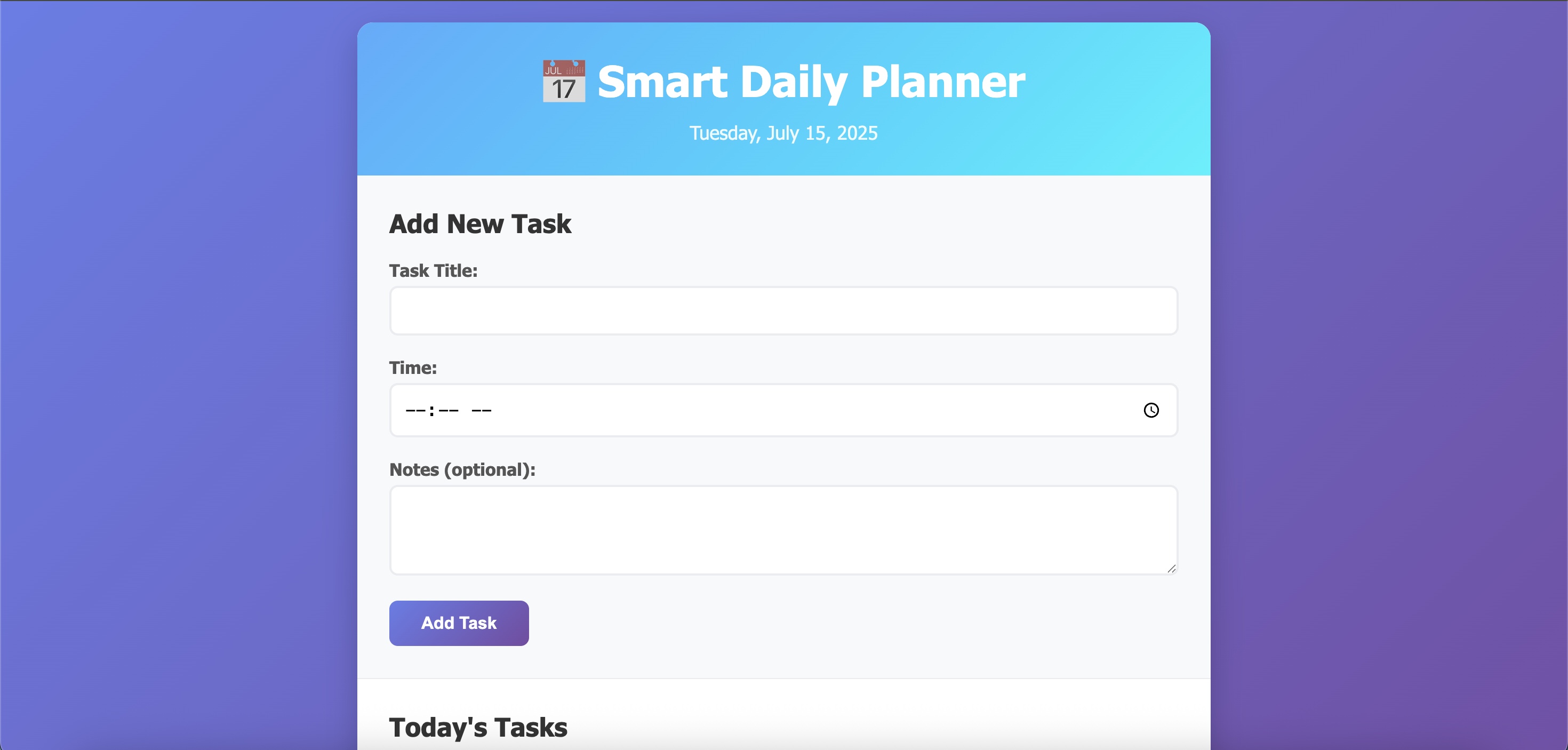
TaskInputForm: Handles user input for task title, time, and optional notes.TaskCard: Displays individual tasks with "mark complete" and "delete" options.TaskListRenderer: Dynamically displays the day’s tasks sorted by time.
Using specs allowed us to scaffold the entire structure quickly and clearly, without writing boilerplate code ourselves.
💬 #KiroConversations
We used Kiro’s natural language chat interface to generate much of the functional code. Some highlights:
- Generated a clean ES6 class structure for task management
- Helped implement localStorage by date key to isolate daily task lists
- Wrote the
renderTasks()function with built-in sorting logic - Created the complete/delete task logic based on our specs
Kiro guided us step-by-step, turning plain language into working code — fast.
⚙️ #AgentHooks
To make the app smarter, we added Kiro hooks:
dailyResetHook: Automatically clears the task list when the date changesautoSortHook: Re-sorts the list in real time whenever a task is added or marked complete
These simple automations removed friction and improved user experience without adding manual steps.
🗂️ #ProjectStructure
📁 Smart-Daily-Planner/ ├── index.html ├── style.css ├── script.js ├── /.kiro/ │ ├── spec.json
│ ├── hooks.js
🚀 #Outcome
By combining Kiro’s spec-first approach, live code generation, and helpful automation hooks, we built a lightweight, clean, and fully functional daily planner — all in the browser, no backend required.
It’s fast. It’s responsive. It’s smart. And it was built in record time with Kiro by our side.

Log in or sign up for Devpost to join the conversation.