-
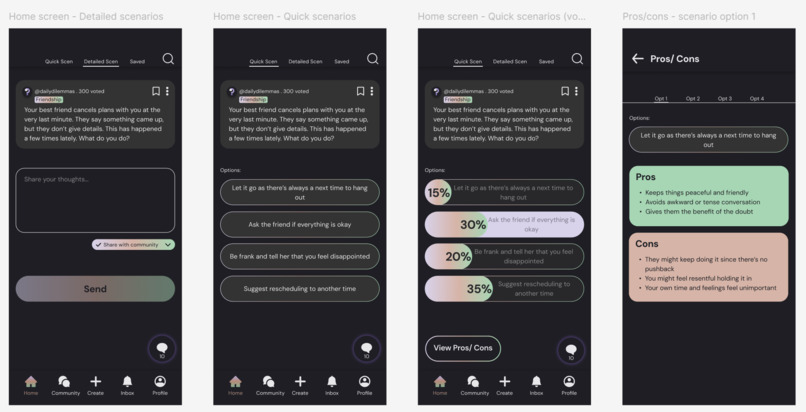
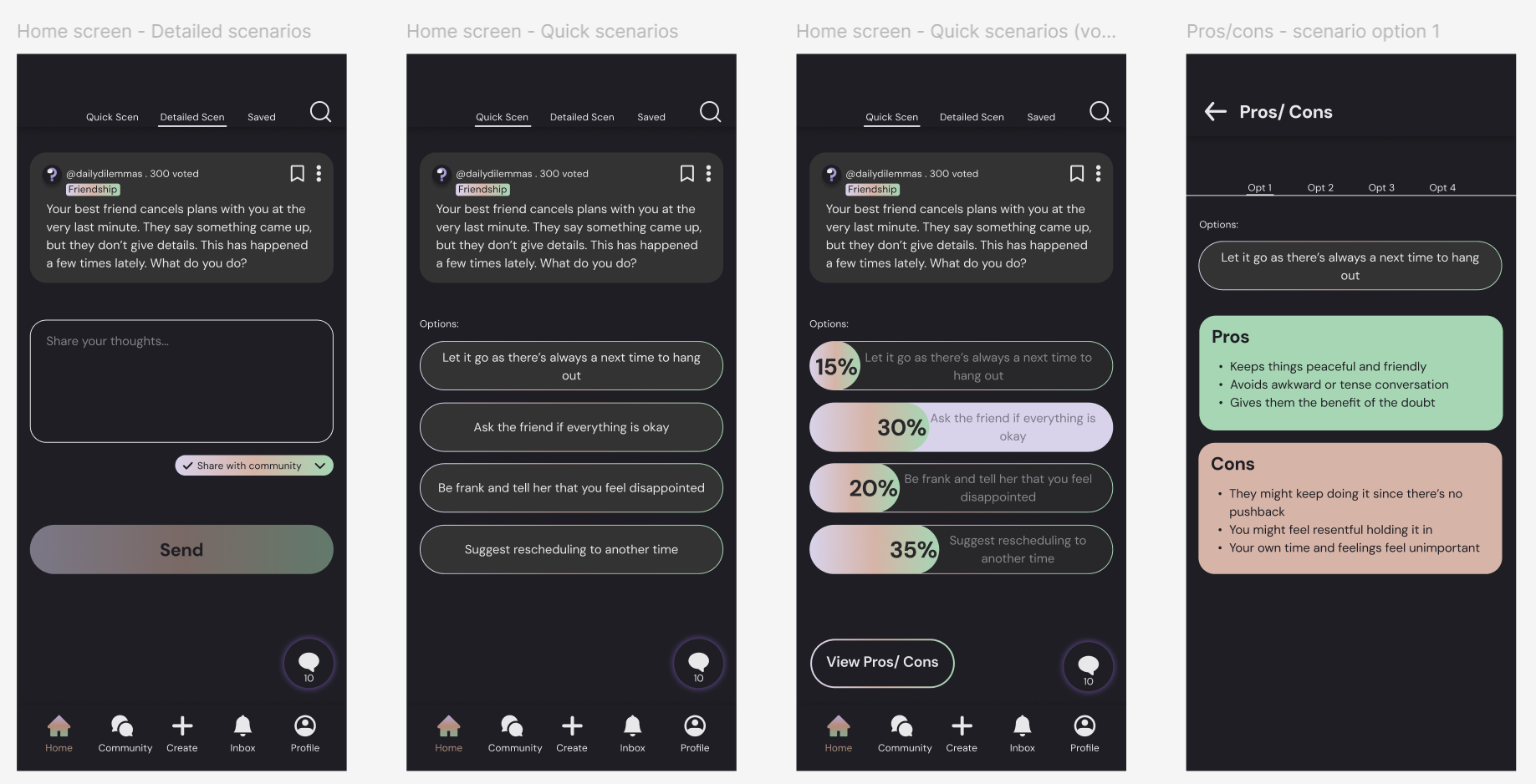
Detailed/ Quick Scenarios screen and trade-offs screen
Inspiration
Daily Dilemmas was inspired by my own experiences of facing awkward or difficult scenarios and wondering how others would handle them, so I would often ask those around me what they would do. I noticed people turning to TikTok, Reddit, and other platforms to ask for perspective on their own dilemmas, and that was when the idea clicked. What if there was a space built only for this kind of thoughtful discussion? Right now, people do not always have a chance to explore these differences in a structured, interactive way, where they can first consider what they would personally do before looking at the pros and cons and comparing their response with others.
I wanted to take the familiar swipe format from social media and fill it with content that sparks reflection. The app includes Quick Scenarios designed to fit into small pockets of time, while the optional Personal Analysis feature helps users notice patterns they might otherwise miss.
Like other platforms, I wanted a community section because seeing people from different backgrounds, beliefs, and values share their experiences does not just broaden our view, it makes us feel less alone and brings comfort. Knowing someone else has faced something similar and felt the same way can make all the difference.
What it does
The app allows users to explore relatable, funny, awkward, and thought-provoking everyday scenarios. Users can first select topics that matters to them, then engage in two ways: Quick Scenarios for fast, decision-making with multiple choice question, which will show community votes after answered, or Detailed Scenarios for deeper, open-ended reflection. After every response, the app lays out the trade-offs and consequences of each choice. This helps user see how different values lead to different paths. A community section lets users to post their own situations, read other experiences, and join anonymous discussions. Users with an account have access to personal analysis feature which identifies patterns across their responses, revealing values that guide their choices.
How we built it
The interactive prototype was designed and built in Figma. I start with defining the core user journey across the welcome screen, choosing between quick and detailed scenarios, viewing trade-offs, and exploring community perspectives. The flow was shaped to feel intuitive and easy to navigate.
To make the app approachable and fun, I chose an eye‑friendly colour scheme and rounded UI elements to make the app feel approachable, lighthearted, and fun. The result is a interactive prototype for the main user path, that delivers a close experience of using the actual app.
Challenges we ran into
One of the challenges wad deciding where and how to place the key UI elements so the flow felt natural without cluttering the screen. It took a few adjustments to balance enough information and placing essential features into the mobile layout while keeping the interface clean.
Accomplishments that we're proud of
I'm proud to have built a interactive prototype that guides users from the welcome screen to viewing the scenarios, community screen, and account screen where the personal analysis insights are located. The prototype helps to bring my idea to life.
What we learned
Designing Daily Dilemmas prototype taught me that a user-friendly app isn't just about how it looks, but also about how easy a user can navigate without thinking too hard. I learned the importance of consistency. By keeping navigation, buttons and layout similar across every screen, it builds trust and makes the experience feel effortless. I also discovered how much small details matter, from spacing that makes text easy to read to button placement that feels intuitive. My main takeaway is to design from the user's perspective, I build the prototype by anticipating what they look for in the screen and where they might get confused.
What's next for Daily Dilemmas
Looking ahead, I plan to refine and polish existing features such that every screen feels intuitive and cohesive to use. I'll expand the prototype beyond the core flow to include more supporting screens and clearer transitions between screens. After that, I can conduct user testing to gather feedback and improve the design accordingly.
Beyond design, I can develop the app into a fully functional version, introduce scenario tailored to more specific interests, grow the community features with moderation tools, and enhance the personal analysis insights to help users understand themselves better. The goal is to create a welcoming and safe space for thoughtful reflection and connection.
Built With
- figma

Log in or sign up for Devpost to join the conversation.