Inspiration
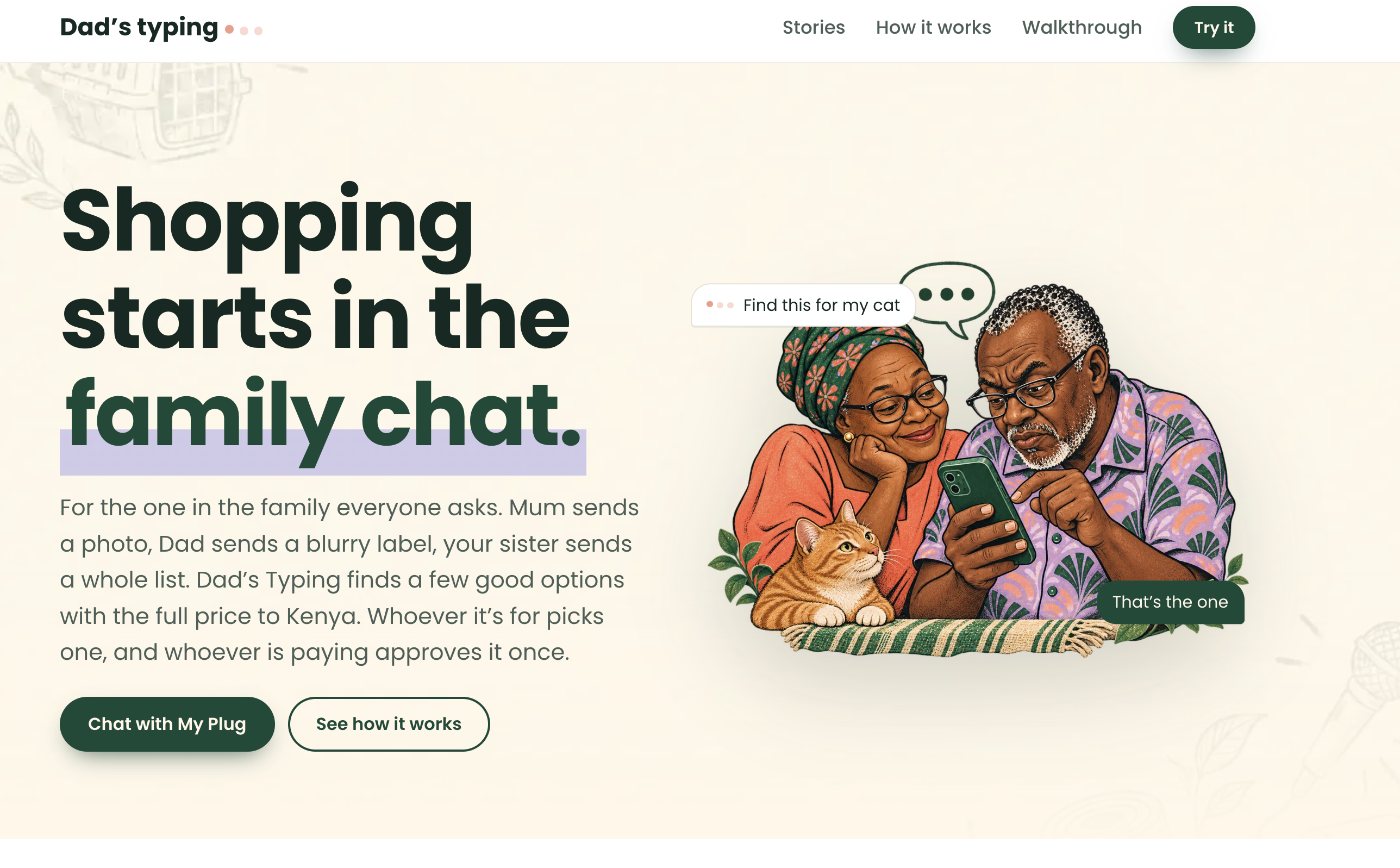
“Can you find this for my cat?” Mum sends a photo to the family chat. She knows what she wants: a carrier that opens from the top. I’m the one who can search the shops. Someone else might be the one who pays.
That small favour can turn into an evening of checking listings, working out what delivery to Kenya might cost, and sending screenshots back and forth. By the time someone is ready to pay, there’s still one more question: “Is this the one you picked?”
We built Dad’s Typing to keep that whole conversation in one shared request. I can help find it, Mum can choose it herself, and the payer can approve exactly what she chose.
What it does
- 📷 Start with a photo or a few words. Send a picture of the carrier or describe it. The assistant suggests what to look for, quotes the shopper’s words when they support a requirement, and asks a follow-up if something important is unclear. Once a person confirms “opens from the top,” the app can rule out a front-opening carrier and show why.
- 🔗 Share a link from the family chat. Forward a post link or a message to My Plug on WhatsApp, or start on the web. For Facebook, Instagram, or TikTok videos, add a screenshot or describe what you saw; the hosted demo doesn’t analyse the video itself.
- 🎙️ Say it instead of typing it. On the web, hold to record a question or describe what you need. The app turns it into editable text so you can check it before sending.
- 🛍️ Compare options in Kenyan shillings. See real listings, why they match, and an estimated cost and arrival range for getting an item to Kenya where there is enough information to calculate them.
- 👥 Let the person it’s for choose. Mum gets a private link where she can ask questions, review the shortlist, and pick an item. Her choice updates the original request, so nobody has to relay it in another screenshot.
- 💳 Let someone else pay for that exact choice. The payer reviews the item, seller, and checkout total before approving. After the app verifies the Sandbox payment, both views can show the same receipt.
Why PayPal and Channel3 matter
PayPal closes the loop between choosing and paying. Mum gets to make the shopping decision without needing to handle checkout. The payer gets a clear approval step for the exact selection and amount. We use PayPal Sandbox for a labelled concierge payment that demonstrates the import checkout. It doesn’t charge real money, place a retail order, or book a shipment.
Channel3 gives us real products to compare. It returns listings from US and UK shops, including prices, links, and specifications when available. That matters when the difference between two similar carriers is how they open. We couldn’t find a Kenyan shop search API that fit this build, so we paired Channel3 discovery with a separate Kenya delivery estimate. We use freight rules from Kentex Cargo and Aquantuo, plus the Central Bank of Kenya exchange rate via Frankfurter. The route we estimate goes from the seller to an overseas forwarder warehouse, then to a pickup hub in Kenya. The cost and timing we show are estimates, not carrier quotes or promises of delivery.
How we built it
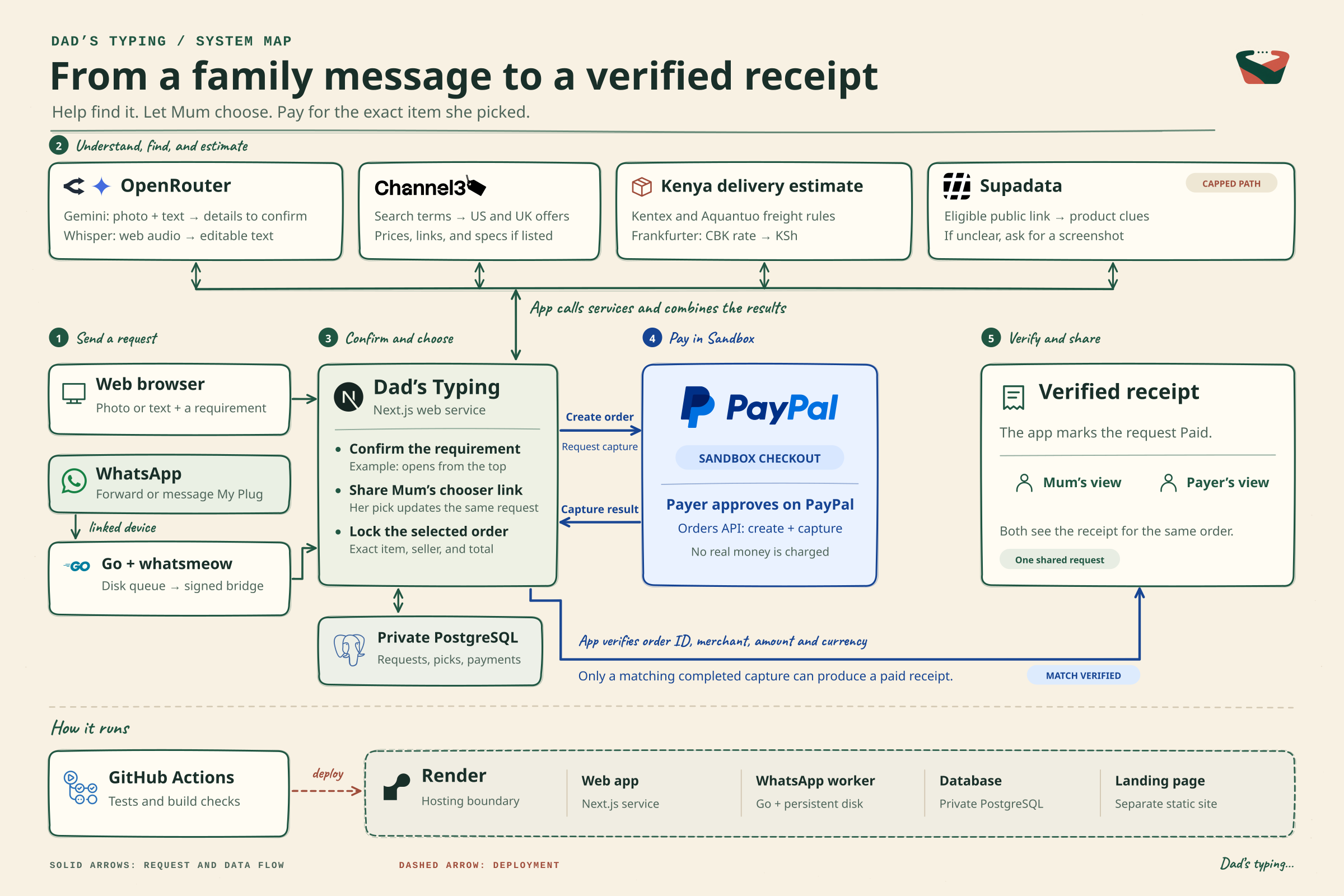
The diagram includes the Supadata path. It's on in the hosted demo for public Facebook, Instagram and TikTok links, in beta and capped by a credit limit; photos and screenshots give the most reliable results.
- Checkout and verification. PayPal Orders v2 creates the order and captures it after approval. The app freezes the selected order and marks it paid only when a completed capture matches the order, merchant, amount, and currency. Idempotency keys protect retries, and a reconciler checks the payment when a response is lost. Payments v2 supports operator refunds and lookups. Webhook signature verification is implemented for deployments where webhooks are configured.
- AI and voice. Gemini 3.8 Flash via OpenRouter interprets text and images and returns structured suggestions for a person to confirm. It can also extract editable details from quote screenshots and inspect frames from clips a shopper uploads. Whisper large v3 turbo transcribes web voice input. A direct Gemini adapter is available, and Supadata is the optional integration for supported public video links.
- One request across web and WhatsApp. Next.js and TypeScript power the web app and API, with PostgreSQL storing requests, choices, orders, and receipts. A Go worker using whatsmeow connects My Plug as a WhatsApp linked device. The worker queues incoming messages on disk and passes them to the app over a signed bridge. Render hosts the app, database, worker, and landing page. GitHub Actions runs checks before app deployment.
What we learned
The key lesson was to make uncertainty visible. Shoppers should be able to see what the app inferred, which delivery numbers are estimates, and whether the payment was actually verified.
The moment we’re proudest of is simple: Mum picks one carrier. The payer sees that exact carrier. Both can see the verified Sandbox receipt.
What’s next
- Support more products. Start with requirements that are easy to get wrong, like laptop charger models, connectors, and wattage. The current demo’s detailed requirement checks focus on pet carriers.
- Compare whole shopping lists. Help a family buying for someone at university compare the cost of the entire basket across shops, including delivery and fees.
- Get live forwarder quotes. Where providers support it, replace estimates with quotes and show which shipping, customs, and pickup costs are confirmed.
- Move to the official WhatsApp Business Platform. Keep the familiar chat entry point while replacing the linked-device connector.
- Reach families on the channels they already use. The chat engine doesn't depend on any one app: SMS, Telegram, Messenger, Instagram and email are already set up, each with its own message limits and photo support. Each one only needs a small connector, so the same request, choice, payment and updates can work over SMS for relatives without smartphones, or in Instagram DMs where many people first see the products they want.
Built With
- next.js
- postgresql
- render
- typescript
