Inspiration
Monday Apps infrastructure is awesome and  . It is more than a project management platform. It gives developers and users a lot of freedom in configuring your business process easier on the platform. So I thought of adding a flow diagram editor and map the Monday board items to the flow process to make it more user-friendly.
What it does
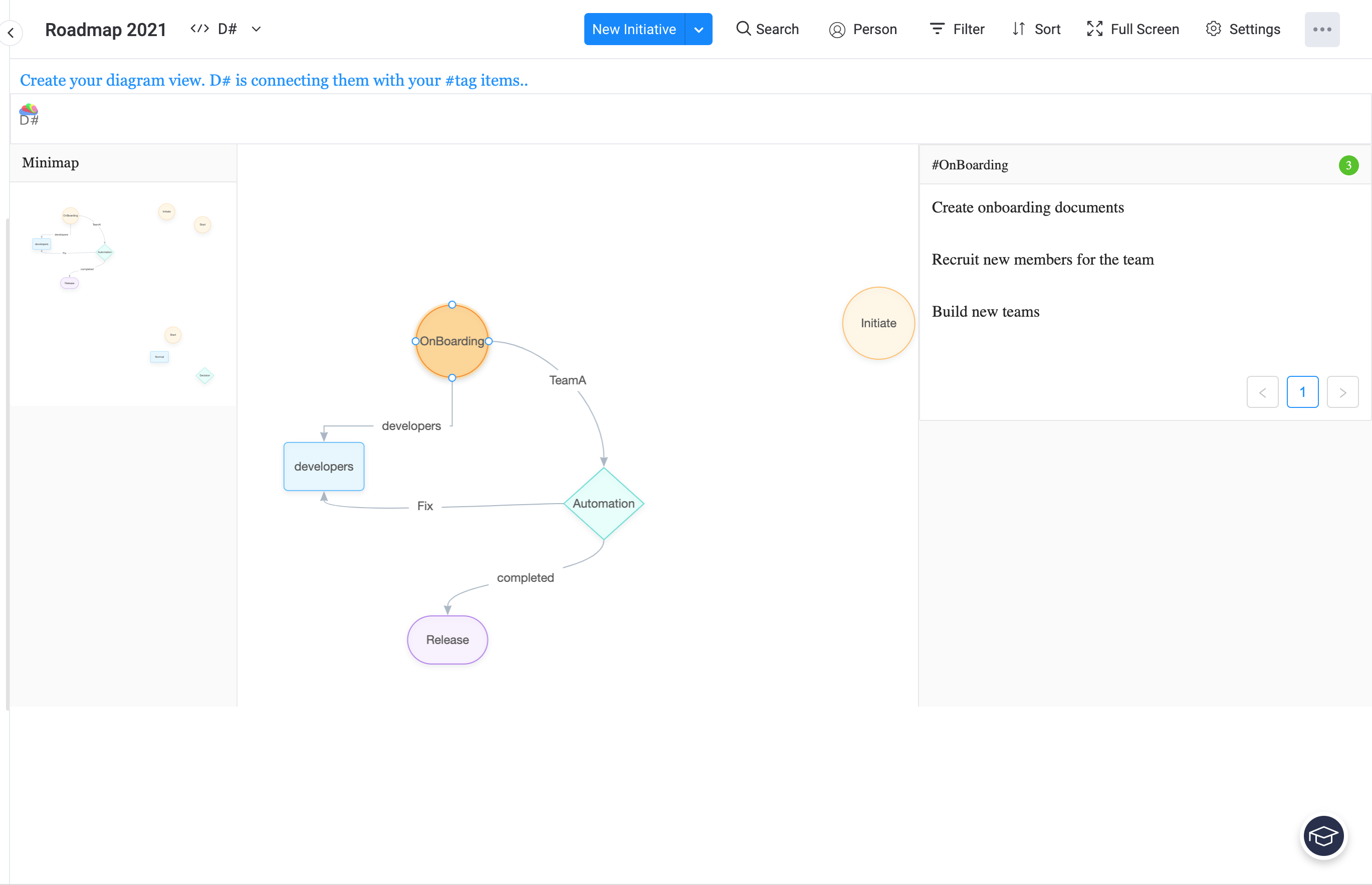
With D# flow diagram editor,
 You can sketch any business process.
 - Drag and drop process models, add your labels to nodes and edges.
- Draw unlimited amount of diagram on editor.
- Minimap to visualize whole view of the editor.
- Tool bar to undo , redo , remove, get to front and more functions.
You can use this to plan your business process. Draw any diagram to map your flow or activity flow or do root cause analysis...
- You can list down the #Tag items and edit them.
- Save your diagram either on board view or widget view. Edit the diagram and get new #Tags incorporated.
How I built it
I've used ReactJs with Typescript and ant design and added Monday styles. I've used Monday SDK for using API, Storage, and execute. The app uses Monday storage for saving the diagram data.
Challenges I ran into
The main challenge was to identify an idea for the app challenge. Get to know the design principles of Monday app infrastructure and use them effectively and efficiently to give a rich experience for the users.
Accomplishments that I'm proud of
I've used ReactJs, ant design, with typescript and used Monday infrastructure to create a solution with the time available to me. I'm proud that I have built this app and submit for the challenge. It was a great experience.
What I learned
I've learned about Monday App infrastructure, ReactJs, ant design, and Typescript. Project management models.
What's next for D
Connect online editors. Add more diagram models. Add more diagram types. Incorporate item filters. Add Monday styles as much as possible. Add automation process models and filter automation.
Built With
- monday-sdk
- react
- typescript


Log in or sign up for Devpost to join the conversation.