Inspiration
Every website has a short list of security basics that are cheap to check and cheap to fix: is HTTPS enforced, is HSTS set, does a CSP exist, are cookies flagged HttpOnly, is /.env sitting there in public. Almost nobody checks them, because the work is tedious, the output is jargon, and the tools are built for security engineers rather than for the person who actually owns the site.
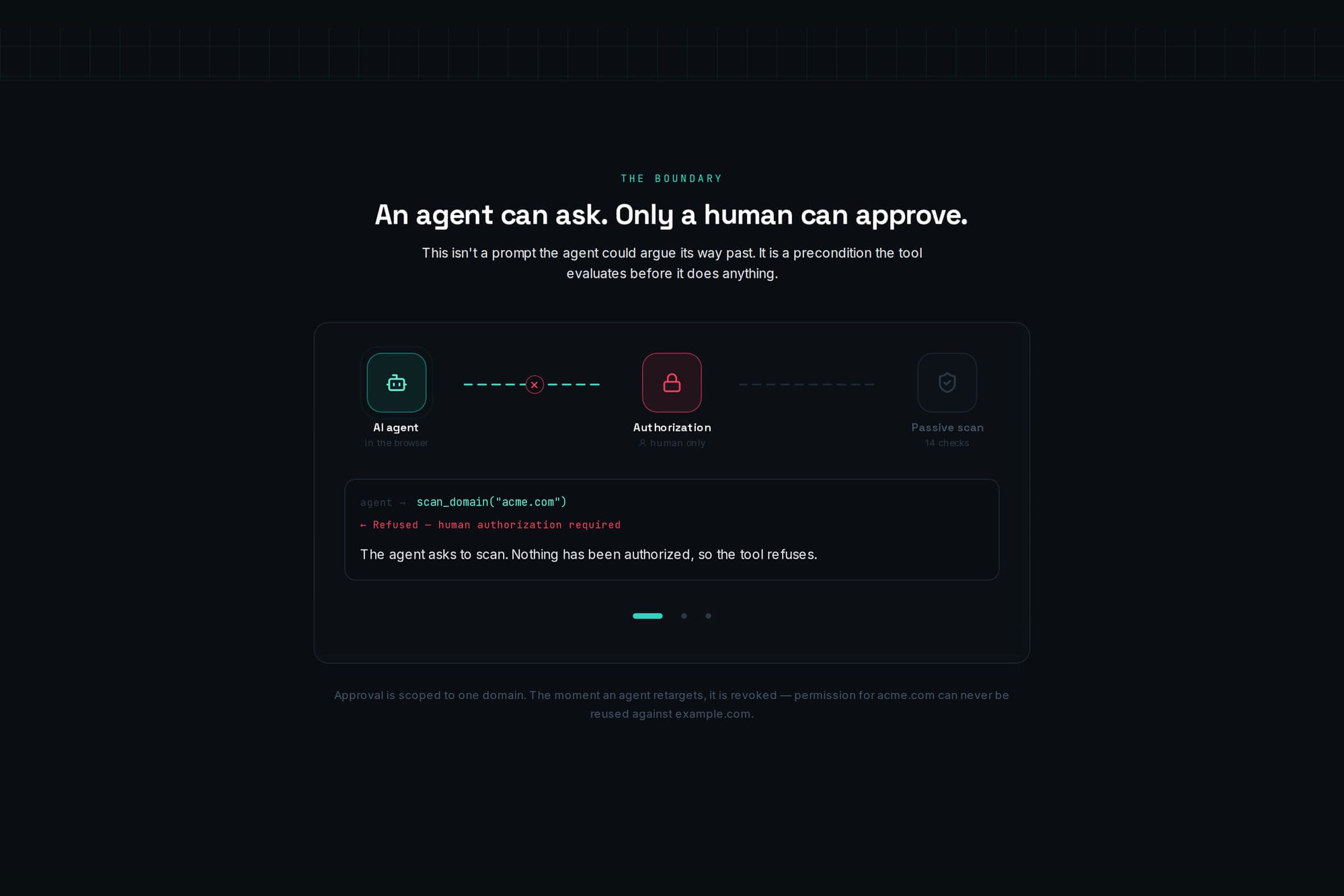
This is exactly the shape of work an agent should do. But "scan this domain" is not a neutral action — it touches someone else's server, and it carries legal and ethical weight. It has to stay a human decision. Most agent security tooling resolves that tension by removing the human. We wanted to keep them, visibly, in the loop.
What it does
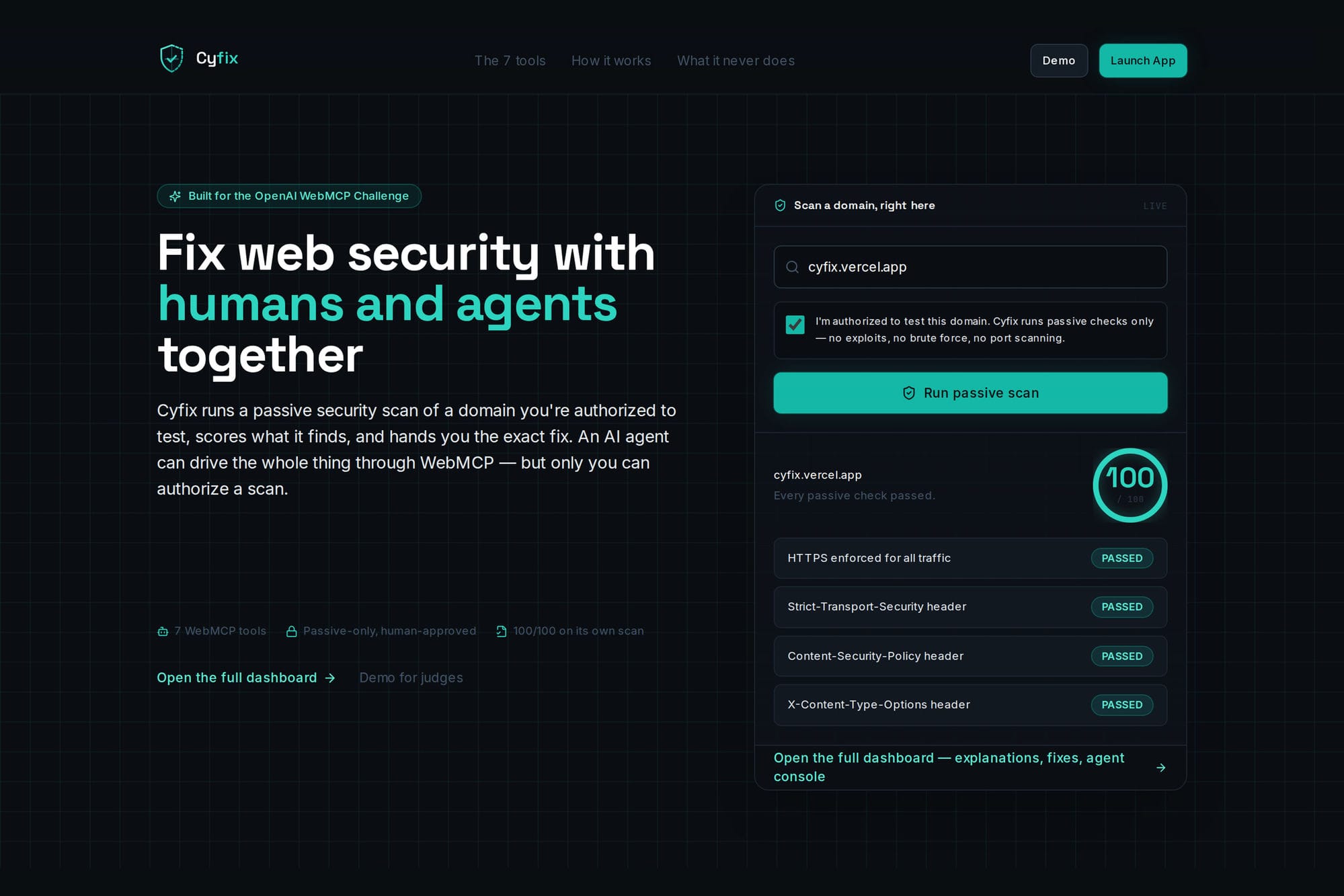
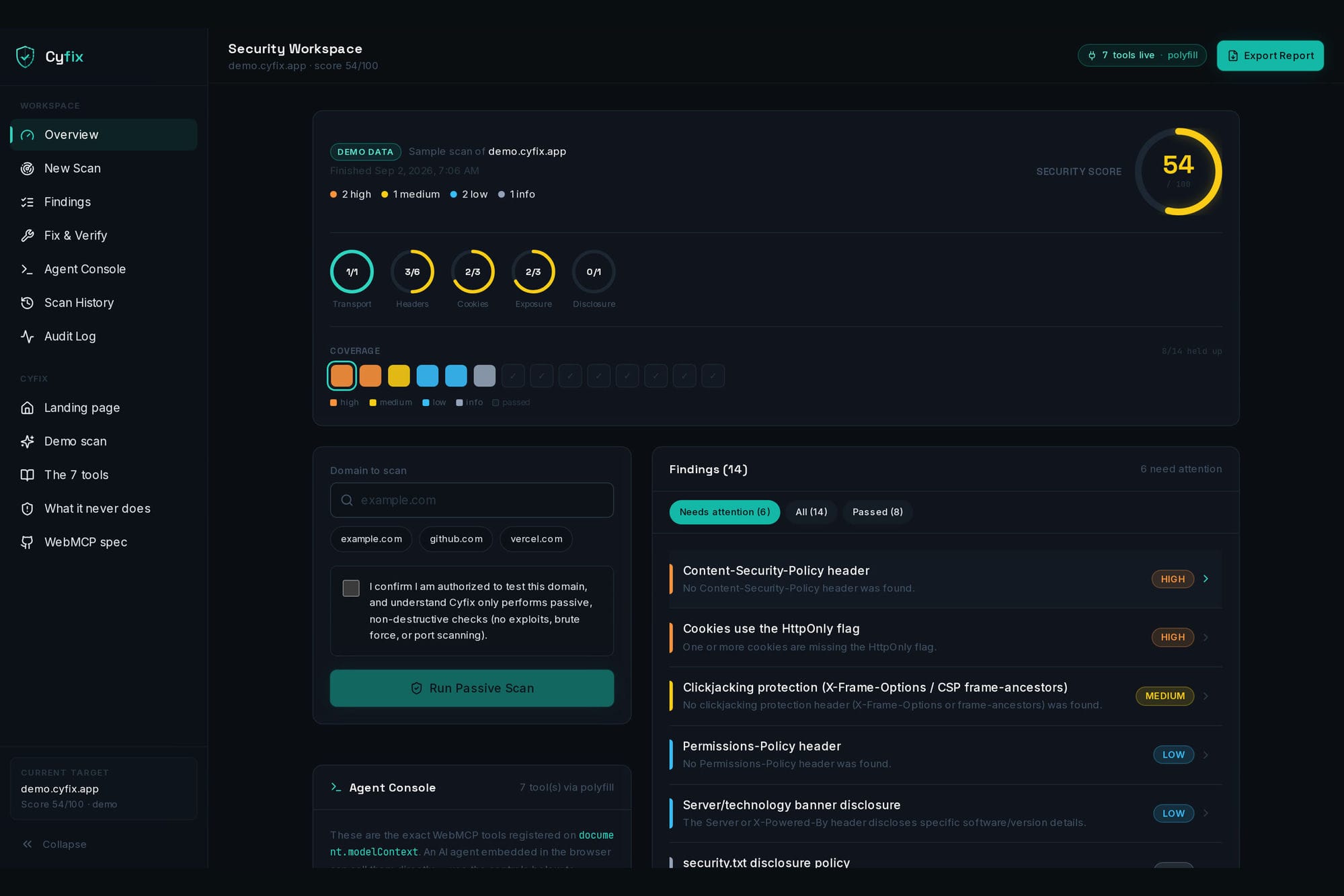
Cyfix runs a passive-only security scan of a domain you're authorized to test, scores what it finds by severity, explains each issue in plain language, and gives you a copy-pasteable fix. An AI agent in the browser can drive that entire workflow itself through WebMCP — propose a domain, run the scan once you approve, triage findings, draft the CSP header, verify the fix, export the report. Every action, human or agent, lands in a shared audit log.
What it will never do: exploit anything, brute force anything, scan ports, or send a single state-changing request.
How we built it
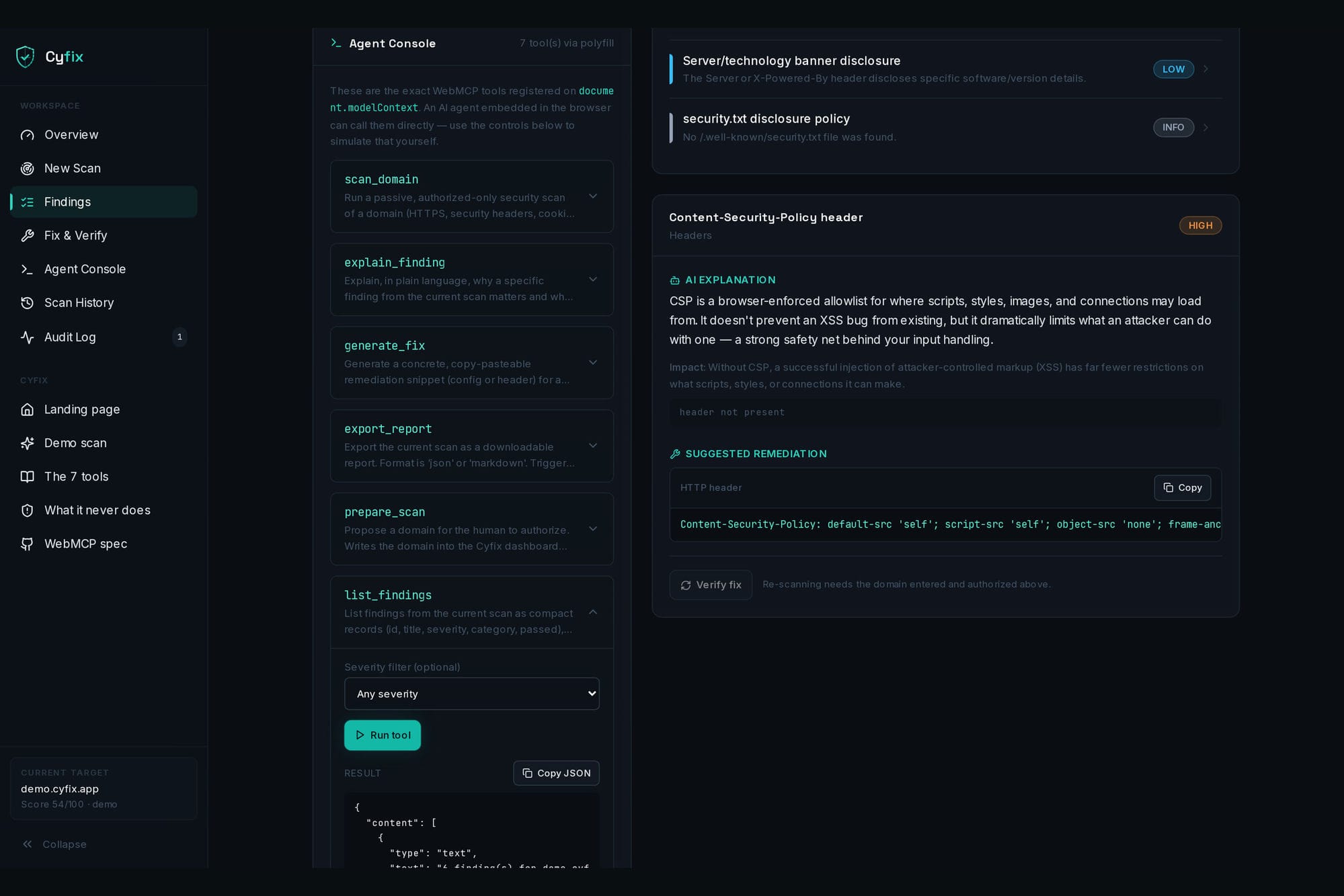
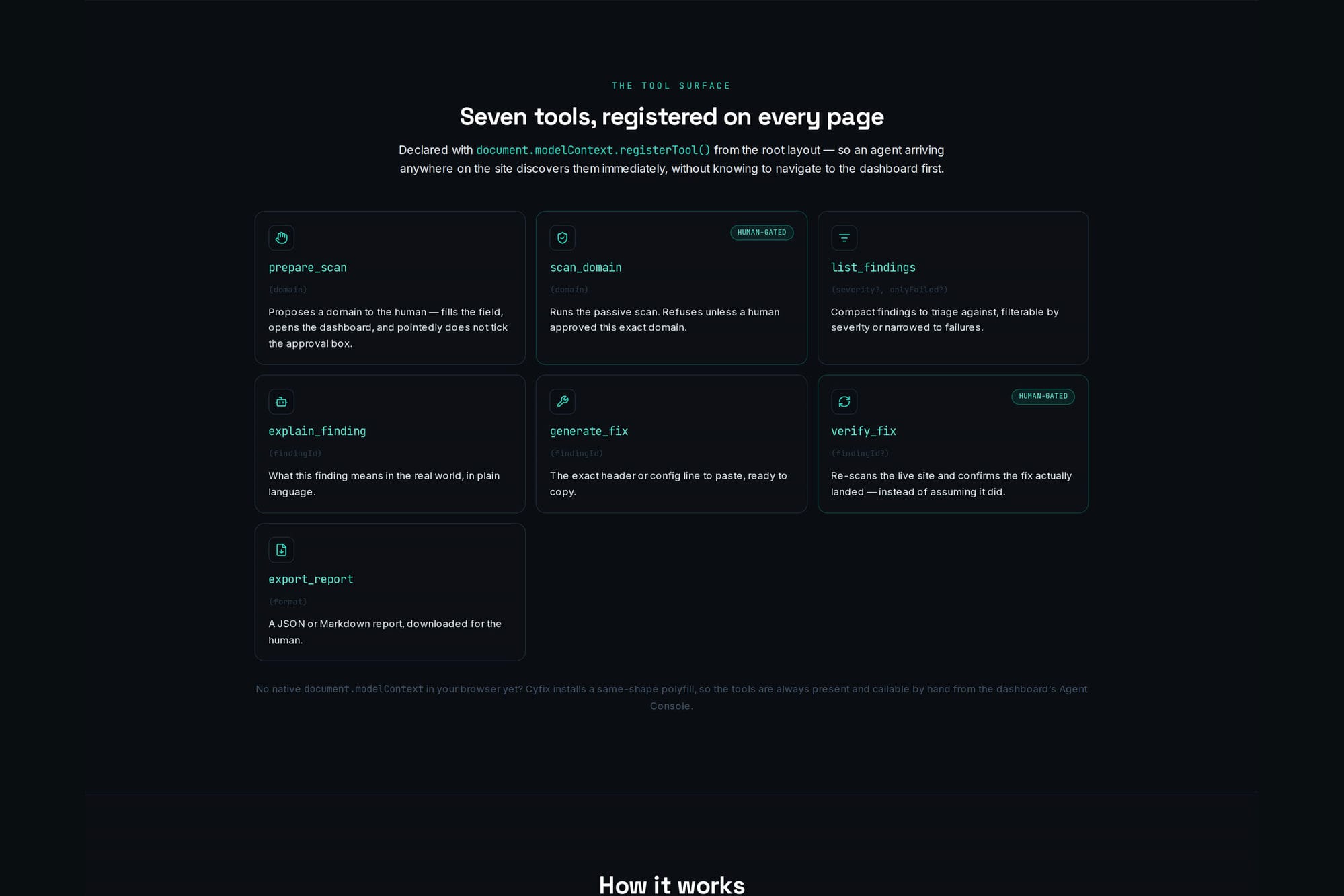
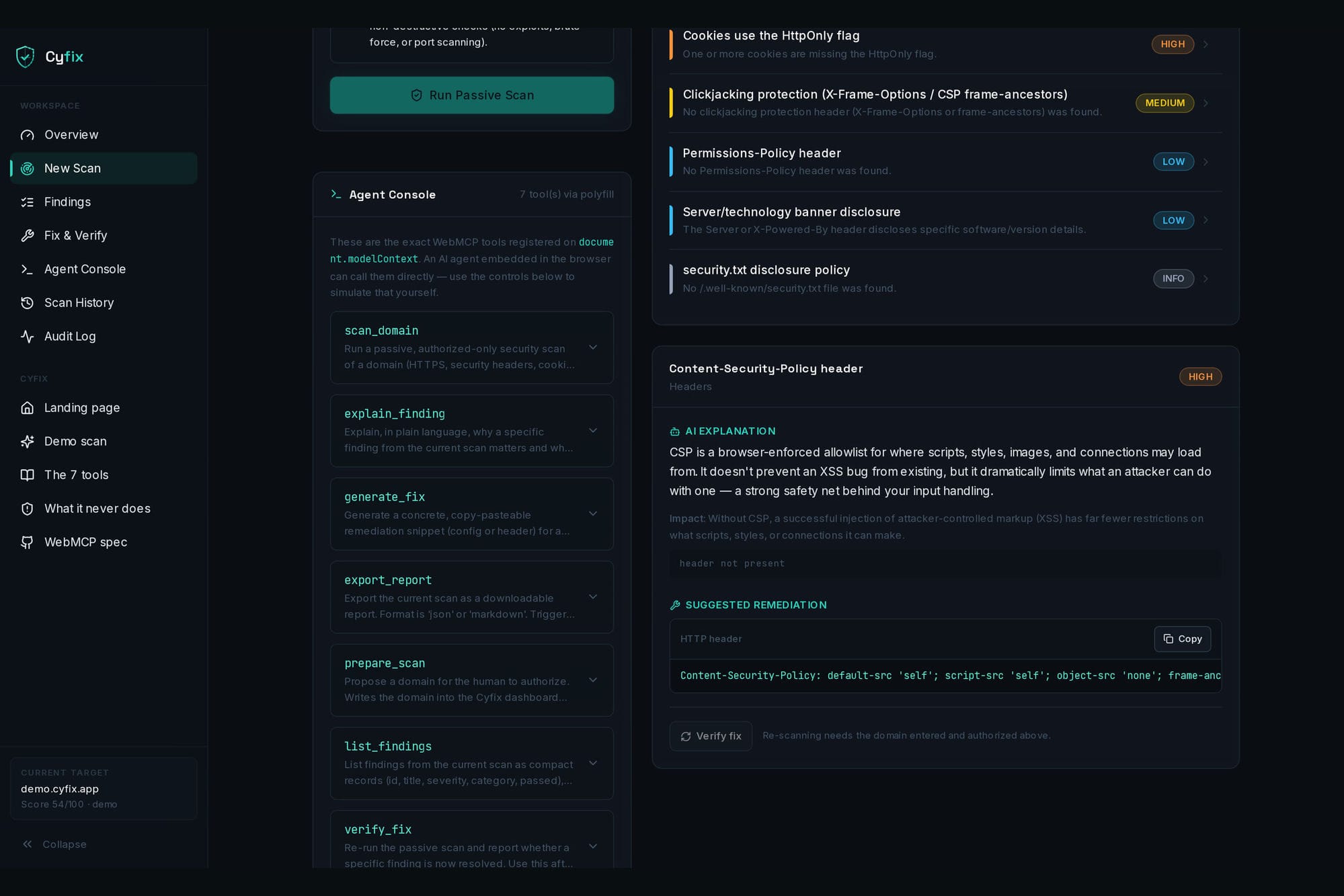
Next.js 15 (App Router), React, TypeScript, Tailwind, Zustand, deployed on Vercel. Seven tools are registered with document.modelContext.registerTool() from the root layout, so they're discoverable on every page — an agent landing anywhere on the site finds them immediately. Where a browser doesn't implement document.modelContext yet, Cyfix installs a same-shape polyfill, so the tools always exist and stay testable from the on-page Agent Console. Every tool resolves to an MCP-compatible envelope (content blocks, isError, structuredContent).
The gate lives in the human's UI, not in a prompt: scan_domain reads the state of a checkbox the human can see and untick — a precondition the tool evaluates, not an instruction an agent could argue past. prepare_scan is the agent's way of asking: it proposes a domain but deliberately leaves the approval box untouched. Approval is scoped to one domain and revoked the instant the target changes.
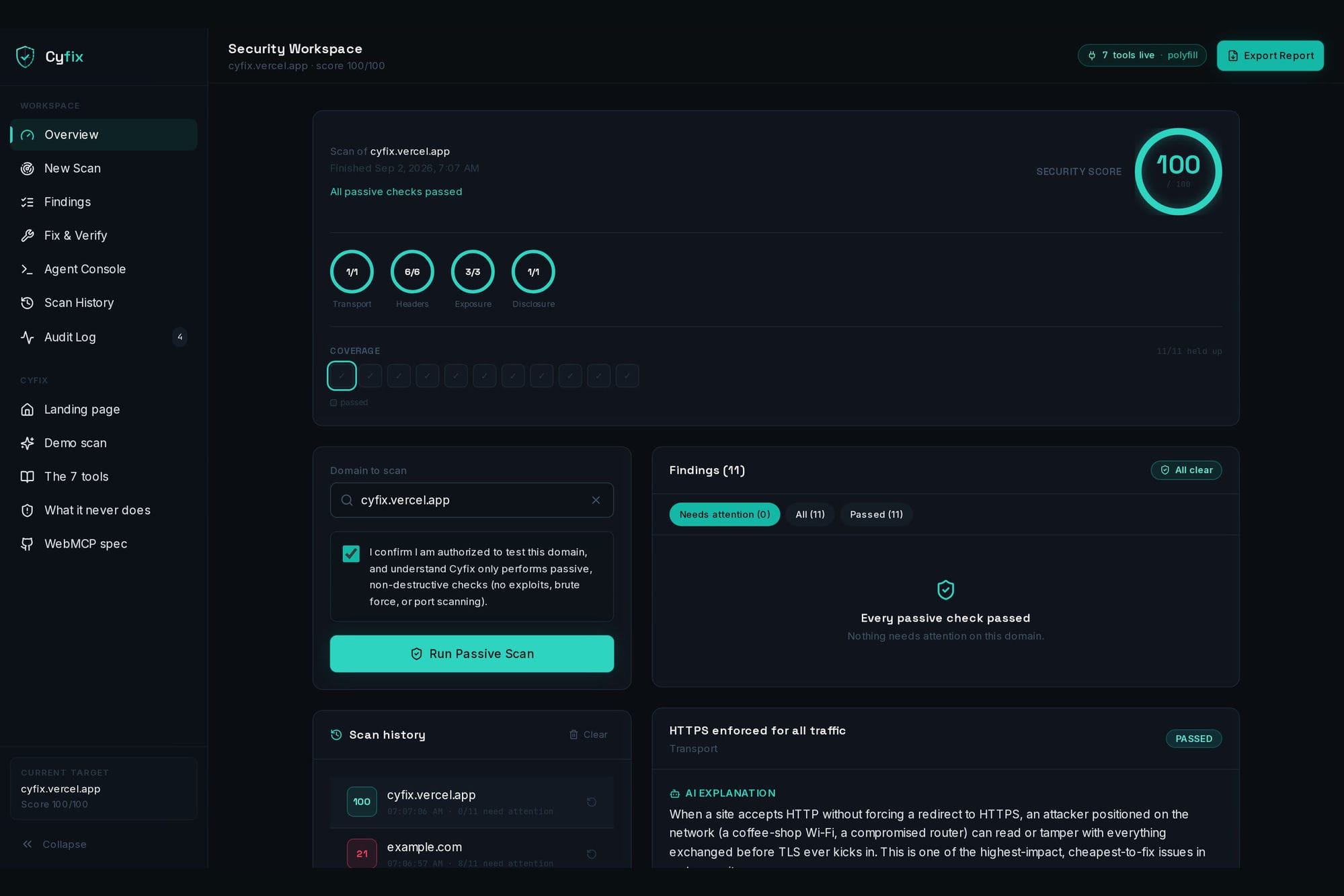
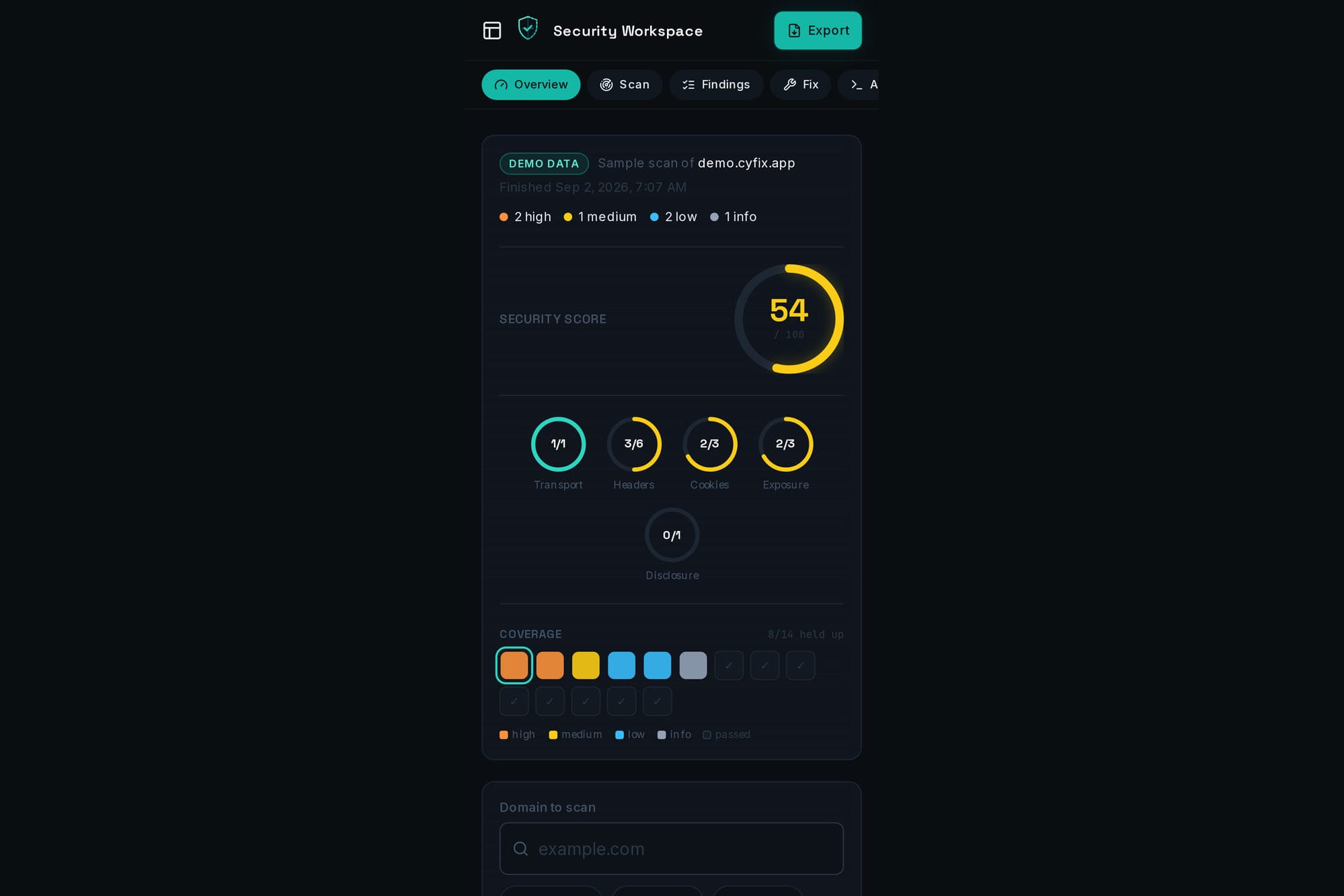
The dashboard is laid out as an application: a persistent left rail carries the sections, tracks the one you're reading, and pins the current target and score. The top bar shows a live count of the WebMCP tools currently registered on document.modelContext and whether that landed on the browser's native implementation or our polyfill.
The seven tools
prepare_scan — proposes a domain to the human. Cannot approve it. scan_domain — runs the passive scan. Refuses without human approval for that exact domain. list_findings — compact findings, filterable by severity or failures only. explain_finding — plain-language impact of one finding. generate_fix — copy-pasteable remediation snippet. verify_fix — re-scans the live site and confirms the fix actually landed. Human-gated like any scan. export_report — JSON or Markdown report, downloaded for the human.
verify_fix is the one we'd point at. Most agent tooling stops at "here's the fix" and declares victory. Cyfix goes back to the live site and checks — and because verifying means re-scanning
Cyfix scores 100/100 on itself
The first thing anyone does with a security scanner is point it at the scanner. So we did — it scored 61. We fixed everything it found: a nonce-based CSP with no unsafe-inline for scripts, HSTS, nosniff, X-Frame-Options: DENY, a referrer policy, a permissions policy, no framework banner, and a real /.well-known/security.txt. It now scores 100/100. Scan cyfix.vercel.app from the dashboard and check for yourself.
Challenges we ran into
Designing a gate an agent can't route around while still leaving it something useful to do. Our first version refused unauthorized scans correctly but left the agent at a dead end with no way to ask. Splitting "propose" from "approve" into two tools, and moving the target into shared state both actors read, is what made the collaboration real instead of theatrical.
The second was our own CSP. The first policy we shipped used 'strict-dynamic', which silently voids the 'self' allowance — every script chunk was blocked and the dashboard rendered a blank page. The build was perfectly happy; only loading the page in a real browser caught it. A fitting lesson for a project about security headers.
What's next
Scheduled re-scans with diffing, a broader passive check set (TLS configuration, DNS hygiene, SPF/DMARC), and a shareable report link so the person who has to apply the fix doesn't need the dashboard open.
Built With
- nextjs
- react
- tailwindcss
- typescript
- vercel
- webmcp
- zustand

Log in or sign up for Devpost to join the conversation.