-

LOGO
-
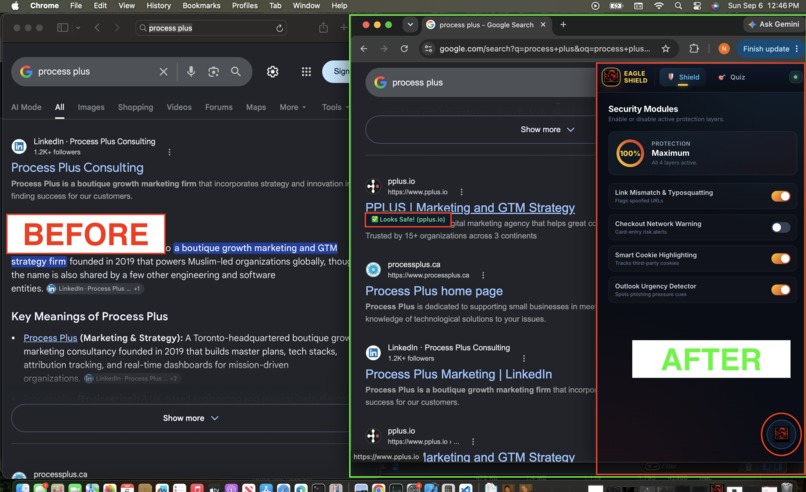
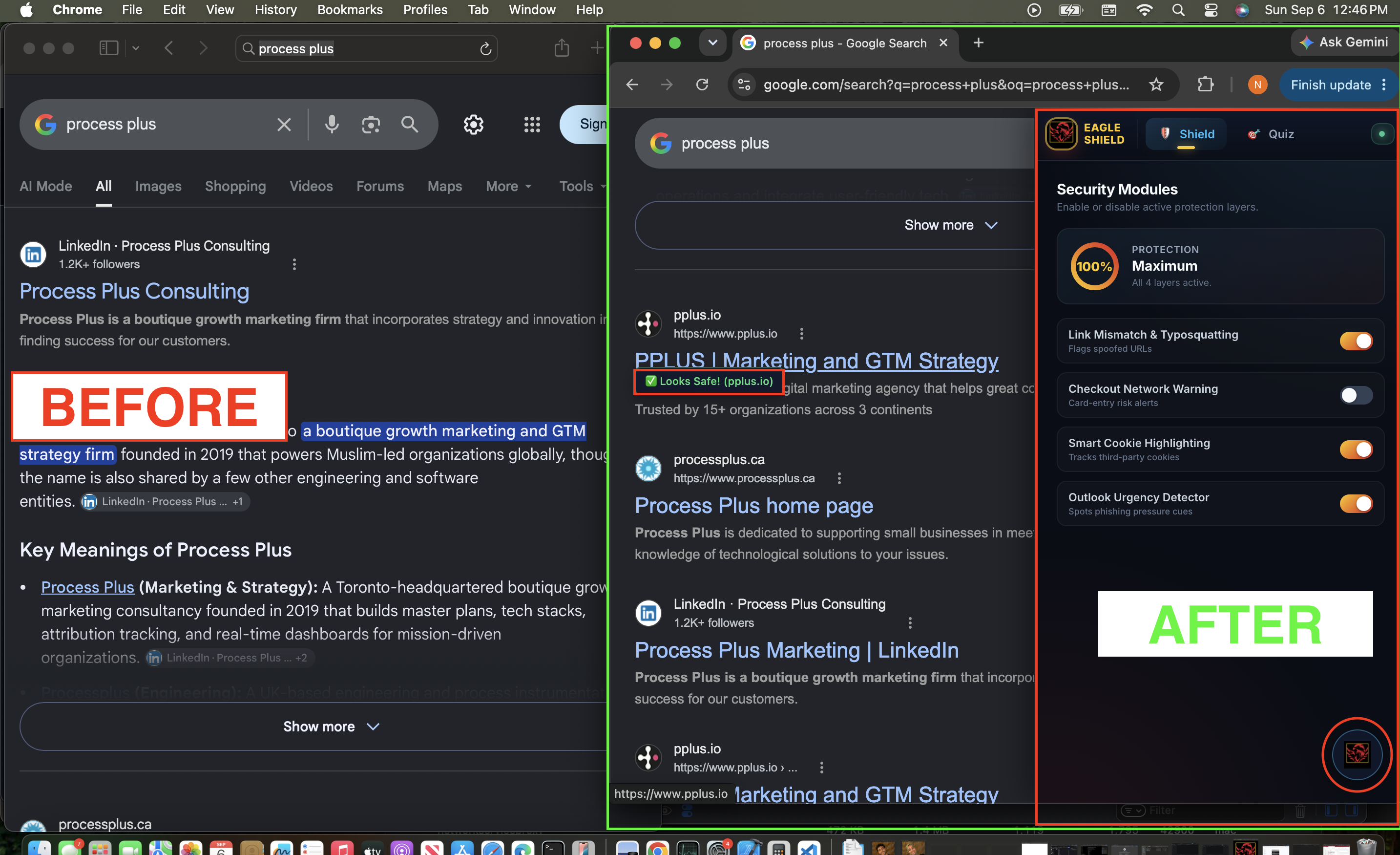
The before & after- Hover over a link to check if it's safe!
-
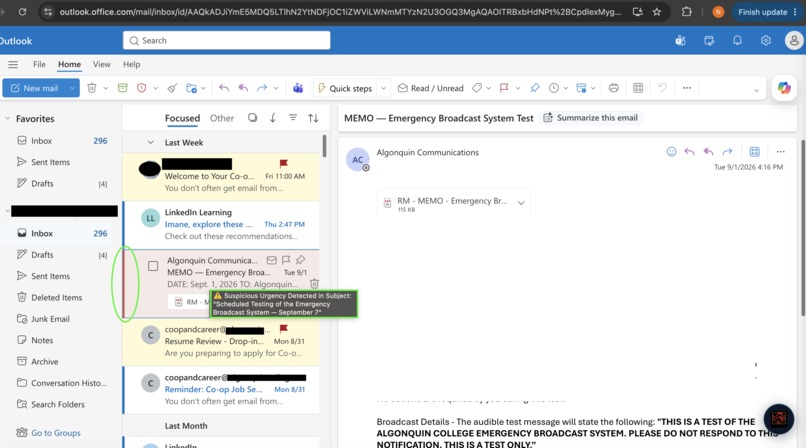
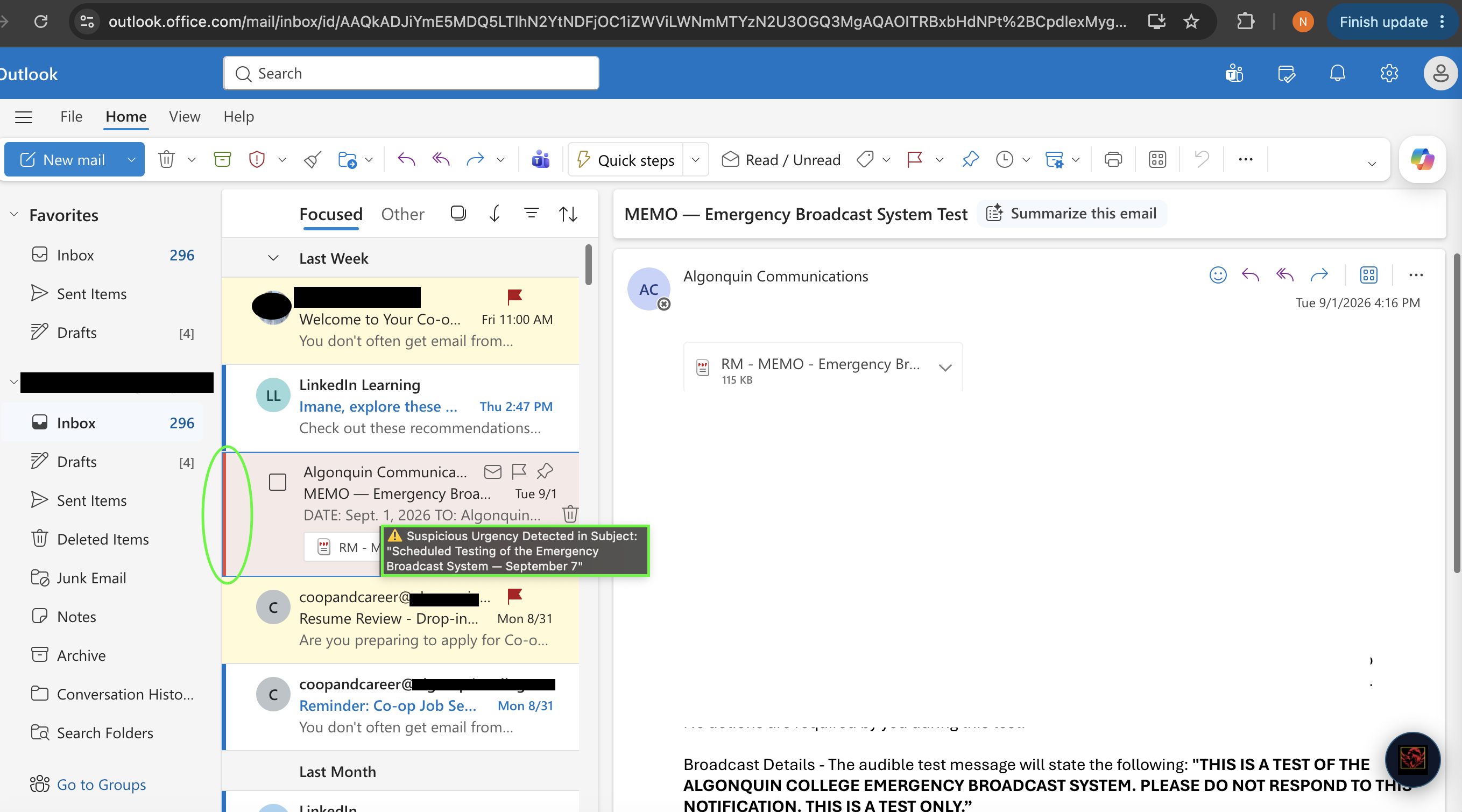
Flags suspicious urgency in subject texts, highlighting in it in red with a warning once hovered over
-
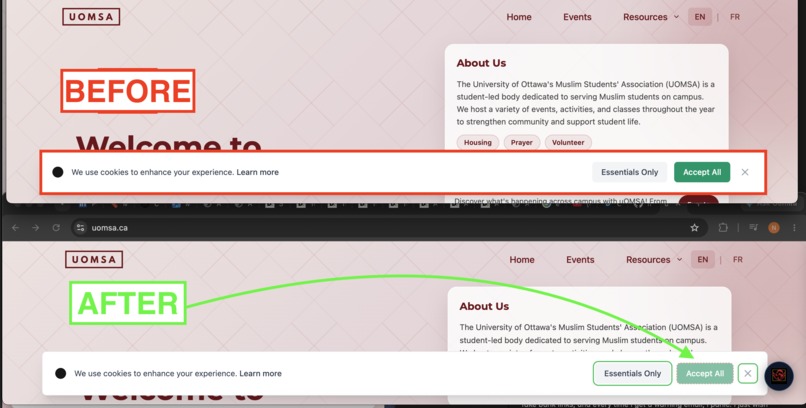
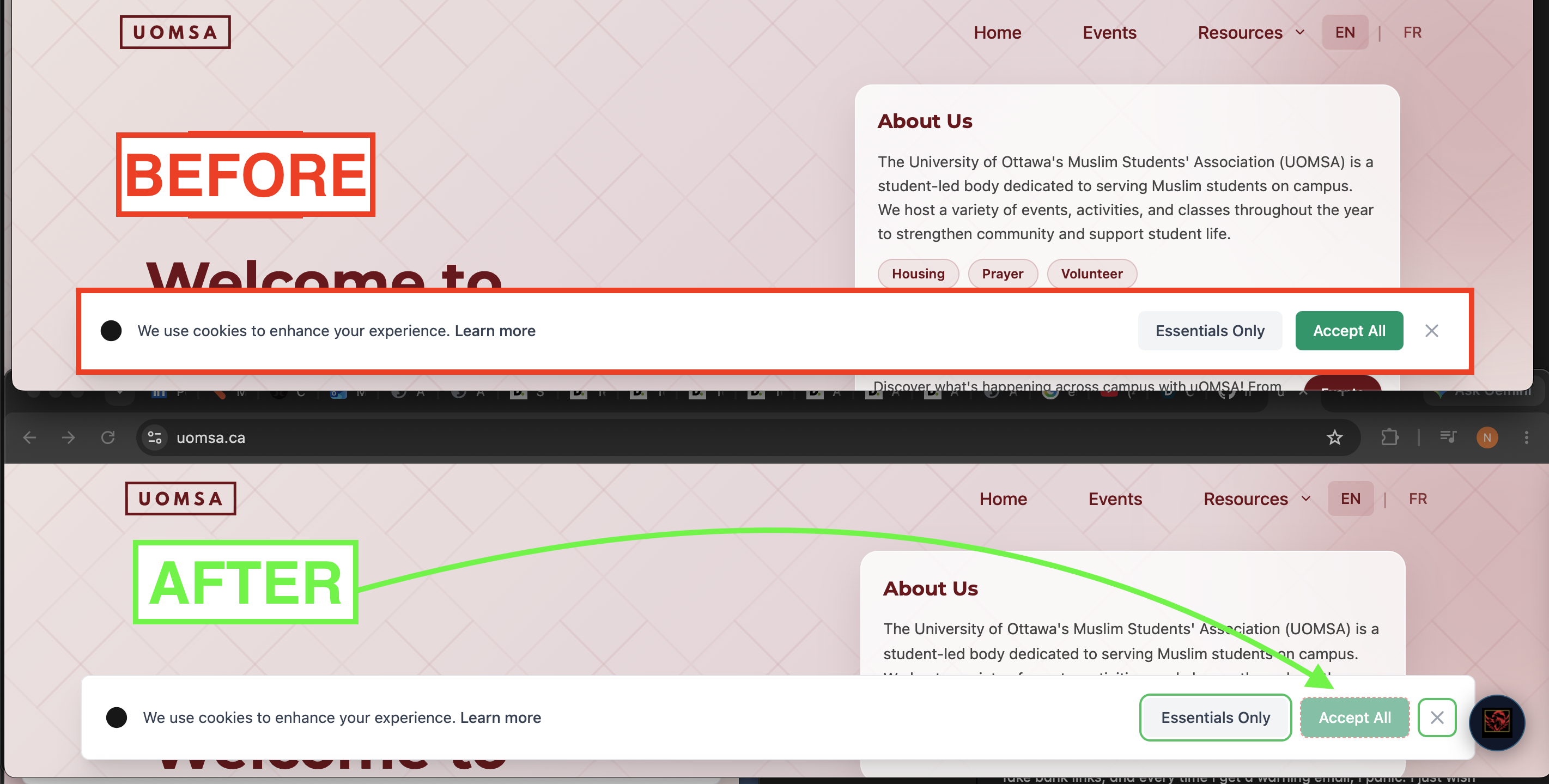
The before & after for Cookies consent- Greying out the primary accept button

Inspiration
I read about a woman who lost $14,000 after being tricked by a fake bank website that posed as RBC's official site. Check it out here: https://www.cbc.ca/news/business/rbc-bank-investigator-scam-1.7577770 For millions of non-technical web users, the modern web feels like a minefield of phishing emails, typosquatting domains, and manipulative dark patterns.
Take Rania, a 44 year old in Ottawa who looks after her elderly parent. Whenever she receives a bank text or email, she takes a screenshot and sends it to her family WhatsApp group, waiting for her nephew to verify if it is real before touching anything. As Rania put it:
"I saw on the news how easily people get tricked by fake bank links, and every time I get a warning email, I panic. I just wish something on my screen would tell me if it's safe right then and there so I don't have to keep bothering my family."
I built CyberWeb Shield (Your Eagle Guard) so users like Rania don't have to navigate the web alone or rely on family members for basic link verification.
What it does
CyberWeb Shield is a Manifest V3 browser extension that acts as an inline, real-time security assistant. Rather than silently running in the background, it provides immediate visual confidence and plain-English safety cues:
- Context-Aware Link Inspection: Hovering over links on search engines, webmail, or messaging apps displays a real-time badge (
Looks Safe!orDeceptive Link Warning). - Search Engine Breadcrumb Analysis: Parses search card breadcrumbs (like, Google, Bing) to ignore title headlines and compare root apex domains, eliminating false positives while catching malicious ad redirects.
- Smart Cookie Highlighting: Highlights privacy-friendly options on cookie consent banners to stop accidental data oversharing.
- Outlook Urgency Detector: Identifies high-pressure psychological traps (like, "Account suspended in 24 hours") inside email text.
- Checkout Network Safeguard: Warns users when entering credit card details on unverified networks.
- Tailored Security Profile: Includes a 4-question onboarding quiz that tailors protection modules to each user's specific blind spots.
How I built it
- Core Extension Architecture: Built on Manifest V3 using vanilla JavaScript (
content.js,background.js) to keep performance footprint minimal. - Context-Aware Detection Engine: Implemented domain-matching heuristics utilizing regex pattern recognition, TLD extraction, and
window.location.hostnamerouting. - Homoglyph & Typosquatting Normalization: Standardized lookalike characters (
0→o,1→i,@→a) and applied Levenshtein distance algorithms to catch domain spoofing (e.g.,micros0ft.comvsmicrosoft.com). - Non-Intrusive Glassmorphic UI: Built a floating "Eagle Shield" launcher and slide-out side panel loaded inside sandboxed
<iframe>instances to ensure layout isolation across host web pages.
Challenges I ran into
- Search Engine False Positives: Standard link-mismatch logic triggered false alarms on Google Search titles (like, "10 Best Tools" vs
domain.com). I resolved this by isolating search result card containers (.g,cite) and comparing apex root domains directly. - Handling Dynamic DOM Changes: Modern webmail clients like Outlook render content dynamically, requiring a carefully tuned
MutationObserversetup to prevent memory leaks and performance lag.
Accomplishments that I'm proud of
- Context-Aware Precision: Eliminating noisy false positives on search engines while keeping high-strictness link mismatch detection active in webmail environments.
- Clear Explainability: Providing explicit feedback like
Looks Safe! (convertico.com)so users understand why a link is trustworthy. - Seamless Floating Interface: Designing an intuitive UI that injected smoothly into host pages without disrupting site navigation.
What I learned
- Security is an Explainability Problem: Most users don't need silent background blockers; they need clear, inline explanations to build digital confidence.
- DOM Structure Diversity: Real-world search cards and webmail apps vary wildly in structure, handling edge cases like breadcrumbs with metadata (
1.2K+ followers) taught us the value of layered fallback logic.
What's next for CyberWeb Shield - Your Eagle Guard
- AI Phishing Summary Engine: Integrating local, privacy-focused LLMs to summarize suspicious email bodies into simple safety risk scores.
- Expanded Regional TLD Support: Extending automated brand-impersonation lookups across international top-level domains (
.ca,.co.uk,.com.au). - Community Threat Reporting: Enabling one-click user reporting of deceptive lookalike sites to enrich community threat feeds.
Built With
- https://github.com/imane-ux/eagleguard-back-off.git


Log in or sign up for Devpost to join the conversation.