-
-
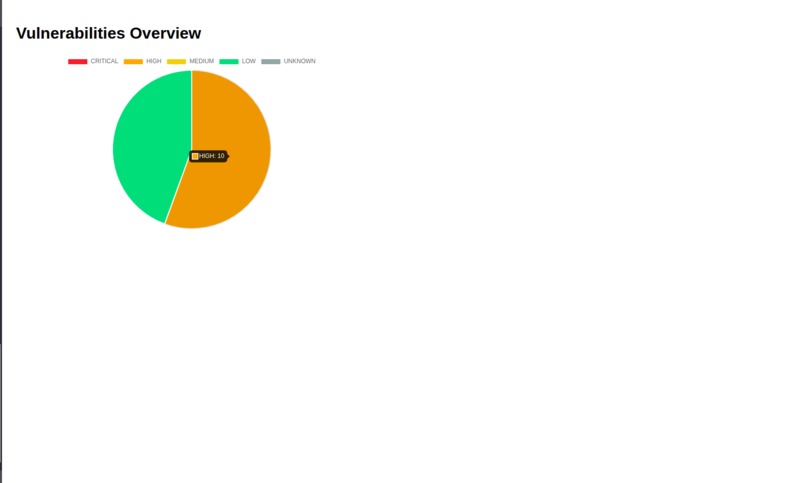
Chart with vulnerabilities of files uploaded
-
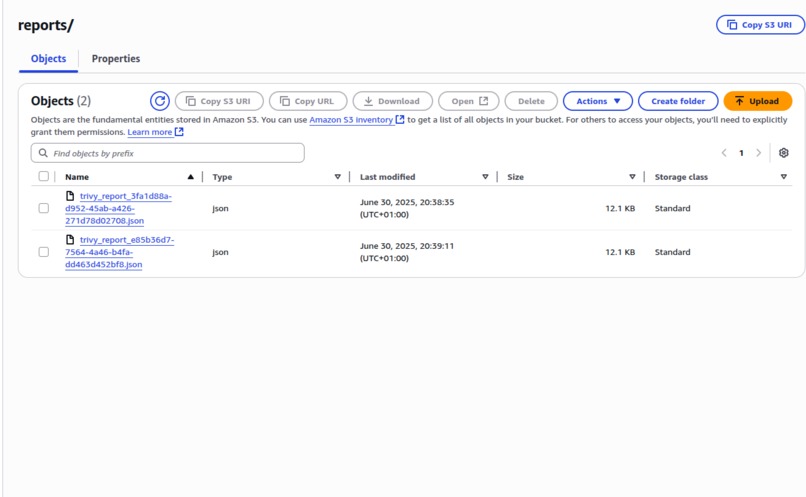
Reports from Trivy Scan in The AWS Dashboard
ScanCVEs
A command-line tool for scanning uploaded files for CVEs using AWS Services
Project Description
ScanCVEs is a CLI tool that scans local folders for vulerabilities using Trivy, integrated with AWS Services such as S3, Lambda, CodeBuild, Cognito, API Gateway.
The tool zips and uploads a folder into an S3 bucket using a presigned URL. The upload triggers a Lambda function that initiates an AWS CodeBuild project to perform a vulenrability scan with Trivy. After the scan is done, the result is stored in S3.
After that, another Lambda function generates a summary of the scan results and puts it in S3 for an easier read for the client. The summary stores the severities by file. Here is an example for a 4 file summary:
   [
    {
      "file": "Dockerfile",
      "numberOfSeverities": {
        "HIGH": 1,
        "LOW": 1
      },
      "highSeverities": [
        {
          "id": "DS002",
          "title": "Image user should not be 'root'",
          "severity": "HIGH"
        }
      ]
    },
    {
      "file": "test2/Dockerfile",
      "numberOfSeverities": {
        "HIGH": 1,
        "LOW": 1
      },
      "highSeverities": [
        {
          "id": "DS002",
          "title": "Image user should not be 'root'",
          "severity": "HIGH"
        }
      ]
    },
    {
      "file": "test3/Dockerfile",
      "numberOfSeverities": {
        "HIGH": 2,
        "LOW": 1
      },
      "highSeverities": [
        {
          "id": "DS002",
          "title": "Image user should not be 'root'",
          "severity": "HIGH"
        },
        {
          "id": "DS029",
          "title": "'apt-get' missing '--no-install-recommends'",
          "severity": "HIGH"
        }
      ]
    },
    {
      "file": "tt/Dockerfile",
      "numberOfSeverities": {
        "HIGH": 1,
        "LOW": 1
      },
      "highSeverities": [
        {
          "id": "DS002",
          "title": "Image user should not be 'root'",
          "severity": "HIGH"
        }
      ]
    }
  ]
The CLI waits to fetch the summary. If it exists, a Lambda function gets it with the help of presigned URL and the CLI prints the count of high and critical vulnerabilities per file and in total.
The zip files will automatically be deleted from S3 after 7 days since it's been uploaded.
The API Gateway is used to retrieve the presigned URL with fetch.
There is also a web page stored in the S3 bucket where we can see a chart of all reported severities. The data for the page are fetched with the help of a Lambda function that gets all summaries and sums up all the vulenrabilities and an html file where I retieve the data with the help of API Gateway.
Authentification is handled securely with AWS Cognito.
AWS Lambda functions
- login_func: Authentificates the user via Cognito
- lambda_func: Triggered by S3 upload; starts CodeBuild for scanning
- presigned_url_put_func: Generate a presigned URL to upload (PUT) the zipped file to S3
- presigned_url_get_func: Generate a presigned URL to download (GET) the summary of the scan results
- summary_func: Makes the summary from a full Trivy report
- get_total_vulnerabilities_func: Gets all summaries from S3 and makes a list of all types of total vulnerabilities over all files for the Web page
Running
CLI Tool Use
  cd cli_tool
  npm install
  node scan.mjs /path/to/folder
There is also a need of an .env file in the cli_tool folder that should have
    REGION="region"
    BUCKET_NAME="bucke-name"
    CLIENT_ID="cognito-client-id"
    USER_POOL_ID="cognito-userpool-id"
    NAME="user-username"
    PASSWORD="user-password"
    API_URL="generated-api-url"
You should also install the dependencies for cdk before deploying:
  cd app
  npm install
  cdk synth && cdk deploy
What inspired me
I always had problems with my Dockerfiles especially, something always being a tiny bit wrong and messing my project. So with this, I can make it perfect with no vulnerabilities!
What we learned
I learned more in depth how AWS Services work and more how they integrate with each other
What's next for CVEScanner
I want to use more AWS Servicies for this project in the future. I also think that this project could be used a lot to be able to scan vulnerabilities for files in diferent projects.

Log in or sign up for Devpost to join the conversation.